New on the Toolchain — issue 009, November 23, 2026
 THE CYBER TOOLCHAIN
NO. 009
29 improvements to help you get more from the Toolchain. 133 tools arrived on the Toolchain this week.
ISSUE 009 · 2026-11-15 → 2026-11-22
New Features & Improvements 29
This week's improvements to the Toolchain.
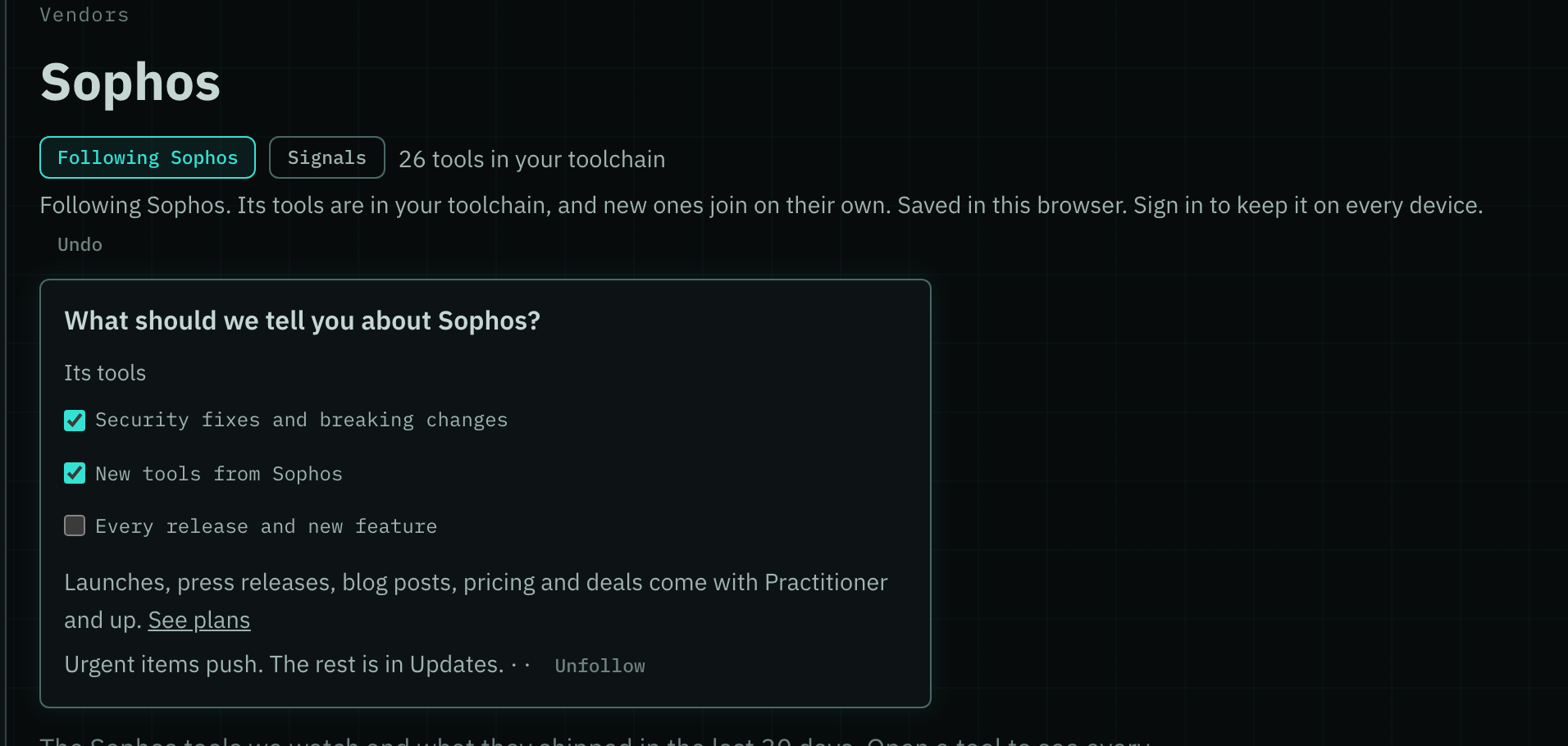
You can follow a vendor now, not just one tool at a time. Press Follow on any vendor page and every product they make joins your toolchain, including ones they add later, so their releases reach your inbox and their security updates and new products reach your alerts. On a paid plan you can also pick company news: launches and press releases. Don't run one of their products? Hide it, or mute just its alerts. Unfollow and everything that vendor brought leaves with it, except tools you've marked as ones you run.
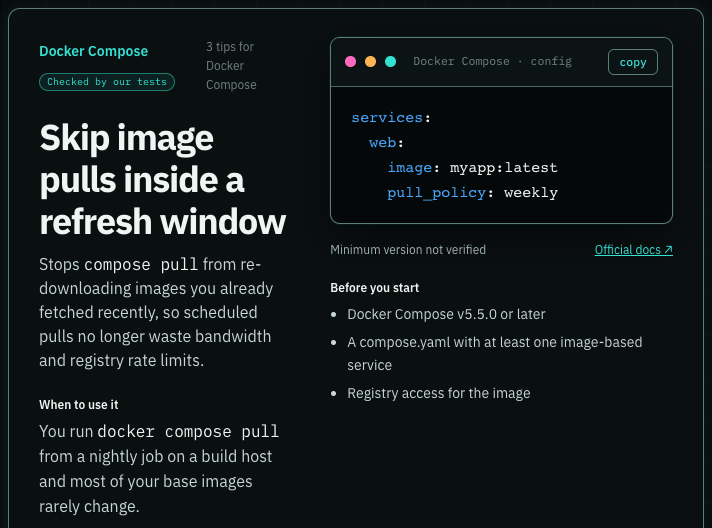
Level up now adds new tips on its own. For the tools we follow, when release notes, docs or an article show a feature worth trying, we write a tip for it and check it against the source with our tests. Settings tips come first; tips you run as a command join once that kind has passed enough of our checks. Tips made this way carry a Checked by our tests badge so you can tell them apart. Commands and settings inside a tip now show as code, so you can spot what to type.
Level up now opens on tips for the tools in your toolchain, so the first thing you see is something you can use today. Pick tools to search for any other tool and add it, or switch to All tools to browse everything. The tools you pick stay in the page address, so you can bookmark them or send the link to a teammate.
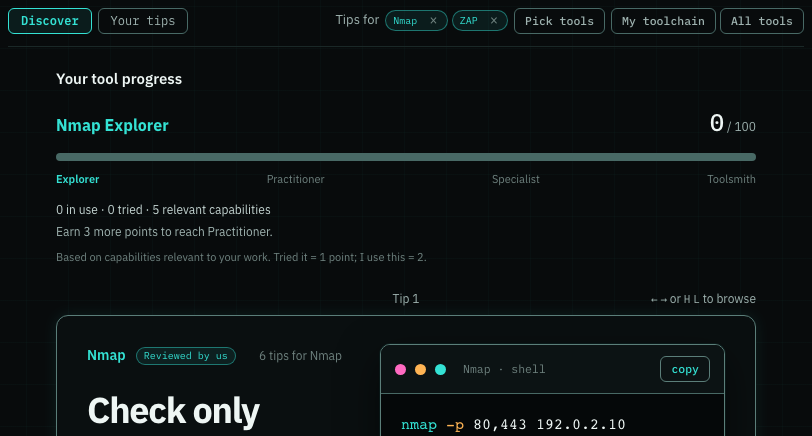
New: Level up gives you one short tip at a time for the cyber tools you already run, like checking only the ports a service needs in Nmap. We review every tip by hand. Each one tells you what to have ready, when you'd use it, the command or steps to run and what you should see when it works. Commands are in colour, so you can see where each option starts, and some tips for tools you click through show a screenshot of where the control is. We pick your next tip from the tools you follow, the features you already use and how well you know each tool, so once you know a tool well the basics wait and the bigger steps come first. A line under each title tells you why that tip came up. Tell us whether you've tried it or use it, and your answers follow you to any device you sign in from. Open it from the Tips for this tool link on a tool's page.
Capability Search now answers a CVE or a named attack like Log4Shell. You see which tools ship a check for it, split into checks that detect the attack and checks that find the vulnerable setup, each linked to the file in the tool's own repository. So you can tell what in your toolchain would catch it, not just which advisories mention it. Your AI assistant and the API answer the same question the same way.
A new Accuracy page explains how claims and search results are checked, with optional numbers and links to safe original samples when available. Unmeasured areas stay clearly marked; no accuracy score is claimed before the evidence is ready.
Compare and Capability Search now link individual feature statements to source receipts. Newsletter bullets use a receipt when we can join the exact original source; unmatched text stays Not checked yet. How we know explains the labels, and Corrections lists recorded fixes.
Every feature on a tool page now says how we know it. Hover or tap the label for its source and when we checked; open Supporting evidence for every quote behind the page. Lines marked Our summary are our explanation.
21 more improvements
Source receipts now say when their evidence was last successfully checked. A tool badge appears only when every tracked source qualifies, uses the oldest check, and ages as you read. Unchecked or changed pages keep the badge absent.
Each newsletter issue now says when it went out by email, in your own time zone and language, beside the date it was published. You can tell at a glance whether that morning's mail had it. When we don't know the send time, the page shows nothing rather than a guess.
The Hacking Hardware list now opens on the devices you can buy, with form, price, stock and status on each row. Firmware and companion software sit one click away under Software & firmware. The kit planner is now a one-line bar above the list that opens when you pick Build my Kit, Compare Hardware or What Changed?, and its answer is a short card instead of a page of tiles, so you get your recommendation without scrolling.
Some Level up tips now link a tutorial that runs the same command, so you can see it used in a longer walkthrough before you try it. We read tutorials people have written about the tools you run, match each command to a tip, and show the article's title, who published it and when, with a link to read it there. New matches are added each night as we read more articles.
Capability search in the API and MCP now finds a tool by the specifics its feature notes name, even when our one-line summary left them out. Before, a tool whose notes said it scans Helm charts didn't come up for Helm chart scanning because the summary only said IaC scanning. Now the formats, platforms and products named in our fuller notes on each feature, and in the API and CLI references we collect, count too.
Level up keeps your answers available on the devices you sign in from and stops sending your choices to site analytics.
The home page now shows when the latest edition came out, right at the top, so you can tell at a glance whether there is something new to read.
On your phone, the issue view now has two choices: scroll and expand in place. The preview pane looked and behaved exactly like expand in place on a small screen, so the extra choice is gone, and the dial turns between the two that differ.
Find tools with both an open-source license and a listed free plan, with headings sized for phone taps. Tool pages show a starting price in the vendor's billing words, with the date and source.
A tool page now shows its newest 50 releases, with an All releases button that opens every one on its own page. Pages for tools that ship a lot load much faster, and nothing is left out.
Features that are still in alpha, beta or preview now carry a badge, on the site and in the email, instead of a word tucked into the sentence. You can see at a glance what isn't finished yet.
Search the Hacking Hardware list for firmware or companion software and it now tells you where the match is, with a button to show it under Software & firmware. Before, the list just came up empty while it showed devices.
My Toolchain now speaks your language all the way through. Updated 3 days ago, the Undo on a tool page and the notes after you ask us to watch a tool used to stay in English. With the keyboard, removing your last tool or a tool list that loads late no longer drops you back at the top of the page.
On a phone, My Toolchain now fits the screen when you follow lots of tools. Before, the + Vendor button, the New filter and I run this ran off the right edge, so you couldn't reach them.
Tool and report pages in your language now fill in over the next few days instead of staying partly English. Our daily translation run used to spend its time re-translating sentences where only a number had changed, so it never got to those pages.
Plan conference travel with each city's own dates, prices and calendar event. Rejected captures no longer leave talks or recordings on the page.
Release history in the API and MCP keeps updating when a claims refresh is delayed.
You return straight to the homepage when an AI coding-plan page isn’t available, even with JavaScript off.
Capability search no longer counts a release that removed or dropped something as proof a tool does it. Search for SAML sign-in and you won't get a tool whose only mention is the day it stopped supporting SAML.
In My Toolchain, the control you're on now stays selected when the list refreshes behind you, including the version picker and the buttons inside an open tool. If you use the keyboard, you no longer get thrown back to the top of the page.
A receipt stays Not checked yet when we can’t verify that it belongs to the current source data, so an old check can’t stand in for a new one.
New tools 133
We recommend checking out these 3.
agenthound
Agentic Threat Hunting Framework
agentic-bug-hunter
Software Supply Chain Security
We now follow aboutcode, cargo-auditable, cyclonedx-cli, cyclonedx-core-java, cyclonedx-go and 18 more. When one of them ships something new, you hear about it.
Reconnaissance & OSINT
We now follow adalanche, favirecon, h4x-tools, myip, osint-brazuca and 7 more. When one of them ships something new, you hear about it.
Code Security
We now follow apkhunt, deepaudit, gosec, js-x-ray, njsscan and 5 more. When one of them ships something new, you hear about it.
Vulnerability & Exposure Management
We now follow cve-search, gsa, gvm-libs, gvmd, openvas-scanner and 5 more. When one of them ships something new, you hear about it.
Container & Image Security
We now follow adm-controller, containerssh, copacetic, trivy-action, trivy-operator. When one of them ships something new, you hear about it.
Identity & Access Management
We now follow cerbos, mock-oauth2-server, openfga, pac4j, yubikey-guide. When one of them ships something new, you hear about it.
Threat Intelligence
We now follow greedybear, harpoon, lolbas, mihari, ransomlook. When one of them ships something new, you hear about it.
// ALSO NEW 60
Add a tool to a Grep to get its releases by email, or save it to My Toolchain while signed out, and we’ll sync it to your account when you sign in.
- Add to Grep
- Add to Grep
- Add to Grep
- Add to Grep
- Add to Grep
- Add to Grep
- Add to Grep
- Add to Grep
- Add to Grep
- Add to Grep
- Add to Grep
- Add to Grep
48 more arrived this week; they are all on the site.