PAGES
Subscribe Get it delivered — five to ten releases we picked each morning from the tools you run, with every release in the issue on the web. Compare plans →

The Cyber Toolchain — issue 079, September 19, 2026

THE CYBER TOOLCHAIN NO. 079
Tail
THE DAILY RELEASE FIREHOSE
PUBLISHED SEPTEMBER 19, 2026 · EVERY DAY
EDITIONS tail grep head ls diff uniq

The daily firehose — everything the toolchain shipped today, already filtered.

We read every release from the 1309 tools on our watchlist at the source — GitHub and GitLab release notes, vendor release pages and changelogs, project blogs and feeds, vendor press releases, and the source code behind the tag. Bug-fix-only releases and non-product newsroom noise are dropped; what's left is summarized down to the new capability, how to try it, and any screenshots or videos the release itself published. Every entry links to the sources it was built from.

VIEW
ISSUE VIEW scroll
INFORMATION DENSITY everything
ISSUE WIDTH reading width
Do you prefer scroll?
ADDITIONAL FILTERS
$ tct list   # 13 tools matched

What stands out across today's releases, grouped by what it lets you do. Every tool named links to its entry below.

  • protect

    Cut the vulnerability queue by proving which findings can actually be reached

    AI Triage & Remediation Assist scores SASTSASTStatic application security testing, analyzing source code or compiled code for vulnerabilities without running the application. It helps developers find problems before deployment./SCASCASoftware composition analysis, identifying third-party dependencies and checking them for known vulnerabilities and license issues. It covers software a team uses rather than writes itself. findings for reachability and exploitability and generates candidate patches, running automatically on every scan or pull request. The manual work that goes away is an AppSecAppSecApplication security: the practice of finding and fixing vulnerabilities in software during design, development, and testing. Cyber tools build on AppSec workflows to shift vulnerability detection earlier in the development lifecycle. engineer reading each finding to decide whether the vulnerable path is live in this codebase before anyone writes a line of fix.

    Checkmarx

  • detect

    Run one alert queue across a fleet of serverless projects

    Cross-project search lets an origin project query and investigate across up to 100 linked projects, so analysts triage, hunt and pivot in one place. Teams split across projects for tenancy or data-residency reasons previously had to context-switch per console and stitch the picture together by hand, which is how cross-environment activity gets missed.

    Elastic Security Labs

  • govern

    Give every AI agent its own identity instead of a shared service account

    Runlayer's Agent Accounts attach independent policies and an audit trail to each agent, so you can scope and revoke one agent without touching the rest and attribute an action to it after the fact. Exaforce's AI Security inventories AI apps and agents agentlessly with per-agent risk scoring and a kill switch — the prerequisite to both is knowing which agents exist and what each is allowed to do.

    Runlayer · Exaforce

  • protect

    Publish to npm without a long-lived token that can push straight to the registry

    Stage-only tokens and npm stage publish split staging a release from promoting it, so a leaked CI credential cannot silently ship a malicious version to consumers. This is the same failure mode behind most recent npm supply-chain incidents.

    GitHub

Application Security
◆  Secrets Detection & Management

infisical

Sources Release notes → v0.165.13 Notes Rank Why this rank top features scored 45/35/30 — 36.67 How ranking works →

Infisical v0.165.13 introduces a project-wide unique-value validation rule, the first stage of recursive secret syncs, certificate filtering for PKIPKIA framework of policies, roles, and cryptographic standards for issuing and managing digital certificates that bind public keys to identities, letting tools verify authenticity and encrypt communications without pre-shared secrets. syncs, and a per-organization limit on secret scanningsecret scanningChecking files, code or other data for exposed credentials such as passwords, API keys and tokens. Findings help teams remove the secret and revoke or rotate it., alongside a new light mode.⁠︀︄︇︀︅︉︀︅︀︀︃︀︀︅︅︀︅︊︀︄︆︀︃︄⁠

Infisical is the open-source platform for secrets, certificates, and privileged access management.

Infisical v0.165.13 introduces a project-wide unique-value validation rule, the first stage of recursive secret syncs, certificate filtering for PKIPKIA framework of policies, roles, and cryptographic standards for issuing and managing digital certificates that bind public keys to identities, letting tools verify authenticity and encrypt communications without pre-shared secrets. syncs, and a per-organization limit on secret scanningsecret scanningChecking files, code or other data for exposed credentials such as passwords, API keys and tokens. Findings help teams remove the secret and revoke or rotate it., alongside a new light mode.⁠︀︄︇︀︅︉︀︅︀︀︃︀︀︅︅︀︅︊︀︄︆︀︃︄⁠

└──▷ WHAT SHIPPED · 5 FEATURES 0 OF 5 FEATURES most completely described first
what's the number?

Each feature carries 0–100 for how completely the vendor documented it — not how big or important the work is. A major capability described in eight words scores low, and that is the finding.

  • depth0–40 what it does and how it works or what changed
  • specificity0–30 names real surfaces — APIs, flags, formats, limits, numbers
  • actionability0–30 enough to go use it — a named endpoint, flag, or config key tops this; a UI path is a starting point

Code and config rank first by construction: a documented endpoint, flag or config key scores at the top of specificity and actionability, so it sorts above a feature described only in prose. Under 60 the notes go thin — everything below the “thinner coverage” line is thinner documentation, not smaller work. Hover any meter for that feature's three sub-scores.

01 00
Unique-value validation rule for secrets new 45

A new validation rule enforces that a secret value is not duplicated anywhere else within the project, checking uniqueness across the whole project rather than just within a single environment or folder.⁠︀︄︇︀︅︉︀︅︀︀︃︀︀︅︅︀︅︊︀︄︆︀︃︄⁠

— Explains the rule's scope but no config path given v0.165.13
02 00
Certificate filters for PKI syncs new 35

Adds the ability to filter which certificates are chosen when configuring PKI syncs.

— States the capability but not filter criteria or UI location v0.165.13
03 00
Recursive secret syncs (stage one) new 30

Secret sync jobs can now traverse nested folder structures recursively, described as the first stage of this capability.

— Named as stage one but mechanism and limits unspecified v0.165.13
04 00
Per-organization secret scanning limit improved 25

Secret scanning is now limited to one project per organization.

— Clear limit stated but no config or workaround detail v0.165.13
05 00
Light mode new 10

Adds a light mode to the interface, per the release summary; no further detail is provided.
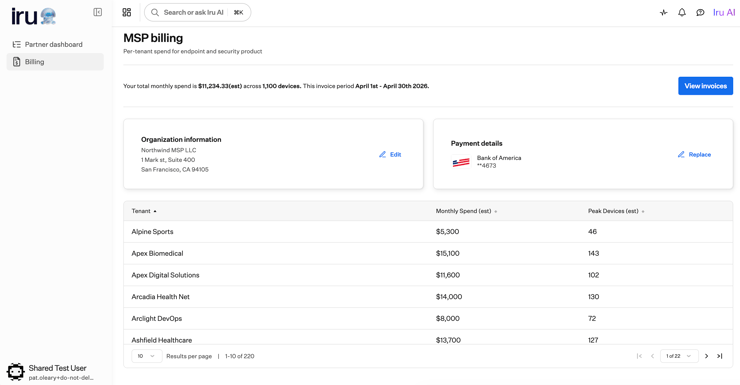
— Mentioned only in summary with no supporting detail v0.165.13
v0.165.13 Notes LatestStable

Infisical v0.165.13 adds light mode, recursive secret syncs, per-org secret scanningsecret scanningChecking files, code or other data for exposed credentials such as passwords, API keys and tokens. Findings help teams remove the secret and revoke or rotate it. limits, PKIPKIA framework of policies, roles, and cryptographic standards for issuing and managing digital certificates that bind public keys to identities, letting tools verify authenticity and encrypt communications without pre-shared secrets. sync certificate filters, and a unique-values validation rule.⁠︀︄︇︀︅︉︀︅︀︀︃︀︀︅︅︀︅︊︀︄︆︀︃︄⁠

└──▷ GET THIS VERSION
$ git clone --branch v0.165.13 https://github.com/Infisical/infisical.git
# already have the repo? check out this version:
$ git checkout v0.165.13
  • Adds a 'unique values across the whole project' validation rule to enforce that a secret value is not duplicated in any other secret within the project.⁠︀︄︇︀︅︉︀︅︀︀︃︀︀︅︅︀︅︊︀︄︆︀︃︄⁠
  • Adds recursive secret syncs (stage one), enabling secret sync jobs to traverse nested folder structures.
  • Adds the ability to filter which certificates are chosen when configuring PKI syncs.
  • Limits secret scanning to one project per organization.
  • Adds a 'unique values across the whole project' validation rule to enforce that a secret value is not duplicated in any other secret within the project.⁠︀︄︇︀︅︉︀︅︀︀︃︀︀︅︅︀︅︊︀︄︆︀︃︄⁠

3 more in Everything

Was this useful?
◆  SAST / SCA / Code Security

GitHub

Sources Blog / feed → Copilot code review: An improved review experience (2026-09-18) Blog Rank Why this rank top features scored 95/75/75, +10 product media, +6 runnable example — 97.67 How ranking works →

Join the world's most widely adopted, AI-powered developer platform where millions of developers, businesses, and the largest open source community build software that advances humanity.

GitHub's biggest shifts this window are a safer npm publishing model built around stage-only tokens and the npm stage publish command, and a broad refresh of Copilot code review's overview UI and automation, alongside a wide slate of Copilot agent features (model tiers, Dev ContainersDev ContainersA Docker-based development environment specification, maintained by Microsoft and the open-source community, that lets a tool ship a fully configured, reproducible workspace any developer can launch inside VS Code or a compatible editor., Sentry canvas) and a new REST APIREST APIA web API design style where clients interact with resources over HTTP using standard methods like GET, POST, and DELETE, giving cyber tools a predictable, language-agnostic way to integrate with external services. for code coverage rulesets.⁠︀︄︇︀︅︉︀︅︀︀︃︀︀︅︅︀︅︊︀︄︆︀︃︄⁠

└──▷ WHAT SHIPPED · 11 FEATURES 0 OF 11 FEATURES most completely described first
what's the number?

Each feature carries 0–100 for how completely the vendor documented it — not how big or important the work is. A major capability described in eight words scores low, and that is the finding.

  • depth0–40 what it does and how it works or what changed
  • specificity0–30 names real surfaces — APIs, flags, formats, limits, numbers
  • actionability0–30 enough to go use it — a named endpoint, flag, or config key tops this; a UI path is a starting point

Code and config rank first by construction: a documented endpoint, flag or config key scores at the top of specificity and actionability, so it sorts above a feature described only in prose. Under 60 the notes go thin — everything below the “thinner coverage” line is thinner documentation, not smaller work. Hover any meter for that feature's three sub-scores.

01 00
Stage-only npm tokens for gated publishing new 95

npm granular access tokensaccess tokensA credential that authorizes a client to use a service or API. It usually has limited permissions and a lifetime; anyone holding it may be able to use those permissions. gain a Read and write (stage only) permission option, letting automated workflows stage package versions without direct-publish rights.⁠︀︄︇︀︅︉︀︅︀︀︃︀︀︅︅︀︅︊︀︄︆︀︃︄⁠ The new npm stage publish command replaces npm publish for these workflows; staged versions require a maintainer to review and approve with 2FA before release, and npm rejects direct npm publish attempts even when bypass-2FA is configured. Stage-only tokens retain other write permissions such as moving dist-tags and deprecating versions. Staged publishing requires npm CLI 11.15.0+ and Node.js 22.14.0+.

Migrate a CI pipeline off bypass-2FA tokens by staging a release for maintainer approval instead of publishing directly.
$ npm stage publish
Create a stage-only granular access tokenaccess tokenA credential that authorizes a client to use a service or API. It usually has limited permissions and a lifetime; anyone holding it may be able to use those permissions. scoped to your package so automation can submit releases without direct-publish rights — navigate to your npm account token settings and choose Read and write (stage only) for the target packages.
📍In npm account settings, go to Access Tokens › Generate New Token › Granular Access Token, set permissions to Read and write (stage only), and scope it to the packages your workflow publishes.
— Names exact command, config option, and version requirements Stage-only npm tokens for safer automation (…
02 00
Copilot code review overview and automation improvements improved 75

The Copilot code review overview comment now groups findings into Open, Resolved since last review, and Previously missed sections, each with severity and a link to the inline comment; every review comment gets a title reused in the overview issue list. Copilot generates a commit title and optional description automatically when committing an eligible batch of Copilot suggestions, including batches that mix in non-Copilot comments. Reviews also now resolve addressed comments during subsequent passes, suggest commit messages when applying suggestions, support shell tools to validate changes, and combine findings from multiple agents in Lite reviews.

▶ Watch video
Quickly triage a Copilot review by checking which issues are still open, which were fixed, and which were newly surfaced in existing code — all from the overview comment without scrolling through inline threads.
📍In the pull request, open the Copilot overview comment › review findings grouped under Open, Resolved since last review, and Previously missed › click the inline-comment link next to any finding to jump directly to the relevant code.
03 00
Efficiency, balance, and intelligence tiers for auto model selection new 75

Auto model selection gains efficiency, balance, and intelligence tiers, letting users control how Copilot weighs cost, quality, and response time; rolling out in VS Code, Copilot CLI, and the Copilot app.

Prioritise response quality over cost for a high-stakes investigation by switching auto model selection to the intelligence tier.
📍In VS Code (or Copilot CLI / Copilot app): open Copilot settings › Auto model selection › set tier to intelligence to have Copilot pick the highest-quality available model for each request.
— Names exact tier values and settings path GitHub Copilot weekly releases — September 1…
04 00
Code coverage ruleset condition via REST API new 70

The Restrict code coverage repository ruleset option, previously UI-only, is now exposed via the REST API, enabling programmatic create, update, and read of minimum line coverage percentage and maximum tolerable coverage drop rules for pull requests.

— Names the ruleset option but not exact endpoint path Manage the code coverage ruleset condition w…
05 00
Sentry canvas in GitHub Copilot app new 65

A Sentry canvas in the Copilot app lets users move from crash report to code fix: review errors, stack traces, and related context, then work with Copilot to investigate, validate a fix, and prepare a pull request.

When a Sentry alert fires in production, jump straight from the crash report into a fix workflow without leaving GitHub.
📍In the GitHub Copilot app: open the Sentry canvas › select a Sentry error report › review the stack trace and related context › ask Copilot to investigate the root cause › validate the proposed fix › create a pull request from the canvas.
— Clear UI workflow steps but no config surface GitHub Copilot weekly releases — September 1…
06 00
Local Dev Container support for agents in VS Code new 65

Agents in the VS Code Agents window can now run with a project's own tools and dependencies via local Dev ContainerDev ContainerA Docker-based development environment defined in a JSON config file, standardized by Microsoft, that lets a project ship its exact toolchain so any contributor's editor or CI system gets an identical workspace. support, requiring Docker and a supported Dev Container configuration in the repo.

Run a Copilot agent against a project that requires specific runtimes or dependencies defined in a Dev Container, so the agent uses the same environment as local development.
📍In VS Code 1.138, open the Agents window › start or resume a session › Copilot automatically launches the local Dev Container (Docker must be running and a Dev Container configuration must exist in the repo) › the agent executes tasks inside the container environment.
— Names requirements (Docker, Dev Container) and UI path GitHub Copilot weekly releases — September 1…
07 00
Budget request flow for Copilot usage-based billing new 60

Copilot Business and Enterprise users on usage-based billing can request higher AI credit limits, which owners and billing managers can approve, adjust, or deny in settings; this is now generally available.

— Explains workflow and approvers but no exact UI path GitHub Copilot weekly releases — September 1…
08 00
Automatic inactive-session cleanup in VS Code Agents new 60

An opt-in, preview feature in VS Code automatically marks Agents window sessions as Done once all their pull requests merge, with optional deletion after a configurable grace period.

— Describes mechanism and status but no config key named GitHub Copilot weekly releases — September 1…
thinner coverage below
09 00
Pull request creation from Agent Host sessions new 55

Pull requests can now be created directly from Agent Host sessions in the VS Code Agents window, including a generated title and description, draft status selection, and agent-assisted creation.

— Describes what and where but no example given GitHub Copilot weekly releases — September 1…
10 00
VS Code Agents window usage metrics GA improved 50

Usage metrics for the VS Code Agents window are now generally available, covering daily active users, session counts, user message totals, and user-level activity data in enterprise and organization reports.

— Lists metrics tracked but no access path given GitHub Copilot weekly releases — September 1…
11 00
Copilot suggestions for repository custom property values new 40

Copilot can now suggest values for repository custom properties, in public preview, with organization and enterprise owners able to enable or disable the suggestions via a Copilot policy.

— Names the policy control but no exact key or path GitHub Copilot weekly releases — September 1…
Copilot code review: An improved review experience (2026-09-18) Blog LatestStable

Copilot code review gains a structured findings overview, titled comments, smarter auto-resolution, and AI-generated commit messages for batch suggestions.⁠︀︄︇︀︅︉︀︅︀︀︃︀︀︅︅︀︅︊︀︄︆︀︃︄⁠

└──▷ HOW TO FIND IT
Quickly triage a Copilot review by checking which issues are still open, which were fixed, and which were newly surfaced in existing code — all from the overview comment without scrolling through inline threads.
📍In the pull request, open the Copilot overview comment › review findings grouped under Open, Resolved since last review, and Previously missed › click the inline-comment link next to any finding to jump directly to the relevant code.
  • Adds a refreshed overview comment grouping findings into Open, Resolved since last review, and Previously missed sections, each with severity and a link to the inline comment.⁠︀︄︇︀︅︉︀︅︀︀︃︀︀︅︅︀︅︊︀︄︆︀︃︄⁠
  • Adds titles to every Copilot code review comment for at-a-glance prioritization, reused in the overview issue list.
  • Generates a commit title and optional description automatically when you commit an eligible batch of Copilot code review suggestions, including batches that mix in non-Copilot comments.

3 details in Everything

Manage the code coverage ruleset condition with the REST API (2026-09-18) Blog Stable

GitHub REST APIREST APIA web API design style where clients interact with resources over HTTP using standard methods like GET, POST, and DELETE, giving cyber tools a predictable, language-agnostic way to integrate with external services. now supports managing the Restrict code coverage repository ruleset option programmatically.⁠︀︄︇︀︅︉︀︅︀︀︃︀︀︅︅︀︅︊︀︄︆︀︃︄⁠

GitHub Copilot weekly releases — September 14 (2026-09-18) Blog Stable

Copilot gains Sentry canvas, Dev ContainerDev ContainerA Docker-based development environment defined in a JSON config file, standardized by Microsoft, that lets a project ship its exact toolchain so any contributor's editor or CI system gets an identical workspace. agents, efficiency/balance/intelligence model tiers, and GA usage metrics in VS Code.⁠︀︄︇︀︅︉︀︅︀︀︃︀︀︅︅︀︅︊︀︄︆︀︃︄⁠

└──▷ HOW TO FIND IT
When a Sentry alert fires in production, jump straight from the crash report into a fix workflow without leaving GitHub.
📍In the GitHub Copilot app: open the Sentry canvas › select a Sentry error report › review the stack trace and related context › ask Copilot to investigate the root cause › validate the proposed fix › create a pull request from the canvas.
Run a Copilot agent against a project that requires specific runtimes or dependencies defined in a Dev Container, so the agent uses the same environment as local development.
📍In VS Code 1.138, open the Agents window › start or resume a session › Copilot automatically launches the local Dev Container (Docker must be running and a Dev Container configuration must exist in the repo) › the agent executes tasks inside the container environment.
Prioritise response quality over cost for a high-stakes investigation by switching auto model selection to the intelligence tier.
📍In VS Code (or Copilot CLI / Copilot app): open Copilot settings › Auto model selection › set tier to intelligence to have Copilot pick the highest-quality available model for each request.
  • Adds efficiency, balance, and intelligence tiers to auto model selection, letting users control how Copilot weighs cost, quality, and response time; rolling out in VS Code, Copilot CLI, and the Copilot app.⁠︀︄︇︀︅︉︀︅︀︀︃︀︀︅︅︀︅︊︀︄︆︀︃︄⁠
  • Adds a Sentry canvas in the GitHub Copilot app to move from crash report to code fix — review errors, stack traces, and related context, then work with Copilot to investigate, validate a fix, and prepare a pull request.
  • Adds local Dev Container support in the VS Code Agents window, letting agents run with a project's own tools and dependencies (requires Docker and a supported Dev Container configuration).
  • Adds pull request creation directly from Agent Host sessions in the VS Code Agents window, including generated title and description, draft status selection, and agent-assisted creation.
  • Adds Copilot suggestions for repository custom property values (now in public preview), with organization and enterprise owners able to enable or disable suggestions via a Copilot policy.
+4 more show less
  • Adds a budget request flow for Copilot Business and Enterprise users on usage-based billing, allowing users to request higher AI credit limits that owners and billing managers can approve, adjust, or deny in settings; now generally available.
  • Adds automatic inactive-session cleanup in VS Code (opt-in, now in preview): marks sessions as Done once all their pull requests merge, with optional deletion after a configurable grace period.
  • Promotes VS Code Agents window usage metrics to general availability, covering daily active users, session counts, user message totals, and user-level activity data in enterprise and organization reports.
  • Copilot code review now resolves addressed comments during subsequent reviews, suggests commit messages when applying code suggestions, supports shell tools to validate changes, and combines findings from multiple agents in Lite reviews.
  • Adds efficiency, balance, and intelligence tiers to auto model selection, letting users control how Copilot weighs cost, quality, and response time; rolling out in VS Code, Copilot CLI, and the Copilot app.⁠︀︄︇︀︅︉︀︅︀︀︃︀︀︅︅︀︅︊︀︄︆︀︃︄⁠
  • Adds a Sentry canvas in the GitHub Copilot app to move from crash report to code fix — review errors, stack traces, and related context, then work with Copilot to investigate, validate a fix, and prepare a pull request.
  • Adds local Dev Container support in the VS Code Agents window, letting agents run with a project's own tools and dependencies (requires Docker and a supported Dev Container configuration).
  • Adds pull request creation directly from Agent Host sessions in the VS Code Agents window, including generated title and description, draft status selection, and agent-assisted creation.
  • Adds Copilot suggestions for repository custom property values (now in public preview), with organization and enterprise owners able to enable or disable suggestions via a Copilot policy.
+2 more show less
  • Adds a budget request flow for Copilot Business and Enterprise users on usage-based billing, allowing users to request higher AI credit limits that owners and billing managers can approve, adjust, or deny in settings; now generally available.
  • Adds automatic inactive-session cleanup in VS Code (opt-in, now in preview): marks sessions as Done once all their pull requests merge, with optional deletion after a configurable grace period.

2 more in Everything

Stage-only npm tokens for safer automation (2026-09-18) Blog Stable

npm granular access tokensaccess tokensA credential that authorizes a client to use a service or API. It usually has limited permissions and a lifetime; anyone holding it may be able to use those permissions. now support Read and write (stage only) to gate package publishes behind 2FA reviewer approval.⁠︀︄︇︀︅︉︀︅︀︀︃︀︀︅︅︀︅︊︀︄︆︀︃︄⁠

└──▷ TRY IT
Migrate a CI pipeline off bypass-2FA tokens by staging a release for maintainer approval instead of publishing directly.
$ npm stage publish
Create a stage-only granular access tokenaccess tokenA credential that authorizes a client to use a service or API. It usually has limited permissions and a lifetime; anyone holding it may be able to use those permissions. scoped to your package so automation can submit releases without direct-publish rights — navigate to your npm account token settings and choose Read and write (stage only) for the target packages.
📍In npm account settings, go to Access Tokens › Generate New Token › Granular Access Token, set permissions to Read and write (stage only), and scope it to the packages your workflow publishes.
  • Adds Read and write (stage only) permission option when creating npm granular access tokens, allowing automated workflows to stage package versions without direct-publish rights.⁠︀︄︇︀︅︉︀︅︀︀︃︀︀︅︅︀︅︊︀︄︆︀︃︄⁠
  • Introduces npm stage publish as the publishing command for stage-only token workflows, replacing npm publish — staged versions require a maintainer to review and approve with 2FA before release.
  • Stage-only tokens retain other package write permissions (moving dist-tags, deprecating versions) but npm rejects direct npm publish attempts even when bypass-2FA is configured.
  • Requires npm CLI 11.15.0 or later and Node.js 22.14.0 or later for staged publishing workflows.

4 details in Everything

Was this useful?

Checkmarx

Sources Blog / feed → Triage is where backlogs are born.  Checkmarx Triage & Remediation Assist is how they’re cleared. (2026-09-17) Blog Rank Why this rank top features scored 100/80/75, +15 breaking change, +6 runnable example — 106 How ranking works →

Checkmarx agentic application security software platform Combines Hybrid scanning, AI-powered agents, and unified risk intelligence across every attack surface

Checkmarx's headline addition this window is AI Triage & Remediation Assist, which evaluates SASTSASTStatic application security testing, analyzing source code or compiled code for vulnerabilities without running the application. It helps developers find problems before deployment./SCASCASoftware composition analysis, identifying third-party dependencies and checking them for known vulnerabilities and license issues. It covers software a team uses rather than writes itself. findings for reachability and exploitability, generates suggested code fixes, and can auto-triage on every scan or pull request; alongside it, Checkmarx shipped a new Software Supply Chain Security module (secrets detection, repository health scoring), GitHub App-based repo authentication, an MCP ServerMCP ServerA process that exposes tools, resources, and prompts over Anthropic's Model Context Protocol, letting an AI agent call external APIs or local services through a standardised interface. risk-triage surface, and a wave of DASTDASTDynamic application security testing, probing a running application from the outside for vulnerabilities. It checks behavior exposed through the application's interfaces. (proxy support, CLI workflow, authentication URL discovery, an Insights engine) and SCA/SBOMSBOMA software bill of materials, an inventory of the components and versions inside an application. It helps teams find affected software when a dependency has a vulnerability or licensing issue. reporting improvements including license sections and CVE deduplication.⁠︀︄︇︀︅︉︀︅︀︀︃︀︀︅︅︀︅︊︀︄︆︀︃︄⁠

└──▷ WHAT SHIPPED · 35 FEATURES 4 OF 35 FEATURES most completely described first
what's the number?

Each feature carries 0–100 for how completely the vendor documented it — not how big or important the work is. A major capability described in eight words scores low, and that is the finding.

  • depth0–40 what it does and how it works or what changed
  • specificity0–30 names real surfaces — APIs, flags, formats, limits, numbers
  • actionability0–30 enough to go use it — a named endpoint, flag, or config key tops this; a UI path is a starting point

Code and config rank first by construction: a documented endpoint, flag or config key scores at the top of specificity and actionability, so it sorts above a feature described only in prose. Under 60 the notes go thin — everything below the “thinner coverage” line is thinner documentation, not smaller work. Hover any meter for that feature's three sub-scores.

01 01
AI Triage and Remediation for SAST/SCA findings new 100

A Triage with AI control in the Risk Orchestration side panel evaluates eligible SAST findings for reachability, exploitability, and existing sanitization, setting state to Confirmed or Proposed Not Exploitable with AI attribution; a Remediate with AI control generates a suggested code fix surfaced in the Remediation > AI Remediation tab with a what/why/how explanation, and can open a pull request for GitHub Code Repository Integration projects.⁠︀︄︇︀︅︉︀︅︀︀︃︀︀︅︅︀︅︊︀︄︆︀︃︄⁠ Automated AI Triage can run on every completed scan, configurable by project, branch, scanner, risk status, and severity with administrator-controlled overrides, and also runs automatically on pull requests with direct remediation requests via PR comments for GitHub projects. Triage state changes propagate retroactively to identical SAST findings across earlier scans (matched by Similarity ID or Attack Vector ID) and forward into subsequent SCA scans (matched by package version and package manager, without retroactive application). An AI Triage & Remediation dashboard reports total triage and remediation actions, unique developers, estimated developer time saved, activity trends, triage outcomes, remediation results, and top projects, filterable by resource, branch, scanner, time range, tags, and groups. Both actions draw on Checkmarx Credits, with administrator visibility into burn rate and projected depletion; the AI Triage and AI Remediation agents were later upgraded for improved accuracy and performance, and new permissions were added for Analytics — AI Triage and Remediation.

Quickly assess whether a high-severity SAST finding is actually reachable and exploitable before assigning it to a developer.
📍In Checkmarx One, open Risk Orchestration and select a SAST finding. In the side panel, choose Triage with AI. Review the reachability and exploitability analysis in the Info tab; the state is set to Confirmed or Proposed Not Exploitable with AI attribution visible.
After confirming a SAST risk, generate a review-ready code fix and open a pull request so the developer receives context-complete remediation guidance without leaving their normal workflow.
📍In Checkmarx One, open the confirmed SAST finding in Risk Orchestration, select Remediate with AI, review the proposed change and what/why/how explanation in the Remediation › AI Remediation tab, then (for GitHub Code Repository Integration projects) trigger creation of a pull request containing the suggested fix.
Prevent backlog growth by automatically triaging all new Critical and High SAST findings on every main-branch scan, so analysts only review decisions rather than re-investigate context.
📍In Checkmarx One administration settings, enable automated AI Triage and scope it to the target project, the main branch, the SAST scanner, and severity levels Critical and High. Set administrator-controlled overrides to restrict project teams from changing the branch and severity scope.
— Names exact controls, tabs, dashboard metrics, and gives runnable steps Triage is where backlogs are born.  Checkmar…
02 00
License data in SCA Scan Reports new 80

Revamped SCA Scan Reports add a Package Licenses section (CSV, XML, JSON) with per-package license data and a Legal Risks section (CSV, XML, JSON) with license usage risk data, available via the UI and REST APIsREST APIsA convention for building HTTP-based interfaces where resources are addressed by URL and manipulated with standard verbs like GET, POST, and DELETE, giving cyber tools a predictable way to integrate with external services.. Reports also gain license Permissions, Limitations, and Conditions data, plus an option to filter results to show only licenses marked as Effective.

— Names exact sections and export formats but not the REST endpoint path product docs
03 00
Application-level SBOM reporting new 75

Adds application-level SBOM report generation via the UI at Workspace > Projects, in addition to existing project-level SBOM support, with an option to exclude all licenses not designated as Effective for a package when generating SBOM reports.

— Names exact UI path and filter option product docs
04 02
Secrets detection in Software Supply Chain Security new 70

The Software Supply Chain Security (SCS) module adds a secrets scanner that identifies 170+ types of login credentials, access tokensaccess tokensA credential that authorizes a client to use a service or API. It usually has limited permissions and a lifetime; anyone holding it may be able to use those permissions., encryption keys, API keys, SSH keys, and webhook URLs across repositories. It was later extended with Custom Secret Detection Rules, letting organizations define, manage, and enforce tailored secret detection logic across codebases and workflows, and with Secret Detection added as a selectable scan type when generating reports.

— Names credential types and rules but no exact UI path product docs
05 00
GitHub App-based authentication for repo integrations new 70

Supports GitHub App-based authentication for code repository integrations, enabling short-lived scoped tokens, automatic token rotation, and granular permission control as a more secure alternative to Personal Access Tokens and OAuth apps.

— Explains token mechanism but no setup steps given product docs
06 00
MCP Server natural-language risk triage new 70

Enables changing a risk's state and severity directly through the MCPMCPModel Context Protocol, a standard for connecting AI applications to external tools and data sources. A compatible server exposes capabilities an assistant can use through a common interface. Server using natural language, without opening Checkmarx One — supports marking risks Not Exploitable or Confirmed across all major scan engines.

— Names exact states and surface but no sample command shown product docs
07 00
Policy conditions for Container Security and SCA new 65

Checkmarx One Policy Management gains new policy conditions per scanner: specialized Container Security conditions usable in Condition Groups, and a new status condition for the SCA scanner that triggers policies on New or Recurrent vulnerabilities while filtering out dev and test dependencies.

— Names the `status` condition and vuln states but not full syntax product docs
08 00
Cloud Insights integrations for CrowdStrike and Sysdig new 65

Cloud Insights can now connect to CrowdStrike's API endpoints via a setup wizard launched from the Cloud Insights page in the Checkmarx One UI, and Sysdig integration onboarding is streamlined by allowing account connection via a Spotlight token.

— Names UI entry point and token method but no full config steps product docs
09 00
Full DAST workflow from the CLI new 65

Enables running a full DAST workflow directly from the CLI via a REST-API-driven script that handles authentication, session creation, scanning, and results retrieval.

— Names the workflow stages but not the script or command itself product docs
10 00
Attack Vector ID finding grouping new 65

Introduces Attack Vector ID, a flow-aware finding grouping that encodes programming language, vulnerability query, and exact dataflow path — providing finer-grained separation than the default Similarity ID.

— Explains encoding and contrast with Similarity ID, no toggle location product docs
11 00
Refined 'Not Calculated' result classifications improved 60

Package results now distinguish Not Used (no usage detected) from Not Calculated (usage could not be determined), with a reason provided for Not Calculated entries (e.g., unsupported language). Risk results now similarly distinguish Not Found (no Exploitable Path detected) from Not Calculated (exploitability could not be determined), with a reason such as unsupported transitive dependencies.

— Details exact states and example reasons, no UI location given product docs
12 00
DAST Insights engine for scan accuracy new 60

Adds an Insights engine to DAST that flags conditions affecting scan accuracy — such as authentication failures, blocking mechanisms, or repeated server errors — as non-vulnerability findings; a High-level Insight stops the scan and marks it failed.

— Names conditions and severity behavior but not config to tune it product docs
13 00
SCA dependency scanning: Direct scope and Java SBT new 60

Adds SCA dependency scope tracking for Direct dependencies — packages called directly by the application — and adds Java SBTSBTA build tool for Scala and Java projects, maintained by the open-source community, that handles compilation, dependency resolution, and packaging using an incremental build model to speed up iterative development. support (build.sbt, any .sbt file) for SCA dependency scanning.

— Names exact file type but no scan command or flag product docs
thinner coverage below
14 00
Repository health scoring in SCS new 55

SCS adds a repository security health scanner that continuously evaluates repositories on code quality, dependency management, CI/CD best practices, and project maintenance. Repository Health was later added as a selectable scan type when generating reports, alongside Secret Detection, for a consolidated view across scan types.

— Describes evaluation dimensions but no scoring scale or thresholds product docs
15 00
Azure AI guided remediation in IDE and CLI new 55

Guided remediation in the Visual Studio Code Plugin and CLI can now integrate with a customer's Azure AI environment as a secure alternative to the OpenAI platform.

— Names surfaces but no setup steps or config keys product docs
16 00
Status column for container image results new 55

Adds a Status column to the results table indicating whether an image has been Muted, Snoozed, or Unresolved, with a tooltip explaining why an image wasn't resolved.

— Names exact states shown but not where results table is product docs
17 00
ASPM risk score visibility in IDE and hover card improved 50

Surfaces ASPMASPMApplication security posture management, combining findings about applications from multiple tools and relating them to business context. It helps teams decide which fixes matter most. risk-scored results directly in the IDE, showing high-risk findings first to align with the ASPM model in the web app, and adds a card on hover over a vulnerability's risk score displaying the metrics, weighting factors, and contributing elements used to calculate it.

— Explains display mechanism but not exact IDE plugin or score formula product docs
18 00
Proxy support for DAST new 50

Adds proxy support for DAST, enabling scanning of internal, non-public, or firewall-protected applications from the cloud without whitelisting or exposing external IPs.

— States capability and benefit but not proxy config steps product docs
19 03
Microsoft Teams webhook migration for feedback apps breaking 50

Replaces deprecated Office 365 Connectors in the Microsoft Teams Feedback Apps integration with Microsoft Teams Workflows webhook URLs; customers must update their Teams webhook configuration after deployment or feedback notifications will stop being delivered.

— Clear migration requirement but no exact config field named product docs
20 00
DAST authentication URL discovery improved 50

DAST now prompts to include authentication URLs during setup and surfaces all discovered but non-included URLs in the authentication report, error messages, and configuration settings.

— Explains where URLs surface but not the exact setting name product docs
21 00
TLS misconfiguration detection new 50

Detects unsecured TLS connections and triggers an alert prompting configuration correction; findings appear in scan results and are automatically included in the default policy on environment setup.

— Explains detection and policy default but no severity or config key product docs
22 00
Collapsible tabs in PR/MR decoration improved 45

PR/MR decoration is extended with collapsible tabs across GitHub, GitLab, Bitbucket, and Azure DevOps (Bitbucket does not support collapsible tabs).

— Lists platforms and one limitation, no further mechanism product docs
23 00
CVE deduplication for binary and source packages improved 45

Deduplicates CVE results when a binary shares the same CVEs as its source package, counting them once as a unified result while still surfacing separate entries when binaries have distinct vulnerabilities.

— Explains dedup logic but no toggle or config to control it product docs
24 00
SCA triage from the VS Code console new 45

Enables triaging SCA results — editing state and adding comments — directly from the Visual Studio Code console.

— Names the surface but no exact commands product docs
25 00
In-environment API collection management new 45

Adds the ability to manage uploaded API collections and authentication scripts directly within an environment, available in both API and Web environments.

— States capability location but no UI path or command product docs
26 00
Entities base report new 40

Adds an Entities base report delivering insights into high-risk security issues and their trends over time, with flexible grouping and breakdowns by selected entity.

— Describes purpose but no report location or export format product docs
27 00
Automated CVE publishing pending manual review new 40

Adds an automated process that identifies and publishes newly identified CVEs with a pending manual review note, later updated after AppSecAppSecApplication security: the practice of finding and fixing vulnerabilities in software during design, development, and testing. Cyber tools build on AppSec workflows to shift vulnerability detection earlier in the development lifecycle. Research team analysis.

— Explains workflow but no location or trigger detail product docs
28 00
Vulnerability distribution and local time zone in reports improved 40

Reports gain a vulnerability distribution section with tables showing breakdown by status and state, improving governance reporting. Reports now also display date-time values in the user's local time zone (instead of UTC), with the applied time zone shown in the report header; browser time zone is applied automatically for UI-generated reports.

— Describes display changes with no export or config control named product docs
29 00
Per-app ticket isolation in feedback apps improved 35

Enhances feedback apps so each app only updates tickets it originally created, even when multiple apps share the same connection.

— Explains behavior but no config surface to control it product docs
30 00
Bitbucket default branch auto-retrieval improved 35

Automatically retrieves and applies the default branch when importing Bitbucket repositories by calling the Bitbucket API during import.

— Explains mechanism briefly but scope is narrow product docs
31 00
Project scanning without repository integrations new 30

Enables project scanning for projects that have no Code Repository integration configured.

— Bare description with no mechanism or setup detail product docs
32 00
New 'inventory:attested' classification state new 30

Adds inventory:attested state (Inventory:attested) as a recognized risk/inventory classification.

— Names the state but not how it's applied or triggered product docs
33 00
SAST engine upgraded to 9.7.2 improved 25

Upgrades the SAST engine to version 9.7.2.

— Version number only, no changelog of engine changes product docs
34 04
SCA CxScore composite risk score new 25

Introduces a new SCA Composite Risk Score called CxScore.

— Name only, no calculation method or scale given product docs
35 00
'Systemic' label for vulnerabilities new 20

Adds a Systemic label for vulnerabilities.

— Bare name with no definition of what qualifies as systemic product docs
└──▷ BREAKING ON UPGRADE
  • !
    The Microsoft Teams Feedback Apps integration no longer uses Office 365 Connectors; customers must update to a Microsoft Teams Workflows webhook URL after deployment or feedback notifications will stop being delivered.
Triage is where backlogs are born.  Checkmarx Triage & Remediation Assist is how they’re cleared. (2026-09-17) Blog LatestStable

Checkmarx One adds AI-powered Triage & Remediation Assist to evaluate reachability, exploitability, and generate suggested code fixes for SASTSASTStatic application security testing, analyzing source code or compiled code for vulnerabilities without running the application. It helps developers find problems before deployment. and SCASCASoftware composition analysis, identifying third-party dependencies and checking them for known vulnerabilities and license issues. It covers software a team uses rather than writes itself. findings.⁠︀︄︇︀︅︉︀︅︀︀︃︀︀︅︅︀︅︊︀︄︆︀︃︄⁠

└──▷ HOW TO FIND IT
Quickly assess whether a high-severity SAST finding is actually reachable and exploitable before assigning it to a developer.
📍In Checkmarx One, open Risk Orchestration and select a SAST finding. In the side panel, choose Triage with AI. Review the reachability and exploitability analysis in the Info tab; the state is set to Confirmed or Proposed Not Exploitable with AI attribution visible.
After confirming a SAST risk, generate a review-ready code fix and open a pull request so the developer receives context-complete remediation guidance without leaving their normal workflow.
📍In Checkmarx One, open the confirmed SAST finding in Risk Orchestration, select Remediate with AI, review the proposed change and what/why/how explanation in the Remediation › AI Remediation tab, then (for GitHub Code Repository Integration projects) trigger creation of a pull request containing the suggested fix.
Prevent backlog growth by automatically triaging all new Critical and High SAST findings on every main-branch scan, so analysts only review decisions rather than re-investigate context.
📍In Checkmarx One administration settings, enable automated AI Triage and scope it to the target project, the main branch, the SAST scanner, and severity levels Critical and High. Set administrator-controlled overrides to restrict project teams from changing the branch and severity scope.
  • Adds Triage with AI control in the Risk Orchestration side panel to evaluate eligible SAST findings for reachability, exploitability, and existing sanitization — setting state to Confirmed or Proposed Not Exploitable with AI attribution.⁠︀︄︇︀︅︉︀︅︀︀︃︀︀︅︅︀︅︊︀︄︆︀︃︄⁠
  • Adds Remediate with AI control for eligible SAST findings, generating a suggested code fix surfaced in the Remediation > AI Remediation tab with a structured what/why/how explanation.
  • Adds automated AI Triage on scan completion, configurable by project, branch, scanner, risk status, and severity, with administrator control over which parameters a project team can override.
  • Adds an AI Triage & Remediation dashboard reporting total triage and remediation actions, unique developers, estimated developer time saved, activity trends, triage outcomes, remediation results, and top projects — filterable by resource, branch, scanner, time range, tags, and groups.
  • Propagates AI Triage state changes to identical SAST findings retroactively across earlier scans (matched by Similarity ID or Attack Vector ID depending on account settings) and forward into subsequent SCA scans (matched by package version and package manager, without retroactive application).
+1 more show less
  • Both Triage with AI and Remediate with AI actions draw on Checkmarx Credits, with administrator visibility into burn rate and projected depletion.

6 details in Everything

Was this useful?
Detection & Response
◆  SIEM

Databricks

Sources Blog / feed → Databricks Apps telemetry is now generally available (2026-09-18) Blog Rank Why this rank top features scored 98/50/50, +10 product media, +6 runnable example — 82 How ranking works →

Databricks is a unified analytics platform for data engineering, data science, and machine learning built on Apache Spark.

Databricks' biggest ship this window is Lakebase Search reaching GA with new Postgres extensions for vector and full-text search, alongside GA telemetry for Databricks Apps, beta support for base environments on classic compute, default Unity Gateway coverage for compliance security profiles, and beta account-only access to Genie One.⁠︀︄︇︀︅︉︀︅︀︀︃︀︀︅︅︀︅︊︀︄︆︀︃︄⁠

└──▷ WHAT SHIPPED · 4 FEATURES 0 OF 4 FEATURES most completely described first
what's the number?

Each feature carries 0–100 for how completely the vendor documented it — not how big or important the work is. A major capability described in eight words scores low, and that is the finding.

  • depth0–40 what it does and how it works or what changed
  • specificity0–30 names real surfaces — APIs, flags, formats, limits, numbers
  • actionability0–30 enough to go use it — a named endpoint, flag, or config key tops this; a UI path is a starting point

Code and config rank first by construction: a documented endpoint, flag or config key scores at the top of specificity and actionability, so it sorts above a feature described only in prose. Under 60 the notes go thin — everything below the “thinner coverage” line is thinner documentation, not smaller work. Hover any meter for that feature's three sub-scores.

01 00
Lakebase Search GA: vector and full-text extensions new 98

Adds the lakebase_vector Postgres extension with the lakebase_ann index type for approximate nearest-neighbor vector search, drop-in compatible with pgvector, scaling to over 1 billion vectors on a single index with index builds up to 50-100x faster than HNSWHNSWHierarchical Navigable Small World, a graph index that finds approximate nearest neighbours among millions of vectors in milliseconds. Most vector databases use it by default..⁠︀︄︇︀︅︉︀︅︀︀︃︀︀︅︅︀︅︊︀︄︆︀︃︄⁠ Adds the lakebase_text extension with the lakebase_bm25 index type for BM25BM25The classic keyword-ranking formula behind traditional search engines. Hybrid search combines it with embedding similarity so exact terms and meaning both count. full-text search over standard tsvector types, adding BM25 ranking and top-K pushdown not available in PostgreSQL's native GIN index. The two can be combined for hybrid searchhybrid searchCombining keyword search with semantic or vector search. The results use both exact term matches and similarity in meaning. returning semantic and exact-term matches in a single ranked list, and indexes are storage-backed, available immediately after scale-to-zero with no warmup in serverless Lakebase projects.

Enable Lakebase Search in your project, then install both extensions to run hybrid semantic + keyword search against a single Postgres database.
$ -- After enabling Lakebase Search in project settings:
CREATE EXTENSION lakebase_vector;
CREATE EXTENSION lakebase_text;

-- Create a vector index (lakebase_ann) on an embeddings column
CREATE INDEX ON documents USING lakebase_ann (embedding);

-- Create a BM25 full-text index (lakebase_bm25) on a text column
CREATE INDEX ON documents USING lakebase_bm25 (body_tsvector);
Enable Lakebase Search through the project settings UI before installing the extensions.
📍In your Lakebase project, go to Project Settings › Lakebase Search and enable the feature, then install lakebase_vector and/or lakebase_text via SQL.
— Runnable SQL (`CREATE EXTENSION`, index types) with concrete performance numbers Lakebase Search is generally available (2026…
thinner coverage below
02 00
Databricks Apps telemetry GA new 50

Databricks Apps telemetry is now generally available, auto-persisting traces, logs, and metrics to Unity Catalog via OpenTelemetryOpenTelemetryAn open standard and set of tools for collecting traces, metrics and logs from applications. It lets services export observability data without tying instrumentation to one monitoring vendor.. Once app telemetry is enabled, it supports custom instrumentation via the OpenTelemetry SDK alongside automatic system logs and usage event capture.

— Names OpenTelemetry SDK and Unity Catalog but no exact command Databricks Apps telemetry is now generally a…
03 00
Account-only user access to Genie One (Beta) new 50

Account-only users from a registered identity provideridentity providerA service that authenticates users and supplies identity information to other applications. It is the sign-in authority behind many single sign-on systems. can now access account-level Genie One without being assigned to a workspace or granted consumer access, with automatic enrollment and Unity Catalog governance.

— Explains mechanism but no exact enablement steps Account-only user access to Genie One (Beta)…
04 00
Base environments on classic compute (Beta) new 45

Base environments for managing Python dependencies, both Databricks-provided and custom workspace-level, are now supported on classic compute clusters in Beta.

— Describes the surface but no setup steps or config key Base environments are now supported on class…
Databricks Apps telemetry is now generally available (2026-09-18) Blog Stable

Databricks Apps telemetry now GA: traces, logs, and metrics auto-persisted to Unity Catalog via OpenTelemetryOpenTelemetryAn open standard and set of tools for collecting traces, metrics and logs from applications. It lets services export observability data without tying instrumentation to one monitoring vendor..⁠︀︄︇︀︅︉︀︅︀︀︃︀︀︅︅︀︅︊︀︄︆︀︃︄⁠

  • Supports custom instrumentation via the OpenTelemetry SDK alongside automatic system logs and usage event capture once app telemetry is enabled.⁠︀︄︇︀︅︉︀︅︀︀︃︀︀︅︅︀︅︊︀︄︆︀︃︄⁠

1 detail in Everything

Lakebase Search is generally available (2026-09-18) Blog LatestStable

Lakebase Search GA adds lakebase_vector and lakebase_text Postgres extensions for scalable vector and BM25BM25The classic keyword-ranking formula behind traditional search engines. Hybrid search combines it with embedding similarity so exact terms and meaning both count. full-text search.⁠︀︄︇︀︅︉︀︅︀︀︃︀︀︅︅︀︅︊︀︄︆︀︃︄⁠

└──▷ TRY IT
Enable Lakebase Search in your project, then install both extensions to run hybrid semantic + keyword search against a single Postgres database.
$ -- After enabling Lakebase Search in project settings:
CREATE EXTENSION lakebase_vector;
CREATE EXTENSION lakebase_text;

-- Create a vector index (lakebase_ann) on an embeddings column
CREATE INDEX ON documents USING lakebase_ann (embedding);

-- Create a BM25 full-text index (lakebase_bm25) on a text column
CREATE INDEX ON documents USING lakebase_bm25 (body_tsvector);
Enable Lakebase Search through the project settings UI before installing the extensions.
📍In your Lakebase project, go to Project Settings › Lakebase Search and enable the feature, then install lakebase_vector and/or lakebase_text via SQL.
  • Adds the lakebase_vector Postgres extension with the lakebase_ann index type for approximate nearest-neighbor vector search, drop-in compatible with pgvector, scaling to over 1 billion vectors on a single index with index builds up to 50-100x faster than HNSWHNSWHierarchical Navigable Small World, a graph index that finds approximate nearest neighbours among millions of vectors in milliseconds. Most vector databases use it by default..⁠︀︄︇︀︅︉︀︅︀︀︃︀︀︅︅︀︅︊︀︄︆︀︃︄⁠
  • Adds the lakebase_text Postgres extension with the lakebase_bm25 index type for BM25 full-text search using standard tsvector types and operators, adding BM25 ranking and top-K pushdown not available in PostgreSQL's native GIN index.
  • Supports hybrid searchhybrid searchCombining keyword search with semantic or vector search. The results use both exact term matches and similarity in meaning. by combining lakebase_vector and lakebase_text to return semantic and exact-term matches in a single ranked list within one Lakebase database.
  • Delivers storage-backed indexes that are available immediately after scale-to-zero with no warmup required, enabling search in serverless Lakebase projects.

4 details in Everything

Base environments are now supported on classic compute (Beta) (2026-09-17) Blog Stable

Databricks base environments for Python dependency management now supported on classic compute (Beta).⁠︀︄︇︀︅︉︀︅︀︀︃︀︀︅︅︀︅︊︀︄︆︀︃︄⁠

  • Supports Databricks-provided and custom workspace-level base environments for managing Python dependencies on classic compute clusters.⁠︀︄︇︀︅︉︀︅︀︀︃︀︀︅︅︀︅︊︀︄︆︀︃︄⁠

1 detail in Everything

Unity Gateway support for compliance security profile standards (2026-09-17) Blog Stable

Unity Gateway now available by default for workspaces with the compliance security profile enabled, covering all Databricks compliance standards.⁠︀︄︇︀︅︉︀︅︀︀︃︀︀︅︅︀︅︊︀︄︆︀︃︄⁠

Account-only user access to Genie One (Beta) (2026-09-16) Blog Stable

Genie One (Beta) now lets account-only users access account-level AI-BI without workspace assignment or consumer access grants.⁠︀︄︇︀︅︉︀︅︀︀︃︀︀︅︅︀︅︊︀︄︆︀︃︄⁠

Was this useful?

Elastic Security Labs

Sources Blog / feed → One SOC, 100 projects: running centralized alert triage on Elastic Security Serverless (2026-09-18) Blog Rank Why this rank top features scored 83/65/60, +10 product media, +6 runnable example — 85.33 How ranking works →

Power insights and outcomes with The Elasticsearch Platform. See into your data and find answers that matter with enterprise solutions designed to help you accelerate time to insight.

Elastic Security Serverless introduced cross-project search (CPS), letting one origin project centralize alert triage, hunting, and investigation across up to 100 linked projects.⁠︀︄︇︀︅︉︀︅︀︀︃︀︀︅︅︀︅︊︀︄︆︀︃︄⁠

└──▷ WHAT SHIPPED · 6 FEATURES 1 OF 6 FEATURES most completely described first
what's the number?

Each feature carries 0–100 for how completely the vendor documented it — not how big or important the work is. A major capability described in eight words scores low, and that is the finding.

  • depth0–40 what it does and how it works or what changed
  • specificity0–30 names real surfaces — APIs, flags, formats, limits, numbers
  • actionability0–30 enough to go use it — a named endpoint, flag, or config key tops this; a UI path is a starting point

Code and config rank first by construction: a documented endpoint, flag or config key scores at the top of specificity and actionability, so it sorts above a feature described only in prose. Under 60 the notes go thin — everything below the “thinner coverage” line is thinner documentation, not smaller work. Hover any meter for that feature's three sub-scores.

01 00
Cross-project scope in Discover and dashboards new 83

Discover and non-managed dashboards can now run ES|QLES|QLElasticsearch Query Language, maintained by Elastic, a pipe-based query language for filtering, transforming, and aggregating data stored in Elasticsearch, giving cyber tools a concise syntax for log and event analysis. queries and rollups across all linked projects for broad hunting sweeps, using an unqualified FROM that automatically includes newly linked projects with no query edits.⁠︀︄︇︀︅︉︀︅︀︀︃︀︀︅︅︀︅︊︀︄︆︀︃︄⁠ On Security managed pages, a CPS scope selector shows in-scope projects as read-only, while admins configure default scope per space.

Hunt for an entity's activity across every linked project at once using an unqualified FROM in Discover — new projects linked later are automatically in scope with no query edits.
esql
FROM logs-* METADATA _index
| WHERE user.name == "<username>"
| KEEP _index, @timestamp, event.action, source.ip, user.name
| SORT @timestamp DESC
Build situational-awareness dashboards by rolling up alert counts per linked project and severity — validated interactive across 100 linked projects.
esql
FROM .alerts-security.alerts-* METADATA _index
| STATS count = COUNT(*) BY _index, kibana.alert.severity
| KEEP _index, kibana.alert.severity, count
| SORT count DESC
— Includes runnable ES|QL examples and exact scoping behavior One SOC, 100 projects: running centralized a…
02 01
Cross-project search for centralized alert triage new 65

A new capability lets one origin project run its roughly 2,100 detection rules once and have alerts from up to 100 linked projects consolidated into a single queue on the origin, eliminating per-project rule duplication and the need for analysts to hop between project contexts.

— Explains mechanism and scale but no setup steps given One SOC, 100 projects: running centralized a…
03 00
Cross-project Timeline, Alert flyout, and Analyzer views new 60

Timeline search, the Alert flyout, and the Analyzer/Correlations views now extend (read-only) across linked projects, so analysts can follow an attack chain — such as failed console logins followed by AttachUserPolicy and CreateAccessKey — without leaving the origin project.

— Names specific views and an example chain, no config steps One SOC, 100 projects: running centralized a…
thinner coverage below
04 00
Machine learning datafeeds across linked projects new 50

ML datafeeds can now read data from linked projects, with jobs and their results stored on the origin project, enabling centralized ML anomaly detection across the full set of linked projects.

— Explains mechanism but omits configuration detail One SOC, 100 projects: running centralized a…
05 00
Entity store partial cross-project support new 45

Origin-project entity profiles now include entities from every linked project, but per-project risk scores are not merged across projects — a stated limitation of this initial cross-project entity store support.

— States the limitation clearly but no workaround One SOC, 100 projects: running centralized a…
06 00
Default limit of 100 linked projects new 40

Cross-project search enforces a default limit of 100 linked projects per origin project; higher limits are available by contacting Elastic.

— Gives exact limit and path to raise it One SOC, 100 projects: running centralized a…
One SOC, 100 projects: running centralized alert triage on Elastic Security Serverless (2026-09-18) Blog LatestStable

Elastic Security Serverless gains cross-project search (CPS), letting one origin project run ~2,100 detection rules across up to 100 linked projects.⁠︀︄︇︀︅︉︀︅︀︀︃︀︀︅︅︀︅︊︀︄︆︀︃︄⁠

└──▷ USE IT
Hunt for an entity's activity across every linked project at once using an unqualified FROM in Discover — new projects linked later are automatically in scope with no query edits.
esql
FROM logs-* METADATA _index
| WHERE user.name == "<username>"
| KEEP _index, @timestamp, event.action, source.ip, user.name
| SORT @timestamp DESC
Build situational-awareness dashboards by rolling up alert counts per linked project and severity — validated interactive across 100 linked projects.
esql
FROM .alerts-security.alerts-* METADATA _index
| STATS count = COUNT(*) BY _index, kibana.alert.severity
| KEEP _index, kibana.alert.severity, count
| SORT count DESC
  • Consolidates all rule-generated alerts into a single queue on the origin project, eliminating per-project rule duplication and multi-context analyst hopping.⁠︀︄︇︀︅︉︀︅︀︀︃︀︀︅︅︀︅︊︀︄︆︀︃︄⁠
  • Surfaces cross-project scope in Discover and non-managed dashboards for broad ES|QLES|QLElasticsearch Query Language, maintained by Elastic, a pipe-based query language for filtering, transforming, and aggregating data stored in Elasticsearch, giving cyber tools a concise syntax for log and event analysis. hunting sweeps; Security managed pages show the CPS scope selector as read-only so analysts see in-scope projects while admins set defaults per space.
  • Extends Timeline search, Alert flyout, and Analyzer/Correlations views (read-only) across linked projects so analysts can follow an attack chain without leaving the origin.
  • Supports machine learning datafeeds reading linked-project data, with jobs and results stored on the origin for centralized ML anomaly detection.
  • Provides entity store partial cross-project support: origin profiles include entities from every linked project, though per-project risk scores are not merged across projects.
+1 more show less
  • Enforces a 100 linked-project default limit per origin, with higher limits available by contacting Elastic.

6 details in Everything

Was this useful?

Exaforce

Sources Press release → announced · Sep 15, 2026 Press Rank Why this rank top features scored 80/65/60 — 68.33 How ranking works →

Exaforce launched AI Security, expanding its Exabot platform beyond the SOCSOCA security operations center, the team or function that monitors threats, investigates alerts and coordinates incident response. Its work can be internal, outsourced or shared. with agentless inventory of AI apps and agents, per-agent risk scoring, governance controls, correlated threat detection, and containment actions including a kill switch for rogue agents.⁠︀︄︇︀︅︉︀︅︀︀︃︀︀︅︅︀︅︊︀︄︆︀︃︄⁠

Exaforce runs AI Exabots that detect, triage, investigate and respond to threats across cloud, SaaS, identity, endpoint and code on a real-time knowledge graph.

Exaforce launched AI Security, expanding its Exabot platform beyond the SOCSOCA security operations center, the team or function that monitors threats, investigates alerts and coordinates incident response. Its work can be internal, outsourced or shared. with agentless inventory of AI apps and agents, per-agent risk scoring, governance controls, correlated threat detection, and containment actions including a kill switch for rogue agents.⁠︀︄︇︀︅︉︀︅︀︀︃︀︀︅︅︀︅︊︀︄︆︀︃︄⁠

└──▷ WHAT SHIPPED · 9 FEATURES 5 OF 9 FEATURES most completely described first
what's the number?

Each feature carries 0–100 for how completely the vendor documented it — not how big or important the work is. A major capability described in eight words scores low, and that is the finding.

  • depth0–40 what it does and how it works or what changed
  • specificity0–30 names real surfaces — APIs, flags, formats, limits, numbers
  • actionability0–30 enough to go use it — a named endpoint, flag, or config key tops this; a UI path is a starting point

Code and config rank first by construction: a documented endpoint, flag or config key scores at the top of specificity and actionability, so it sorts above a feature described only in prose. Under 60 the notes go thin — everything below the “thinner coverage” line is thinner documentation, not smaller work. Hover any meter for that feature's three sub-scores.

01 01
Threat containment actions including agent kill switch new 80

Adds threat containment actions — session revocation, model-provider API key deactivation, device isolation, and an agent kill switch (ending an agent's process) — executed through existing EDREDREndpoint detection and response, monitoring computers for suspicious behavior and providing investigation and response controls, such as isolating a device., identity, and model-provider controls, with autonomy tunable per action from analyst-approved to fully autonomous.⁠︀︄︇︀︅︉︀︅︀︀︃︀︀︅︅︀︅︊︀︄︆︀︃︄⁠

— Names concrete containment actions and tunable autonomy but no exact API/CLI. launch-20260915-8c1d4374
02 02
Agentless inventory of AI apps and agents new 65

Adds a continuous, agentless inventory of AI apps connected to company accounts, coding agents (Claude Code, Cursor), hosted agents (custom GPTs), MCPMCPModel Context Protocol, a standard for connecting AI applications to external tools and data sources. A compatible server exposes capabilities an assistant can use through a common interface. servers, skills, and IDE plugins, tied to the people and permissions behind them — with no new endpoint agent, browser extension, or gateway to deploy.

— Names specific tools covered but no configuration surface to act on. launch-20260915-8c1d4374
03 03
Correlated AI threat detection across identity, endpoint and code new 60

Adds threat detection that correlates agent actions, agentic-app activity, and prompts with human identities, endpoint data, file access, and code context to detect misuse, sensitive-data exposure, and active threats — including chains of individually legitimate-looking actions.

— Describes detection mechanism but gives no rule names or thresholds. launch-20260915-8c1d4374
04 04
Per-agent and per-skill risk scoring new 60

Adds per-agent and per-skill risk scoring for every agent, skill, MCP server, and plugin, paired with a recommended fix, covering exposures such as excessive permissions and unvetted MCP servers.

— Names exposure types and recommended-fix mechanism, no scoring scale given. launch-20260915-8c1d4374
thinner coverage below
05 00
Expanded knowledge graph data ingestion new 55

Ingests EDR endpoint data, model-provider audit and usage logs, and productivity-suite activity into the Exaforce knowledge graphknowledge graphA representation of entities and the relationships between them. Software can follow those connections to answer questions or combine information from different sources. alongside existing identity, cloud, SaaSSaaSSoftware delivered over the internet and run on the provider's infrastructure, so the buyer pays a subscription instead of installing or operating anything locally., and code data.

— Lists data sources ingested but no schema or query detail. launch-20260915-8c1d4374
06 00
Cross-provider AI model coverage improved 50

Adds support for OpenAI, Gemini, and Microsoft Copilot model providers to the existing Claude Compliance API integration, giving teams cross-provider AI activity coverage on one platform.

— Names providers and existing API integration but no setup steps. launch-20260915-8c1d4374
07 05
AI app and agent governance controls new 45

Adds governance controls to define which AI apps, agents, and models are sanctioned and for whom, enforced through existing identity, endpoint, and model-provider controls.

— States purpose and enforcement path but no policy syntax or UI location. launch-20260915-8c1d4374
08 00
Token-usage anomaly monitoring new 40

Adds token-usage monitoring with anomaly detection to identify runaway AI token use, exploitation, or misuse across the organization.

— Describes purpose only, no thresholds or alerting mechanism given. launch-20260915-8c1d4374
09 00
Personal vs business AI usage classification new 30

Adds visibility into chats and prompts classified as personal or business use to support adherence to usage policies.

— Brief description with no classification method or policy detail. launch-20260915-8c1d4374
announced · Sep 15, 2026 Press

Exaforce AI Security adds agentless visibility, risk scoring, governance, threat detection, and an agent kill switch for AI agents and agentic apps.⁠︀︄︇︀︅︉︀︅︀︀︃︀︀︅︅︀︅︊︀︄︆︀︃︄⁠

  • Adds support for OpenAI, Gemini, and Microsoft Copilot model providers to the existing Claude Compliance API integration, giving teams cross-provider AI activity coverage on one platform.⁠︀︄︇︀︅︉︀︅︀︀︃︀︀︅︅︀︅︊︀︄︆︀︃︄⁠
  • Adds a continuous, agentless inventory of AI apps connected to company accounts, coding agents (Claude Code, Cursor), hosted agents (custom GPTs), MCPMCPModel Context Protocol, a standard for connecting AI applications to external tools and data sources. A compatible server exposes capabilities an assistant can use through a common interface. servers, skills, and IDE plugins, tied to the people and permissions behind them — with no new endpoint agent, browser extension, or gateway to deploy.
  • Adds visibility into chats and prompts classified as personal or business use to support adherence to usage policies.
  • Adds per-agent and per-skill risk scoring for every agent, skill, MCP server, and plugin, paired with a recommended fix, covering exposures such as excessive permissions and unvetted MCP servers.
  • Adds governance controls to define which AI apps, agents, and models are sanctioned and for whom, enforced through existing identity, endpoint, and model-provider controls.
+4 more show less
  • Adds threat detection that correlates agent actions, agentic-app activity, and prompts with human identities, endpoint data, file access, and code context to detect misuse, sensitive-data exposure, and active threats — including chains of individually legitimate-looking actions.
  • Adds threat containment actions — session revocation, model-provider API key deactivation, device isolation, and an agent kill switch (ending an agent's process) — executed through existing EDREDREndpoint detection and response, monitoring computers for suspicious behavior and providing investigation and response controls, such as isolating a device., identity, and model-provider controls, with autonomy tunable per action from analyst-approved to fully autonomous.
  • Adds token-usage monitoring with anomaly detection to identify runaway AI token use, exploitation, or misuse across the organization.
  • Ingests EDR endpoint data, model-provider audit and usage logs, and productivity-suite activity into the Exaforce knowledge graphknowledge graphA representation of entities and the relationships between them. Software can follow those connections to answer questions or combine information from different sources. alongside existing identity, cloud, SaaSSaaSSoftware delivered over the internet and run on the provider's infrastructure, so the buyer pays a subscription instead of installing or operating anything locally., and code data.
  • Adds support for OpenAI, Gemini, and Microsoft Copilot model providers to the existing Claude Compliance API integration, giving teams cross-provider AI activity coverage on one platform.⁠︀︄︇︀︅︉︀︅︀︀︃︀︀︅︅︀︅︊︀︄︆︀︃︄⁠
  • Adds a continuous, agentless inventory of AI apps connected to company accounts, coding agents (Claude Code, Cursor), hosted agents (custom GPTs), MCPMCPModel Context Protocol, a standard for connecting AI applications to external tools and data sources. A compatible server exposes capabilities an assistant can use through a common interface. servers, skills, and IDE plugins, tied to the people and permissions behind them — with no new endpoint agent, browser extension, or gateway to deploy.
  • Adds visibility into chats and prompts classified as personal or business use to support adherence to usage policies.
  • Adds per-agent and per-skill risk scoring for every agent, skill, MCP server, and plugin, paired with a recommended fix, covering exposures such as excessive permissions and unvetted MCP servers.
  • Adds governance controls to define which AI apps, agents, and models are sanctioned and for whom, enforced through existing identity, endpoint, and model-provider controls.
+3 more show less
  • Adds threat detection that correlates agent actions, agentic-app activity, and prompts with human identities, endpoint data, file access, and code context to detect misuse, sensitive-data exposure, and active threats — including chains of individually legitimate-looking actions.
  • Adds threat containment actions — session revocation, model-provider API key deactivation, device isolation, and an agent kill switch (ending an agent's process) — executed through existing EDREDREndpoint detection and response, monitoring computers for suspicious behavior and providing investigation and response controls, such as isolating a device., identity, and model-provider controls, with autonomy tunable per action from analyst-approved to fully autonomous.
  • Adds token-usage monitoring with anomaly detection to identify runaway AI token use, exploitation, or misuse across the organization.

1 more in Everything

Was this useful?
◆  Endpoint Security (EDR/XDR)

Iru

Sources Release page → Introducing MSP Billing Notes Rank Why this rank top features scored 70/60, +10 product media — 75 How ranking works →

Iru added MSPMSPA managed service provider, a company that operates IT services for customers. It may manage systems, networks, backups or other ongoing technology needs. Billing for partners in its Partner Portal and introduced per-device Windows patch compliance status in Windows Managed OS Library Items.⁠︀︄︇︀︅︉︀︅︀︀︃︀︀︅︅︀︅︊︀︄︆︀︃︄⁠

Manage devices and everything they touch. See how security, IT, and compliance get easier when unified around devices with Iru.

Iru added MSPMSPA managed service provider, a company that operates IT services for customers. It may manage systems, networks, backups or other ongoing technology needs. Billing for partners in its Partner Portal and introduced per-device Windows patch compliance status in Windows Managed OS Library Items.⁠︀︄︇︀︅︉︀︅︀︀︃︀︀︅︅︀︅︊︀︄︆︀︃︄⁠

└──▷ WHAT SHIPPED · 2 FEATURES 0 OF 2 FEATURES most completely described first
what's the number?

Each feature carries 0–100 for how completely the vendor documented it — not how big or important the work is. A major capability described in eight words scores low, and that is the finding.

  • depth0–40 what it does and how it works or what changed
  • specificity0–30 names real surfaces — APIs, flags, formats, limits, numbers
  • actionability0–30 enough to go use it — a named endpoint, flag, or config key tops this; a UI path is a starting point

Code and config rank first by construction: a documented endpoint, flag or config key scores at the top of specificity and actionability, so it sorts above a feature described only in prose. Under 60 the notes go thin — everything below the “thinner coverage” line is thinner documentation, not smaller work. Hover any meter for that feature's three sub-scores.

01 00
Windows patch compliance status per device new 70

Windows Managed OS Library Items now report per-device patch compliance with Pass, Update past due, or Error status.⁠︀︄︇︀︅︉︀︅︀︀︃︀︀︅︅︀︅︊︀︄︆︀︃︄⁠ Expanding a device row reveals its current Windows 11 build versus the required build, plus eligibility, install enforcement, and restart enforcement dates.

— Describes exact statuses and data shown, with clear UI navigation. Windows Managed OS patch compliance
02 00
MSP Billing in Partner Portal new 60

Adds MSP Billing in the Partner Portal, giving U.S.-based managed service providers daily, per-tenant spend visibility and the ability to update payment methods, billing information, and view past invoices.

— Names concrete capabilities and UI location but no config/API surface. Introducing MSP Billing
Introducing MSP Billing Notes Stable

Iru adds MSPMSPA managed service provider, a company that operates IT services for customers. It may manage systems, networks, backups or other ongoing technology needs. Billing for managed service providers with per-tenant spend visibility and self-serve setup in the Partner Portal.⁠︀︄︇︀︅︉︀︅︀︀︃︀︀︅︅︀︅︊︀︄︆︀︃︄⁠

Windows Managed OS patch compliance Notes LatestStable

Iru Windows Managed OS Library Items now report per-device patch compliance with Pass, Update past due, or Error status.⁠︀︄︇︀︅︉︀︅︀︀︃︀︀︅︅︀︅︊︀︄︆︀︃︄⁠

  • Expanding a device row reveals its current Windows 11 build versus the required build, plus eligibility, install enforcement, and restart enforcement dates.⁠︀︄︇︀︅︉︀︅︀︀︃︀︀︅︅︀︅︊︀︄︆︀︃︄⁠

1 detail in Everything

Was this useful?
Identity, Access & Data Protection
◆  Identity & Access Management

ConductorOne

Sources Blog / feed → September 18, 2026 (2026-09-18) Blog Rank Why this rank top features scored 95/85/85, +15 breaking change, +10 product media, +6 runnable example — 119.33 How ranking works →

Govern workforce access, deploy AI agents, and get work done with C1.

ConductorOne's biggest changes this window are on the API surface: a public REST APIREST APIA web API design style where clients interact with resources over HTTP using standard methods like GET, POST, and DELETE, giving cyber tools a predictable, language-agnostic way to integrate with external services. for AI governance, new Terraform resources for MCPMCPModel Context Protocol, a standard for connecting AI applications to external tools and data sources. A compatible server exposes capabilities an assistant can use through a common interface. sources, and C1AI task diagnostics, alongside several breaking changes that split secret deletion from credential revocation and remove the spend-remedy status endpoint.⁠︀︄︇︀︅︉︀︅︀︀︃︀︀︅︅︀︅︊︀︄︆︀︃︄⁠

└──▷ WHAT SHIPPED · 17 FEATURES 4 OF 17 FEATURES most completely described first
what's the number?

Each feature carries 0–100 for how completely the vendor documented it — not how big or important the work is. A major capability described in eight words scores low, and that is the finding.

  • depth0–40 what it does and how it works or what changed
  • specificity0–30 names real surfaces — APIs, flags, formats, limits, numbers
  • actionability0–30 enough to go use it — a named endpoint, flag, or config key tops this; a UI path is a starting point

Code and config rank first by construction: a documented endpoint, flag or config key scores at the top of specificity and actionability, so it sorts above a feature described only in prose. Under 60 the notes go thin — everything below the “thinner coverage” line is thinner documentation, not smaller work. Hover any meter for that feature's three sub-scores.

01 01
Secret deletion and credential revocation split breaking 95

DELETE /api/v1/secrets/{vault_id} now deletes only the secret and no longer revokes its credential; use the new POST /api/v1/app-secrets-admin/revoke endpoint to queue a credential revoke separately from secret deletion.⁠︀︄︇︀︅︉︀︅︀︀︃︀︀︅︅︀︅︊︀︄︆︀︃︄⁠ Service SDKs rename Revoke to Delete to match.

— Exact endpoints and required migration step named. September 18, 2026 (2026-09-18)
02 02
Spend-remedy task API removed breaking 85

GET /api/v1/tasks/{task_id}/spend-remedy-status has been removed — migrate to the task APIs. JS/TS clients must handle spend-control revision values as strings, and integrations with a closed list of task action types must handle the new TYPE_SPEND_REMEDY = 7.

— Exact removed endpoint and required client changes. September 18, 2026 (2026-09-18)
03 00
C1AI task diagnosis for stuck tasks new 85

Super Admins can now ask C1AI to diagnose a specific stuck, failed, or waiting task; the assistant traces the task's approval history, provisioning logs, access-profile origin, and connector handoff, then recommends whether to approve, deny, or retry it. For example, asking 'why is task #4821 stuck?' returns the approval and provisioning state, access profile origin, app-account access, and connector handoff details.

When a provisioning task is stuck or shows unexpected access state, ask C1AI to trace its full history and get a recommended remediation step before manually acting.
📍In the C1AI assistant, type: 'why is task #4821 stuck?' — the assistant returns its approval and provisioning state, access profile origin, app-account access, and connector handoff details, then recommends whether to approve, deny, or retry the task.
— Includes a runnable example query and full diagnosis trace. September 18, 2026 (2026-09-18)
04 03
Resource-type filters and revoke-criteria matching breaking 75

Resource-type filters in Grant Found, Grant Deleted, and revoke criteria now use a faceted, searchable picker with real counts and name disambiguation. A revoke criteria scoped only by a legacy resource-type name now fails the step instead of silently matching every app sharing that name — re-scope any automation relying on name-only matching.

— Names affected steps and required remediation. September 18, 2026 (2026-09-18)
05 00
Findings rules automation and assignment new 70

Findings rules can now automatically set severity, add or remove annotations, or assign every matching finding to a specific person as it arrives, via a new Set assignee step in Transformation rules; a person's own manual assignment always overrides a later rule.

— Names the rule step but not full config path. September 18, 2026 (2026-09-18)
06 00
Public REST API for AI governance new 60

The public REST API now exposes classifiers, tool gates, classifier bindings, templates, and the agent classifier policy for managing AI governance programmatically.

— Names governed objects but no endpoint paths given. September 18, 2026 (2026-09-18)
thinner coverage below
07 00
My resources page consolidation improved 55

The My resources page gains Apps and Entitlements tabs, consolidating groups, vaults, credential stores, secrets, apps, and entitlements — including secrets shared with you — into one view.

— Names the page and tabs but no further mechanism. September 18, 2026 (2026-09-18)
08 00
Terraform resources for MCP sources new 55

New Terraform resources cover hosted and external MCP sources, including their connection details, authentication, and tool enablement policy.

— Names resource scope but not exact resource types. September 18, 2026 (2026-09-18)
09 00
Guided setup flows for apps and MCP integrations improved 55

A single guided setup flow now replaces the multi-page form for creating apps and adding connectors. Registered MCP integrations (catalog and external) also share one guided setup flow covering connection, access, tool approval, and authentication.

— Names both flows' scope but no exact steps. September 18, 2026 (2026-09-18)
10 00
Connector config change justification new 50

Admins can now require a justification whenever a connector's configuration changes, and changes are tracked in a secret-safe configuration history.

— Describes the control but not where to enable it. September 18, 2026 (2026-09-18)
11 04
MCP access requires explicit toolset grant breaking 45

MCP access now requires an explicit grant on a server's toolset — app membership or admin role alone no longer implies access.

— States the new rule without migration steps. September 18, 2026 (2026-09-18)
12 00
Denial justification in access-review revokes improved 45

Access-review revoke tasks now automatically include the reviewer's denial justification, surfaced in ticketing-system templates via new template variables.

— Names template variables generically, not the exact names. September 18, 2026 (2026-09-18)
13 00
c1aw agent discovery over C1 MCP endpoint new 40

Customer agents connected to your C1 MCP endpoint can now discover and converse with c1aw agents, with admin-managed sessions.

— States the capability without setup detail. September 18, 2026 (2026-09-18)
14 00
Automation step and trigger search new 40

Automation builders can now search available steps and trigger types by name or description.

— Simple UI search capability, minimal detail. September 18, 2026 (2026-09-18)
15 00
Conflict monitor group size handling improved 35

Conflict monitors can now handle groups of very different sizes, as long as the total stays under 1,024 members.

— Gives the limit but no other mechanism. September 18, 2026 (2026-09-18)
16 00
Campaigns scope pending invitations improved 35

Campaigns can now include users with pending (unaccepted) account invitations in their scope.

— Simple scope change with no further detail. September 18, 2026 (2026-09-18)
17 00
Resource description column in review tables new 35

Reviewers can now see a Resource description column in review tables, showing custom descriptions or connector-synced metadata.

— Names the UI column but nothing further. September 18, 2026 (2026-09-18)
└──▷ ALSO FROM THESE RELEASES
└──▷ BREAKING ON UPGRADE
  • !
    A revoke criteria scoped only by a legacy resource-type name now fails the step instead of silently matching every app sharing that name — re-scope any automation relying on name-only matching.
  • !
    DELETE /api/v1/secrets/{vault_id} now deletes only the secret and no longer revokes its credential; use the new POST /api/v1/app-secrets-admin/revoke to queue a credential revoke separately. Service SDKs rename Revoke to Delete to match.
  • !
    GET /api/v1/tasks/{task_id}/spend-remedy-status has been removed — migrate to the task APIs. JS/TS clients must handle spend-control revision values as strings, and integrations with a closed list of task action types must handle the new TYPE_SPEND_REMEDY = 7.
September 18, 2026 (2026-09-18) Blog LatestStable

ConductorOne adds C1AI task diagnostics, finding assignment, MCPMCPModel Context Protocol, a standard for connecting AI applications to external tools and data sources. A compatible server exposes capabilities an assistant can use through a common interface. Terraform resources, and a public REST APIREST APIA web API design style where clients interact with resources over HTTP using standard methods like GET, POST, and DELETE, giving cyber tools a predictable, language-agnostic way to integrate with external services. for AI governance⁠︀︄︇︀︅︉︀︅︀︀︃︀︀︅︅︀︅︊︀︄︆︀︃︄⁠

  • Adds POST /api/v1/app-secrets-admin/revoke endpoint to queue a credential revoke separately from secret deletion.⁠︀︄︇︀︅︉︀︅︀︀︃︀︀︅︅︀︅︊︀︄︆︀︃︄⁠
  • Exposes classifiers, tool gates, classifier bindings, templates, and the agent classifier policy through the public REST API for AI governance management.
  • Adds Terraform resources for hosted and external MCP sources, covering details, authentication, and tool enablement policy.
  • Adds a Set assignee step in Transformation rules to automatically assign a finding to a specific person.
  • Super Admins can now ask C1AI to diagnose a specific stuck, failed, or waiting task, tracing approval history, provisioning logs, access-profile origin, and connector handoff.
+12 more show less
  • Adds Apps and Entitlements tabs to the My resources page, consolidating groups, vaults, credential stores, secrets, apps, and entitlements — including secrets shared with you — in one view.
  • Adds a single guided setup flow for creating apps and adding connectors, replacing the multi-page form.
  • Admins can now require a justification whenever a connector's configuration changes, with a secret-safe configuration history.
  • Customer agents connected to your C1 MCP endpoint can now discover and converse with c1aw agents, with admin-managed sessions.
  • MCP access now requires an explicit grant on a server's toolset — app membership or admin role alone no longer implies access.
  • Registered MCP integrations (catalog and external) now share a single guided setup flow for connection, access, tool approval, and authentication.
  • Access-review revoke tasks now automatically include the reviewer's denial justification, surfacing it in ticketing-system templates via new template variables.
  • Campaigns can now include users with pending (unaccepted) account invitations in their scope.
  • Conflict monitors can now handle groups of very different sizes as long as the total stays under 1,024 members.
  • Reviewers can now see a Resource description column in review tables, showing custom descriptions or connector-synced metadata.
  • Resource-type filters in Grant Found, Grant Deleted, and revoke criteria now use a faceted, searchable picker with real counts and name disambiguation.
  • Automation builders can now search available steps and trigger types by name or description.
  • Adds POST /api/v1/app-secrets-admin/revoke endpoint to queue a credential revoke separately from secret deletion.⁠︀︄︇︀︅︉︀︅︀︀︃︀︀︅︅︀︅︊︀︄︆︀︃︄⁠
  • Exposes classifiers, tool gates, classifier bindings, templates, and the agent classifier policy through the public REST API for AI governance management.
  • Adds Terraform resources for hosted and external MCP sources, covering details, authentication, and tool enablement policy.
  • Adds a Set assignee step in Transformation rules to automatically assign a finding to a specific person.
  • Super Admins can now ask C1AI to diagnose a specific stuck, failed, or waiting task, tracing approval history, provisioning logs, access-profile origin, and connector handoff.
+2 more show less
  • Admins can now require a justification whenever a connector's configuration changes, with a secret-safe configuration history.
  • Customer agents connected to your C1 MCP endpoint can now discover and converse with c1aw agents, with admin-managed sessions.

10 more in Everything

└──▷ BREAKING ON UPGRADE
  • !A revoke criteria scoped only by a legacy resource-type name now fails the step instead of silently matching every app sharing that name — re-scope any automation relying on name-only matching.
  • !DELETE /api/v1/secrets/{vault_id} now deletes only the secret and no longer revokes its credential; use the new POST /api/v1/app-secrets-admin/revoke to queue a credential revoke separately. Service SDKs rename Revoke to Delete to match.
  • !GET /api/v1/tasks/{task_id}/spend-remedy-status has been removed — migrate to the task APIs. JS/TS clients must handle spend-control revision values as strings, and integrations with a closed list of task action types must handle the new TYPE_SPEND_REMEDY = 7.
Was this useful?

Auth0

Sources Blog / feed → Actions - Modules - GA (2026-09-18) Blog Rank Why this rank top features scored 85/57, +10 product media, +6 runnable example — 87 How ranking works →

Secure users, AI agents, and more with Auth0, an easy-to-implement, scalable, and adaptable authentication and authorization platform.

Auth0 shipped general availability of Actions Modules, letting developers share reusable code, secrets, and dependencies across Actions and Triggers, alongside a new npm package for testing and editor support.⁠︀︄︇︀︅︉︀︅︀︀︃︀︀︅︅︀︅︊︀︄︆︀︃︄⁠

└──▷ WHAT SHIPPED · 2 FEATURES 1 OF 2 FEATURES most completely described first
what's the number?

Each feature carries 0–100 for how completely the vendor documented it — not how big or important the work is. A major capability described in eight words scores low, and that is the finding.

  • depth0–40 what it does and how it works or what changed
  • specificity0–30 names real surfaces — APIs, flags, formats, limits, numbers
  • actionability0–30 enough to go use it — a named endpoint, flag, or config key tops this; a UI path is a starting point

Code and config rank first by construction: a documented endpoint, flag or config key scores at the top of specificity and actionability, so it sorts above a feature described only in prose. Under 60 the notes go thin — everything below the “thinner coverage” line is thinner documentation, not smaller work. Hover any meter for that feature's three sub-scores.

01 01
Actions Modules reach general availability new 85

Auth0 Actions Modules is now GA, letting you create, manage, and share reusable code across multiple Actions and Triggers within an Auth0 Tenant.⁠︀︄︇︀︅︉︀︅︀︀︃︀︀︅︅︀︅︊︀︄︆︀︃︄⁠ Modules support independent secrets and dependencies decoupled from the Actions that import them, enable cross-trigger reuse of custom functions by importing a single Module into any Action regardless of which Trigger it is bound to, and improve execution performance by moving expensive initialization logic into a Module that is initialized once and reused across Action invocations.

Create a new Action Module in the Auth0 Dashboard to house shared initialization logic (e.g. an SDK client) that multiple Actions can import instead of each re-running setup code.
📍In the Auth0 Dashboard, go to Actions › Modules › Create Module, give it a name, add any required secrets and npm dependencies, then write and publish your shared code.
— Describes mechanism and gives dashboard steps, but no API/CLI syntax Actions - Modules - GA (2026-09-18)
thinner coverage below
02 00
@auth0/actions npm package for testing new 57

Adds the @auth0/actions npm package providing unit-testing helpers and IntelliSense (autocompletion and type hints) for Actions Modules in any editor.

— Names the package but gives no install or usage command Actions - Modules - GA (2026-09-18)
└──▷ ALSO FROM THESE RELEASES
Actions - Modules - GA (2026-09-18) Blog LatestStable

Auth0 Actions Modules reaches GA, enabling reusable code, independent secrets, and unit testing across Actions.⁠︀︄︇︀︅︉︀︅︀︀︃︀︀︅︅︀︅︊︀︄︆︀︃︄⁠

└──▷ HOW TO FIND IT
Create a new Action Module in the Auth0 Dashboard to house shared initialization logic (e.g. an SDK client) that multiple Actions can import instead of each re-running setup code.
📍In the Auth0 Dashboard, go to Actions › Modules › Create Module, give it a name, add any required secrets and npm dependencies, then write and publish your shared code.
  • Adds @auth0/actions npm package providing unit-testing helpers and IntelliSense (autocompletion and type hints) for Actions Modules in any editor.⁠︀︄︇︀︅︉︀︅︀︀︃︀︀︅︅︀︅︊︀︄︆︀︃︄⁠
  • Introduces Actions Modules — create, manage, and share reusable code across multiple Actions and Triggers within an Auth0 Tenant.
  • Supports independent secrets and dependencies defined per Action Module, decoupled from the Actions that import them.
  • Enables cross-trigger reuse of custom functions by importing a single Module into any Action regardless of which Trigger it is bound to.
  • Improves execution performance by moving expensive initialization logic into a Module that is initialized once and reused across Action invocations.
  • Adds @auth0/actions npm package providing unit-testing helpers and IntelliSense (autocompletion and type hints) for Actions Modules in any editor.⁠︀︄︇︀︅︉︀︅︀︀︃︀︀︅︅︀︅︊︀︄︆︀︃︄⁠
  • Introduces Actions Modules — create, manage, and share reusable code across multiple Actions and Triggers within an Auth0 Tenant.
  • Supports independent secrets and dependencies defined per Action Module, decoupled from the Actions that import them.
  • Enables cross-trigger reuse of custom functions by importing a single Module into any Action regardless of which Trigger it is bound to.

1 more in Everything

Was this useful?

Nudge Security

Sources Release page → Clean up unapproved password manager use with a single batched nudge Notes Rank Why this rank top features scored 85, +6 runnable example — 91 How ranking works →

Discover every SaaS and AI asset, harden security posture, and scale identity governance.

Nudge Security added a bulk nudge that consolidates password manager compliance messaging into one batched notification per employee.⁠︀︄︇︀︅︉︀︅︀︀︃︀︀︅︅︀︅︊︀︄︆︀︃︄⁠

└──▷ WHAT SHIPPED · 1 FEATURE 0 OF 1 FEATURE most completely described first
what's the number?

Each feature carries 0–100 for how completely the vendor documented it — not how big or important the work is. A major capability described in eight words scores low, and that is the finding.

  • depth0–40 what it does and how it works or what changed
  • specificity0–30 names real surfaces — APIs, flags, formats, limits, numbers
  • actionability0–30 enough to go use it — a named endpoint, flag, or config key tops this; a UI path is a starting point

Code and config rank first by construction: a documented endpoint, flag or config key scores at the top of specificity and actionability, so it sorts above a feature described only in prose. Under 60 the notes go thin — everything below the “thinner coverage” line is thinner documentation, not smaller work. Hover any meter for that feature's three sub-scores.

01 00
Bulk nudge for approved password manager use new 85

Employees using unapproved password managers can now be nudged in bulk: filter the accounts inventory by password manager observed at login, multi-select the flagged accounts, and send the Use approved password manager nudge.⁠︀︄︇︀︅︉︀︅︀︀︃︀︀︅︅︀︅︊︀︄︆︀︃︄⁠ Each employee receives a single batched nudge listing all their affected accounts instead of one notification per account.

Identify and notify all employees using unapproved password managers in one pass, without generating per-account notification noise.
📍In the Nudge Security console, go to Accounts Inventory › Filter by Password Manager (select all not marked as approved) › multi-select the resulting accounts › Send nudge › Use approved password manager.
— Names exact UI steps and nudge type; clear before/after on messaging volume. Clean up unapproved password manager use wit…
Clean up unapproved password manager use with a single batched nudge Notes LatestStable

Nudge Security adds bulk Use approved password manager nudge — one batched message per employee across all flagged accounts.⁠︀︄︇︀︅︉︀︅︀︀︃︀︀︅︅︀︅︊︀︄︆︀︃︄⁠

└──▷ HOW TO FIND IT
Identify and notify all employees using unapproved password managers in one pass, without generating per-account notification noise.
📍In the Nudge Security console, go to Accounts Inventory › Filter by Password Manager (select all not marked as approved) › multi-select the resulting accounts › Send nudge › Use approved password manager.
Was this useful?

Clerk

Sources Blog / feed → Trace SMS delivery in Application Logs (2026-09-17) Blog Rank Why this rank top features scored 40 — 40 How ranking works →

Clerk added SMSSMSShort Message Service, the protocol built into cellular networks for sending text messages between phones; cyber tools use it for alerting, two-factor authentication delivery, or phishing simulation over mobile channels. delivery lifecycle tracking to Application Logs, letting teams trace the status of every Clerk-delivered SMS.⁠︀︄︇︀︅︉︀︅︀︀︃︀︀︅︅︀︅︊︀︄︆︀︃︄⁠

Clerk is an authentication and user-management platform that provides pre-built UI components, APIs, and SDKs for adding sign-up, sign-in, and identity features to applications.

Clerk added SMSSMSShort Message Service, the protocol built into cellular networks for sending text messages between phones; cyber tools use it for alerting, two-factor authentication delivery, or phishing simulation over mobile channels. delivery lifecycle tracking to Application Logs, letting teams trace the status of every Clerk-delivered SMS.⁠︀︄︇︀︅︉︀︅︀︀︃︀︀︅︅︀︅︊︀︄︆︀︃︄⁠

└──▷ WHAT SHIPPED · 1 FEATURE 0 OF 1 FEATURE most completely described first
what's the number?

Each feature carries 0–100 for how completely the vendor documented it — not how big or important the work is. A major capability described in eight words scores low, and that is the finding.

  • depth0–40 what it does and how it works or what changed
  • specificity0–30 names real surfaces — APIs, flags, formats, limits, numbers
  • actionability0–30 enough to go use it — a named endpoint, flag, or config key tops this; a UI path is a starting point

Code and config rank first by construction: a documented endpoint, flag or config key scores at the top of specificity and actionability, so it sorts above a feature described only in prose. Under 60 the notes go thin — everything below the “thinner coverage” line is thinner documentation, not smaller work. Hover any meter for that feature's three sub-scores.

01 00
SMS delivery tracing in Application Logs new 40

Clerk Application Logs now expose the full delivery lifecycle of every SMS message sent through Clerk, letting teams trace the status of each Clerk-delivered SMS.⁠︀︄︇︀︅︉︀︅︀︀︃︀︀︅︅︀︅︊︀︄︆︀︃︄⁠

— Names the log feature but no fields, statuses, or navigation path Trace SMS delivery in Application Logs (2026…
Trace SMS delivery in Application Logs (2026-09-17) Blog LatestStable

Clerk Application Logs now expose the full delivery lifecycle of every SMSSMSShort Message Service, the protocol built into cellular networks for sending text messages between phones; cyber tools use it for alerting, two-factor authentication delivery, or phishing simulation over mobile channels. message sent through Clerk.⁠︀︄︇︀︅︉︀︅︀︀︃︀︀︅︅︀︅︊︀︄︆︀︃︄⁠

  • Adds SMS delivery lifecycle tracking to Application Logs, letting teams trace the status of every Clerk-delivered SMS.⁠︀︄︇︀︅︉︀︅︀︀︃︀︀︅︅︀︅︊︀︄︆︀︃︄⁠

1 detail in Everything

Was this useful?
Agent
◆  MCP Servers & Tooling

Runlayer

Sources Blog / feed → 1.28.574 - Richer session timelines and inline video artifacts (2026-09-18) Blog Rank Why this rank top features scored 95/90/60, +15 breaking change, +6 runnable example — 102.67 How ranking works →

Runlayer is an MCP gateway that enforces identity-mapped permissions and detects threats across the agents and MCP servers employees use.

Runlayer added Microsoft Teams bot provisioning across both the self-hosted Operator and the Terraform module, introduced Agent Accounts giving each agent its own identity with independent policies and audit trail, and rounded out the session/run view with skipped-message timelines, inline video playback, and tighter audit-log redaction.⁠︀︄︇︀︅︉︀︅︀︀︃︀︀︅︅︀︅︊︀︄︆︀︃︄⁠

└──▷ WHAT SHIPPED · 6 FEATURES 0 OF 6 FEATURES most completely described first
what's the number?

Each feature carries 0–100 for how completely the vendor documented it — not how big or important the work is. A major capability described in eight words scores low, and that is the finding.

  • depth0–40 what it does and how it works or what changed
  • specificity0–30 names real surfaces — APIs, flags, formats, limits, numbers
  • actionability0–30 enough to go use it — a named endpoint, flag, or config key tops this; a UI path is a starting point

Code and config rank first by construction: a documented endpoint, flag or config key scores at the top of specificity and actionability, so it sorts above a feature described only in prose. Under 60 the notes go thin — everything below the “thinner coverage” line is thinner documentation, not smaller work. Hover any meter for that feature's three sub-scores.

01 00
Microsoft Teams integration in Terraform module breaking 95

The Terraform module adds Microsoft Teams integration configured via MS_TEAMS_APP_CLIENT_ID, MS_TEAMS_RUNLAYER_TENANT_ID, MS_TEAMS_AZURE_SUBSCRIPTION_ID, MS_TEAMS_AZURE_RESOURCE_GROUP, and MS_TEAMS_APP_URL, with the client secret supplied via ms_teams_app_client_secret (recommended via TF_VAR_ms_teams_app_client_secret); the integration is off unless all five values are set.⁠︀︄︇︀︅︉︀︅︀︀︃︀︀︅︅︀︅︊︀︄︆︀︃︄⁠ Provisioning creates a per-agent Entra app registration and Azure Bot Service resource, requiring a multi-tenant app registration with Graph permissions Application.ReadWrite.All, AppCatalog.ReadWrite.All, and TeamsAppInstallation.ReadWriteForUser.All (admin-consented), a resource group granting Azure Bot Service Contributor, and the Microsoft.BotService provider registered on the subscription. The Redirect URI https://<domain_name>/api/v1/integrations/ms-teams/admin-consent-callback must be registered under Authentication → Web on the app registration or admin consent fails with AADSTS500113. Breaking: the domain name set at agent provisioning time is effectively immutable — each agent's Azure Bot resource stores the messaging endpoint captured at creation and never rewrites it, so changing the domain orphans existing bots until each is deleted and recreated.

— Exact Graph permissions, redirect URI, and breaking domain caveat named product docs
02 00
Microsoft Teams provisioning via Runlayer Operator new 90

The Runlayer Operator gains six environment variables to enable Microsoft Teams bot provisioning: MS_TEAMS_APP_CLIENT_ID, MS_TEAMS_APP_CLIENT_SECRET, MS_TEAMS_RUNLAYER_TENANT_ID, MS_TEAMS_AZURE_SUBSCRIPTION_ID, MS_TEAMS_AZURE_RESOURCE_GROUP, and MS_TEAMS_APP_URL. MS_TEAMS_APP_URL sets the public HTTPSHTTPSHTTP carried over an encrypted TLS connection. It protects traffic in transit and lets a browser verify the server's certificate. base for the Bot Framework messaging endpoint and admin-consent callback, defaults to the operator's own host, and must match the Redirect URI registered on the Entra app or admin consent fails with AADSTS500113; Teams provisioning stays off unless all six variables are set.

Enable Microsoft Teams bot provisioning on a self-hosted Runlayer Operator deployment by supplying all required MS_TEAMS_* variables — omitting any of them leaves Teams provisioning off.
text
MS_TEAMS_APP_CLIENT_ID=<entra-app-client-id>
MS_TEAMS_APP_CLIENT_SECRET=<entra-app-client-secret>
MS_TEAMS_RUNLAYER_TENANT_ID=<entra-tenant-id>
MS_TEAMS_AZURE_SUBSCRIPTION_ID=<azure-subscription-id>
MS_TEAMS_AZURE_RESOURCE_GROUP=<resource-group-name>
MS_TEAMS_APP_URL=https://runlayer.example.com
— Full env var list, default behavior, and exact error code given product docs
03 00
Session and run view improvements improved 60

The Agents Sessions list now shows Slack messages the agent chose to skip alongside runs, with search covering both skipped messages and runs; video artifacts play inline in the run view with the artifact size limit raised to 25 MB; and clicking a trace header with a single tool call now opens its details directly.

— UI locations and 25 MB limit named, no config keys 1.28.574 - Richer session timelines and inli…
thinner coverage below
04 00
Agent Accounts for per-agent identity new 45

Adds Agent Accounts so each agent gets its own identity in Runlayer, with independent policies, delegations, tokens, and audit trail.

— Describes capability but no config or API surface named product docs
05 00
Managed device login host badge new 45

Managed devices show a badge when a user's login host differs from the MDMMDMMobile device management, centrally configuring and managing enrolled devices. Administrators use it to apply settings, distribute applications and enforce device security policies.-managed host, and hooks target the managed host.

— Describes trigger condition but no exact UI path 1.28.574 - Richer session timelines and inli…
06 00
OAuth token redaction in audit logs improved 25

OAuth token keys are redacted in audit log details.

— One-line description with no mechanism or scope given 1.28.574 - Richer session timelines and inli…
└──▷ BREAKING ON UPGRADE
  • !
    The domain name configured at agent provisioning time is effectively immutable: each agent's Azure Bot resource stores the messaging endpoint captured at creation time and is never rewritten, so changing the domain orphans existing bots until each is deleted and recreated.
1.28.574 - Richer session timelines and inline video artifacts (2026-09-18) Blog LatestStable

Runlayer 1.28.574 adds skipped-message timelines, inline video artifacts (25 MB), login-host badges, and OAuth token redaction in audit logs.⁠︀︄︇︀︅︉︀︅︀︀︃︀︀︅︅︀︅︊︀︄︆︀︃︄⁠

  • Agents Sessions list now shows Slack messages the agent chose to skip alongside runs, with search covering both skipped messages and runs.⁠︀︄︇︀︅︉︀︅︀︀︃︀︀︅︅︀︅︊︀︄︆︀︃︄⁠
  • Video artifacts play inline in the run view, and the artifact size limit is raised to 25 MB.
  • Clicking a trace header with a single tool call opens its details directly.
  • Managed devices show a badge when a user's login host differs from the MDMMDMMobile device management, centrally configuring and managing enrolled devices. Administrators use it to apply settings, distribute applications and enforce device security policies.-managed host, and hooks target the managed host.
  • OAuth token keys are redacted in audit log details.
  • Agents Sessions list now shows Slack messages the agent chose to skip alongside runs, with search covering both skipped messages and runs.⁠︀︄︇︀︅︉︀︅︀︀︃︀︀︅︅︀︅︊︀︄︆︀︃︄⁠
  • Managed devices show a badge when a user's login host differs from the MDMMDMMobile device management, centrally configuring and managing enrolled devices. Administrators use it to apply settings, distribute applications and enforce device security policies.-managed host, and hooks target the managed host.
  • OAuth token keys are redacted in audit log details.

2 more in Everything

Was this useful?
Govern
◆  AI/LLM Security

ToolHive

Sources Release notes → v0.50.0 Notes Rank Why this rank top features scored 55/55/55 — 55 How ranking works →

ToolHive v0.50.0 strengthens the auth server with RFC 8707RFC 8707An IETF standard that adds a resource indicator parameter to OAuth 2.0 token requests, letting authorization servers scope tokens to a specific API so one stolen token cannot be replayed against another service. resource indicators, RFC 8628RFC 8628An IETF standard defining the OAuth 2.0 Device Authorization Grant, letting input-constrained devices obtain tokens by having the user authenticate on a separate device with a browser. device authorization flow, and ID-JAG assertion support, while also hardening plugin installs with catalog provenanceprovenanceEvidence recording where a software artifact came from and how it was built, including its source and build process. It helps a consumer check that the artifact matches a trusted build. checks, moving secrets encryption to Argon2idArgon2idA password-hashing algorithm that makes each guess consume memory as well as computation. This makes a stolen password database harder to crack with specialized hardware. key derivation, and adding key rotation workflows.⁠︀︄︇︀︅︉︀︅︀︀︃︀︀︅︅︀︅︊︀︄︆︀︃︄⁠

ToolHive is an enterprise-grade platform for running and managing Model Context Protocol (MCP) servers.

ToolHive v0.50.0 strengthens the auth server with RFC 8707RFC 8707An IETF standard that adds a resource indicator parameter to OAuth 2.0 token requests, letting authorization servers scope tokens to a specific API so one stolen token cannot be replayed against another service. resource indicators, RFC 8628RFC 8628An IETF standard defining the OAuth 2.0 Device Authorization Grant, letting input-constrained devices obtain tokens by having the user authenticate on a separate device with a browser. device authorization flow, and ID-JAG assertion support, while also hardening plugin installs with catalog provenanceprovenanceEvidence recording where a software artifact came from and how it was built, including its source and build process. It helps a consumer check that the artifact matches a trusted build. checks, moving secrets encryption to Argon2idArgon2idA password-hashing algorithm that makes each guess consume memory as well as computation. This makes a stolen password database harder to crack with specialized hardware. key derivation, and adding key rotation workflows.⁠︀︄︇︀︅︉︀︅︀︀︃︀︀︅︅︀︅︊︀︄︆︀︃︄⁠

└──▷ WHAT SHIPPED · 6 FEATURES 0 OF 6 FEATURES most completely described first
what's the number?

Each feature carries 0–100 for how completely the vendor documented it — not how big or important the work is. A major capability described in eight words scores low, and that is the finding.

  • depth0–40 what it does and how it works or what changed
  • specificity0–30 names real surfaces — APIs, flags, formats, limits, numbers
  • actionability0–30 enough to go use it — a named endpoint, flag, or config key tops this; a UI path is a starting point

Code and config rank first by construction: a documented endpoint, flag or config key scores at the top of specificity and actionability, so it sorts above a feature described only in prose. Under 60 the notes go thin — everything below the “thinner coverage” line is thinner documentation, not smaller work. Hover any meter for that feature's three sub-scores.

01 00
RFC 8707 resource indicators for token requests new 55

Adds RFC 8707 resource indicator parameters to the auth server's token-request handling, enabling audience-bound token requests.⁠︀︄︇︀︅︉︀︅︀︀︃︀︀︅︅︀︅︊︀︄︆︀︃︄⁠

— Names RFC and mechanism but no exact endpoint or flag v0.50.0
02 00
RFC 8628 device authorization grant new 55

Adds RFC 8628 device authorization grant (device flow) support, including a device flow verification page and Dynamic Client Registration (DCR) support.

— Describes flow and page but no navigation or command given v0.50.0
03 00
ID-JAG assertion support in auth server new 55

Adds acceptance of ID-JAG assertions via a bound JWTJWTAn open standard (RFC 7519) for encoding claims as a signed, optionally encrypted JSON object passed between parties. Cyber tools use it to verify identity and permissions without querying a central session store.-bearer handler in the auth server.

— Specific mechanism named but no config or command shown v0.50.0
04 00
Argon2id secrets key derivation improved 50

Derives the secrets encryption key using Argon2id, replacing the previous key derivation approach.

— Names algorithm and change but no config key or migration steps v0.50.0
05 00
Catalog provenance enforcement for plugins new 45

Enforces catalog provenance for plugin installs, ensuring plugins are verified against registry provenance before installation.

— Explains enforcement but no install command or flag named v0.50.0
06 00
Lock-driven key rotation for skills and plugins new 30

Adds lock-driven skill key rotation and plugin key rotation workflows.

— Thin description with no mechanism or command detail v0.50.0
v0.50.0 Notes LatestStable

ToolHive v0.50.0 adds RFC 8707RFC 8707An IETF standard that adds a resource indicator parameter to OAuth 2.0 token requests, letting authorization servers scope tokens to a specific API so one stolen token cannot be replayed against another service. resource indicators, RFC 8628RFC 8628An IETF standard defining the OAuth 2.0 Device Authorization Grant, letting input-constrained devices obtain tokens by having the user authenticate on a separate device with a browser. device authorization grant, ID-JAG assertion support, catalog provenanceprovenanceEvidence recording where a software artifact came from and how it was built, including its source and build process. It helps a consumer check that the artifact matches a trusted build. enforcement, and Argon2idArgon2idA password-hashing algorithm that makes each guess consume memory as well as computation. This makes a stolen password database harder to crack with specialized hardware. secrets key derivation.⁠︀︄︇︀︅︉︀︅︀︀︃︀︀︅︅︀︅︊︀︄︆︀︃︄⁠

└──▷ GET THIS VERSION
$ git clone --branch v0.50.0 https://github.com/stacklok/toolhive.git
# already have the repo? check out this version:
$ git checkout v0.50.0
  • Adds RFC 8707 resource indicator parameters to the auth server's token-request handling, enabling audience-bound token requests.⁠︀︄︇︀︅︉︀︅︀︀︃︀︀︅︅︀︅︊︀︄︆︀︃︄⁠
  • Adds RFC 8628 device authorization grant (device flow) support, including a device flow verification page and Dynamic Client Registration (DCR) support.
  • Adds acceptance of ID-JAG assertions via a bound JWTJWTAn open standard (RFC 7519) for encoding claims as a signed, optionally encrypted JSON object passed between parties. Cyber tools use it to verify identity and permissions without querying a central session store.-bearer handler in the auth server.
  • Enforces catalog provenance for plugin installs, ensuring plugins are verified against registry provenance before installation.
  • Derives the secrets encryption key using Argon2id, replacing the previous key derivation approach.
+1 more show less
  • Adds lock-driven skill key rotation and plugin key rotation workflows.
  • Adds RFC 8707 resource indicator parameters to the auth server's token-request handling, enabling audience-bound token requests.⁠︀︄︇︀︅︉︀︅︀︀︃︀︀︅︅︀︅︊︀︄︆︀︃︄⁠
  • Adds RFC 8628 device authorization grant (device flow) support, including a device flow verification page and Dynamic Client Registration (DCR) support.
  • Adds acceptance of ID-JAG assertions via a bound JWTJWTAn open standard (RFC 7519) for encoding claims as a signed, optionally encrypted JSON object passed between parties. Cyber tools use it to verify identity and permissions without querying a central session store.-bearer handler in the auth server.
  • Enforces catalog provenance for plugin installs, ensuring plugins are verified against registry provenance before installation.
  • Adds lock-driven skill key rotation and plugin key rotation workflows.

1 more in Everything

Was this useful?
browse all tools → score card for your toolchain →