Crush
v0.96.0 open-sourceThe section your link pointed to isn't on Crush's page any more, so we've brought you to the top.
Glamourous agentic coding for all
crush run --model "hyper/glm-5.3" --reasoning-effort "max"
{ "options": { "tui": { "mouse": false } } }
cat ~/.config/crush/crush.sh
# Add Ollama.
provider add ollama --type ollama --base-url "http://localhost:11434/v1"

# Register a model on Ollama.
model add ollama/llama3.3 --name "Llama 3.3" --context-window 128000

# Auto-approve read/write tools.
permissions allow view edit

# Load machine-specific secrets (kept in .gitignore).
source "$XDG_CONFIG_HOME/local-overrides.sh"
cat >> ~/.config/crush/crush.sh <<'EOF'
if [[ $HOSTNAME == "workstation" ]]; then
    option skill-path "$HOME/work-skills"
else
    option reset skill-path
fi
EOF
crush stats --all
crush stats --crawl-dir ./services/auth
export ALIBABA_US_API_KEY=<your-key>
crush
{
  "options": {
    "tui": {
      "scrollbar": "always"
    }
  }
}
!ls -la /etc/cron.d
{
  "providers": {
    "ollama": {
      "name": "Ollama",
      "base_url": "http://localhost:11434/v1/",
      "type": "ollama"
    }
  }
}
mkdir -p ~/.config/crush
cat >> ~/.config/crush/CRUSH.md <<'EOF'
Always refer to me as Shirley. Default to Jujutsu (jj) for version-control commands unless the project already uses plain git.
EOF
{
  "hooks": {
    "PreToolUse": [
      {
        "name": "lint-before-bash",
        "matcher": "bash",
        "command": "./hooks/run-lint.sh"
      }
    ]
  }
}
crush models
CRUSH_CLIENT_SERVER=1 crush
export CRUSH_CLIENT_SERVER=1
crush
crush dirs -p
"api_key": "$(vault kv get my/secret/token)"
{
  "providers": {
    "my-favorite-provider": {
      "flat_rate": true
    }
  }
}
{
  "options": {
    "progress": false
  }
}
export CRUSH_SHORT_TOOL_DESCRIPTIONS=1
crush
{
  "options": {
    "disabled_tools": ["crush_info", "crush_logs"]
  }
}
{
  "$schema": "https://charm.land/crush.json",
  "options": {
    "disabled_skills": ["crush-config"]
  }
}
CRUSH_CLIENT_SERVER=1 crush
crush session show
crush session last
if [ "$CRUSH" = "1" ] || [ "$AI_AGENT" = "crush" ]; then echo 'Running inside Crush — skipping interactive prompts'; fi
crush run --continue
crush --session <session-id>
crush run --continue "tell me more"
crush run --session <session-id> "um, can you repeat that?"
CRUSH_NEW_UI=1 crush
crush stats
CRUSH_NEW_UI=1 crush
echo 'Summarize the diff below' | crush run --model 'openai/gpt-5.2-codex'
crush models | grep openai
CRUSH_NEW_UI=1 crush
CRUSH_DISABLE_DEFAULT_PROVIDERS=1 crush
crush login copilot
crush projects --json
crush run "Summarize this project" > summary.md
crush run "Rate my Pokémon collection" < Pokedex.md > Pokerating.md
# In your MCP server config block, add:
disabled_tools:
  - bash
  - write_file
crush login claude
{
  "$schema": "https://charm.land/crush.json",
  "providers": {
    "my-custom-provider": {
      "type": "openai-compat"
    }
  }
}
vim "$(crush dirs config)/crush.json"
rm -rf "$(crush dirs data)"
export CRUSH_DISABLE_PROVIDER_AUTO_UPDATE=1
crush update-providers /path/to/local-providers.json
{
  "options": {
    "disabled_tools": [
      "bash",
      "write",
      "edit",
      "multiedit",
      "download"
    ]
  }
}
crush --data-dir /path/to/project/.crush
{
  "mcp": {
    "example": {
      "type": "http",
      "url": "https://example.org/mcp/",
      "timeout": 30
    }
  }
}
{
  "lsp": {
    "Go": {
      "command": "gopls",
      "filetypes": ["go", "mod", "sum", "work"]
    }
  }
}
{
  "options": {
    "tui": {
      "diff_mode": "split"
    }
  }
}
crush --yolo
scoop bucket add charm https://github.com/charmbracelet/scoop-bucket.git && scoop install crush
crush --debug && crush logs
Summary
Crush is an open-source terminal-based AI coding assistant that connects to LLMsLLMsA large language model, a neural network trained on large amounts of text to recognize patterns and generate language. Applications use it for tasks such as answering, summarizing and writing code. like Anthropic, OpenAI, Gemini, and Bedrock, giving them tools to read, write, and execute code in your project. It runs as a command-line tool installed via Homebrew, npm, Go, or a platform package manager, and it targets developers who want an AI pair-programmer working directly in their existing terminal workflow rather than an IDE plugin or web chat. It keeps separate sessions and context per project, uses Language Server Protocols for code intelligence, and extends through MCPMCPModel Context Protocol, a standard for connecting AI applications to external tools and data sources. A compatible server exposes capabilities an assistant can use through a common interface. servers and Agent Skills, with features like Bang Mode for running shell commands mid-session and auto-discovery of local models such as Ollama. Built by Charm, it sits in the growing category of terminal-native coding agents. First committed in 2025, it has drawn 142 contributors and 34 releases in the past year, the latest just three weeks ago.
Glamourous agentic coding for all
How Crush helps
How do I fix a bug without leaving my terminal to check the codebase in an editor?
reads project files directly and pulls in type and reference information from the Language Server Protocol, then edits the files in place in the same session
Can I run a shell command mid-conversation and have the model see the result?
Bang Mode runs the command directly in the session and streams its output back so the model can use it in the following reply
How do I keep context separate across the different projects I work on?
keeps distinct sessions and context per project so switching projects does not mix up history or files
Which secret do I need to type into a config file to let the model call a paid API?
none — shell expansion resolves values like a vault lookup at runtime, so the key is fetched rather than stored in the file
What happens to my project conventions when I switch to a different LLM partway through?
preserves the session's context when the model is changed, so the new model keeps working from the same project state
Did an AI or a human write this commit?
tags commits it assists with a trailer naming the model that made the change, so the authorship is visible in the log
Languages
Features
Built from Crush's releases, docs, README and our own runs. “Seen” marks the month we first spotted a release the vendor didn't date. Group names and tags are our labels.
What Crush offers you
- Command-line interface11
- CI/CD pipeline integration2
- Air-gapped deployment1
- JSON data export1
- Natural-language query1
- Offline mode1
- REST API1
- Scripting API1
- Scripting language support1
No capabilities match.
AI Model & Provider Access 10 capabilities Crush connects to a wide range of AI model providers, local and cloud-based, so users can choose and switch models without manual configuration. It handles authentication, credential refresh, and provider-specific optimisations transparently.
Model browser verified Shows all available providers and their models, including ones not yet configured, so users can explore options before committing.
Also counts toward: Command-line interface
release
-
Expands
crush modelsto list all known providers and their models, not just configured ones — unconfigured providers are marked with (not configured). v0.76.0 · Jun 2026 · source · release history - Adds a scrollbar to the model selection list (dialog and onboarding) for easier navigation of long model lists. v0.71.0 · May 2026 · source · release history
- Adds built-in Crush config skill so Crush can configure itself — add providers, MCPs, LSPs, or change settings via natural language without manual JSON editing. v0.55.0 · Apr 2026 · source · release history
- Displays the active provider name in the sidebar, panel, and message footers. v0.39.0 · Feb 2026 · source · release history
- Adds a recent models section at the top of the model picker so frequently used models are surfaced automatically. v0.17.0 · Nov 2025 · source · release history
we ran it
-
The output is a truncated list of model identifiers grouped under the
aihubmix/provider namespace, covering models from providers including DeepSeek, Claude, Gemini, GPT, Grok, Kimi, and others. Aug 2026
example
-
Browse every available model across all supported providers before committing to one — useful when evaluating which provider to configure.
crush modelsv0.76.0 · Jun 2026 · source -
Discover which models are configured, then narrow to a provider before scripting against it.
crush models | grep openaiv0.34.0 · Jan 2026 · source
Automatic credential refresh shipped Refreshes expired credentials and retries the current turn automatically, including AWS Bedrock SSO tokens, so sessions are not interrupted.
Shared capability: Single sign-on
release
-
Adds automatic token refresh and re-authentication UX for AWS Bedrock SSO sessions when tokens expire.
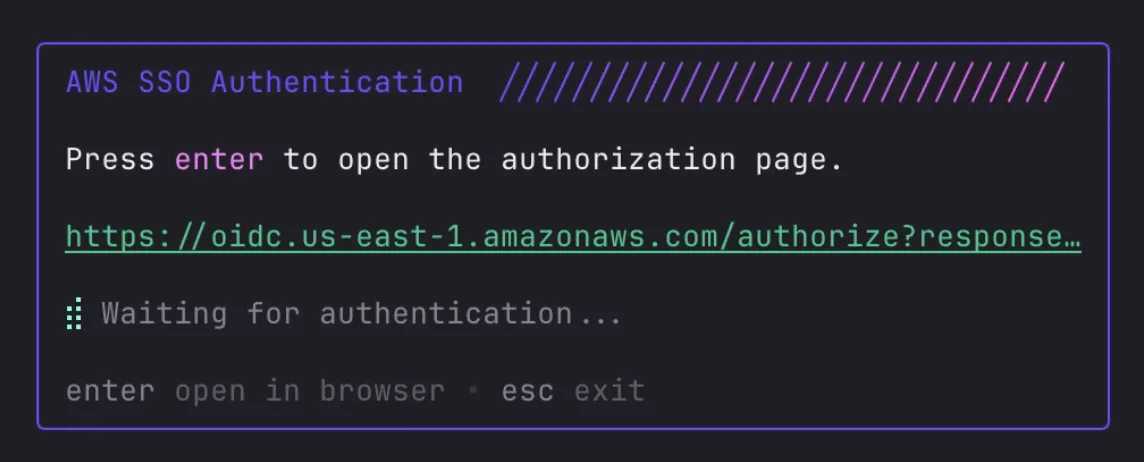 v0.88.0 · Jul 2026
· source
· release history
- Adds automatic re-authentication UX for AWS Bedrock SSO token expiry, with automatic turn retry after re-auth. v0.88.0 · Jul 2026 · source · release history
- Adds automatic transparent auth retry so dropped credentials are refreshed without user intervention. v0.85.0 · Jul 2026 · source · release history
-
Auto-retries authentication transparently when it fails, via
OnAuthRefreshintegration. v0.85.0 · Jul 2026 · source · release history - Supports OAuth2 re-authentication via the same ctrl+e shortcut for OAuth providers, triggering the full OAuth2 flow in-app. v0.41.0 · Feb 2026 · source · release history
example
-
Rotate or correct an API key for a configured model without leaving the TUI.
# Inside crush TUI: # Press ctrl+m to open the models dialog # Select the model whose key you want to update # Press ctrl+e to edit the API keyv0.41.0 · Feb 2026 · source
Local model auto-discovery and architecture shipped Finds and connects to models running on local inference servers automatically, without requiring the user to define them by hand.
previously: Local model auto-discovery
release
- Enables auto-discovery of local models (Ollama, LM Studio, LiteLLM, MLX) from OpenAI-compatible endpoints — no manual model definitions required. v0.78.0 · Jun 2026 · source · release history
- Enables auto-discovery of local models (Ollama, LMStudio, LiteLLM, MLX) from OpenAI-compatible endpoints — no manual model declarations needed. v0.78.0 · Jun 2026 · source · release history
-
Introduces experimental RPC server-client architecture, enabled with the
CRUSH_CLIENT_SERVER=1environment variable. v0.55.0 · Apr 2026 · source · release history
example
-
Point Crush at a local Ollama instance and let it discover available models automatically — no manual model list needed.
{ "providers": { "ollama": { "name": "Ollama", "base_url": "http://localhost:11434/v1/", "type": "ollama" } } }v0.78.0 · Jun 2026 · source -
Point Crush at a local Ollama instance and let it discover available models automatically instead of listing them manually.
{ "providers": { "ollama": { "name": "Ollama", "base_url": "http://localhost:11434/v1/", "type": "ollama" } } }v0.78.0 · Jun 2026 · source
Session affinity and prompt cache optimization shipped Attaches session identifiers to requests so supporting providers can pin the session and maximise prompt cache reuse.
release
-
Sends app attribution headers and
session_idto OpenRouter for sticky routing.︀︄︇︀︅︉︀︅︀︀︃︀︀︅︅︀︅︊︀︄︆︀︃︄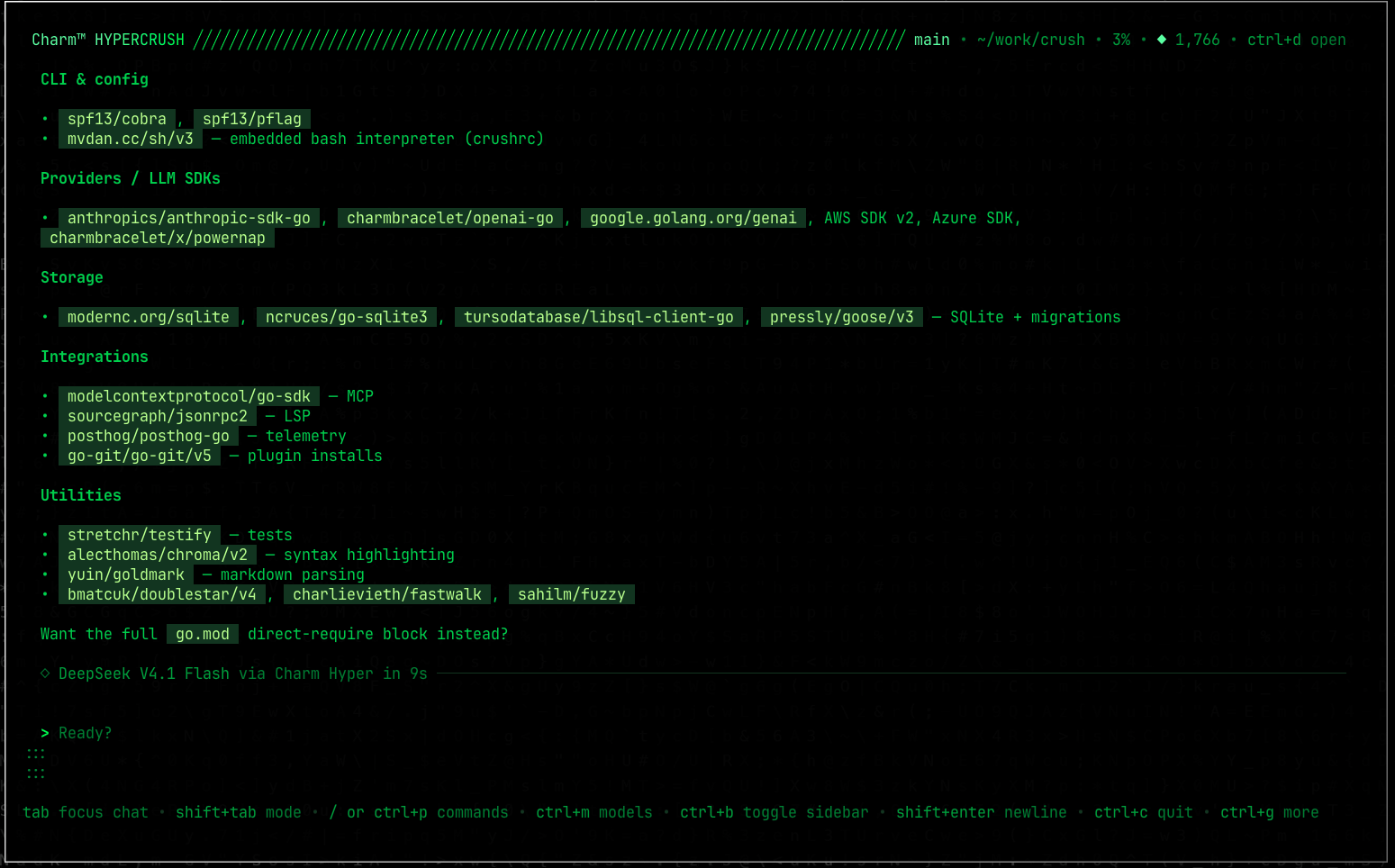 v0.98.2 · Oct 2026
· source
· release history
-
Sends
x-session-affinityandx-session-idheaders (a PII-free session hash) to enable cache-pinning on supporting providers. v0.84.0 · Jul 2026 · source · release history -
Sends
x-session-affinityandx-session-idheaders with every request, enabling supporting providers to pin sessions to a replica and maximize prompt cache hits. v0.84.0 · Jul 2026 · source · release history
LM Studio vision support shipped Enables image input when using LM Studio as the local model provider.
release
-
Enables LM Studio vision capabilities (image support) via
SupportsImages. v0.85.0 · Jul 2026 · source · release history -
Wires LM Studio vision capabilities to
SupportsImages, enabling image-input workflows with LM Studio models. v0.85.0 · Jul 2026 · source · release history - Supports drag-and-drop image input into the chat from almost any terminal, including Apple Terminal. v0.3.0 · Aug 2025 · source · release history
Local model context-window auto-detection shipped Detects the context window size for local model endpoints automatically, preventing misconfiguration when that information is not declared.
release
- Automatically detects context window sizes for local model endpoints (llamacpp, omlx, lmstudio, litellm, ollama) instead of defaulting to zero. v0.80.0 · Jun 2026 · source · release history
- Automatically detects context window sizes for local model endpoints (llamacpp, omlx, lmstudio, litellm, ollama) — no more zero-size window misconfigurations. v0.80.0 · Jun 2026 · source · release history
- Adds a llamacpp provider enricher, enabling richer model discovery metadata when connecting to llama.cpp servers. v0.80.0 · Jun 2026 · source · release history
Fireworks provider support shipped Lets users route requests through fireworks.ai as an LLM provider.
release
- Adds Fireworks (fireworks.ai) as a supported LLM provider. v0.78.0 · Jun 2026 · source · release history
- Adds Fireworks (fireworks.ai) as a supported AI provider. v0.78.0 · Jun 2026 · source · release history
- Adds Hugging Face inference provider integration. v0.10.0 · Sep 2025 · source · release history
Alibaba Cloud provider support shipped Lets users route requests through Alibaba Cloud, including a US-region endpoint, via an API key.
release
-
Adds Alibaba (United States) as a supported provider region, configurable via
ALIBABA_US_API_KEY. v0.82.0 · Jul 2026 · source · release history
example
-
Use Alibaba's US-region endpoint instead of Singapore for lower-latency access from North America.
export ALIBABA_US_API_KEY=<your-key> crushv0.82.0 · Jul 2026 · source
Provider warning visibility shipped Surfaces warnings returned by the model provider in session output so users are not left guessing why a response behaved unexpectedly.
release
- Logs provider warnings surfaced from agent step results, making model-side issues visible in the session output. v0.80.0 · Jun 2026 · source · release history
- Logs provider warnings surfaced from tool/step results for better observability. v0.80.0 · Jun 2026 · source · release history
GPT-5 model support shipped Adds GPT-5 as a selectable model, routed through the OpenAI Responses API.
release
- Adds GPT-5.6 model support, routed through the OpenAI Responses API. v0.83.0 · Jul 2026 · source · release history
Configuration & Extensibility 6 capabilities Crush gives users a layered configuration system — system-wide, user-level, and per-project — with a scriptable file format that supports dynamic logic. Hooks, permissions, and skill discovery let teams adapt the tool to their workflows without forking it.
Scriptable shell configuration (crushrc) shipped Replaces static JSON config with a bash-based file that supports conditionals, includes, and environment variables for managing all aspects of Crush.
Also counts toward: Scripting API, Scripting language support
release 25 total
-
Adds automatic
"sessionless": truesupport for the GitHub MCP server, restoring compatibility without requiring manual config.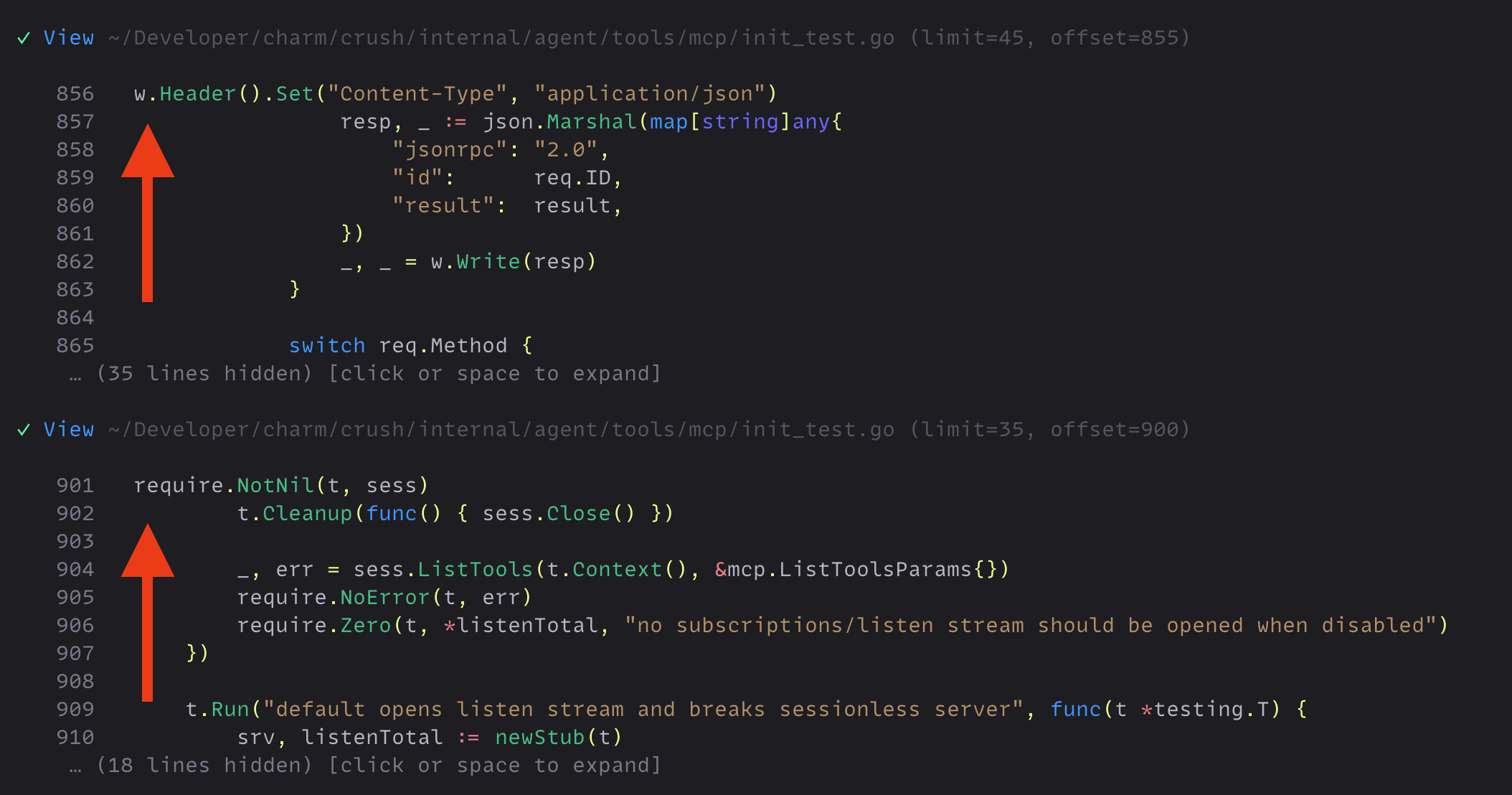 v0.91.2 · Aug 2026
· source
· release history
-
Adds
provider addandmodel addcrushrc builtins for registering custom providers and models (e.g. local Ollama instances).
v0.88.0 · Jul 2026
· source
· release history
-
Adds a local
.crushrcoverride that takes precedence over the globalcrush.sh, enabling per-machine config layering. v0.88.0 · Jul 2026 · source · release history -
Adds
mcp add/mcp removecrushrc builtins for managing MCP servers directly from the shell config. v0.88.0 · Jul 2026 · source · release history -
Adds
.crushrcbash-based configuration file, replacing JSON config with a scriptable shell format that supports conditionals,sourceincludes, and environment variable expansion. v0.88.0 · Jul 2026 · source · release history -
Adds
mcp addandmcp removeas verb-first shell config commands configurable from.crushrc, including--type,--url, and--headerflags for HTTP MCP servers. v0.88.0 · Jul 2026 · source · release history
example
-
Same capability expressed in JSON configuration format.
{ "options": { "tui": { "mouse": false } } }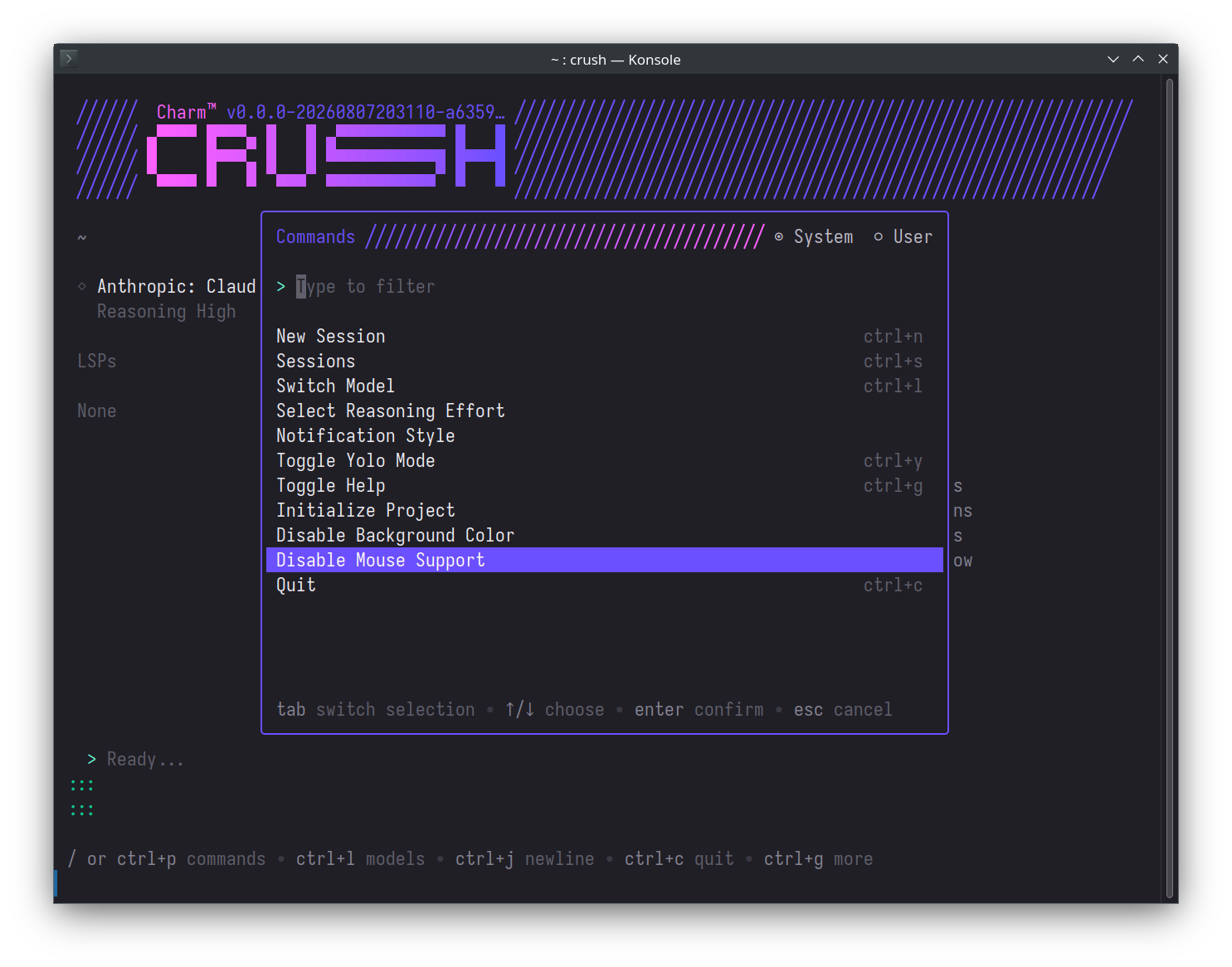 v0.93.1 · Sep 2026
· source
-
Suppress the exit banner entirely via the .crushrc shell config format.
option ui exit-banner none v0.92.0 · Aug 2026
· source
-
Bootstrap a dotfiles-friendly crushrc that adds a local Ollama provider, auto-approves safe tools, and loads machine-specific overrides that stay out of git.
cat ~/.config/crush/crush.sh # Add Ollama. provider add ollama --type ollama --base-url "http://localhost:11434/v1" # Register a model on Ollama.v0.88.0 · Jul 2026 · source -
Apply machine-specific config conditionally and pull in a separate file kept out of version control.
# ~/.config/crush/.crushrc source "$XDG_CONFIG_HOME/squid-config.sh" if [[ $HOSTNAME == "babysquid" ]]; then option skill-path "$HOME/squid-skills" fiv0.88.0 · Jul 2026 · source -
Apply different skill paths per hostname using crushrc conditionals and
option reset.cat >> ~/.config/crush/crush.sh <<'EOF' if [[ $HOSTNAME == "workstation" ]]; then option skill-path "$HOME/work-skills" else option reset skill-path fi EOFv0.88.0 · Jul 2026 · source -
Configure a local Ollama provider and model, auto-approve read/edit tools, and add a GitHub MCP server via HTTP — all in a single
.crushrcfile.# ~/.config/crush/.crushrc provider add ollama --type ollama --base-url "http://localhost:11434/v1" model add ollama/llama3.3 --name "Llama 3.3" --context-window 128000 permissions allow view edit…v0.88.0 · Jul 2026 · source
Tool permission management shipped Lets users whitelist safe tools for auto-approval and hide specific tools from the agent entirely, controlling what the agent is allowed to do.
release 7 total
-
Adds
permissions allowcommand in crushrc to auto-approve tools without prompting.
v0.88.0 · Jul 2026
· source
· release history
-
Adds
permissions denycommand in crushrc to explicitly hide specific tools from the agent. v0.88.0 · Jul 2026 · source · release history -
Adds
permissions allowandpermissions denybuiltins to.crushrcfor auto-approving or hiding tools from the agent. v0.88.0 · Jul 2026 · source · release history - Auto-closes permission prompts when another client in the same session has already responded. v0.74.0 · May 2026 · source · release history
-
Supports disabling any skill (built-in, global, or project) via the new
disabled_skillsarray incrush.json. v0.55.0 · Apr 2026 · source · release history -
New
disabled_toolsconfig option lets users selectively block individual agent tools (e.g.,bash,fetch,write) from being available to the model. v0.8.0 · Sep 2025 · source · release history
example
-
Block a specific tool from ever being offered to the agent, using
permissions denyin.crushrc.# ~/.config/crush/.crushrc permissions deny bashv0.88.0 · Jul 2026 · source -
Suppress noisy or dangerous MCP tools from being offered to the model without removing the whole server.
# In your MCP server config block, add: disabled_tools: - bash - write_filev0.23.0 · Dec 2025 · source -
Restrict the AI agent to read-only tools by disabling shell execution and write capabilities in the config.
{ "options": { "disabled_tools": [ "bash", "write", "edit", "multiedit", "download" ] } }v0.8.0 · Sep 2025 · source -
Start a session with all permission dialogs bypassed from the command line.
crush --yolov0.4.0 · Aug 2025 · source -
Toggle Yolo Mode on or off mid-session without restarting.
Press ctrl+p, then select 'Toggle Yolo Mode' from the menu.v0.4.0 · Aug 2025 · source -
Allow specific tools without prompting
permissions allow view ls grep edit mcp_context7_get-library-doc
Named hooks shipped Lets each hook be given a name so it is identifiable in CLI output when multiple hooks fire on the same event.
release 8 total
-
Hooks now cover session, turn, permission, and compaction lifecycle events in addition to tool events, including
PostToolUseandPostToolUseFailurev0.99.0 · Oct 2026 · source · release history - Hook configurations are now validated against a list of known events, so typos are caught before a run starts v0.99.0 · Oct 2026 · source · release history
-
Adds
hook addandhook removebuiltins to.crushrcfor managing agent hook configuration.
v0.88.0 · Jul 2026
· source
· release history
-
Adds
hook addandhook removeas verb-first shell config commands in.crushrc. v0.88.0 · Jul 2026 · source · release history -
Adds a
namefield to hook definitions, making individual hooks identifiable in the CLI output. v0.77.0 · Jun 2026 · source · release history -
Adds a
namefield to hook definitions, making individual hooks identifiable in the CLI. v0.77.0 · Jun 2026 · source · release history
example
-
Name hooks so you can tell them apart when multiple hooks fire on the same event.
{ "hooks": { "PreToolUse": [ { "name": "lint-before-bash", "matcher": "bash", "command": "./hooks/run-lint.sh" } ] } }v0.77.0 · Jun 2026 · source -
Name a pre-tool-use hook so it's easy to identify in the CLI when multiple hooks are configured.
# In your Crush config (e.g. crush.jsonc): { "hooks": { "PreToolUse": [ { "name": "Mr. Hot Hook", "matcher": "bash", "command": "./hooks/my-hot-hook.sh" } ] } }v0.77.0 · Jun 2026 · source
User-level (global) configuration shipped Stores a global persona, default preferences, and persistent instructions that apply across every project without per-repo setup.
release
-
Adds user-level context files: place
~/.config/AGENTS.mdor~/.config/crush/CRUSH.mdto give Crush persistent, cross-project instructions at session start. v0.77.0 · Jun 2026 · source · release history -
Supports user-level global context files (
~/.config/AGENTS.mdor~/.config/crush/CRUSH.md) loaded automatically on session start. v0.77.0 · Jun 2026 · source · release history -
Supports Git's
core.excludesfilecustom global ignore file when listing project files. v0.54.0 · Mar 2026 · source · release history -
Expands Windows global skills path to include
~/.config/crush/skillsand~/.config/agents/skillsalongside the AppData location. v0.52.0 · Mar 2026 · source · release history -
Supports
CRUSH_-prefixedenvironment variables (e.g.CRUSH_ANTHROPIC_API_KEY) to scope secrets to Crush without clobbering default env vars. v0.4.0 · Aug 2025 · source · release history
example
-
Set a global persona or default preferences (e.g., preferred VCS) that Crush picks up in every project without touching per-repo config.
mkdir -p ~/.config/crush cat >> ~/.config/crush/CRUSH.md <<'EOF' Always refer to me as Shirley. Default to Jujutsu (jj) for version-control commands unless the project already uses plain git. EOFv0.77.0 · Jun 2026 · source -
Set your preferred diff mode so every session opens in split view without manual toggling.
{ "options": { "tui": { "diff_mode": "split" } } }v0.5.0 · Aug 2025 · source -
Set custom global context file path
option global-context-path "~/path/to/custom/context/file.md"
Monorepo skill discovery shipped Finds agent skills stored in the repository regardless of which subdirectory Crush is launched from.
release
-
Discovers skills from the git repository root in monorepos, so
.agents/skills/,.crush/skills/,.claude/skills/, and.cursor/skills/at the repo root are found even when running from a subdirectory. v0.76.0 · Jun 2026 · source · release history - Discovers skills from the git root in monorepos, enabling skill reuse across packages in a single repo. v0.76.0 · Jun 2026 · source · release history
-
Automatically mentions
ghandrg(ripgrep) in the system prompt when they are available, hinting the model to use them. v0.68.0 · May 2026 · source · release history - Shows available skills in the sidebar and landing page for improved discoverability. v0.59.0 · Apr 2026 · source · release history
- Adds UI indicator showing when a skill is actively loaded, distinguishing real skill execution from LLM improvisation. v0.44.0 · Feb 2026 · source · release history
-
Supports loading skills from a shared
~/.config/agents/skillsdirectory, enabling reuse across multiple agent tools. v0.31.0 · Jan 2026 · source · release history
example
-
Disable a specific built-in skill
option disable-skill crush-config
System-wide configuration shipped Reads a system-wide configuration file so administrators can set defaults for all users on shared or managed machines.
release
-
Loads system-wide configuration from
/etc/crush/crush.json, enabling NixOS and multi-user deployments to share a common Crush config. v0.87.0 · Jul 2026 · source · release history -
Adds system-wide configuration support: Crush now loads
/etc/crush/crush.jsonas a site-wide config file, improving NixOS and multi-user compatibility. v0.87.0 · Jul 2026 · source · release history -
Supports system-wide configuration via
/etc/crush/crush.json, improving NixOS and multi-user deployments. v0.87.0 · Jul 2026 · source · release history
Interactive Session & TUI 8 capabilities Crush provides a terminal user interface for conducting and inspecting AI sessions, with controls for navigation, attachments, and real-time feedback. Shell execution, tool inspection, and elapsed-time display keep the user informed and in control during long-running work.
Bang Mode (inline shell execution) shipped Runs Bash commands directly inside a session with a leading exclamation mark, streaming output live and feeding results into the LLM's context.
release 14 total
- Improves bang-mode output streaming performance, eliminating quadratic rendering cost for shell command output. v0.87.0 · Jul 2026 · source · release history
- Improves bang-mode output streaming performance by avoiding quadratic shell output rendering. v0.87.0 · Jul 2026 · source · release history
- Bang mode performance boost: eliminates quadratic shell output rendering, improving streaming throughput. v0.87.0 · Jul 2026 · source · release history
- Allows prefixing a string with Bang Mode to launch a command directly from typed input. v0.79.0 · Jun 2026 · source · release history
- Supports cancelling a running Bang Mode command mid-execution. v0.79.0 · Jun 2026 · source · release history
- Adds copy-to-clipboard for Bang Mode command results (with ANSI codes stripped). v0.79.0 · Jun 2026 · source · release history
example
-
Run a shell command mid-session and immediately ask the LLM to reason about its output — without leaving Crush.
!ls -la /etc/cron.dv0.78.0 · Jun 2026 · source
Scrollable sidebar shipped Makes the sidebar scrollable with the keyboard and mouse wheel when its content is taller than the visible area.
release 7 total
-
Adds
ctrl+bkeyboard shortcut to toggle the sidebar on and off.︀︄︇︀︅︉︀︅︀︀︃︀︀︅︅︀︅︊︀︄︆︀︃︄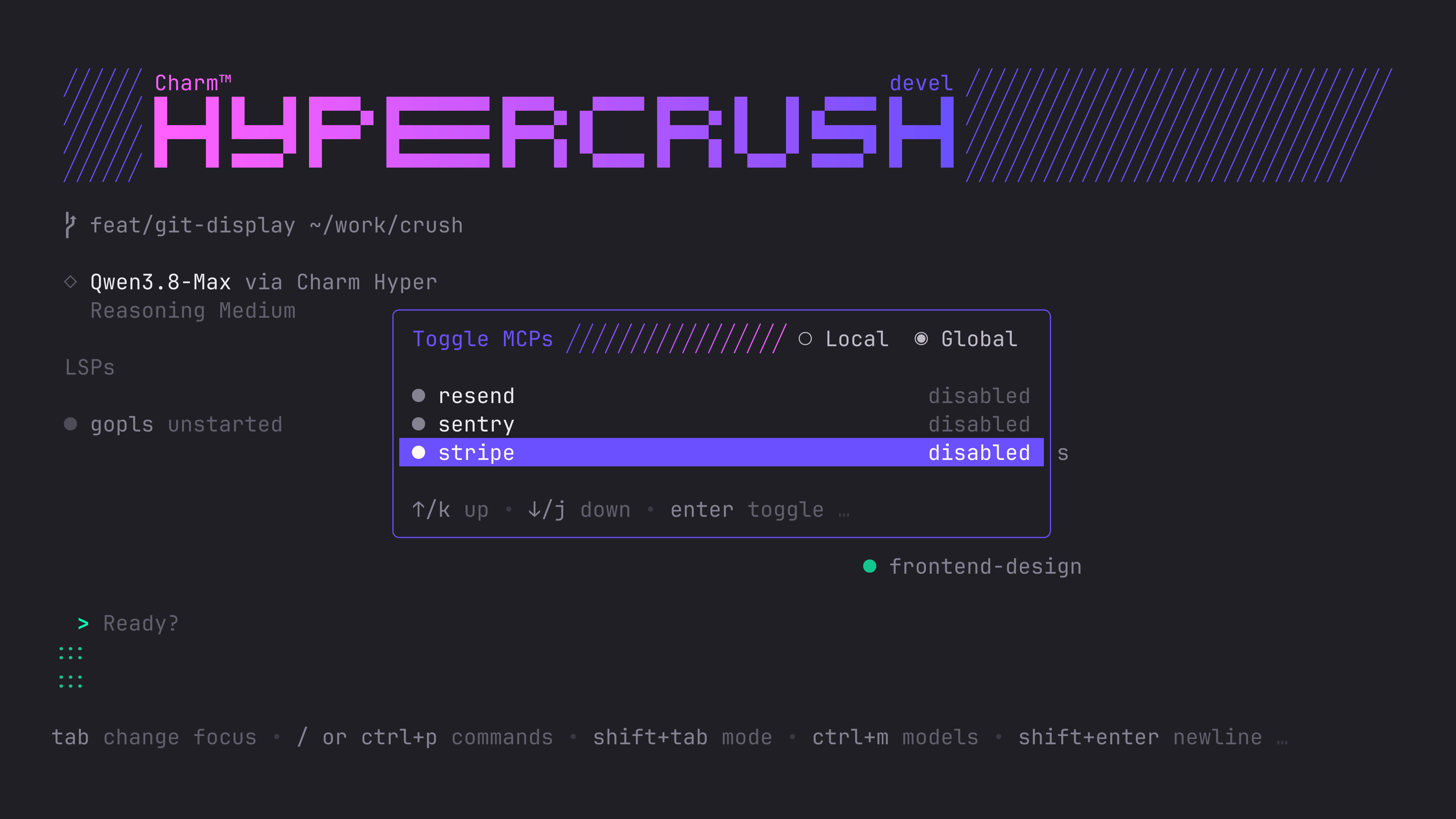 v0.97.0 · Sep 2026
· source
· release history
-
Adds mouse-wheel scrolling support to the sidebar when it is focused.
 v0.86.0 · Jul 2026
· source
· release history
- Enables scrollable sidebar with keyboard (l/h/j/k/g/G/arrows) and mouse-wheel navigation when sidebar content overflows. v0.86.0 · Jul 2026 · source · release history
-
Adds scrollable sidebar with focus-based keyboard navigation:
l/rightarrow to focus sidebar,j/kor arrow keys to scroll,g/Gfor top/bottom,h/leftarrow to return to chat,tabto return to editor; also supports mouse-wheel scrolling when focused. v0.86.0 · Jul 2026 · source · release history -
Adds a scrollable sidebar with keyboard focus navigation:
l/rightarrow to focus,j/kto scroll,g/Gfor top/bottom,h/leftarrow to return to chat,tabto return to editor. v0.86.0 · Jul 2026 · source · release history - Adds a scrollbar to the sessions list dialog for easier navigation of long session lists. v0.72.0 · May 2026 · source · release history
Chat scrollbar shipped Adds a scrollbar to the chat view so users can tell where they are in a long session at a glance.
release
-
Adds
ctrl+endkeybinding to jump to the bottom of the chat and enable follow mode so new messages auto-scroll.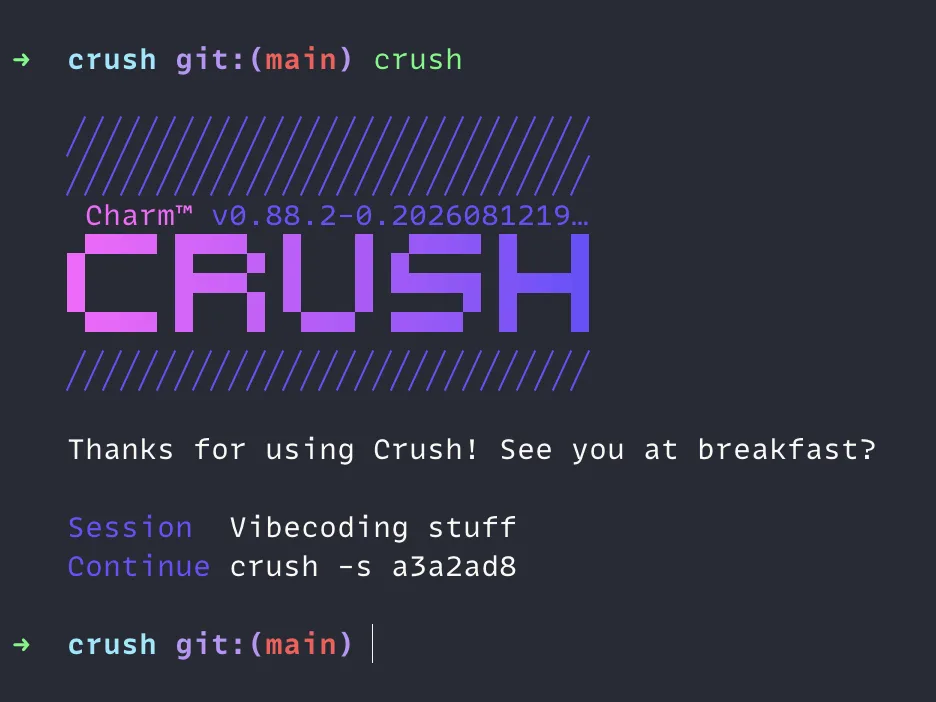 v0.89.0 · Aug 2026
· source
· release history
-
Adds
ctrl+endkeybind to jump to the bottom of the chat and re-enable auto-follow as new messages stream in. v0.89.0 · Aug 2026 · source · release history -
Adds a scrollbar to the chat view, configurable via
options.tui.scrollbar(default,always, ornever). v0.81.0 · Jun 2026 · source · release history
example
-
Keep the scrollbar permanently visible in long sessions so you always know your position in the conversation.
{ "options": { "tui": { "scrollbar": "always" } } }v0.81.0 · Jun 2026 · source -
Keep the scrollbar always visible during long sessions instead of auto-hiding after 2 seconds.
{ "options": { "tui": { "scrollbar": "always" } } }v0.81.0 · Jun 2026 · source
Mouse-driven attachment management shipped Adds a clickable remove button on each attachment chip so users can drop attachments with the mouse.
release
-
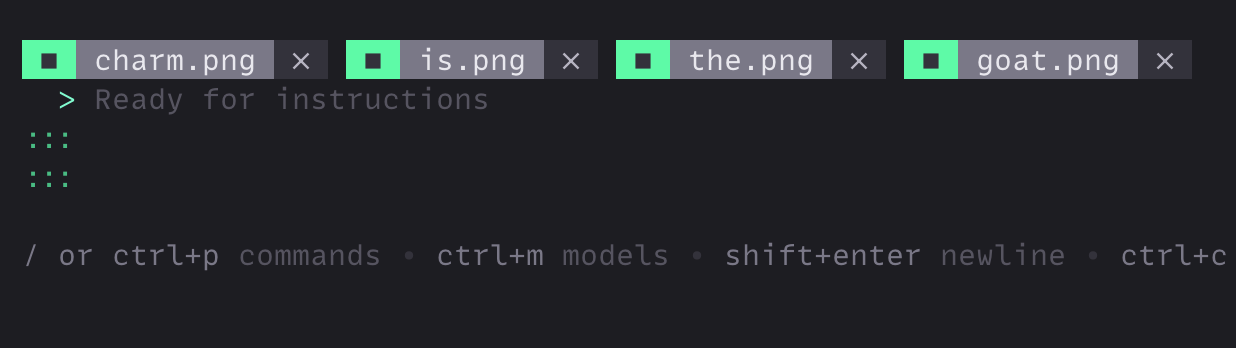
Adds clickable ✕ button on attachment chips to remove attachments with the mouse.
v0.86.0 · Jul 2026
· source
· release history
-
Adds a clickable
Xbutton on attachment chips to remove attachments with the mouse. v0.86.0 · Jul 2026 · source · release history -
Adds clickable
Xremove button on attachment chips to delete attachments with the mouse. v0.86.0 · Jul 2026 · source · release history - Supports sending prompts with file attachments even when the text body is empty. v0.34.0 · Jan 2026 · source · release history
- Enables sending a prompt that contains only file/text attachments with no typed text. v0.32.0 · Jan 2026 · source · release history
Tool-call inspection in TUI shipped Lets users expand tool-call entries in the TUI to inspect their full content, preserving newlines for readability.
release
- Preserves newlines in expanded tool content in the chat UI, improving readability of multi-line tool outputs. v0.82.0 · Jul 2026 · source · release history
- Enables expanding tool-call names in the TUI for easier inspection of long-running or complex tool invocations. v0.81.0 · Jun 2026 · source · release history
- Enables expanding tool-call names in the UI for easier inspection of agent activity. v0.81.0 · Jun 2026 · source · release history
-
Automatically detects and renders diff-formatted output from any tool (e.g. GitHub MCP server) with full diff UI, not just the built-in
edittool. v0.62.0 · Apr 2026 · source · release history - Adds Escape key as an additional way to deny prompts in the UI. v0.2.2 · Aug 2025 · source · release history
Linux clipboard support shipped Provides clipboard read and write on Linux under both X11 and Wayland, including image pasting, without requiring external clipboard utilities.
release
-
Improves clipboard support on X11 and Wayland: removes
xclip/xseldependencies, adds TIFF paste support, and enables Super+V / ⌘+V image pasting. v0.78.0 · Jun 2026 · source · release history -
Improves clipboard support on X11 and Wayland:
xclip/xselno longer required, adds TIFF paste support, and Super+V /⌘+Vnow pastes images. v0.78.0 · Jun 2026 · source · release history - Enables clipboard image paste via Ctrl+V. v0.40.0 · Feb 2026 · source · release history
- Supports pasting images from the system clipboard directly into the Crush chat editor. v0.33.2 · Jan 2026 · source · release history
-
Removes
gofrom the list of safe programs the model is allowed to run, narrowing the permitted command surface. v0.6.3 · Aug 2025 · source · release history
Interactive question tool for LLMs shipped Gives the LLM a structured way to ask the user questions — single-choice, multiple-choice, free-text, or yes/no — with full mouse support.
release
- Adds a question tool supporting single-choice, multiple-choice, free-form text, and yes/no question types, with the ability to chain questions into forms — includes full mouse support, mouse scrolling, paste support in text areas, and keyboard shortcuts for yes/no. v0.85.0 · Jul 2026 · source · release history
- Adds a first-class question tool letting LLMs prompt users with single-choice, multiple-choice, free-form text, and yes/no forms — with full mouse support. v0.85.0 · Jul 2026 · source · release history
LLM elapsed-time timer shipped Shows a running elapsed-time counter while the LLM is generating so users know how long they have been waiting.
release
- Displays an elapsed-seconds timer so you can see how long the LLM has been running. v0.85.0 · Jul 2026 · source · release history
- Adds an elapsed-seconds timer so you can see how long a running LLM task has been executing. v0.85.0 · Jul 2026 · source · release history
Code Intelligence & Editing 2 capabilities Crush integrates with language servers to let the agent perform accurate, project-wide code changes beyond simple text substitution. LSP performance tuning keeps this integration lightweight even in large repositories.
LSP-based code manipulation tools shipped Lets the agent rename symbols across a whole project and replace, insert around, or delete entire functions, methods, or classes using LSP.
release 12 total
-
Adds
lsp_renametool: renames a symbol and all its references across the project via LSP.
v0.86.0 · Jul 2026
· source
· release history
-
Adds
lsp_replace_symbolLSP tool to replace, insert before/after, or delete an entire function, method, or class by name. v0.86.0 · Jul 2026 · source · release history -
Adds
lsp_replace_symboltool: replaces, inserts before/after, or deletes an entire function, method, or class by name via LSP. v0.86.0 · Jul 2026 · source · release history -
Adds
lsp_replace_symbolLSP tool — replaces, inserts before/after, or deletes an entire function, method, or class by name. v0.86.0 · Jul 2026 · source · release history -
Adds
lsp_renameLSP tool to rename a symbol and all its references across the project. v0.86.0 · Jul 2026 · source · release history -
Adds
lsp_renameLSP tool — renames a symbol and all its references across the project, with automatic fallback to theedittool on LSP errors. v0.86.0 · Jul 2026 · source · release history
LSP performance optimization shipped Filters LSP server candidates before searching the system path, reducing CPU and memory overhead in large repositories.
release
-
Significant LSP performance improvement: filters servers before searching
$PATH, reducing CPU and memory usage in large repositories. v0.87.0 · Jul 2026 · source · release history -
Improves LSP performance via pre-
$PATHserver filtering, significantly reducing CPU and memory usage in large repositories. v0.87.0 · Jul 2026 · source · release history -
LSP performance boost: filters LSP servers before searching
$PATH, significantly reducing CPU and memory usage in large repositories. v0.87.0 · Jul 2026 · source · release history
MCP & External Integrations 4 capabilities Crush supports the Model Context Protocol for connecting external tools and data sources, including servers that require OAuth authentication or push real-time notifications. It also integrates with third-party notification services so users are alerted when the agent needs attention.
MCP channel support verified Accepts real-time push notifications from MCP servers via the Claude Channels extension, surfacing them inside the active session.
Also counts toward: Command-line interface
release 8 total
- Supports the Claude Channels MCP extension, allowing MCP servers to push real-time notifications into Crush. v0.87.0 · Jul 2026 · source · release history
-
Adds
--channels <server>:<name>persistent flag (works on bothcrushandcrush run) to opt individual sessions into Claude Channels MCP extension servers, enabling MCPs to push notifications into a running Crush session. v0.87.0 · Jul 2026 · source · release history -
Detects the
claude/channelMCP capability and routes incoming channel messages through Crush's event broker. v0.87.0 · Jul 2026 · source · release history -
Adds
--channelsopt-in flag to enable MCP channel servers (Claude Channels MCP extension), allowing MCPs to push notifications to Crush on events. v0.87.0 · Jul 2026 · source · release history - Integrates the Docker MCP Catalog natively, pulling relevant MCPs on demand during conversations (enable via ctrl+p > Enable Docker MCP Catalog with Docker Desktop running). v0.51.0 · Mar 2026 · source · release history
- Supports MCP server-side instructions for richer model-context-protocol integrations. v0.37.0 · Jan 2026 · source · release history
command line
-
--channels — MCP servers to enable as channels (repeatable), e.g. --channels server:webhookv0.87.0 · Jul 2026
example
-
Opt a session into a Claude Channels-capable MCP server so it can push notifications (e.g. CI alerts) into your Crush session.
crush run --channels server:webhook 'Watch for build failures and summarize them'v0.87.0 · Jul 2026 · source
MCP authentication support shipped Authenticates with MCP servers that require OAuth 2.1 so users can connect to a wider range of external tools.
previously: MCP OAuth authentication
release
- Adds SSE transport OAuth support alongside HTTP MCP OAuth, with metadata fixups and resource parameter stripping. v0.87.0 · Jul 2026 · source · release history
- Adds OAuth 2.1 authorization support for HTTP and SSE MCP servers, unblocking MCPs that require authentication. v0.87.0 · Jul 2026 · source · release history
-
Adds OAuth 2.1 authorization for HTTP MCP servers — on a 401, Crush automatically runs a browser-based PKCE authorization-code flow, persisting tokens (mode
0600) to~/.config/crush/mcp-oauth-tokens.json; headless/SSH environments receive a printed authorization URL instead. v0.87.0 · Jul 2026 · source · release history - Supports OAuth 2.1 authorization for HTTP MCP servers (including SSE transport), unblocking MCPs that require OAuth. v0.87.0 · Jul 2026 · source · release history
- Adds MCP resources support. v0.40.0 · Feb 2026 · source · release history
example
-
Enable the Docker MCP Catalog so Crush can pull in context-relevant MCPs (e.g. Postgres, ARM) on demand during a conversation.
In Crush, press ctrl+p, then choose "Enable Docker MCP Catalog" (requires Docker Desktop to be running).v0.51.0 · Mar 2026 · source
External notification integration (herdr) shipped Connects to herdr.dev over a socket so the service can send notifications when the agent is blocked or has finished.
release
- Integrates with herdr.dev via a herdr socket, enabling agent status signaling (blocked/finished notifications). v0.81.0 · Jun 2026 · source · release history
- Adds herdr.dev socket integration so herdr can receive agent status signals (blocked/finished) and send notifications. v0.81.0 · Jun 2026 · source · release history
- Supports notifications over SSH terminals, enabling alerts when running Crush on remote hosts. v0.74.0 · May 2026 · source · release history
- Adds configurable notification backend with bell support and a backend picker UI. v0.74.0 · May 2026 · source · release history
- Adds desktop notifications on turn completion and permission requests, with an in-app toggle. v0.48.0 · Mar 2026 · source · release history
example
-
Configure desktop notification behavior
option notifications disabled
SSH-friendly OAuth authentication shipped Adds a keybinding to copy the OAuth verification URL in the auth dialog, making browser-based login usable over SSH.
release
-
Adds
ukeybinding in the OAuth dialog to copy the verification URL — useful when running Crush over SSH where automatic browser opening is unavailable.
v0.86.0 · Jul 2026
· source
· release history
-
Adds <kbd>u<
/kbd> keybinding in the OAuth dialog to copy the verification URL — enables authentication over SSH where auto-browser-open is unavailable. v0.86.0 · Jul 2026 · source · release history -
Adds
ukeybinding in the OAuth dialog to copy the verification URL to the clipboard, enabling authentication over SSH where the browser cannot open automatically. v0.86.0 · Jul 2026 · source · release history -
Adds
logoutcommand for OAuth sessions. v0.68.0 · May 2026 · source · release history
example
-
Authenticate with GitHub Copilot when it isn't already detected on the machine.
crush login copilotv0.27.0 · Dec 2025 · source
Usage Reporting & Platform Support 2 capabilities Crush tracks token consumption and cost across sessions and projects, giving users a quick summary from the command line. It also supports a broad range of operating systems and CPU architectures so teams are not blocked by their infrastructure.
Usage statistics reporting verified Reports total token use and cost for a single session, a project directory, or all known projects from the CLI, without opening the TUI.
release
-
Adds
--allflag to thestatssubcommand to aggregate usage stats from all known projects (sourced fromprojects.json).
v0.86.0 · Jul 2026
· source
· release history
-
Adds
--alland--crawl-dirmodes to thestatssubcommand for broader project-wide statistics. v0.86.0 · Jul 2026 · source · release history -
Adds
--alland--crawl-dirmodes to thestatssubcommand. v0.86.0 · Jul 2026 · source · release history -
New
crush statscommand displays a per-project usage dashboard with token and session statistics. v0.36.0 · Jan 2026 · source · release history
command line
-
--all — Aggregate stats from all known projects (from projects.json)v0.86.0 · Jul 2026 -
--crawl-dir — Crawl a directory recursively for all crush projects and aggregate statsv0.86.0 · Jul 2026 -
stats — Show usage statisticsv0.69.0 · May 2026
example 9 total
-
Aggregate token/cost stats across every Crush project tracked in your install — useful for a weekly spend review.
crush stats --allv0.86.0 · Jul 2026 · source -
Scope stats to a particular project directory when working in a monorepo.
crush stats --crawl-dir ./services/authv0.86.0 · Jul 2026 · source -
Discover and aggregate stats from older projects in a directory tree that predate the projects.json registry.
crush stats --crawl-dir ~/srcv0.86.0 · Jul 2026 · source -
Use the new
--allflag with thestatssubcommand to get project-wide token/cost statistics across all sessions.crush stats --allv0.86.0 · Jul 2026 · source -
Get aggregate token/cost stats across all sessions or a specific directory tree without opening the TUI.
crush stats --allv0.86.0 · Jul 2026 · source -
Use
--crawl-dirto compute stats scoped to a specific directory tree.crush stats --crawl-dir ./srcv0.86.0 · Jul 2026 · source
illumos platform support shipped Builds and runs on illumos-based systems such as OpenIndiana and OmniOS, extending platform coverage beyond mainstream Linux and macOS.
release
-
Supports building and running Crush on illumos (OpenIndiana, OmniOS).
v0.88.0 · Jul 2026
· source
· release history
Other 74 capabilities
Model provider additions shipped Adds support for new model providers including Kimi Coding, Google Gemini 3, and Claude Code Max.
release 20 total
-
Enables Qwen3.8-Flash, Qwen3.8-27B, and Qwen3.8-2.4T-A95B models via Hyper
v0.91.2 · Aug 2026
· source
· release history
- Adds a llamacpp provider enricher for richer local model integration. v0.80.0 · Jun 2026 · source · release history
-
Defaults AWS Bedrock integration to the
us-east-1region, making all Bedrock models available out-of-the-box without local region configuration. v0.71.0 · May 2026 · source · release history -
Adds Alibaba (Singapore) as a new model provider, including access to Qwen models, configurable via the model picker or
$ALIBABA_SINGAPORE_API_KEY. v0.70.0 · May 2026 · source · release history - Adds Hyper integration: Charm's new coding-focused inference service (private beta) is now a first-class provider in Crush. v0.65.2 · May 2026 · source · release history
- Supports OpenAI-compatible endpoint for the Hyper provider, enabling use of Hyper through standard OpenAI-compatible API tooling. v0.60.0 · Apr 2026 · source · release history
Model support additions shipped Adds support for specific new models including GPT-5.1 variants, GPT-5.2, and Claude Code Max.
release 10 total
-
Adds three new models to the Hyper provider:
Qwen3.8-Flash,Qwen3.8-27B, andQwen3.8-2.4T-A95B.
v0.91.2 · Aug 2026
· source
· release history
- Adds support for Z.ai's GLM-5.1, a new open-source coding model, as a selectable model in Crush. v0.53.0 · Mar 2026 · source · release history
- Sets GPT-5.4 Nano as the new default small model for OpenAI. v0.50.1 · Mar 2026 · source · release history
- Adds support for OpenAI GPT-5.4 Mini and GPT-5.4 Nano models. v0.50.1 · Mar 2026 · source · release history
- Adds support for OpenAI GPT-5.4 and GPT-5.4 Pro models (required an explicit Crush update to enable). v0.47.2 · Mar 2026 · source · release history
- Adds GPT-5.3 Codex as a selectable model via the model picker. v0.45.0 · Feb 2026 · source · release history
Non-interactive session resumption shipped Allows continuing or resuming past sessions via command-line flags and API commands for scripted workflows.
Also counts toward: Command-line interface
release
-
Displays a splash screen on exit with the session ID and the
crush -s <id>command needed to resume the session.
v0.89.0 · Aug 2026
· source
· release history
- Displays a session ID splash screen on exit, so you can quickly resume the last session on next launch. v0.89.0 · Aug 2026 · source · release history
-
Adds
--continueflag to resume the last session in both TUI (crush --continue) and non-interactive (crush run --continue) modes. v0.51.0 · Mar 2026 · source · release history -
Adds
--session <session-id>flag to open a specific past session directly from the CLI or TUI. v0.51.0 · Mar 2026 · source · release history -
Adds
--continue(-C) flag tocrush runto resume the most recent session non-interactively. v0.50.0 · Mar 2026 · source · release history -
Adds
--session(-s) flag tocrush runto resume a specific session by ID non-interactively. v0.50.0 · Mar 2026 · source · release history
example
-
Jump back into a specific named session from the terminal, skipping the session-picker UI.
crush --session <session-id>v0.51.0 · Mar 2026 · source -
Resume the last AI session non-interactively to continue a scripted or automated workflow without re-entering context.
crush run --continuev0.51.0 · Mar 2026 · source -
Pick up where you left off in the most recent session without opening the interactive UI.
crush run --continue "tell me more"v0.50.0 · Mar 2026 · source -
Continue a specific past session by ID — useful in scripts where you track session IDs from
crush session list --json.crush run --session <session-id> "um, can you repeat that?"v0.50.0 · Mar 2026 · source
Non-interactive mode piping shipped Enables input/output redirection and piping in non-interactive mode for integration with shell pipelines and CI.
Also counts toward: CI/CD pipeline integration
release
-
Sets
CRUSH=1,AGENT=crush, andAI_AGENT=crushenvironment variables when running Bash commands, letting tools detect they are running inside Crush. v0.52.0 · Mar 2026 · source · release history -
Adds
--continueflag to resume the last session in both TUI (crush --continue) and non-interactive (crush run --continue) modes. v0.51.0 · Mar 2026 · source · release history -
Adds
--modelflag tocrush runfor specifying a provider/model in non-interactive/CI mode using{model}or{provider}/{model}format. v0.34.0 · Jan 2026 · source · release history -
Enables input/output redirection and piping in
crush runnon-interactive mode, allowing integration with shell pipelines. v0.24.0 · Dec 2025 · source · release history
example
-
Gate a script's behavior on whether it is being invoked by Crush (or any compatible AI agent) using the new env vars.
if [ "$CRUSH" = "1" ] || [ "$AI_AGENT" = "crush" ]; then echo 'Running inside Crush — skipping interactive prompts'; fiv0.52.0 · Mar 2026 · source -
Resume the last AI session non-interactively to continue a scripted or automated workflow without re-entering context.
crush run --continuev0.51.0 · Mar 2026 · source -
Run a headless prompt against a specific provider and model in CI — no interactive session needed.
echo 'Summarize the diff below' | crush run --model 'openai/gpt-5.2-codex'v0.34.0 · Jan 2026 · source -
Pipe a file into Crush and redirect its output — useful for automated summarization or review tasks in CI.
crush run "Summarize this project" > summary.mdv0.24.0 · Dec 2025 · source -
Chain both stdin and stdout redirection to process a file and capture the result in one shot.
crush run "Rate my Pokémon collection" < Pokedex.md > Pokerating.mdv0.24.0 · Dec 2025 · source
Terminal progress bar support shipped Displays application-level progress bars in supporting terminal emulators during startup and operations.
release 7 total
-
Adds
options.progresskey tocrush.json(set tofalseto disable) to control the agent progress bar display. v0.61.1 · Apr 2026 · source · release history - Extends progress bar support to iTerm2, joining Ghostty and Rio as supported terminals. v0.61.1 · Apr 2026 · source · release history
- Enables progress bar feedback when running inside Rio Terminal. v0.59.0 · Apr 2026 · source · release history
- Enables disabling the indeterminate progress bar via configuration. v0.37.0 · Jan 2026 · source · release history
- Adds progress bar display for iTerm2 and Rio terminal emulators. v0.21.0 · Dec 2025 · source · release history
- Shows a progress bar loading feedback during startup on Ghostty and Windows Terminal. v0.14.0 · Nov 2025 · source · release history
example
-
Disable the agent progress bar in iTerm2 (or any supported terminal) when you find it distracting during long-running tasks.
{ "options": { "progress": false } }v0.61.1 · Apr 2026 · source
Provider and model registration builtins verified Provides built-in commands (provider add/remove, model add/remove) within the scriptable configuration shell to dynamically register and manage LLM providers and models.
release
-
Control per-model reasoning with
--thinking always|never|toggleableand set attachment limits with--max-attachments Nwhen runningcrush model addv0.99.0 · Oct 2026 · source · release history -
Add a custom provider with
crush provider addusing--type completions,--type responses, or--type messagesto describe the API format rather than the vendor︀︄︇︀︅︉︀︅︀︀︃︀︀︅︅︀︅︊︀︄︆︀︃︄ v0.99.0 · Oct 2026 · source · release history -
Provider
typevaluesopenai,openai-compat, andanthropicare replaced bycompletions,responses, andmessages; existing configs are migrated automatically on load, so no manual edits are required. v0.99.0 · Oct 2026 · source · release history -
Adds
provider addandprovider remove(aliasrm) builtins to.crushrcfor registering custom providers, including--typeand--base-urlflags.
v0.88.0 · Jul 2026
· source
· release history
-
Adds
model addandmodel removebuiltins to.crushrcfor registering models with flags including--nameand--context-window. v0.88.0 · Jul 2026 · source · release history
command line
-
update-providers — Update providersv0.69.0 · May 2026
example
-
Register a DeepSeek provider and a model with reasoning and attachment limits using the new Catwalk v3 type system
crush provider add deepseek \ --type completions \ --base-url "https://api.deepseek.com/v1" \ --api-key "$DEEPSEEK_API_KEY" crush model add deepseek/deepseek-chat --thinking toggleable…v0.99.0 · Oct 2026 · source
Reasoning effort control shipped Provides a flag to explicitly set the reasoning depth (e.g., max) for LLM responses, particularly useful in headless or CI environments.
Also counts toward: CI/CD pipeline integration, Command-line interface
release
-
The
--can-reasonflag oncrush model addis replaced by--thinking always|never|toggleable. v0.99.0 · Oct 2026 · source · release history -
Adds
--reasoning-effortflag tocrush runfor non-interactive/headless use, accepting values likemaxto control model reasoning depth.︀︄︇︀︅︉︀︅︀︀︃︀︀︅︅︀︅︊︀︄︆︀︃︄ v0.94.1 · Sep 2026
· source
· release history
-
Adds
--reasoning-effortflag tocrush runfor controlling reasoning depth in non-interactive mode v0.94.1 · Sep 2026 · source · release history - Adds granular thinking-level selection for Gemini 3 and 3.1 (replaces the previous on/off toggle). v0.45.0 · Feb 2026 · source · release history
- Expandable thinking display for assistant responses in chat. v0.34.0 · Jan 2026 · source · release history
example
-
Run Crush headlessly with maximum reasoning effort — useful in CI pipelines or agent orchestration where you want the model to think hardest.
crush run --model "hyper/glm-5.3" --reasoning-effort "max"v0.94.1 · Sep 2026 · source -
Run a non-interactive task with maximum reasoning effort for complex queries
crush run --model "hyper/glm-5.3" --reasoning-effort "max"v0.94.1 · Sep 2026 · source
On-demand LSP server management shipped Lazily starts Language Server Protocol servers only when needed and shuts them down between sessions to save resources.
release 7 total
-
Adds
lsp addandlsp removeas verb-first shell config commands in.crushrc.
v0.88.0 · Jul 2026
· source
· release history
-
Adds
lsp addandlsp removebuiltins to.crushrcfor managing LSP server configuration. v0.88.0 · Jul 2026 · source · release history - Shows user-configured LSP servers in the UI with an unstarted status before they are invoked. v0.42.0 · Feb 2026 · source · release history
- Adds on-demand LSP server startup — servers launch only when the model interacts with a file of that language, and are shut down between sessions. v0.40.0 · Feb 2026 · source · release history
- Adds a configurable timeout for LSP initialization. v0.39.0 · Feb 2026 · source · release history
- Adds automatic LSP discovery — Crush detects and configures installed language servers without manual setup. v0.37.0 · Jan 2026 · source · release history
Tool suppression configuration shipped Allows specific MCP tools to be suppressed or disabled without removing the entire MCP server.
release
-
Adds
permissions denycommand in.crushrcto explicitly hide specific tools from the agent.
v0.88.0 · Jul 2026
· source
· release history
- Adds an allow list for MCP tools, letting you restrict which tools the model can invoke. v0.68.0 · May 2026 · source · release history
-
Supports disabling either self-diagnostic tool via the
disabled_toolsconfig option to prevent the model from ever calling them. v0.56.0 · Apr 2026 · source · release history -
New
disabled_toolslist in MCP config lets you suppress specific MCP tools without removing the server. v0.23.0 · Dec 2025 · source · release history
example
-
Disable the built-in crush-config skill (or any other skill) for a project that should not allow self-modification.
{ "$schema": "https://charm.land/crush.json", "options": { "disabled_skills": ["crush-config"] } }v0.55.0 · Apr 2026 · source -
Disable built-in tools from agent
permissions deny bash sourcegraph
Multi-client workspace sharing shipped Shares a single workspace per directory across all connected clients to reduce resource duplication in multi-client setups.
release
- Adds UI distinction between a lost server connection and an uninitialized agent. v0.87.0 · Jul 2026 · source · release history
- Makes server prompts independent of individual client connections in the experimental client-server architecture. v0.76.0 · Jun 2026 · source · release history
- Server now shares one workspace per directory across all connected clients, reducing duplication in multi-client setups. v0.74.0 · May 2026 · source · release history
- Tracks which session each client is currently viewing, enabling per-client session awareness. v0.74.0 · May 2026 · source · release history
- Server broadcasts config changes to all connected clients in real time. v0.74.0 · May 2026 · source · release history
example
-
Run the experimental client-server mode to share a workspace across multiple terminal sessions.
CRUSH_CLIENT_SERVER=1 crushv0.74.0 · May 2026 · source
Offline mode and provider updates shipped Restricts the AI tool to offline operation by disabling automatic provider updates and allowing manual or seeded updates.
Also counts toward: Air-gapped deployment, Offline mode
release
-
Adds
disable_default_providersconfig setting to suppress all built-in cloud providers, useful when running exclusively with local models. v0.32.0 · Jan 2026 · source · release history -
New
disable_provider_auto_updateoption incrush.json(orCRUSH_DISABLE_PROVIDER_AUTO_UPDATEenv var) enables a fully offline mode, preventing outbound fetches tocatwalk.charm.sh. v0.8.0 · Sep 2025 · source · release history -
New
crush update-providerscommand lets practitioners manually pull provider/model updates from Catwalk, a custom URL, a local file, or the embedded bundle. v0.8.0 · Sep 2025 · source · release history
example
-
Suppress all default cloud providers so only locally configured models are available — useful in air-gapped or local-only setups.
CRUSH_DISABLE_DEFAULT_PROVIDERS=1 crushv0.32.0 · Jan 2026 · source -
Lock Crush to fully offline operation in air-gapped or restricted environments — no outbound calls to
catwalk.charm.sh.export CRUSH_DISABLE_PROVIDER_AUTO_UPDATE=1v0.8.0 · Sep 2025 · source -
Manually refresh provider/model definitions when internet access is available, or seed from a vetted local file.
crush update-providers /path/to/local-providers.jsonv0.8.0 · Sep 2025 · source
TUI theme support shipped Supports custom and built-in color themes with live preview, accessible via the command palette.
release
- In client/server mode, the host application can now supply context (such as open files) that appears in completions, theme the TUI, append text to the next prompt, and see which session other clients are viewing v0.99.0 · Oct 2026 · source · release history
-
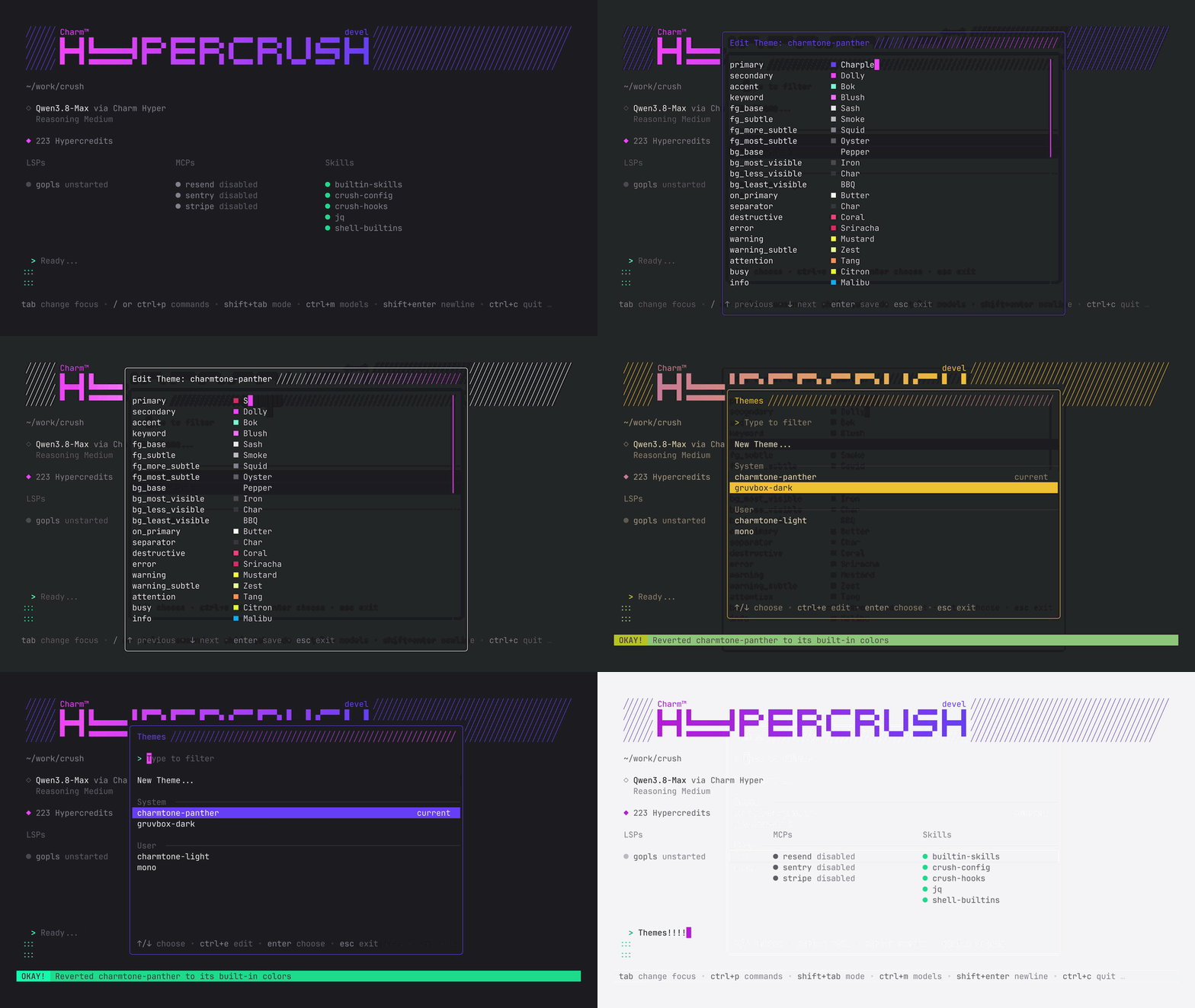
Adds theme support accessible from the command palette, including built-in Gruvbox Dark and the ability to create or edit custom palettes directly in the TUI.
 v0.96.0 · Sep 2026
· source
· release history
-
Adds a Themes dialog accessible from the command palette (
switch_theme) with live preview, built-in Gruvbox Dark theme, and support for creating and editing custom palettes inside the TUI.︀︄︇︀︅︉︀︅︀︀︃︀︀︅︅︀︅︊︀︄︆︀︃︄ v0.96.0 · Sep 2026 · source · release history - Adds transparent mode for the UI. v0.39.0 · Feb 2026 · source · release history
example
-
Open the command palette in Crush and select the Themes option to browse built-in themes like Gruvbox Dark or launch the editor for custom palettes.
Run the crush command, press your keybinding for the command palette (e.g., Ctrl+P), and type 'Themes' to open the dialog.v0.96.0 · Sep 2026 · source
Session sorting improvements shipped Sorts sessions by most recently used activity in the session dialog for faster access.
release
-
Adds mouse wheel scrolling, single-click select, and double-click open to the session picker
 v0.91.0 · Aug 2026
· source
· release history
- Adds mouse wheel scrolling, single-click to select, and double-click to open in the session picker. v0.91.0 · Aug 2026 · source · release history
- Enables renaming sessions with Ctrl+R and deleting sessions with Ctrl+X from the session dialog. v0.39.0 · Feb 2026 · source · release history
- Shows last-updated time for each session in the sessions dialog. v0.39.0 · Feb 2026 · source · release history
- Sorts sessions by most recently used activity instead of creation time in the Ctrl+S session dialog. v0.22.2 · Dec 2025 · source · release history
Agent skills open format shipped Supports the Agent Skills open format for on-demand capability extensions that load automatically without cluttering context.
release
- Displays descriptions alongside user-invocable skill commands in the skill picker for easier discovery. v0.72.0 · May 2026 · source · release history
- Adds support for user-invocable skills, letting users directly invoke defined skills from the chat interface. v0.71.0 · May 2026 · source · release history
-
Adds project-scoped skills: Crush now auto-loads skills from
.agents/skills,.crush/skills,.claude/skills, or.cursor/skills, making team skill-sharing as simple as committing files. v0.52.0 · Mar 2026 · source · release history - Supports the Agent Skills open format, enabling on-demand agent capability extensions that load automatically without cluttering context. v0.30.0 · Dec 2025 · source · release history
example
-
Apply machine-specific skill paths using
optionandoption resetwith hostname conditionals.# ~/.crushrc option reset skill-path if [[ $HOSTNAME == "workstation" ]]; then option skill-path "$HOME/work-skills" fi
v0.88.0 · Jul 2026
· source
Self-diagnostic configuration tools shipped Exposes internal tool and configuration details to the AI agent via new built-in tools for easier setup and debugging.
Also counts toward: Command-line interface
release
-
The
crush_infotool now displays your attribution settings alongside other configuration details. v0.57.0 · Apr 2026 · source · release history -
Adds
crush_infotool: exposes the final merged configuration to the model so it can self-diagnose provider, LSP, and MCP setup. v0.56.0 · Apr 2026 · source · release history -
Adds
crush_logstool: surfaces Crush's own application logs to the model for in-session debugging. v0.56.0 · Apr 2026 · source · release history - Adds built-in Crush config skill so Crush can configure itself — add providers, MCPs, LSPs, or change settings via natural language without manual JSON editing. v0.55.0 · Apr 2026 · source · release history
-
New
crush modelscommand lists all configured models and providers, composable withgrep. v0.34.0 · Jan 2026 · source · release history
Project enumeration shipped Provides commands to list all known projects where the AI tool has been used, with options for machine-readable JSON output.
Also counts toward: Command-line interface, JSON data export
release
-
Adds skill metadata header to
crush session showandcrush session lastoutput, listing all skills used by a session. v0.54.0 · Mar 2026 · source · release history -
New
crush session <id>command to inspect a former session in full; supports--jsonfor structured output usable by agents and automation. v0.48.0 · Mar 2026 · source · release history -
Adds
crush projectscommand to list all projects where Crush has been used, with--jsonflag for programmatic consumption. v0.25.0 · Dec 2025 · source · release history
example
-
Continue a specific past session by ID — useful in scripts where you track session IDs from
crush session list --json.crush run --session <session-id> "um, can you repeat that?"v0.50.0 · Mar 2026 · source -
Enumerate all known Crush projects in machine-readable JSON to feed into scripts or CI pipelines.
crush projects --jsonv0.25.0 · Dec 2025 · source
Automatic file attachment shipped Automatically treats large pasted text as an attachment to preserve context, supporting drag-and-drop and paste events.
release
- Supports drag & drop of multiple files at once, including on Windows. v0.36.0 · Jan 2026 · source · release history
- Adds attachment support: files can be attached to prompts in interactive mode. v0.34.0 · Jan 2026 · source · release history
- Adds paste-as-file capability, turning large pastes into attachments automatically. v0.34.0 · Jan 2026 · source · release history
- Automatically treats large pasted text as an attachment instead of inline input. v0.29.0 · Dec 2025 · source · release history
- Supports dragging and dropping attachments of all kinds directly into the terminal UI. v0.29.0 · Dec 2025 · source · release history
ChatGPT subscription authentication shipped Enables authentication with an existing ChatGPT subscription via OAuth to access granted models without needing a separate API key.
Also counts toward: Command-line interface
release
-
Integrates ChatGPT subscription authentication via new OAuth flow replacing OpenAI client-server Swagger deps
v0.94.1 · Sep 2026
· source
· release history
-
Adds
crush logout openai(alsocrush logout chatgpt) to remove stored ChatGPT OAuth credentials. v0.94.1 · Sep 2026 · source · release history -
Adds
crush login openai(alsocrush login chatgpt) to authenticate with a ChatGPT subscription via OAuth, unlocking subscription-granted models. v0.94.1 · Sep 2026 · source · release history
example
-
Authenticate with your existing ChatGPT subscription so Crush can use the models your plan grants, without needing a separate API key.
crush login openaiv0.94.1 · Sep 2026 · source
Hyper terminal integration shipped Adds compatibility and integration support for the Hyper terminal emulator.
release
-
Shows the routed model that served each conversation turn when using Hyper.
v0.93.1 · Sep 2026
· source
· release history
-
Adds support for
HYPER_API_KEYenvironment variable for Hyper authentication. v0.57.0 · Apr 2026 · source · release history - Terminal tab title is now set automatically to reflect the working directory. v0.34.0 · Jan 2026 · source · release history
- Adds Hyper terminal integration. v0.26.0 · Dec 2025 · source · release history
Exit banner verbosity control shipped Allows configuring the verbosity of the exit banner displayed upon session termination via compact, default, or none modes in configuration.
release
-
Adds
option ui exit-bannerto.crushrcandoptions.tui.exit_bannertocrush.json, supporting valuescompact,none, anddefaultto control exit banner verbosity.
v0.92.0 · Aug 2026
· source
· release history
-
Adds quit-dialog hint informing users they can skip confirmation by pressing
ctrl+ctwice.
v0.86.0 · Jul 2026
· source
· release history
-
Adds a hint in the quit dialog that pressing
ctrl+ctwice skips the confirmation entirely. v0.86.0 · Jul 2026 · source · release history
example
-
Reduce exit banner noise in headless or low-context terminal workflows by switching to compact mode in crush.json.
{ "options": { "tui": { "exit_banner": "compact" } } }v0.92.0 · Aug 2026 · source
TUI text selection and editing shipped Enables full text selection, cut, copy, and paste operations within the prompt editor using keyboard shortcuts (shift+arrows, ctrl key combos) and mouse dragging.
release
-
Adds <kbd>shift<
/kbd>+arrow keys and mouse drag text selection in the prompt editor with cut/copy/paste shortcuts
v0.91.0 · Aug 2026
· source
· release history
-
Adds text selection in the prompt editor via shift+arrow keys or click-and-drag, with
ctrl+shift+ato select all,ctrl+shift+cto copy,ctrl+shift+xto cut, andctrl+shift+vto paste. v0.91.0 · Aug 2026 · source · release history - Adds a keybinding to copy chat message content to clipboard. v0.35.0 · Jan 2026 · source · release history
- New completions menu for the editor input. v0.34.0 · Jan 2026 · source · release history
Bash syntax highlighting shipped Applies syntax highlighting to the display of shell commands executed by the tool, improving legibility.
release
-
Adds syntax highlighting to bash commands shown when Crush executes via the Bash tool, improving legibility.
v0.89.0 · Aug 2026
· source
· release history
-
Strips redundant
cd-to-projectprefix from Bash tool command display to reduce visual noise. v0.89.0 · Aug 2026 · source · release history - Adds bash syntax highlighting to the display of commands Crush executes via the Bash tool, improving legibility of long shell invocations. v0.89.0 · Aug 2026 · source · release history
-
Strips redundant
cd-to-projectprefixes from Bash tool command display, reducing visual noise in the UI. v0.89.0 · Aug 2026 · source · release history
Enhanced network retry logic shipped Extends automatic retry coverage to include transient network errors and DNS failures in addition to HTTP error codes.
release
- Adds automatic event-stream reconnection in client mode when the connection to a Crush server drops. v0.87.0 · Jul 2026 · source · release history
-
Adds graceful recovery from mid-stream provider connection resets.
v0.86.0 · Jul 2026
· source
· release history
- Adds graceful recovery from mid-stream provider connection resets so interrupted responses restart cleanly. v0.86.0 · Jul 2026 · source · release history
- Extends retry logic to cover network errors (e.g., transient offline states, DNS failures) in addition to HTTP error codes. v0.70.0 · May 2026 · source · release history
Tool description optimization shipped Provides a mode with significantly shorter tool descriptions to reduce token usage and improve context window efficiency.
release
-
Short tool descriptions are now the default; sessions relying on the verbose system prompt will behave differently unless
CRUSH_SHORT_TOOL_DESCRIPTIONS=0is explicitly set (this opt-out may be removed in a future release). v0.62.0 · Apr 2026 · source · release history - Short tool descriptions are now the default, saving ~120k tokens per session and improving behaviour of small/local models with limited context windows. v0.62.0 · Apr 2026 · source · release history
-
Adds
CRUSH_SHORT_TOOL_DESCRIPTIONSenv flag to reduce tool call description sizes by ~98%, saving an estimated 120K tokens per session. v0.57.0 · Apr 2026 · source · release history
example
-
Opt in to drastically shorter tool descriptions to slash token usage — especially useful on long sessions or when costs matter.
export CRUSH_SHORT_TOOL_DESCRIPTIONS=1 crushv0.57.0 · Apr 2026 · source
File picker integration shipped Allows users to quickly attach files from the current working directory into the chat input via the `@` key.
release
-
Improves
@-triggeredfile picker with a significantly better completion ranking algorithm, especially useful in large repositories. v0.52.0 · Mar 2026 · source · release history - File picker dialog with image preview and Kitty graphics protocol support (including inside tmux). v0.34.0 · Jan 2026 · source · release history
-
Use
@to open the file picker in the chat input. v0.15.0 · Nov 2025 · source · release history -
The
@key now opens the file picker instead of/; existing muscle memory using/to pick files will no longer work — press/in an empty input to get the command palette instead. v0.15.0 · Nov 2025 · source · release history
Overhauled terminal UI shipped Provides a redesigned terminal user interface with a new layout and interaction model that users can opt into independently of their default workflow.
release
-
Previews a new UI, accessible by setting
CRUSH_NEW_UI=1in the environment. v0.37.0 · Jan 2026 · source · release history -
New opt-in overhauled UI available via
CRUSH_NEW_UI=1environment variable. v0.34.0 · Jan 2026 · source · release history
Live credit balance display shipped Displays the real-time Hyper credit balance as responses stream, rather than updating only after prompt completion.
release
-
Displays Hyper credit balance in real time as responses stream, rather than only updating after a prompt completes.
v0.96.0 · Sep 2026
· source
· release history
- Enables real-time display of hypercredits during execution. v0.96.0 · Sep 2026 · source · release history
- Displays remaining Hypercredits balance in the sidebar so you can track usage at a glance. v0.65.2 · May 2026 · source · release history
TUI mouse support toggle shipped Allows enabling or disabling mouse interaction within the terminal user interface via configuration or command palette.
release
-
options.tui.mouseconfig key allows disabling mouse support in the TUI
v0.93.1 · Sep 2026
· source
· release history
-
Adds
option ui mouse falsetocrushrcand{ "options": { "tui": { "mouse": false } } }tocrush.jsonto disable mouse support in the TUI, also toggleable via the command palette.︀︄︇︀︅︉︀︅︀︀︃︀︀︅︅︀︅︊︀︄︆︀︃︄ v0.93.1 · Sep 2026 · source · release history
example
-
Disable mouse support so terminal text selection and right-click work natively during a Crush session.
option ui mouse falsev0.93.1 · Sep 2026 · source
Diff-aware output rendering shipped Automatically detects and renders diff-formatted output from tools and MCPs in the interface.
release
-
Adds fancy diff view rendering for LSP tool operations.
v0.86.0 · Jul 2026
· source
· release history
-
Automatically detects and renders diff-formatted output from any tool (e.g. GitHub MCP server) with full diff UI, not just the built-in
edittool. v0.62.0 · Apr 2026 · source · release history - Supports click-to-expand/collapse for code blocks, diffs, and thinking blocks in the chat. v0.39.0 · Feb 2026 · source · release history
Integrated task list management shipped Provides a built-in tool for creating and managing to-do lists during complex multi-step operations.
release
-
Auto-expands the TODO list by default when terminal height is sufficient; toggle with
ctrl+t. v0.72.0 · May 2026 · source · release history - Adds a toggle todos/pills menu item to the UI. v0.43.0 · Feb 2026 · source · release history
- Adds a built-in to-do list tool so Crush can create and manage task lists during complex multi-step operations. v0.24.0 · Dec 2025 · source · release history
Session browsing verified Enables browsing, listing, and inspecting details of past sessions via both the terminal interface and CLI commands.
Also counts toward: Command-line interface
release
-
New
crush session listcommand to browse past sessions from the CLI. v0.48.0 · Mar 2026 · source · release history
command line
-
session — Manage sessionsv0.69.0 · May 2026 -
show — Show session detailsv0.69.0 · May 2026
Async background jobs shipped Enables the AI tool to spawn and manage long-running processes, such as servers or parallel builds, asynchronously without blocking the main session.
release
-
Adds
auto_background_afterparameter to the Bash tool, letting the model specify how many seconds before a command is moved to a background job (default: 60s). v0.49.0 · Mar 2026 · source · release history -
Adds
wait: trueoptional parameter to thejob_outputtool, letting the model block until a background job finishes instead of polling for output. v0.47.0 · Mar 2026 · source · release history - Adds background jobs support, enabling Crush to spawn and manage long-running processes (servers, parallel builds) asynchronously. v0.16.0 · Nov 2025 · source · release history
Session management shipped Allows users to delete or rename existing sessions directly from the interface or command line.
Also counts toward: Command-line interface
release
-
Supports renaming and deleting sessions from the CLI via
crush session. v0.48.0 · Mar 2026 · source · release history - Adds ability to delete sessions directly from the UI. v0.36.0 · Jan 2026 · source · release history
- Enables renaming/updating session titles. v0.36.0 · Jan 2026 · source · release history
Project exclusion via .crushignore shipped Excludes files from the AI tool's context using `.crushignore` and `.gitignore` syntax without removing them from version control.
release
- Replaces regex-based gitignore parsing with glob-based matching, reducing CPU and disk usage on large repositories. v0.43.0 · Feb 2026 · source · release history
-
Applies
.crushignoreand.gitignorerules to the built-ingreptool, scoping searches consistently with context exclusions. v0.2.0 · Aug 2025 · source · release history -
Adds
.crushignorefile support to exclude files from Crush's context without removing them from version control; uses.gitignoresyntax and works in the project root and subdirectories. v0.2.0 · Aug 2025 · source · release history
Host-delegated permission handling shipped Allows a host application (such as an editor or service) to handle permission prompts on behalf of Crush, preventing users from being asked twice when Crush is embedded.
release
-
Set
CRUSH_PERMISSIONS_PIPED=1to pipe permission prompts to the host application instead of showing them interactively v0.99.0 · Oct 2026 · source · release history
example
-
Let a host application handle permission prompts so users are not asked twice when Crush is embedded in an editor or service
CRUSH_PERMISSIONS_PIPED=1 crushv0.99.0 · Oct 2026 · source
MCP server toggle shipped Allows enabling or disabling MCP servers globally or per-project directly from the UI.
release
-
Enables toggling MCP servers on/off globally or locally from the UI.
v0.97.0 · Sep 2026
· source
· release history
- Introduces Crush, a new terminal-native AI coding assistant CLI from Charmbracelet. v0.1.6 · Jul 2025 · source · release history
Automated credential refresh shipped Automatically detects unauthorized errors and opens authentication dialogs to retry requests without manual intervention.
release
-
Adds AWS Bedrock SSO token-refresh UX: Crush now detects expired SSO tokens and presents a re-authentication prompt, then automatically retries the interrupted turn.
v0.88.0 · Jul 2026
· source
· release history
- Automatically opens the Hyper auth dialog on unauthorized errors, reducing manual intervention when credentials expire. v0.56.0 · Apr 2026 · source · release history
AWS Bedrock US region default shipped Defaults AWS Bedrock integration to the us-east-1 region and provides a dedicated provider for EU routing.
release
-
AWS Bedrock now always uses
us-east-1as the region, ignoring any value set inAWS_REGIONorAWS_DEFAULT_REGION. v0.71.0 · May 2026 · source · release history -
Defaults AWS Bedrock integration to the
us-east-1region, making all Bedrock models available out-of-the-box without local region configuration. v0.71.0 · May 2026 · source · release history
Built-in jq utility shipped Includes jq as a built-in shell utility, allowing agents to query JSON data without requiring host installation.
release
-
Includes a built-in
jqskill to instruct the model on how to invokejqduring agentic tasks. v0.59.0 · Apr 2026 · source · release history -
Adds built-in
jqas a bash builtin so agents can query JSON files without requiringjqinstalled on the host machine. v0.59.0 · Apr 2026 · source · release history
Session skill audit shipped Allows reviewing which skills were exercised during an AI session for behavior auditing.
Prompt history navigation shipped Allows users to cycle through previous prompts using keyboard shortcuts.
release
- Adds Up/Down arrow key history navigation to cycle through past prompts, similar to Bash and VSCode. v0.39.0 · Feb 2026 · source · release history
- Adds prompt history so previous inputs can be recalled during a session. v0.37.0 · Jan 2026 · source · release history
Command discovery hints shipped Surfaces the slash command hint in the empty TUI editor input to guide users toward available commands.
release
-
Opens the commands dialog by pressing
/for faster command access. v0.37.0 · Jan 2026 · source · release history -
Shows a
/hint in the TUI editor when the input field is empty, surfacing command discovery. v0.23.0 · Dec 2025 · source · release history
Context window limiting shipped Imposes automatic limits on the filepath walk depth for context gathering, applying lower limits outside of git repositories.
release
- Adds per-session file tracking to scope file awareness to the current session. v0.37.0 · Jan 2026 · source · release history
- Adds automatic filepath walk limits, with lower limits applied automatically when not in a git repository. v0.11.0 · Oct 2025 · source · release history
Custom reasoning level selector shipped Provides an in-app UI to select the reasoning level for OpenAI models that support it.
release
- Enables full OpenAI feature set for Azure-hosted models, including reasoning effort levels (Low, Medium, High). v0.13.7 · Oct 2025 · source · release history
-
Adds in-app reasoning level selector for OpenAI models that support reasoning, previously only configurable by manually editing
crush.json. v0.8.0 · Sep 2025 · source · release history
OpenAI-compatible provider type shipped Supports a specific provider type for custom OpenAI-compatible APIs that unlocks advanced features like reasoning effort levels not available to generic custom providers.
release
-
Adds new
openai-compatprovider type in config for OpenAI-compatible APIs, unlocking extra features previously unavailable to custom providers. v0.13.0 · Oct 2025 · source · release history
example
-
Switch a custom OpenAI-compatible provider to the new type to get improved behavior and access to previously unavailable features.
{ "$schema": "https://charm.land/crush.json", "providers": { "my-custom-provider": { "type": "openai-compat" } } }v0.13.0 · Oct 2025 · source
Debug logging and traffic capture shipped Logs provider request/response details in debug mode and captures full traffic to files for diagnosing unexpected model behavior.
Also counts toward: Command-line interface
release
-
Extends
--debugmode to also log provider request/response details, stored in.crush/logs/crush.logand viewable viacrush logs. v0.2.0 · Aug 2025 · source · release history
example
-
Capture full provider request/response traffic to diagnose unexpected model behaviour or prompt issues.
crush --debug && crush logsv0.2.0 · Aug 2025 · source
Live config reload shipped Sends SIGHUP to reload Crush's configuration without stopping the running server.
release
-
Send
SIGHUPto reload Crush's config without stopping the server v0.99.0 · Oct 2026 · source · release history
Server transport aliases shipped Accepts http:// as an alias for tcp:// when starting the Crush server, offering a more familiar URL scheme.
release
-
Use
http://as an alias fortcp://when starting the Crush server v0.99.0 · Oct 2026 · source · release history
Signed release manifests shipped Publishes optional signed Packslip release manifests so users can cryptographically verify release artifacts.
release
-
Publishes optional signed Packslip release manifests for artifact verification.
v0.98.2 · Oct 2026
· source
· release history
Grok OAuth authentication shipped Allows users to authenticate with xAI's Grok models directly from Crush via OAuth login.
release
-
Adds Grok OAuth login for authenticating with xAI models directly from Crush.
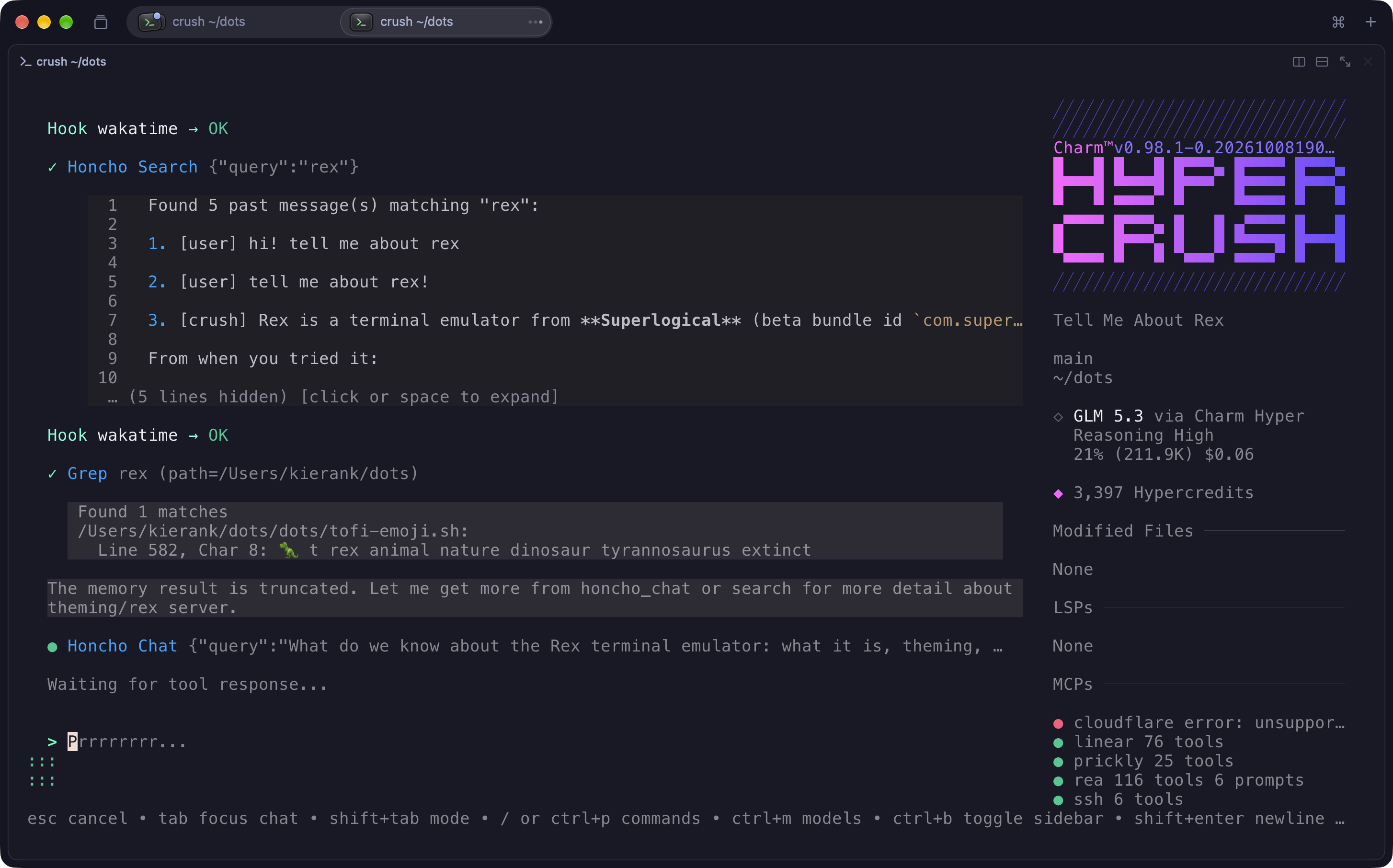 v0.98.0 · Oct 2026
· source
· release history
OSC 7501 terminal status reporting shipped Supports the OSC 7501 Program Status Protocol, enabling terminal status reporting for integrations such as Rex and TUIOS.
release
-
Supports the
OSC 7501Program Status Protocol, enabling terminal status reporting via Rex and TUIOS.︀︄︇︀︅︉︀︅︀︀︃︀︀︅︅︀︅︊︀︄︆︀︃︄
v0.98.0 · Oct 2026
· source
· release history
Git branch display in TUI shipped Shows the current git branch in the TUI so users can see their active branch at a glance.
release
-
Displays the current git branch in the TUI.
v0.97.0 · Sep 2026
· source
· release history
Plan Mode (read-only agent) shipped Activates a read-only agent mode capable of exploring code architecture, reviewing files, and checking tests to create implementation plans without executing any writes or commands.
release
- Adds Plan Mode, a read-only agent that reads files, greps, maps architecture, checks tests and config, and spawns sub-agents to explore — without writing a single file or running a command — letting you review, refine, or approve the plan before any code changes are made.︀︄︇︀︅︉︀︅︀︀︃︀︀︅︅︀︅︊︀︄︆︀︃︄ v0.95.0 · Sep 2026 · source · release history
Data directory concurrency safety shipped Prevents data corruption by refusing to open a data directory that is already in use by another AI tool instance.
release
- Refuses to open a data directory already in use by another Crush instance, preventing data corruption. v0.74.0 · May 2026 · source · release history
Denied tool inspection shipped Displays a diff view of the commands or actions that were denied by permission policies so users can inspect exactly what was blocked before deciding to allow it.
release
- Adds diff view for denied tools so practitioners can inspect exactly what a tool was attempting before deciding to allow or block it. v0.74.0 · May 2026 · source · release history
Session monitoring API shipped Exposes session status flags and connected client counts via the API for better operational monitoring.
Also counts toward: REST API
release
- Exposes an in-progress flag and connected-client count on session API responses, enabling richer monitoring of active sessions. v0.74.0 · May 2026 · source · release history
Yolo mode shipped Enables a bypass mode for tool permissions, allowing the AI to execute actions without explicit approval prompts.
release
-
Adds
ctrl+ykeybinding to instantly toggle YOLO mode (with on-screen notification) without opening the command palette. v0.72.0 · May 2026 · source · release history
Configurable tool permissions for Bash chaining shipped Requires explicit permission prompts when the AI attempts to run Bash commands containing pipes, redirection, or other chained operators.
release
- Requires a permission prompt whenever the model attempts to run Bash commands containing pipes, redirection, or other chained operators. v0.71.0 · May 2026 · source · release history
File creation tool shipped Provides a dedicated 'write' tool for the AI to create empty files, with permission gating for paths outside the working directory.
release
-
New
writetool (viatouch) lets the model create empty files, gated by a permission prompt for paths outside the working directory. v0.67.0 · May 2026 · source · release history
Runtime secret injection shipped Fetches API keys from external vaults at runtime to avoid storing secrets in configuration files.
example
-
Pull an API key from Vault at runtime so secrets never live in your Crush config file.
"api_key": "$(vault kv get my/secret/token)"v0.67.0 · May 2026 · source
PreToolUse hooks shipped Allows executing hooks before any tool call to deny, halt, or rewrite commands.
release
-
Adds
PreToolUsehook that runs before any tool call, enabling deny, halt, rewrite of bash commands, or silent side effects. v0.63.0 · Apr 2026 · source · release history
Configuration and log privacy mode shipped Prevents the AI model from accessing user configuration files and session logs during runs.
example
-
Prevent the model from ever reading your configuration or logs — useful in shared or locked-down environments.
{ "options": { "disabled_tools": ["crush_info", "crush_logs"] } }v0.56.0 · Apr 2026 · source
Config directory overrides shipped Allows overriding the default config and data directories via environment variables for flexible deployment.
release
- Adds ability to set environment variables to override config directories. v0.28.0 · Dec 2025 · source · release history
GitHub Copilot integration shipped Adds GitHub Copilot as a supported model provider with automatic login detection and explicit authentication commands.
release
- Adds GitHub Copilot as a supported model provider, auto-detecting existing logins or prompting via TUI. v0.27.0 · Dec 2025 · source · release history
Image result support shipped Handles and displays image results returned by tools and MCPs, enabling visual web agentic workflows.
release
- Supports image results returned by tools and MCPs (e.g., Playwright), enabling visual web agentic workflows. v0.22.0 · Dec 2025 · source · release history
Web search capability shipped Allows the AI tool to perform DuckDuckGo-powered web searches using agentic fetch, keeping the search context isolated from the main session.
Also counts toward: Natural-language query
release
- Adds DuckDuckGo-powered web search: tell Crush what you're looking for and it uses agentic fetch to search and retrieve results while keeping search context out of the main session. v0.22.0 · Dec 2025 · source · release history
Parallel tool execution shipped Executes multiple tool calls simultaneously to reduce latency on multi-step tasks.
release
- Enables parallel tool calls so multiple tools can execute simultaneously, reducing wait time on multi-step tasks. v0.21.0 · Dec 2025 · source · release history
Version update notifications shipped Notifies users within the application when a new version of the AI tool is available.
release
- Notifies users in-app when a new version of Crush is available. v0.18.3 · Nov 2025 · source · release history
Git commit attribution shipped Automatically appends an 'Assisted-by' git trailer to commits when the tool is used, with support for customizing the style and defaulting to this mode.
release
-
Adds
trailer_styleconfig option to append an Assisted-by git trailer (e.g.Assisted-by: Claude Sonnet 4.5 via Crush) to commits, following Fedora Council AI-disclosure guidelines. v0.17.0 · Nov 2025 · source · release history
MCP stored prompts shipped Allows access to MCP server-stored prompts (templates) directly through the command prompt interface.
release
- Supports MCP stored prompts (templates): access via ctrl+p then the MCP tab in the command prompt. v0.14.0 · Nov 2025 · source · release history
Ephemeral data management shipped Provides commands to wipe all temporary session and cache data, or to list the paths to config and data directories.
Also counts toward: Command-line interface
release
-
New
crush dirssubcommand surfaces the paths to Crush's config and data directories, enabling scripted access to config files and ephemeral data. v0.10.4 · Sep 2025 · source · release history
Anonymous usage metrics shipped Collects pseudoanonymous usage metrics (device hash only) with opt-out support.
release
- Adds pseudoanonymous usage metrics (device hash only; prompts and responses never collected) with opt-out support. v0.10.0 · Sep 2025 · source · release history
LSP default loading shipped Loads LSP server defaults by either name or command for better configuration flexibility.
release
- Loads LSP defaults by either name or command. v0.10.0 · Sep 2025 · source · release history
Power Steering (queued messages) shipped Allows users to queue messages for the model to pick up between tool calls or after task completion.
release
- Adds Power Steering: queue messages for the model to pick up between tool calls or after task completion, with Esc to clear the queue. v0.6.0 · Aug 2025 · source · release history
Lines in monospace are the tool's own words: help text
parsed from its source, or an endpoint from its API document. Under
release, a line is our summary of a dated release. Under
docs, it is quoted from the tool's own documentation or
website. Each links back to the source it came from.
Command line
30 commands for Crush, each with where it came from. This tool has no source analysis yet, so there is no option reference and no captured run beside them.
No command matches.
Screenshots
From the release notes, newest first. Click one to see it full size.Release-note detail over time
See how much detail Crush puts in its release notes, quarter by quarter, and compare it with tracked tools in the same category. This history uses up to ten retained, reviewed notes per tool; sparse or blank older quarters may reflect that limit.
Checking release-note history…
Releases
111 entries
No entries match these filters.
- September 20263
- August 20263
- July 20267
- June 20266
- May 202610
- April 20269
- March 202610
- February 20269
- January 20268
- December 202512
- November 202511
- October 20254
- September 20257
- August 202511
- July 20251
Add the badge to your README
Maintain this project? The badge links readers straight to this page, so they can follow every release here.
 Choose a badge style and copy the code →