OpenHands
v1.24.0 open-sourceThe section your link pointed to isn't on OpenHands's page any more, so we've brought you to the top.
OpenHands: AI-Driven Development
from openhands.sdk import LLM
llm = LLM.subscription_login(vendor="openai", model="gpt-5.2-codex")
export LLM_MODEL="openhands/claude-sonnet-4-5-20250929"
export LLM_API_KEY="your-openhands-api-key"
uv run python examples/01_standalone_sdk/01_hello_world.py
import os
from openhands.sdk import LLM, Agent, Conversation, Tool
from openhands.tools.file_editor import FileEditorTool
from openhands.tools.terminal import TerminalTool

llm = LLM(
    model=os.getenv("LLM_MODEL", "anthropic/claude-sonnet-4-5-20250929"),
    api_key=os.getenv("LLM_API_KEY"),
    base_url=os.getenv("LLM_BASE_URL", None),
)
agent = Agent(llm=llm, tools=[Tool(name=TerminalTool.name), Tool(name=FileEditorTool.name)])
conversation = Conversation(agent=agent, workspace=os.getcwd())
conversation.send_message("List all Python files and count lines of code.")
conversation.run()
/model fast-profile
Model: openai/<served-model-id>
Base URL: http://host.docker.internal:1234/v1
API key: local-llm
Model: litellm_proxy/<model-name>
Base URL: <your-litellm-proxy-base-url>
API key: <your-proxy-api-key>
curl -X POST https://app.openhands.ai/api/api-keys \
  -H 'Authorization: Bearer <your-token>' \
  -H 'Content-Type: application/json' \
  -d '{"name": "ci-bot", "not_before": "2026-08-01T00:00:00Z", "expires_at": "2026-08-31T23:59:59Z"}'
curl -X GET https://app.openhands.ai/api/organizations/<org-id>/me \
  -H 'Authorization: Bearer <your-token>'
OH_HIDE_PERSONAL_WORKSPACES=true
OH_DEPLOYMENT_MODE=enterprise
OH_RESOLVER_LABEL=my-team-resolver
OH_DEPLOYMENT_MODE=enterprise_cloud
curl -X POST https://<your-openhands-host>/api/acp/switch_acp_model \
  -H 'Authorization: Bearer <api_key>' \
  -H 'Content-Type: application/json' \
  -d '{"conversation_id": "<conversation_id>", "model": "gpt-4o"}'
OH_RESOLVER_LABEL=my-org-resolver
/settings
CLI_VI_MODE=true python -m openhands.core.cli
/new
/status
/settings
LOG_JSON=true docker run --rm -e LOG_JSON=true ghcr.io/all-hands-ai/openhands:0.28.0
[extended]
my_custom_flag = "value"
another_setting = 42
Summary
OpenHands is an open-source AI coding agent framework, released under the MIT license (with a source-available enterprise directory that requires a paid license after a month of use), that runs coding agents against real repositories and tasks. You can run it several ways: a single command starts its Agent Canvas web UI and backend locally, a Python SDK lets you define and run agents yourself or scale them to many instances in the cloud, and a hosted OpenHands Cloud or self-hosted Enterprise option adds GitHub, GitLab, Slack, and Jira integrations with multi-user permissions. It targets software engineering teams looking to automate everyday development work, from decomposing GitHub issues into tasks to running sub-agent delegation across specialized child agents. First committed in 2024, it now has 592 contributors and a release this week, suggesting active, well-supported development.
OpenHands: AI-Driven Development
How OpenHands helps
How much of a stalled GitHub issue can I hand off before I get back to it?
breaks the issue down into constituent tasks and can delegate subtasks to specialized child agents, reporting back a decomposed set of work rather than one long agent run
Which LLM should be answering this particular conversation?
lets you save several named LLM configurations, switch between them per conversation, and shows the active model on the conversation card and header at a glance
Can an agent keep working on a task while I step away, then let me redirect it later?
provides a pause/interrupt control so a running agent's task can be halted mid-way and resumed or redirected instead of only stopped or left running
Is the sandbox my agent is running in actually able to do what the task needs?
surfaces a clear in-UI error when a custom sandbox image's agent-server version mismatches, and lets you pin a preferred sandbox environment or enable full git history cloning so agents needing deep commit context aren't working from a shallow clone
Which of my Slack, Jira, or GitHub context actually reaches the agent working on it?
surfaces Slack attachments as context inside the agent conversation and persists per-user OAuth tokens for Jira Data Center resolver conversations, so the agent works from the same material a person would see
Who owns which workspace once my team is spread across an org?
moves users into a default org on first sign-in, makes the first signed-in user the org owner, and can restrict installs to org-only workspaces so personal and shared work stay separated
Languages
Features
Built from OpenHands's releases, docs, README and our own runs. “Seen” marks the month we first spotted a release the vendor didn't date. Group names and tags are our labels.
- OpenHands covers 1 of the 2 secrets and credential hygiene capabilities we track.
What OpenHands offers you
- REST API7
- Command-line interface4
- JSON data export2
- MCP server2
- Plugin system2
- Role-based access control2
- CSV data export1
- Extension marketplace1
- Kubernetes-native deployment1
- Ticketing integration1
- Web management console1
No capabilities match.
MCP server 2 features Interfaces and integrations since 2025
ACP agent support shipped The tool can host and interact with ACP-compatible agents, with a dedicated UI, configurable model and credentials, and MCP server connections.
Shared capability: MCP server
Also counts toward: MCP server
release 22 total
- ACP agents now supply their own model lists dynamically instead of using hardcoded values. v1.27.0 · Oct 2026 · source · release history
- Adds OpenCode and Pi as built-in ACP agents available on local backends. v1.27.0 · Oct 2026 · source · release history
- Connects Agent Canvas to DigitalOcean Managed Agents (desktop and web). v1.27.0 · Oct 2026 · source · release history
- Enables testing of remote MCP servers on cloud backends via the app server.︀︄︇︀︅︉︀︅︀︀︃︀︀︅︅︀︅︊︀︄︆︀︃︄ v1.22.0 · Sep 2026 · source · release history
- Adds model dropdown and credential fields to the ACP agent settings page. 1.9.0 · Jul 2026 · source · release history
- Allows MCP server configuration for ACP agents. 1.9.0 · Jul 2026 · source · release history
docs
-
- [ACP Agents](
https://docs.openhands.dev/openhands/usage/agent-canvas/acp-agents.md): Run Claude Code, Codex, or Gemini CLI in Agent Canvas through the Agent Client Protocol. docs update · Aug 2026 · source
example
-
Connect an MCP server on OpenHands Cloud to extend the agent with custom tools.
In the OpenHands Cloud console, go to Settings > MCP and use the Add, Edit, or Delete controls to manage your MCP server configurations.0.54.0 · Aug 2025 · source -
Configure MCP servers for the agent via the settings UI.
In the OpenHands UI, go to Settings > MCP and add your MCP server configurations.0.38.0 · May 2025 · source
MCP server enable/disable toggle shipped Users can enable or disable individual MCP servers from the UI without uninstalling them.
Shared capability: MCP server
release
- Add ability to test remote MCP servers on cloud backends via the app server v1.22.0 · Sep 2026 · source · release history
- Adds a toggle on each installed MCP server's card to enable or disable it without uninstalling. v1.8.0 · Jul 2026 · source · release history
- Adds the ability to enable or disable an installed MCP server directly from its card in the UI, without uninstalling it. v1.8.0 · Jul 2026 · source · release history
- Adds enable/disable toggle for installed MCP servers directly from the server card in the UI. v1.8.0 · Jul 2026 · source · release history
- Improves the MCP configuration UI with add, edit, and delete functionality. 0.54.0 · Aug 2025 · source · release history
Secrets management 1 feature Secrets and credential hygiene since 2025
Organization-wide Secrets Management shipped Administrators can create and share credentials across the organization via a centralized secrets store, eliminating the need for per-user configuration.
Shared capability: Secrets management
Also counts toward: Web management console
release
- Hides the GitHub token secret field on self-hosted instances when GitHub is already connected, reducing accidental secret exposure in the automations UI.︀︄︇︀︅︉︀︅︀︀︃︀︀︅︅︀︅︊︀︄︆︀︃︄ v1.31.0 · Oct 2026 · source · release history
-
Adds Organization-scoped Secrets (under
Settings > Secrets) so admins can share credentials across users and workflows without requiring per-user configuration.︀︄︇︀︅︉︀︅︀︀︃︀︀︅︅︀︅︊︀︄︆︀︃︄ announced · Sep 2026
· source
· release history
- Allows overwriting an existing secret value directly from the secret edit form. v1.7.0 · Jul 2026 · source · release history
- Allows overwriting an existing secret value directly from the secret edit form. v1.7.0 · Jul 2026 · source · release history
- Adds ability to save custom secrets for agents directly through the UI settings panel. 0.39.0 · May 2025 · source · release history
Other / not yet classified 109 features Features we have not matched to a capability yet. A suggested match is marked.
OpenHands SDK and Agent Execution verified A modular SDK lets developers build AI agents capable of running commands, editing files, browsing the web, and interacting with system tools.
previously: OpenHands SDK
release 49 total
-
Adds DigitalOcean as a supported execution backend in Agent Canvas, reachable via
Manage Backends → Add Backend → Providers → DigitalOcean, authenticated with a DigitalOcean personal access token.︀︄︇︀︅︉︀︅︀︀︃︀︀︅︅︀︅︊︀︄︆︀︃︄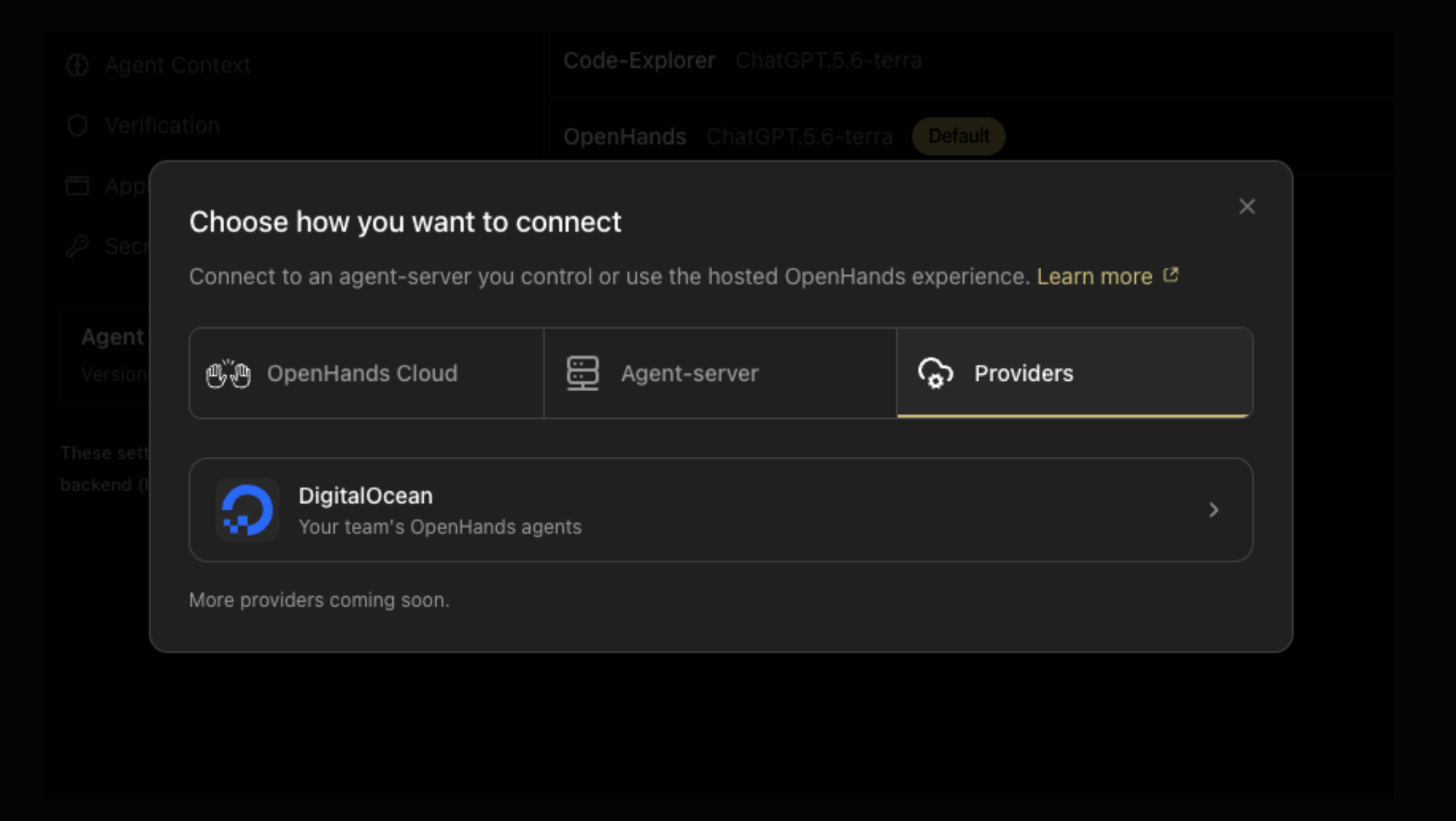 announced · Oct 2026
· source
· release history
- Enables provisioning of OpenHands agents on DigitalOcean Harness Runtime — isolated microVM sandboxes with dedicated disk, terminal, and browser tools — without managing the underlying infrastructure. announced · Oct 2026 · source · release history
-
Adds
browser key down|up|release-allcommands to the verify-openhands browser controller for holding and releasing keys during automated browser sessions.︀︄︇︀︅︉︀︅︀︀︃︀︀︅︅︀︅︊︀︄︆︀︃︄ v1.27.0 · Oct 2026 · source · release history -
Adds
feat: request Docker execution workspaces from Docker serversenabling the agent to delegate containerized execution to a list of configured remote Docker hosts rather than only using local or default environments. v1.21.0 · Sep 2026 · source · release history - Adds forwarding of Docker conversation runtime settings to the agent runtime. v1.20.0 · Sep 2026 · source · release history
- Adds GPT-6-Astra to the list of supported LLM providers for agent execution v1.19.0 · Sep 2026 · source · release history
docs
- The OpenHands SDK is a modular framework for building AI agents that interact with code, files, and system commands. Agents can execute bash commands, edit files, browse the web, and more. docs update · Aug 2026 · source
example
-
Connect a DigitalOcean account as an agent execution backend so you can provision and manage cloud-hosted OpenHands agents without leaving Agent Canvas.
In Agent Canvas, go to Manage Backends → Add Backend → Providers and select DigitalOcean.announced · Oct 2026 · source
api
-
GET /api/options/security-analyzers· source
Conversation sandbox management verified Users can control how sandboxes are grouped, shared, or isolated across conversations and set a default sandbox spec for new ones.
release 22 total
- Open conversations immediately with inline startup progress instead of waiting for runtime readiness. v1.35.0 · Nov 2026 · source · release history
- Enables starting a new conversation directly in the row's sandbox from the sidebar conversation list. v1.34.0 · Oct 2026 · source · release history
- Labels the share toggle Share with Org users in team org contexts to clarify sharing scope. v1.34.0 · Oct 2026 · source · release history
-
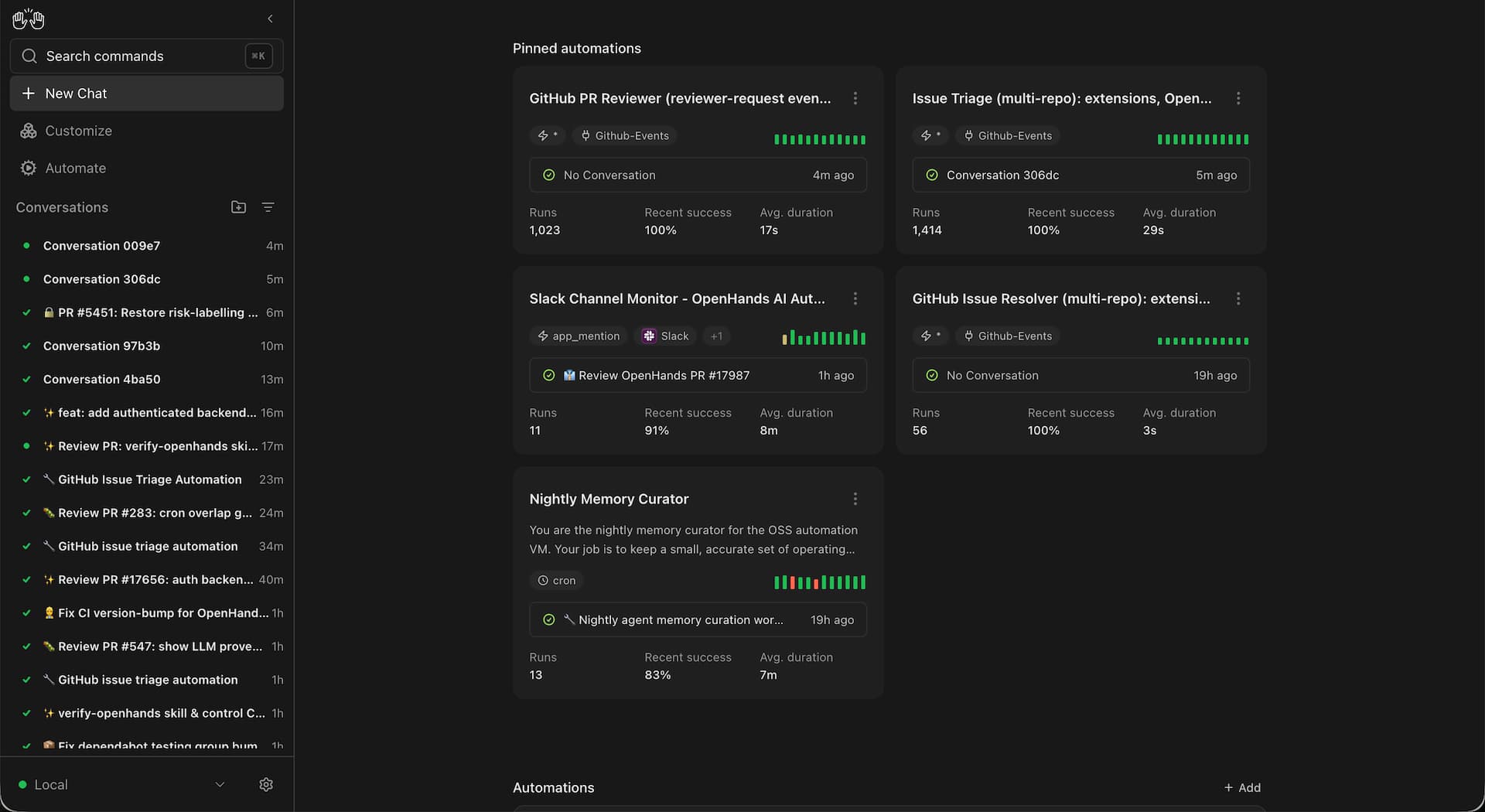
Enables Docker conversation runtime via a single environment variable, giving each conversation its own isolated container so agents can work in parallel without sharing an execution environment.︀︄︇︀︅︉︀︅︀︀︃︀︀︅︅︀︅︊︀︄︆︀︃︄
 announced · Oct 2026
· source
· release history
- Shows the workspace path in the Files view for easier orientation within multi-folder workspaces. v1.15.0 · Aug 2026 · source · release history
- Enriches final archive manifests with additional metadata and removes redundant initial snapshots. cloud-1.46.0 · Jul 2026 · source · release history
docs
- Safety depends on the backend and workspace you select. A local process backend runs Agent Server and tools directly on its host. Docker, Kubernetes, Sandbox Server, Cloud, and Enterprise deployments can provide stronger isolation according to their container, sandbox, mount, and network configuration. seen Aug 2026 · source
- Conversations And Sandboxes Configure conversation placement, sharing, and sandbox lifecycle. seen Jul 2026 · source
example
-
Configure a per-conversation Docker runtime for an isolated agent sandbox.
In the canvas, go to Settings → Runtime and set the Docker runtime options for the active conversation.v1.34.0 · Oct 2026 · source -
Quickly enable or disable all workspace folders at once via the Conversations header.
Click the toggle icon in the Conversations header to select/deselect all workspace folders.v1.24.0 · Sep 2026 · source -
Pin a specific sandbox environment for all your agent runs so you don't have to reconfigure it per session.
In the console, go to Settings > User Settings and set the Default Sandbox Spec to your preferred environment via the `default_sandbox_spec_id` field.cloud-1.40.0 · Jun 2026 · source -
Set a default sandbox spec so every new conversation automatically uses your preferred compute environment — no manual selection required.
In the console, go to Settings > User Settings and set Default Sandbox Spec to your preferred spec, then save.cloud-1.40.0 · Jun 2026 · source -
Control how sandboxes are shared or isolated across conversations to optimize resource usage or enforce separation.
In the console, go to Settings > Sandbox and select the desired sandbox grouping strategy.1.8.0 · Jun 2026 · source
LLM profile management verified Users can save named LLM configurations including credentials and model selection and switch between them without re-entering details.
release 20 total
-
Supports DigitalOcean Serverless Inference as a model provider in Agent Canvas, allowing developers to configure reusable LLM profiles backed by a DigitalOcean model access key without manually specifying an inference endpoint.
announced · Oct 2026
· source
· release history
-
Adds Provider Connections, which store a provider key and optional base URL once and allow multiple LLM profiles to share credentials, with linked profiles showing when a connection is missing.
 announced · Sep 2026
· source
· release history
- LLM profiles now validate credentials and model availability before saving. announced · Sep 2026 · source · release history
- Adds an LLM provider-connections UI for the local agent-server, letting practitioners configure provider connections directly from the interface. v1.15.0 · Aug 2026 · source · release history
- Adds LLM pre-flight validation when saving LLM profiles, blocking misconfigured settings before they take effect. v1.14.0 · Aug 2026 · source · release history
- Adds LLM pre-flight validation that checks and rejects misconfigured LLM profiles before they can be saved. v1.14.0 · Aug 2026 · source · release history
docs
- Agent Canvas supports configuring your LLM provider, model, and credentials from the UI. It also supports saved LLM profiles , which make it easier to switch models without re-entering provider settings each time. Configure an LLM Profile Open Settings > LLM to add a reusable LLM profile. docs update · Jul 2026 · source
example
-
Set up a Provider Connection so multiple LLM profiles share one API key, making key rotation a single operation.
In Agent Canvas, go to Settings > Provider Connections, click Add Connection, enter the provider key and optional base URL, then reference the connection in each LLM profile.announced · Sep 2026 · source -
Switch between saved LLM configurations (e.g., a fast model for drafting and a powerful model for review) without re-entering credentials each time.
In the console, go to Settings > LLM and create or select an LLM profile with your preferred model, API key, and parameters.1.8.0 · Jun 2026 · source
Usage & Monitoring dashboard shipped Teams can set spending limits and monitor agent usage costs through a dedicated Budgets dashboard and expanded Usage Dashboard.
previously: Budgets and usage monitoring
release 21 total
-
Adds
Settings > Your Budgetdashboard giving members visibility into their OpenHands usage and monthly budget consumption.
announced · Sep 2026
· source
· release history
- Agent Canvas telemetry tagged by deployment kind v1.23.0 · Sep 2026 · source · release history
- Tracks authenticated Canvas arrivals. v1.19.0 · Sep 2026 · source · release history
-
Adds per-run LLM cost tracking on automations to help teams understand how prompts, context, and reasoning affect spend.
announced · Sep 2026
· source
· release history
- Adds per-run LLM cost display in the Activity Log and exports, giving operators visibility into token spend for each individual run. v1.11.0 · Aug 2026 · source · release history
- Adds per-run LLM cost display in the Activity Log and exports, giving teams visibility into spend at the individual run level. v1.11.0 · Aug 2026 · source · release history
example
-
Monitor team spend and enforce cost limits by reviewing the new Budgets dashboard.
In the console, go to Budgets to view configured budget limits and current usage, and to the Usage Dashboard for a breakdown of consumption by user or project.1.11.0 · Jul 2026 · source
API key lifecycle management verified API keys support optional validity windows defined by start and expiry fields, and key names are validated to match environment-variable format.
release 13 total
- Enables overwriting an existing secret's value directly from the secret edit form. v1.7.0 · Jul 2026 · source · release history
-
Adds optional active window (
not_before&expires_at) for API keys. 1.9.0 · Jul 2026 · source · release history -
API keys gain an optional active window via
not_beforeandexpires_atfields. 1.9.0 · Jul 2026 · source · release history - API keys now support an explicit unbound org scope as a first-class option. cloud-1.41.0 · Jul 2026 · source · release history
-
API keys gain optional active-window controls (
not_beforeandexpires_at) for time-bounded access. cloud-1.41.0 · Jul 2026 · source · release history - Adds validation for secret names to ensure valid environment-variable format. 1.9.0 · Jul 2026 · source · release history
example
-
Restrict an API key to a specific validity window so it auto-expires after a contractor engagement ends.
In the console, go to Settings > API Keys, create or edit a key, and set the 'Not Before' and 'Expires At' fields to define the active window.cloud-1.41.0 · Jul 2026 · source -
Create an API key that is only valid within a specific time window — useful for temporary contractor access or scheduled automation.
curl -X POST https://app.openhands.ai/api/api-keys \ -H 'Authorization: Bearer <your-token>' \ -H 'Content-Type: application/json' \ -d '{"name": "ci-bot", "not_before": "2026-08-01T00:00:00Z",…cloud-1.41.0 · Jul 2026 · source -
Store a custom API key or credential so the agent can securely access it during task execution — no code change required.
In the console, go to Settings > Secrets and add a new custom secret (name + value) to make it available to the agent at runtime.0.39.0 · May 2025 · source -
Manage API keys for programmatic access to OpenHands Cloud from the settings page.
In the OpenHands Cloud console, go to Settings > API Keys to create or revoke keys.0.35.0 · Apr 2025 · source
Enterprise deployment configuration verified Operators can gate cloud-account prompts to enterprise deployments, customise resolver labels, and route unclaimed automation events to a default org.
release 15 total
- Shows full organization names in the backend selector. v1.29.0 · Oct 2026 · source · release history
- Adds a unified cloud settings entrypoint for Agent Canvas. v1.17.0 · Sep 2026 · source · release history
- unified cloud settings entrypoint for Agent Canvas v1.17.0 · Sep 2026 · source · release history
-
New
OH_RESOLVER_LABELenv var enables per-deployment resolver macro overrides. 1.9.0 · Jul 2026 · source · release history -
Adds
OH_RESOLVER_LABELenvironment variable for per-deployment resolver macro customization. 1.9.0 · Jul 2026 · source · release history - Routes unclaimed automation events to the default org on single-org installs. 1.9.0 · Jul 2026 · source · release history
example
-
Set the deployment mode to enterprise cloud to gate cloud-account CTAs appropriately.
OH_DEPLOYMENT_MODE=enterprise_cloud1.9.0 · Jul 2026 · source -
Set a per-deployment resolver label to customize which resolver macro handles automation events.
OH_RESOLVER_LABEL=my-team-resolver1.9.0 · Jul 2026 · source -
Set a per-deployment resolver label and restrict resolver to enterprise cloud mode.
OH_RESOLVER_LABEL=my-team-resolver OH_DEPLOYMENT_MODE=enterprise_cloud1.9.0 · Jul 2026 · source -
Pin a custom resolver label per deployment so automation events are routed to the correct resolver macro.
OH_RESOLVER_LABEL=my-org-resolvercloud-1.39.0 · Jun 2026 · source
Sub-agent delegation and visualization verified A primary agent can break large tasks into parallel sub-tasks handled by specialised agents, with live visualisation in the chat UI.
release 18 total
- Adds a typed agent action for launching local or Cloud child conversations, expanding programmatic multi-conversation workflows. v1.11.0 · Aug 2026 · source · release history
- Adds a typed agent action for launching local or Cloud child conversations, enabling agents to programmatically spawn sub-conversations. v1.11.0 · Aug 2026 · source · release history
- Adds a typed agent action for launching local or Cloud child conversations, enabling programmatic multi-conversation workflows. v1.11.0 · Aug 2026 · source · release history
- Passes repository metadata to observability traces, enriching telemetry with source context for agent runs. 1.11.0 · Jul 2026 · source · release history
- Includes repository metadata (e.g., repo name, branch, commit) in observability traces, enabling richer filtering and attribution in tracing backends. cloud-1.44.0 · Jul 2026 · source · release history
- Adds sub-agent task (TaskToolSet) visualizer to the chat UI. 1.9.0 · Jul 2026 · source · release history
docs
- This guide shows how to use the OpenHands Agent Canvas as a daily development work queue. The agent gathers work from GitHub and Slack, organizes it by urgency, gives you one task at a time, and can dispatch separate agents for work that can happen in parallel. seen Aug 2026 · source
api
-
GET /api/conversations/{conversation_id}/trajectory· source
Agent profiles verified Reusable agent configurations including model and tool settings can be defined and applied across projects in enterprise deployments.
release 16 total
-
Launches the
defaultagent profile by id; profiles now own their own settings. v1.29.0 · Oct 2026 · source · release history - Adds per-profile skill selection from the server catalog via agent profiles.︀︄︇︀︅︉︀︅︀︀︃︀︀︅︅︀︅︊︀︄︆︀︃︄ v1.29.0 · Oct 2026 · source · release history
-
Adds Agent Profiles to automations (v1.20.0), letting each automation run with a saved profile that scopes the MCP servers, secrets, and tools available to that agent.
announced · Oct 2026
· source
· release history
- Adds the ability to select which secrets are available to a specific agent profile, scoping credential exposure per profile.︀︄︇︀︅︉︀︅︀︀︃︀︀︅︅︀︅︊︀︄︆︀︃︄ v1.20.0 · Sep 2026 · source · release history
-
agent-profilesfeature enables selecting specific secrets available to a profile v1.20.0 · Sep 2026 · source · release history - Adds support for selecting saved agent profiles when configuring automations. v1.20.0 · Sep 2026 · source · release history
example
-
Configure an agent profile with a specific Model Router and custom skill set so different automation profiles can target different LLM routing strategies.
In the OpenHands UI, go to Agent Profiles > select or create a profile > choose a Model Router from the router picker > add skills from the server catalog > save the profile.v1.29.0 · Oct 2026 · source -
Customize the agent's system prompt for a specific repository so it follows project-specific conventions on every run.
In your repository root, create a `.openhands` directory and add your prompt customization files there. OpenHands will automatically detect and apply them when operating on that repo.0.18.0 · Jan 2025 · source
api
-
GET /api/options/agents· source
Organization invitation and onboarding shipped Org admins can invite users via copyable invite links or email-match auto-acceptance with reduced manual confirmation steps.
release 14 total
- Adds an LLM provider-connections UI (local agent-server) to configure model endpoints directly from the client interface. v1.15.0 · Aug 2026 · source · release history
- Exposes copyable invite links so org invitations work without email delivery. 1.9.0 · Jul 2026 · source · release history
- Accepts pending invitations by verified-email match at sign-in, removing friction for new members. 1.9.0 · Jul 2026 · source · release history
- Auto-accepts invitation links on click, removing the confirm/cancel modal. 1.9.0 · Jul 2026 · source · release history
- Accepts pending invitations by verified-email match at sign-in. 1.9.0 · Jul 2026 · source · release history
- Auto-accepts invitation links on click instead of showing a confirm/cancel modal. 1.9.0 · Jul 2026 · source · release history
example
-
Copy and share an org invite link directly from the console so new members can join without waiting for an email.
In the console, go to Settings > Organization > Members and click "Copy invite link" to share a URL that auto-accepts on click.cloud-1.39.0 · Jun 2026 · source -
Share an invite link directly with a new org member when email delivery is unavailable.
In the OpenHands console, go to Organization Settings > Members > Invite Members, then copy the generated invite link and share it directly with the invitee.cloud-1.39.0 · Jun 2026 · source
Jira Data Center integration verified Agents can connect to Jira Data Center with per-user OAuth, auto-linking issues to repositories, and picker-based mentions for issue-to-repo workflows.
Also counts toward: Ticketing integration
release 14 total
- Adds Jira Data Center email-mode auto-link, targeted repo lookup, and picker mentions. 1.9.0 · Jul 2026 · source · release history
- Jira DC: email-mode auto-link, targeted repo lookup, and picker mentions. 1.9.0 · Jul 2026 · source · release history
- Persists and injects per-user OAuth tokens in Jira DC resolver conversations. 1.9.0 · Jul 2026 · source · release history
- Persists and injects per-user OAuth tokens in Jira DC resolver conversations. 1.9.0 · Jul 2026 · source · release history
- Enhances Jira Data Center integration with email-mode auto-linking, targeted repository lookup, and picker mentions. cloud-1.40.0 · Jun 2026 · source · release history
- Jira Data Center integration adds email-mode auto-linking, targeted repository lookup, and picker-based @mentions for richer issue-to-repo workflows. cloud-1.40.0 · Jun 2026 · source · release history
command line
-
--labels — Comma-separated issue labels (e.g. 'bug,frontend').v1.13.0 · Aug 2026
example
-
Target a specific branch when starting work on a repository from the homepage, without manually switching branches later.
In the console, go to the Homepage, select your repository, then use the branch picker to choose the desired branch before starting a conversation.0.37.0 · May 2025 · source
OpenHands Cloud LLM Provider shipped The tool offers a native LLM provider hosted by OpenHands Cloud, including support for specific models like Kimi-K2 and Bring Your Own Key (BYOK) integration.
release 12 total
- Adds GPT-6 Astra model support. v1.19.0 · Sep 2026 · source · release history
- Adds DB-driven free/default model flags in Canvas controlled by the Canvas subsystem. v1.18.0 · Sep 2026 · source · release history
- Sets Kimi K3 as the default Canvas model and tags it as free, giving users a no-cost starting point. v1.14.0 · Aug 2026 · source · release history
- Sets Kimi K3 as the default Canvas model and tags it as free. v1.14.0 · Aug 2026 · source · release history
- Sets Kimi K3 as the default Canvas model and tags it as free. v1.14.0 · Aug 2026 · source · release history
- Adds Clarifai as a supported LLM provider. 0.60.0 · Oct 2025 · source · release history
docs
-
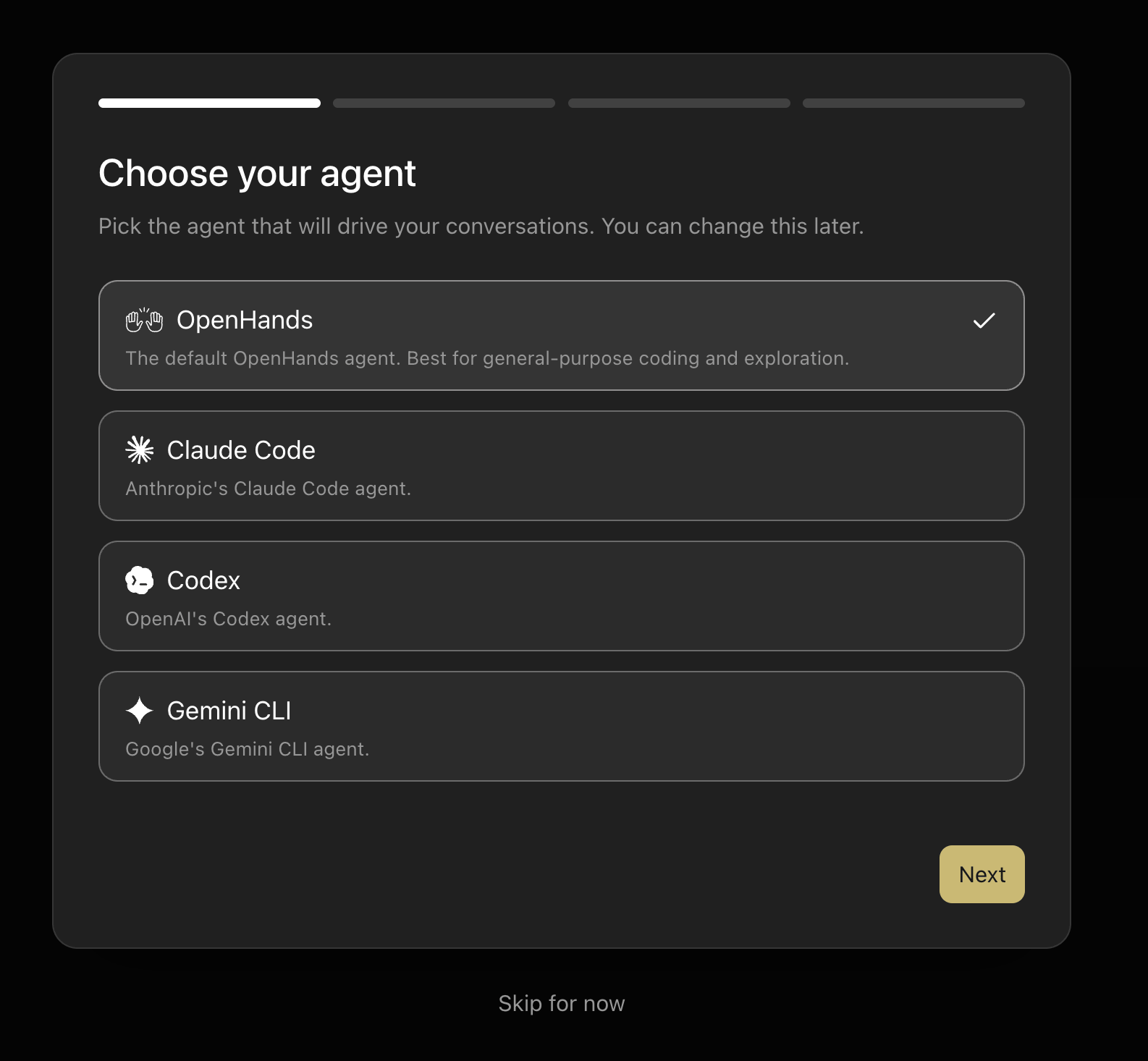
The default model is OpenAI GPT-5.6 Sol , and DeepSeek V4 Flash is the free OpenHands-routed model. When adding an OpenHands provider connection, the provider field is a searchable supported-provider selector rather than free text.
 docs update · Aug 2026
· source
example
-
Configure default model usage via DB-driven flags in the Canvas interface.
Access Canvas settings and update the DB-driven free/default model flags to control inference costs.v1.18.0 · Sep 2026 · source -
Use your own LLM API key on OpenHands Cloud instead of the platform's default billing.
In the OpenHands Cloud console, go to Settings and enter your own API key under the Bring Your Own Key (BYOK) section.0.57.0 · Sep 2025 · source
Automations Run Monitoring shipped The tool provides a dedicated automation dashboard and live phase displays to track run activity, durations, failures, and real-time execution states.
release 11 total
- List each event source's own event types in the automations UI so users can configure triggers more precisely. v1.35.0 · Nov 2026 · source · release history
-
Adds automation enhancements: show and edit
keep_aliveon the automation detail page, an Events webhook sources view under Automations to browse and manage incoming webhook event sources, and automation template suggestions that match an instance's configured integrations. v1.35.0 · Nov 2026 · source · release history - show manifest-declared value statements on dashboard cards and rows v1.17.0 · Sep 2026 · source · release history
- Makes automation run UI task-outcome aware. v1.17.0 · Sep 2026 · source · release history
- Make automation run UI task-outcome aware v1.17.0 · Sep 2026 · source · release history
- Shows manifest-declared value statements on dashboard cards and rows. v1.17.0 · Sep 2026 · source · release history
docs
-
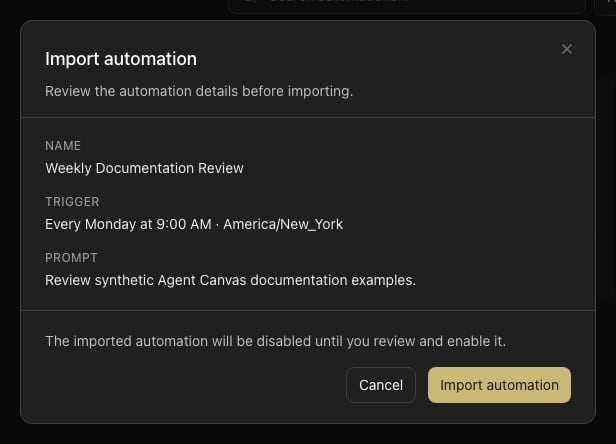
Run Phase Automation runs surface a live phase that reflects a run’s current state: . The phase appears on automation cards, in the Activity Log, and on the home screen, and updates live as a run progresses. A failed run retains its last phase after it stops. field for every run, as well as the run’s phase .
 docs update · Aug 2026
· source
- Run Statuses A run can be PENDING RUNNING COMPLETED FAILED CANCELLED , or SKIPPED . A SKIPPED run can occur when the backend reaches its concurrency limit. Future backend statuses appear as a neutral status badge so they do not prevent you from viewing the automation. seen Aug 2026 · source
example
-
Monitor the agent's progress across multi-step tasks in real time.
In the right panel, click the `Task List` tab to view the agent's current tasks and their live status.1.5.0 · Mar 2026 · source
Conversation tags and sidebar filters shipped Users can tag conversations and filter the sidebar by tags or automation names using visible tag chips and sidebar filter controls.
release 12 total
- Adds sidebar enhancements: store sidebar pin and archive state as server-side tags so the layout is preserved across sessions, show startup activity in sidebar conversation rows, and allow dragging the sidebar edge to resize it. v1.35.0 · Nov 2026 · source · release history
- Persist workspace and repository metadata as server-side conversation tags. v1.35.0 · Nov 2026 · source · release history
- Adds filter and edit controls for automation tags in the automations list. v1.34.0 · Oct 2026 · source · release history
-
Adds conversation tags with visible tag chips, sidebar filters for tags and automation names (v1.17.0).
announced · Oct 2026
· source
· release history
-
conversation-panel: add conversation tags and filtering v1.17.0 · Sep 2026 · source · release history - Adds conversation tags and filtering in the conversation panel. v1.17.0 · Sep 2026 · source · release history
example
-
Filter your conversation list by tags to quickly find related automations or discussions.
In the conversation panel, use the new tag filter dropdown to select and narrow results by 'automation' or custom tags.v1.17.0 · Sep 2026 · source -
Keep a frequently referenced conversation always accessible by pinning it.
In the OpenHands UI, right-click or use the tab options on a conversation tab and select 'Pin' to pin it; select 'Unpin' to remove the pin.0.62.0 · Nov 2025 · source
SMTP email service integration shipped The platform supports SMTP as a transactional email provider alongside the existing Resend integration.
release 11 total
-
Adds Organization-scoped Secrets (under
Settings > Secrets) so admins can share credentials across users and workflows without requiring per-user configuration.︀︄︇︀︅︉︀︅︀︀︃︀︀︅︅︀︅︊︀︄︆︀︃︄
announced · Sep 2026
· source
· release history
- Adds SMTP email service integration for outbound email delivery alongside the existing Resend provider. 1.10.0 · Jul 2026 · source · release history
- Adds SMTP email service integration for outbound email delivery. cloud-1.43.0 · Jul 2026 · source · release history
- Adds SMTP email service integration, enabling email delivery alongside the existing Resend provider. 1.10.0 · Jul 2026 · source · release history
- Adds SMTP email service integration, enabling transactional email delivery alongside the existing Resend provider. cloud-1.43.0 · Jul 2026 · source · release history
- Supports custom pull request titles when using the GitHub issue resolver. 0.17.0 · Dec 2024 · source · release history
example
-
Provision a shared read-only API key so every developer can use it in workflows without configuring their own credentials.
In OpenHands Enterprise, go to Settings > Secrets and create a new Organization Secret (e.g. a PostHog API key).announced · Sep 2026 · source -
After an agent completes its work, push the branch and open a PR without leaving the UI.
In the OpenHands UI, after a session completes, click the `Push & Create PR` button to push the current branch and create a pull request in your connected repository.0.14.3 · Nov 2024 · source -
After completing a coding task in a session, push your changes to GitHub without leaving the chat interface.
In the chat interface, click the 'Push to GitHub' button to push your current changes to the configured GitHub repository.0.14.1 · Nov 2024 · source
LLM context window monitoring and compaction shipped A real-time context window meter shows token usage, and users can manually trigger compaction to keep conversations within model limits.
release 13 total
-
Adds a context meter and usage drawer showing remaining context, token usage, and cost as a conversation grows, with a manual conversation compact option where supported.
announced · Sep 2026
· source
· release history
- Adds a context window usage meter, usage drawer, and manual compaction control so users can monitor and manage LLM context consumption mid-session. v1.13.0 · Aug 2026 · source · release history
- Adds a context window usage meter, usage drawer, and manual compaction control so practitioners can monitor and manage LLM context consumption. v1.13.0 · Aug 2026 · source · release history
- Adds a context window usage meter, usage drawer, and manual compaction so practitioners can monitor and control context consumption in real time. v1.13.0 · Aug 2026 · source · release history
-
Doubles the condenser default
max_sizefrom 120 to 240, allowing larger context to be retained before summarization. 1.2.0 · Jan 2026 · source · release history - Adds a configurable max history size setting for the condenser, giving operators control over context window usage. 0.55.0 · Sep 2025 · source · release history
example
-
Enable memory condensation to keep long sessions within LLM context limits without manual intervention.
In the console, go to Settings and enable memory condensation.0.26.0 · Feb 2025 · source
Conversation archive verified Users can archive past conversations from the UI, with archive manifests that include enriched metadata.
Also counts toward: REST API
release 12 total
- Add a Download button in the Files tab lets users save workspace files directly from the browser.︀︄︇︀︅︉︀︅︀︀︃︀︀︅︅︀︅︊︀︄︆︀︃︄ v1.35.0 · Nov 2026 · source · release history
-
Adds a unified Commits drawer for version control and commit inspection alongside the conversation.
announced · Sep 2026
· source
· release history
- Adds conversation archiving to clear the sidebar while preserving past conversations. announced · Sep 2026 · source · release history
- Adds client-side conversation archive so users can archive and manage past conversations directly in the UI. v1.13.0 · Aug 2026 · source · release history
- Adds client-side conversation archive, letting users archive and manage past conversations directly in the UI. v1.13.0 · Aug 2026 · source · release history
- Adds client-side conversation archive to organize and declutter past agent sessions. v1.13.0 · Aug 2026 · source · release history
api
-
GET /api/conversations/{conversation_id}/zip-directory· source
Native desktop app verified A native desktop app for macOS and Windows bundles all required runtimes so users can run Agent Canvas without installing prerequisites or keeping a terminal open.
release
- Adds a universal macOS DMG installer with per-architecture bundled runtimes for the desktop app.︀︄︇︀︅︉︀︅︀︀︃︀︀︅︅︀︅︊︀︄︆︀︃︄ v1.23.0 · Sep 2026 · source · release history
-
universal macOS DMGwith per-arch bundled runtimes v1.23.0 · Sep 2026 · source · release history -
Expands desktop app builds to bundle required runtimes and adds Linux support (in early preview) alongside existing Windows and macOS.
announced · Sep 2026
· source
· release history
-
Adds a Linux desktop installer build (
.debpackage) via updated CI and maintainer scripts. v1.16.0 · Aug 2026 · source · release history - Adds native Windows support without requiring WSL, broadening local deployment options. 0.41.0 · Jun 2025 · source · release history
- New empty-state design for the chat interface. 0.13.0 · Nov 2024 · source · release history
docs
- Desktop App (Preview Build) The Agent Canvas desktop app for macOS and Windows is an early preview build ready for user testing. It bundles the Node.js and runtimes, so you do not need to install prerequisites or keep a terminal open. docs update · Aug 2026 · source
- You can also test a preview build of the native desktop app. Try the desktop preview docs update · Aug 2026 · source
command line
-
--dockerfilev1.23.0 · Sep 2026
example
-
Clear macOS Gatekeeper quarantine so the OpenHands Agent Canvas app opens without a damaged warning after moving it to Applications.
xattr -dr com.apple.quarantine "/Applications/OpenHands Agent Canvas.app"v1.32.0 · Oct 2026 · source -
Install on macOS with native ARM and Intel binaries in a single package.
Download the `universal macOS DMG` from the release assets and mount it.v1.23.0 · Sep 2026 · source -
Start the full local stack
agent-canvas -
Run static frontend and ingress only
agent-canvas --frontend-only
Multi-model LLM discovery with BYOK verified Enterprise deployments present a unified catalogue of available LLM models with bring-your-own-key access controls.
release 12 total
-
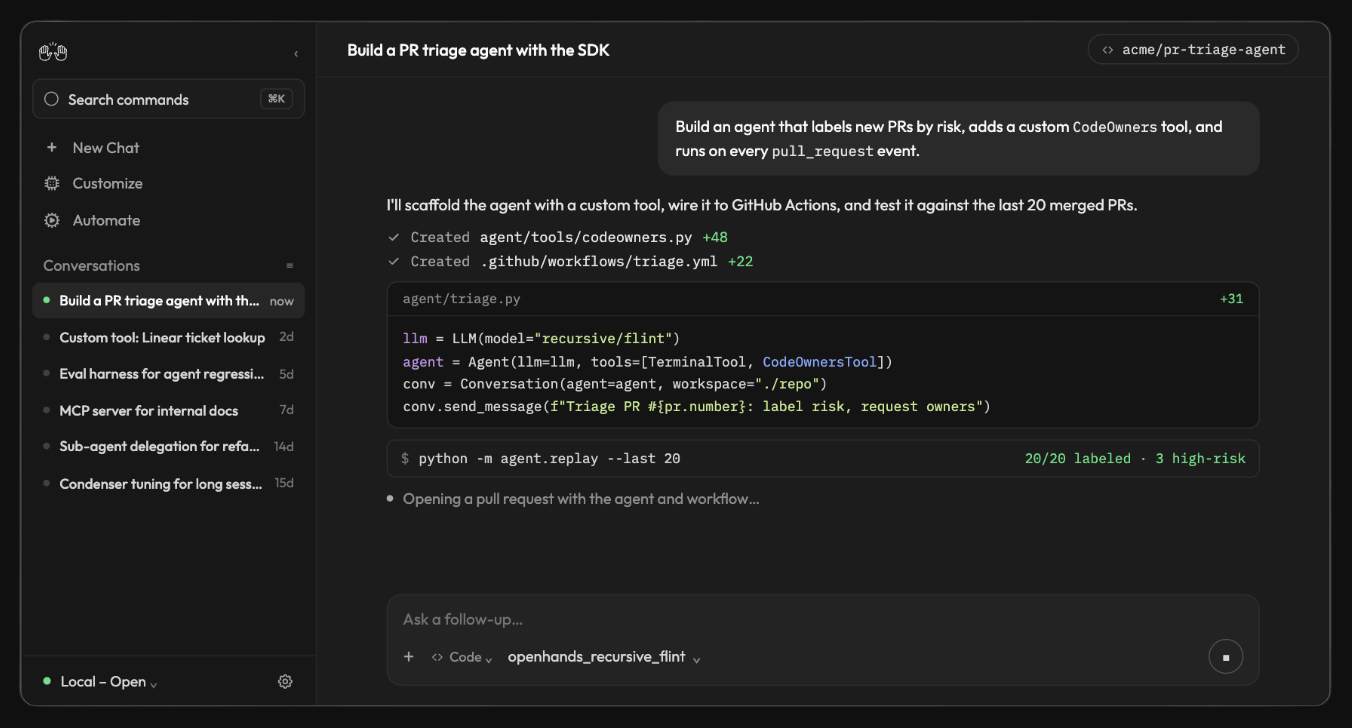
Supports Recursive Flint as a model backend via OpenRouter by configuring an OpenRouter API key and selecting the Flint model identifier.︀︄︇︀︅︉︀︅︀︀︃︀︀︅︅︀︅︊︀︄︆︀︃︄
 announced · Oct 2026
· source
· release history
- Supports configurable Bring-Your-Own-Router (BYOR) key alias patterns for enterprise deployments. cloud-1.46.0 · Jul 2026 · source · release history
- OHE multi-model LLM discovery with BYOK gating: proxy discovery, catalogue union, and updated UX. 1.9.0 · Jul 2026 · source · release history
- Adds OHE multi-model LLM discovery with BYOK gating, proxy discovery, catalogue union, and UX. 1.9.0 · Jul 2026 · source · release history
- Enables multi-model LLM discovery and BYOK gating in OpenHands Enterprise, unifying proxy discovery and the model catalogue. cloud-1.39.0 · Jun 2026 · source · release history
- Enables multi-model LLM discovery and BYOK gating for OpenHands Enterprise (OHE) installs, including proxy discovery and catalogue union. cloud-1.39.0 · Jun 2026 · source · release history
api
-
GET /api/options/models· source
Skills page and plugin skill browsing shipped Users can browse and filter skills bundled within plugins, including command-derived skills, using faceted filters for faster discovery.
release 8 total
- Reads public skills from the bundled extensions package for launchers. v1.29.0 · Oct 2026 · source · release history
- feat(skills): replace the all-on skill catalog with an explicit allow-list v1.16.0 · Aug 2026 · source · release history
- Adds a faceted filter rail to the Skills page for narrowing skills by category. v1.10.0 · Aug 2026 · source · release history
- Adds faceted rail filtering to the Skills page for faster skill discovery. v1.10.0 · Aug 2026 · source · release history
- Adds a faceted rail filter to the Skills page for narrowing down skills by category. v1.10.0 · Aug 2026 · source · release history
- Adds ability to enable or disable default global skills, giving operators control over which built-in capabilities are active. 1.6.0 · Mar 2026 · source · release history
docs
- Inspect Plugin Contents Select a plugin to open its details. Alongside its metadata, the detail view can show: Skills in this plugin bundle — cards for bundled skills, including command-derived skills, with their icons, names, and descriptions. Files — an expandable directory tree. docs update · Aug 2026 · source
example
-
Install a Canvas App in beta to add a custom internal dashboard to Agent Canvas without modifying the core application.
In Agent Canvas, go to Apps, click Install App, paste the app source or manifest URL, inspect the resolved revision and contributed pages, then click Enable only after reviewing the trusted code.
announced · Sep 2026
· source
-
Surface available agent skills mid-conversation without leaving the chat input.
In the chat input, type `/` to open the slash command menu and select an available agent skill or command.1.5.0 · Mar 2026 · source -
Save a full agent conversation for audit, review, or sharing — useful after a complex remediation session.
In the OpenHands UI, open the conversation panel, locate the session, and click 'Export Conversation' to download the conversation as a file.1.1.0 · Dec 2025 · source -
Disable proactive conversation starters for Cloud Resolver if you prefer a quieter, prompt-only experience.
In the console, go to Account Settings and toggle 'Proactive conversation starters' off.0.37.0 · May 2025 · source
Automations menu access shipped The Automations menu is accessible to all users so automation configuration requires no special permissions.
release 11 total
- Narrows the needs review status filter for automations. v1.26.0 · Oct 2026 · source · release history
-
Adds structured disablement reasons with a timestamp on the automation detail page when an automation is turned off manually or after repeated dispatch failures (v1.19.0).
announced · Oct 2026
· source
· release history
- Surfaces which identity an automation runs as on the automation detail page (v1.18.0). announced · Oct 2026 · source · release history
- Adds automation tag filter and recognition so automations can be organized and surfaced by tag. v1.11.0 · Aug 2026 · source · release history
- Keeps the Automations pane visible even when empty, reducing navigation confusion. v1.11.0 · Aug 2026 · source · release history
- Adds manifest-driven sub-pages to the automation interface, enabling structured automation workflows. v1.10.0 · Aug 2026 · source · release history
docs
- Some recommended automations depend on integrations that cannot be auto-installed as MCP servers on this backend (for example, Jira’s HTTP/OpenAPI-only integration). These appear on the recommendation card with a Needs external setup label. seen Aug 2026 · source
- Backends created by the agent-canvas launcher include Automation Server, so they can run agents on a schedule or in response to external events. seen Aug 2026 · source
Organization conversation admin dashboard verified Org admins can review and manage all conversations across their organisation from a dedicated admin dashboard.
release 7 total
- Shows live agent activity streamed directly in the chat view so users can follow what the agent is doing in real time. v1.9.0 · Aug 2026 · source · release history
- Renames the admin dashboard to Usage & Monitoring for clearer intent. 1.10.0 · Jul 2026 · source · release history
- Renames the Admin Dashboard to Usage & Monitoring for clearer intent. cloud-1.43.0 · Jul 2026 · source · release history
- New organization conversation admin dashboard lets org admins review and manage all conversations across their org. cloud-1.41.0 · Jul 2026 · source · release history
- New organization conversation admin dashboard gives org admins visibility into all conversations under their org. cloud-1.41.0 · Jul 2026 · source · release history
- Adds organization conversation admin dashboard. 1.9.0 · Jul 2026 · source · release history
docs
-
tab in the sidebar to see all automations on the active backend. Each row shows the automation name, trigger type, and enabled state. When the active backend is healthy but has no automations, the Automate pane remains available and includes an option to add one.
docs update · Aug 2026
· source
Mid-conversation LLM model switching shipped Users can switch the LLM model mid-conversation for cloud ACP agents without losing existing conversation context.
Also counts toward: REST API
release 10 total
-
Adds a Let the agent switch LLM profiles setting for explicit control over whether agents can change models mid-conversation.
announced · Sep 2026
· source
· release history
- Adds a context window usage meter, usage drawer, and manual compaction control so users can monitor and manage LLM context consumption mid-session. v1.13.0 · Aug 2026 · source · release history
- LLM selector is now always visible in the UI; agent-profile switching has been moved to the tools menu. v1.7.0 · Jul 2026 · source · release history
-
New
switch_acp_modelproxy endpoint enables model switching for cloud ACP conversations. 1.9.0 · Jul 2026 · source · release history -
Adds
switch_acp_modelproxy endpoint for switching LLM models mid-conversation in cloud ACP sessions. 1.9.0 · Jul 2026 · source · release history -
Introduces a
switch_acp_modelproxy endpoint enabling model switching within cloud ACP conversations. cloud-1.39.0 · Jun 2026 · source · release history
example
-
Switch the LLM model mid-conversation for a cloud ACP agent via the proxy endpoint.
curl -X POST https://<your-openhands-host>/api/acp/switch_acp_model \ -H 'Authorization: Bearer <api_key>' \ -H 'Content-Type: application/json' \ -d '{"conversation_id": "<conversation_id>",…1.9.0 · Jul 2026 · source -
Switch the agent to Claude 3.7 when you need its extended thinking or latest capabilities.
In the console, go to Settings > Model and select the Anthropic provider, then choose Claude 3.7 from the model list.0.27.0 · Feb 2025 · source
OpenHands CLI verification and testing verified suggested A dedicated CLI (`control-openhands`) bundles the `verify-openhands` skill and a full feature map so users can test and verify OpenHands behaviors from the command line, with live recipes covering an expanding set of mapped behaviors.
Suggested capability: Model evaluation. This is our guess, not confirmed.
Also counts toward: Command-line interface
release
-
Adds
--mars-weband--lock-to-cloudlaunch flags to theverify-openhandstool.︀︄︇︀︅︉︀︅︀︀︃︀︀︅︅︀︅︊︀︄︆︀︃︄ v1.33.0 · Oct 2026 · source · release history -
Adds
browser recordcommand to record videos of browser sessions in verify-openhands end-to-end tests. v1.27.0 · Oct 2026 · source · release history -
Maps 20 more behaviors to
verify-openhands, with live recipes. v1.26.0 · Oct 2026 · source · release history -
Adds
control-openhandsCLI with theverify-openhandsskill and full feature map for testing and verifying OpenHands behavior.︀︄︇︀︅︉︀︅︀︀︃︀︀︅︅︀︅︊︀︄︆︀︃︄ v1.26.0 · Oct 2026 · source · release history
command line
-
--skip-network-checkv1.23.0 · Sep 2026 -
--now — UTC reference time for deterministic testingv1.23.0 · Sep 2026
example
-
Launch verify-openhands locked to cloud infrastructure with the Mars web interface enabled.
verify-openhands --mars-web --lock-to-cloudv1.33.0 · Oct 2026 · source -
Capture a video of a browser session while running a verify-openhands end-to-end test for later review.
browser recordv1.27.0 · Oct 2026 · source -
Hold a modifier key during a browser automation sequence in verify-openhands, then release all held keys at the end.
browser key down Shift browser key down ArrowRight browser key release-allv1.27.0 · Oct 2026 · source -
Enable vi-style j/k navigation in CLI confirmation menus for keyboard-driven workflows.
CLI_VI_MODE=true python -m openhands.core.cli0.46.0 · Jun 2025 · source
Agent pause and interrupt control verified Users can pause a running agent mid-task through a dedicated interrupt control for more reliable intervention.
release 8 total
-
Supports connecting to existing DigitalOcean-hosted agent sessions, resuming paused sessions, and pausing or stopping sessions directly from Agent Canvas to control compute costs.
announced · Oct 2026
· source
· release history
- Shows live agent activity directly in the chat view so users can monitor what the agent is doing in real time. v1.9.0 · Aug 2026 · source · release history
- Uses interrupt endpoint for agent pause UI interactions. 1.9.0 · Jul 2026 · source · release history
- Uses interrupt endpoint for agent pause, enabling cleaner pause/resume from the UI. 1.9.0 · Jul 2026 · source · release history
- Introduces a dedicated interrupt endpoint powering the agent pause UI, enabling more reliable mid-task agent control. cloud-1.40.0 · Jun 2026 · source · release history
- Agent pause UI now uses a dedicated interrupt endpoint, enabling more reliable mid-task agent pausing. cloud-1.40.0 · Jun 2026 · source · release history
Super-admin role management shipped Enterprise deployments can grant, revoke, and list super-admin roles programmatically with permission fallback for authorisation flows.
Also counts toward: Role-based access control, REST API
release 10 total
- Shows the Super Admin setup guide on enterprise backends during onboarding. v1.26.0 · Oct 2026 · source · release history
- New enterprise/auth super-admin endpoint enables granting, revoking, and listing super-admin roles via API. 1.9.1 · Jul 2026 · source · release history
- New enterprise super-admin management endpoint lets administrators programmatically grant, revoke, and list super-admin roles via API. cloud-1.42.0 · Jul 2026 · source · release history
- New enterprise super-admin management endpoint enables granting, revoking, and listing super-admin roles via API. cloud-1.42.0 · Jul 2026 · source · release history
- New enterprise/auth super-admin management endpoint supports grant, revoke, and list operations for super-admin roles. 1.9.1 · Jul 2026 · source · release history
- Adds super roles via user.role_id with permission fallback for enterprise/auth authorization. cloud-1.41.0 · Jul 2026 · source · release history
Agent Task Planning and Control shipped The tool provides capabilities for agents to track tasks, manage planning modes for long-horizon work, and control sandbox lifecycle limits.
release 10 total
-
Adds child conversation launching from a parent task, supporting manager-style workflows with Cloud-backed sandboxes and worktrees.
announced · Sep 2026
· source
· release history
- Adds a planning agent for structured, multi-step task execution. 1.5.0 · Mar 2026 · source · release history
- New Task List tab in the right panel shows the agent's current task list with real-time status updates. 1.5.0 · Mar 2026 · source · release history
- New task tracker interface provides structured visibility into agent task progress. 1.0.0 · Dec 2025 · source · release history
- Adds a task tracking tool and planning mode to help agents manage long-horizon, multi-step tasks. 0.54.0 · Aug 2025 · source · release history
- Adds a toggle to enable or disable solvability analysis in the resolver on OpenHands Cloud. 0.52.0 · Aug 2025 · source · release history
Repository clone depth control verified Users can choose between shallow and full Git history cloning to control how much commit history the agent can access inside the sandbox.
release
- New Full Git history user setting controls how much repository history is provided to the agent. 1.9.0 · Jul 2026 · source · release history
- Adds a Full Git history user setting. 1.9.0 · Jul 2026 · source · release history
- Adds Full Git History user setting to control whether repositories are cloned with complete commit history instead of a shallow clone. cloud-1.40.0 · Jun 2026 · source · release history
- Adds a user setting to enable full Git history cloning (instead of shallow clones) for agents that need deep commit context. cloud-1.40.0 · Jun 2026 · source · release history
- Improves performance and UX when working with repositories containing many branches. 0.55.0 · Sep 2025 · source · release history
- Includes branch information in repository context provided to agents. 0.52.0 · Aug 2025 · source · release history
example
-
Enable full Git history cloning when your agents need to analyze commit history or run git-log-based tools.
In the console, go to Settings > User Settings and enable the Full Git History option.cloud-1.40.0 · Jun 2026 · source -
Enable full Git history cloning when you need access to complete commit logs and blame history inside the agent sandbox.
In the console, go to Settings > User Settings, enable Full Git History, then save.cloud-1.40.0 · Jun 2026 · source
Multi-platform repository source support for Apps shipped Apps accept GitHub tree URLs, GitLab, Bitbucket, Gitea, and Forgejo repository folder URLs as valid sources, with Canvas auto-filling the source, revision, and path fields.
release 8 total
-
Extends Apps to accept GitHub tree URLs, GitLab, Bitbucket, Gitea, and Forgejo repository folder URLs as valid App sources, with Canvas auto-filling source, revision, and path (v1.21.0).
announced · Oct 2026
· source
· release history
-
An automation dashboard brings run activity, failures, durations, details, and recent trends into one operational view.
announced · Sep 2026
· source
· release history
- A recommended rail on the new-conversation page surfaces automation templates before users need to search. announced · Sep 2026 · source · release history
- Recommended automations can now define form fields (such as repository or workflow-specific configuration) so users configure them directly without a setup conversation. announced · Sep 2026 · source · release history
- Adds live phase display for automation runs, showing the current execution phase in the sidebar in real time. v1.16.0 · Aug 2026 · source · release history
- Adds Forgejo integration, extending repository provider support to the self-hosted Forgejo platform. 1.1.0 · Dec 2025 · source · release history
docs
-
Run Phase Automation runs surface a live phase that reflects a run’s current state: . The phase appears on automation cards, in the Activity Log, and on the home screen, and updates live as a run progresses. A failed run retains its last phase after it stops. field for every run, as well as the run’s phase .
docs update · Aug 2026
· source
Automation Permissions and Creator Controls shipped The tool supports granular automation permissions, allowing creators to manage their own automations while restricting team members to view-only access or re-enabling rights.
Also counts toward: Role-based access control
release 7 total
-
Restricts automation re-enabling so only the creator can turn it back on with
only the creator can turn an automation back on. v1.18.0 · Sep 2026 · source · release history - Restricts re-enabling an automation to its original creator only. v1.18.0 · Sep 2026 · source · release history
-
Enables editing automations directly on cloud backends via
allow editing automations on cloud backends. v1.18.0 · Sep 2026 · source · release history - Enables editing automations on cloud backends. v1.18.0 · Sep 2026 · source · release history
- Splits automation permissions into separate view and manage roles, with a creator escape hatch for full control over self-owned automations.︀︄︇︀︅︉︀︅︀︀︃︀︀︅︅︀︅︊︀︄︆︀︃︄ v1.17.0 · Sep 2026 · source · release history
- split automation permissions into view/manage with creator escape hatch v1.17.0 · Sep 2026 · source · release history
example
-
Modify an existing automation when operating on a cloud backend host.
Navigate to the Automations list in the OpenHands UI and click 'Edit' on a cloud-hosted automation entry.v1.18.0 · Sep 2026 · source -
Give automation creators full control over their own automations while restricting other team members to view-only access.
In the automations settings, assign 'view' permission to team members and 'manage' permission to automation owners; the creator escape hatch automatically grants creators full manage rights over…v1.17.0 · Sep 2026 · source
Cloud vs agent-server backend switcher shipped A compact UI control lets users quickly switch between cloud and local agent-server backends.
release
- Adds a compact Cloud vs Agent-server backend chooser UI to the backends settings, making it faster to switch between hosting modes. v1.9.0 · Aug 2026 · source · release history
- Adds a compact Cloud vs Agent-server add-backend chooser to streamline switching between backend types. v1.9.0 · Aug 2026 · source · release history
- Adds a compact Cloud vs Agent-server backend chooser in the UI for faster backend selection. v1.9.0 · Aug 2026 · source · release history
docs
- is the open-source browser client and control center for agent conversations and automations. It connects to one or more Agent Server backends. The launcher can start Canvas with local backend services as an all-in-one stack. seen Aug 2026 · source
- The launcher can run the Canvas client with Agent Server, Automation Server, and ingress as an all-in-one local stack. Use npm or npx for direct local execution, or Docker for a containerized stack with explicit project mounts. You can also run the client separately and connect it to an existing backend. seen Aug 2026 · source
- Agent Canvas is the browser client. It connects to backend services that own execution and persistent state: The launcher can package the client and backend services into one local stack. seen Aug 2026 · source
- Agent Canvas is the open-source browser client and control center for OpenHands conversations and automations. It presents backend state and sends requests to backend services; it is not an agent runtime or sandbox. seen Aug 2026 · source
- Agent Canvas can run directly on your machine or inside Docker. Use the local npm or npx paths for a direct local backend, or Docker for a sandboxed backend with explicit project mounts. Start with the simplest setup that matches the trust boundary you want. seen Jul 2026 · source
-
After Your First Session Keep the terminal or Docker container that runs Agent Canvas active while you use the browser. When you are done, stop Agent Canvas . Start it again with the same command when you return. For routine maintenance, see update and uninstall .
seen Jul 2026
· source
Email delivery status visibility shipped Admins can see whether SMTP or Resend email delivery is active directly from the platform configuration UI.
release 8 total
- Surfaces email-enabled status for SMTP and Resend email providers in the admin UI. cloud-1.45.0 · Jul 2026 · source · release history
- Surfaces email-enabled status for SMTP/Resend configurations so admins can confirm delivery is active. cloud-1.45.0 · Jul 2026 · source · release history
- Surfaces email provider status (SMTP/Resend) so admins can confirm email delivery is enabled. 1.11.0 · Jul 2026 · source · release history
- Surfaces email provider status (SMTP/Resend enabled) in the UI so admins can verify notification configuration at a glance. 1.11.0 · Jul 2026 · source · release history
- Surfaces email-enabled status for both SMTP and Resend email providers in the UI. cloud-1.43.0 · Jul 2026 · source · release history
- New email-enabled status surface shows whether SMTP or Resend email is active in the platform configuration. cloud-1.43.0 · Jul 2026 · source · release history
example
-
Check whether your SMTP or Resend email integration is active without digging through config files.
In the console, go to Settings > Email and verify that the email provider status is shown as enabled.1.11.0 · Jul 2026 · source
Default org and user provisioning shipped The first signed-in user becomes the default org owner, existing users are auto-migrated, and admins can create and manage org users via API.
Also counts toward: REST API
release 9 total
- Moves existing users into the default org when first auto-added. 1.9.0 · Jul 2026 · source · release history
-
First signed-in user is automatically made the default org owner, tracked via
is_defaultflag. 1.9.0 · Jul 2026 · source · release history - New enterprise admin user-provisioning endpoint for programmatic user management. 1.9.0 · Jul 2026 · source · release history
- Adds enterprise admin user-provisioning endpoint. 1.9.0 · Jul 2026 · source · release history
- Adds an enterprise admin endpoint for programmatic user provisioning. cloud-1.40.0 · Jun 2026 · source · release history
- New enterprise admin endpoint for user provisioning, enabling programmatic creation and management of org users via API. cloud-1.40.0 · Jun 2026 · source · release history
CLI Authentication and Standalone Execution shipped The tool supports headless authentication via OAuth 2.0 Device Flow and provides multi-platform standalone binaries for CLI execution without additional runtime setup.
Also counts toward: Command-line interface
release 8 total
- Adds multi-platform standalone executable binaries so the CLI runs without any additional setup or runtime install. 1.0.0-cli · Oct 2025 · source · release history
- New and refreshed UI for the CLI experience. 1.0.0-cli · Oct 2025 · source · release history
-
Faster CLI startup when running via
uv,pip, and similar tools. 1.0.0-cli · Oct 2025 · source · release history - Allows partial modification of CLI settings without needing to restate the full configuration. 0.53.0 · Aug 2025 · source · release history
- Supports launching the full OpenHands UI directly from the CLI. 0.52.0 · Aug 2025 · source · release history
- Persists alias choices in the CLI across sessions, reducing repetitive configuration. 0.50.0 · Jul 2025 · source · release history
example
-
Quickly start a new session, check status, or open settings without leaving the CLI.
/new /status /settings0.35.0 · Apr 2025 · source
Azure DevOps integration shipped Azure DevOps gains resolver mention support and one-click org-level webhook setup so any mention automatically triggers an OpenHands task.
release
- Shows the connection state of built-in integrations directly in the automations setup choice modal, so users can see at a glance whether an integration is connected before proceeding.︀︄︇︀︅︉︀︅︀︀︃︀︀︅︅︀︅︊︀︄︆︀︃︄ v1.30.0 · Oct 2026 · source · release history
- Adds Azure DevOps resolver with @mentions support and org-level one-click webhook setup. 1.9.0 · Jul 2026 · source · release history
- Azure DevOps integration: resolver mentions and org-level one-click webhook setup. 1.9.0 · Jul 2026 · source · release history
- Adds Azure DevOps resolver mentions and org-level one-click webhook setup, simplifying CI/CD trigger configuration. cloud-1.40.0 · Jun 2026 · source · release history
- Azure DevOps integration gains resolver mentions support and org-level one-click webhook setup, simplifying automated task triggering. cloud-1.40.0 · Jun 2026 · source · release history
- Adds Azure DevOps integration support for repository and pipeline connectivity. 1.0.0 · Dec 2025 · source · release history
example
-
Set up org-level Azure DevOps webhooks in one click to automatically trigger OpenHands resolvers on mentions.
In the console, go to Settings > Integrations > Azure DevOps and use the one-click webhook setup under your organization.cloud-1.40.0 · Jun 2026 · source -
Set up Azure DevOps org-level webhook in one click so any resolver mention automatically triggers an OpenHands task.
In the console, go to Settings > Integrations > Azure DevOps and click Set Up Webhook at the org level.cloud-1.40.0 · Jun 2026 · source
UI themes shipped Users can choose from additional visual themes, including Light+ and Solarized Light.
release 7 total
- Adds a splash page mode toggle to the UI. v1.27.0 · Oct 2026 · source · release history
- Adds compact section navigation for tablet viewports. v1.27.0 · Oct 2026 · source · release history
-
Adds Light+ and Solarized Light themes (v1.23.0).
announced · Oct 2026
· source
· release history
- Adds Light+ and Solarized Light theme options to the UI. v1.23.0 · Sep 2026 · source · release history
- Light+ and Solarized Light theme support in the UI v1.23.0 · Sep 2026 · source · release history
- Adds a Documentation link directly in the profile menu for faster access to reference material. 0.62.0 · Nov 2025 · source · release history
example
-
Switch to a light theme for better visibility in bright environments.
In the settings or appearance menu, select `Light+` or `Solarized Light`.v1.23.0 · Sep 2026 · source
Inline markdown artifact preview shipped Markdown output from agents is rendered as an inline preview directly in the chat panel without requiring a separate view.
release 8 total
- Renders an informational nudge in chat when the agent returns an empty response. v1.26.0 · Oct 2026 · source · release history
- display message timestamps on hover v1.17.0 · Sep 2026 · source · release history
- Displays message timestamps on hover. v1.17.0 · Sep 2026 · source · release history
-
Markdown files now render as rich previews in the conversation with a one-click link to open in the Files drawer; all other files mentioned in chat are clickable and open in the Files panel.
announced · Sep 2026
· source
· release history
- Adds inline markdown artifact previews inside the chat panel, rendering markdown output without leaving the conversation. v1.13.0 · Aug 2026 · source · release history
- Adds inline markdown artifact previews in the chat panel, rendering markdown output without leaving the conversation. v1.13.0 · Aug 2026 · source · release history
Image attachment expansion shipped Users can click an image attachment in the chat to view it at full size.
release 8 total
-
Adds image attachment full-size expansion on click (v1.18.0).
announced · Oct 2026
· source
· release history
- Adds the ability to click an image attachment in the UI to open it full size.︀︄︇︀︅︉︀︅︀︀︃︀︀︅︅︀︅︊︀︄︆︀︃︄ v1.18.0 · Sep 2026 · source · release history
- Supports file and image uploads directly within conversations. 0.45.0 · Jun 2025 · source · release history
- Adds file-by-file download with progress tracking for workspace files. 0.16.1 · Dec 2024 · source · release history
- Supports multiline user messages, and provides a default user message when running in headless mode. 0.15.1 · Dec 2024 · source · release history
- Supports displaying images, videos, and PDFs directly in the workspace UI. 0.13.1 · Nov 2024 · source · release history
Automation Git Sync and Version Control shipped Automations can be synchronized with a Git repository to provide version history, off-host backup, and pull-request-based review workflows for automation changes.
release
-
Adds
Automations > Git Syncto let admins sync OpenHands Automations with a Git repository, enabling version history, off-host backup, and PR-based review workflows for automation changes.
announced · Sep 2026
· source
· release history
- Open Git Sync configuration to organization administrators on cloud backends v1.22.0 · Sep 2026 · source · release history
-
Adds Automation Git Sync, which mirrors automation definitions to a private Git repository so workflows are portable across OpenHands installations and reviewable over time.
announced · Sep 2026
· source
· release history
- Adds a Git Sync page under Automations for managing repository synchronization workflows. v1.14.0 · Aug 2026 · source · release history
- Adds a Git Sync page under Automations for managing repository synchronization workflows. v1.14.0 · Aug 2026 · source · release history
- Enables native PR/MR opening on GitHub and GitLab via in-house MCP integration. 0.40.0 · Jun 2025 · source · release history
docs
- Git Sync keeps the automations on an Agent Canvas backend synchronized with a Git repository. It gives you version history, an off-host backup, and a reviewable workflow for changing automations through pull requests. docs update · Aug 2026 · source
example
-
Put Automations under version control so changes are reviewed in pull requests before taking effect.
In OpenHands Enterprise, go to Automations > Git Sync, connect your Git repository, and enable sync.announced · Sep 2026 · source
Configuration template generation shipped The tool provides a feature to bootstrap new configuration files using predefined templates.
release 7 total
- Adds color coding to the Ran a Command UI indicator based on command return value, making pass/fail status immediately visible. 0.15.3 · Dec 2024 · source · release history
- Surfaces browser observations (what the agent sees while web browsing) directly in the chat interface for real-time visibility. 0.15.2 · Dec 2024 · source · release history
- Shows a status message in the UI each time the agent executes a command, giving real-time visibility into agent actions. 0.15.1 · Dec 2024 · source · release history
- Switches underlying client-server communication to SocketIO for more robust real-time messaging. 0.15.0 · Dec 2024 · source · release history
- Adds PostHog analytics integration for tracking usage and agent behavior. 0.12.2 · Nov 2024 · source · release history
- Surfaces backend error messages directly in the chat UI so practitioners see failure details without digging through logs. 0.12.0 · Oct 2024 · source · release history
example
-
Check which config file OpenHands is loading without digging through docs — useful when managing multiple environments.
/settings0.49.0 · Jul 2025 · source
GitLab Repository Resolver shipped The tool supports automated issue and pull request resolution for GitLab repositories, including token scoping and organization-level microagent discovery.
release 7 total
-
Supports
openhands-configas an alternative GitLab directory for hosting org-level microagents. 0.47.0 · Jun 2025 · source · release history - Adds Cloud GitLab Resolver, enabling automated issue/PR resolution against cloud-hosted GitLab repositories. 0.41.0 · Jun 2025 · source · release history
- Simplifies microagent authoring: names in frontmatter are no longer required — only triggers matter for dynamically loaded microagents. 0.35.0 · Apr 2025 · source · release history
- Supports viewing and launching suggested tasks for GitLab repositories directly from the homepage. 0.35.0 · Apr 2025 · source · release history
- Enables PR type specification when using the GitHub Action resolver. 0.33.0 · Apr 2025 · source · release history
- Supports GitHub Enterprise and on-premises GitLab in the GitHub Action resolver. 0.33.0 · Apr 2025 · source · release history
example
-
Store org-level microagents in a GitLab repo using the supported alternative directory path so OpenHands can discover them.
In your GitLab group, create a repository named `openhands-config` and place your microagent `.md` files under the `microagents/` folder — OpenHands will automatically load them per the updated org…0.47.0 · Jun 2025 · source
Agent Feedback and Auditability shipped The tool enables users to submit feedback on agent performance regardless of task status and to save full conversation logs for audit or sharing purposes.
release
- Canvas now presents structured error outcomes, surfacing failure details in a readable format rather than raw output. v1.14.0 · Aug 2026 · source · release history
- Canvas now surfaces structured error outcomes, giving clearer feedback when agent tasks fail. v1.14.0 · Aug 2026 · source · release history
- Adds an Export Conversation button in the conversation panel to save full conversation history. 1.1.0 · Dec 2025 · source · release history
- Adds a new user feedback reason: The agent didn't finish the job. 0.54.0 · Aug 2025 · source · release history
- Adds new feedback options for users within the UI. 0.47.0 · Jun 2025 · source · release history
- Allows users to submit feedback on agent performance even when the agent hit an error or is awaiting user input. 0.46.0 · Jun 2025 · source · release history
example
-
Save a full agent conversation for audit, review, or sharing — useful after a complex remediation session.
In the OpenHands UI, open the conversation panel, locate the session, and click 'Export Conversation' to download the conversation as a file.1.1.0 · Dec 2025 · source
Org workspace scoping shipped Administrators can restrict users to org-scoped workspaces only, hiding personal workspaces on enterprise deployments.
release
-
Adds
hide_personal_workspacesflag to restrict org-only OHE installs to organization workspaces only. 1.9.0 · Jul 2026 · source · release history -
Adds
hide_personal_workspacesflag for org-only OHE installs to enforce org-scoped workspaces. 1.9.0 · Jul 2026 · source · release history -
Adds
hide_personal_workspacesflag to restrict OHE installs to org-only workspaces. cloud-1.39.0 · Jun 2026 · source · release history -
Adds
hide_personal_workspacesflag for org-only OpenHands Enterprise installs, restricting users to org workspaces only. cloud-1.39.0 · Jun 2026 · source · release history - Reduces safety thresholds for Gemini models, enabling broader task execution with Gemini backends. 0.9.4 · Sep 2024 · source · release history
example
-
Hide personal workspaces on an org-only OHE install so users only see org workspaces.
OH_HIDE_PERSONAL_WORKSPACES=true OH_DEPLOYMENT_MODE=enterprise1.9.0 · Jul 2026 · source -
Hide personal workspaces for an org-only OpenHands Enterprise deployment so users only see org-scoped workspaces.
In the OpenHands Enterprise admin console, go to Organization Settings and enable the `hide_personal_workspaces` flag.cloud-1.39.0 · Jun 2026 · source
Parallel tool calls shipped Agents can run multiple tools at the same time up to a configurable limit, cutting down the time needed for multi-tool tasks.
release
- Adds parallel tool calls support via tool_concurrency_limit in agent settings to speed up multi-tool workloads. cloud-1.41.0 · Jul 2026 · source · release history
-
Parallel tool calls are now configurable via a
tool_concurrency_limitagent setting, enabling concurrent tool execution. cloud-1.41.0 · Jul 2026 · source · release history -
Adds
tool_concurrency_limitsetting to agent configuration for parallel tool calls. 1.9.0 · Jul 2026 · source · release history -
Adds parallel tool calls via
tool_concurrency_limitin agent settings. 1.9.0 · Jul 2026 · source · release history - Supports microagent files without a required header, reducing friction when authoring custom microagents. 0.32.0 · Apr 2025 · source · release history
example
-
Speed up agent tasks that invoke multiple tools by allowing them to run concurrently instead of sequentially.
In the console, go to Agent Settings and set 'tool_concurrency_limit' to the desired number of parallel tool calls (e.g., 4).cloud-1.41.0 · Jul 2026 · source -
Enable parallel tool calls in agent settings to let the agent execute multiple tools concurrently and reduce round-trip latency on complex tasks.
In the console, go to Settings > Agent and set tool_concurrency_limit to the desired maximum number of concurrent tool calls (e.g. 4).cloud-1.41.0 · Jul 2026 · source
Suggested task loading performance verified GitHub GraphQL queries for task suggestions run in parallel so users see suggestions faster.
release
-
Parallelizes GitHub GraphQL queries in
get_suggested_tasksfor faster task suggestions. 1.9.0 · Jul 2026 · source · release history -
Parallelizes GitHub GraphQL queries in
get_suggested_tasksfor faster task suggestions. 1.9.0 · Jul 2026 · source · release history -
Parallelizes GitHub GraphQL queries in
get_suggested_tasksfor faster task suggestions. cloud-1.39.0 · Jun 2026 · source · release history -
Parallelizes GitHub GraphQL queries in
get_suggested_tasksfor faster task suggestion loading. cloud-1.39.0 · Jun 2026 · source · release history - Suggested tasks are now split and organized by git provider. 0.49.0 · Jul 2025 · source · release history
Automation Form-Based Configuration shipped Recommended automations can define form fields to allow users to configure settings directly without a setup conversation.
release
- Adds an automate setup split panel with agent-assisted automation form updates and persisted automation draft management. v1.27.0 · Oct 2026 · source · release history
- Allows editing a custom cron expression directly from the edit-automation modal. v1.17.0 · Sep 2026 · source · release history
- Supports generic custom automation manifests in Canvas. v1.17.0 · Sep 2026 · source · release history
-
Recommended automations can now define form fields (such as repository or workflow-specific configuration) so users configure them directly without a setup conversation.
announced · Sep 2026
· source
· release history
docs
- In practice, new automation setup starts in one of two ways: From a conversation, where you ask OpenHands to create an automation for you For recommended automations that support a direct form setup, Agent Canvas checks the active backend’s capabilities and any prerequisites, then guides you through the required input… seen Aug 2026 · source
example
-
Configure a recurring automation with a precise schedule using a standard cron string directly in the UI.
Open the edit-automation modal and enter your schedule (e.g., '0 9 * * 1') into the new custom cron expression field.v1.17.0 · Sep 2026 · source
Setup guide onboarding flow shipped Canvas automatically advances to the next setup guide step when the current step completes, and enterprise backends surface the Super Admin setup guide during onboarding.
release
- Opens the next setup guide step automatically in Canvas when the current step completes. v1.26.0 · Oct 2026 · source · release history
- Shows the Super Admin setup guide on enterprise backends during onboarding. v1.26.0 · Oct 2026 · source · release history
- Skips onboarding when a user-added Local backend already has a usable LLM configured. v1.16.0 · Aug 2026 · source · release history
- Improves CLI mode setup flow to guide users through configuration when settings are missing. 0.41.0 · Jun 2025 · source · release history
-
Adds
--versionflag to the OpenHands CLI for quick version inspection. 0.9.4 · Sep 2024 · source · release history
docs
-
Getting Started Checklist After completing the setup wizard, a Getting Started checklist appears in the sidebar.
docs update · Aug 2026
· source
Dynamic plugin marketplace shipped Third-party plugins can register themselves dynamically and be discovered through a built-in marketplace.
Also counts toward: Extension marketplace, Plugin system
release
- Dynamic marketplace support added for plugin registration, enabling third-party plugin discovery. cloud-1.41.0 · Jul 2026 · source · release history
- Adds dynamic marketplace support for plugin registration, enabling third-party plugin discovery. cloud-1.41.0 · Jul 2026 · source · release history
- Adds dynamic marketplace support for plugin registration. 1.9.0 · Jul 2026 · source · release history
- Adds dynamic marketplace support for plugin registration. 1.9.0 · Jul 2026 · source · release history
- Adds hooks support, enabling extensible event-driven integrations with the OpenHands runtime. 1.6.0 · Mar 2026 · source · release history
docs
- Inspect Plugin Contents Select a plugin to open its details. Alongside its metadata, the detail view can show: Skills in this plugin bundle — cards for bundled skills, including command-derived skills, with their icons, names, and descriptions. Files — an expandable directory tree. docs update · Aug 2026 · source
Persistent agent memory verified Agents can optionally remember context from previous conversations using a persistent two-tier memory store toggled from the UI.
Also counts toward: REST API
release
- Adds a persistent agent memory toggle so agents can retain context across sessions. v1.7.0 · Jul 2026 · source · release history
- Adds a persistent agent memory toggle in the UI, letting users enable or disable memory retention across agent sessions. v1.7.0 · Jul 2026 · source · release history
- New Memory UI feature surfaces agent memory state in the interface. 0.49.0 · Jul 2025 · source · release history
- Displays microagent context directly in the UI so practitioners can see which microagent knowledge is active during a session. 0.32.0 · Apr 2025 · source · release history
docs
-
- [Persistent Memory](
https://docs.openhands.dev/sdk/guides/persistent-memory.md): Give agents opt-in, two-tier memory that survives across conversations. docs update · Jul 2026 · source
api
-
GET /api/conversations/{conversation_id}/remember-prompt· source
Headless agent execution shipped Users can run agents programmatically via a controller without launching the web UI session, enabling automation workflows.
release
- The App tab has been removed from the conversation view. 1.8.0 · Jun 2026 · source · release history
- Supports running the CLI with a task argument for fully automated, non-interactive execution. 0.26.0 · Feb 2025 · source · release history
-
Adds
headless_modefor the Controller, enabling programmatic agent runs without a UI session. 0.8.2 · Jul 2024 · source · release history
docs
- Self-hosted developer control center for running coding agents (OpenHands, Claude Code, Codex, Gemini) across local, remote, and cloud backends with automation
example
-
Authenticate the OpenHands CLI from a headless server or remote shell without needing a browser on the same machine.
In the OpenHands CLI, select 'Login' and follow the Device Flow prompt: visit the displayed URL on any device and enter the code to authorize the session.1.1.0 · Dec 2025 · source -
Run agent server and automation backend only
agent-canvas --backend-only
Shared Automation Conversation Access shipped Organization members can view automation run conversations, which are opened in read-only mode on cloud deployments to prevent unintended edits.
release
- Opens shared automation conversations as read-only on cloud deployments v1.24.0 · Sep 2026 · source · release history
- Opens shared automation conversations in read-only mode on cloud, preventing unintended edits to shared automations. v1.24.0 · Sep 2026 · source · release history
-
Adds org-wide Automations visibility so members can see all Automations across the organization, including which user identity each runs as, with admin controls to disable or delete them.
announced · Sep 2026
· source
· release history
docs
-
The automation’s script, for automations that run a script bundle instead of a prompt Shared Automation Conversations on Cloud On OpenHands Cloud, a run’s conversation can be viewed read-only by other members of your organization.
docs update · Sep 2026
· source
example
-
View shared automation conversations on cloud without risk of accidental modifications.
Open a shared automation conversation link; the UI will enforce read-only mode.v1.24.0 · Sep 2026 · source
In-browser IDE integration shipped Users can access a VS Code-based editor tab directly in the browser for in-app code editing, replacing the previous workspace tab.
release
- Links file paths mentioned in chat to the Files drawer, making referenced paths directly navigable. v1.16.0 · Aug 2026 · source · release history
- Adds a Refresh button on the Changes tab for on-demand file-diff updates without reloading. 1.1.0 · Dec 2025 · source · release history
- Jupyter tab has been removed from the UI. 0.61.0 · Nov 2025 · source · release history
-
New
VSCODE_IN_NEW_TABfeature flag to open the VS Code editor in a new browser tab. 0.42.0 · Jun 2025 · source · release history - Replaces the Workspace tab with a VS Code tab for in-browser code editing. 0.35.0 · Apr 2025 · source · release history
Conversation reset shipped GitHub issues are validated against readiness criteria before being handed off to an agent, reducing wasted agent runs.
previously: Issue readiness gate
release
- Adds a ready-for-dev issue readiness gate with type-specific criteria to validate issues before the agent picks them up. v1.13.0 · Aug 2026 · source · release history
- Adds a ready-for-dev issue readiness gate with type-specific criteria to gate issues before they are handed to the agent. v1.13.0 · Aug 2026 · source · release history
- Adds a ready-for-dev issue readiness gate with type-specific criteria to validate issues before they are handed off to the agent. v1.13.0 · Aug 2026 · source · release history
-
New
/clearslash command starts a fresh conversation that inherits the current sandbox and configuration, preserving runtime state while resetting chat history. 1.6.0 · Mar 2026 · source · release history
example
-
Reset chat context mid-session without losing your running sandbox state — useful when a conversation has drifted and you want a clean prompt history.
In the chat input, type /clear and press Enter. A new conversation opens, inheriting the current sandbox and configuration.1.6.0 · Mar 2026 · source
SaaS API key cookie authentication shipped SaaS authentication flows accept an API key cookie as a fallback credential when other authentication methods are unavailable.
release
- Protects the Agent Canvas behind SaaS authentication, restricting access to authenticated cloud users. cloud-1.47.0 · Jul 2026 · source · release history
-
Accepts
api_keycookie as a fallback credential for SaaS auth. 1.9.0 · Jul 2026 · source · release history -
SaaS auth now accepts
api_keycookie as a fallback credential. 1.9.0 · Jul 2026 · source · release history - Accepts api_key cookie as a fallback credential for SaaS auth flows. cloud-1.41.0 · Jul 2026 · source · release history
-
SaaS auth now accepts an
api_keycookie as a fallback credential alongside header-based auth. cloud-1.41.0 · Jul 2026 · source · release history
User login activity tracking verified The platform records user login timestamps so administrators can inspect last-active data for any account.
release
- Tracks user login timestamps, giving admins visibility into account activity. 1.10.0 · Jul 2026 · source · release history
- Tracks user login timestamps, giving admins visibility into last-active data per user. cloud-1.43.0 · Jul 2026 · source · release history
- Tracks user login timestamps for visibility into account activity. cloud-1.43.0 · Jul 2026 · source · release history
- Tracks user login timestamps for audit and monitoring purposes. 1.10.0 · Jul 2026 · source · release history
api
-
GET /api/user/info· source
Organization permissions inspection shipped Service accounts and users can check their own organisation permissions before attempting privileged operations.
Also counts toward: REST API
release
-
Exposes caller permissions on
GET /organizations/{id}/me. 1.9.0 · Jul 2026 · source · release history -
Exposes caller permissions on
GET /organizations/{id}/me. 1.9.0 · Jul 2026 · source · release history -
New
GET /organizations/{id}/meendpoint exposes the caller's permissions within an organization. cloud-1.41.0 · Jul 2026 · source · release history -
Exposes caller permissions on GET
/organizations/{id}/meso clients can check what actions they're allowed to take. cloud-1.41.0 · Jul 2026 · source · release history
example
-
Check what permissions your service account has within an organization before attempting privileged operations.
curl -X GET https://app.openhands.ai/api/organizations/<org-id>/me \ -H 'Authorization: Bearer <your-token>'cloud-1.41.0 · Jul 2026 · source
Slack integration shipped Agents can read files and images sent via Slack as part of their conversation context.
release
- Supports Slack attachments in agent context. 1.9.0 · Jul 2026 · source · release history
- Supports Slack attachments in agent conversation context. 1.9.0 · Jul 2026 · source · release history
- Surfaces Slack attachments as context in agent conversations. cloud-1.39.0 · Jun 2026 · source · release history
- Adds Slack attachment support in agent context so agents can read files and images sent via Slack. cloud-1.39.0 · Jun 2026 · source · release history
example
-
Install the Slack integration for your Cloud OpenHands workspace without leaving the product.
In the Cloud OpenHands console, go to Settings > Integrations and follow the prompts to install the Slack integration.0.44.0 · Jun 2025 · source
Benchmark evaluation support shipped The tool provides support for evaluating agent capabilities using standardized external benchmarks such as GPQA, BioCoder, and ToolQA.
release
- Adds Interactive SWE-Bench benchmark for evaluating agent performance. 0.40.0 · Jun 2025 · source · release history
- Adds TestGenEval benchmark support for evaluating test generation capabilities. 0.29.0 · Mar 2025 · source · release history
- Adds GPQA benchmark evaluation support. 0.7.0 · Jun 2024 · source · release history
- Adds BioCoder benchmark integration. 0.7.0 · Jun 2024 · source · release history
- Adds ToolQA benchmark support. 0.7.0 · Jun 2024 · source · release history
MCP Server OAuth Support shipped The tool adds OAuth authentication support for MCP servers, with a catalog of pre-integrated OAuth-enabled providers including GitLab and Atlassian Rovo.
Also counts toward: MCP server
release
- Send OHE members to Settings > MCP when organization MCP servers are enabled. v1.35.0 · Nov 2026 · source · release history
- Adds MCP install dialog that lets users choose between installable library options when adding an MCP server.︀︄︇︀︅︉︀︅︀︀︃︀︀︅︅︀︅︊︀︄︆︀︃︄ v1.32.0 · Oct 2026 · source · release history
-
Adds OAuth authentication support for MCP servers, with a catalog of pre-integrated OAuth-enabled providers including GitLab and Atlassian Rovo, available under
Customize > MCP Servers.
announced · Sep 2026
· source
· release history
example
-
Connect GitLab or Atlassian Rovo to OpenHands using your own identity instead of a static token.
In OpenHands Enterprise, go to Customize > MCP Servers, select GitLab or Atlassian Rovo from the catalog, and complete the OAuth flow to authenticate with your own identity.announced · Sep 2026 · source
Automations Sidebar View shipped The sidebar includes a tab to see all automations on the active backend, showing automation name, trigger type, and enabled state.
release
- Stores pinned automations in agent-server settings so pins persist across sessions. v1.32.0 · Oct 2026 · source · release history
- Adds automation tag filter and recognition, letting users filter the Automations pane by tag. v1.11.0 · Aug 2026 · source · release history
- Adds automation tag filter and recognition, enabling users to filter automations by tag in the UI. v1.11.0 · Aug 2026 · source · release history
docs
-
tab in the sidebar to see all automations on the active backend. Each row shows the automation name, trigger type, and enabled state. When the active backend is healthy but has no automations, the Automate pane remains available and includes an option to add one.
docs update · Aug 2026
· source
GitHub PR Review Assistant verified An agent can automatically review GitHub pull requests as they are opened or updated, without manual triggering.
release
- Improves resolver summary generation by focusing each summary only on new changes since the last one, reducing repetition across consecutive summaries. 0.51.0 · Jul 2025 · source · release history
docs
-
- [Software Factory](
https://docs.openhands.dev/openhands/usage/use-cases/software-factory.md): Configure four independent automations in Agent Canvas to take GitHub issues through development, review, testing, and merge. docs update · Oct 2026 · source - Use the GitHub PR Review Assistant when you want Agent Canvas to watch pull requests and have an OpenHands agent review them. docs update · Jul 2026 · source
api
-
GET /api/conversations/{conversation_id}/git/changes· source
Shared Read-Only API Key Provisioning shipped Administrators can provision a shared read-only API key so every developer can use it in workflows without configuring their own credentials.
release
- Health (1 endpoint) — read 0.53.0 · Aug 2026 · source · release history
- Api (41 endpoints) — create, read, update, delete 0.53.0 · Aug 2026 · source · release history
- Alive (1 endpoint) — read 0.53.0 · Aug 2026 · source · release history
example
-
Provision a shared read-only API key so every developer can use it in workflows without configuring their own credentials.
In OpenHands Enterprise, go to Settings > Secrets and create a new Organization Secret (e.g. a PostHog API key).
announced · Sep 2026
· source
Automated LLM Provider Integration Setup shipped Users can enable LLM provider integrations for their cloud-hosted canvas instance from the centralized settings area.
release
- Enables LLM provider connections on cloud deployments. v1.17.0 · Sep 2026 · source · release history
- enable LLM provider connections on cloud v1.17.0 · Sep 2026 · source · release history
- Adds LLM provider selection in Settings, restricting the UI to only supported providers. v1.16.0 · Aug 2026 · source · release history
example
-
Enable LLM provider integrations for your cloud-hosted canvas instance from the centralized settings area.
Navigate to the unified cloud settings entrypoint for Agent Canvas in the application menu, then configure your provider credentials under the new integration section.v1.17.0 · Sep 2026 · source
CLI label and JSON output options verified The CLI supports filtering issues by label and returning results as structured JSON for use in scripts and pipelines.
Also counts toward: Command-line interface, JSON data export
release
- Shows the workspace path in the Files view for easy navigation and copying of the active directory location. v1.15.0 · Aug 2026 · source · release history
docs
- The Agent Canvas desktop app for macOS, Windows, and Linux is an early preview build ready for user testing. It bundles the Node.js and Linux Agent-Canvas-<version>.AppImage Agent-Canvas-<version>.deb For the AppImage, make the file executable and run it. docs update · Aug 2026 · source
command line
-
--labels — Comma-separated issue labels (e.g. 'bug,frontend').v1.13.0 · Aug 2026 -
--json — Emit a JSON result instead of human-readable text.v1.13.0 · Aug 2026
Extension manifest hosting shipped Extensions can be served from a domain-neutral manifest host, decoupling delivery from any specific domain.
release
- Adds Canvas Extensions frontend: load pages, configure the sidebar, and customize the canvas surface. v1.16.0 · Aug 2026 · source · release history
- Introduces a domain-neutral extension-manifest host, enabling extensions to be served without domain-specific coupling. v1.9.0 · Aug 2026 · source · release history
- Introduces a domain-neutral extension-manifest host to support broader extension compatibility. v1.9.0 · Aug 2026 · source · release history
- Introduces a domain-neutral extension-manifest host to support loading extensions independently of the deployment domain. v1.9.0 · Aug 2026 · source · release history
LLM Switching in Agent Settings shipped Users can switch the active model for an agent directly from the agent configuration screen without leaving it.
release
- Adds an LLM-switching toggle in Agent settings, letting users change the active model without leaving the agent configuration screen. v1.16.0 · Aug 2026 · source · release history
- feat(settings): select supported LLM providers v1.16.0 · Aug 2026 · source · release history
- feat(settings): expose the LLM-switching toggle in Agent settings v1.16.0 · Aug 2026 · source · release history
- Supports selecting Claude 3.7 via the Anthropic provider in model settings. 0.27.0 · Feb 2025 · source · release history
Conversation chip harness and model display shipped The conversation chip shows the agent harness type and model name at a glance for quick context.
release
- Adds tag chips, overflow handling, and hovercard labels to the conversations list for richer conversation metadata display. v1.11.0 · Aug 2026 · source · release history
- Encodes harness in the conversation chip icon and surfaces model name in chip text. cloud-1.39.0 · Jun 2026 · source · release history
- Encodes agent harness in the conversation chip icon and surfaces the model name in chip text. cloud-1.39.0 · Jun 2026 · source · release history
- Displays the active LLM model on conversation cards and the header for at-a-glance visibility. 1.7.0 · May 2026 · source · release history
LLM profile for conversation title generation shipped A separate LLM profile can be assigned specifically for generating conversation titles, keeping it distinct from the active chat model.
release
- Users can edit a conversation's title directly in the UI. 0.49.0 · Jul 2025 · source · release history
- Generates LLM-based natural-language titles for conversations automatically. 0.31.0 · Apr 2025 · source · release history
- Auto-generates conversation titles from the first user message. 0.30.0 · Mar 2025 · source · release history
docs
- LLM profiles can also generate conversation titles. In Settings > Application > Conversation titles , leave the selection on Automatic to use the active local profile, or select a saved profile dedicated to title generation. docs update · Aug 2026 · source
Execution trace debugging shipped Attaches repository and branch metadata to runtime traces to provide detailed context for debugging agent runs.
release
- Includes repository metadata in observability traces, enabling richer context when debugging agent runs. cloud-1.44.0 · Jul 2026 · source · release history
- Passes repository metadata to observability traces, enriching trace context for debugging agent runs. 1.11.0 · Jul 2026 · source · release history
- Repo and branch metadata is now attached to Laminar trace entries for better observability of agent runs. cloud-1.41.0 · Jul 2026 · source · release history
- Adds repo/branch metadata to Laminar trace entries. 1.9.0 · Jul 2026 · source · release history
Custom sandbox image validation shipped The tool surfaces a clear UI error when a custom sandbox image's SDK version is incompatible with the agent server.
release
- Surfaces a clear error when a custom sandbox image's agent-server SDK version mismatches. 1.9.0 · Jul 2026 · source · release history
- Surfaces a clear error when a custom sandbox image's agent-server SDK version mismatches. 1.9.0 · Jul 2026 · source · release history
- Surfaces a clear error in the UI when a custom sandbox image's agent-server SDK version mismatches. cloud-1.39.0 · Jun 2026 · source · release history
- Surfaces a clear error in the UI when a custom sandbox image's agent-server SDK version mismatches. cloud-1.39.0 · Jun 2026 · source · release history
Semantic file chunking shipped Code files are split into semantically meaningful chunks using AST parsing so agents receive more accurate code context.
release
- Adds semantic file chunking via tree-sitter AST parsing for more accurate code context in agent sessions. cloud-1.41.0 · Jul 2026 · source · release history
- Adds semantic file chunking using tree-sitter AST parsing for more accurate code understanding during agent tasks. cloud-1.41.0 · Jul 2026 · source · release history
- Implements semantic file chunking using tree-sitter AST parsing for improved code context. 1.9.0 · Jul 2026 · source · release history
- Implements semantic file chunking using tree-sitter AST parsing. 1.9.0 · Jul 2026 · source · release history
Microagent Configuration and Management shipped The tool allows users to define, discover, and manage microagents from various sources, including user directories, project root files, and organizational Git repositories.
release
- Supports AGENTS.md files in microagents, enabling repo-level agent behavior configuration via a standardized file. 0.56.0 · Sep 2025 · source · release history
- New microagent management feature for organizing and controlling microagents. 0.56.0 · Sep 2025 · source · release history
-
Supports loading microagents from the user directory (
~/.openhands/microagents/) for per-user agent customization without touching project repos. 0.48.0 · Jul 2025 · source · release history -
Supports
.cursorrulesfiles placed in the project root directory, letting teams reuse existing Cursor editor rule sets. 0.48.0 · Jul 2025 · source · release history
GitLab Integration Enhancements shipped The tool extends GitLab support with features such as draft PR creation, lower-scoped token support, and alternative directory paths for configuration storage.
release
-
Supports
openhands-configas an alternative GitLab directory for hosting org-level microagents. 0.47.0 · Jun 2025 · source · release history - Supports lower-scoped GitLab tokens, enabling more granular permission control when connecting GitLab repositories. 0.43.0 · Jun 2025 · source · release history
- Agents can now control whether PRs/MRs opened via Git MCP are created as drafts or ready-for-review. 0.44.0 · Jun 2025 · source · release history
- Adds GitLab API integration with both OAuth and PAT token authentication. 0.33.0 · Apr 2025 · source · release history
Bitbucket repository integration shipped The AI tool supports connecting to and resolving issues in Bitbucket repositories alongside GitHub.
release
- Store Bitbucket Data Center repositories picked in automations as clone URLs for reliable re-use. v1.35.0 · Nov 2026 · source · release history
- Adds Bitbucket Datacenter as a supported Git provider. 1.5.0 · Mar 2026 · source · release history
- Adds Bitbucket integration for local usage alongside existing GitHub support. 0.45.0 · Jun 2025 · source · release history
Local Agent-Server Model Connections shipped Users can configure local agent-server model connections and provider endpoints directly via a new UI panel without editing environment variables.
release
-
Supports running Recursive Flint locally by serving the Flint checkpoint and configuring OpenHands to use the local inference endpoint.
announced · Oct 2026
· source
· release history
- Adds an LLM provider-connections UI (local agent-server) to configure model endpoints directly from the client interface. v1.15.0 · Aug 2026 · source · release history
example
-
Configure a local agent-server model connection via the new UI panel without editing environment variables.
Navigate to Settings > LLM provider-connections and select 'local agent-server' from the dropdown.v1.15.0 · Aug 2026 · source
Authenticated backend app view shipped A backend view helper enforces authentication for app-level views, ensuring only authenticated users can access protected backend pages.
release
- Adds an authenticated backend view helper for apps. v1.26.0 · Oct 2026 · source · release history
- Protects Agent Canvas behind SaaS authentication, restricting access to authenticated users. cloud-1.47.0 · Jul 2026 · source · release history
- Agent Canvas is now protected behind SaaS authentication, restricting access to authenticated users only. cloud-1.47.0 · Jul 2026 · source · release history
Dynamic sandbox spec service shipped Sandbox specifications can be resolved dynamically at runtime from warm configs, enabling flexible sandbox provisioning.
release
-
Adds
DynamicRemoteSandboxSpecServicebacked by runtime-API warm configs for dynamic sandbox specs. 1.9.0 · Jul 2026 · source · release history -
Adds
DynamicRemoteSandboxSpecServicebacked by runtime-API warm configs for dynamic sandbox provisioning. cloud-1.39.0 · Jun 2026 · source · release history
docs
- Standalone, runnable examples for teams building on the OpenHands API with OpenHands Cloud or OpenHands Enterprise. Each page is generated from an example in OpenHands/enterprise-cookbook , where you will find the full source. Sandbox lifecycle Create, attach to, and tear down sandboxes. docs update · Oct 2026 · source
Plan Mode and Code Mode shipped Users can switch a conversation into Plan Mode so the agent reasons through a task before writing code, or back into Code Mode, via slash commands or a dedicated command.
release
-
Adds
/planand/codeslash commands to switch between Plan Mode and Code Mode.
announced · Oct 2026
· source
· release history
- Displays agent think actions as collapsible elements in the conversation view. 0.33.0 · Apr 2025 · source · release history
example
-
Switch the current conversation into Plan Mode to have the agent reason through a task before writing any code.
/planannounced · Oct 2026 · source
Workspace folder collapse and expand shipped Users can collapse or expand all visible workspace folders at once from the Conversations header with a single click.
release
-
Adds one-click collapse or expand all visible workspace folders from the Conversations header (v1.24.0).
announced · Oct 2026
· source
· release history
- Adds ability to toggle all workspace folders from the Conversations header v1.24.0 · Sep 2026 · source · release history
- Adds a toggle-all control in the Conversations header to expand or collapse all workspace folders at once.︀︄︇︀︅︉︀︅︀︀︃︀︀︅︅︀︅︊︀︄︆︀︃︄ v1.24.0 · Sep 2026 · source · release history
Backend-Aware Subscription Caching shipped OpenAI subscription caches are scoped by backend to prevent stale model or subscription data from being served when switching backends.
release
- Scopes OpenAI subscription caches by backend, so switching backends no longer serves stale model or subscription data from a different backend. v1.24.0 · Sep 2026 · source · release history
- Scopes OpenAI subscription caches by backend instead of globally v1.24.0 · Sep 2026 · source · release history
example
-
Ensure OpenAI subscription caches are isolated per backend to prevent cross-tenant data leakage.
N/A - This is a backend infrastructure change applied automatically.v1.24.0 · Sep 2026 · source
Organization-wide Automations Visibility shipped Members can see all automations across the organization, including which user identity each runs as, with admin controls to disable or delete them.
release
-
Adds org-wide Automations visibility so members can see all Automations across the organization, including which user identity each runs as, with admin controls to disable or delete them.
announced · Sep 2026
· source
· release history
- Shows which identity an automation runs as, giving operators visibility into the execution context. v1.18.0 · Sep 2026 · source · release history
example
-
Verify which identity is executing your automations to ensure correct permissions.
In the OpenHands web UI, check the automation details panel for the 'runs as' identity field.v1.18.0 · Sep 2026 · source
Automation Disablement Diagnostics shipped The tool provides human-readable disablement reasons, structured details, and timestamps on automation detail pages to help users understand why an automation stopped.
release
- Surfaces the automation disablement reason in the Agent Canvas panel when automations are turned off v1.19.0 · Sep 2026 · source · release history
- Surfaces automation disablement reason in the UI. v1.19.0 · Sep 2026 · source · release history
docs
-
Disablement reasons When an automation is disabled, the detail page shows a banner with a human-readable disablement reason, structured detail, and a timestamp. This helps you understand why an automation stopped running.
docs update · Sep 2026
· source
Automation Script Bundles shipped Users can install automation catalog entries that ship deterministic script bundles for tasks like polling and deduplication, reducing reliance on agent judgment.
release
- Adds the ability to install an automations catalog entry that ships a script bundle, expanding the automations workflow. v1.15.0 · Aug 2026 · source · release history
docs
- Some catalog entries ship a script bundle — a packaged set of files that install as a deterministic automation — rather than a prompt-based preset. Script-bundle entries run their own logic for tasks like polling, deduplication, and fixed API calls, using the agent only for the parts that genuinely require judgment. docs update · Aug 2026 · source
example
-
Deploy a new automation that includes scripts by pulling a catalog entry instead of manually uploading files.
In the Automations dashboard, select 'Add' and choose a catalog entry that includes a script bundle.v1.15.0 · Aug 2026 · source
Multi-language UI support shipped The application interface supports multiple languages to broaden accessibility for non-English practitioners.
release
- Adds Catalan language support to the UI. 1.6.0 · Mar 2026 · source · release history
- Adds Japanese language support to the UI. 0.45.0 · Jun 2025 · source · release history
- Adds multi-language UI support, broadening accessibility for non-English practitioners. 0.21.0 · Jan 2025 · source · release history
Agent activity tracking shipped suggested The UI displays a live activity chip indicating the agent's current unresolved action or thinking state during execution.
Suggested capability: LLM application tracing. This is our guess, not confirmed.
release
- Adds chat UI enhancements: live agent status display, compact message timestamps on hover, and grouping of hooks and reasoning with tool calls along with a summary of what each group did. v1.35.0 · Nov 2026 · source · release history
docs
- Follow Agent Activity While an agent is running, the composer shows a live activity chip for its current unresolved action, such as reading a file or running a command. If no action-specific label is available, it shows Thinking . The chip disappears when the agent pauses or completes its work. seen Aug 2026 · source
Conversation repository attachment shipped Users can attach or switch the Git repository for an existing conversation without creating a new session.
release
- Remember and clear the cloud repository selection on the home page. v1.35.0 · Nov 2026 · source · release history
- Enables attaching or changing the Git repository for existing conversations. 1.5.0 · Mar 2026 · source · release history
Automation Templates and Recommendations shipped New conversations display recommended automation templates, and templates can define form fields to simplify configuration for users.
release
- Lists every cloneable provider's repositories in the automation picker, enabling cross-provider automation setup. v1.32.0 · Oct 2026 · source · release history
-
A recommended rail on the new-conversation page surfaces automation templates before users need to search.
announced · Sep 2026
· source
· release history
Remote Docker Workspace Provisioning shipped The tool supports requesting Docker execution workspaces from remote Docker servers, enabling distributed agent sandbox provisioning.
release
- Supports requesting Docker execution workspaces from remote Docker servers, enabling distributed agent sandbox provisioning.︀︄︇︀︅︉︀︅︀︀︃︀︀︅︅︀︅︊︀︄︆︀︃︄ v1.21.0 · Sep 2026 · source · release history
- Adds Daytona runtime support for managing sandboxes as an alternative execution environment. 0.26.0 · Feb 2025 · source · release history
Automation Trust and Review Workflow shipped Users can review an automation's trigger and prompt before enabling it, enforcing a trust-first workflow for new automations.
release
-
Imported automations now show their name, trigger, prompt, and plugins before they can be enabled.
announced · Sep 2026
· source
· release history
example
-
Review an imported automation's trigger and prompt before enabling it, to enforce a trust-first workflow for new automations.
In Agent Canvas, go to Automations > Imported, select the automation, review its name, trigger, prompt, and plugins, then click Enable.announced · Sep 2026 · source
Canvas Apps and External Dashboards shipped Teams can install custom browser-based apps or internal dashboards to extend the platform with authenticated HTTP tools and custom pages.
release
-
Introduces Canvas Apps Beta (v1.16.0): teams can add custom pages and browser-based tools to Agent Canvas that make authenticated HTTP requests to the active Agent Server, managed per backend and installed as disabled by default for source inspection before enabling.
announced · Sep 2026
· source
· release history
example
-
Install a Canvas App in beta to add a custom internal dashboard to Agent Canvas without modifying the core application.
In Agent Canvas, go to Apps, click Install App, paste the app source or manifest URL, inspect the resolved revision and contributed pages, then click Enable only after reviewing the trusted code.announced · Sep 2026 · source
Getting Started Checklist shipped A new-conversation page checklist guides users through initial setup, appearing after the setup wizard completes.
release
- Adds a getting-started checklist in the sidebar with a settings toggle to guide new users through initial setup. v1.15.0 · Aug 2026 · source · release history
docs
-
Getting Started Checklist After completing the setup wizard, a Getting Started checklist appears in the sidebar.
docs update · Aug 2026
· source
Automated Automation Deployment shipped Users can deploy new automations by pulling catalog entries that include scripts, rather than manually uploading files.
release
- Enables automations to install a catalog entry that ships a script bundle automatically during deployment. v1.15.0 · Aug 2026 · source · release history
example
-
Deploy a new automation that includes scripts by pulling a catalog entry instead of manually uploading files.
In the Automations dashboard, select 'Add' and choose a catalog entry that includes a script bundle.v1.15.0 · Aug 2026 · source
Session restore shipped Interrupted CLI sessions can be resumed from their previous state, allowing users to recover ongoing work.
Also counts toward: Command-line interface
release
- Shows LLM retries in real time and enables resuming sessions from a Rate-Limited state. 0.23.0 · Feb 2025 · source · release history
- Adds optional CLI session restore, allowing interrupted CLI sessions to be resumed. 0.7.1 · Jul 2024 · source · release history
Runtime configuration shipped Users can configure Docker runtime settings per conversation and globally via a dedicated Settings → Runtime page in the canvas interface.
release
- Adds a Settings → Runtime page and per-conversation Docker runtime configuration via the canvas interface.︀︄︇︀︅︉︀︅︀︀︃︀︀︅︅︀︅︊︀︄︆︀︃︄ v1.34.0 · Oct 2026 · source · release history
Backend log verbosity control shipped Canvas backend logs are quieted by default to reduce noise in production deployments.
release
- Quiets backend canvas logs by default to reduce noise in production deployments. v1.32.0 · Oct 2026 · source · release history
Persistent web session authentication shipped The DigitalOcean web build keeps users signed in across restarts, eliminating repeated authentication prompts.
release
- Keeps the DigitalOcean web build signed in across restarts, eliminating repeated authentication. v1.33.0 · Oct 2026 · source · release history
Recommended automations rail shipped A rail on the Home screen surfaces recommended automations, which users can dismiss from either Home or Application settings.
release
- Allows dismissing the recommended automations rail from Home and Application settings. v1.29.0 · Oct 2026 · source · release history
Suspended workspace handling shipped The backend UI detects when a workspace is suspended, explains the situation to the user, and offers a workspace switch option.
release
- Explains a suspended workspace in the backend UI and offers a workspace switch. v1.26.0 · Oct 2026 · source · release history
Script Automation Run Logs documented Automations that run script bundles execute their entrypoint directly without starting a conversation, creating distinct run records for these executions.
docs
-
The automation’s script, for automations that run a script bundle instead of a prompt Script Automation Run Logs An automation that runs a script bundle executes its entrypoint directly instead of starting a conversation. For these runs, the run record has no conversation.
docs update · Sep 2026
· source
Agent Plugins Packaging Format documented Agent extensions are packaged in a portable format that carries skills and MCP server configurations in fixed, client-neutral locations for compatibility across environments.
Also counts toward: Plugin system
docs
- Agent Plugins is a portable packaging format for agent extensions. A package published in this format carries its skills and MCP server configuration in fixed, client-neutral locations, so the same directory loads in OpenHands and in any other compatible client without being rewritten. docs update · Sep 2026 · source
Automation Ask Oracle Integration documented Users can configure agents to consult a saved Oracle LLM profile for stateless second-opinion advice during automation runs.
docs
-
- [Ask Oracle](
https://docs.openhands.dev/sdk/guides/agent-ask-oracle.md): Let an agent consult a saved Oracle LLM profile for stateless second-opinion advice. docs update · Sep 2026 · source
OpenAI-Compatible API Endpoints documented The OpenHands agent is accessible via standard OpenAI-compatible Chat Completions and Responses endpoints for integration with external chat UIs and tools.
Also counts toward: REST API
docs
- Access the OpenHands agent via OpenAI-compatible Chat Completions and Responses endpoints for chat UIs, IDEs, voice platforms, and other OpenAI-style clients. docs update · Sep 2026 · source
Automation CSV/JSON Export shipped Automation cards, the home screen, and the activity log now support exporting run data and phases to CSV and JSON formats.
Also counts toward: CSV data export, JSON data export
release
-
Automation cards, Home, and the Activity Log now display live
PENDING,RUNNING, orFAILEDphases; those phases are also included in CSV and JSON exports.
announced · Sep 2026
· source
· release history
Streaming Delta Batching shipped The tool batches StreamingDeltaEvents to keep the UI in pace with fast models, enabling reliable real-time streaming at higher throughput.
release
-
Batches
StreamingDeltaEventsso the UI keeps pace with fast models, enabling reliable real-time streaming at higher throughput. v1.15.0 · Aug 2026 · source · release history
Custom system prompt configuration shipped The AI tool allows users to override the default system prompt, granting full control over agent instructions and behavior.
release
- Enables overriding the hardcoded system prompt for full prompt control. 0.46.0 · Jun 2025 · source · release history
Kubernetes sandbox runtime shipped The AI tool supports provisioning agent execution sandboxes on Kubernetes clusters as an alternative to Docker.
Also counts toward: Kubernetes-native deployment
release
- Adds Kubernetes Runtime support as a new sandbox execution backend. 0.45.0 · Jun 2025 · source · release history
Code localization capabilities shipped The AI tool integrates LocAgent to automatically localize code and adapt it for different languages and regions.
release
- Incorporates LocAgent into OpenHands for improved code localization capabilities. 0.40.0 · Jun 2025 · source · release history
In-product documentation search shipped Users can search for product documentation directly from within the application interface to find guidance quickly.
release
- Adds search support for documentation within the product. 0.36.0 · May 2025 · source · release history
In-app web preview shipped Users can preview and interact with web applications being built by the agent directly within the platform interface without switching contexts.
example
-
Preview and interact with a web app your agent is building without leaving the OpenHands UI.
In the OpenHands UI, open your conversation and click the App tab (bottom panel) to view and interact with the running web app in real time.0.20.0 · Jan 2025 · source
Repository event monitoring documented The platform watches designated repositories and automatically triggers agent workflows when specified activity occurs.
docs
- Use the GitHub Repository Monitor when you want Agent Canvas to watch a repository and trigger an OpenHands agent when matching activity happens. seen Aug 2026 · source
Lines in monospace are the tool's own words: help text
parsed from its source, or an endpoint from its API document. Under
release, a line is our summary of a dated release. Under
docs, it is quoted from the tool's own documentation or
website. Each links back to the source it came from.
Command line
10 commands for OpenHands, each with where it came from. This tool has no source analysis yet, so there is no option reference and no captured run beside them.
No command matches.
Release-note detail over time
See how much detail OpenHands puts in its release notes, quarter by quarter, and compare it with tracked tools in the same category. This history uses up to ten retained, reviewed notes per tool; sparse or blank older quarters may reflect that limit.
Checking release-note history…
Releases
134 entries
No entries match these filters.
- September 20268
- August 202614
- July 202625
- June 20265
- March 20262
- February 20262
- January 20261
- December 20252
- November 20252
- October 20254
- September 20253
- August 20253
- July 20254
- June 20258
- May 20254
- April 20255
- March 20255
- February 20255
- January 20255
- December 20247
- November 20246
- October 20244
- September 20243
- August 20243
- July 20243
- June 20241
Articles
2 articles · updated Nov 4, 2026Where OpenHands turns up in what others publish: how-tos, attack reports that name it, and incident write-ups. A row says why it is here and quotes where the article names it; the link goes to the publisher.
Attacks on OpenHands 2
-
ZombAI Exploit with OpenHands: Prompt Injection To Remote Code Execution
Today we have another post about OpenHands from All Hands AI.
2 more quotes
That also applies to OpenHands and it can be hijacked by untrusted data, e.g.
Turning OpenHands into a ZombAI The working exploit was shared with the All-Hands team, and turns an OpenHands instance into a ZombAI.
-
OpenHands and the Lethal Trifecta: How Prompt Injection Can Leak Access Tokens
Today we talk about OpenHands , formerly referred to as OpenDevin.
2 more quotes
The OpenHands agent renders images in chat, which enables zero-click data exfiltration.
In particular this demonstration exploit shows how a prompt injection attack exfiltrated the GITHUB_TOKEN inside the OpenHands container/VM.
Add the badge to your README
Maintain this project? The badge links readers straight to this page, so they can follow every release here.
 Choose a badge style and copy the code →