The daily firehose — everything the toolchain shipped today, already filtered.
We read every release from the 1309 tools on our watchlist at the source — GitHub and GitLab release notes, vendor release pages and changelogs, project blogs and feeds, vendor press releases, and the source code behind the tag. Bug-fix-only releases and non-product newsroom noise are dropped; what's left is summarized down to the new capability, how to try it, and any screenshots or videos the release itself published. Every entry links to the sources it was built from.
READ AS
Focus:What features shipped and what problems they solve, plus launches, packaging and where the market is moving.
Leaves out:Command-line flags, API-only deltas, usage examples, and releases that are only refinements.
Focus:New security controls, new APIs, and product improvements you can put to work, plus anything an upgrade breaks.
Leaves out:Launch and marketing news, governance, pricing, and documentation changes with no operational effect.
Focus:Dashboards, reporting, and anything you can quantify: metrics, coverage, risk scores, compliance impact, vendor moves.
Leaves out:Settings, flags, API and command-line detail, library bumps, and minor releases with no reporting or posture angle.
Focus:API, SDK and MCP changes, new libraries, breaking changes in what you import, and cyber tooling.
Leaves out:Governance, SOC operations, and vendor launches with no developer surface.
AMOUNT
DETAIL
ORDER
This issue came out before editions were ranked, so it shows the Standard edition in issue order.
What stands out across today's releases, grouped by what it lets you do. Every tool named links to its entry below.
protect
Scan the binaries your package manager never knew about
Sysdig's Registry and Agentless Host scanners now look at standalone binaries, including PHP built from source — the class of artifact that slips past manifest-driven scanning because nothing ever recorded it as a dependency — and risk acceptance extends to those non-package components so you can actually close the findings. Kubescape attaches CISA KEVCISA KEVA catalog maintained by the US Cybersecurity and Infrastructure Security Agency listing vulnerabilities confirmed to be actively exploited in the wild, giving cyber tools a vetted, authoritative prioritization signal. and EPSSEPSSExploit Prediction Scoring System, an estimate of the probability that a published vulnerability will be exploited in the next 30 days. It helps prioritize investigation and patching. scores to image scan results, so the ranking argument about which CVE to fix first happens against exploitation evidence rather than CVSSCVSSCommon Vulnerability Scoring System, a method for describing a vulnerability's characteristics and severity. Its score is not the probability that attackers will exploit it. alone.
Recover a locked Mac and enroll a Windows box without a reusable secret
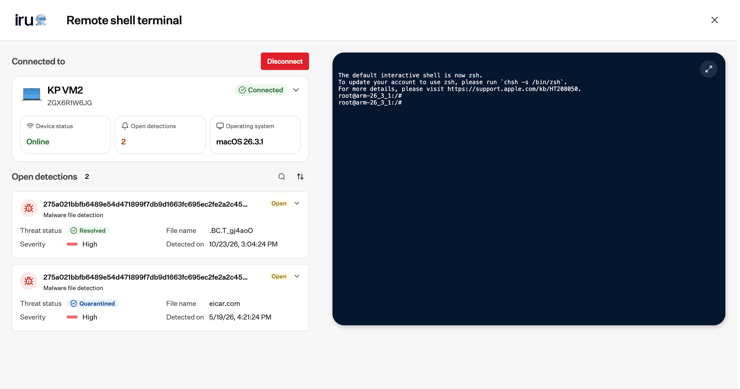
On-demand FileVaultFileVaultApple's full-disk encryption feature built into macOS, using XTS-AES-128 to encrypt the startup volume so that data is unreadable without the user's credentials. key rotation means a key exposed in a helpdesk ticket or stale escrow record can be invalidated immediately instead of waiting for a reimage; per-device one-time Windows MDMMDMMobile device management, centrally configuring and managing enrolled devices. Administrators use it to apply settings, distribute applications and enforce device security policies. enroll secrets kill the shared enrollment token that, once leaked, lets anything join your tenant. Self-service and hidden config profiles also take routine profile installs off the IT queue.
Find out what an attacker can reach from outside, without handing over credentials
Aikido's External Network Pentesting takes a list of top-level domains and has AI agents map and attempt exploitation of the perimeter with no code access or credentials — the same starting position a real attacker has, and cheap enough to run between annual engagements. Hacktron scopes Whitebox pentests to specific folders and issues shareable Attestation Letters, so you can prove a review happened to a customer without forwarding raw findings.
Pin cloud actions to the human or agent that actually made them
RIG's Gatewatch endpoint agent attributes a cloud API call to the person or AI agent driving it and can block a policy violation before it leaves the host — the gap in every CloudTrailCloudTrailAWS service that records API calls and account activity across an AWS environment, giving cyber tools an audit log to detect anomalous or malicious actions. investigation where a shared service role tells you what happened but not who. Aembit's MCPMCPModel Context Protocol, a standard for connecting AI applications to external tools and data sources. A compatible server exposes capabilities an assistant can use through a common interface. Identity Gateway adds a network access policy limiting which MCP servers it will reach, bounding where an agent can go rather than trusting its tool list.
Dreadnode shipped enriched parquet findings exports, automatic retry for hosted inference streams, pinned chat/session support, an expanded network-ops toolchain for Docker sandboxes, and new AI red-teaming attack and scoring options.︀︄︇︀︅︉︀︅︀︀︃︀︀︅︅︀︅︊︀︄︆︀︃︄
Documentation for the Dreadnode AI security platform — self-hosting guides, platform concepts, SDK reference, and CLI documentation.
Dreadnode shipped enriched parquet findings exports, automatic retry for hosted inference streams, pinned chat/session support, an expanded network-ops toolchain for Docker sandboxes, and new AI red-teaming attack and scoring options.︀︄︇︀︅︉︀︅︀︀︃︀︀︅︅︀︅︊︀︄︆︀︃︄
└──▷ WHAT SHIPPED ·
6 FEATURES0 OF 6 FEATURESmost completely described firstwhat's the number?
Each feature carries 0–100 for how completely the vendor documented
it — not how big or important the work is. A major capability
described in eight words scores low, and that is the finding.
depth0–40what it does and how it works or what changed
specificity0–30names real surfaces — APIs, flags, formats, limits, numbers
actionability0–30enough to go use it — a named endpoint, flag, or config key tops this; a UI path is a starting point
Code and config rank first by construction: a documented endpoint,
flag or config key scores at the top of specificity and actionability,
so it sorts above a feature described only in prose. Under
60 the notes go thin — everything below the “thinner
coverage” line is thinner documentation, not smaller work.
Hover any meter for that feature's three sub-scores.
0100
Network-ops toolchain in Docker sandboxesimproved75how completely this was documenteddepth30/40specificity30/30actionability15/3075 / 100
The network-ops capability now installs a full toolchain locally in Docker sandboxes — nmap, smbclient, hashcat, john, impacket, certipy-ad, bloodyAD, and NetExec — and exposes structured findings (hosts, users, credentials, shares, and weaknesses) viewable in Agent Output after enumeration.︀︄︇︀︅︉︀︅︀︀︃︀︀︅︅︀︅︊︀︄︆︀︃︄
GCG-family white-box attacks in AI red-teamingnew65how completely this was documenteddepth20/40specificity25/30actionability20/3065 / 100
The ai-red-teaming capability supports selecting a GCG-family white-box attack from the attack catalog, using a local open-weight model as the surrogate for the assessment.
Run a white-box GCG attack against a local open-weight model as the surrogate for an AI red-teaming assessment.
📍# supply a local open-weight model as the surrogate in the ai-red-teaming capability
# select a GCG-family white-box attack from the attack catalog when configuring the run
tool_call_attack_landed scorer for agentic red-team runsnew65how completely this was documenteddepth20/40specificity25/30actionability20/3065 / 100
Adding tool_call_attack_landed to the scorer list in an airt SDK study configuration scores agentic red-team runs for exact tool-call landings instead of relying on a judge model.
Score an agentic red-team run for exact tool-call landings rather than relying on a judge model.
📍# add tool_call_attack_landed to the scorer list in your airt SDK study configuration
Enriched findings parquet exportsnew55how completely this was documenteddepth20/40specificity25/30actionability10/3055 / 100
Findings can now be exported as parquet files carrying reviewed severity and status, a full audit trail, ASR (attack success rate), compliance tags, adversarial-ML metrics, and project rollups.
Hacktron's latest release lets you scope Whitebox pentests to specific folders, adds a Closed status for findings, introduces shareable Attestation Letters, raises Code Review file and seat limits, and ships a batch of admin and UI improvements across People management, GitLab connections, and the Whitebox review flow.︀︄︇︀︅︉︀︅︀︀︃︀︀︅︅︀︅︊︀︄︆︀︃︄
Hacktron is an AI-powered security code-review platform. Our AI agents review your repositories for exploitable vulnerabilities and surface them as pull-request comments and dashboard findings.
Hacktron's latest release lets you scope Whitebox pentests to specific folders, adds a Closed status for findings, introduces shareable Attestation Letters, raises Code Review file and seat limits, and ships a batch of admin and UI improvements across People management, GitLab connections, and the Whitebox review flow.︀︄︇︀︅︉︀︅︀︀︃︀︀︅︅︀︅︊︀︄︆︀︃︄
└──▷ WHAT SHIPPED ·
10 FEATURES0 OF 10 FEATURESmost completely described firstwhat's the number?
Each feature carries 0–100 for how completely the vendor documented
it — not how big or important the work is. A major capability
described in eight words scores low, and that is the finding.
depth0–40what it does and how it works or what changed
specificity0–30names real surfaces — APIs, flags, formats, limits, numbers
actionability0–30enough to go use it — a named endpoint, flag, or config key tops this; a UI path is a starting point
Code and config rank first by construction: a documented endpoint,
flag or config key scores at the top of specificity and actionability,
so it sorts above a feature described only in prose. Under
60 the notes go thin — everything below the “thinner
coverage” line is thinner documentation, not smaller work.
Hover any meter for that feature's three sub-scores.
0100
Folder-scoped Whitebox pentest scanningnew70how completely this was documenteddepth25/40specificity20/30actionability25/3070 / 100
The Whitebox pentest wizard gains a new Scope step with a checkbox file tree, letting you include or exclude specific folders so the pentest scans only the directories that matter instead of the whole repository.︀︄︇︀︅︉︀︅︀︀︃︀︀︅︅︀︅︊︀︄︆︀︃︄
When launching a Whitebox pentest, narrow the scan to only the directories that are in scope — such as a single service directory — instead of scanning the entire repository.
📍In the Whitebox pentest wizard, advance to the Scope step, uncheck all top-level folders in the checkbox file tree, then check only the folders you want scanned (e.g. src/auth and src/payments), then continue to launch the scan.
Attestation Letters pagenew70how completely this was documenteddepth25/40specificity20/30actionability25/3070 / 100
A new Attestation Letters page lists Hacktron-issued attestation letters, each with a unique shareable link and a PDF download that auditors can view without logging in.
Share a compliance attestation letter with a customer or auditor who does not have a Hacktron account.
📍Go to your organization's Attestation Letters page, copy the unique shareable link next to the relevant letter, and send it to the recipient — they can view or download the PDF without logging in.
Higher Code Review file and seat limitsimproved70how completely this was documenteddepth25/40specificity30/30actionability15/3070 / 100
Pull requests with up to 500 changed files are now accepted for Code Review, up from 200, and OSSOSSOpen-source software: code whose licence permits anyone to inspect, modify, and redistribute it. Cyber tools build on it to reuse auditable libraries without licensing fees. organizations now get 50 free PR reviews per month, up from the previous limit.
Structured summary panel for Whitebox review stepimproved60how completely this was documenteddepth25/40specificity20/30actionability15/3060 / 100
The final Whitebox review step is rebuilt as a structured summary panel with Source, Target, Access, and Context sections, each with an Edit button and visible verification status.
Closed status for findingsnew55how completely this was documenteddepth20/40specificity15/30actionability20/3055 / 100
Findings can now be marked Closed directly from the finding's status menu, via keyboard shortcut, or through the command palette — the same surfaces used to set False Positive.
Partial GitLab installation setupimproved50how completely this was documenteddepth20/40specificity15/30actionability15/3050 / 100
Connecting a GitLab installation no longer requires completing every step before saving — partial setups can be saved, and the connection page shows only the actions available at your current access level.
Billable seat disclosures for bot PR authorsimproved45how completely this was documenteddepth20/40specificity15/30actionability10/3045 / 100
Tooltips and prompts at every auto-assignment opt-in point now disclose that bot PR authors take billable seats, and the excluded-authors filter note clarifies that excluded authors never consume a seat.
WiFi Pineapple Pager 2.0.0 adds Bluetooth/BLEBLEBluetooth Low Energy, a wireless protocol maintained by the Bluetooth SIG for short-range communication at minimal power draw, making it useful for cyber tools that interact with IoT devices or proximity-based systems. scanning via a new blue5 scanner, native GPS with gpsdgpsdAn open-source daemon that reads data from GPS receivers and exposes a unified JSON stream over a local socket, letting tools consume location data without handling raw NMEA protocols themselves. configuration, a rebuilt Virtual Pager interface, an offline WiGLEWiGLEA crowdsourced database and website that maps wireless networks and cell towers worldwide, collected by volunteers wardriving. Cyber tools use it to geolocate networks by BSSID or SSID during reconnaissance. mapping page, and a files browser for managing loot and payloads.︀︄︇︀︅︉︀︅︀︀︃︀︀︅︅︀︅︊︀︄︆︀︃︄
A pocket sized WiFi Pineapple built for those on the go.
WiFi Pineapple Pager 2.0.0 adds Bluetooth/BLEBLEBluetooth Low Energy, a wireless protocol maintained by the Bluetooth SIG for short-range communication at minimal power draw, making it useful for cyber tools that interact with IoT devices or proximity-based systems. scanning via a new blue5 scanner, native GPS with gpsdgpsdAn open-source daemon that reads data from GPS receivers and exposes a unified JSON stream over a local socket, letting tools consume location data without handling raw NMEA protocols themselves. configuration, a rebuilt Virtual Pager interface, an offline WiGLEWiGLEA crowdsourced database and website that maps wireless networks and cell towers worldwide, collected by volunteers wardriving. Cyber tools use it to geolocate networks by BSSID or SSID during reconnaissance. mapping page, and a files browser for managing loot and payloads.︀︄︇︀︅︉︀︅︀︀︃︀︀︅︅︀︅︊︀︄︆︀︃︄
└──▷ WHAT SHIPPED ·
9 FEATURES0 OF 9 FEATURESmost completely described firstwhat's the number?
Each feature carries 0–100 for how completely the vendor documented
it — not how big or important the work is. A major capability
described in eight words scores low, and that is the finding.
depth0–40what it does and how it works or what changed
specificity0–30names real surfaces — APIs, flags, formats, limits, numbers
actionability0–30enough to go use it — a named endpoint, flag, or config key tops this; a UI path is a starting point
Code and config rank first by construction: a documented endpoint,
flag or config key scores at the top of specificity and actionability,
so it sorts above a feature described only in prose. Under
60 the notes go thin — everything below the “thinner
coverage” line is thinner documentation, not smaller work.
Hover any meter for that feature's three sub-scores.
0100
BLE and Classic Bluetooth scanning with blue5new95how completely this was documenteddepth35/40specificity30/30actionability30/3095 / 100
A new blue5 scanner provides a live results list, device identification from built-in company and service databases, an events-per-second dashboard with audio, and logging to WiGLE and a SQLite blue5.db database tracking up to 25,000 devices in RAMRAMWorking memory that holds programs and data while a computer is running. Its contents usually disappear when power is removed..︀︄︇︀︅︉︀︅︀︀︃︀︀︅︅︀︅︊︀︄︆︀︃︄ The blue5ctl fetch -r command strips BLE random-address churn so only stable, identifiable devices appear in results.
Strip BLE random-address churn from Bluetooth recon output so only stable, identifiable devices appear in results.
$ blue5ctl fetch -r
— Names database, limit, and a runnable command2.0.0-stable
0200
Client Access for SSH and Virtual Pager over Client Modenew80how completely this was documenteddepth25/40specificity25/30actionability30/3080 / 100
A new Client Access setting under Settings > System > Virtual Pager (off by default) enables SSH and Virtual Pager access over a Client Mode network such as a phone hotspot.
Allow a phone hotspot to reach the Virtual Pager and SSH while keeping PineAP APs blocked, useful for field access without a dedicated management device.
📍In the Virtual Pager, go to Settings › System, scroll to Virtual Pager, and enable Client Access.
— Exact UI path and toggle, with usage steps2.0.0-stable
0300
JSON output for _pineap CLI commandsnew78how completely this was documenteddepth20/40specificity28/30actionability30/3078 / 100
The _pineap CLI commands INTERFACE LIST and SSIDPOOL LIST now support format=json or format=mjson for machine-readable output.
Get machine-readable JSON from the PineAP SSID pool for piping into a parsing script.
$ _pineap SSIDPOOL LIST format=json
— Exact commands and flags with runnable example2.0.0-stable
0400
Files browser for loot, payloads, and USB storagenew78how completely this was documenteddepth30/40specificity28/30actionability20/3078 / 100
The new Files page under Manage Data > Files lets users browse, preview, edit, upload, rename, move, delete, and download loot, payloads, /mmc/root, and a mounted USB drive, with drag-and-drop upload and whole-folder zip downloads.
— Names exact paths but no runnable example2.0.0-stable
0500
Native GPS support and gpsd configurationnew75how completely this was documenteddepth30/40specificity25/30actionability20/3075 / 100
Native GPS is now built into PineAP and enabled by default on new installs and upgrades, with plugging in a GPS device auto-configuring it. gpsd settings — service toggle, serial device, baud rate, and restart — can be configured from the new Settings > GPS > Advanced page or via the hak5-commands GPS commands.
— Names config page and commands but no example2.0.0-stable
0600
Rebuilt Virtual Pager interfaceimproved75how completely this was documenteddepth30/40specificity25/30actionability20/3075 / 100
The Virtual Pager now scales to any screen size with large touch buttons, keyboard shortcuts (press ? to list them), a pin-to-every-page shell (press ), and side-by-side or stacked Pager and shell panes that can be minimized, maximized, or opened in a new window.
— Names shortcuts and behavior, no config surface2.0.0-stable
0700
All radios recon dashboardnew73how completely this was documenteddepth30/40specificity28/30actionability15/3073 / 100
The Recon page now shows an All radios pane with Wi-Fi and Bluetooth totals, a two-minute packets-and-events graph, breakdowns by encryption, band, channel, and Bluetooth device type, and live searchable, filterable, sortable device tables including AP client lists.
Offline WiGLE map on new WiGLE Logs pagenew71how completely this was documenteddepth28/40specificity28/30actionability15/3071 / 100
The new WiGLE Logs page displays WiGLE logs on an offline map using saved OpenStreetMapOpenStreetMapA free, community-maintained world map database anyone can query or download, giving cyber tools access to geographic and infrastructure data without licensing fees or API rate limits tied to commercial providers., OpenTopoMap, or other tile sets (capped at 500 MB), alongside a searchable device list and a devices-over-time chart.
— Names page and tile cap, UI navigation only2.0.0-stable
thinner coverage below
0900
Built-in help pages across settings menusnew50how completely this was documenteddepth15/40specificity15/30actionability20/3050 / 100
Every settings menu — Display, General, Network, Ringtone, System, Bluetooth, PineAP, Filters, and GPS — now has a built-in help page accessible by pressing right on any item.
A suite of WiFi/Bluetooth offensive and defensive tools for the ESP32.
ESP32 Marauder v1.20.0 adds guided per-AP WiFi attack profiles, surfaces FCC module IDs with station AP selection, and extends the Censor setting plus detection reliability for Remote IDRemote IDA broadcast standard mandated by aviation regulators (FAA in the US, EASA in Europe) that requires drones to continuously transmit their identity, location, and operator position over Wi-Fi or Bluetooth, enabling airspace monitoring. scanning.︀︄︇︀︅︉︀︅︀︀︃︀︀︅︅︀︅︊︀︄︆︀︃︄
└──▷ WHAT SHIPPED ·
3 FEATURES0 OF 3 FEATURESmost completely described firstwhat's the number?
Each feature carries 0–100 for how completely the vendor documented
it — not how big or important the work is. A major capability
described in eight words scores low, and that is the finding.
depth0–40what it does and how it works or what changed
specificity0–30names real surfaces — APIs, flags, formats, limits, numbers
actionability0–30enough to go use it — a named endpoint, flag, or config key tops this; a UI path is a starting point
Code and config rank first by construction: a documented endpoint,
flag or config key scores at the top of specificity and actionability,
so it sorts above a feature described only in prose. Under
60 the notes go thin — everything below the “thinner
coverage” line is thinner documentation, not smaller work.
Hover any meter for that feature's three sub-scores.
0100
Guided per-AP WiFi attack profilesnew60how completely this was documenteddepth25/40specificity15/30actionability20/3060 / 100
Adds guided per-AP WiFi attack profiles that walk the user through targeted attacks against a selected access point, rather than broad channel-wide attacks.︀︄︇︀︅︉︀︅︀︀︃︀︀︅︅︀︅︊︀︄︆︀︃︄ On the device this is accessed via WiFi > Attacks by selecting a scanned access point and then choosing an attack profile from the guided per-AP menu.
Run a targeted WiFi attack against a specific AP using the new guided per-AP attack profiles instead of broad channel attacks.
📍On the device, go to WiFi › Attacks, select a scanned access point from the list, then choose an attack profile from the guided per-AP menu.
— Describes mechanism and gives exact UI navigation stepsv1.20.0
thinner coverage below
0200
Remote ID detection: Censor masking and reliability fixesimproved45how completely this was documenteddepth20/40specificity15/30actionability10/3045 / 100
Applies the existing Censor setting to Remote ID identifiers, masking operator and drone identity data during scans. Remote ID detection also gains improved compatibility and scan timing.
— Names the setting but no steps or scope of timing fixv1.20.0
0300
FCC module ID display and station AP selectionnew35how completely this was documenteddepth15/40specificity15/30actionability5/3035 / 100
Adds display of FCC module IDs to identify regulatory module details, and adds station AP selection to choose a target access point.
— Named additions but no usage path or mechanism givenv1.20.0
Mend SAST introduces AI-based project risk factors to help teams prioritize which applications and projects to remediate first.︀︄︇︀︅︉︀︅︀︀︃︀︀︅︅︀︅︊︀︄︆︀︃︄
Mend SAST is a static application security testing service that scans source code for vulnerabilities and helps teams prioritize remediation.
Mend SAST introduces AI-based project risk factors to help teams prioritize which applications and projects to remediate first.︀︄︇︀︅︉︀︅︀︀︃︀︀︅︅︀︅︊︀︄︆︀︃︄
└──▷ WHAT SHIPPED ·
1 FEATURE0 OF 1 FEATUREmost completely described firstwhat's the number?
Each feature carries 0–100 for how completely the vendor documented
it — not how big or important the work is. A major capability
described in eight words scores low, and that is the finding.
depth0–40what it does and how it works or what changed
specificity0–30names real surfaces — APIs, flags, formats, limits, numbers
actionability0–30enough to go use it — a named endpoint, flag, or config key tops this; a UI path is a starting point
Code and config rank first by construction: a documented endpoint,
flag or config key scores at the top of specificity and actionability,
so it sorts above a feature described only in prose. Under
60 the notes go thin — everything below the “thinner
coverage” line is thinner documentation, not smaller work.
Hover any meter for that feature's three sub-scores.
0100
AI-based project risk factorsnew69how completely this was documenteddepth32/40specificity22/30actionability15/3069 / 100
Mend SAST adds a risk factors column to the Applications and Projects lists, filterable by group or individual risk factor, to help prioritize remediation across projects.︀︄︇︀︅︉︀︅︀︀︃︀︀︅︅︀︅︊︀︄︆︀︃︄ An evidence page lists the code signals behind each risk factor classification, grouped by risk factor and file, and a risk factors widget appears on the project summary page for at-a-glance visibility. The capability is enabled from organization administration, requires AI consent, is off by default, and when enabled shares code snippets and project details with Mend's AI model to produce classifications.
Aikido Security is a developer-focused application security platform that scans code, dependencies, containers, and cloud infrastructure to detect and help fix vulnerabilities.
Aikido Security launches External Network Pentesting, where AI agents autonomously map and attempt to exploit an organization's external perimeter from a list of top-level domains, with no code access or credentials required.︀︄︇︀︅︉︀︅︀︀︃︀︀︅︅︀︅︊︀︄︆︀︃︄
└──▷ WHAT SHIPPED ·
1 FEATURE1 OF 1 FEATUREmost completely described firstwhat's the number?
Each feature carries 0–100 for how completely the vendor documented
it — not how big or important the work is. A major capability
described in eight words scores low, and that is the finding.
depth0–40what it does and how it works or what changed
specificity0–30names real surfaces — APIs, flags, formats, limits, numbers
actionability0–30enough to go use it — a named endpoint, flag, or config key tops this; a UI path is a starting point
Code and config rank first by construction: a documented endpoint,
flag or config key scores at the top of specificity and actionability,
so it sorts above a feature described only in prose. Under
60 the notes go thin — everything below the “thinner
coverage” line is thinner documentation, not smaller work.
Hover any meter for that feature's three sub-scores.
0101
External Network Pentesting with AI agentsnew85how completely this was documenteddepth35/40specificity25/30actionability25/3085 / 100
AI agents discover subdomains, open ports, and services from a list of top-level domains, then attempt exploitation using known CVEs, misconfigurations, and exposed secrets, chaining findings across hosts to pivot and produce a full attack-path report from entry point to impact.︀︄︇︀︅︉︀︅︀︀︃︀︀︅︅︀︅︊︀︄︆︀︃︄ A scoping agent checks ownership of each subdomain and restricts testing to owned portions, routing all agent traffic through a proxy that blocks out-of-scope connections; the Agents tab shows each agent's live thinking, tools in use, and findings. Tests can run in Continuous mode so newly discovered subdomains are tested shortly after going live, with intensity controlled via a maximum requests-per-second per target and optional restriction to inside or outside business hours. The resulting report is auditor-ready, formatted like Aikido's existing web app and mobile pentest reports, and covers the attack surfaceattack surfaceThe exposed systems, interfaces and access points an attacker could try to use. It includes internet-facing services as well as identities, software and other reachable resources. up to the login page.
Start an external network pentest against your perimeter by supplying your top-level domains through the Aikido console.
📍1. In the Aikido console, navigate to Pentesting › External Network Pentesting.
2. Add one or more top-level domains to scope.
3. Review the discovered subdomains, IP addresses, open ports and services; remove anything to keep out of scope.
4. Set your maximum requests per second per target and optionally restrict testing to inside or outside business hours.
5. Click Start Pentest — the quoted credit cost is shown before anything runs.
Enable continuous mode so newly exposed subdomains are automatically tested shortly after they go live, without manually kicking off a new pentest.
📍1. In the Aikido console, open your External Network Pentest configuration.
2. Under Run mode, select Continuous.
3. Confirm the yearly credit price (based on assets found in your first pentest) and save.
psalm-plugin-laravel adds opt-in Blade template analysis, a blade:annotate command, per-run --plugin-option overrides, and Eloquent type narrowing improvements.
└──▷ GET THIS VERSION
$ git clone --branch v4.18.0 https://github.com/psalm/psalm-plugin-laravel.git
# already have the repo? check out this version:$ git checkout v4.18.0
Updated detectionEnable Blade template analysis with <blade /> in psalm.xml or --blade on the command line; reports broken references, wrong types, and TaintedHtml on unescaped {!! !!} output at the template's own file and line.
Run vendor/bin/psalm-laravel blade:annotate to read view() calls and write matching @var declarations into templates; use --dry-run to preview the diff without writing.
Override any plugin setting for a single run with psalm-laravel analyze --plugin-option=KEY=VALUE (for example, --plugin-option=experimental=true); the command line wins over psalm.xml.
New detectionThree experimental view-data checks — MissingViewData, InvalidViewData, and UnusedViewData — compare view(), Mailable, MailMessage, and @includeIsolated call sites with template declarations; enable as errors with <experimental value="true" />.
Narrows app(), make(), and $app[...] over unions of string literals instead of returning mixed.
Types withPivot() and withTimestamps() columns in BelongsToMany pivot shapes, including using() custom pivots.
New detectionTypes the closure parameter of whereHas() and other relation-query callbacks as the related model's builder, including custom builders.
Infers Manager::driver() as the union of create*Driver() return types when the driver name is not a literal, and lets taint follow into the driver's methods so SSRFSSRFServer-side request forgery, an attack that tricks a server into making requests chosen by an attacker. Those requests can reach internal services the attacker cannot access directly. sinks behind a manager now report.
!Minimum Laravel version is now 12.27+ or 13.20+ (was 12.14+ or 13.3+), enforced as a conflict on laravel/framework.
!Minimum Psalm version is now 7.0.0-rc16+.
!The illuminate/* packages and orchestra/testbench-core are no longer required by the plugin; analyzing a Laravel package without bootstrap/app.php now requires orchestra/testbench in dev dependencies.
!Facades registered via config('app.aliases') and AliasLoader now use class_alias() instead of an extends stub; classes that only the old stubs extended may now report ClassMustBeFinal.
!laravel/ai 0.x LLMLLMA large language model, a neural network trained on large amounts of text to recognize patterns and generate language. Applications use it for tasks such as answering, summarizing and writing code. prompt sinks and response sources are no longer covered; only 1.x is supported.
GitHub is a web-based platform for version control and collaborative software development using Git repositories.
GitHub's Universe releases bundle Copilot Fusion's multi-model routing (now extending to on-device local models), a new Agent Host that keeps Copilot sessions alive and in sync across VS Code, mobile, Slack and Teams via an open Agent Host Protocol, and generally-available Agentic Workflows with built-in sandboxingsandboxingRunning code inside a restricted environment that limits what it can access or change. The isolation reduces the impact of mistakes or untrusted code, depending on the sandbox's controls. and threat detection.︀︄︇︀︅︉︀︅︀︀︃︀︀︅︅︀︅︊︀︄︆︀︃︄ Alongside these, GitHub Enterprise now bundles Copilot access by default, Copilot Memory reached GA, Dreaming and shared Automations entered preview, and Copilot chat gained a dedicated security extension and native image generation.
└──▷ WHAT SHIPPED ·
16 FEATURES0 OF 16 FEATURESmost completely described firstwhat's the number?
Each feature carries 0–100 for how completely the vendor documented
it — not how big or important the work is. A major capability
described in eight words scores low, and that is the finding.
depth0–40what it does and how it works or what changed
specificity0–30names real surfaces — APIs, flags, formats, limits, numbers
actionability0–30enough to go use it — a named endpoint, flag, or config key tops this; a UI path is a starting point
Code and config rank first by construction: a documented endpoint,
flag or config key scores at the top of specificity and actionability,
so it sorts above a feature described only in prose. Under
60 the notes go thin — everything below the “thinner
coverage” line is thinner documentation, not smaller work.
Hover any meter for that feature's three sub-scores.
0100
Security extension for the Copilot appnew95how completely this was documenteddepth35/40specificity30/30actionability30/3095 / 100
Install the extension with copilot plugin install github-security@awesome-copilot in the terminal, or search github-security in the Copilot app's Customize panel and click Install.︀︄︇︀︅︉︀︅︀︀︃︀︀︅︅︀︅︊︀︄︆︀︃︄ Run /security-review on local changes to catch new issues before opening a pull request, with the extension flagging when code has changed since the last review; you can also ask Copilot about alerts in chat using the extension's tools, governed by existing tool permission settings. Public preview on github.com and GitHub Enterprise Cloud with data residency; GitHub Enterprise Server is not supported.
Install the GitHub security extension from the terminal so you can immediately browse code scanning alerts in the Copilot app.
Agent Host for cross-surface session continuitynew93how completely this was documenteddepth35/40specificity30/30actionability28/3093 / 100
The new Agent Host isolates Copilot sessions from individual VS Code windows, powering session continuity across VS Code, the Copilot app, GitHub Mobile, github.com, Copilot CLI, Slack, and Microsoft Teams DMs; sessions stay alive after closing a VS Code window or project folder, and extend to remote machines via VS Code's Remote SSH and dev tunnels from the Agents window so agents keep running after disconnect. Start an agent on your dev machine and control it from GitHub Mobile with code agent host --github-environment run from your project folder. An open Agent Host Protocol (AHPAHPAnalytic Hierarchy Process, a structured decision-making method that breaks a complex choice into a weighted hierarchy of criteria and scores alternatives against them, letting cyber tools rank or prioritize options mathematically.) lets you build custom clients that share live sessions with VS Code, with client libraries for TypeScript, Rust, Go, Kotlin, and Swift available via code agent host. Switching between the editor and the Agents window keeps both in sync with the same live session.
Start a remote agent host so you can control a long-running coding task from your phone or another device while your development machine keeps working.
GitHub Agentic Workflows generally availableimproved93how completely this was documenteddepth35/40specificity30/30actionability28/3093 / 100
GitHub Agentic Workflows lets you define automation in natural language Markdown files that compile to standard Actions YAML and run inside GitHub Actions with existing runner groups and policies, now generally available. Workflows can run on self-hosted Actions Runner Controller runners with Docker-in-Docker support; a model router automatically selects models per workflow optimizing for task type and difficulty, and you can also pick model providers per workflow from a refreshed model inventory. Agents run with read-only permissions by default, execute inside a sandboxed container behind the Agent Workflow Firewall, and have all proposed changes scanned by a dedicated threat detection job before being applied. Use gh aw forecast (no longer experimental) for AI credit spend projections including threat detection credits and monthly ranges, and gh aw add-wizard to add new workflow templates to a repository.
Check projected AI credit spend, including threat detection costs, before committing to a new agentic workflow rollout.
$ gh aw forecast
Bootstrap a new agentic workflow from a prebuilt template — such as triage or dependency management — without writing Actions YAML by hand.
Shared Copilot Automations for teamsnew91how completely this was documenteddepth35/40specificity28/30actionability28/3091 / 100
Create shared automations by choosing Shared under Type when creating an automation on github.com, the Copilot app, or VS Code, making the workflow visible to all readers and editable by anyone with write access. Shared automations are billed to the organization or user owning the repository rather than the creator, attribute actions to Copilot instead of an individual, persist if the creator leaves the team, and keep a change history of tool/trigger/prompt evolution. Organization admins must enable the 'Allow use of Copilot cloud agent billed to the organization' policy for shared automations to run in org-owned repos. Available on Copilot Pro, Pro+, Max, Business, and Enterprise plans.
Let an org admin gate shared automations to prevent unintended AI credit usage against the organization budget.
📍In your organization settings, go to Copilot › Policies and enable 'Allow use of Copilot cloud agent billed to the organization'.
Create a team-owned automation — for example, to automatically investigate production incidents — so it survives individual team members leaving.
📍On github.com, open a repository where you have write access, navigate to Copilot Automations › New automation, set triggers and tools, then under Type select Shared before saving.
Copilot Fusion multi-model routing and orchestrationnew90how completely this was documenteddepth35/40specificity30/30actionability25/3090 / 100
Copilot Fusion automatically routes and orchestrates models across Single (one model), Cascade (draft-then-escalate), and Critique (draft-review-revise) workflows, selectable from the model picker without manual switching. Choose an effort level — Fusion Standard, Fusion High, or Fusion Max — to control whether Fusion favors versatile, capable, or most-capable models; enterprise admins can set each model's effective policy state per-Fusion via enterprise/organization model policies, set Fusion as the enterprise default via Enterprise managed settings, and paid-plan users get a 30% cost discount for a limited time. Fusion now also routes between on-device and cloud models: enable chat.copilot.localModel.enabled in VS Code and select Standard in Fusion, configure MAI Code 1.1 Flash or Qwen3.8 Flash Next via a local OpenAI-compatible server for Copilot CLI, download MAI Code 1.1 Flash via the Windows ML provider under Settings > Model providers plus Settings > Experiments > Local model auto routing in the Copilot app, or run /model in Copilot CLI with experimental mode enabled on Windows.
When you want Copilot to handle model selection automatically for a demanding refactor or architecture task without manually switching models.
📍Open the model picker in Visual Studio Code or JetBrains, select Copilot Fusion, then choose Fusion Max as the effort level to apply the most capable models to complex reasoning tasks.
Enable local model routing in VS Code so Copilot Fusion can automatically pick between your on-device model and cloud models without manual switching.
Copilot Dreaming public previewnew88how completely this was documenteddepth35/40specificity28/30actionability25/3088 / 100
Copilot Dreaming lets Copilot reflect on past sessions to update personal memories, propose changes to repository skills and custom instruction files via pull requests, and turn recurring accepted code-review feedback into standing guidance. It runs three dream types — personal memory curation, repository customization, and code review customization — and is opted into via Copilot settings (individuals) or Copilot policies (organizations and enterprises), e.g. Organization Settings > Copilot > Policies > Dreaming.
Enable Copilot Dreaming for your organization so agents continuously refine repository memories and propose instruction updates via pull requests.
📍In GitHub, go to Organization Settings › Copilot › Policies, then enable Dreaming to allow agents to update memories and propose skill and custom instruction file changes in pull requests.
Computer use for desktop app automationnew86how completely this was documenteddepth30/40specificity28/30actionability28/3086 / 100
Copilot can now interact with desktop apps — reading content, clicking controls, entering text, navigating UI — including apps with no API, CLI, or MCPMCPModel Context Protocol, a standard for connecting AI applications to external tools and data sources. A compatible server exposes capabilities an assistant can use through a common interface. integration. In the Copilot app (public preview on macOS and Windows), enable it via Settings > Computer Use > Enable Computer Use, granting Accessibility and Screen Recording permissions on macOS. In VS Code, enable chat.agentHost.computerUse.enabled, restart VS Code, then run /computer on in a Copilot session.
Enable Copilot to control desktop apps (such as expense-report workflows) on a managed macOS machine without requiring an API or MCP integration.
📍In the GitHub Copilot app, go to Settings › Computer Use and turn on Enable Computer Use. When prompted by macOS, grant Accessibility and Screen Recording permissions.
Let Copilot interact with desktop apps — filling forms, clicking UI controls — by enabling computer use in VS Code settings and activating it in the current session.
$ # 1. In VS Code Settings, enable chat.agentHost.computerUse.enabled and restart VS Code
# 2. In a Copilot session panel, run:
/computer on
Image generation and editing in Copilot chatnew83how completely this was documenteddepth30/40specificity28/30actionability25/3083 / 100
Generate and edit images using natural language in any Copilot chat session in VS Code, the Copilot app, or Copilot CLI, powered by GPT Image 2.5 Flare; results preview inline and save directly to your workspace. Organization and enterprise owners can disable image generation via Copilot model policies (Organization Settings > Copilot > Policies > Model policies), and users can opt in to a visible Made with AI watermark on generated/edited images, off by default.
Cross-repository code search via /researchnew81how completely this was documenteddepth25/40specificity28/30actionability28/3081 / 100
Use /research in Copilot to search for exact text, symbols, regex patterns, or natural-language descriptions across multiple repositories without a local clone, narrowing results by repository, path, or language.
Trace retry behavior scattered across a payments service, shared library, and background workers before making changes.
$ /research How do these components retry failed charges, and where could retries overlap?
Plan a cross-repository API migration by finding all callers and implementations of the old API before writing any code.
$ /research Identify all repositories still calling the old payment API and list the changes each service needs to migrate.
Customizations Marketplace for agent skills and pluginsnew78how completely this was documenteddepth25/40specificity28/30actionability25/3078 / 100
Discover, create, and manage agent customizations — skills, MCP servers, plugins — from the Customizations Marketplace in the Agents window sidebar or via the Chat: Open Customizations command (enabled by default in preview). Register plugin marketplaces and enable default plugins at the repository level via .github/copilot/settings.json.
Copilot access bundled into GitHub Enterpriseimproved70how completely this was documenteddepth30/40specificity25/30actionability15/3070 / 100
GitHub Enterprise now includes Copilot access for every licensed user, replacing separate seat and usage tracking with a single enterprise budget metered from the first request; code completion and next edit suggestions keep working after the budget is exhausted, while Copilot Chat, Copilot code review, and Copilot in the cloud require available budget. Users in an enterprise account without a GitHub Enterprise license can get the same features and models via Copilot Standalone at $10 per user per month, with no monthly AI credits per seat.
Copilot Memory generally availableimproved60how completely this was documenteddepth25/40specificity25/30actionability10/3060 / 100
GitHub Copilot Memory is now generally available on paid Copilot plans, letting Copilot remember personal preferences and repository conventions across sessions in the Copilot app, Copilot CLI, VS Code, Copilot cloud agent, Copilot code review, Slack, Teams, and GitHub Mobile.
Copilot connectors for external contextnew55how completely this was documenteddepth20/40specificity20/30actionability15/3055 / 100
Bring context from services such as Slack, Notion, and Microsoft Learn into agent sessions without an MCP server using Copilot connectors, available in preview from the Browse page on all Copilot plans.
Projects multi-repo workspace in Copilot appnew45how completely this was documenteddepth20/40specificity15/30actionability10/3045 / 100
The Copilot app now supports Projects (public preview), a workspace spanning multiple repositories and sessions that coordinates multiple agents in parallel and returns results such as pull requests for review. Projects also support automations for repeatable tasks, such as triggering a workflow whenever a specific event occurs.
Model comparison in the Agents windownew45how completely this was documenteddepth20/40specificity15/30actionability10/3045 / 100
Run models and harnesses in parallel in the Agents window, review results side by side, ask a Judge model to recommend a solution, or choose Synthesize to combine ideas. Model comparison is in preview.
Teams and agents ship trusted software faster with GitLab, the intelligent orchestration platform with context and governance for the entire software lifecycle.
GitLab adds Orbit context graph, Secrets Manager per-job credential scoping, and agentic remediation via Duo Agent Platform with sandboxed agent identities.
GitLab adds Orbit, a live context graph of the software lifecycle that connects findings to the changes that introduced them, the pipelines that shipped them, and the teams who own the fix, enabling exposure questions like reachability and blast radius to be answered across thousands of repositories.
GitLab adds Secrets Manager, which limits each pipeline job to only the credentials it explicitly requests and is authorized to use, so a compromised dependency can reach only the secrets of the job it runs in.
GitLab Duo Agent Platform now gives each agent a composite identity limited to the permissions it shares with the requesting user, a sandbox destroyed when the task ends, and a full action record, with agents earning more autonomy only as controls at each stage are proven under the GitLab Security Standard.
GitLab Duo Agent Platform now investigates findings in application context, filters likely false positives, prioritizes by exploitability and reachability, writes a fix, runs it through the pipeline for regression and security scan checks, and surfaces the change, explanation, and pipeline results in a single merge request for developer review.
GitLab's Dependency Firewall now blocks policy-violating packages before they enter the build, preventing vulnerable or malicious open-source dependencies from reaching production.
Veracode is a cloud-based application security platform that scans code, binaries, and running applications to find and help remediate software vulnerabilities.
Veracode SASTSASTStatic application security testing, analyzing source code or compiled code for vulnerabilities without running the application. It helps developers find problems before deployment. adds C# and Java source code scanning, a DryRun Security integration, Pipeline Scan support for artifacts over 200 MB, and veracode.json-based exclusions for Java .jar files and classes.
New supported platformNew detectionScan Java source code and view it on the platform, using veracode.json to exclude specific .jar files or classes from analysis.
New supported platformPipeline Scan now accepts packaged artifacts larger than 200 MB with no changes to existing integrations.
New integrationVeracode SAST now integrates with DryRun Security, surfacing findings and remediation guidance during pull request and code review workflows.
Waratek is a compiler-based IAST and RASP that report 100% of exploitable vulnerabilities before production and block attacks-including zero-days-at runtime, no code changes.
Waratek introduced AI Phylax, a runtime guardian that enforces deterministic security rules to stop prompt injectionprompt injectionAn attack where text the model reads, such as a web page, file or tool result, carries instructions that override the user's. It is the main security risk for agents with tools. and tool hijacking attacks on Java-based AI agents.︀︄︇︀︅︉︀︅︀︀︃︀︀︅︅︀︅︊︀︄︆︀︃︄
└──▷ WHAT SHIPPED ·
1 FEATURE1 OF 1 FEATUREmost completely described firstwhat's the number?
Each feature carries 0–100 for how completely the vendor documented
it — not how big or important the work is. A major capability
described in eight words scores low, and that is the finding.
depth0–40what it does and how it works or what changed
specificity0–30names real surfaces — APIs, flags, formats, limits, numbers
actionability0–30enough to go use it — a named endpoint, flag, or config key tops this; a UI path is a starting point
Code and config rank first by construction: a documented endpoint,
flag or config key scores at the top of specificity and actionability,
so it sorts above a feature described only in prose. Under
60 the notes go thin — everything below the “thinner
coverage” line is thinner documentation, not smaller work.
Hover any meter for that feature's three sub-scores.
0101
AI Phylax runtime guardian for Java AI agentsnew37how completely this was documenteddepth20/40specificity12/30actionability5/3037 / 100
AI Phylax is a new runtime guardian that enforces immutable security rules to block prompt injection and tool hijacking attacks against Java-based AI agents.︀︄︇︀︅︉︀︅︀︀︃︀︀︅︅︀︅︊︀︄︆︀︃︄ It applies deterministic protection—the same security rule produces the same outcome every time—giving security teams certainty against attacks regardless of phrasing or origin, without disrupting legitimate agent behavior.
GitGuardian SaaS is a cloud-hosted security platform that detects exposed secrets, API keys, and credentials in source code repositories and developer workflows.
GitGuardian SaaS adds a local machine dashboard Overview page and a low-priority --background scan mode for ggshield, extends monitoring to Docker Hub with GitHub-parity incident handling, enriches Wiz findings with GitGuardian IDs, brings honeytokens to Windows, skips more build-cache folders during scans, and restricts validity-check custom hosts to workspace-only configuration.︀︄︇︀︅︉︀︅︀︀︃︀︀︅︅︀︅︊︀︄︆︀︃︄
└──▷ WHAT SHIPPED ·
5 FEATURES0 OF 5 FEATURESmost completely described firstwhat's the number?
Each feature carries 0–100 for how completely the vendor documented
it — not how big or important the work is. A major capability
described in eight words scores low, and that is the finding.
depth0–40what it does and how it works or what changed
specificity0–30names real surfaces — APIs, flags, formats, limits, numbers
actionability0–30enough to go use it — a named endpoint, flag, or config key tops this; a UI path is a starting point
Code and config rank first by construction: a documented endpoint,
flag or config key scores at the top of specificity and actionability,
so it sorts above a feature described only in prose. Under
60 the notes go thin — everything below the “thinner
coverage” line is thinner documentation, not smaller work.
Hover any meter for that feature's three sub-scores.
0100
Low-priority background scan modenew90how completely this was documenteddepth30/40specificity30/30actionability30/3090 / 100
A new --background flag (e.g.︀︄︇︀︅︉︀︅︀︀︃︀︀︅︅︀︅︊︀︄︆︀︃︄ ggshield machine report --background) runs machine scans at low priority so they don't slow developer machines; it can also be made the default fleet-wide via scan.resources.background.mode: auto set in a config file such as machine_scan.yaml.
Add to a scheduled MDMMDMMobile device management, centrally configuring and managing enrolled devices. Administrators use it to apply settings, distribute applications and enforce device security policies. scan command so the scan runs at low priority without slowing developer machines.
$ ggshield machine report --background
Make low-priority background mode the default for all machine scans fleet-wide, so no per-command flag is needed.
Docker Hub incident monitoringnew65how completely this was documenteddepth25/40specificity25/30actionability15/3065 / 100
Docker Hub incidents now carry publishing account, image, repository, and layer context, and flow through the same notifications, integrations, and agents analysis as GitHub incidents.
— Describes new source and parity with GitHub, but only a UI screenshot as starting point.changelog-20261029-a7633d5e
0300
GitGuardian IDs in Wiz findingsimproved60how completely this was documenteddepth20/40specificity25/30actionability15/3060 / 100
Findings pushed to Wiz now include GitGuardian incident, occurrence, and source IDs in the finding's originalObject field, for use in Wiz workflows and the Wiz API.
Scans skip more build-cache foldersimproved55how completely this was documenteddepth20/40specificity25/30actionability10/3055 / 100
Scans now skip additional folders of downloaded or generated files, including pip-*, pytest-of-*, and _MEI* temp leftovers, NuGetNuGetMicrosoft's package manager for .NET, hosting a public registry of reusable libraries so tools can pull in dependencies without bundling or manually maintaining third-party code. and Scoop package caches, and Electron app caches.
Validity checks no longer read custom hosts from environment variables or local config files; custom hosts are now sourced exclusively from your GitGuardian workspace.
Socket is a supply chain security platform that analyzes open-source package dependencies (npm, PyPI, etc.) to detect malicious code, risky behaviors, and vulnerabilities before developers install them.
Socket is retiring a legacy report-view API endpoint and changing how the Obfuscated code alert is applied by default in security policy presets, both effective in November 2026.︀︄︇︀︅︉︀︅︀︀︃︀︀︅︅︀︅︊︀︄︆︀︃︄
└──▷ WHAT SHIPPED ·
2 FEATURES2 OF 2 FEATURESmost completely described firstwhat's the number?
Each feature carries 0–100 for how completely the vendor documented
it — not how big or important the work is. A major capability
described in eight words scores low, and that is the finding.
depth0–40what it does and how it works or what changed
specificity0–30names real surfaces — APIs, flags, formats, limits, numbers
actionability0–30enough to go use it — a named endpoint, flag, or config key tops this; a UI path is a starting point
Code and config rank first by construction: a documented endpoint,
flag or config key scores at the top of specificity and actionability,
so it sorts above a feature described only in prose. Under
60 the notes go thin — everything below the “thinner
coverage” line is thinner documentation, not smaller work.
Hover any meter for that feature's three sub-scores.
0101
Report view endpoint migration to full-scans APIdeprecated88how completely this was documenteddepth32/40specificity28/30actionability28/3088 / 100
The GET /v0/report/view/{id} endpoint is deprecated and will be retired on November 20, 2026; it now returns a Sunset response header advertising the retirement date.︀︄︇︀︅︉︀︅︀︀︃︀︀︅︅︀︅︊︀︄︆︀︃︄ Integrations must migrate to GET /v0/orgs/{org_slug}/full-scans/{full_scan_id} to continue retrieving scan reports.
Check the new full-scans endpoint to retrieve a scan report after the old view endpoint is retired.
— Exact deprecated and replacement endpoints with migration deadline and header checkchangelog-20261029-548bc6c8
0202
Obfuscated code alert removed from default policy presetsbreaking72how completely this was documenteddepth28/40specificity22/30actionability22/3072 / 100
Starting November 10, 2026, the Obfuscated code alert will be removed from the Balanced and Comprehensive security policy preset defaults. Organizations that want to keep receiving it must open Security Policy and set Obfuscated code to Warn or Monitor instead of Inherit, or add a matching rule on the Policies page.
The GET /v0/report/view/{id} endpoint is retired on November 20, 2026; integrations using it must switch to GET /v0/orgs/{org_slug}/full-scans/{full_scan_id}.
!
The Obfuscated code alert is removed from the Balanced and Comprehensive security policy presets on November 10, 2026; organizations relying on preset defaults will stop receiving this alert unless they explicitly set it to Warn or Monitor.
OX Security launches Agent Activity, an early-access runtime tracing and guardrail system for AI agents spanning OX.VibeSec and OX.Cloud, plus a new LiteLLM connector to pull proxy traffic into that visibility.︀︄︇︀︅︉︀︅︀︀︃︀︀︅︅︀︅︊︀︄︆︀︃︄
Ox security is a accelerate the transition to software that secures itself. OX Security pinpoints risk to the exact line of code, eliminating security debt from AI generation to cloud runtime.
OX Security launches Agent Activity, an early-access runtime tracing and guardrail system for AI agents spanning OX.VibeSec and OX.Cloud, plus a new LiteLLM connector to pull proxy traffic into that visibility.︀︄︇︀︅︉︀︅︀︀︃︀︀︅︅︀︅︊︀︄︆︀︃︄
└──▷ WHAT SHIPPED ·
3 FEATURES1 OF 3 FEATURESmost completely described firstwhat's the number?
Each feature carries 0–100 for how completely the vendor documented
it — not how big or important the work is. A major capability
described in eight words scores low, and that is the finding.
depth0–40what it does and how it works or what changed
specificity0–30names real surfaces — APIs, flags, formats, limits, numbers
actionability0–30enough to go use it — a named endpoint, flag, or config key tops this; a UI path is a starting point
Code and config rank first by construction: a documented endpoint,
flag or config key scores at the top of specificity and actionability,
so it sorts above a feature described only in prose. Under
60 the notes go thin — everything below the “thinner
coverage” line is thinner documentation, not smaller work.
Hover any meter for that feature's three sub-scores.
0101
Custom runtime guardrails for AI agentsnew72how completely this was documenteddepth30/40specificity24/30actionability18/3072 / 100
Build custom runtime guardrails scoped to specific AI models, MCPMCPModel Context Protocol, a standard for connecting AI applications to external tools and data sources. A compatible server exposes capabilities an assistant can use through a common interface. servers, and skills, choosing to flag or block violations at a severity level you set.︀︄︇︀︅︉︀︅︀︀︃︀︀︅︅︀︅︊︀︄︆︀︃︄ Agent governance can start from 100+ built-in out-of-the-box security policies covering runtime agent behavior, configured under Agent Activity > Guardrails.
Block a specific model from combining an MCP server with a skill that reaches sensitive internal data, before it can reach production.
📍In OX.VibeSec or OX.Cloud, go to Agent Activity › Guardrails, create a custom policy scoped to the target model and MCP server, add the sensitive-data skill condition, and set the enforcement action to block with the severity level that fits your risk tolerance.
Agent Activity session tracingnew67how completely this was documenteddepth30/40specificity22/30actionability15/3067 / 100
OX Security now traces each AI agent session step by step via the new Agent Activity feature, covering prompts and responses, MCP server and tool calls, read/write access permissions, and sensitive data touches (PIIPIIPersonally Identifiable Information — data that can identify a specific individual, such as names, email addresses, or SSNs. Cyber tools flag or redact it to limit exposure and meet privacy regulations., secrets, tokens, financial data). It is in early access on OX.VibeSec and OX.Cloud.
Investigate what an AI agent did during a suspicious session — trace its prompts, MCP calls, and sensitive data touches in one view.
📍In OX.VibeSec or OX.Cloud, go to Agent Activity, select the agent session of interest, and review the full chain of prompts and responses, MCP server and tool calls, and any sensitive data (PII, secrets, tokens, financial data) touched during the session.
LiteLLM connector for agent visibilitynew33how completely this was documenteddepth10/40specificity15/30actionability8/3033 / 100
Adds a LiteLLM connector to bring LLMLLMA large language model, a neural network trained on large amounts of text to recognize patterns and generate language. Applications use it for tasks such as answering, summarizing and writing code. proxy traffic into OX Security's agent visibility picture.
cyclonedx-python added a flag to isolate SBOMSBOMA software bill of materials, an inventory of the components and versions inside an application. It helps teams find affected software when a dependency has a vulnerability or licensing issue. generation from the host shell's Python environment variables.︀︄︇︀︅︉︀︅︀︀︃︀︀︅︅︀︅︊︀︄︆︀︃︄
CycloneDX Software Bill of Materials (SBOM) generator for Python projects and environments
cyclonedx-python added a flag to isolate SBOMSBOMA software bill of materials, an inventory of the components and versions inside an application. It helps teams find affected software when a dependency has a vulnerability or licensing issue. generation from the host shell's Python environment variables.︀︄︇︀︅︉︀︅︀︀︃︀︀︅︅︀︅︊︀︄︆︀︃︄
└──▷ WHAT SHIPPED ·
1 FEATURE0 OF 1 FEATUREmost completely described firstwhat's the number?
Each feature carries 0–100 for how completely the vendor documented
it — not how big or important the work is. A major capability
described in eight words scores low, and that is the finding.
depth0–40what it does and how it works or what changed
specificity0–30names real surfaces — APIs, flags, formats, limits, numbers
actionability0–30enough to go use it — a named endpoint, flag, or config key tops this; a UI path is a starting point
Code and config rank first by construction: a documented endpoint,
flag or config key scores at the top of specificity and actionability,
so it sorts above a feature described only in prose. Under
60 the notes go thin — everything below the “thinner
coverage” line is thinner documentation, not smaller work.
Hover any meter for that feature's three sub-scores.
0100
Environment isolation flag for environment commandnew75how completely this was documenteddepth20/40specificity25/30actionability30/3075 / 100
The environment command now supports a -E flag that ignores all inherited PYTHON* environment variables during SBOM generation, useful for isolating generation from the host shell (e.g.︀︄︇︀︅︉︀︅︀︀︃︀︀︅︅︀︅︊︀︄︆︀︃︄ in CI where those vars may point to the wrong interpreter). Example: cyclonedx-py environment -E .venv.
Generate an SBOM from a virtual environment without inheriting the host shell's PYTHON* variables, useful in CI where those vars may point to the wrong interpreter.
$ cyclonedx-py environment -E .venv
— Names exact flag and command with runnable examplev7.6.0
StepSecurity is a security platform that hardens CI/CD pipelines, such as GitHub Actions, by detecting supply-chain risks, enforcing least-privilege runners, and monitoring workflow tampering.
Adds automatic MSI self-updates with rollback, configurable device identity via device_id in config.json, and a --disable-runtime-scan flag.
Opt out of automatic MSI self-updates at install time with AUTOUPDATE=0; when enabled, the agent verifies SHA-256SHA-256A cryptographic hash function that turns data into a fixed 256-bit fingerprint. It is used to check integrity; hashing does not encrypt the original data. hash, signed checksum, and Authenticode publisher before updating, rolls back automatically on failure, and never retries a bad version.
New supported platformTurn off language runtime scanning by setting enable_runtime_scan to false in the agent configuration or passing --disable-runtime-scan; scanning is on by default.
Set a custom device_id in the agent's config.json to give a device a stable, admin-controlled identity used by scans, scheduling, hooks, and device policies.
Burp suite is a we enable the world to secure the web. Burp Suite, the Web Security Academy, and world-leading research from PortSwigger â the AppSec communityâs home.
Burp Suite DASTDASTDynamic application security testing, probing a running application from the outside for vulnerabilities. It checks behavior exposed through the application's interfaces. added API scanning from captured Burp XML and HARHARAn HTTP Archive file, a JSON-format log of all network requests and responses captured by a browser's developer tools, used by cyber tools to replay, inspect, or analyze web traffic without re-running a live session. files and clarified GraphQL scan configuration.︀︄︇︀︅︉︀︅︀︀︃︀︀︅︅︀︅︊︀︄︆︀︃︄
└──▷ WHAT SHIPPED ·
2 FEATURES0 OF 2 FEATURESmost completely described firstwhat's the number?
Each feature carries 0–100 for how completely the vendor documented
it — not how big or important the work is. A major capability
described in eight words scores low, and that is the finding.
depth0–40what it does and how it works or what changed
specificity0–30names real surfaces — APIs, flags, formats, limits, numbers
actionability0–30enough to go use it — a named endpoint, flag, or config key tops this; a UI path is a starting point
Code and config rank first by construction: a documented endpoint,
flag or config key scores at the top of specificity and actionability,
so it sorts above a feature described only in prose. Under
60 the notes go thin — everything below the “thinner
coverage” line is thinner documentation, not smaller work.
Hover any meter for that feature's three sub-scores.
0100
API site creation from Burp XML and HAR filesnew55how completely this was documenteddepth20/40specificity20/30actionability15/3055 / 100
Burp Suite DAST can now create an API site directly from Burp XML and HAR files, allowing APIs captured in those formats to be scanned.︀︄︇︀︅︉︀︅︀︀︃︀︀︅︅︀︅︊︀︄︆︀︃︄
DataDome protects web, mobile, and API applications by detecting and blocking bot and fraud traffic.
DataDome's Node.js module 2.7.0 adds TLS fingerprint collection to strengthen bot-detection signals, alongside a small TypeScript typing update.︀︄︇︀︅︉︀︅︀︀︃︀︀︅︅︀︅︊︀︄︆︀︃︄
└──▷ WHAT SHIPPED ·
2 FEATURES0 OF 2 FEATURESmost completely described firstwhat's the number?
Each feature carries 0–100 for how completely the vendor documented
it — not how big or important the work is. A major capability
described in eight words scores low, and that is the finding.
depth0–40what it does and how it works or what changed
specificity0–30names real surfaces — APIs, flags, formats, limits, numbers
actionability0–30enough to go use it — a named endpoint, flag, or config key tops this; a UI path is a starting point
Code and config rank first by construction: a documented endpoint,
flag or config key scores at the top of specificity and actionability,
so it sorts above a feature described only in prose. Under
60 the notes go thin — everything below the “thinner
coverage” line is thinner documentation, not smaller work.
Hover any meter for that feature's three sub-scores.
0100
TLS fingerprint collection for bot detectionnew35how completely this was documenteddepth15/40specificity15/30actionability5/3035 / 100
DataDome now collects TLS fingerprints from incoming requests and sends them as richer bot-detection signals to the Bot Protect API.︀︄︇︀︅︉︀︅︀︀︃︀︀︅︅︀︅︊︀︄︆︀︃︄
Unfurl adds forensic parsers for ETagsETagsHTTP response headers that identify a specific version of a resource, letting clients skip re-downloading unchanged content; cyber tools use them to detect when monitored assets have been silently modified., ChatGPT/OpenAI IDs, and Firebase Push IDs, and switches timestamp conversion to integer math for better precision.︀︄︇︀︅︉︀︅︀︀︃︀︀︅︅︀︅︊︀︄︆︀︃︄
Extract and Visualize Data from URLs using Unfurl
Unfurl adds forensic parsers for ETagsETagsHTTP response headers that identify a specific version of a resource, letting clients skip re-downloading unchanged content; cyber tools use them to detect when monitored assets have been silently modified., ChatGPT/OpenAI IDs, and Firebase Push IDs, and switches timestamp conversion to integer math for better precision.︀︄︇︀︅︉︀︅︀︀︃︀︀︅︅︀︅︊︀︄︆︀︃︄
└──▷ WHAT SHIPPED ·
3 FEATURES0 OF 3 FEATURESmost completely described firstwhat's the number?
Each feature carries 0–100 for how completely the vendor documented
it — not how big or important the work is. A major capability
described in eight words scores low, and that is the finding.
depth0–40what it does and how it works or what changed
specificity0–30names real surfaces — APIs, flags, formats, limits, numbers
actionability0–30enough to go use it — a named endpoint, flag, or config key tops this; a UI path is a starting point
Code and config rank first by construction: a documented endpoint,
flag or config key scores at the top of specificity and actionability,
so it sorts above a feature described only in prose. Under
60 the notes go thin — everything below the “thinner
coverage” line is thinner documentation, not smaller work.
Hover any meter for that feature's three sub-scores.
0100
ETag parser for file metadatanew88how completely this was documenteddepth35/40specificity28/30actionability25/3088 / 100
Unfurl now parses ETags found in etag query parameters or quoted header values ("..." or W/"..."), decoding layouts from Apache httpd, nginx, and Node.js to extract file size, mtime (in seconds, milliseconds, or microseconds), inode, and compression suffix.︀︄︇︀︅︉︀︅︀︀︃︀︀︅︅︀︅︊︀︄︆︀︃︄
Decode an image URL containing an Apache-style ETag in a query parameter to recover the origin file size and modification time.
— Names exact source formats and fields, plus a runnable examplev2026.11
0200
Integer-based timestamp conversion precisionimproved69how completely this was documenteddepth30/40specificity27/30actionability12/3069 / 100
Unfurl now converts WebKit, WebKit milliseconds, Windows FileTime, and UUIDUUIDA universally unique identifier, usually a 128-bit value used to identify an object across systems. It is designed to make independently generated identifiers unlikely to collide. v1/v6 timestamps using integer math instead of floating-point, preserving source precision (three digits for WebKit milliseconds, six for WebKit, seven for FileTime and UUID times).
— Explains mechanism and precision numbers but no usage examplev2026.11
thinner coverage below
0300
New ID parsers for ChatGPT/OpenAI and Firebasenew32how completely this was documenteddepth10/40specificity12/30actionability10/3032 / 100
Unfurl now parses ChatGPT and OpenAI IDs embedded in URLs, and separately parses Firebase Push IDs embedded in URLs.
— Names the ID types but no mechanism or example givenv2026.11
Kubescape v4.0.17 expands its MCPMCPModel Context Protocol, a standard for connecting AI applications to external tools and data sources. A compatible server exposes capabilities an assistant can use through a common interface. server with new vulnerability, posture, SBOMSBOMA software bill of materials, an inventory of the components and versions inside an application. It helps teams find affected software when a dependency has a vulnerability or licensing issue., and remediation tools, adds fleet configuration files with graded exit codes, and enriches image scan output with CISA KEVCISA KEVA catalog maintained by the US Cybersecurity and Infrastructure Security Agency listing vulnerabilities confirmed to be actively exploited in the wild, giving cyber tools a vetted, authoritative prioritization signal./EPSSEPSSExploit Prediction Scoring System, an estimate of the probability that a published vulnerability will be exploited in the next 30 days. It helps prioritize investigation and patching. scores, webhook notifications, and Gateway API-aware exposure analysis.︀︄︇︀︅︉︀︅︀︀︃︀︀︅︅︀︅︊︀︄︆︀︃︄
Kubescape is an open-source Kubernetes security platform for your IDE, CI/CD pipelines, and clusters. It includes risk analysis, security, compliance, and misconfiguration scanning, saving Kubernetes users and administrators precious time, effort, and resources.
Kubescape v4.0.17 expands its MCPMCPModel Context Protocol, a standard for connecting AI applications to external tools and data sources. A compatible server exposes capabilities an assistant can use through a common interface. server with new vulnerability, posture, SBOMSBOMA software bill of materials, an inventory of the components and versions inside an application. It helps teams find affected software when a dependency has a vulnerability or licensing issue., and remediation tools, adds fleet configuration files with graded exit codes, and enriches image scan output with CISA KEVCISA KEVA catalog maintained by the US Cybersecurity and Infrastructure Security Agency listing vulnerabilities confirmed to be actively exploited in the wild, giving cyber tools a vetted, authoritative prioritization signal./EPSSEPSSExploit Prediction Scoring System, an estimate of the probability that a published vulnerability will be exploited in the next 30 days. It helps prioritize investigation and patching. scores, webhook notifications, and Gateway API-aware exposure analysis.︀︄︇︀︅︉︀︅︀︀︃︀︀︅︅︀︅︊︀︄︆︀︃︄
└──▷ WHAT SHIPPED ·
7 FEATURES0 OF 7 FEATURESmost completely described firstwhat's the number?
Each feature carries 0–100 for how completely the vendor documented
it — not how big or important the work is. A major capability
described in eight words scores low, and that is the finding.
depth0–40what it does and how it works or what changed
specificity0–30names real surfaces — APIs, flags, formats, limits, numbers
actionability0–30enough to go use it — a named endpoint, flag, or config key tops this; a UI path is a starting point
Code and config rank first by construction: a documented endpoint,
flag or config key scores at the top of specificity and actionability,
so it sorts above a feature described only in prose. Under
60 the notes go thin — everything below the “thinner
coverage” line is thinner documentation, not smaller work.
Hover any meter for that feature's three sub-scores.
0100
Expanded MCP server tools for vulnerability and posture queriesimproved90how completely this was documenteddepth35/40specificity30/30actionability25/3090 / 100
The MCP server gains new tools: create_admission_policy_binding, list_configuration_security_scan_summaries, list_sboms, list_sbom_packages, and validate_scan_selection (with shared control resolution).︀︄︇︀︅︉︀︅︀︀︃︀︀︅︅︀︅︊︀︄︆︀︃︄ Existing tools are extended — analyze_vulnerability_exposure gains an include_identity parameter, list_vulnerabilities_in_manifest gains filtering and pagination, get_configuration_security_scan_manifest gains control filtering, list_controls can be filtered by framework and paginated, and diff_reports counts unchanged findings while listing them only on request. Remediation for report items from posture reports can now be applied via MCP.
— Names every tool and parameter but no runnable client examplev4.0.17
0200
Webhook notifications for image scansnew85how completely this was documenteddepth30/40specificity25/30actionability30/3085 / 100
The image scan command gains a --notify flag that posts a webhook to a given URL after the scan completes, letting downstream systems receive vulnerability results automatically.
Trigger a webhook after scanning an image so a downstream system receives the vulnerability results automatically.
— Exact flag plus a runnable command examplev4.0.17
0300
Helm rendering improvements in fix commandimproved80how completely this was documenteddepth30/40specificity25/30actionability25/3080 / 100
The fix command adds an --output-post-renderer flag for Helm, hardens overlay staging and boundaries, and renders Helm charts targeting the newest Kubernetes version allowed by the chart's kubeVersion.
— Named flag and concrete behaviour change, no sample invocationv4.0.17
0400
Gateway API ReferenceGrant support in exposure analysisnew60how completely this was documenteddepth25/40specificity25/30actionability10/3060 / 100
Exposure analysis now evaluates Gateway API ReferenceGrant objects to correctly account for cross-namespace backends when determining exposure.
— Names the object evaluated but no command to try itv4.0.17
thinner coverage below
0500
Fleet config file and graded exit codesnew50how completely this was documenteddepth20/40specificity18/30actionability12/3050 / 100
Fleet runs can now read their settings from a config file (feat(fleet): read fleet settings from a config file), and fleet runs emit graded exit codes reflecting scan outcomes.
— Config file and exit codes named but no exact key or code valuesv4.0.17
0600
CISA KEV and EPSS scores in image scan outputnew50how completely this was documenteddepth20/40specificity20/30actionability10/3050 / 100
Image scan output now includes CISA Known Exploited VulnerabilitiesCISA Known Exploited VulnerabilitiesA catalog maintained by the US Cybersecurity and Infrastructure Security Agency listing CVEs confirmed to have been actively exploited in the wild, which cyber tools use as a high-signal prioritization feed for patching and scanning. (KEVKEVCISA's Known Exploited Vulnerabilities catalog, a list of vulnerabilities with evidence of exploitation in real attacks. It helps teams prioritize fixes for problems attackers already use.) flags and EPSS exploit prediction scores for each vulnerability, helping prioritize remediation.
— Describes the data added but no field name or flagv4.0.17
0700
Exception audit trail in SARIF resultsimproved32how completely this was documenteddepth15/40specificity12/30actionability5/3032 / 100
SARIFSARIFStatic Analysis Results Interchange Format, a standard for sharing code-analysis findings, including locations and rule details. It lets scanners report results to a common review interface. scan results now retain an audit trail of exceptions applied, preserving the history of suppressed or excepted findings.
— One-line description with no mechanism or location detailv4.0.17
└──▷ ALSO FROM THESE RELEASES
Pipe a local manifest into the predict subcommand from stdin instead of passing a file path — useful in CI pipelines where the manifest is generated on the fly.
Sysdig Secure extends vulnerability scanning to standalone binaries (including source-compiled PHP) across its Registry and Agentless Host scanners, broadens risk acceptance to cover non-package components, and previews license detection for scanned packages.︀︄︇︀︅︉︀︅︀︀︃︀︀︅︅︀︅︊︀︄︆︀︃︄
Sysdig Secure is a cloud security platform that provides runtime threat detection, vulnerability management, and compliance monitoring for containers, Kubernetes, and cloud workloads.
Sysdig Secure extends vulnerability scanning to standalone binaries (including source-compiled PHP) across its Registry and Agentless Host scanners, broadens risk acceptance to cover non-package components, and previews license detection for scanned packages.︀︄︇︀︅︉︀︅︀︀︃︀︀︅︅︀︅︊︀︄︆︀︃︄
└──▷ WHAT SHIPPED ·
3 FEATURES1 OF 3 FEATURESmost completely described firstwhat's the number?
Each feature carries 0–100 for how completely the vendor documented
it — not how big or important the work is. A major capability
described in eight words scores low, and that is the finding.
depth0–40what it does and how it works or what changed
specificity0–30names real surfaces — APIs, flags, formats, limits, numbers
actionability0–30enough to go use it — a named endpoint, flag, or config key tops this; a UI path is a starting point
Code and config rank first by construction: a documented endpoint,
flag or config key scores at the top of specificity and actionability,
so it sorts above a feature described only in prose. Under
60 the notes go thin — everything below the “thinner
coverage” line is thinner documentation, not smaller work.
Hover any meter for that feature's three sub-scores.
0101
Standalone binary scanning for PHP across scannersbreaking62how completely this was documenteddepth28/40specificity22/30actionability12/3062 / 100
Registry Scanner v0.13.0 adds standalone binary scanning to identify applications not installed by a package manager, including PHP compiled from source, letting distroless and scratch images surface new findings after upgrade.︀︄︇︀︅︉︀︅︀︀︃︀︀︅︅︀︅︊︀︄︆︀︃︄ Agentless Host Scanning now also identifies PHP in standalone binaries, including PHP compiled from source such as the official Docker Hub php images, with no new deployment steps required. Because this can surface findings on images that previously showed none, Sysdig recommends reviewing results after upgrading Registry Scanner.
Risk acceptance for non-package components in CLI Scannerimproved41how completely this was documenteddepth18/40specificity15/30actionability8/3041 / 100
CLI Scanner v1.31.0 extends risk acceptance to every component type, so accepted risks now apply to vulnerabilities found in standalone binaries and other components that are not packages.
Registry Scanner v0.13.0 standalone binary scanning may surface new findings on images (distroless, scratch) that previously showed none — review results after upgrading.
Plerion is a cloud security platform that detects misconfigurations, vulnerabilities, and threats across cloud environments and provides remediation guidance.
Plerion now supports exemptions for IaCIaCInfrastructure as Code: the practice of defining and provisioning compute infrastructure through machine-readable config files rather than manual processes, giving cyber tools repeatable, version-controlled environment setup. findings, scoped to a full repository or a single file, persisting across future scans.
Exempt IaC findings by choosing Exempt on a finding or adding a name exemption to the code integration's profile, scoped to a repository (e.g. my-org/infra) or a single file (e.g. my-org/infra/s3.tf), persisting on every later scan.
Splunk Enterprise 8.2 introduces Federated Search across deployments, a new Dashboard Studio experience, durable scheduled reports, expanded JSON data handling in search, and replaces SSLSSLA cryptographic protocol for encrypting network connections, now deprecated in favor of TLS but whose name persists colloquially. Cyber tools reference it when handling HTTPS or other encrypted-channel inspection and termination. compression with HTTP compression by default.︀︄︇︀︅︉︀︅︀︀︃︀︀︅︅︀︅︊︀︄︆︀︃︄
Splunk Enterprise enables you to search, analyze and visualize your data to quickly act on insights from across your technology landscape.
Splunk Enterprise 8.2 introduces Federated Search across deployments, a new Dashboard Studio experience, durable scheduled reports, expanded JSON data handling in search, and replaces SSLSSLA cryptographic protocol for encrypting network connections, now deprecated in favor of TLS but whose name persists colloquially. Cyber tools reference it when handling HTTPS or other encrypted-channel inspection and termination. compression with HTTP compression by default.︀︄︇︀︅︉︀︅︀︀︃︀︀︅︅︀︅︊︀︄︆︀︃︄
└──▷ WHAT SHIPPED ·
7 FEATURES4 OF 7 FEATURESmost completely described firstwhat's the number?
Each feature carries 0–100 for how completely the vendor documented
it — not how big or important the work is. A major capability
described in eight words scores low, and that is the finding.
depth0–40what it does and how it works or what changed
specificity0–30names real surfaces — APIs, flags, formats, limits, numbers
actionability0–30enough to go use it — a named endpoint, flag, or config key tops this; a UI path is a starting point
Code and config rank first by construction: a documented endpoint,
flag or config key scores at the top of specificity and actionability,
so it sorts above a feature described only in prose. Under
60 the notes go thin — everything below the “thinner
coverage” line is thinner documentation, not smaller work.
Hover any meter for that feature's three sub-scores.
0100
JSON data handling in search with tojson and eval functionsnew90how completely this was documenteddepth30/40specificity30/30actionability30/3090 / 100
Adds the tojson search command plus four new JSON eval functions — json_array_to_mv, mv_to_json_array, json_append, and json_extend — to convert, append to, and extend JSON-structured data within a search pipeline.︀︄︇︀︅︉︀︅︀︀︃︀︀︅︅︀︅︊︀︄︆︀︃︄
Convert raw log events into JSON-structured data inline during a search for downstream processing or indexing.
$ index=main sourcetype=syslog | tojson
Append a new element to an existing JSON array field and extend a JSON object with array values in a single search pipeline.
— Named commands/functions with runnable example commands2026-10-29-b4054ba7
0201
HTTP compression replaces SSL compression by defaultbreaking60how completely this was documenteddepth25/40specificity20/30actionability15/3060 / 100
Splunk Enterprise now uses HTTP compression by default in place of SSL compression, reducing the security vulnerability surface; this does not apply to forwarding, and deployments relying on SSL compression need to review their configuration.
Health report monitoring enhancementsimproved60how completely this was documenteddepth25/40specificity20/30actionability15/3060 / 100
Health report gains new capabilities: monitoring ingestion latency to detect when forwarders have fallen behind, identifying excessive disk I/O wait times via the new IOWait feature with status written to health.log, and capturing feature health status across nodes in distributed environments including search head cluster members.
— Names health.log and IOWait but lacks commands to view status2026-10-29-b4054ba7
thinner coverage below
0400
Workload Management rule control and OOM messagingimproved50how completely this was documenteddepth20/40specificity15/30actionability15/3050 / 100
Workload Management now lets you enable or disable individual workload rules and admission rules, and displays a default message when it terminates a search due to an out-of-memoryout-of-memoryAn out-of-memory condition: a program requests more memory than the system or device can provide. The allocation fails or the operating system may stop the process. (OOMOOMAn out-of-memory condition: a program requests more memory than the system or device can provide. The allocation fails or the operating system may stop the process.) condition.
Dashboard Studio dashboard experiencenew35how completely this was documenteddepth15/40specificity10/30actionability10/3035 / 100
Build and customize dashboards with Dashboard Studio, a new dashboard experience offering advanced visualization tools and fully customizable layouts.
— Named feature but no UI path or configuration specifics2026-10-29-b4054ba7
└──▷ BREAKING ON UPGRADE
!
SSL compression is replaced with HTTP compression by default except when forwarding — deployments relying on SSL compression will need to review their configuration.
Databricks shipped GA serverless GPUGPUA graphics processing unit, a processor that performs many calculations in parallel. AI workloads use GPUs to speed up model training and inference. compute for clean room notebooks (with an opt-in toggle ahead of its default rollout) and launched the Unity Gateway Usage Dashboard v1.0 for tracking coding-agent spend and adoption.︀︄︇︀︅︉︀︅︀︀︃︀︀︅︅︀︅︊︀︄︆︀︃︄
Databricks is a cloud-based data lakehouse platform for data engineering, analytics, machine learning, and AI workloads, built on Apache Spark.
Databricks shipped GA serverless GPUGPUA graphics processing unit, a processor that performs many calculations in parallel. AI workloads use GPUs to speed up model training and inference. compute for clean room notebooks (with an opt-in toggle ahead of its default rollout) and launched the Unity Gateway Usage Dashboard v1.0 for tracking coding-agent spend and adoption.︀︄︇︀︅︉︀︅︀︀︃︀︀︅︅︀︅︊︀︄︆︀︃︄
└──▷ WHAT SHIPPED ·
2 FEATURES0 OF 2 FEATURESmost completely described firstwhat's the number?
Each feature carries 0–100 for how completely the vendor documented
it — not how big or important the work is. A major capability
described in eight words scores low, and that is the finding.
depth0–40what it does and how it works or what changed
specificity0–30names real surfaces — APIs, flags, formats, limits, numbers
actionability0–30enough to go use it — a named endpoint, flag, or config key tops this; a UI path is a starting point
Code and config rank first by construction: a documented endpoint,
flag or config key scores at the top of specificity and actionability,
so it sorts above a feature described only in prose. Under
60 the notes go thin — everything below the “thinner
coverage” line is thinner documentation, not smaller work.
Hover any meter for that feature's three sub-scores.
0100
Serverless GPU compute for clean room notebooksnew72how completely this was documenteddepth28/40specificity22/30actionability22/3072 / 100
Clean room notebooks can now run on serverless GPU compute for model inference and training over shared data, using AI Runtime with the same approval flow, data access, and output tables as other clean room notebooks.︀︄︇︀︅︉︀︅︀︀︃︀︀︅︅︀︅︊︀︄︆︀︃︄ This is generally available now, and will become the default for accounts where it's off starting November 26, 2026; teams can opt in early by enabling Clean Rooms AI Runtime from the Previews page in the account console.
Turn on serverless GPU for clean rooms early, before the automatic November 2026 rollout, so your team can run notebooks on GPU compute within a clean room now.
📍In the account console, go to Previews and enable Clean Rooms AI Runtime.
Unity Gateway Usage Dashboard v1.0new60how completely this was documenteddepth22/40specificity20/30actionability18/3060 / 100
A new Usage Dashboard for Unity Gateway tracks coding-agent adoption, harness usage, and estimated session spend, and supports tag-based spend attribution plus expanded model and user spend analysis. Accessible via Unity Gateway > Usage Dashboard in the Databricks console.
Navigate to the Unity Gateway Usage Dashboard to review coding-agent adoption and session spend broken down by tag, model, and user.
📍In the Databricks console, go to Unity Gateway › Usage Dashboard to explore coding-agent adoption, harness usage, estimated session spend, and tag-based spend attribution.
Sumo Logic is a cloud-native machine data analytics platform that collects, searches, and analyzes logs and metrics for security monitoring, troubleshooting, and operational insights.
Sumo Logic's HTTP log sources now automatically unroll JSON arrays into individual log messages.︀︄︇︀︅︉︀︅︀︀︃︀︀︅︅︀︅︊︀︄︆︀︃︄
└──▷ WHAT SHIPPED ·
1 FEATURE0 OF 1 FEATUREmost completely described firstwhat's the number?
Each feature carries 0–100 for how completely the vendor documented
it — not how big or important the work is. A major capability
described in eight words scores low, and that is the finding.
depth0–40what it does and how it works or what changed
specificity0–30names real surfaces — APIs, flags, formats, limits, numbers
actionability0–30enough to go use it — a named endpoint, flag, or config key tops this; a UI path is a starting point
Code and config rank first by construction: a documented endpoint,
flag or config key scores at the top of specificity and actionability,
so it sorts above a feature described only in prose. Under
60 the notes go thin — everything below the “thinner
coverage” line is thinner documentation, not smaller work.
Hover any meter for that feature's three sub-scores.
0100
JSON Unroll for HTTP log sourcesnew45how completely this was documenteddepth20/40specificity15/30actionability10/3045 / 100
HTTP log sources automatically split JSON arrays into individual log messages while preserving top-level metadata.︀︄︇︀︅︉︀︅︀︀︃︀︀︅︅︀︅︊︀︄︆︀︃︄
sigma-cli v4.0.0 introduces a security policy system for rule conversion and validation, defaulting to a safer RE2RE2A regular-expression engine developed by Google that guarantees linear-time matching, preventing the catastrophic backtracking that plagues PCRE-style engines and making it safe to run untrusted patterns.-based mode, and migrates its underlying library to pySigmapySigmaA Python library maintained by the SigmaHQ project for converting Sigma detection rules into backend-specific query languages, giving cyber tools a standard pipeline to target multiple SIEMs from one rule format. 2.︀︄︇︀︅︉︀︅︀︀︃︀︀︅︅︀︅︊︀︄︆︀︃︄
The Sigma command line interface based on pySigma
sigma-cli v4.0.0 introduces a security policy system for rule conversion and validation, defaulting to a safer RE2RE2A regular-expression engine developed by Google that guarantees linear-time matching, preventing the catastrophic backtracking that plagues PCRE-style engines and making it safe to run untrusted patterns.-based mode, and migrates its underlying library to pySigmapySigmaA Python library maintained by the SigmaHQ project for converting Sigma detection rules into backend-specific query languages, giving cyber tools a standard pipeline to target multiple SIEMs from one rule format. 2.︀︄︇︀︅︉︀︅︀︀︃︀︀︅︅︀︅︊︀︄︆︀︃︄
└──▷ WHAT SHIPPED ·
2 FEATURES1 OF 2 FEATURESmost completely described firstwhat's the number?
Each feature carries 0–100 for how completely the vendor documented
it — not how big or important the work is. A major capability
described in eight words scores low, and that is the finding.
depth0–40what it does and how it works or what changed
specificity0–30names real surfaces — APIs, flags, formats, limits, numbers
actionability0–30enough to go use it — a named endpoint, flag, or config key tops this; a UI path is a starting point
Code and config rank first by construction: a documented endpoint,
flag or config key scores at the top of specificity and actionability,
so it sorts above a feature described only in prose. Under
60 the notes go thin — everything below the “thinner
coverage” line is thinner documentation, not smaller work.
Hover any meter for that feature's three sub-scores.
0101
Security policy system for convert and checkbreaking93how completely this was documenteddepth35/40specificity28/30actionability30/3093 / 100
New --policy safe (default) and --policy trusted options on both the convert and check commands control how risky rule content is processed: safe mode uses the RE2 regex engine, disables template variable expansion, and blocks external rule sources.︀︄︇︀︅︉︀︅︀︀︃︀︀︅︅︀︅︊︀︄︆︀︃︄ The regex engine can be overridden independently of policy with --regex-engine re2 or --regex-engine python; template variable expansion can be re-enabled with --enable-template-vars (emits a security warning); and external rule sources can be explicitly permitted with --allow-external-sources. Because safe is now the default, existing scripts relying on Python-native regex, template variables, or external sources will break unless --policy trusted or the relevant individual flags are added.
Convert untrusted community rules with the safe default policy to guard against regex DoS — no extra flags needed; RE2 and blocked external sources are on by default.
Convert rules from a trusted internal library that use template variables and Python-native regex patterns — upgrade from v3 behaviour by passing --policy trusted --enable-template-vars.
— Names every flag, default behaviour, and migration path with runnable examples.v4.0.0
thinner coverage below
0200
Migration to pySigma 2improved25how completely this was documenteddepth10/40specificity10/30actionability5/3025 / 100
sigma-cli now uses pySigma 2 as its underlying library.
— No detail on what changed beyond the version bump.v4.0.0
└──▷ BREAKING ON UPGRADE
!
The default policy is now safe, which switches the regex engine to RE2, disables template variable expansion, and blocks external rule sources — existing scripts that rely on Python-native regex, template variables, or external sources will break unless --policy trusted (or the relevant individual flags) is added.
An asset discovery and inventory platform that identifies and maps all devices on networks without requiring agents.
runZero's latest release adds LonTalkLonTalkA communication protocol developed by Echelon for control networks, used in building automation and industrial systems; cyber tools target it to audit or monitor devices on LON-based infrastructure. protocol discovery and configurable AI tool-call limits for self-hosted deployments, alongside broad search improvements across inventories, alerts, scan templates, and the account API.︀︄︇︀︅︉︀︅︀︀︃︀︀︅︅︀︅︊︀︄︆︀︃︄
└──▷ WHAT SHIPPED ·
7 FEATURES0 OF 7 FEATURESmost completely described firstwhat's the number?
Each feature carries 0–100 for how completely the vendor documented
it — not how big or important the work is. A major capability
described in eight words scores low, and that is the finding.
depth0–40what it does and how it works or what changed
specificity0–30names real surfaces — APIs, flags, formats, limits, numbers
actionability0–30enough to go use it — a named endpoint, flag, or config key tops this; a UI path is a starting point
Code and config rank first by construction: a documented endpoint,
flag or config key scores at the top of specificity and actionability,
so it sorts above a feature described only in prose. Under
60 the notes go thin — everything below the “thinner
coverage” line is thinner documentation, not smaller work.
Hover any meter for that feature's three sub-scores.
0100
AI tool-call limits per turnnew90how completely this was documenteddepth30/40specificity30/30actionability30/3090 / 100
Self-hosted deployments can cap how many tool calls the LLMLLMA large language model, a neural network trained on large amounts of text to recognize patterns and generate language. Applications use it for tasks such as answering, summarizing and writing code. makes in a single turn using the RUNZERO_LLM_MAX_TOOL_CALLS_PER_TURN and RUNZERO_LLM_MAX_TOOL_CALLS_PER_DEEP_TURN environment variables (defaults: 8 and 20), and per-account or per-organization limits can also be set through the AI configuration pages or the API.︀︄︇︀︅︉︀︅︀︀︃︀︀︅︅︀︅︊︀︄︆︀︃︄
Cap how many AI tool calls the LLM can make in a single turn on a self-hosted console to prevent runaway agentic queries.
API 422 errors for unparseable searchesimproved90how completely this was documenteddepth30/40specificity30/30actionability30/3090 / 100
The GET /api/v1.0/account/sites, GET /api/v1.0/account/orgs, and GET /api/v1.0/account/credentials APIs now return a 422 error naming the problem when a search cannot be parsed, rather than returning every record.
Search operator improvements across inventoriesimproved80how completely this was documenteddepth30/40specificity30/30actionability20/3080 / 100
The search operator across the asset, service, software, and vulnerability inventories is now case-insensitive; exact-match searches like domain:=corp.example.com now find assets that have that domain among others; and product:= and domain:= now match assets with no products or no domains.
Alert channel search fieldsnew80how completely this was documenteddepth25/40specificity30/30actionability25/3080 / 100
Alert channel searches using settings:, notification_count:, and user_email: now work; settings: matches a channel's email recipients and notification_count: accepts numeric comparisons such as notification_count:>5.
Filter alert channels with more than five notifications to identify noisy rules during tuning.
Boolean search in scan templates and reportsimproved60how completely this was documenteddepth25/40specificity20/30actionability15/3060 / 100
Search in scan templates and external reports now supports AND, OR, and NOT operators; in scan templates a plain word searches template names and descriptions, and an unsupported keyword is reported as an error.
syzkaller is an unsupervised coverage-guided kernel fuzzer
syzkaller adds http_public_url option to syz-manager and a MaxRetries field to CollectRunsOpts for infra-error back-off︀︄︇︀︅︉︀︅︀︀︃︀︀︅︅︀︅︊︀︄︆︀︃︄
└──▷ USE IT
Expose the syz-manager dashboard at a stable public address so external dashboards or CI systems can link directly to it.
yaml
http_public_url: "https://fuzzer.example.com"
Configure a public-facing URL for the syz-manager HTTP interface with the new http_public_url option in pkg/mgrconfig.︀︄︇︀︅︉︀︅︀︀︃︀︀︅︅︀︅︊︀︄︆︀︃︄
Limit infra-error retries in CollectRuns with the new MaxRetries field on CollectRunsOpts; exceeding the limit now returns ErrTooManyInfraErrors.
syzkaller's aflow repro loop now tracks LatestOracleFeedback separately from the cumulative OracleFeedback, so the LLMLLMA large language model, a neural network trained on large amounts of text to recognize patterns and generate language. Applications use it for tasks such as answering, summarizing and writing code. generator receives only the most recent oracle result.
Configure a public-facing URL for the syz-manager HTTP interface with the new http_public_url option in pkg/mgrconfig.︀︄︇︀︅︉︀︅︀︀︃︀︀︅︅︀︅︊︀︄︆︀︃︄
Limit infra-error retries in CollectRuns with the new MaxRetries field on CollectRunsOpts; exceeding the limit now returns ErrTooManyInfraErrors.
Fleet v4.94.0 ships a config-profile management overhaul (new fields, dedicated edit page), self-service and hidden profiles, a customizable Windows EULA, per-device one-time Windows MDMMDMMobile device management, centrally configuring and managing enrolled devices. Administrators use it to apply settings, distribute applications and enforce device security policies. enroll secrets, on-demand FileVaultFileVaultApple's full-disk encryption feature built into macOS, using XTS-AES-128 to encrypt the startup volume so that data is unreadable without the user's credentials. key rotation, and a broad sweep of GitOpsGitOpsA practice where Git repositories serve as the single source of truth for infrastructure and application state, with automated systems continuously reconciling live environments to match what is declared in version control., retention, and software/API improvements.︀︄︇︀︅︉︀︅︀︀︃︀︀︅︅︀︅︊︀︄︆︀︃︄
└──▷ WHAT SHIPPED ·
14 FEATURES5 OF 14 FEATURESmost completely described firstwhat's the number?
Each feature carries 0–100 for how completely the vendor documented
it — not how big or important the work is. A major capability
described in eight words scores low, and that is the finding.
depth0–40what it does and how it works or what changed
specificity0–30names real surfaces — APIs, flags, formats, limits, numbers
actionability0–30enough to go use it — a named endpoint, flag, or config key tops this; a UI path is a starting point
Code and config rank first by construction: a documented endpoint,
flag or config key scores at the top of specificity and actionability,
so it sorts above a feature described only in prose. Under
60 the notes go thin — everything below the “thinner
coverage” line is thinner documentation, not smaller work.
Hover any meter for that feature's three sub-scores.
0101
Skip end-user auth at Windows MSI install timenew90how completely this was documenteddepth30/40specificity30/30actionability30/3090 / 100
Adds a BYPASS_END_USER_AUTH property to the Windows MSI built by fleetctl package, letting admins skip end-user authentication at install time with msiexec /i fleetd-base.msi BYPASS_END_USER_AUTH=true instead of baking in --bypass-end-user-auth; requires fleetd v1.60.0 or higher.︀︄︇︀︅︉︀︅︀︀︃︀︀︅︅︀︅︊︀︄︆︀︃︄
— Runnable command with exact flag and version requirementfleet-v4.94.0
0200
Configurable retention for MDM commands and host certificatesnew85how completely this was documenteddepth30/40specificity30/30actionability25/3085 / 100
Adds configurable retention and cleanup to keep data from growing unbound: Windows MDM command-history retention via mdm.windows_command_retention (env FLEET_MDM_WINDOWS_COMMAND_RETENTION, default 30 days, 0 disables cleanup), deleted-host certificate retention via server.deleted_host_certificates_retention (default 30 days), and a new hourly cleanup job for completed Apple MDM commands.
Tune how long Fleet retains Windows MDM command history before purging it, or disable the cleanup entirely.
yaml
mdm:
  windows_command_retention: 720h
— Named keys, env var, defaults, and config examplefleet-v4.94.0
0300
Customizable Windows end-user license agreementnew83how completely this was documenteddepth30/40specificity28/30actionability25/3083 / 100
Admins can upload a Markdown EULA file up to 512 KB in Settings > Integrations > MDM > End user license agreement, or set windows_eula in GitOps YAML; Fleet renders it as the terms page during Microsoft Entra and Autopilot enrollment.
Configuration profiles: name/description fields and dedicated edit pageimproved80how completely this was documenteddepth35/40specificity25/30actionability20/3080 / 100
Adds name and description fields to configuration profiles, settable via the UI, the API, or GitOps YAML, deprecating display_name on the batch configuration profiles endpoint in favor of name. Also adds a dedicated page for adding and editing configuration profiles — replacing the add and edit modals — with support for upload, paste, and inline editing.
— Names endpoint deprecation and UI change but no examplefleet-v4.94.0
0502
Per-device one-time Windows MDM enroll secretsnew80how completely this was documenteddepth30/40specificity25/30actionability25/3080 / 100
New mdm.windows_one_time_enroll_secrets server setting sends each Windows MDM host a per-device, single-use enroll secret instead of the shared global secret; once enabled, a shared enroll secret can no longer enroll fleetd as a host enrolled in Fleet Windows MDM.
Enable per-device single-use Windows MDM enroll secrets to prevent a compromised shared secret from being reused across hosts.
yaml
mdm:
  windows_one_time_enroll_secrets: true
— Config key, behaviour change, and example config shownfleet-v4.94.0
0600
WebSocket push for orbit-config updatesnew80how completely this was documenteddepth30/40specificity30/30actionability20/3080 / 100
New experimental websocket.orbit_config_enabled setting (requires websocket.transport_enabled) pushes orbit-config change notifications over WebSocketWebSocketA protocol that upgrades an HTTP connection into a persistent, full-duplex channel, letting a server push data to a client without repeated polling. Cyber tools use it for real-time event streaming and live command output. instead of polling every 30 seconds, with websocket.orbit_config_poll_interval (default 5 minutes) and websocket.orbit_config_spread (default 30 seconds) controlling fallback polling.
— Full set of named settings and defaults, no examplefleet-v4.94.0
0703
OpenTelemetry HTTP metrics switch to stable conventionsbreaking80how completely this was documenteddepth30/40specificity30/30actionability20/3080 / 100
OpenTelemetryOpenTelemetryAn open standard and set of tools for collecting traces, metrics and logs from applications. It lets services export observability data without tying instrumentation to one monitoring vendor. HTTP server metrics for gorilla-routed requests now use stable semantic conventions: http.server.request.duration (seconds) replaces http.server.duration (milliseconds), and http.server.request.body.size / http.server.response.body.size replace http.server.request.size / http.server.response.size; custom dashboards built on the old metric names require updating.
— All metric names given with units, no migration commandfleet-v4.94.0
0804
On-demand FileVault recovery key rotationnew75how completely this was documenteddepth20/40specificity25/30actionability30/3075 / 100
Admins can rotate a macOS host's FileVault recovery key on demand via API without waiting for the next scheduled escrow, e.g. POST /api/v1/fleet/hosts/{id}/encryption_key/rotate.
Rotate a macOS host's FileVault recovery key on demand without waiting for the next scheduled escrow.
$ curl -X POST https://fleet.example.com/api/v1/fleet/hosts/42/encryption_key/rotate \
  -H 'Authorization: Bearer <token>'
— Runnable API call shown, limited mechanism detailfleet-v4.94.0
0900
Software type filter across software listing endpointsnew73how completely this was documenteddepth20/40specificity28/30actionability25/3073 / 100
Adds a Types filter via source and extension_for query parameters to the list software titles, list software versions, get host's software, and get device's software endpoints.
— Names all four endpoints and both query paramsfleet-v4.94.0
1000
Numeric version sort for OS versions endpointimproved70how completely this was documenteddepth20/40specificity25/30actionability25/3070 / 100
Adds version as a valid order_key for GET /api/v1/fleet/os_versions, sorting by numeric version segment rather than lexical string order.
GitOps file-reference support for maintained and App Store appsimproved68how completely this was documenteddepth20/40specificity28/30actionability20/3068 / 100
Adds path/paths file-reference support to software.fleet_maintained_apps and software.app_store_apps in GitOps YAML, matching existing support for policies, labels, reports, and software.packages.
— Names exact GitOps keys but no worked examplefleet-v4.94.0
thinner coverage below
1200
Hidden and self-service configuration profilesnew55how completely this was documenteddepth20/40specificity20/30actionability15/3055 / 100
Configuration profiles can now be marked hidden so they only appear on My device > Controls after the end user turns on the Show hidden profiles toggle, and macOS hosts support self-service configuration profiles that end users can install from the My device page.
— Describes behaviour and UI path, no examplefleet-v4.94.0
1300
Renamed S3 software-installer signed-URL settingdeprecated55how completely this was documenteddepth15/40specificity25/30actionability15/3055 / 100
The s3_software_installers_signed_url server option is renamed to s3_software_installers_gcs_signed_url; the old name still works but is deprecated.
— Names old and new keys but no migration stepsfleet-v4.94.0
1405
GitOps profile rename now re-creates the profilebreaking55how completely this was documenteddepth20/40specificity20/30actionability15/3055 / 100
Renaming a Windows, Android, or declaration (DDM) profile through GitOps now re-creates the profile rather than updating it in place.
— States behaviour change but no detail on consequencesfleet-v4.94.0
└──▷ BREAKING ON UPGRADE
!
The s3_software_installers_signed_url server option is renamed to s3_software_installers_gcs_signed_url; the old name still works but is deprecated.
!
OpenTelemetry HTTP server metrics for gorilla-routed requests now use stable semantic conventions: http.server.request.duration (seconds) replaces http.server.duration (milliseconds), and http.server.request.body.size / http.server.response.body.size replace http.server.request.size / http.server.response.size; any custom dashboards built on the old metric names require updating.
!
When mdm.windows_one_time_enroll_secrets is enabled, a shared enroll secret can no longer enroll fleetd as a host that is enrolled in Fleet Windows MDM.
!
Renaming a Windows, Android, or declaration (DDM) profile through GitOps now re-creates the profile.
Iru shipped Remote Shell for live root command-line access on managed Macs and added a GitHub Copilot Auto App to its macOS catalog.︀︄︇︀︅︉︀︅︀︀︃︀︀︅︅︀︅︊︀︄︆︀︃︄
Iru is a device-centric platform that unifies security, IT, and compliance around devices and everything they touch.
Iru shipped Remote Shell for live root command-line access on managed Macs and added a GitHub Copilot Auto App to its macOS catalog.︀︄︇︀︅︉︀︅︀︀︃︀︀︅︅︀︅︊︀︄︆︀︃︄
└──▷ WHAT SHIPPED ·
2 FEATURES0 OF 2 FEATURESmost completely described firstwhat's the number?
Each feature carries 0–100 for how completely the vendor documented
it — not how big or important the work is. A major capability
described in eight words scores low, and that is the finding.
depth0–40what it does and how it works or what changed
specificity0–30names real surfaces — APIs, flags, formats, limits, numbers
actionability0–30enough to go use it — a named endpoint, flag, or config key tops this; a UI path is a starting point
Code and config rank first by construction: a documented endpoint,
flag or config key scores at the top of specificity and actionability,
so it sorts above a feature described only in prose. Under
60 the notes go thin — everything below the “thinner
coverage” line is thinner documentation, not smaller work.
Hover any meter for that feature's three sub-scores.
0100
Remote Shell for managed Macsnew75how completely this was documenteddepth30/40specificity20/30actionability25/3075 / 100
Remote Shell gives a root command line on a managed Mac, reachable directly from a detection or the device record in the Iru console.︀︄︇︀︅︉︀︅︀︀︃︀︀︅︅︀︅︊︀︄︆︀︃︄ It stays connected while a Mac is in Partial Isolation, allowing a threat to be contained and investigated at the same time.
Contain a suspected compromise and run live forensic commands on the Mac without losing shell access when Partial Isolation is applied.
📍In the Iru console, open a detection or the device record, click Remote Shell, then run your investigation commands — Partial Isolation can be enabled on the same device without dropping the session.
— Describes mechanism, scope, and gives exact console stepsRemote Shell
thinner coverage below
0200
GitHub Copilot macOS Auto AppNew supported platformnew30how completely this was documenteddepth10/40specificity10/30actionability10/3030 / 100
Iru adds a GitHub Copilot Auto App for macOS, now available to all customers via the Library Items catalog.
Microsoft Intune is a cloud-based unified endpoint management solution built on Zero Trust. Empower IT to manage, secure and govern devices, apps and endpoints.
Microsoft Intune added support for unlimited-license assignment of Apple VPP apps.︀︄︇︀︅︉︀︅︀︀︃︀︀︅︅︀︅︊︀︄︆︀︃︄
└──▷ WHAT SHIPPED ·
1 FEATURE0 OF 1 FEATUREmost completely described firstwhat's the number?
Each feature carries 0–100 for how completely the vendor documented
it — not how big or important the work is. A major capability
described in eight words scores low, and that is the finding.
depth0–40what it does and how it works or what changed
specificity0–30names real surfaces — APIs, flags, formats, limits, numbers
actionability0–30enough to go use it — a named endpoint, flag, or config key tops this; a UI path is a starting point
Code and config rank first by construction: a documented endpoint,
flag or config key scores at the top of specificity and actionability,
so it sorts above a feature described only in prose. Under
60 the notes go thin — everything below the “thinner
coverage” line is thinner documentation, not smaller work.
Hover any meter for that feature's three sub-scores.
0100
Unlimited licensing for Apple VPP appsnew45how completely this was documenteddepth20/40specificity15/30actionability10/3045 / 100
Intune now supports assigning Apple Volume Purchase Program apps with unlimited licenses sourced from Apple Business Manager and Apple School Manager on iOS/iPadOS and macOS, removing the need to track or manage license quantities.︀︄︇︀︅︉︀︅︀︀︃︀︀︅︅︀︅︊︀︄︆︀︃︄
Veeam Backup & Replication is backup, recovery, and replication software for virtual, physical, cloud, and SaaS workloads.
Veeam Backup & Replication adds support for VMware vCenter Server 9.1.1, removes compromised root CA certificates from its trust store, and updates several bundled third-party components.︀︄︇︀︅︉︀︅︀︀︃︀︀︅︅︀︅︊︀︄︆︀︃︄
└──▷ WHAT SHIPPED ·
2 FEATURES0 OF 2 FEATURESmost completely described firstwhat's the number?
Each feature carries 0–100 for how completely the vendor documented
it — not how big or important the work is. A major capability
described in eight words scores low, and that is the finding.
depth0–40what it does and how it works or what changed
specificity0–30names real surfaces — APIs, flags, formats, limits, numbers
actionability0–30enough to go use it — a named endpoint, flag, or config key tops this; a UI path is a starting point
Code and config rank first by construction: a documented endpoint,
flag or config key scores at the top of specificity and actionability,
so it sorts above a feature described only in prose. Under
60 the notes go thin — everything below the “thinner
coverage” line is thinner documentation, not smaller work.
Hover any meter for that feature's three sub-scores.
0100
Compromised root CA certificates removedimproved45how completely this was documenteddepth20/40specificity20/30actionability5/3045 / 100
Removes compromised root CA certificates — the Comodo AAA Services root and affected emSign roots — from the trust store of the Veeam Software Appliance and Veeam components.︀︄︇︀︅︉︀︅︀︀︃︀︀︅︅︀︅︊︀︄︆︀︃︄
— Names exact certificates removed but no user action needed or given.2026-10-29-dea3a0ab
0200
Third-party component updatesimproved35how completely this was documenteddepth10/40specificity25/30actionability0/3035 / 100
Updates bundled third-party components including OpenSSL 3.5.8, .NET runtime 10.0.12, PowerShell 7.6.6, and Microsoft Edge WebView2.
— Lists exact versions but no behavioral or action detail.2026-10-29-dea3a0ab
Aembit's MCPMCPModel Context Protocol, a standard for connecting AI applications to external tools and data sources. A compatible server exposes capabilities an assistant can use through a common interface. Identity Gateway gains a network access policy for restricting which MCP servers it can reach and exposes its version in unauthenticated metadata, alongside a batch of reliability and error-visibility fixes across Agent Controller and the gateway.︀︄︇︀︅︉︀︅︀︀︃︀︀︅︅︀︅︊︀︄︆︀︃︄
Aembit is a runtime IAM for AI agents and workloads. Enforce access policies, keep downstream credentials out of agents, audit access, and revoke it with a kill switch.
Aembit's MCPMCPModel Context Protocol, a standard for connecting AI applications to external tools and data sources. A compatible server exposes capabilities an assistant can use through a common interface. Identity Gateway gains a network access policy for restricting which MCP servers it can reach and exposes its version in unauthenticated metadata, alongside a batch of reliability and error-visibility fixes across Agent Controller and the gateway.︀︄︇︀︅︉︀︅︀︀︃︀︀︅︅︀︅︊︀︄︆︀︃︄
└──▷ WHAT SHIPPED ·
8 FEATURES0 OF 8 FEATURESmost completely described firstwhat's the number?
Each feature carries 0–100 for how completely the vendor documented
it — not how big or important the work is. A major capability
described in eight words scores low, and that is the finding.
depth0–40what it does and how it works or what changed
specificity0–30names real surfaces — APIs, flags, formats, limits, numbers
actionability0–30enough to go use it — a named endpoint, flag, or config key tops this; a UI path is a starting point
Code and config rank first by construction: a documented endpoint,
flag or config key scores at the top of specificity and actionability,
so it sorts above a feature described only in prose. Under
60 the notes go thin — everything below the “thinner
coverage” line is thinner documentation, not smaller work.
Hover any meter for that feature's three sub-scores.
0100
Gateway version in protected resource metadatanew68how completely this was documenteddepth25/40specificity25/30actionability18/3068 / 100
The MCP Identity Gateway now exposes its version via the aembit_gateway_version field in the protected resource metadata document, which can be read without an access tokenaccess tokenA credential that authorizes a client to use a service or API. It usually has limited permissions and a lifetime; anyone holding it may be able to use those permissions..︀︄︇︀︅︉︀︅︀︀︃︀︀︅︅︀︅︊︀︄︆︀︃︄
Faster credential refresh after user-based token authorizationimproved65how completely this was documenteddepth30/40specificity25/30actionability10/3065 / 100
MCP Identity Gateway now applies a new credential on the user's very next request after an MCP User-Based Access Token Credential Provider authorization, instead of returning errors until the cached credential expired.
Tool-argument headers forwarded to earlier MCP spec clientsimproved60how completely this was documenteddepth25/40specificity25/30actionability10/3060 / 100
MCP Identity Gateway now sends tool-argument request headers to MCP clients on earlier specification revisions when connecting to MCP servers on the 2026-07-28 MCP specification.
Workload events record failed credential injectionimproved55how completely this was documenteddepth20/40specificity20/30actionability15/3055 / 100
Workload events now record credential injection as failed when MCP Identity Gateway cannot add a credential to a request as a header or query parameter.
Agent Controller bypasses proxy for AWS IMDS attestationimproved53how completely this was documenteddepth25/40specificity20/30actionability8/3053 / 100
Agent Controller now bypasses an HTTP proxy when calling the AWS instance metadata service for AWS Metadata Service Trust Provider attestation, matching its existing Azure behavior.
Agent Controller auth errors name failing controller IDimproved50how completely this was documenteddepth20/40specificity15/30actionability15/3050 / 100
Agent Controller authentication errors now name the Agent Controller ID that failed, prompting you to confirm it is valid and active in your Aembit Tenant.
ConductorOne introduced a user-scoped access review type, restructured access profiles into three distinct behaviors, and launched a consolidated Browse page for requestable access.︀︄︇︀︅︉︀︅︀︀︃︀︀︅︅︀︅︊︀︄︆︀︃︄
ConductorOne is an identity governance platform that automates workforce access management and deploys AI agents to streamline access reviews and provisioning.
ConductorOne introduced a user-scoped access review type, restructured access profiles into three distinct behaviors, and launched a consolidated Browse page for requestable access.︀︄︇︀︅︉︀︅︀︀︃︀︀︅︅︀︅︊︀︄︆︀︃︄
└──▷ WHAT SHIPPED ·
2 FEATURES1 OF 2 FEATURESmost completely described firstwhat's the number?
Each feature carries 0–100 for how completely the vendor documented
it — not how big or important the work is. A major capability
described in eight words scores low, and that is the finding.
depth0–40what it does and how it works or what changed
specificity0–30names real surfaces — APIs, flags, formats, limits, numbers
actionability0–30enough to go use it — a named endpoint, flag, or config key tops this; a UI path is a starting point
Code and config rank first by construction: a documented endpoint,
flag or config key scores at the top of specificity and actionability,
so it sorts above a feature described only in prose. Under
60 the notes go thin — everything below the “thinner
coverage” line is thinner documentation, not smaller work.
Hover any meter for that feature's three sub-scores.
0101
Catalog, Role, and Hybrid access profile typesnew88how completely this was documenteddepth35/40specificity28/30actionability25/3088 / 100
Access profiles now come in three types: Catalog (self-service requestable), Role (automatic all-or-nothing grants based on explicit membership), and Hybrid (the prior behavior — requestable or condition-based).︀︄︇︀︅︉︀︅︀︀︃︀︀︅︅︀︅︊︀︄︆︀︃︄ All existing profiles are automatically converted to Hybrid. To create a Role profile, go to Access Profiles > New Profile, select Role, define the membership condition, and save; membership can then be granted, revoked, or requested like any other entitlement.
Convert a new access profile to a Role profile so that access is granted automatically and all-or-nothing based on membership, rather than being self-service requestable.
📍In ConductorOne, go to Access Profiles › New Profile, when prompted select the Role type, define the membership condition, and save; membership can then be granted, revoked, or requested like any other entitlement.
Browse page for requestable accessnew48how completely this was documenteddepth20/40specificity18/30actionability10/3048 / 100
A new Browse page consolidates everything a user can request in one place, including a dedicated AI tools tab, while the Requests page is now limited to task queues only.
Nudge Security is a SaaS security platform that discovers shadow IT assets, manages identity governance, and hardens security posture.
Nudge Security now blocks nudges to deleted, archived, or suspended users, and bulk sends report skipped recipients.
Nudge Security now blocks sending nudges to deleted, archived, or suspended users and accounts, with the nudge button disabled and a message explaining why delivery is not possible.
Bulk nudge sends now report which recipients were skipped due to deleted, archived, or suspended status.
Ping Identity is an identity and access management platform providing authentication, single sign-on, multi-factor authentication, and identity governance services.
Ping Identity's latest Advanced Identity Cloud changelog introduces an opt-in Remote MCP ServerMCP ServerA process that exposes tools, resources, and prompts over Anthropic's Model Context Protocol, letting an AI agent call external APIs or local services through a standardised interface. for AI-agent administration, adds QR code callbacks and multi-alias SAML IdPSAML IdPA SAML Identity Provider is a service that authenticates users and issues signed XML assertions to relying applications, letting a single login session span many services without re-entering credentials. import, and tightens enum-value normalization in a way that can break existing scripts.︀︄︇︀︅︉︀︅︀︀︃︀︀︅︅︀︅︊︀︄︆︀︃︄
└──▷ WHAT SHIPPED ·
10 FEATURES2 OF 10 FEATURESmost completely described firstwhat's the number?
Each feature carries 0–100 for how completely the vendor documented
it — not how big or important the work is. A major capability
described in eight words scores low, and that is the finding.
depth0–40what it does and how it works or what changed
specificity0–30names real surfaces — APIs, flags, formats, limits, numbers
actionability0–30enough to go use it — a named endpoint, flag, or config key tops this; a UI path is a starting point
Code and config rank first by construction: a documented endpoint,
flag or config key scores at the top of specificity and actionability,
so it sorts above a feature described only in prose. Under
60 the notes go thin — everything below the “thinner
coverage” line is thinner documentation, not smaller work.
Hover any meter for that feature's three sub-scores.
0100
Multi-alias SAML IdP importnew85how completely this was documenteddepth35/40specificity30/30actionability20/3085 / 100
You can now import multiple remote identity providersidentity providersA service that authenticates users and supplies identity information to other applications. It is the sign-in authority behind many single sign-on systems. that share the same entity ID by specifying an alias, with uniqueness enforced per circle of trust.︀︄︇︀︅︉︀︅︀︀︃︀︀︅︅︀︅︊︀︄︆︀︃︄ Aliased providers do not support single logout or Enhanced Client or Proxy (ECP), and hosted service-provider assertion consumer service URLs require a manual cot parameter.
Issuer verification in OIDC responsesimproved75how completely this was documenteddepth25/40specificity30/30actionability20/3075 / 100
The OpenID ConnectOpenID ConnectOpenID Connect, a sign-in protocol built on OAuth 2.0. An application uses identity information from a trusted provider instead of maintaining a separate password for each user. discovery endpoint now always returns authorization_response_iss_parameter_supported: true, and authorization responses (including error responses) now include the iss parameter so clients can verify the response issuer.
AIC Remote MCP Server for AI agentsnew70how completely this was documenteddepth30/40specificity25/30actionability15/3070 / 100
A new opt-in, centrally hosted HTTP-based Model Context ProtocolModel Context ProtocolModel Context Protocol, a standard for connecting AI applications to external tools and data sources. A compatible server exposes capabilities an assistant can use through a common interface. server lets AI agents and development assistants administer Advanced Identity Cloud via natural-language prompts over OAuth 2.0OAuth 2.0An open authorization framework (IETF RFC 6749) that lets a service grant limited API access to a third party without sharing credentials, giving cyber tools a standard way to authenticate against external platforms. authentication. It is available now in sandbox environments.
Case-insensitive enum matching with schema normalizationbreaking70how completely this was documenteddepth30/40specificity20/30actionability20/3070 / 100
Managed object enum-typed properties are now matched and rewritten without regard to case, normalizing submitted values to the exact case defined in the schema. This is a breaking change: scripts or dashboards that compare accountStatus or other enum property values against non-canonical cases (e.g. Active instead of active) must be updated to expect the schema-defined case.
QR code callback for scripted nodesnew65how completely this was documenteddepth20/40specificity25/30actionability20/3065 / 100
A new callbacksBuilder.qrCodeCallback() binding for scripted nodes lets them generate QR codes that render in hosted pages or apps built with the Ping SDKs.
Reporting improvements for optional parameters and reviewer fieldimproved60how completely this was documenteddepth20/40specificity25/30actionability15/3060 / 100
Several parameters in built-in reports are now optional, allowing reports to run with broader criteria, and in custom reports the Completed By field in the Entitlement Review Item entity now returns the userName value.
Custom name formats for WS-Fed SP attributesimproved45how completely this was documenteddepth20/40specificity15/30actionability10/3045 / 100
Custom WS-Fed applications now support user-defined name formats for service provider attributes, letting you specify custom namespaces to meet the attribute requirements of specific relying parties.
Managed object enum values are now normalized to schema-defined case on write — scripts or dashboards that compare accountStatus or other enum property values against non-canonical cases (e.g. Active instead of active) must be updated to expect the exact case defined in the schema.
JumpCloud makes it simple to manage Windows, Apple, Linux, and Android devices and to deliver secure access with SSO, MFA, Zero Trust, RADIUS, and more.
JumpCloud's October 2026 release adds a SIEMSIEMSecurity information and event management, collecting logs from many systems and correlating events to find suspicious activity. Analysts use it to investigate alerts and incidents. integration for Directory Insights, Agent Uninstall Protection, new REST APIsREST APIsA convention for building HTTP-based interfaces where resources are addressed by URL and manipulated with standard verbs like GET, POST, and DELETE, giving cyber tools a predictable way to integrate with external services. for AI agent identities, an MCP ServerMCP ServerA process that exposes tools, resources, and prompts over Anthropic's Model Context Protocol, letting an AI agent call external APIs or local services through a standardised interface. for Users, Custom Risk Policies, and several smaller User Portal and MDMMDMMobile device management, centrally configuring and managing enrolled devices. Administrators use it to apply settings, distribute applications and enforce device security policies. privacy additions.︀︄︇︀︅︉︀︅︀︀︃︀︀︅︅︀︅︊︀︄︆︀︃︄
└──▷ WHAT SHIPPED ·
9 FEATURES3 OF 9 FEATURESmost completely described firstwhat's the number?
Each feature carries 0–100 for how completely the vendor documented
it — not how big or important the work is. A major capability
described in eight words scores low, and that is the finding.
depth0–40what it does and how it works or what changed
specificity0–30names real surfaces — APIs, flags, formats, limits, numbers
actionability0–30enough to go use it — a named endpoint, flag, or config key tops this; a UI path is a starting point
Code and config rank first by construction: a documented endpoint,
flag or config key scores at the top of specificity and actionability,
so it sorts above a feature described only in prose. Under
60 the notes go thin — everything below the “thinner
coverage” line is thinner documentation, not smaller work.
Hover any meter for that feature's three sub-scores.
0101
Agent Uninstall Protection for devicesnew95how completely this was documenteddepth35/40specificity30/30actionability30/3095 / 100
Protects against unauthorized agent removal, on by default for devices running JumpCloud agent v2.179.2 or later, and requires a per-device maintenance token to uninstall on macOS, Windows, and Linux.︀︄︇︀︅︉︀︅︀︀︃︀︀︅︅︀︅︊︀︄︆︀︃︄ Manage it at Device Management > Devices > Settings > Agent Uninstall Protection and use the Disable Agent Uninstall Protection policy to exempt specific devices.
Exempt a device from Agent Uninstall Protection during imaging or maintenance without requiring a maintenance token.
📍Go to Device Management › Devices › Settings › Agent Uninstall Protection, then assign the Disable Agent Uninstall Protection policy to the target device or device group.
SIEM integration for Directory Insightsnew80how completely this was documenteddepth35/40specificity30/30actionability15/3080 / 100
Continuously pull JumpCloud identity events into external SIEM platforms using an existing API key, with support for RAW and OCSFOCSFAn open schema standard, maintained by the OCSF community under CISA and industry backing, that defines a common event format so cyber tools can share and ingest log data without per-source normalization work.-normalized formats. Admins can also run asynchronous historical export jobs covering up to 7-day windows across a 13-month retention lookback, delivered as JSON or CSV files with email notification on completion.
MCP Server for Usersnew75how completely this was documenteddepth30/40specificity20/30actionability25/3075 / 100
Connect AI clients directly to User Portal capabilities via the new JumpCloud MCP Server for Users, using OAuth sessions. Admins enable it at Settings > JumpCloud AI, and users manage their own sessions at Security > JumpCloud MCP in the User Portal.
Enable the MCP Server for Users so staff can perform User Portal tasks from their AI clients without switching tools.
📍Go to Settings › JumpCloud AI and toggle on MCP Server for Users. Users can then view and revoke their own active sessions at Security › JumpCloud MCP in the User Portal.
REST APIs for AI agent identitiesnew70how completely this was documenteddepth30/40specificity25/30actionability15/3070 / 100
New Agents API and Agent Groups API let admins register, retrieve, update, suspend, activate, and delete agent identities, manage their credentials, manage agent groups, and control group memberships and application assignments.
Custom Risk Policies for loginsnew70how completely this was documenteddepth35/40specificity20/30actionability15/3070 / 100
Tailor risk detection for Admin Portal, User Portal, device, and SSOSSOSingle sign-on, using one identity provider to sign in to multiple applications. It reduces separate passwords and centralizes account and access management. application logins, setting per-user-group or per-application rules, choosing risk factors, adjusting score contributions, and controlling policy precedence.
App Settings Privacy policies for Apple MDMnew70how completely this was documenteddepth25/40specificity30/30actionability15/3070 / 100
Apply App Settings Privacy policies to recommend privacy permission defaults for applications on supervised macOS 27, iOS 27, or iPadOS 27 or later devices, covering permissions including Accessibility, Bluetooth, Camera, Dictation, Local Network, Location, and Microphone.
Custom Messaging in User Portalnew60how completely this was documenteddepth20/40specificity20/30actionability20/3060 / 100
Create login dialogs and announcement banners for User Portal users, scoped by user group and severity. Available at Settings > User Portal > Custom Messaging.
User Portal application folders and asset visibilitynew55how completely this was documenteddepth15/40specificity20/30actionability20/3055 / 100
End users can organize assigned applications into personal folders on the User Portal's All Applications > Folders tab, and can view their assigned assets with admins able to request acknowledgement on assignment or reassignment, enabled at Device Management > Asset Management > Settings and Fields > General Settings.
Auth0 introduced Universal Portals in Developer Preview — hosted, self-service portals for end users and organization admins, built with a visual page builder and Auth0 Forms, backed by server-side token handling and automatic MFAMFAMulti-factor authentication, requiring proof from different categories, such as a password and a hardware key, to sign in. It reduces reliance on a password alone. step-up.︀︄︇︀︅︉︀︅︀︀︃︀︀︅︅︀︅︊︀︄︆︀︃︄
Secure users, AI agents, and more with Auth0, an easy-to-implement, scalable, and adaptable authentication and authorization platform.
Auth0 introduced Universal Portals in Developer Preview — hosted, self-service portals for end users and organization admins, built with a visual page builder and Auth0 Forms, backed by server-side token handling and automatic MFAMFAMulti-factor authentication, requiring proof from different categories, such as a password and a hardware key, to sign in. It reduces reliance on a password alone. step-up.︀︄︇︀︅︉︀︅︀︀︃︀︀︅︅︀︅︊︀︄︆︀︃︄
└──▷ WHAT SHIPPED ·
5 FEATURES2 OF 5 FEATURESmost completely described firstwhat's the number?
Each feature carries 0–100 for how completely the vendor documented
it — not how big or important the work is. A major capability
described in eight words scores low, and that is the finding.
depth0–40what it does and how it works or what changed
specificity0–30names real surfaces — APIs, flags, formats, limits, numbers
actionability0–30enough to go use it — a named endpoint, flag, or config key tops this; a UI path is a starting point
Code and config rank first by construction: a documented endpoint,
flag or config key scores at the top of specificity and actionability,
so it sorts above a feature described only in prose. Under
60 the notes go thin — everything below the “thinner
coverage” line is thinner documentation, not smaller work.
Hover any meter for that feature's three sub-scores.
0101
Visual portal builder with Universal Components and Auth0 Formsnew75how completely this was documenteddepth25/40specificity30/30actionability20/3075 / 100
Portal pages are built visually using Universal Components, Auth0 Forms, and layout components such as headings, rich text, sections, separators, and images.︀︄︇︀︅︉︀︅︀︀︃︀︀︅︅︀︅︊︀︄︆︀︃︄ An Auth0 Form can be added to any portal page to collect or update information, including profile updates, policy acceptance, and communication preferences.
Embed an Auth0 Form on a portal page to collect policy acceptance from users on login.
📍In the Auth0 dashboard, go to Customize › Portals, open a portal page in the visual builder, select Add Component › Auth0 Form, choose your policy-acceptance Form, and save.
Consumer and business self-service portalsnew60how completely this was documenteddepth25/40specificity20/30actionability15/3060 / 100
Auth0 now offers hosted consumer portals where end users can update their profile, enroll MFA factors and passkeyspasskeysPhishing-resistant sign-in credentials built on FIDO2/WebAuthn: the device holds a private key and proves possession instead of the user typing a password. They sync across a user's devices., and review security settings — served on your domain with no interface to build or maintain. It also offers business portals where organization administrators can edit organization details and verify domains, without custom development.
Set up a consumer portal so end users can self-serve MFA enrollment and profile updates without you building any UI.
📍In the Auth0 dashboard, go to Customize › Portals, create a new portal of type Consumer, add a Universal Component for MFA enrollment, and publish it to your tenant domain.
Server-side token storage for portal sessionsnew40how completely this was documenteddepth20/40specificity15/30actionability5/3040 / 100
Portal servers hold access and refresh tokensrefresh tokensA credential used to obtain a new access token without signing in again. It is sent to the authorization service rather than used directly to call the protected API. server-side; the browser receives only a secure session cookie, so tokens never reach client-side code.
Portal branding inheritancenew35how completely this was documenteddepth15/40specificity15/30actionability5/3035 / 100
Portals inherit your tenant's logo, colors, and fonts by default, or switch to an organization's branding when the portal is opened in an organization context.
RIG Security launched Gatewatch, an endpoint agent that attributes cloud actions to the human or AI agent actually driving them and can block policy violations before they reach the cloud.︀︄︇︀︅︉︀︅︀︀︃︀︀︅︅︀︅︊︀︄︆︀︃︄
Rig security is a rig ties every account, token, and AI agent to the human behind it. Map attack paths, enforce least privilege, and detect identity threats in one platform.
RIG Security launched Gatewatch, an endpoint agent that attributes cloud actions to the human or AI agent actually driving them and can block policy violations before they reach the cloud.︀︄︇︀︅︉︀︅︀︀︃︀︀︅︅︀︅︊︀︄︆︀︃︄
└──▷ WHAT SHIPPED ·
1 FEATURE1 OF 1 FEATUREmost completely described firstwhat's the number?
Each feature carries 0–100 for how completely the vendor documented
it — not how big or important the work is. A major capability
described in eight words scores low, and that is the finding.
depth0–40what it does and how it works or what changed
specificity0–30names real surfaces — APIs, flags, formats, limits, numbers
actionability0–30enough to go use it — a named endpoint, flag, or config key tops this; a UI path is a starting point
Code and config rank first by construction: a documented endpoint,
flag or config key scores at the top of specificity and actionability,
so it sorts above a feature described only in prose. Under
60 the notes go thin — everything below the “thinner
coverage” line is thinner documentation, not smaller work.
Hover any meter for that feature's three sub-scores.
0101
Gatewatch endpoint agent for AI identity attributionnew62how completely this was documenteddepth30/40specificity22/30actionability10/3062 / 100
Gatewatch distinguishes between a human typing a command and an AI coding agent (such as Claude Code, Cursor, or Copilot) spawning the same command by following the full process tree at the endpoint.︀︄︇︀︅︉︀︅︀︀︃︀︀︅︅︀︅︊︀︄︆︀︃︄ It evaluates policies in real time at the endpoint — before a request reaches AWS, Kubernetes, or other cloud targets — allowing or blocking actions based on the combination of process, identity, and action. Coverage extends to AI coding agents, CLI agents, and local MCPMCPModel Context Protocol, a standard for connecting AI applications to external tools and data sources. A compatible server exposes capabilities an assistant can use through a common interface. servers running on an engineer's machine with the engineer's credentials, where borrowed-identity risk originates.
Knocknoc's v26.10 release adds Trust Engine risk scoring via Spur and IPinfo, native SIEMSIEMSecurity information and event management, collecting logs from many systems and correlating events to find suspicious activity. Analysts use it to investigate alerts and incidents. forwarding to Splunk, Splunk Cloud, Cribl and Microsoft Sentinel, and broad device integration improvements, alongside predefined network management, an agent IPFilter integration, a new system health dashboard, richer audit logging, and tighter admin session controls.︀︄︇︀︅︉︀︅︀︀︃︀︀︅︅︀︅︊︀︄︆︀︃︄
Knocknoc's v26.10 release adds Trust Engine risk scoring via Spur and IPinfo, native SIEMSIEMSecurity information and event management, collecting logs from many systems and correlating events to find suspicious activity. Analysts use it to investigate alerts and incidents. forwarding to Splunk, Splunk Cloud, Cribl and Microsoft Sentinel, and broad device integration improvements, alongside predefined network management, an agent IPFilter integration, a new system health dashboard, richer audit logging, and tighter admin session controls.︀︄︇︀︅︉︀︅︀︀︃︀︀︅︅︀︅︊︀︄︆︀︃︄
└──▷ WHAT SHIPPED ·
8 FEATURES0 OF 8 FEATURESmost completely described firstwhat's the number?
Each feature carries 0–100 for how completely the vendor documented
it — not how big or important the work is. A major capability
described in eight words scores low, and that is the finding.
depth0–40what it does and how it works or what changed
specificity0–30names real surfaces — APIs, flags, formats, limits, numbers
actionability0–30enough to go use it — a named endpoint, flag, or config key tops this; a UI path is a starting point
Code and config rank first by construction: a documented endpoint,
flag or config key scores at the top of specificity and actionability,
so it sorts above a feature described only in prose. Under
60 the notes go thin — everything below the “thinner
coverage” line is thinner documentation, not smaller work.
Hover any meter for that feature's three sub-scores.
0100
Device integration expansion and reliabilityimproved85how completely this was documenteddepth35/40specificity30/30actionability20/3085 / 100
Generates Palo Alto and Panorama device API keys directly within the Knocknoc setup workflow; processes access changes independently per device so a slow or unreachable firewall no longer holds up grants on healthy devices; adds network-range grant support across MikroTik, SonicWall, Sophos, Cisco Firepower, Azure, Cloudflare, Fortinet, nftables, and ipset; improves batching for F5 and Cloudflare to reduce repetitive device writes during bursts of access activity; and moves pfSense to network-compatible alias types for new configurations while existing configurations continue working.︀︄︇︀︅︉︀︅︀︀︃︀︀︅︅︀︅︊︀︄︆︀︃︄
— Names every affected device vendor and the pfSense migration notev26.10
0200
Threat intelligence risk scoring via Trust Enginenew75how completely this was documenteddepth35/40specificity25/30actionability15/3075 / 100
Adds Spur and IPinfo threat intelligence integrations to the Trust Engine to assess connection risk — including residential proxies, commercial VPNsVPNsA virtual private network, an encrypted tunnel between devices or networks. It carries traffic across another network as though the endpoints had a private connection., and Tor exit nodes — after authentication but before network access opens, with support for BYOKBYOKBring Your Own Key — a cloud deployment model where the customer supplies and controls the encryption keys rather than the provider, so sensitive data stays under the customer's cryptographic authority. (bring-your-own credentials) or Knocknoc-provided options.
— Names providers and BYOK option but no config key givenv26.10
0300
Structured action logging and SIEM integrationsnew75how completely this was documenteddepth35/40specificity25/30actionability15/3075 / 100
Knocknoc now writes a structured log line for every notable action and forwards them to configured destinations; this now includes sending security and access events directly to Splunk, Splunk Cloud, Cribl, and Microsoft Sentinel without additional log collectors or storage pipelines, supporting multiple simultaneous destinations and a new SIEM integration view showing delivery status and failure details.
— Names four SIEM destinations and a status view, no exact endpointv26.10
0400
Unified agent and system health dashboardnew60how completely this was documenteddepth25/40specificity20/30actionability15/3060 / 100
Adds a unified view of system and orchestration agent health — including certificate, licensing, threat-intelligence, agent compatibility, and server consistency issues — with historical performance data and links to troubleshooting guidance, and lets users save frequently used portal views and personalise layouts.
— Lists monitored issue types and a saved-views feature with no exact pathv26.10
thinner coverage below
0500
Predefined networks for configuration reuseimproved55how completely this was documenteddepth30/40specificity15/30actionability10/3055 / 100
Predefined networks are named lists of networks defined once and reused across multiple places in configuration, including access configurations and security policies. Controls let administrators decide whether active access ends immediately or expires naturally when a network range is removed, and users can select specific network sources rather than opening access to all available sources where predefined networks allow it.
— Describes lifecycle controls but no config key or UI pathv26.10
0600
Administrator session and sign-in controlsnew45how completely this was documenteddepth20/40specificity10/30actionability15/3045 / 100
Adds the ability to terminate administrator sessions on demand, in addition to the existing user-session termination feature, restricts where administrators can sign in, and applies smarter protection against account lockouts.
— Names the capability but not the sign-in restriction mechanismv26.10
0700
Richer configuration and session audit loggingimproved40how completely this was documenteddepth20/40specificity10/30actionability10/3040 / 100
The configuration audit log now captures richer before-and-after change information, and sessions can be followed into the audit log with exportable identity and session detail.
— Describes the change but names no field or export formatv26.10
0800
IPFilter host network controlnew35how completely this was documenteddepth15/40specificity15/30actionability5/3035 / 100
Knocknoc's agent now integrates with IPFilter to dynamically control network access on the host it runs on.
— Names the integration but gives no setup or usage detailproduct docs
Cato networks is a cato SASE Cloud converges SD-WAN, security, global backbone, and remote access into a global cloud-native service. WE ARE SASE™
Cato DEM adds AI Agent Experience Monitoring with a dedicated drill-down for AI latency and errors by model provider, domain, site, and access method.
Cato DEM now adds an AI Agent Experience Monitoring drill-down view where IT teams can analyze AI latency and errors broken down by model provider, domain, and site.
New integrationCato DEM now isolates AI model-provider traffic — including conversational interactions and coding-agent traffic from tools like Claude Code — from background application noise such as downloads, authentication, and telemetry, so latency and error metrics reflect the actual AI interaction.
Cato DEM now shows how users are accessing AI services — browser, terminal, script, or coding tool — so IT can distinguish, for example, a browser session to Claude from a developer using Claude Code.
Give feedback to the DNSFilter team so we can make more informed product decisions. Powered by Canny.
DNSFilter expanded block page localization to eight more languages and documented a new API call to restart failed data exports without re-entering SIEMSIEMSecurity information and event management, collecting logs from many systems and correlating events to find suspicious activity. Analysts use it to investigate alerts and incidents. credentials.︀︄︇︀︅︉︀︅︀︀︃︀︀︅︅︀︅︊︀︄︆︀︃︄
└──▷ WHAT SHIPPED ·
2 FEATURES0 OF 2 FEATURESmost completely described firstwhat's the number?
Each feature carries 0–100 for how completely the vendor documented
it — not how big or important the work is. A major capability
described in eight words scores low, and that is the finding.
depth0–40what it does and how it works or what changed
specificity0–30names real surfaces — APIs, flags, formats, limits, numbers
actionability0–30enough to go use it — a named endpoint, flag, or config key tops this; a UI path is a starting point
Code and config rank first by construction: a documented endpoint,
flag or config key scores at the top of specificity and actionability,
so it sorts above a feature described only in prose. Under
60 the notes go thin — everything below the “thinner
coverage” line is thinner documentation, not smaller work.
Hover any meter for that feature's three sub-scores.
0100
Unblock request form localization expandedimproved55how completely this was documenteddepth20/40specificity25/30actionability10/3055 / 100
The block page unblock request form now displays in Italian, Dutch, Portuguese, Russian, Swedish, Czech, Turkish, and Ukrainian based on the user's browser language setting, joining existing support for Spanish, French, and German.︀︄︇︀︅︉︀︅︀︀︃︀︀︅︅︀︅︊︀︄︆︀︃︄
API call to restart failed data exportnew50how completely this was documenteddepth20/40specificity15/30actionability15/3050 / 100
DNSFilter's API documentation now includes the call to restart a failed Data Export using saved connection settings, so no SIEM credentials are needed to retry.
Cryptomator for Windows, macOS, and Linux: Secure client-side encryption for your cloud storage, ensuring privacy and control over your data.
Cryptomator 1.19.5 broadens supporter-certificate validation and hardens masterkey handling against excessive scryptscryptA password-hashing function that requires substantial memory for each guess, making large-scale password cracking more expensive. memory parameters, alongside a usability tweak to the trust-on-first-use dialog.︀︄︇︀︅︉︀︅︀︀︃︀︀︅︅︀︅︊︀︄︆︀︃︄
└──▷ WHAT SHIPPED ·
3 FEATURES0 OF 3 FEATURESmost completely described firstwhat's the number?
Each feature carries 0–100 for how completely the vendor documented
it — not how big or important the work is. A major capability
described in eight words scores low, and that is the finding.
depth0–40what it does and how it works or what changed
specificity0–30names real surfaces — APIs, flags, formats, limits, numbers
actionability0–30enough to go use it — a named endpoint, flag, or config key tops this; a UI path is a starting point
Code and config rank first by construction: a documented endpoint,
flag or config key scores at the top of specificity and actionability,
so it sorts above a feature described only in prose. Under
60 the notes go thin — everything below the “thinner
coverage” line is thinner documentation, not smaller work.
Hover any meter for that feature's three sub-scores.
0100
Masterkey scrypt parameter validationimproved70how completely this was documenteddepth30/40specificity25/30actionability15/3070 / 100
Masterkey files whose scrypt parameters would require more than 64 MiB of memory are now rejected before key derivation, with a dedicated error dialog shown on unlock and password change.︀︄︇︀︅︉︀︅︀︀︃︀︀︅︅︀︅︊︀︄︆︀︃︄
— Explains mechanism, threshold and when the dialog appears1.19.5
thinner coverage below
0200
Certificate-chain support for supporter certificatesnew50how completely this was documenteddepth20/40specificity20/30actionability10/3050 / 100
Cryptomator now accepts supporter certificates signed via a certificate chain using the x5c header, broadening the set of valid certificate formats.
— Names the x5c mechanism but no usage steps1.19.5
0300
Trust-on-first-use dialog usabilityimproved20how completely this was documenteddepth10/40specificity5/30actionability5/3020 / 100
Cryptomator improves usability of the trust-on-first-use dialog.
— Bare description with no specifics on the change1.19.5
Let's Encrypt/ACME client and library written in Go
lego v5.6.0 expands DNS provider coverage with six new providers and adds a compatibility fix for Google Trust Services in the dns-persist-01 challenge.︀︄︇︀︅︉︀︅︀︀︃︀︀︅︅︀︅︊︀︄︆︀︃︄
└──▷ WHAT SHIPPED ·
2 FEATURES0 OF 2 FEATURESmost completely described firstwhat's the number?
Each feature carries 0–100 for how completely the vendor documented
it — not how big or important the work is. A major capability
described in eight words scores low, and that is the finding.
depth0–40what it does and how it works or what changed
specificity0–30names real surfaces — APIs, flags, formats, limits, numbers
actionability0–30enough to go use it — a named endpoint, flag, or config key tops this; a UI path is a starting point
Code and config rank first by construction: a documented endpoint,
flag or config key scores at the top of specificity and actionability,
so it sorts above a feature described only in prose. Under
60 the notes go thin — everything below the “thinner
coverage” line is thinner documentation, not smaller work.
Hover any meter for that feature's three sub-scores.
0100
Six new DNS providers for dns-01 challengesnew55how completely this was documenteddepth15/40specificity25/30actionability15/3055 / 100
lego adds DNS providers for CloudPress, GoDaddy v3, Netcup v1, NordName, PrimeDNS, and Selfhost v2, enabling ACMEACMEAn IETF-standard protocol (RFC 8555) for automating TLS certificate issuance and renewal, letting cyber tools manage certificates without manual CA interaction. dns-01 challenge automation against zones hosted on each of these services; Selfhost v2 specifically supports the updated Selfhost API.︀︄︇︀︅︉︀︅︀︀︃︀︀︅︅︀︅︊︀︄︆︀︃︄
— Names all six providers but no config/flag detailv5.6.0
0200
Google Trust Services workaround in dns-persist-01improved30how completely this was documenteddepth10/40specificity15/30actionability5/3030 / 100
lego's dns-persist-01 challenge now includes a workaround for Google Trust Services compatibility.
— Names the challenge and CA but no mechanism detailv5.6.0
Compyl is the AI-powered GRC platform that maps one control library to SOC 2, ISO 27001, HIPAA, PCI DSS and 70+ frameworks, so you stay audit-ready year-round.
A full-stack AI Red Teaming platform securing AI ecosystems via Agent Scan, Skills Scan, MCP scan, AI Infra scan and LLM jailbreak evaluation.
AI-Infra-Guard made each scanner independently installable via pip and added a Runcrate provider preset to Agent-Scan, broadening the agent runtimes it can target.︀︄︇︀︅︉︀︅︀︀︃︀︀︅︅︀︅︊︀︄︆︀︃︄
└──▷ WHAT SHIPPED ·
2 FEATURES0 OF 2 FEATURESmost completely described firstwhat's the number?
Each feature carries 0–100 for how completely the vendor documented
it — not how big or important the work is. A major capability
described in eight words scores low, and that is the finding.
depth0–40what it does and how it works or what changed
specificity0–30names real surfaces — APIs, flags, formats, limits, numbers
actionability0–30enough to go use it — a named endpoint, flag, or config key tops this; a UI path is a starting point
Code and config rank first by construction: a documented endpoint,
flag or config key scores at the top of specificity and actionability,
so it sorts above a feature described only in prose. Under
60 the notes go thin — everything below the “thinner
coverage” line is thinner documentation, not smaller work.
Hover any meter for that feature's three sub-scores.
0100
Independent pip install per scannerimproved55how completely this was documenteddepth20/40specificity15/30actionability20/3055 / 100
Each scanner in the suite can now be installed on its own via pip install without pulling in the full tool, letting users adopt a single scanner in isolation.︀︄︇︀︅︉︀︅︀︀︃︀︀︅︅︀︅︊︀︄︆︀︃︄
— Names the pip install mechanism but no package names givenv4.6.8
0200
Runcrate provider preset in Agent-Scannew40how completely this was documenteddepth15/40specificity15/30actionability10/3040 / 100
Agent-Scan now supports Runcrate as a provider preset, expanding the range of agent runtimes it can target.
— Names the feature and target but no usage steps givenv4.6.8
ToolHive is an enterprise-grade platform for running and managing Model Context Protocol (MCP) servers.
ToolHive's v0.59.0 release focuses on securing operator-managed infrastructure and deepening OAuth/MCPMCPModel Context Protocol, a standard for connecting AI applications to external tools and data sources. A compatible server exposes capabilities an assistant can use through a common interface. client support, adding TLS for Redis defaults, a Windows credential helper for Claude Desktop, and several OAuth/DCR refinements.︀︄︇︀︅︉︀︅︀︀︃︀︀︅︅︀︅︊︀︄︆︀︃︄
└──▷ WHAT SHIPPED ·
6 FEATURES0 OF 6 FEATURESmost completely described firstwhat's the number?
Each feature carries 0–100 for how completely the vendor documented
it — not how big or important the work is. A major capability
described in eight words scores low, and that is the finding.
depth0–40what it does and how it works or what changed
specificity0–30names real surfaces — APIs, flags, formats, limits, numbers
actionability0–30enough to go use it — a named endpoint, flag, or config key tops this; a UI path is a starting point
Code and config rank first by construction: a documented endpoint,
flag or config key scores at the top of specificity and actionability,
so it sorts above a feature described only in prose. Under
60 the notes go thin — everything below the “thinner
coverage” line is thinner documentation, not smaller work.
Hover any meter for that feature's three sub-scores.
0100
Live re-checking of upstream DCR registrationsimproved50how completely this was documenteddepth25/40specificity15/30actionability10/3050 / 100
ToolHive re-checks upstream Dynamic Client Registration (DCR) registrations while servers are running, keeping registrations current without requiring restarts.︀︄︇︀︅︉︀︅︀︀︃︀︀︅︅︀︅︊︀︄︆︀︃︄
— Describes mechanism and benefit but no config surface namedv0.59.0
0200
Windows Claude Desktop credential helpernew45how completely this was documenteddepth20/40specificity15/30actionability10/3045 / 100
ToolHive adds a credential helper for Windows Claude Desktop, extending client integration to Windows users.
— Clear capability but no command or install path givenv0.59.0
0300
TLS for operator-wide Redis defaultsimproved40how completely this was documenteddepth20/40specificity15/30actionability5/3040 / 100
ToolHive now supports enabling TLS for operator-wide Redis defaults, securing broker connections in Kubernetes deployments.
— Names Redis/TLS/Kubernetes but no config key or flag givenv0.59.0
0400
In-memory backend for exchange grant datanew40how completely this was documenteddepth20/40specificity15/30actionability5/3040 / 100
ToolHive adds in-memory backend storage for exchange grant data, supporting OAuth token exchangeOAuth token exchangeAn OAuth 2.0 extension (RFC 8693) that lets a service swap one token for another with different scopes, audience, or type, so cyber tools can delegate access across service boundaries without re-authenticating the user. workflows.
— Names storage type and purpose but no API or flagv0.59.0
0500
Context7 integration ownership and library configimproved40how completely this was documenteddepth20/40specificity15/30actionability5/3040 / 100
ToolHive adds Context7 ownership verification and expanded library configuration for the Context7 integration.
— Names integration and two additions but no specificsv0.59.0
0600
Configured delegate client metadata supportnew30how completely this was documenteddepth15/40specificity10/30actionability5/3030 / 100
ToolHive adds configured delegate client metadata support to expand OAuth delegation capabilities.
— Thin description with no concrete fields or config namedv0.59.0
Straiker now integrates with Workday Agent Passport, letting its Ascend AI red-team assessments feed a new independent trust category for AI agents before enterprises install them.︀︄︇︀︅︉︀︅︀︀︃︀︀︅︅︀︅︊︀︄︆︀︃︄
Straiker discovers and inventories enterprise AI agents, tests them with automated red teaming and protects them with runtime guardrails.
Straiker now integrates with Workday Agent Passport, letting its Ascend AI red-team assessments feed a new independent trust category for AI agents before enterprises install them.︀︄︇︀︅︉︀︅︀︀︃︀︀︅︅︀︅︊︀︄︆︀︃︄
└──▷ WHAT SHIPPED ·
1 FEATURE0 OF 1 FEATUREmost completely described firstwhat's the number?
Each feature carries 0–100 for how completely the vendor documented
it — not how big or important the work is. A major capability
described in eight words scores low, and that is the finding.
depth0–40what it does and how it works or what changed
specificity0–30names real surfaces — APIs, flags, formats, limits, numbers
actionability0–30enough to go use it — a named endpoint, flag, or config key tops this; a UI path is a starting point
Code and config rank first by construction: a documented endpoint,
flag or config key scores at the top of specificity and actionability,
so it sorts above a feature described only in prose. Under
60 the notes go thin — everything below the “thinner
coverage” line is thinner documentation, not smaller work.
Hover any meter for that feature's three sub-scores.
0100
Workday Agent Passport red-team integrationnew68how completely this was documenteddepth28/40specificity28/30actionability12/3068 / 100
Straiker added an integration with Workday Agent Passport that submits signed Ascend AI red-team assessment results through Workday's partner interfaces, giving agents verifiable evidence of adversarial testing tied cryptographically to the specific agent version tested before customers install them.︀︄︇︀︅︉︀︅︀︀︃︀︀︅︅︀︅︊︀︄︆︀︃︄ Ascend AI now probes agents against Workday-defined Stamps — including Prompt Injection Resistance — covering attack pathsattack pathsA possible sequence of steps an attacker could take to reach a valuable target. It connects weaknesses, permissions and reachable systems rather than treating each finding separately. from the OWASP LLM Top 10OWASP LLM Top 10A ranked list of the ten most critical security risks specific to large language model applications, maintained by OWASP, giving cyber tool developers a shared taxonomy for prioritizing LLM attack surfaces., the OWASPOWASPA nonprofit foundation that publishes open standards, guides, and ranked vulnerability lists—most famously the OWASP Top 10—giving cyber tools a vendor-neutral benchmark to test or report against. Agentic Security Initiative, and MITRE ATLASMITRE ATLASA MITRE-maintained knowledge base of adversarial tactics and techniques targeting AI and machine learning systems, modelled on ATT&CK, giving cyber tools a structured taxonomy for AI-specific threat modelling.. This powers a new Adversarial Resilience Trust Category in Workday Agent Passport, sourced from independent partners such as Straiker, joining six existing categories: Build Integrity, Runtime Safety, Audit Integrity, Data Sovereignty, Delegated Authority & Human Control, and AI Governance.
Joplin - the privacy-focused note taking app with sync capabilities for Windows, macOS, Linux, Android and iOS.
Joplin's v3.7.22 release expands its MCPMCPModel Context Protocol, a standard for connecting AI applications to external tools and data sources. A compatible server exposes capabilities an assistant can use through a common interface. tooling with a new note-reading tool and richer search context, and adjusts how private-network AI providers are treated for trust purposes.︀︄︇︀︅︉︀︅︀︀︃︀︀︅︅︀︅︊︀︄︆︀︃︄
└──▷ WHAT SHIPPED ·
2 FEATURES0 OF 2 FEATURESmost completely described firstwhat's the number?
Each feature carries 0–100 for how completely the vendor documented
it — not how big or important the work is. A major capability
described in eight words scores low, and that is the finding.
depth0–40what it does and how it works or what changed
specificity0–30names real surfaces — APIs, flags, formats, limits, numbers
actionability0–30enough to go use it — a named endpoint, flag, or config key tops this; a UI path is a starting point
Code and config rank first by construction: a documented endpoint,
flag or config key scores at the top of specificity and actionability,
so it sorts above a feature described only in prose. Under
60 the notes go thin — everything below the “thinner
coverage” line is thinner documentation, not smaller work.
Hover any meter for that feature's three sub-scores.
0100
MCP note reading and search context toolsnew60how completely this was documenteddepth25/40specificity20/30actionability15/3060 / 100
Joplin adds a read_notes MCP tool for reading notes via the Model Context ProtocolModel Context ProtocolModel Context Protocol, a standard for connecting AI applications to external tools and data sources. A compatible server exposes capabilities an assistant can use through a common interface., using outline and section navigation to reduce token consumption.︀︄︇︀︅︉︀︅︀︀︃︀︀︅︅︀︅︊︀︄︆︀︃︄ The existing search_notes MCP tool now also returns the enclosing section alongside each result.
— Names MCP tools but no usage example or exact invocation shownv3.7.22
thinner coverage below
0200
Private network AI providers treated as localimproved30how completely this was documenteddepth15/40specificity10/30actionability5/3030 / 100
AI providers reachable on private networks are now treated as local for connectivity and trust purposes.
— Brief behavior note with no mechanism or config detailv3.7.22
Cloudflare is a connectivity cloud platform delivering internet security, performance, and developer infrastructure services.
Cloudflare's China Network now serves Turnstile challenge widgets from servers hosted inside Mainland China, removing cross-border requests for visitors there.︀︄︇︀︅︉︀︅︀︀︃︀︀︅︅︀︅︊︀︄︆︀︃︄
└──▷ WHAT SHIPPED ·
1 FEATURE0 OF 1 FEATUREmost completely described firstwhat's the number?
Each feature carries 0–100 for how completely the vendor documented
it — not how big or important the work is. A major capability
described in eight words scores low, and that is the finding.
depth0–40what it does and how it works or what changed
specificity0–30names real surfaces — APIs, flags, formats, limits, numbers
actionability0–30enough to go use it — a named endpoint, flag, or config key tops this; a UI path is a starting point
Code and config rank first by construction: a documented endpoint,
flag or config key scores at the top of specificity and actionability,
so it sorts above a feature described only in prose. Under
60 the notes go thin — everything below the “thinner
coverage” line is thinner documentation, not smaller work.
Hover any meter for that feature's three sub-scores.
0100
China-hosted Turnstile challenge widgetsimproved40how completely this was documenteddepth20/40specificity15/30actionability5/3040 / 100
Challenge Pages on the China Network now use Turnstile widgets hosted in Mainland China, so visitors there complete challenges faster and more reliably without cross-border requests.︀︄︇︀︅︉︀︅︀︀︃︀︀︅︅︀︅︊︀︄︆︀︃︄ No configuration change is required to benefit.
 THE CYBER TOOLCHAIN