PAGES
Subscribe Get it delivered — five to ten releases we picked each morning from the tools you run, with every release in the issue on the web. Compare plans →

The Cyber Toolchain — issue 090, September 30, 2026

THE CYBER TOOLCHAIN NO. 090
Tail
THE DAILY RELEASE FIREHOSE
PUBLISHED SEPTEMBER 30, 2026 · EVERY DAY
EDITIONS tail grep head ls diff uniq

The daily firehose — everything the toolchain shipped today, already filtered.

We read every release from the 1326 tools on our watchlist at the source — GitHub and GitLab release notes, vendor release pages and changelogs, project blogs and feeds, vendor press releases, and the source code behind the tag. Bug-fix-only releases and non-product newsroom noise are dropped; what's left is summarized down to the new capability, how to try it, and any screenshots or videos the release itself published. Every entry links to the sources it was built from.

VIEW
ISSUE VIEW scroll
INFORMATION DENSITY everything
ISSUE WIDTH reading width
Do you prefer scroll?
ADDITIONAL FILTERS
$ tct list   # 43 tools matched

What stands out across today's releases, grouped by what it lets you do. Every tool named links to its entry below.

  • protect

    Stop triaging SAST findings by hand and get the fix as a PR

    Checkmarx One's Triage & Remediation Assist scores findings for reachability and exploitability, generates a code fix and raises a GitHub pull request, with cross-scan propagation so a dismissed finding stays dismissed. Veracode's CI/CD extensions add pipeline configuration hooks, which is where these decisions have to live if scans are to gate a build rather than fill a report.

    Checkmarx · Veracode

  • identify

    See which AI models and SaaS apps you're actually running, and rank them

    Cycode pulls a Hugging Face inventory covering private models that never appear in a repo scan, with per-model authorization that logs who approved what — the AI equivalent of an approved-dependency list. Nudge's Adaptive Risk Management scores discovered SaaSSaaSSoftware delivered over the internet and billed by subscription, hosted and operated by the vendor so the buyer skips installation and infrastructure management. and AI apps continuously and ranks remediation, and JumpCloud's SaaS ManagementSaaS ManagementA category of software that tracks, governs, and optimises an organisation's portfolio of SaaS subscriptions, covering spend, access, and licence utilisation from a single control plane. surfaces the shadow-IT estate in the first place.

    Cycode · Nudge Security · JumpCloud

  • respond

    Work a shortlist of confirmed attacks instead of the full alert stream

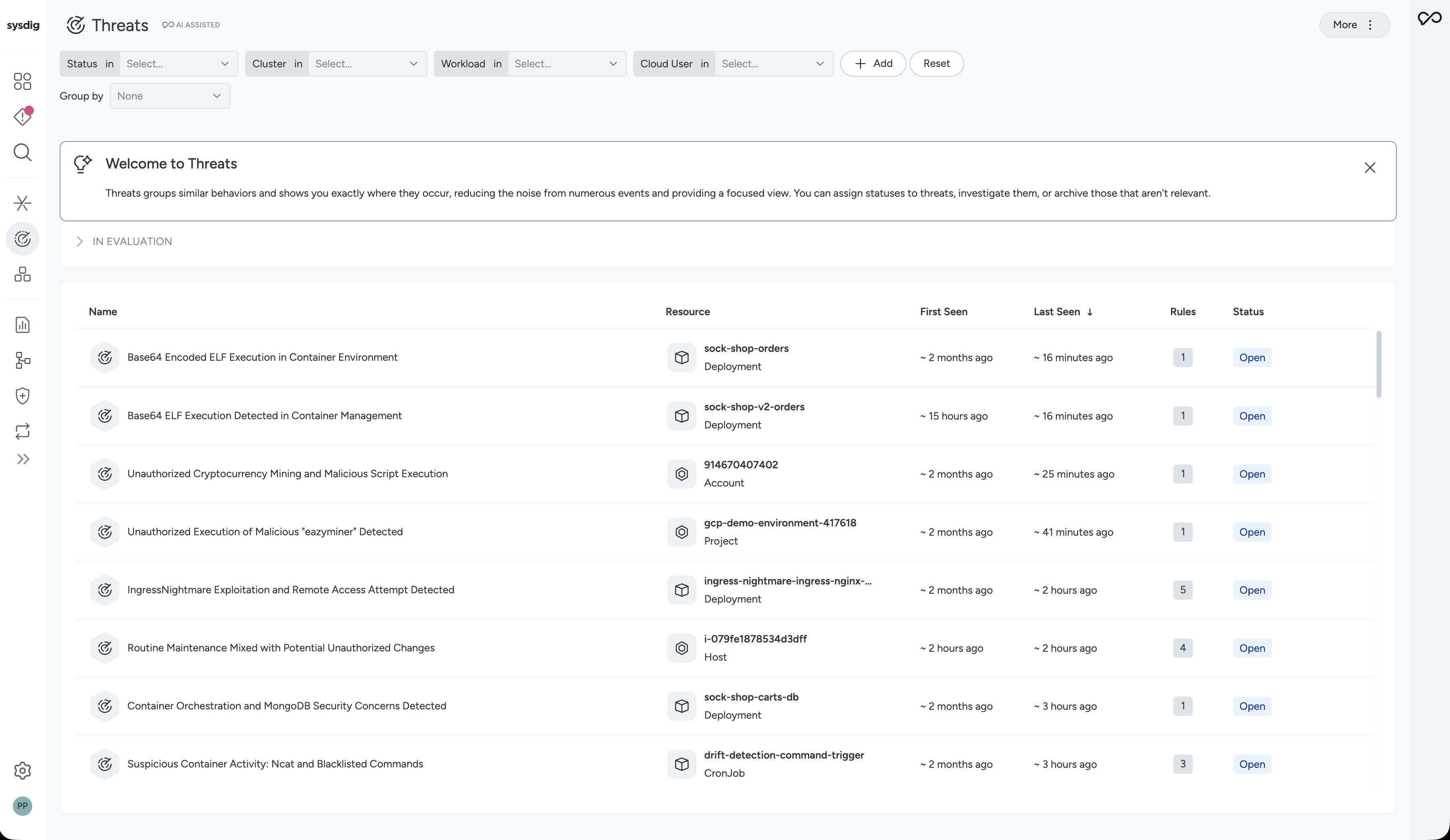
    Wallarm's Incidents page shows only attacks that hit a real vulnerability and drew a response proving it landed, so an analyst is no longer sifting probes against endpoints that were never exposed. Sysdig adds risk rating and confidence as sort and filter fields on its Threats page, which is the same move applied to runtime detections.

    Wallarm

Offensive Security
◆  Reconnaissance & OSINT

Hunter

Sources Release page → Hunter is now available in ChatGPT Notes Rank Why this rank top features scored 90/60, +10 product media, +6 runnable example — 91 How ranking works →

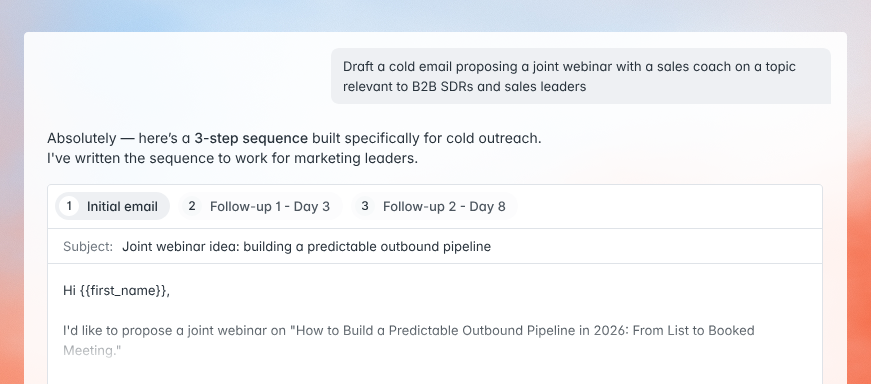
Hunter's biggest move this window is opening its platform to AI assistants — a ChatGPT app and a hosted MCPMCPModel Context Protocol, a standard for connecting AI applications to external tools and data sources. A compatible server exposes capabilities an assistant can use through a common interface. server power native integrations across Claude, Gemini, Perplexity and any MCP client — alongside a smaller Discover update that surfaces new matches on saved searches.⁠︀︄︇︀︅︉︀︅︀︀︃︀︀︅︅︀︅︊︀︄︆︀︃︄⁠

Contact anyone. Unlock opportunities.

Hunter's biggest move this window is opening its platform to AI assistants — a ChatGPT app and a hosted MCPMCPModel Context Protocol, a standard for connecting AI applications to external tools and data sources. A compatible server exposes capabilities an assistant can use through a common interface. server power native integrations across Claude, Gemini, Perplexity and any MCP client — alongside a smaller Discover update that surfaces new matches on saved searches.⁠︀︄︇︀︅︉︀︅︀︀︃︀︀︅︅︀︅︊︀︄︆︀︃︄⁠

└──▷ WHAT SHIPPED · 2 FEATURES 0 OF 2 FEATURES most completely described first
what's the number?

Each feature carries 0–100 for how completely the vendor documented it — not how big or important the work is. A major capability described in eight words scores low, and that is the finding.

  • depth0–40 what it does and how it works or what changed
  • specificity0–30 names real surfaces — APIs, flags, formats, limits, numbers
  • actionability0–30 enough to go use it — a named endpoint, flag, or config key tops this; a UI path is a starting point

Code and config rank first by construction: a documented endpoint, flag or config key scores at the top of specificity and actionability, so it sorts above a feature described only in prose. Under 60 the notes go thin — everything below the “thinner coverage” line is thinner documentation, not smaller work. Hover any meter for that feature's three sub-scores.

01 00
AI assistant and MCP integrations Not checked yet new 90

Hunter ships an official app for ChatGPT exposing 30+ Hunter API tools — company search, email verification, leads management, and sequence launching — usable in plain language without leaving the chat.⁠︀︄︇︀︅︉︀︅︀︀︃︀︀︅︅︀︅︊︀︄︆︀︃︄⁠ It also connects to Hunter's hosted MCP server at https://mcp.hunter.io/mcp for use with Cursor, VS Code, Windsurf, Codex, Grok Bot, and any other MCP-compatible client, alongside native one-click OAuth integrations with Claude (plugin), ChatGPT (app), Gemini (app), and Perplexity for search, verification, sequence sending, and lead management. A Prompts library of ready-made prospecting prompts is included to paste directly into a connected AI assistant, and the app is available on all Hunter plans, including Free, with existing limits and credits applying.

Build a targeted prospect list and launch a sequence without leaving ChatGPT — useful for SDRs working an ICP-driven outbound motion.
📍Find 30 companies matching my ICP, identify and verify contacts in founder or growth roles at each, save them to a new Hunter Leads list, and prepare a sequence.
Connect Cursor (or any MCP client) to Hunter so you can run prospecting queries without leaving your editor.
📍In Cursor, open MCP settings and add the Hunter server URL: https://mcp.hunter.io/mcp — then authenticate and start using Hunter commands from the Cursor agent panel.
— Names exact MCP URL, clients and apps; setup is a config URL, not a full walkthrough. Hunter is now available in ChatGPTHunter works in the main AI tools
02 00
New-match alerts on saved searches in Discover Not checked yet new 60

Hunter Discover's homepage now surfaces saved searches that have new company matches, showing the exact count of new results since the last visit. Opening a saved search auto-selects the new matching companies at the top of the results list so they can be revealed or saved in bulk immediately.

Check which new companies matched your saved ICP search and bulk-save the first 100 without manual selection.
📍In Hunter Discover: 1. Go to the Discover homepage and open a saved search showing new matches. 2. New companies appear pre-selected at the top. 3. Use the bulk selector to choose the first 100. 4. Click Save to add them to your leads list.
— Clear UI behaviour and steps, but no config or API surface named. Saved searches tell you what's new
Hunter is now available in ChatGPT Notes Stable

Hunter is now available as a ChatGPT app, exposing 30+ Hunter API tools — search, verify, leads, and sequences — in plain language.⁠︀︄︇︀︅︉︀︅︀︀︃︀︀︅︅︀︅︊︀︄︆︀︃︄⁠

└──▷ HOW TO FIND IT
Build a targeted prospect list and launch a sequence without leaving ChatGPT — useful for SDRs working an ICP-driven outbound motion.
📍Find 30 companies matching my ICP, identify and verify contacts in founder or growth roles at each, save them to a new Hunter Leads list, and prepare a sequence.
  • Adds a Hunter app for ChatGPT that exposes 30+ tools covering the full Hunter API, including company search, email verification, leads management, and sequence launching, accessible in plain language without leaving the chat.⁠︀︄︇︀︅︉︀︅︀︀︃︀︀︅︅︀︅︊︀︄︆︀︃︄⁠
  • Supports first-party setup paths for Claude, Gemini, and Grok in addition to ChatGPT, via Hunter's official MCPMCPModel Context Protocol, a standard for connecting AI applications to external tools and data sources. A compatible server exposes capabilities an assistant can use through a common interface. server with OAuth.
  • Available on all Hunter plans, including Free; existing limits and credits apply. Not checked yet

3 details in Everything

Hunter works in the main AI tools Notes Stable

Hunter now integrates natively with Claude, ChatGPT, Gemini, Perplexity, and any MCPMCPModel Context Protocol, a standard for connecting AI applications to external tools and data sources. A compatible server exposes capabilities an assistant can use through a common interface. client via https://mcp.hunter.io/mcp⁠︀︄︇︀︅︉︀︅︀︀︃︀︀︅︅︀︅︊︀︄︆︀︃︄⁠

└──▷ HOW TO FIND IT
Connect Cursor (or any MCP client) to Hunter so you can run prospecting queries without leaving your editor.
📍In Cursor, open MCP settings and add the Hunter server URL: https://mcp.hunter.io/mcp — then authenticate and start using Hunter commands from the Cursor agent panel.
  • Connects to Hunter's hosted MCP server at https://mcp.hunter.io/mcp for use with Cursor, VS Code, Windsurf, Codex, Grok Bot, and any other MCP-compatible client.⁠︀︄︇︀︅︉︀︅︀︀︃︀︀︅︅︀︅︊︀︄︆︀︃︄⁠
  • Adds native one-click OAuth integrations with Claude (plugin), ChatGPT (app), Gemini (app), and Perplexity, enabling company search, email verification, sequence sending, and lead management from inside each assistant.
  • Introduces a Prompts library of ready-made prospecting prompts to paste directly into a connected AI assistant.

3 details in Everything

Saved searches tell you what's new Notes LatestStable

Hunter Discover now surfaces new company matches on saved searches, pre-selected and ready to action in bulk.⁠︀︄︇︀︅︉︀︅︀︀︃︀︀︅︅︀︅︊︀︄︆︀︃︄⁠

└──▷ HOW TO FIND IT
Check which new companies matched your saved ICP search and bulk-save the first 100 without manual selection.
📍In Hunter Discover: 1. Go to the Discover homepage and open a saved search showing new matches. 2. New companies appear pre-selected at the top. 3. Use the bulk selector to choose the first 100. 4. Click Save to add them to your leads list.
  • Saved searches with new matches now appear on the Discover homepage showing the exact count of new results since your last visit.⁠︀︄︇︀︅︉︀︅︀︀︃︀︀︅︅︀︅︊︀︄︆︀︃︄⁠
  • New matching companies are automatically pre-selected at the top of results when you open a saved search, enabling immediate reveal or save actions.
  • Saved searches with new matches now appear on the Discover homepage showing the exact count of new results since your last visit.⁠︀︄︇︀︅︉︀︅︀︀︃︀︀︅︅︀︅︊︀︄︆︀︃︄⁠

1 more in Everything

Was this useful?
Application Security
◆  Code Security

SonarSource SonarQube

Sources Release page → SonarQube Server 2026.5 LTA: Ship AI code inside your perimeter with confidence Notes Rank Why this rank top features scored 85/85/85, +15 breaking change, +6 runnable example — 106 How ranking works →

SonarQube is the independent AI code verification platform trusted by 7M+ developers & organizations to help build secure, reliable software with confidence.

SonarQube introduced its Agent Centric Development Cycle (AC/DC) framework this window, shipping a suite of AI agents—Vortex, Hunter, Remediation, Gitar, and AI CodeFix—alongside new architecture analysis, compliance reporting, dashboards, Rust/MuleSoft language support, and a breaking change to Kubernetes ingress.⁠︀︄︇︀︅︉︀︅︀︀︃︀︀︅︅︀︅︊︀︄︆︀︃︄⁠⁠︀︄︇︀︅︉︀︅︀︀︃︀︀︅︅︀︅︊︀︄︆︀︃︄⁠

└──▷ WHAT SHIPPED · 13 FEATURES 6 OF 13 FEATURES most completely described first
what's the number?

Each feature carries 0–100 for how completely the vendor documented it — not how big or important the work is. A major capability described in eight words scores low, and that is the finding.

  • depth0–40 what it does and how it works or what changed
  • specificity0–30 names real surfaces — APIs, flags, formats, limits, numbers
  • actionability0–30 enough to go use it — a named endpoint, flag, or config key tops this; a UI path is a starting point

Code and config rank first by construction: a documented endpoint, flag or config key scores at the top of specificity and actionability, so it sorts above a feature described only in prose. Under 60 the notes go thin — everything below the “thinner coverage” line is thinner documentation, not smaller work. Hover any meter for that feature's three sub-scores.

01 01
Remediation Agent for autonomous issue fixing Not checked yet new 85

The Remediation Agent asynchronously fixes PR and backlog issues and re-analyzes fixes as pull requests.⁠︀︄︇︀︅︉︀︅︀︀︃︀︀︅︅︀︅︊︀︄︆︀︃︄⁠ On SonarQube Server it runs as a containerized Agent Core Engine deployable inside Kubernetes or Docker, connects to a cloud LLMLLMA large language model, a neural network trained on large amounts of text to recognize patterns and generate language. Applications use it for tasks such as answering, summarizing and writing code. endpoint using your own key with no public internet exposure required, integrates with GitHub, GitLab, or Azure DevOps, autonomously manages backlog issues on a schedule or on demand, and verifies every fix with SonarQube before it reaches a developer.⁠︀︄︇︀︅︉︀︅︀︀︃︀︀︅︅︀︅︊︀︄︆︀︃︄⁠

— Rich mechanism and integrations named, but no exact command or flag SonarQube Server 2026.5 LTA: Ship AI code in…
02 00
Documentation query API for agents Not checked yet new 85

A new GET https://docs.sonarsource.com/...?ask=&goal= documentation query API lets agents or practitioners ask natural-language questions against SonarQube docs dynamically, with ask for the specific question and optional goal for broader context.

Query SonarQube documentation dynamically from an agent or script to retrieve setup guidance for a specific AC/DC component.
$ curl -G 'https://docs.sonarsource.com/agent-centric-development-cycle/readme.md' --data-urlencode 'ask=How do I configure Sonar Vortex in my agent?' --data-urlencode 'goal=Set up the agentic loop for AI-generated code verification'
— Named endpoint and parameters with a runnable curl example product docs
03 02
AI agent deployment infrastructure Not checked yet new 85

New deployment docs cover the Agent Orchestrator, agent runtimes, Vortex analysis, and shared storage for both Helm chart and Docker Compose environments. A gVisorgVisorA user-space kernel written in Go by Google that intercepts and handles system calls on behalf of a container, sandboxing it without needing a full VM. sandbox runtime isolates each SonarQube Server agentic job in its own container, and a new Configuration reference documents all server-side and Agent Orchestrator properties and environment variables.

— Names orchestrator, deployment methods, sandbox and config reference product docs
04 03
Hunter Agent for logic-level vulnerability detection Not checked yet new 75

The Hunter Agent performs deep analysis to find logic-level security vulnerabilities that static analysis misses, uncovering broken access control, business logic, and authentication flaws. It runs on-demand as a background agent in SonarQube Cloud and Server, uses your own Anthropic key, and surfaces confirmed findings directly as SonarQube issues rather than in a separate tool or portal.

— Names the LLM key requirement and issue surfacing but no setup steps SonarQube Server 2026.5 LTA: Ship AI code in…
05 04
Sonar Vortex context and analysis engine Not checked yet new 70

Sonar Vortex provides project-specific context to agents before work starts and analyzes code modifications during generation, giving AI coding agents architecture awareness, coding guidelines, dependency health, and CI-precision code-change checks. It is described as a semantic Code Navigation engine that guides agents to write code aligned with project standards, prevents new issues, and reduces token consumption during code generation.

— Explains mechanism and benefit but no config surface to act on SonarQube Server 2026.5 LTA: Ship AI code in…
06 05
Gateway API migration replacing bundled Ingress NGINX Not checked yet breaking 70

The bundled Ingress NGINX controller has been removed from SonarQube Server on Kubernetes/OpenShiftOpenShiftRed Hat's Kubernetes distribution that adds developer workflows, built-in CI/CD, and stricter security defaults on top of upstream Kubernetes, giving cyber tools a managed container platform with enterprise auth and RBAC already wired in.; a migration guide to the Gateway API, including a worked Istio example, covers the transition for existing deployments.

— Names replacement API and example but no exact commands product docs
07 00
Rust and MuleSoft language analysis support Not checked yet new 60

SonarScanner for Cargo adds Rust project scanning on SonarQube Server, and MuleSoft analysis support is added in SonarQube Server Enterprise Edition.

— Names the scanner tool and edition but no usage example product docs
thinner coverage below
08 00
Compliance and regulatory reporting Not checked yet new 55

SonarQube Cloud gains project and portfolio compliance reports showing code posture against security-focused, regulatory, and accessibility standards. SonarQube Server adds compliance reports and regulatory reports covering projects, applications, and portfolios against the same standards.

— Describes scope across Cloud and Server but no UI path or export detail product docs
09 00
AI CodeFix for individual issues Not checked yet new 50

AI CodeFix generates fixes for individual SonarQube issues in the code maintenance loop, available on SonarQube Cloud Team and Enterprise plans and SonarQube Server Enterprise and Data Center editions.

— Names plan/edition availability but no invocation steps product docs
10 00
Configurable project and portfolio dashboards Not checked yet new 45

SonarQube Server adds configurable project dashboards and portfolio dashboards with widgets and filters for real-time health and progress visibility.

— Names widgets and filters but no navigation path given product docs
11 00
Architecture analysis in SonarQube Cloud Not checked yet new 45

Architecture analysis enables project-level and enterprise-level visualization and enforcement of intended vs. actual software architecture in SonarQube Cloud.

— States scope but not how enforcement rules are defined product docs
12 00
AC/DC framework structuring AI-assisted development Not checked yet new 45

The Agent Centric Development Cycle (AC/DC) framework structures AI-assisted development into three loops: the agentic loop, the CI verification loop, and the code maintenance loop.

— Names the three loops but stays conceptual with no direct action product docs
13 06
Gitar AI-powered code review Not checked yet new 35

Gitar is an AI-powered code review product that adds inline comments, summaries, walkthroughs, and diagrams on pull requests, part of the CI verification loop.

— Lists output types but no setup or invocation detail product docs
└──▷ BREAKING ON UPGRADE
  • !
    The bundled Ingress NGINX controller has been removed from SonarQube Server on Kubernetes/OpenShift; existing deployments must migrate to the Gateway API.
SonarQube Server 2026.5 LTA: Ship AI code inside your perimeter with confidence Notes LatestStable

SonarQube 2026.5 LTA adds Vortex AI coding agent, on-prem Remediation Agent, and Hunter Agent for logic-flaw detection.⁠︀︄︇︀︅︉︀︅︀︀︃︀︀︅︅︀︅︊︀︄︆︀︃︄⁠

  • Adds Sonar Vortex, a semantic Code Navigation engine that guides AI coding agents to write code aligned with project standards and prevents introduction of new issues, reducing token consumption during code generation.⁠︀︄︇︀︅︉︀︅︀︀︃︀︀︅︅︀︅︊︀︄︆︀︃︄⁠
  • Adds SonarQube Remediation Agent, a containerized Agent Core Engine deployable inside Kubernetes or Docker that connects to a cloud LLMLLMA large language model, a neural network trained on large amounts of text to recognize patterns and generate language. Applications use it for tasks such as answering, summarizing and writing code. endpoint using your own key, requires no public internet exposure, integrates with GitHub, GitLab, or Azure DevOps, and verifies every fix with SonarQube before it reaches a developer.
  • Adds SonarQube Hunter Agent, an on-demand background agent that uncovers broken access control, business logic, and authentication flaws using your own Anthropic key, surfacing confirmed findings directly as SonarQube issues rather than in a separate tool or portal.

3 details in Everything

Was this useful?

GitHub

Sources Blog / feed → Repository custom runner settings for Dependabot (2026-09-29) Blog Rank Why this rank top features scored 80/70/55, +10 product media, +6 runnable example — 84.33 How ranking works →

GitHub shipped repository-level runner controls for Dependabot jobs, a new external custom properties system for syncing business context from CMDBsCMDBsConfiguration Management Databases — structured stores that track IT assets, their attributes, and relationships; cyber tools use them to enrich alerts and map blast radius during incidents., and added GPT-6.1 Sol as a selectable Copilot model across IDEs and platforms.⁠︀︄︇︀︅︉︀︅︀︀︃︀︀︅︅︀︅︊︀︄︆︀︃︄⁠⁠︀︄︇︀︅︉︀︅︀︀︃︀︀︅︅︀︅︊︀︄︆︀︃︄⁠

GitHub is a web-based platform for version control and collaborative software development using Git repositories.

GitHub shipped repository-level runner controls for Dependabot jobs, a new external custom properties system for syncing business context from CMDBsCMDBsConfiguration Management Databases — structured stores that track IT assets, their attributes, and relationships; cyber tools use them to enrich alerts and map blast radius during incidents., and added GPT-6.1 Sol as a selectable Copilot model across IDEs and platforms.⁠︀︄︇︀︅︉︀︅︀︀︃︀︀︅︅︀︅︊︀︄︆︀︃︄⁠⁠︀︄︇︀︅︉︀︅︀︀︃︀︀︅︅︀︅︊︀︄︆︀︃︄⁠

└──▷ WHAT SHIPPED · 3 FEATURES 0 OF 3 FEATURES most completely described first
what's the number?

Each feature carries 0–100 for how completely the vendor documented it — not how big or important the work is. A major capability described in eight words scores low, and that is the finding.

  • depth0–40 what it does and how it works or what changed
  • specificity0–30 names real surfaces — APIs, flags, formats, limits, numbers
  • actionability0–30 enough to go use it — a named endpoint, flag, or config key tops this; a UI path is a starting point

Code and config rank first by construction: a documented endpoint, flag or config key scores at the top of specificity and actionability, so it sorts above a feature described only in prose. Under 60 the notes go thin — everything below the “thinner coverage” line is thinner documentation, not smaller work. Hover any meter for that feature's three sub-scores.

01 00
Repository-level runner settings for Dependabot Not checked yet new 80

Repository admins can configure runner type, custom label, and runner group for Dependabot version and security update jobs by going to Settings > Advanced Security > Dependency scanning > Dependabot version updates > Runner type and choosing Labeled runner or Standard GitHub runner.⁠︀︄︇︀︅︉︀︅︀︀︃︀︀︅︅︀︅︊︀︄︆︀︃︄⁠ When Labeled runner is selected, an optional custom runner label and runner group can be set, defaulting to the dependabot label if none is specified, enabling jobs to target self-hosted runners or larger GitHub-hosted runners for private package registry access or specialized build environments.⁠︀︄︇︀︅︉︀︅︀︀︃︀︀︅︅︀︅︊︀︄︆︀︃︄⁠ This is available for private and internal repositories on github.com; it is hidden for public repositories and not available on GitHub Enterprise Server.

Route Dependabot jobs to a self-hosted runner with access to a private package registry by setting a custom runner label at the repository level.
📍1. Go to your repository on github.com. 2. Navigate to Settings › Advanced Security. 3. Under Dependency scanning, find Dependabot version updates and click Runner type. 4. Select Labeled runner. 5. Enter your custom label (e.g. your self-hosted runner label) and optionally a runner group. 6. Save the configuration.
— Exact settings path and default label given, fully actionable. Repository custom runner settings for Depend…
02 00
GPT-6.1 Sol model in Copilot Not checked yet new 70

GPT-6.1 Sol is now a selectable model in the Copilot model picker across Visual Studio Code, Visual Studio, Copilot CLI, GitHub Copilot coding agent, the Copilot app, github.com, GitHub Mobile (iOS and Android), JetBrains IDEs, Xcode, and Eclipse. It can be chosen in the Copilot Chat model picker dropdown for agentic coding sessions to reduce steps and token usage on multistep tasks, and Business or Enterprise admins can allow or restrict it org-wide via Copilot Policies > Model policy > Default model enablement.

Select GPT-6.1 Sol for an agentic coding session in VS Code when you want fewer steps and lower token usage on multistep tasks.
📍In GitHub Copilot Chat (VS Code, JetBrains, or any supported IDE), open the model picker dropdown and select GPT-6.1 Sol, then issue your agentic coding prompt as normal.
Restrict or permit GPT-6.1 Sol org-wide before rollout reaches all users, so your Business or Enterprise policy is set before developers encounter it.
📍In GitHub Copilot settings (Business or Enterprise admin), go to Policies › Model policy, locate GPT-6.1 Sol under Default model enablement, and toggle access on or off.
— Exact UI steps for selection and admin policy toggle given. GPT-6.1 Sol in GitHub Copilot (2026-09-29)
thinner coverage below
03 00
External custom properties for business context Not checked yet new 55

New external custom properties Public preview let enterprise integrations push read-only repository metadata such as ownership, service tier, lifecycle stage, and compliance status from an external system of record (like a CMDBCMDBA Configuration Management Database: a repository that stores records of IT assets and the relationships between them, giving cyber tools a single authoritative source for infrastructure context. or developer portal) into GitHub under a dedicated namespace prefix. They work everywhere standard custom properties do today, including repository views, repository filtering, and ruleset targeting; Port.io is the first partner integration, with a published guide for syncing business context to GitHub.

— Describes mechanism but gives no API endpoint or config steps. Bring business context with external custom …
Repository custom runner settings for Dependabot (2026-09-29) Blog LatestStable

Repository admins can now configure runner type, custom label, and runner group for Dependabot jobs at the repository level.⁠︀︄︇︀︅︉︀︅︀︀︃︀︀︅︅︀︅︊︀︄︆︀︃︄⁠

└──▷ HOW TO FIND IT
Route Dependabot jobs to a self-hosted runner with access to a private package registry by setting a custom runner label at the repository level.
📍1. Go to your repository on github.com. 2. Navigate to Settings › Advanced Security. 3. Under Dependency scanning, find Dependabot version updates and click Runner type. 4. Select Labeled runner. 5. Enter your custom label (e.g. your self-hosted runner label) and optionally a runner group. 6. Save the configuration.
  • Adds repository-level runner configuration for Dependabot version and security updates, letting admins choose Labeled runner or Standard GitHub runner under Settings > Advanced Security > Dependency scanning > Dependabot version updates > Runner type.⁠︀︄︇︀︅︉︀︅︀︀︃︀︀︅︅︀︅︊︀︄︆︀︃︄⁠
  • Supports optional custom runner label and runner group when Labeled runner is selected; defaults to the dependabot label if no label is specified.
  • Enables Dependabot jobs to target self-hosted runners or larger GitHub-hosted runners — useful for access to private package registries or specialized build environments.
  • Repository-level runner settings are available for private and internal repositories on github.com; hidden for public repositories and not available on GitHub Enterprise Server.
  • Adds repository-level runner configuration for Dependabot version and security updates, letting admins choose Labeled runner or Standard GitHub runner under Settings > Advanced Security > Dependency scanning > Dependabot version updates > Runner type.⁠︀︄︇︀︅︉︀︅︀︀︃︀︀︅︅︀︅︊︀︄︆︀︃︄⁠
  • Supports optional custom runner label and runner group when Labeled runner is selected; defaults to the dependabot label if no label is specified.
  • Repository-level runner settings are available for private and internal repositories on github.com; hidden for public repositories and not available on GitHub Enterprise Server.

1 more in Everything

Bring business context with external custom properties (2026-09-29) Blog Stable

GitHub adds external custom properties Public preview to sync read-only business context from CMDBsCMDBsConfiguration Management Databases — structured stores that track IT assets, their attributes, and relationships; cyber tools use them to enrich alerts and map blast radius during incidents. and developer portals into repositories.⁠︀︄︇︀︅︉︀︅︀︀︃︀︀︅︅︀︅︊︀︄︆︀︃︄⁠

  • Adds external custom properties APIs, letting enterprise integrations push read-only repository metadata (ownership, service tier, lifecycle stage, compliance status) from an external system of record into GitHub under a dedicated namespace prefix.⁠︀︄︇︀︅︉︀︅︀︀︃︀︀︅︅︀︅︊︀︄︆︀︃︄⁠
  • Supports external custom properties everywhere standard custom properties work today, including repository views, repository filtering, and ruleset targeting.
  • Port.io is the first partner integration for external custom properties, with a published integration guide for syncing business context to GitHub.
  • Adds external custom properties APIs, letting enterprise integrations push read-only repository metadata (ownership, service tier, lifecycle stage, compliance status) from an external system of record into GitHub under a dedicated namespace prefix.⁠︀︄︇︀︅︉︀︅︀︀︃︀︀︅︅︀︅︊︀︄︆︀︃︄⁠
  • Port.io is the first partner integration for external custom properties, with a published integration guide for syncing business context to GitHub.

1 more in Everything

Was this useful?

Cycode

Sources Blog / feed → Cycode + Hugging Face: See & Secure Every AI Model (2026-09-29) Blog Rank Why this rank top features scored 80/70, +6 runnable example — 81 How ranking works →

Cycode added a Hugging Face integration that inventories every AI model an org publishes or uses—including private models never seen in code—enriched with governance metadata, plus a per-model authorization workflow that raises violations and logs review decisions.⁠︀︄︇︀︅︉︀︅︀︀︃︀︀︅︅︀︅︊︀︄︆︀︃︄⁠⁠︀︄︇︀︅︉︀︅︀︀︃︀︀︅︅︀︅︊︀︄︆︀︃︄⁠

Cycode’s Agentic Development Security Platform unites security and development teams with actionable, code-to-runtime context to identify, prioritize, and fix the software risk that matters.

Cycode added a Hugging Face integration that inventories every AI model an org publishes or uses—including private models never seen in code—enriched with governance metadata, plus a per-model authorization workflow that raises violations and logs review decisions.⁠︀︄︇︀︅︉︀︅︀︀︃︀︀︅︅︀︅︊︀︄︆︀︃︄⁠⁠︀︄︇︀︅︉︀︅︀︀︃︀︀︅︅︀︅︊︀︄︆︀︃︄⁠

└──▷ WHAT SHIPPED · 2 FEATURES 0 OF 2 FEATURES most completely described first
what's the number?

Each feature carries 0–100 for how completely the vendor documented it — not how big or important the work is. A major capability described in eight words scores low, and that is the finding.

  • depth0–40 what it does and how it works or what changed
  • specificity0–30 names real surfaces — APIs, flags, formats, limits, numbers
  • actionability0–30 enough to go use it — a named endpoint, flag, or config key tops this; a UI path is a starting point

Code and config rank first by construction: a documented endpoint, flag or config key scores at the top of specificity and actionability, so it sorts above a feature described only in prose. Under 60 the notes go thin — everything below the “thinner coverage” line is thinner documentation, not smaller work. Hover any meter for that feature's three sub-scores.

01 00
Hugging Face AI model inventory and integration Not checked yet new 80

Cycode connects to Hugging Face organizations via a read-only token, letting teams choose which organizations to sync; it performs an initial full pull followed by daily refreshes.⁠︀︄︇︀︅︉︀︅︀︀︃︀︀︅︅︀︅︊︀︄︆︀︃︄⁠ The resulting unified AI model inventory combines models detected in code repositories with models published by connected Hugging Face organizations, including private org models that never appear in a repo, and enriches each with license, public/private visibility, gated-download status, base-model lineage, parameter count and precision, file types and serialization formats, downloads, likes, Spaces usage count, and benchmark availability.⁠︀︄︇︀︅︉︀︅︀︀︃︀︀︅︅︀︅︊︀︄︆︀︃︄⁠ Namespace filtering lets teams review all models from a single provider or organization at once.

Connect Cycode to your Hugging Face organization to start inventorying all published AI models, including private ones that would never appear in a code repository.
📍In the Cycode console, go to Integrations, select Hugging Face, provide a read-only token, and choose the organizations to sync. Cycode will pull all models immediately and refresh daily.
— Names token type, sync cadence and all metadata fields; only UI steps given Cycode + Hugging Face: See & Secure Every AI…
02 00
Per-model authorization workflow for AI models Not checked yet new 70

Each model in the inventory can be marked Not reviewed, Authorized, or Unauthorized directly from the inventory; setting a model to Unauthorized automatically raises a violation, and every status change is written to the audit log.

Spot an internal model accidentally published as public, then mark it Unauthorized so violations are raised automatically and the decision is recorded in the audit log.
📍In the Cycode AI Model inventory, filter by your organization namespace, identify models whose visibility is public that should be private, open the model record, and set its status to Unauthorized. The change is logged immediately.
— Names exact status values and consequence, but only UI steps shown Cycode + Hugging Face: See & Secure Every AI…
Cycode + Hugging Face: See & Secure Every AI Model (2026-09-29) Blog LatestStable

Cycode integrates with Hugging Face to inventory, enrich, and enforce governance over every AI model your org publishes or uses.⁠︀︄︇︀︅︉︀︅︀︀︃︀︀︅︅︀︅︊︀︄︆︀︃︄⁠

└──▷ HOW TO FIND IT
Connect Cycode to your Hugging Face organization to start inventorying all published AI models, including private ones that would never appear in a code repository.
📍In the Cycode console, go to Integrations, select Hugging Face, provide a read-only token, and choose the organizations to sync. Cycode will pull all models immediately and refresh daily.
Spot an internal model accidentally published as public, then mark it Unauthorized so violations are raised automatically and the decision is recorded in the audit log.
📍In the Cycode AI Model inventory, filter by your organization namespace, identify models whose visibility is public that should be private, open the model record, and set its status to Unauthorized. The change is logged immediately.
  • Adds a Hugging Face integration that connects to your Hugging Face organizations via a read-only token and syncs only the organizations you select, with an initial full pull followed by daily refreshes.⁠︀︄︇︀︅︉︀︅︀︀︃︀︀︅︅︀︅︊︀︄︆︀︃︄⁠
  • Surfaces a unified AI model inventory combining models detected in your code repositories with models published by your connected Hugging Face organizations, including private org models that never appear in a repo.
  • Enriches each model with governance metadata pulled from Hugging Face: license, public/private visibility, gated-download status, base-model lineage, parameter count and precision, file types and serialization formats, downloads, likes, Spaces usage count, and benchmark availability.
  • Introduces a per-model authorization workflow — mark each model as Not reviewed, Authorized, or Unauthorized directly from the inventory — with Unauthorized models automatically raising violations and every status change written to the audit log.
  • Enables namespace filtering in the inventory so teams can review all models published by a single provider or Hugging Face organization at once.

5 details in Everything

Was this useful?

GitLab

Sources Blog / feed → GitLab and Claude Code: Fast, compliant AI (2026-09-29) Blog Rank Why this rank top features scored 70/67 — 68.5 How ranking works →

GitLab enabled URL-based prefilling for personal access tokenpersonal access tokenA personal access token, a credential used by scripts and integrations instead of a user's password. Its permissions and expiry depend on the service issuing it. creation and extended Duo Agent Platform with self-hosted AI Gateway deployment for Government Dedicated customers, including Amazon Bedrock connectivity and GPUGPUA graphics processing unit, a processor that performs many calculations in parallel. AI workloads use GPUs to speed up model training and inference.-based private cloud inference.⁠︀︄︇︀︅︉︀︅︀︀︃︀︀︅︅︀︅︊︀︄︆︀︃︄⁠⁠︀︄︇︀︅︉︀︅︀︀︃︀︀︅︅︀︅︊︀︄︆︀︃︄⁠

The intelligent orchestration platform for DevSecOps, enabling teams and agents to ship trusted software at enterprise scale.

GitLab enabled URL-based prefilling for personal access tokenpersonal access tokenA personal access token, a credential used by scripts and integrations instead of a user's password. Its permissions and expiry depend on the service issuing it. creation and extended Duo Agent Platform with self-hosted AI Gateway deployment for Government Dedicated customers, including Amazon Bedrock connectivity and GPUGPUA graphics processing unit, a processor that performs many calculations in parallel. AI workloads use GPUs to speed up model training and inference.-based private cloud inference.⁠︀︄︇︀︅︉︀︅︀︀︃︀︀︅︅︀︅︊︀︄︆︀︃︄⁠⁠︀︄︇︀︅︉︀︅︀︀︃︀︀︅︅︀︅︊︀︄︆︀︃︄⁠

└──▷ WHAT SHIPPED · 2 FEATURES 1 OF 2 FEATURES most completely described first
what's the number?

Each feature carries 0–100 for how completely the vendor documented it — not how big or important the work is. A major capability described in eight words scores low, and that is the finding.

  • depth0–40 what it does and how it works or what changed
  • specificity0–30 names real surfaces — APIs, flags, formats, limits, numbers
  • actionability0–30 enough to go use it — a named endpoint, flag, or config key tops this; a UI path is a starting point

Code and config rank first by construction: a documented endpoint, flag or config key scores at the top of specificity and actionability, so it sorts above a feature described only in prose. Under 60 the notes go thin — everything below the “thinner coverage” line is thinner documentation, not smaller work. Hover any meter for that feature's three sub-scores.

01 01
Self-hosted Duo Agent Platform for Government Dedicated Not checked yet new 70

GitLab Duo Agent Platform Self-Hosted can now be deployed on agency-controlled infrastructure, supporting air-gapped networks, data residency mandates, and policies barring code transmission to third-party APIs.⁠︀︄︇︀︅︉︀︅︀︀︃︀︀︅︅︀︅︊︀︄︆︀︃︄⁠ GitLab Dedicated for Government customers can deploy the AI Gateway for Duo Agent Platform inside their own single-tenant environment and connect the model provider of their choice, including Amazon Bedrock, with inference staying in the chosen region under existing SLASLAA formal agreement between a service provider and customer that defines expected uptime, response times, and remedies for failures, giving cyber tools a contractual baseline for availability and support commitments., encryption, and change-control policies.⁠︀︄︇︀︅︉︀︅︀︀︃︀︀︅︅︀︅︊︀︄︆︀︃︄⁠ It also supports running AI models on GPU-enabled virtual machines in a private cloud for self-managed inference without dedicated hardware costs, includes a governed merge request gate enforcing review, scans, and approvals on every change regardless of which AI model or coding tool generated it, and lets agencies authorize, restrict, or swap the AI model used for code generation without rebuilding the surrounding governed workflow.

— Describes architecture and policy scope but no config steps shown GitLab and Claude Code: Fast, compliant AI (…
02 00
Prefilled personal access token creation URLs Not checked yet new 67

Personal access tokenaccess tokenA credential that authorizes a client to use a service or API. It usually has limited permissions and a lifetime; anyone holding it may be able to use those permissions. creation URLs now support prefilling form fields by appending name, description, and scope parameters to the URL; at least one valid scope must be included in the URL for it to work.

— Exact URL parameters given but no full example URL shown product docs
GitLab and Claude Code: Fast, compliant AI (2026-09-29) Blog LatestStable

GitLab Duo Agent Platform now supports AI Gateway deployment inside single-tenant Government Dedicated environments, with Amazon Bedrock connectivity.⁠︀︄︇︀︅︉︀︅︀︀︃︀︀︅︅︀︅︊︀︄︆︀︃︄⁠

  • Enables GitLab Duo Agent Platform Self-Hosted deployment on agency-controlled infrastructure, supporting air-gapped networks, data residency mandates, and policies barring code transmission to third-party APIs.⁠︀︄︇︀︅︉︀︅︀︀︃︀︀︅︅︀︅︊︀︄︆︀︃︄⁠ Not checked yet
  • GitLab Dedicated for Government customers can deploy the AI Gateway for Duo Agent Platform inside their own single-tenant environment and connect the model provider of their choice, including Amazon Bedrock, with inference staying in the chosen region under existing SLASLAA formal agreement between a service provider and customer that defines expected uptime, response times, and remedies for failures, giving cyber tools a contractual baseline for availability and support commitments., encryption, and change-control policies.
  • Supports running AI models on GPUGPUA graphics processing unit, a processor that performs many calculations in parallel. AI workloads use GPUs to speed up model training and inference.-enabled virtual machines in a private cloud for self-managed inference without dedicated hardware costs. Not checked yet
  • Provides a governed merge request gate that enforces review, scans, and approvals on every change regardless of which AI model or coding tool generated it.
  • Allows agencies to authorize, restrict, or swap the AI model used for code generation without rebuilding the surrounding governed workflow.
  • Enables GitLab Duo Agent Platform Self-Hosted deployment on agency-controlled infrastructure, supporting air-gapped networks, data residency mandates, and policies barring code transmission to third-party APIs.⁠︀︄︇︀︅︉︀︅︀︀︃︀︀︅︅︀︅︊︀︄︆︀︃︄⁠ Not checked yet
  • GitLab Dedicated for Government customers can deploy the AI Gateway for Duo Agent Platform inside their own single-tenant environment and connect the model provider of their choice, including Amazon Bedrock, with inference staying in the chosen region under existing SLASLAA formal agreement between a service provider and customer that defines expected uptime, response times, and remedies for failures, giving cyber tools a contractual baseline for availability and support commitments., encryption, and change-control policies.
  • Supports running AI models on GPUGPUA graphics processing unit, a processor that performs many calculations in parallel. AI workloads use GPUs to speed up model training and inference.-enabled virtual machines in a private cloud for self-managed inference without dedicated hardware costs. Not checked yet
  • Provides a governed merge request gate that enforces review, scans, and approvals on every change regardless of which AI model or coding tool generated it.

1 more in Everything

Was this useful?

StepSecurity

Sources Blog / feed → Harden Runner Releases: September 30, 2026 (2026-09-30) Blog Rank Why this rank top features scored 75/70/70, +10 product media, +6 runnable example — 87.67 How ranking works →

StepSecurity expanded Harden Runner egress policy enforcement to self-hosted Windows and macOS runners, and shipped a broad PATPATA personal access token, a credential used by scripts and integrations instead of a user's password. Its permissions and expiry depend on the service issuing it. governance system covering exemptions, configurable abuse-detection thresholds, a GitHub audit log viewer, and classic PAT inventory on GitHub Enterprise Server.⁠︀︄︇︀︅︉︀︅︀︀︃︀︀︅︅︀︅︊︀︄︆︀︃︄⁠

StepSecurity hardens CI/CD pipelines by detecting and preventing supply chain attacks through runtime security monitoring and vulnerability detection.

StepSecurity expanded Harden Runner egress policy enforcement to self-hosted Windows and macOS runners, and shipped a broad PATPATA personal access token, a credential used by scripts and integrations instead of a user's password. Its permissions and expiry depend on the service issuing it. governance system covering exemptions, configurable abuse-detection thresholds, a GitHub audit log viewer, and classic PAT inventory on GitHub Enterprise Server.⁠︀︄︇︀︅︉︀︅︀︀︃︀︀︅︅︀︅︊︀︄︆︀︃︄⁠

└──▷ WHAT SHIPPED · 5 FEATURES 0 OF 5 FEATURES most completely described first
what's the number?

Each feature carries 0–100 for how completely the vendor documented it — not how big or important the work is. A major capability described in eight words scores low, and that is the finding.

  • depth0–40 what it does and how it works or what changed
  • specificity0–30 names real surfaces — APIs, flags, formats, limits, numbers
  • actionability0–30 enough to go use it — a named endpoint, flag, or config key tops this; a UI path is a starting point

Code and config rank first by construction: a documented endpoint, flag or config key scores at the top of specificity and actionability, so it sorts above a feature described only in prose. Under 60 the notes go thin — everything below the “thinner coverage” line is thinner documentation, not smaller work. Hover any meter for that feature's three sub-scores.

01 00
PAT exemptions tab in Apps & PATs Not checked yet new 75

Adds an Exemptions tab on Apps & PATs to exempt a single token or all tokens a user holds (current and future) for a fixed period, skipping policy checks, pre-expiry reminders, and automated revocation until the exemption expires, with automatic re-enrollment afterward.⁠︀︄︇︀︅︉︀︅︀︀︃︀︀︅︅︀︅︊︀︄︆︀︃︄⁠ Exemptions created via ServiceNow or through the API are surfaced on the same tab.

Grant a temporary exemption for every token a specific user holds — useful when a developer is mid-incident and automated revocation would disrupt response.
📍In the StepSecurity console, go to Apps & PATs › Exemptions, click Add Exemption, select the user, choose All tokens (current and future), and set the expiry date.
— Exact UI path and mechanism given, no API details PAT Governance: Exemptions, Configurable PAT…
02 00
Configurable PAT abuse detection thresholds Not checked yet new 70

Adds a Configure panel on the PAT Abuse tab to turn each abuse detection rule on or off and set its learning period and thresholds; changes apply from the next audit-log poll and already-learned baselines are preserved.

Tune PAT Abuse detection so noisy rules don't fire until enough baseline data is collected, reducing false-positive alerts for a newly on-boarded organization.
📍In the StepSecurity console, go to Apps & PATs › PAT Abuse › Configure, toggle individual rules on or off, and set the learning period and threshold values for each rule.
— Mechanism and exact panel named, exact UI steps given PAT Governance: Exemptions, Configurable PAT…
03 00
GitHub audit log page with PAT activity and deleted runs Not checked yet new 70

Adds a new Audit Log page under GitHub showing organization GitHub audit log activity refreshed every 15 minutes and retained for 10 days, with a PAT activity tab summarizing calls per token and a Deleted runs tab showing deleted workflow runs.

Investigate which workflow runs were deleted and by whom after a suspected tampering event, using the 10-day retained audit log.
📍In the StepSecurity console, go to GitHub › Audit Log › Deleted runs and filter by date range and actor to identify who deleted runs.
— Concrete refresh/retention numbers and tab names, clear navigation PAT Governance: Exemptions, Configurable PAT…
thinner coverage below
04 00
Egress policy for self-hosted Windows and macOS runners Not checked yet new 55

Harden Runner now enforces egress policy on self-hosted runners beyond Linux: Self-Hosted Windows Harden Runner v0.10.0 adds a deny list that blocks specific destinations while leaving all others reachable, and self-hosted macOS runners gain an allow list plus deny list with a block mode.

— Names runner OS and version but no config syntax shown Harden Runner Releases: September 30, 2026 (…
05 00
Classic PAT inventory on GitHub Enterprise Server Not checked yet new 55

Supports classic PAT inventory on GitHub Enterprise Server by connecting a site_admin-scoped token from a dedicated site administrator account to enumerate classic PATsPATsA personal access token, a credential used by scripts and integrations instead of a user's password. Its permissions and expiry depend on the service issuing it. for organization members and outside collaborators.

— Names scope and mechanism but no setup steps shown PAT Governance: Exemptions, Configurable PAT…
Harden Runner Releases: September 30, 2026 (2026-09-30) Blog LatestStable

Egress policy enforcement expands to self-hosted Windows (deny list) and macOS (allow list + deny list, block mode) runners.⁠︀︄︇︀︅︉︀︅︀︀︃︀︀︅︅︀︅︊︀︄︆︀︃︄⁠

  • Adds deny list egress policy to Self-Hosted Windows Harden Runner v0.10.0, blocking specific destinations while leaving all others reachable.⁠︀︄︇︀︅︉︀︅︀︀︃︀︀︅︅︀︅︊︀︄︆︀︃︄⁠

1 detail in Everything

PAT Governance: Exemptions, Configurable PAT Abuse Thresholds, GitHub Audit Log, and Classic PATs on GitHub Enterprise Server (2026-09-29) Blog Stable

StepSecurity adds PATPATA personal access token, a credential used by scripts and integrations instead of a user's password. Its permissions and expiry depend on the service issuing it. exemptions, configurable abuse thresholds, GitHub audit log review, and classic PAT inventory on GHES.⁠︀︄︇︀︅︉︀︅︀︀︃︀︀︅︅︀︅︊︀︄︆︀︃︄⁠

└──▷ HOW TO FIND IT
Grant a temporary exemption for every token a specific user holds — useful when a developer is mid-incident and automated revocation would disrupt response.
📍In the StepSecurity console, go to Apps & PATs › Exemptions, click Add Exemption, select the user, choose All tokens (current and future), and set the expiry date.
Tune PAT Abuse detection so noisy rules don't fire until enough baseline data is collected, reducing false-positive alerts for a newly on-boarded organization.
📍In the StepSecurity console, go to Apps & PATs › PAT Abuse › Configure, toggle individual rules on or off, and set the learning period and threshold values for each rule.
Investigate which workflow runs were deleted and by whom after a suspected tampering event, using the 10-day retained audit log.
📍In the StepSecurity console, go to GitHub › Audit Log › Deleted runs and filter by date range and actor to identify who deleted runs.
  • Adds an Exemptions tab on Apps & PATs to exempt a single token or all tokens a user holds (now and future) for a fixed period, skipping policy checks, pre-expiry reminders, and automated revocation until the exemption expires — with automatic re-enrollment afterward.⁠︀︄︇︀︅︉︀︅︀︀︃︀︀︅︅︀︅︊︀︄︆︀︃︄⁠
  • Surfaces exemptions created via ServiceNow or through the API on the same Exemptions tab.
  • Adds a Configure panel on the PAT Abuse tab to turn each abuse detection rule on or off and set its learning period and thresholds; changes apply from the next audit-log poll and preserve already-learned baselines.
  • Adds a new Audit Log page under GitHub showing organization GitHub audit log activity refreshed every 15 minutes and retained for 10 days, with a PAT activity tab summarizing calls per token and a Deleted runs tab showing deleted workflow runs.
  • Supports classic PAT inventory on GitHub Enterprise Server by connecting a site_admin-scoped token from a dedicated site administrator account to enumerate classic PATsPATsA personal access token, a credential used by scripts and integrations instead of a user's password. Its permissions and expiry depend on the service issuing it. for organization members and outside collaborators.
  • Adds an Exemptions tab on Apps & PATs to exempt a single token or all tokens a user holds (now and future) for a fixed period, skipping policy checks, pre-expiry reminders, and automated revocation until the exemption expires — with automatic re-enrollment afterward.⁠︀︄︇︀︅︉︀︅︀︀︃︀︀︅︅︀︅︊︀︄︆︀︃︄⁠
  • Adds a new Audit Log page under GitHub showing organization GitHub audit log activity refreshed every 15 minutes and retained for 10 days, with a PAT activity tab summarizing calls per token and a Deleted runs tab showing deleted workflow runs.
  • Supports classic PAT inventory on GitHub Enterprise Server by connecting a site_admin-scoped token from a dedicated site administrator account to enumerate classic PATsPATsA personal access token, a credential used by scripts and integrations instead of a user's password. Its permissions and expiry depend on the service issuing it. for organization members and outside collaborators.

2 more in Everything

Was this useful?

Checkmarx

Sources Blog / feed → Manual triage is where backlogs are born. Checkmarx Triage & Remediation Assist is how they’re cleared. (2026-09-17) Blog Rank Why this rank top features scored 86/80/75, +6 runnable example — 86.33 How ranking works →

Checkmarx One adds Triage & Remediation Assist, an AI-driven workflow that evaluates SASTSASTStatic application security testing, analyzing source code or compiled code for vulnerabilities without running the application. It helps developers find problems before deployment. findings for reachability and exploitability, generates code fixes with automatic GitHub pull requests, and tracks outcomes through a dedicated dashboard, cross-scan propagation, and audit trail.⁠︀︄︇︀︅︉︀︅︀︀︃︀︀︅︅︀︅︊︀︄︆︀︃︄⁠

Checkmarx agentic application security software platform Combines Hybrid scanning, AI-powered agents, and unified risk intelligence across every attack surface

Checkmarx One adds Triage & Remediation Assist, an AI-driven workflow that evaluates SASTSASTStatic application security testing, analyzing source code or compiled code for vulnerabilities without running the application. It helps developers find problems before deployment. findings for reachability and exploitability, generates code fixes with automatic GitHub pull requests, and tracks outcomes through a dedicated dashboard, cross-scan propagation, and audit trail.⁠︀︄︇︀︅︉︀︅︀︀︃︀︀︅︅︀︅︊︀︄︆︀︃︄⁠

└──▷ WHAT SHIPPED · 7 FEATURES 2 OF 7 FEATURES most completely described first
what's the number?

Each feature carries 0–100 for how completely the vendor documented it — not how big or important the work is. A major capability described in eight words scores low, and that is the finding.

  • depth0–40 what it does and how it works or what changed
  • specificity0–30 names real surfaces — APIs, flags, formats, limits, numbers
  • actionability0–30 enough to go use it — a named endpoint, flag, or config key tops this; a UI path is a starting point

Code and config rank first by construction: a documented endpoint, flag or config key scores at the top of specificity and actionability, so it sorts above a feature described only in prose. Under 60 the notes go thin — everything below the “thinner coverage” line is thinner documentation, not smaller work. Hover any meter for that feature's three sub-scores.

01 01
AI-generated remediation with GitHub PR delivery Not checked yet new 86

Adds a Remediate with AI control for eligible confirmed SAST findings, generating a suggested code fix with a structured what/why/how explanation inside Remediation > AI Remediation.⁠︀︄︇︀︅︉︀︅︀︀︃︀︀︅︅︀︅︊︀︄︆︀︃︄⁠ With GitHub Code Repository Integration configured, Checkmarx can automatically create a pull request containing the AI-suggested fix.

Generate a review-ready code fix for a confirmed SAST vulnerability and push it to GitHub as a pull request without leaving Checkmarx One.
📍In Checkmarx One, open a finding with state Confirmed in a GitHub Code Repository Integration project › select Remediate with AI › review the proposed change under Remediation › AI Remediation (what/why/how) › approve creation of the pull request containing the suggested fix.
— Names control, exact UI path, and GitHub PR delivery mechanism. Manual triage is where backlogs are born. Ch…
02 02
Triage with AI for SAST findings Not checked yet new 80

Adds a Triage with AI control in the Risk Orchestration side panel to evaluate eligible SAST findings for reachability, exploitability, and sanitization coverage, automatically setting state to Confirmed or Proposed Not Exploitable.

Trigger AI triage on a single SAST finding directly from Risk Orchestration to get an instant reachability and exploitability verdict without leaving the working view.
📍In Checkmarx One, open Risk Orchestration › select an eligible SAST finding › in the side panel, choose Triage with AI. Review the reachability and exploitability analysis in the Info tab and inspect the AI-proposed state (Confirmed or Proposed Not Exploitable) before making a final disposition.
— Exact control name, panel location and resulting states given. Manual triage is where backlogs are born. Ch…
03 00
Automated AI Triage at scan completion Not checked yet new 75

Adds automated AI Triage that runs at scan completion, configurable by project, branch, scanner, risk status, and severity, with administrator controls over which of these parameters a project team can override.

Scope automated AI Triage to run at scan completion for high-severity SAST findings on a specific branch, so the backlog is triaged before any reviewer opens the queue.
📍In Checkmarx One, navigate to the project settings for the target project › configure automated AI Triage scoped to branch: main, scanner: SAST, severity: High › save; after each scan completes, Risk Orchestration will reflect AI-assigned states automatically without manual triage per finding.
— Configuration scope and exact settings navigation given in example. Manual triage is where backlogs are born. Ch…
04 00
AI Triage & Remediation dashboard Not checked yet new 68

Adds an AI Triage & Remediation dashboard reporting total triage and remediation actions, unique developers, estimated developer time saved, activity trends, triage outcomes, remediation results, and most-active projects, with filters by resource, branch, scanner, time range, tags, and groups.

— Metrics and filters named but no navigation path given. Manual triage is where backlogs are born. Ch…
thinner coverage below
05 00
Cross-scan propagation of AI triage verdicts Not checked yet new 55

AI Triage state changes propagate forward to identical SAST findings in subsequent scans (matched by Similarity ID or Attack Vector ID) and retroactively to identical results in earlier scans, preventing duplicate verdict work.

— Matching mechanism named; runs automatically without user action. Manual triage is where backlogs are born. Ch…
06 00
Audit trail for AI-driven state changes Not checked yet new 55

AI-driven state changes are attributed to AI Assist in the Change Log with actor, timestamp, previous state, new state, severity change, and reasoning preserved on the same risk record.

— Logged fields named; no interaction point described. Manual triage is where backlogs are born. Ch…
07 00
Checkmarx Credits consumption for AI actions Not checked yet new 50

Both Triage with AI and Remediate with AI actions consume Checkmarx Credits; triage does not re-run or re-charge on an identical finding, and administrators can monitor burn rate and projected depletion.

— Billing mechanism named but no monitoring UI path given. Manual triage is where backlogs are born. Ch…
Manual triage is where backlogs are born. Checkmarx Triage & Remediation Assist is how they’re cleared. (2026-09-17) Blog LatestStable

Checkmarx One gains AI-driven Triage & Remediation Assist to move SASTSASTStatic application security testing, analyzing source code or compiled code for vulnerabilities without running the application. It helps developers find problems before deployment./SCASCASoftware composition analysis, identifying third-party dependencies and checking them for known vulnerabilities and license issues. It covers software a team uses rather than writes itself. findings from detection to governed fix with full audit trail.⁠︀︄︇︀︅︉︀︅︀︀︃︀︀︅︅︀︅︊︀︄︆︀︃︄⁠

└──▷ HOW TO FIND IT
Trigger AI triage on a single SAST finding directly from Risk Orchestration to get an instant reachability and exploitability verdict without leaving the working view.
📍In Checkmarx One, open Risk Orchestration › select an eligible SAST finding › in the side panel, choose Triage with AI. Review the reachability and exploitability analysis in the Info tab and inspect the AI-proposed state (Confirmed or Proposed Not Exploitable) before making a final disposition.
Generate a review-ready code fix for a confirmed SAST vulnerability and push it to GitHub as a pull request without leaving Checkmarx One.
📍In Checkmarx One, open a finding with state Confirmed in a GitHub Code Repository Integration project › select Remediate with AI › review the proposed change under Remediation › AI Remediation (what/why/how) › approve creation of the pull request containing the suggested fix.
Scope automated AI Triage to run at scan completion for high-severity SAST findings on a specific branch, so the backlog is triaged before any reviewer opens the queue.
📍In Checkmarx One, navigate to the project settings for the target project › configure automated AI Triage scoped to branch: main, scanner: SAST, severity: High › save; after each scan completes, Risk Orchestration will reflect AI-assigned states automatically without manual triage per finding.
  • Adds Triage with AI control in the Risk Orchestration side panel to evaluate eligible SAST findings for reachability, exploitability, and sanitization coverage, automatically setting state to Confirmed or Proposed Not Exploitable.⁠︀︄︇︀︅︉︀︅︀︀︃︀︀︅︅︀︅︊︀︄︆︀︃︄⁠
  • Adds Remediate with AI control for eligible confirmed SAST findings, generating a suggested code fix with a structured what/why/how explanation inside Remediation > AI Remediation. Not checked yet
  • Adds automated AI Triage at scan completion, configurable by project, branch, scanner, risk status, and severity, with administrator controls over which parameters a project team can override. Not checked yet
  • Adds an AI Triage & Remediation dashboard reporting total triage and remediation actions, unique developers, estimated developer time saved, activity trends, triage outcomes, remediation results, and most-active projects, with filters by resource, branch, scanner, time range, tags, and groups.
  • Adds GitHub Code Repository Integration support to automatically create a pull request containing the AI-suggested fix for SAST findings. Not checked yet
+3 more show less
  • AI Triage state changes propagate forward to identical SAST findings in subsequent scans (matched by Similarity ID or Attack Vector ID) and retroactively to identical results in earlier scans, preventing duplicate verdict work. Not checked yet
  • AI-driven state changes are attributed to AI Assist in the Change Log with actor, timestamp, previous state, new state, severity change, and reasoning preserved on the same risk record. Not checked yet
  • Both Triage with AI and Remediate with AI actions consume Checkmarx Credits; triage does not re-run or re-charge on an identical finding, and administrators can monitor burn rate and projected depletion.

8 details in Everything

Was this useful?

Veracode

Sources Blog / feed → Integration updates (2026-09-30) Blog Rank Why this rank top features scored 80/80/55, +15 breaking change, +10 product media, +6 runnable example — 102.67 How ranking works →

Veracode is a cloud-based application security platform that performs static, dynamic, and software composition analysis to identify vulnerabilities in code.

Veracode's latest integration updates add new pipeline configuration hooks in its CI/CD extensions, replace the flaw-import task in its Azure DevOps extension, and extend Jira Server compatibility while retiring support for older Jira versions and GitHub app permissions.⁠︀︄︇︀︅︉︀︅︀︀︃︀︀︅︅︀︅︊︀︄︆︀︃︄⁠

└──▷ WHAT SHIPPED · 5 FEATURES 1 OF 5 FEATURES most completely described first
what's the number?

Each feature carries 0–100 for how completely the vendor documented it — not how big or important the work is. A major capability described in eight words scores low, and that is the finding.

  • depth0–40 what it does and how it works or what changed
  • specificity0–30 names real surfaces — APIs, flags, formats, limits, numbers
  • actionability0–30 enough to go use it — a named endpoint, flag, or config key tops this; a UI path is a starting point

Code and config rank first by construction: a documented endpoint, flag or config key scores at the top of specificity and actionability, so it sorts above a feature described only in prose. Under 60 the notes go thin — everything below the “thinner coverage” line is thinner documentation, not smaller work. Hover any meter for that feature's three sub-scores.

01 00
New veracode.yml configuration parameters Not checked yet new 80

Veracode added the policy parameter to veracode.yml for infrastructure-as-code (IaCIaCInfrastructure as Code: the practice of defining and provisioning compute infrastructure through machine-readable config files rather than manual processes, giving cyber tools repeatable, version-controlled environment setup.) scans in GitHub Workflow Integration v2.1.7, and the predependency_command parameter to veracode.yml for Azure DevOps Workflow Integration v2.4.4, letting single-line or multiline commands run before Veracode packages the project.⁠︀︄︇︀︅︉︀︅︀︀︃︀︀︅︅︀︅︊︀︄︆︀︃︄⁠

Run a build-tool installation script before Veracode packages your project in an Azure DevOps pipeline.
yaml
predependency_command: pip install -r requirements.txt
Target a specific analysis branch for scheduled Azure DevOps scans instead of the repository default branch.
yaml
analysis_branch: release/2.0
predependency_command: mvn clean package -DskipTests
— Names config file, two params, two integration versions, with runnable examples Integration updates (2026-09-30)
02 01
VeracodeFlawImporter v4 replaces v3 in Azure DevOps Extension Not checked yet breaking 80

Veracode Azure DevOps Extension v4.0.0 replaces Veracode Flaw Importer v3 with VeracodeFlawImporter v4 and updates Upload and Scan to v4. Existing pipelines must be manually migrated from v3 to v4, and Azure DevOps Server installations must upgrade from v3.35.0 to v4.0.0 without uninstalling the previous version.

— Names exact task versions and required migration path Integration updates (2026-09-30)
thinner coverage below
03 00
End of support for Jira Server/Data Center 9.x Not checked yet deprecated 55

On November 30, 2026, Veracode will end support for the Veracode Integration for Jira on Jira Server and Jira Data Center 9.x; users must upgrade to Jira 10 or later to remain on a supported version.

— Gives exact deprecation date and required upgrade path Integration updates (2026-09-30)
04 00
Jira 11 support in Jira Server integration Not checked yet new 40

Veracode Integration for Jira Server v5.0.2 adds support for Jira 11, including Java 21 and platform compatibility.

— Names supported version but gives no setup steps Integration updates (2026-09-30)
05 00
GitHub Workflow App loses admin permissions Not checked yet breaking 30

The GitHub Veracode Workflow App no longer has administration permissions, meaning it can no longer alter or remove repositories where it is installed.

— States the change but offers no migration guidance Integration updates (2026-09-30)
└──▷ ALSO FROM THESE RELEASES
└──▷ BREAKING ON UPGRADE
  • !
    Veracode Azure DevOps Extension v4.0.0 deprecates Veracode Flaw Importer v3 and replaces it with VeracodeFlawImporter v4; existing pipelines must be manually migrated from v3 to v4 (Azure DevOps Server must upgrade from v3.35.0 to v4.0.0 without uninstalling the previous version).
  • !
    On November 30, 2026, Veracode will end support for the Veracode Integration for Jira on Jira Server and Jira Data Center 9.x; users must upgrade to Jira 10 or later to remain on a supported version.
  • !
    The GitHub Veracode Workflow App no longer has administration permissions, meaning it can no longer alter or remove repositories where it is installed.
Integration updates (2026-09-30) Blog LatestStable

Veracode: Adds the policy parameter to veracode.yml for infrastructure-as-code (IaCIaCInfrastructure as Code: the practice of defining and provisioning compute infrastructure through machine-readable config files rather than manual processes, giving cyber tools repeatable, version-controlled environment setup.) scans in GitHub Workflow Integration v2.1.7.⁠︀︄︇︀︅︉︀︅︀︀︃︀︀︅︅︀︅︊︀︄︆︀︃︄⁠

└──▷ USE IT
Run a build-tool installation script before Veracode packages your project in an Azure DevOps pipeline.
veracode.yml
predependency_command: pip install -r requirements.txt
Target a specific analysis branch for scheduled Azure DevOps scans instead of the repository default branch.
veracode.yml
analysis_branch: release/2.0
predependency_command: mvn clean package -DskipTests
  • Adds support for the predependency_command parameter in veracode.yml for Azure DevOps Workflow Integration v2.4.4, enabling single-line or multiline commands to run before Veracode packages the project.
  • Adds support for Jira 11 (including Java 21 and platform compatibility) in Veracode Integration for Jira Server v5.0.2. Not checked yet
  • Replaces Veracode Flaw Importer v3 with VeracodeFlawImporter v4 and updates Upload and Scan to v4 in Veracode Azure DevOps Extension v4.0.0.
  • Adds support for the predependency_command parameter in veracode.yml for Azure DevOps Workflow Integration v2.4.4, enabling single-line or multiline commands to run before Veracode packages the project.

2 more in Everything

└──▷ BREAKING ON UPGRADE
  • !Veracode Azure DevOps Extension v4.0.0 deprecates Veracode Flaw Importer v3 and replaces it with VeracodeFlawImporter v4; existing pipelines must be manually migrated from v3 to v4 (Azure DevOps Server must upgrade from v3.35.0 to v4.0.0 without uninstalling the previous version).
  • !On November 30, 2026, Veracode will end support for the Veracode Integration for Jira on Jira Server and Jira Data Center 9.x; users must upgrade to Jira 10 or later to remain on a supported version.
  • !The GitHub Veracode Workflow App no longer has administration permissions, meaning it can no longer alter or remove repositories where it is installed.
Was this useful?
◆  Web Application Security

Wallarm

Sources Blog / feed → Introducing the New Incidents Interface (2026-09-29) Blog Rank Why this rank top features scored 73/68, +10 product media, +6 runnable example — 86.5 How ranking works →

Wallarm introduces a dedicated Incidents page that surfaces only confirmed attacks — those that hit a real vulnerability and got a response proving it worked — with rich drill-down, filtering, and export for incident response.⁠︀︄︇︀︅︉︀︅︀︀︃︀︀︅︅︀︅︊︀︄︆︀︃︄⁠⁠︀︄︇︀︅︉︀︅︀︀︃︀︀︅︅︀︅︊︀︄︆︀︃︄⁠

Discover the latest features, improvements, and updates in Wallarm API Security

Wallarm introduces a dedicated Incidents page that surfaces only confirmed attacks — those that hit a real vulnerability and got a response proving it worked — with rich drill-down, filtering, and export for incident response.⁠︀︄︇︀︅︉︀︅︀︀︃︀︀︅︅︀︅︊︀︄︆︀︃︄⁠⁠︀︄︇︀︅︉︀︅︀︀︃︀︀︅︅︀︅︊︀︄︆︀︃︄⁠

└──▷ WHAT SHIPPED · 2 FEATURES 0 OF 2 FEATURES most completely described first
what's the number?

Each feature carries 0–100 for how completely the vendor documented it — not how big or important the work is. A major capability described in eight words scores low, and that is the finding.

  • depth0–40 what it does and how it works or what changed
  • specificity0–30 names real surfaces — APIs, flags, formats, limits, numbers
  • actionability0–30 enough to go use it — a named endpoint, flag, or config key tops this; a UI path is a starting point

Code and config rank first by construction: a documented endpoint, flag or config key scores at the top of specificity and actionability, so it sorts above a feature described only in prose. Under 60 the notes go thin — everything below the “thinner coverage” line is thinner documentation, not smaller work. Hover any meter for that feature's three sub-scores.

01 00
Confirmed Incidents page with attack analytics and drill-down Not checked yet new 73

A new Incidents page in the dashboard shows only confirmed incidents — attacks that hit a real vulnerability and received a response proving it worked.⁠︀︄︇︀︅︉︀︅︀︀︃︀︀︅︅︀︅︊︀︄︆︀︃︄⁠ It provides a time-series chart of requests with incidents alongside top source IPs, endpoints, hosts, attack types and subtypes, and a breakdown of application response codes over the past month.⁠︀︄︇︀︅︉︀︅︀︀︃︀︀︅︅︀︅︊︀︄︆︀︃︄⁠ Incidents can be grouped by attack type, HTTP method, domain, path, and payload parameter, with drill-down through each level down to individual requests, and the specific payload within a request that triggered the incident is marked to distinguish it from other non-triggering payloads in the same request.

— Explains mechanism and grouping levels but only a UI path, no API/config Introducing the New Incidents Interface (202…
02 00
Incident sharing, export, and cross-dashboard links Not checked yet new 68

The Incidents page encodes active filters and time range into the page URL, so a filtered view can be bookmarked or shared via link (e.g. paste the URL into a ticket after applying attack type/host/time filters). An Export capability lets you download the incidents in the current filtered view for incident response or reporting (e.g. filter by attack type = RCERCERemote code execution, the ability to run attacker-chosen code on another system through a vulnerability. Its impact depends on the permissions and access that code receives. and time range = last 7 days, then click Export). Each incident row also gets a Security Issues column showing severity and open/closed state of linked issues without a click-through, and direct links into the new page are added from the Threat Prevention dashboard and from Security Issues.

Share the exact incident view — with filters and time range intact — directly into a ticket or Slack thread so teammates land on the same context.
📍In the Incidents page, apply your desired filters (e.g. attack type, host, time range), then copy the URL from your browser address bar and paste it into your incident ticket.
Export a filtered incident list for post-incident reporting or feeding into an external SIEMSIEMSecurity information and event management, collecting logs from many systems and correlating events to find suspicious activity. Analysts use it to investigate alerts and incidents. after a critical RCE wave.
📍In the Incidents page, set your filters (e.g. attack type = RCE, time range = last 7 days), then click Export to download the incidents in your current view.
— Concrete UI steps for sharing and export given, no API endpoint Introducing the New Incidents Interface (202…
Introducing the New Incidents Interface (2026-09-29) Blog LatestStable

Wallarm launches a dedicated Incidents page that surfaces confirmed attacks with drill-down to the exact exploiting request.⁠︀︄︇︀︅︉︀︅︀︀︃︀︀︅︅︀︅︊︀︄︆︀︃︄⁠

└──▷ HOW TO FIND IT
Share the exact incident view — with filters and time range intact — directly into a ticket or Slack thread so teammates land on the same context.
📍In the Incidents page, apply your desired filters (e.g. attack type, host, time range), then copy the URL from your browser address bar and paste it into your incident ticket.
Export a filtered incident list for post-incident reporting or feeding into an external SIEMSIEMSecurity information and event management, collecting logs from many systems and correlating events to find suspicious activity. Analysts use it to investigate alerts and incidents. after a critical RCERCERemote code execution, the ability to run attacker-chosen code on another system through a vulnerability. Its impact depends on the permissions and access that code receives. wave.
📍In the Incidents page, set your filters (e.g. attack type = RCE, time range = last 7 days), then click Export to download the incidents in your current view.
  • Adds a new Incidents page in the dashboard showing only confirmed incidents — attacks that hit a real vulnerability and received a response proving it worked.⁠︀︄︇︀︅︉︀︅︀︀︃︀︀︅︅︀︅︊︀︄︆︀︃︄⁠
  • Provides a time-series chart of requests with incidents alongside top source IPs, endpoints, hosts, attack types and subtypes, and a breakdown of application response codes over the past month.
  • Groups incidents by attack type, HTTP method, domain, path, and payload parameter, with drill-down through each level to individual requests.
  • Marks the specific payload within a request that triggered the incident, distinguishing it from other payloads in the same request that did not hit a vulnerability.
  • Adds a Security Issues column on every incident row showing the severity and open/closed state of each linked issue without requiring a click-through.
+3 more show less
  • Encodes active filters and time range in the page URL, enabling bookmarking and sharing a specific incident view via link.
  • Adds an export capability for the incidents in the current filtered view, for use in incident response or reporting.
  • Adds direct links into the new Incidents page from the Threat Prevention dashboard and from Security Issues.

8 details in Everything

Was this useful?
◆  Secrets Detection & Management

GitGuardian SaaS

Sources Blog / feed → Push your secret incidents to Wiz (2026-09-30) Blog Rank Why this rank top features scored 83/45, +6 runnable example — 70 How ranking works →

GitGuardian SaaS is a cloud-based security platform that detects and prevents secrets leakage in git repositories and source code.

GitGuardian adds a Wiz integration that syncs active secret incidents as native Wiz findings and a new agents page for public incident classification.

  • New integrationAdds a Wiz integration that daily syncs active secret incidents from version control sources into Wiz as native secret findings, carrying repository, file path, commit, detector, validity, severity, and a link back to the GitGuardian incident. Not checked yet
  • Transfers only a SHA-256SHA-256A cryptographic hash function that turns data into a fixed 256-bit fingerprint. It is used to check integrity; hashing does not encrypt the original data. hash of the secret and its metadata to Wiz — the raw secret value never leaves GitGuardian.
  • Maps GitGuardian incident severity directly to the Wiz finding severity, so a critical secret appears as critical in both platforms.
  • Auto-closes Wiz findings when the corresponding GitGuardian incident is resolved or ignored — each sync uploads the full active-incident list and Wiz removes findings that drop off. Not checked yet
  • Adds a GitGuardian agents page showing how agents classified public incidents (Related, Unclear, Not related) and their progression through triage and deep analysis, with each count linking to matching incidents.

5 details in Everything

Was this useful?
Reverse Engineering, Malware & Forensics
◆  Digital Forensics & Incident Response

ALEAPP

Sources Release notes →Source code → v2026.4.2 Notes Code Rank Why this rank top features scored 95/88/50, +15 breaking change, +6 runnable example — 98.67 How ranking works →

Android Logs Events And Protobuf Parser

ALEAPP v2026.4.2 adds broad forensic image ingestion (E01E01A forensic disk image format that stores a drive's contents in segmented files with built-in checksums and metadata, widely used in digital forensics because it supports compression and chain-of-custody verification./AFFAFFAdvanced Forensic Format, an open disk-image container standard maintained by Simson Garfinkel, designed to store forensic evidence with built-in compression, metadata, and cryptographic hashing./DMG/APFSAPFSApple's proprietary filesystem introduced in 2017, replacing HFS+, designed for SSDs with native encryption, snapshots, and space sharing — giving cyber tools reliable forensic primitives on modern Apple devices./NTFSNTFSThe default file system format for Windows, developed by Microsoft, storing files with rich metadata and access controls; cyber tools target it to parse artifacts like timestamps, alternate data streams, and the MFT.-ADSADSAlternate Data Streams: an NTFS feature that lets a file carry hidden secondary data blobs under the same path, giving cyber tools a place to stash metadata or detect covert storage by malware.) under -t raw, unifies its GUI and CLI into a single aleapp binary, and extends WhatsApp, media-cache, and app-specific artifact parsing.⁠︀︄︇︀︅︉︀︅︀︀︃︀︀︅︅︀︅︊︀︄︆︀︃︄⁠⁠︀︄︇︀︅︉︀︅︀︀︃︀︀︅︅︀︅︊︀︄︆︀︃︄⁠

└──▷ WHAT SHIPPED · 7 FEATURES 1 OF 7 FEATURES most completely described first
what's the number?

Each feature carries 0–100 for how completely the vendor documented it — not how big or important the work is. A major capability described in eight words scores low, and that is the finding.

  • depth0–40 what it does and how it works or what changed
  • specificity0–30 names real surfaces — APIs, flags, formats, limits, numbers
  • actionability0–30 enough to go use it — a named endpoint, flag, or config key tops this; a UI path is a starting point

Code and config rank first by construction: a documented endpoint, flag or config key scores at the top of specificity and actionability, so it sorts above a feature described only in prose. Under 60 the notes go thin — everything below the “thinner coverage” line is thinner documentation, not smaller work. Hover any meter for that feature's three sub-scores.

01 00
Raw forensic image format support Not checked yet new 95

-t raw now reads E01, Ex01, SMART, AFF, and AFD acquisitions, Apple disk images (.dmg, .sparseimage, sparse bundles, segmented sets), encrypted Apple disk images, FTK Imager AD-encrypted images, and encrypted APFS volumes, each opened with a supplied password; it also adds NTFS alternate data stream support under -t raw.⁠︀︄︇︀︅︉︀︅︀︀︃︀︀︅︅︀︅︊︀︄︆︀︃︄⁠⁠︀︄︇︀︅︉︀︅︀︀︃︀︀︅︅︀︅︊︀︄︆︀︃︄⁠

Parse an encrypted APFS acquisition from an E01 image, supplying the volume password for on-the-fly decryption — no mounting or admin rights required.
$ aleapp -t raw -i /evidence/iphone_acquisition.E01 -o /reports/output/
— Names flag, every format, password mechanism, plus runnable command. v2026.4.2
02 01
Unified aleapp GUI/CLI binary Not checked yet breaking 88

Replaces the separate aleapp and aleappGUI binaries with a single unified aleapp program: running it without arguments opens the GUIGUIA graphical user interface, controls such as windows, buttons and menus. It lets people use software visually rather than entering commands., running it with arguments invokes the CLI, distributed as a Windows installer/portable zip, signed macOS disk image, and Linux AppImage for Intel/AMD and ARMARMA family of RISC processor architectures designed by Arm Holdings and licensed to chip makers worldwide; tools target it to run natively on mobile, embedded, and increasingly server and desktop hardware.. The old aleappGUI binary is gone (automation must switch to aleapp), download filenames changed shape (e.g. -windows-x64-setup.exe, -linux-x64.AppImage), and on Windows/macOS aleapp must be run from its installed folder rather than copied elsewhere.

— Explains mechanism, packaging, and exact migration steps. v2026.4.2
thinner coverage below
03 00
New app artifacts: Nova AI, Gallery, Calculator Not checked yet new 50

Adds new artifacts for Nova AI Chatbot, Samsung Gallery Hidden Album, and Calculator Lock, including a new Calculator History artifact parsed from HISTORY.DB, plus note contacts recovered for every Android user.

— Names apps and source DB but no access path. v2026.4.2
04 00
GUI accepts .tar.xz archives Not checked yet improved 50

GUI now accepts .tar.xz archives directly, matching the CLI's ability to process compressed tar extractions without pre-decompression.

Process a compressed tar extraction on a system where the GUI would previously have rejected the file type.
$ aleapp -t tar -i /evidence/android_extraction.tar.xz -o /reports/output/
— Named format plus a runnable command example. v2026.4.2
05 00
WhatsApp channels and contact metadata Not checked yet new 48

Adds WhatsApp channels and channel messages as their own artifacts, resolves LID jids for 1:1 chats, groups, and call logs, and reports status text, wa_name, and group pictures in Contacts and Group Details.

— Names fields parsed but no flag or command to run. v2026.4.2
06 00
ExoPlayer media rejoining in social caches Not checked yet new 38

Rejoins and displays ExoPlayer media, including HLSHLSHTTP Live Streaming, an Apple-developed protocol that breaks video into small chunks served over standard HTTP, letting cyber tools ingest or analyze adaptive-bitrate streams without custom transport handling. streams, directly on Reddit, Twitter, and Instagram cache rows.

— Describes behavior across three apps, no config surface. v2026.4.2
07 00
Snapchat contact list filtering Not checked yet improved 25

Snapchat Android artifact now reports only the users the account added, rather than all discovered users.

— Brief behavior change with no further mechanism. v2026.4.2
└──▷ BREAKING ON UPGRADE
  • !
    The separate aleappGUI binary is gone; aleapp without arguments now opens the window. Automation or scripts that launched aleappGUI must be updated to call aleapp instead.
  • !
    Download filenames changed shape (e.g. -windows-x64-setup.exe, -linux-x64.AppImage); any pipeline that fetches a release artifact by its old filename will need updating.
  • !
    On Windows and macOS, aleapp must be run from the folder it was installed into — copying the executable elsewhere on its own will not work.
v2026.4.2 Notes Code LatestStable

ALEAPP v2026.4.2 adds E01E01A forensic disk image format that stores a drive's contents in segmented files with built-in checksums and metadata, widely used in digital forensics because it supports compression and chain-of-custody verification./AFFAFFAdvanced Forensic Format, an open disk-image container standard maintained by Simson Garfinkel, designed to store forensic evidence with built-in compression, metadata, and cryptographic hashing./DMG/APFSAPFSApple's proprietary filesystem introduced in 2017, replacing HFS+, designed for SSDs with native encryption, snapshots, and space sharing — giving cyber tools reliable forensic primitives on modern Apple devices. image support, WhatsApp channels, ExoPlayer media rejoining, and unified aleapp binary across all platforms.⁠︀︄︇︀︅︉︀︅︀︀︃︀︀︅︅︀︅︊︀︄︆︀︃︄⁠

└──▷ GET THIS VERSION
$ git clone --branch v2026.4.2 https://github.com/abrignoni/ALEAPP.git
# already have the repo? check out this version:
$ git checkout v2026.4.2
└──▷ TRY IT
Parse an encrypted APFS acquisition from an E01 image, supplying the volume password for on-the-fly decryption — no mounting or admin rights required.
$ aleapp -t raw -i /evidence/iphone_acquisition.E01 -o /reports/output/
Process a compressed tar extraction on a system where the GUIGUIA graphical user interface, controls such as windows, buttons and menus. It lets people use software visually rather than entering commands. would previously have rejected the file type.
$ aleapp -t tar -i /evidence/android_extraction.tar.xz -o /reports/output/
  • Extends -t raw to read E01, Ex01, SMART, AFF, and AFD acquisitions, Apple disk images (.dmg, .sparseimage, sparse bundles, segmented sets), encrypted Apple disk images, FTK Imager AD-encrypted images, and encrypted APFS volumes — each opened with a supplied password.⁠︀︄︇︀︅︉︀︅︀︀︃︀︀︅︅︀︅︊︀︄︆︀︃︄⁠
  • Adds NTFSNTFSThe default file system format for Windows, developed by Microsoft, storing files with rich metadata and access controls; cyber tools target it to parse artifacts like timestamps, alternate data streams, and the MFT. alternate data stream support under -t raw.
  • Adds WhatsApp channels and channel messages as their own artifacts, resolves LID jids for 1:1 chats, groups, and call logs, and reports status text, wa_name, and group pictures in Contacts and Group Details.
  • Adds new artifacts for Nova AI Chatbot, Samsung Gallery Hidden Album, and Calculator Lock — including a new Calculator History artifact from HISTORY.DB and note contacts for every Android user.
  • Rejoins and displays ExoPlayer media (including HLSHLSHTTP Live Streaming, an Apple-developed protocol that breaks video into small chunks served over standard HTTP, letting cyber tools ingest or analyze adaptive-bitrate streams without custom transport handling. streams) directly on Reddit, Twitter, and Instagram cache rows.
+3 more show less
  • Replaces separate aleapp and aleappGUI binaries with a single unified aleapp program: run without arguments to open the GUI, run with arguments for CLI — available as Windows installer/portable zip, signed macOS disk image, and Linux AppImage for both Intel/AMD and ARMARMA family of RISC processor architectures designed by Arm Holdings and licensed to chip makers worldwide; tools target it to run natively on mobile, embedded, and increasingly server and desktop hardware..
  • Snapchat Android artifact now reports only the users the account added.
  • GUI now accepts .tar.xz archives directly.
  • Extends -t raw to read E01, Ex01, SMART, AFF, and AFD acquisitions, Apple disk images (.dmg, .sparseimage, sparse bundles, segmented sets), encrypted Apple disk images, FTK Imager AD-encrypted images, and encrypted APFS volumes — each opened with a supplied password.⁠︀︄︇︀︅︉︀︅︀︀︃︀︀︅︅︀︅︊︀︄︆︀︃︄⁠
  • Adds NTFSNTFSThe default file system format for Windows, developed by Microsoft, storing files with rich metadata and access controls; cyber tools target it to parse artifacts like timestamps, alternate data streams, and the MFT. alternate data stream support under -t raw.
  • Adds new artifacts for Nova AI Chatbot, Samsung Gallery Hidden Album, and Calculator Lock — including a new Calculator History artifact from HISTORY.DB and note contacts for every Android user.
  • Rejoins and displays ExoPlayer media (including HLSHLSHTTP Live Streaming, an Apple-developed protocol that breaks video into small chunks served over standard HTTP, letting cyber tools ingest or analyze adaptive-bitrate streams without custom transport handling. streams) directly on Reddit, Twitter, and Instagram cache rows.
  • Replaces separate aleapp and aleappGUI binaries with a single unified aleapp program: run without arguments to open the GUI, run with arguments for CLI — available as Windows installer/portable zip, signed macOS disk image, and Linux AppImage for both Intel/AMD and ARMARMA family of RISC processor architectures designed by Arm Holdings and licensed to chip makers worldwide; tools target it to run natively on mobile, embedded, and increasingly server and desktop hardware..

3 more in Everything

└──▷ BREAKING ON UPGRADE
  • !The separate aleappGUI binary is gone; aleapp without arguments now opens the window. Automation or scripts that launched aleappGUI must be updated to call aleapp instead.
  • !Download filenames changed shape (e.g. -windows-x64-setup.exe, -linux-x64.AppImage); any pipeline that fetches a release artifact by its old filename will need updating.
  • !On Windows and macOS, aleapp must be run from the folder it was installed into — copying the executable elsewhere on its own will not work.
Was this useful?
◆  Reverse Engineering

Vector 35 Binary Ninja

Sources Blog / feed → Debugger Conditional Breakpoints and the Expression Parser That Backs Them (2026-09-29) Blog Rank Why this rank top features scored 95/85, +10 product media, +6 runnable example — 106 How ranking works →

Binary Ninja is a modern reverse engineering platform with a scriptable and extensible decompiler.

Binary Ninja's debugger adds conditional breakpoints with a full Python API and UI, backed by a significantly extended expression parser that gains comparison operators, plugin-registerable magic values, and typed memory dereferences.⁠︀︄︇︀︅︉︀︅︀︀︃︀︀︅︅︀︅︊︀︄︆︀︃︄⁠⁠︀︄︇︀︅︉︀︅︀︀︃︀︀︅︅︀︅︊︀︄︆︀︃︄⁠

└──▷ WHAT SHIPPED · 2 FEATURES 0 OF 2 FEATURES most completely described first
what's the number?

Each feature carries 0–100 for how completely the vendor documented it — not how big or important the work is. A major capability described in eight words scores low, and that is the finding.

  • depth0–40 what it does and how it works or what changed
  • specificity0–30 names real surfaces — APIs, flags, formats, limits, numbers
  • actionability0–30 enough to go use it — a named endpoint, flag, or config key tops this; a UI path is a starting point

Code and config rank first by construction: a documented endpoint, flag or config key scores at the top of specificity and actionability, so it sorts above a feature described only in prose. Under 60 the notes go thin — everything below the “thinner coverage” line is thinner documentation, not smaller work. Hover any meter for that feature's three sub-scores.

01 00
Conditional breakpoints in the debugger Not checked yet new 95

Adds set_breakpoint_condition and get_breakpoint_condition on the debugger controller to set, read, and clear breakpoint conditions programmatically via the Python API.⁠︀︄︇︀︅︉︀︅︀︀︃︀︀︅︅︀︅︊︀︄︆︀︃︄⁠ Supported in the Breakpoints widget UI: right-click a breakpoint, select Edit Condition…, and enter any expression such as rax == 0x1234 or [rsp] == 0.⁠︀︄︇︀︅︉︀︅︀︀︃︀︀︅︅︀︅︊︀︄︆︀︃︄⁠ Also supports ModuleNameAndOffset as an address argument to set_breakpoint_condition, enabling module-relative conditional breakpoints that survive ASLR.

Stop only when rdi points to a specific argument value — useful for breaking on one call-site out of thousands without manual stepping.
📍In the Breakpoints widget, right-click the breakpoint at the target address › 'Edit Condition...' › enter: rdi == rbp - 0x20
Set a module-relative conditional breakpoint from the Python console so it survives ASLR and only fires when rax holds a specific return value.
📍from binaryninja.debugger import ModuleNameAndOffset dbg.set_breakpoint_condition(ModuleNameAndOffset("myprogram", 0x1000), "rax == 0x1234")
— Names both API calls, UI path, and a runnable code example Debugger Conditional Breakpoints and the Exp…
02 00
Expression parser gains operators and magic values Not checked yet new 85

Extends the expression parser with comparison operators ==, !=, >, <, >=, <= that return 1 (true) or 0 (false), usable across all contexts that use the parser, including the Navigate dialog. Adds add_expression_parser_magic_value so plugin authors can register custom runtime name-value pairs (e.g. heap chunk addresses, TLS slots), and registers all CPUCPUThe main general-purpose processor in a computer. It runs application instructions and coordinates work with memory and other hardware. registers (rax, rbx, rsp, rbp, rip, etc.) and loaded module bases (kernel32, ntdll, libc, etc.) as magic values usable without a $ prefix during a debug session. Adds memory dereference size suffixes [expr].b, [expr].w, [expr].d, [expr].q and special values $here, $start, $end; numbers default to hexadecimal, with 0n for decimal (e.g. 0n10) and 0 for octal.

— Full syntax named but no standalone worked example Debugger Conditional Breakpoints and the Exp…
Debugger Conditional Breakpoints and the Expression Parser That Backs Them (2026-09-29) Blog LatestStable

Binary Ninja's debugger gains conditional breakpoints backed by a full expression parser with register magic values.⁠︀︄︇︀︅︉︀︅︀︀︃︀︀︅︅︀︅︊︀︄︆︀︃︄⁠

└──▷ HOW TO FIND IT
Stop only when rdi points to a specific argument value — useful for breaking on one call-site out of thousands without manual stepping.
📍In the Breakpoints widget, right-click the breakpoint at the target address › 'Edit Condition...' › enter: rdi == rbp - 0x20
Set a module-relative conditional breakpoint from the Python console so it survives ASLR and only fires when rax holds a specific return value.
📍from binaryninja.debugger import ModuleNameAndOffset dbg.set_breakpoint_condition(ModuleNameAndOffset("myprogram", 0x1000), "rax == 0x1234")
  • Adds set_breakpoint_condition and get_breakpoint_condition on the debugger controller to set, read, and clear breakpoint conditions programmatically via the Python API.⁠︀︄︇︀︅︉︀︅︀︀︃︀︀︅︅︀︅︊︀︄︆︀︃︄⁠
  • Adds add_expression_parser_magic_value API so plugin authors can register custom runtime name-value pairs (e.g. heap chunk addresses, TLS slots) for use inside any expression.
  • Supports conditional breakpoints in the Breakpoints widget UI: right-click a breakpoint, select Edit Condition…, and enter any expression such as rax == 0x1234 or [rsp] == 0.
  • Extends the expression parser with comparison operators ==, !=, >, <, >=, <= that return 1 (true) or 0 (false), enabling arithmetic conditions across all contexts that use the parser.
  • Registers all CPUCPUThe main general-purpose processor in a computer. It runs application instructions and coordinates work with memory and other hardware. registers (rax, rbx, rsp, rbp, rip, etc.) and loaded module bases (kernel32, ntdll, libc, etc.) as magic values during a debug session, so they are usable directly in navigation and breakpoint expressions without a $ prefix.
+3 more show less
  • Supports ModuleNameAndOffset as an address argument to set_breakpoint_condition, enabling module-relative conditional breakpoints that survive ASLR.
  • Expression parser supports memory dereference size suffixes [expr].b, [expr].w, [expr].d, [expr].q for byte, word, dword, and quadword reads, plus special values $here, $start, and $end.
  • Numbers in expressions default to hexadecimal; prefix 0n for decimal (e.g. 0n10) or 0 for octal.
  • Adds set_breakpoint_condition and get_breakpoint_condition on the debugger controller to set, read, and clear breakpoint conditions programmatically via the Python API.⁠︀︄︇︀︅︉︀︅︀︀︃︀︀︅︅︀︅︊︀︄︆︀︃︄⁠
  • Adds add_expression_parser_magic_value API so plugin authors can register custom runtime name-value pairs (e.g. heap chunk addresses, TLS slots) for use inside any expression.
  • Supports conditional breakpoints in the Breakpoints widget UI: right-click a breakpoint, select Edit Condition…, and enter any expression such as rax == 0x1234 or [rsp] == 0.
  • Registers all CPUCPUThe main general-purpose processor in a computer. It runs application instructions and coordinates work with memory and other hardware. registers (rax, rbx, rsp, rbp, rip, etc.) and loaded module bases (kernel32, ntdll, libc, etc.) as magic values during a debug session, so they are usable directly in navigation and breakpoint expressions without a $ prefix.
  • Supports ModuleNameAndOffset as an address argument to set_breakpoint_condition, enabling module-relative conditional breakpoints that survive ASLR.

3 more in Everything

Was this useful?

Finite State Platform

Sources Blog / feed → September 29, 2026 - Standalone CycloneDX VEX export (2026-09-29) Blog Rank Why this rank top features scored 83/33, +6 runnable example — 64 How ranking works →

Finite State Platform is a software supply chain security tool that analyzes firmware and software composition to identify vulnerabilities and compliance risks.

Finite State added a standalone CycloneDX VEXCycloneDX VEXA CycloneDX-format document that records which known vulnerabilities in a software bill of materials actually affect a given product, letting cyber tools automate triage by filtering out irrelevant CVEs. export endpoint with triage filtering and sped up policy re-evaluation after component and finding edits.⁠︀︄︇︀︅︉︀︅︀︀︃︀︀︅︅︀︅︊︀︄︆︀︃︄⁠

└──▷ WHAT SHIPPED · 2 FEATURES 0 OF 2 FEATURES most completely described first
what's the number?

Each feature carries 0–100 for how completely the vendor documented it — not how big or important the work is. A major capability described in eight words scores low, and that is the finding.

  • depth0–40 what it does and how it works or what changed
  • specificity0–30 names real surfaces — APIs, flags, formats, limits, numbers
  • actionability0–30 enough to go use it — a named endpoint, flag, or config key tops this; a UI path is a starting point

Code and config rank first by construction: a documented endpoint, flag or config key scores at the top of specificity and actionability, so it sorts above a feature described only in prose. Under 60 the notes go thin — everything below the “thinner coverage” line is thinner documentation, not smaller work. Hover any meter for that feature's three sub-scores.

01 00
Standalone CycloneDX VEX export endpoint Not checked yet new 83

New GET /public/v0/vex/cyclonedx/{projectVersionId} endpoint exports a standalone CycloneDX 1.6CycloneDX 1.6An OWASP-maintained Software Bill of Materials standard that catalogs components, dependencies, and supply-chain metadata; tools use it to produce or consume machine-readable SBOMs in a widely supported schema. VEX document containing vulnerabilities and analysis, without Components.⁠︀︄︇︀︅︉︀︅︀︀︃︀︀︅︅︀︅︊︀︄︆︀︃︄⁠ An optional triagedOnly=true query parameter restricts the export to only Findings that have a VEX status.

Export a standalone CycloneDX 1.6 VEX document for a specific project version, scoped only to Findings that have been triaged with a VEX status.
$ curl -X GET 'https://platform.finitestate.io/public/v0/vex/cyclonedx/{projectVersionId}?triagedOnly=true' -H 'Authorization: Bearer <token>' -H 'Accept: application/json'
— Named endpoint, method, path, and query parameter with runnable example. September 29, 2026 - Standalone CycloneDX VE…
thinner coverage below
02 00
Faster policy re-evaluation after edits Not checked yet improved 33

Policy evaluation after Component and Finding edits was improved so Policy status stays current without queuing behind other Policy work on the same Version.

— Describes behavior change but no concrete surface or metric. September 29, 2026 - Standalone CycloneDX VE…
September 29, 2026 - Standalone CycloneDX VEX export (2026-09-29) Blog LatestStable

Finite State adds a standalone CycloneDX 1.6CycloneDX 1.6An OWASP-maintained Software Bill of Materials standard that catalogs components, dependencies, and supply-chain metadata; tools use it to produce or consume machine-readable SBOMs in a widely supported schema. VEXVEXA machine-readable statement from a vendor saying whether a CVE in a component actually affects their product. It is how a scanner is told to stop flagging a vulnerability that is not reachable. export endpoint with optional triage filtering.⁠︀︄︇︀︅︉︀︅︀︀︃︀︀︅︅︀︅︊︀︄︆︀︃︄⁠

└──▷ TRY IT
Export a standalone CycloneDXCycloneDXAn open standard for describing software components and their dependencies, vulnerabilities and other supply-chain information. Tools use it to exchange bills of materials and related evidence. 1.6 VEX document for a specific project version, scoped only to Findings that have been triaged with a VEX status.
$ curl -X GET 'https://platform.finitestate.io/public/v0/vex/cyclonedx/{projectVersionId}?triagedOnly=true' -H 'Authorization: Bearer <token>' -H 'Accept: application/json'
  • Adds GET /public/v0/vex/cyclonedx/{projectVersionId} endpoint to export a standalone CycloneDX 1.6 VEX document containing vulnerabilities and analysis, without Components.⁠︀︄︇︀︅︉︀︅︀︀︃︀︀︅︅︀︅︊︀︄︆︀︃︄⁠
  • Supports optional triagedOnly=true query parameter on the VEX export endpoint to return only Findings that have a VEX status.
  • Improves Policy evaluation after Component and Finding edits so Policy status stays current without queuing behind other Policy work on the same Version.
  • Adds GET /public/v0/vex/cyclonedx/{projectVersionId} endpoint to export a standalone CycloneDX 1.6 VEX document containing vulnerabilities and analysis, without Components.⁠︀︄︇︀︅︉︀︅︀︀︃︀︀︅︅︀︅︊︀︄︆︀︃︄⁠
  • Supports optional triagedOnly=true query parameter on the VEX export endpoint to return only Findings that have a VEX status.

1 more in Everything

Was this useful?
◆  Malware Analysis

CAPEv2

Sources Commits → changes since 2026-09-29 Code

Malware Configuration And Payload Extraction

CAPEv2 adds ignore_junk_filter submission option to force analysis of files blocked by the junk filter, and fixes WinHTTP URL reconstruction.⁠︀︄︇︀︅︉︀︅︀︀︃︀︀︅︅︀︅︊︀︄︆︀︃︄⁠

  • Adds ignore_junk_filter=1 submission option to bypass the junk-extension/junk-name filter (JUNK_EXTENSIONS, JUNK_NAMES) so files like .txt polyshells can be analyzed on demand.⁠︀︄︇︀︅︉︀︅︀︀︃︀︀︅︅︀︅︊︀︄︆︀︃︄⁠
  • Extends ignore_junk_filter support into archive extraction inside demux.py, so files unpacked from archives are also analyzed when the option is set.
  • Expands Enhanced registry write tracking to include NtSetValueKey, RegSetValueA, and RegSetValueW alongside the existing RegSetValueExA/RegSetValueExW, and records RegCreateKeyExA/RegCreateKeyExW as a write event only when Disposition == 1 (REG_CREATED_NEW_KEY).
  • Adds ignore_junk_filter=1 submission option to bypass the junk-extension/junk-name filter (JUNK_EXTENSIONS, JUNK_NAMES) so files like .txt polyshells can be analyzed on demand.⁠︀︄︇︀︅︉︀︅︀︀︃︀︀︅︅︀︅︊︀︄︆︀︃︄⁠

2 more in Everything

Was this useful?
Network Security
◆  Firewalls & Network Defense

Acalvio Technologies Acalvio

Sources Press release → announced · Sep 29, 2026 Press Rank Why this rank top features scored 61, +6 runnable example — 67 How ranking works →

Acalvio is a deception technology platform that deploys decoys and honeypots to detect advanced threats and insider attacks.

Acalvio brought ShadowPlex to Google Cloud's Gemini Enterprise Agent Marketplace as an AI agent that turns plain-language security objectives into deployable deception playbooks.⁠︀︄︇︀︅︉︀︅︀︀︃︀︀︅︅︀︅︊︀︄︆︀︃︄⁠⁠︀︄︇︀︅︉︀︅︀︀︃︀︀︅︅︀︅︊︀︄︆︀︃︄⁠

└──▷ WHAT SHIPPED · 1 FEATURE 1 OF 1 FEATURE most completely described first
what's the number?

Each feature carries 0–100 for how completely the vendor documented it — not how big or important the work is. A major capability described in eight words scores low, and that is the finding.

  • depth0–40 what it does and how it works or what changed
  • specificity0–30 names real surfaces — APIs, flags, formats, limits, numbers
  • actionability0–30 enough to go use it — a named endpoint, flag, or config key tops this; a UI path is a starting point

Code and config rank first by construction: a documented endpoint, flag or config key scores at the top of specificity and actionability, so it sorts above a feature described only in prose. Under 60 the notes go thin — everything below the “thinner coverage” line is thinner documentation, not smaller work. Hover any meter for that feature's three sub-scores.

01 01
ShadowPlex AI Agent in Gemini Enterprise Marketplace Not checked yet new 61

Acalvio launched the ShadowPlex AI Agent in the Gemini Enterprise Agent Marketplace, integrating with Google Cloud Gemini Enterprise so security teams can describe a security objective in natural language and automatically generate a ready-to-deploy deception playbook.⁠︀︄︇︀︅︉︀︅︀︀︃︀︀︅︅︀︅︊︀︄︆︀︃︄⁠ Playbooks can cover detection of lateral movementlateral movementMoving from an initially compromised system or identity to other resources in a network. Attackers often use stolen credentials or trusted connections to expand their access., credential abuse, AI-driven reconnaissance, and privileged identity threats, and can be generated across on-premises infrastructure, cloud environments, identity systems, IT and OT networks, and enterprise AI infrastructure from a single platform.⁠︀︄︇︀︅︉︀︅︀︀︃︀︀︅︅︀︅︊︀︄︆︀︃︄⁠

Use the ShadowPlex AI Agent in the Gemini Enterprise Agent Marketplace to turn a plain-language objective into a deployable deception playbook — no deception engineering expertise required.
📍In the Gemini Enterprise Agent Marketplace, locate the ShadowPlex AI Agent and invoke it with a natural-language objective such as 'Detect lateral movement targeting privileged identities in our on-premises AD environment'. Review the generated deception strategy, deployment plan, and playbook, then deploy it through the ShadowPlex platform.
— Names the marketplace and workflow but no config or API surface launch-20260929-cb5c560f
announced · Sep 29, 2026 Press

Acalvio ShadowPlex AI Agent launches in Gemini Enterprise Agent Marketplace, generating deception playbooks from natural language.⁠︀︄︇︀︅︉︀︅︀︀︃︀︀︅︅︀︅︊︀︄︆︀︃︄⁠

└──▷ HOW TO FIND IT
Use the ShadowPlex AI Agent in the Gemini Enterprise Agent Marketplace to turn a plain-language objective into a deployable deception playbook — no deception engineering expertise required.
📍In the Gemini Enterprise Agent Marketplace, locate the ShadowPlex AI Agent and invoke it with a natural-language objective such as 'Detect lateral movement targeting privileged identities in our on-premises AD environment'. Review the generated deception strategy, deployment plan, and playbook, then deploy it through the ShadowPlex platform.
  • Adds the ShadowPlex AI Agent to the Gemini Enterprise Agent Marketplace, enabling integration with Google Cloud Gemini Enterprise.⁠︀︄︇︀︅︉︀︅︀︀︃︀︀︅︅︀︅︊︀︄︆︀︃︄⁠
  • Enables security teams to describe a security objective in natural language and automatically generate a ready-to-deploy deception playbook covering detection of lateral movementlateral movementMoving from an initially compromised system or identity to other resources in a network. Attackers often use stolen credentials or trusted connections to expand their access., credential abuse, AI-driven reconnaissance, privileged identity threats, and enterprise AI infrastructure.
  • Generates deception playbooks across on-premises infrastructure, cloud environments, identity systems, IT and OT networks, and enterprise AI infrastructure from a single platform.
  • Adds the ShadowPlex AI Agent to the Gemini Enterprise Agent Marketplace, enabling integration with Google Cloud Gemini Enterprise.⁠︀︄︇︀︅︉︀︅︀︀︃︀︀︅︅︀︅︊︀︄︆︀︃︄⁠
  • Enables security teams to describe a security objective in natural language and automatically generate a ready-to-deploy deception playbook covering detection of lateral movementlateral movementMoving from an initially compromised system or identity to other resources in a network. Attackers often use stolen credentials or trusted connections to expand their access., credential abuse, AI-driven reconnaissance, privileged identity threats, and enterprise AI infrastructure.

1 more in Everything

Was this useful?

Fastly

Sources Blog / feed → Add Network Protect API (2026-09-29) Blog Stable Rank Why this rank top features scored 80/75/70, +15 breaking change, +6 runnable example — 96 How ranking works →

Fastly's edge cloud platform delivers faster, safer, and more scalable sites and apps to customers. Elevate your edge CDN, video delivery, security, and more.

Fastly adds a Network Protect API for programmatic DDoSDDoSDistributed Denial of Service: an attack that floods a target system with traffic from many sources simultaneously, exhausting its resources so legitimate requests cannot be served. filtering, IP prefix registration, GREGREA tunneling protocol that wraps one network packet inside another, letting tools carry arbitrary traffic across IP networks without modifying the payload, useful for traffic capture and network emulation. endpoints, and rule management.⁠︀︄︇︀︅︉︀︅︀︀︃︀︀︅︅︀︅︊︀︄︆︀︃︄⁠

1 more release in this issue · 2026-09-29
Fastly Terraform Provider (beta) 0.2.0 (2026-09-29) Blog LatestStable

Adds 10+ Terraform data sources and explicit resources for API Security, NGWAFNGWAFA next-generation web application firewall that inspects HTTP traffic at the application layer, using behavioral analysis and contextual rules rather than pure signature matching to block attacks like SQLi and XSS., Edge Dictionaries, Gzip, Cache Settings, Rate Limiting, and service settings management.

  • Adds fastly_api_security_discovered_operations data source for querying discovered API operations.
  • Adds fastly_api_security_operations and fastly_api_security_operation_tags data sources for querying API Security operations and their tags.
  • Adds fastly_ngwaf_workspace_templated_signal_rules dedicated data source for Templated Signal Rules.
  • Adds fastly_datacenters data source for querying Fastly datacenter metadata.
  • Adds fastly_staging_ips data source for querying Fastly staging IP ranges.
+12 more show less
  • Adds fastly_tls_domain data source for querying TLS domain configuration.
  • Adds fastly_package_hash data source for querying Compute package hashes.
  • Adds fastly_services data source for listing all Fastly services.
  • Adds fastly_ip_ranges data source for querying Fastly IP ranges.
  • Adds fastly_dictionaries data source, ported from the legacy provider.
  • Adds fastly_service_settings resource for explicit service version management of general settings on CDNCDNA content delivery network, servers distributed across locations that cache and serve content near readers. It can reduce loading time and traffic to the original server. services.
  • Adds fastly_service_dictionary resource for explicit management of Edge Dictionaries on CDN and Compute services.
  • Adds fastly_service_gzip resource for explicit service version management of Gzip configurations on CDN services.
  • Adds explicit family support for Rate Limiting via the rate_limiter resource family.
  • Adds explicit family support for Cache Settings.
  • Adds staging_ip attribute to the fastly_tls_configuration data source.
  • Adds client_challenge mode support to the service_product_ddos_protection resource.

17 details in Everything

└──▷ BREAKING ON UPGRADE
  • !The fastly_service_vcl resource is renamed to fastly_service_custom_vcl; any existing Terraform state or config referencing fastly_service_vcl must be updated.
  • !The nested vcl block on fastly_service_cdn_auto is renamed to custom_vcl; any existing configs using the vcl block inside fastly_service_cdn_auto must be updated.
Was this useful?

Sublime Security

Sources Blog / feed → Platform v1.89 (Data Loss Prevention) (2026-09-30) Blog Rank Why this rank top features scored 70/67/53, +10 product media — 73.33 How ranking works →

Sublime Security launched Email DLPDLPData Loss Prevention: a category of controls that inspect and block sensitive data from leaving an organisation via email, web, or removable media, giving cyber tools a policy enforcement layer over data in motion and at rest., a new outbound-mail inspection capability with pre-delivery blocking and autonomous triage, unifying inbound and outbound protection in one console.⁠︀︄︇︀︅︉︀︅︀︀︃︀︀︅︅︀︅︊︀︄︆︀︃︄⁠

Sublime Security is a cloud email security platform that detects and remediates advanced threats using AI-powered analysis.

Sublime Security launched Email DLPDLPData Loss Prevention: a category of controls that inspect and block sensitive data from leaving an organisation via email, web, or removable media, giving cyber tools a policy enforcement layer over data in motion and at rest., a new outbound-mail inspection capability with pre-delivery blocking and autonomous triage, unifying inbound and outbound protection in one console.⁠︀︄︇︀︅︉︀︅︀︀︃︀︀︅︅︀︅︊︀︄︆︀︃︄⁠

└──▷ WHAT SHIPPED · 3 FEATURES 0 OF 3 FEATURES most completely described first
what's the number?

Each feature carries 0–100 for how completely the vendor documented it — not how big or important the work is. A major capability described in eight words scores low, and that is the finding.

  • depth0–40 what it does and how it works or what changed
  • specificity0–30 names real surfaces — APIs, flags, formats, limits, numbers
  • actionability0–30 enough to go use it — a named endpoint, flag, or config key tops this; a UI path is a starting point

Code and config rank first by construction: a documented endpoint, flag or config key scores at the top of specificity and actionability, so it sorts above a feature described only in prose. Under 60 the notes go thin — everything below the “thinner coverage” line is thinner documentation, not smaller work. Hover any meter for that feature's three sub-scores.

01 00
Block Delivery enforcement mode Not checked yet new 70

Adds a Block Delivery enforcement mode that holds violating outbound messages before they reach the recipient.⁠︀︄︇︀︅︉︀︅︀︀︃︀︀︅︅︀︅︊︀︄︆︀︃︄⁠ The sender receives a plain-language explanation of the violation and a one-click unblock request option.

— Named mode with clear mechanism, no exact UI path given Platform v1.89 (Data Loss Prevention) (2026-…
02 00
Email DLP for outbound messages Not checked yet new 67

Adds Email DLP (Data Loss Prevention) as a new capability that inspects every outbound message before delivery, using a Sublime-maintained detection feed covering personal, payment, and healthcare data, credentials, and country- and regulation-specific data. Detections support Microsoft Purview sensitivity labels for Microsoft 365 tenants, and inbound and outbound email security are unified under a single console, with all DLP blocks traceable to readable, adjustable detection logic.

— Names detection categories and integration but no config/API surface Platform v1.89 (Data Loss Prevention) (2026-…
thinner coverage below
03 00
ASA triage for DLP violations Not checked yet new 53

Adds ASA (Autonomous Security Analyst) triage for flagged outbound messages, automatically blocking real violations and releasing legitimate mail without requiring manual review.

— Describes automated behavior but no configuration detail Platform v1.89 (Data Loss Prevention) (2026-…
Platform v1.89 (Data Loss Prevention) (2026-09-30) Blog LatestStable

Sublime Security launches Email DLPDLPData Loss Prevention: a category of controls that inspect and block sensitive data from leaving an organisation via email, web, or removable media, giving cyber tools a policy enforcement layer over data in motion and at rest. with AI-powered triage, pre-delivery blocking, and Purview sensitivity label support.⁠︀︄︇︀︅︉︀︅︀︀︃︀︀︅︅︀︅︊︀︄︆︀︃︄⁠

  • Adds Email DLP (Data Loss Prevention) as a new capability that inspects every outbound message before delivery, with a Sublime-maintained detection feed covering personal, payment, and healthcare data, credentials, and country- and regulation-specific data.⁠︀︄︇︀︅︉︀︅︀︀︃︀︀︅︅︀︅︊︀︄︆︀︃︄⁠
  • Adds Block Delivery enforcement mode that holds violating outbound messages before they reach the recipient, with senders receiving a plain-language explanation and a one-click unblock request.
  • Adds ASA (Autonomous Security Analyst) triage for flagged outbound messages, automatically blocking real violations and releasing legitimate mail without manual review.
  • Adds support for Microsoft Purview sensitivity labels in DLP detections for Microsoft 365 tenants.
  • Unifies inbound and outbound email security under a single console, with all DLP blocks traceable to readable, adjustable detection logic.

5 details in Everything

Was this useful?
Cloud & Container Security
◆  CNAPP

Plerion

Sources Release page → Threat mapping covers AI: Notes Rank Why this rank top features scored 62, +6 runnable example — 68 How ranking works →

Plerion's Threat mapping view now covers AI-specific threats via the MITRE ATLAS AI FrameworkMITRE ATLAS AI FrameworkA MITRE-maintained knowledge base of adversarial tactics and techniques targeting AI and machine learning systems, modelled on ATT&CK, giving cyber tools a structured vocabulary for AI-specific threat modelling., alongside existing ATT&CK CloudATT&CK CloudA MITRE ATT&CK matrix covering adversary tactics and techniques specific to cloud environments, giving cyber tools a structured, vendor-neutral taxonomy to map detections or coverage against cloud-targeted attacks. and Containers matrices.⁠︀︄︇︀︅︉︀︅︀︀︃︀︀︅︅︀︅︊︀︄︆︀︃︄⁠⁠︀︄︇︀︅︉︀︅︀︀︃︀︀︅︅︀︅︊︀︄︆︀︃︄⁠

Plerion is a cloud security platform that discovers and manages vulnerabilities and misconfigurations across infrastructure.

Plerion's Threat mapping view now covers AI-specific threats via the MITRE ATLAS AI FrameworkMITRE ATLAS AI FrameworkA MITRE-maintained knowledge base of adversarial tactics and techniques targeting AI and machine learning systems, modelled on ATT&CK, giving cyber tools a structured vocabulary for AI-specific threat modelling., alongside existing ATT&CK CloudATT&CK CloudA MITRE ATT&CK matrix covering adversary tactics and techniques specific to cloud environments, giving cyber tools a structured, vendor-neutral taxonomy to map detections or coverage against cloud-targeted attacks. and Containers matrices.⁠︀︄︇︀︅︉︀︅︀︀︃︀︀︅︅︀︅︊︀︄︆︀︃︄⁠⁠︀︄︇︀︅︉︀︅︀︀︃︀︀︅︅︀︅︊︀︄︆︀︃︄⁠

└──▷ WHAT SHIPPED · 1 FEATURE 0 OF 1 FEATURE most completely described first
what's the number?

Each feature carries 0–100 for how completely the vendor documented it — not how big or important the work is. A major capability described in eight words scores low, and that is the finding.

  • depth0–40 what it does and how it works or what changed
  • specificity0–30 names real surfaces — APIs, flags, formats, limits, numbers
  • actionability0–30 enough to go use it — a named endpoint, flag, or config key tops this; a UI path is a starting point

Code and config rank first by construction: a documented endpoint, flag or config key scores at the top of specificity and actionability, so it sorts above a feature described only in prose. Under 60 the notes go thin — everything below the “thinner coverage” line is thinner documentation, not smaller work. Hover any meter for that feature's three sub-scores.

01 00
MITRE ATLAS AI Framework in Threat mapping Not checked yet new 62

The asset-view tab formerly called Mitre attack has been renamed to Threat mapping and now includes a matrix picker, letting users select the new MITRE ATLASMITRE ATLASA MITRE-maintained knowledge base of adversarial tactics and techniques targeting AI and machine learning systems, modelled on ATT&CK, giving cyber tools a structured taxonomy for AI-specific threat modelling. AI Framework matrix alongside the existing ATT&CKATT&CKA publicly maintained knowledge base by MITRE cataloguing adversary tactics, techniques, and procedures observed in real attacks, giving cyber tools a common taxonomy for classifying and correlating threat behavior. Cloud and Containers matrices to review AI-specific threat coverage for a cloud asset.⁠︀︄︇︀︅︉︀︅︀︀︃︀︀︅︅︀︅︊︀︄︆︀︃︄⁠⁠︀︄︇︀︅︉︀︅︀︀︃︀︀︅︅︀︅︊︀︄︆︀︃︄⁠

Select the MITREMITREA US federally funded research and development center that maintains public frameworks—ATT&CK, CVE, D3FEND—that cyber tools use to classify threats, vulnerabilities, and defensive techniques in a common language. ATLAS AI Framework matrix to review AI-specific threat coverage for a cloud asset.
📍In the Plerion console, navigate to an asset › Threat mapping tab › use the matrix picker to select MITRE ATLAS AI Framework.
— Names exact UI tab, picker and matrix; navigation path given but no config/API Threat mapping covers AI:
Threat mapping covers AI: Notes LatestStable

Plerion adds MITRE ATLAS AI FrameworkMITRE ATLAS AI FrameworkA MITRE-maintained knowledge base of adversarial tactics and techniques targeting AI and machine learning systems, modelled on ATT&CK, giving cyber tools a structured vocabulary for AI-specific threat modelling. to Threat mapping alongside ATT&CK CloudATT&CK CloudA MITRE ATT&CK matrix covering adversary tactics and techniques specific to cloud environments, giving cyber tools a structured, vendor-neutral taxonomy to map detections or coverage against cloud-targeted attacks. and Containers matrices.⁠︀︄︇︀︅︉︀︅︀︀︃︀︀︅︅︀︅︊︀︄︆︀︃︄⁠

└──▷ HOW TO FIND IT
Select the MITREMITREA US federally funded research and development center that maintains public frameworks—ATT&CK, CVE, D3FEND—that cyber tools use to classify threats, vulnerabilities, and defensive techniques in a common language. ATLAS AI Framework matrix to review AI-specific threat coverage for a cloud asset.
📍In the Plerion console, navigate to an asset › Threat mapping tab › use the matrix picker to select MITRE ATLAS AI Framework.
  • Renames the Mitre attack tab on asset views to Threat mapping and adds the matrix picker there.⁠︀︄︇︀︅︉︀︅︀︀︃︀︀︅︅︀︅︊︀︄︆︀︃︄⁠

1 detail in Everything

Was this useful?
◆  Cloud Security Posture

Lacework FortiCNAPP

Sources Release page → updated · Sep 30, 2026 Notes Rank Why this rank top features scored 40/30/23 — 31 How ranking works →

Lacework FortiCNAPP is a cloud-native application protection platform providing visibility, compliance, and threat detection across cloud environments.

Lacework FortiCNAPP's September 2026 snapshot introduces graph-based anomaly detection, faster alert triage via click-to-filter, and rollback history tracking for cloud accounts.⁠︀︄︇︀︅︉︀︅︀︀︃︀︀︅︅︀︅︊︀︄︆︀︃︄⁠⁠︀︄︇︀︅︉︀︅︀︀︃︀︀︅︅︀︅︊︀︄︆︀︃︄⁠

└──▷ WHAT SHIPPED · 3 FEATURES 0 OF 3 FEATURES most completely described first
what's the number?

Each feature carries 0–100 for how completely the vendor documented it — not how big or important the work is. A major capability described in eight words scores low, and that is the finding.

  • depth0–40 what it does and how it works or what changed
  • specificity0–30 names real surfaces — APIs, flags, formats, limits, numbers
  • actionability0–30 enough to go use it — a named endpoint, flag, or config key tops this; a UI path is a starting point

Code and config rank first by construction: a documented endpoint, flag or config key scores at the top of specificity and actionability, so it sorts above a feature described only in prose. Under 60 the notes go thin — everything below the “thinner coverage” line is thinner documentation, not smaller work. Hover any meter for that feature's three sub-scores.

01 00
Click-to-filter alerts by category and sub-category Not checked yet improved 40

Alerts can now be filtered by clicking on category and sub-category to speed up alert triage.⁠︀︄︇︀︅︉︀︅︀︀︃︀︀︅︅︀︅︊︀︄︆︀︃︄⁠⁠︀︄︇︀︅︉︀︅︀︀︃︀︀︅︅︀︅︊︀︄︆︀︃︄⁠

— Clear UI interaction described but no exact navigation path snapshot-20260930
02 00
Polygraph v2 graph-based anomaly alerts Not checked yet new 30

Adds Polygraph v2, which visualizes anomalous behavior patterns as graphs to help detect unusual activity across cloud environments.

— Names the feature but not mechanism details beyond graph visualization snapshot-20260930
03 00
Cloud account rollback and deployment history Not checked yet new 23

Adds tracking of rollback and deployment history for cloud accounts.

— Bare description, no detail on how history is accessed or used snapshot-20260930
updated · Sep 30, 2026 Notes LatestStable

FortiCNAPP September 2026 snapshot adds graph-based anomaly alerts, click-to-filter alerts, and cloud account rollback history.⁠︀︄︇︀︅︉︀︅︀︀︃︀︀︅︅︀︅︊︀︄︆︀︃︄⁠

  • Adds Polygraph v2 graph-based anomaly alerts for visualizing and detecting anomalous behavior patterns.⁠︀︄︇︀︅︉︀︅︀︀︃︀︀︅︅︀︅︊︀︄︆︀︃︄⁠
  • Enables click-to-filter alerts by category and sub-category for faster alert triage.
  • Adds cloud account rollback and deployment history tracking.

3 details in Everything

Was this useful?

Sysdig Secure

Sources Blog / feed → Secure SaaS - September 29, 2026 Blog Rank Why this rank top features scored 75, +10 product media, +6 runnable example — 91 How ranking works →

Sysdig Secure rolled out AI-powered threat evaluation on the Threats page, letting analysts sort and filter by risk rating and confidence.⁠︀︄︇︀︅︉︀︅︀︀︃︀︀︅︅︀︅︊︀︄︆︀︃︄⁠⁠︀︄︇︀︅︉︀︅︀︀︃︀︀︅︅︀︅︊︀︄︆︀︃︄⁠

Sysdig Secure is a container security platform providing runtime threat detection, forensics, and compliance monitoring for cloud-native environments.

Sysdig Secure rolled out AI-powered threat evaluation on the Threats page, letting analysts sort and filter by risk rating and confidence.⁠︀︄︇︀︅︉︀︅︀︀︃︀︀︅︅︀︅︊︀︄︆︀︃︄⁠⁠︀︄︇︀︅︉︀︅︀︀︃︀︀︅︅︀︅︊︀︄︆︀︃︄⁠

└──▷ WHAT SHIPPED · 1 FEATURE 0 OF 1 FEATURE most completely described first
what's the number?

Each feature carries 0–100 for how completely the vendor documented it — not how big or important the work is. A major capability described in eight words scores low, and that is the finding.

  • depth0–40 what it does and how it works or what changed
  • specificity0–30 names real surfaces — APIs, flags, formats, limits, numbers
  • actionability0–30 enough to go use it — a named endpoint, flag, or config key tops this; a UI path is a starting point

Code and config rank first by construction: a documented endpoint, flag or config key scores at the top of specificity and actionability, so it sorts above a feature described only in prose. Under 60 the notes go thin — everything below the “thinner coverage” line is thinner documentation, not smaller work. Hover any meter for that feature's three sub-scores.

01 00
AI-powered Threat Evaluation and filtering Not checked yet new 75

The Threats list gains a sortable, filterable Evaluation column rating each threat as Malicious, Suspicious, or Benign, plus Detection (malware and AI categories) and Source as additional filterable dimensions.⁠︀︄︇︀︅︉︀︅︀︀︃︀︀︅︅︀︅︊︀︄︆︀︃︄⁠ The Threat detail panel now opens showing the evaluation and a confidence level indicating how much context is available for that threat; all of this requires the Secure AI entitlement.⁠︀︄︇︀︅︉︀︅︀︀︃︀︀︅︅︀︅︊︀︄︆︀︃︄⁠

Quickly triage the most dangerous threats by sorting and filtering on AI evaluation — useful at the start of an investigation shift to surface confirmed malicious activity first.
📍In Sysdig Secure, go to Threats › Threat Management. Select the Evaluation column header to sort threats by rating. Use the Evaluation filter to show only Malicious threats, then check the confidence level in the detail panel to prioritize your response.
Triage the highest-priority threats first by sorting the Threats page by AI evaluation score.
📍In Sysdig Secure, go to Threats › Threats page, click the Evaluation column header to sort by evaluation (Malicious first), then use the Filter by Evaluation control to narrow the view to Malicious events only.
— Names exact columns, ratings and entitlement, with UI navigation steps. Secure SaaS - September 29, 2026
Secure SaaS - September 29, 2026 Blog LatestStable

Sysdig Secure adds AI-powered Threat Evaluation column with Malicious/Suspicious/Benign scoring and confidence levels to the Threats page.⁠︀︄︇︀︅︉︀︅︀︀︃︀︀︅︅︀︅︊︀︄︆︀︃︄⁠

└──▷ HOW TO FIND IT
Triage the highest-priority threats first by sorting the Threats page by AI evaluation score.
📍In Sysdig Secure, go to Threats › Threats page, click the Evaluation column header to sort by evaluation (Malicious first), then use the Filter by Evaluation control to narrow the view to Malicious events only.
  • Adds an Evaluation column to the Threats page, ranging from Malicious to Suspicious to Benign, enabling sort and filter by evaluation to prioritize the most critical threats first.⁠︀︄︇︀︅︉︀︅︀︀︃︀︀︅︅︀︅︊︀︄︆︀︃︄⁠
  • Adds a confidence level indicator in the Threat Detail panel alongside the Evaluation score, reflecting the amount of context available for each threat — requires the Secure AI entitlement.

2 details in Everything

Was this useful?
Detection & Response
◆  Endpoint Security (EDR/XDR)

Huntress

Sources Release page → New Security Controls in Managed ISPM Notes Rank Why this rank top features scored 68 — 68 How ranking works →

Huntress Managed ISPMISPMIdentity Security Posture Management: a discipline for continuously discovering, assessing, and remediating identity-related risks across users, accounts, and entitlements, giving cyber tools a unified view of identity exposure. added five new Microsoft 365 security controls spanning Entra IDEntra IDMicrosoft's cloud-based identity and access management service, formerly Azure Active Directory, used by cyber tools to authenticate users and enforce access policies in Microsoft 365 and Azure environments. and Exchange Online, all schedulable for automated deployment.⁠︀︄︇︀︅︉︀︅︀︀︃︀︀︅︅︀︅︊︀︄︆︀︃︄⁠⁠︀︄︇︀︅︉︀︅︀︀︃︀︀︅︅︀︅︊︀︄︆︀︃︄⁠

Give feedback to the Huntress team so we can make more informed product decisions. Powered by Canny.

Huntress Managed ISPMISPMIdentity Security Posture Management: a discipline for continuously discovering, assessing, and remediating identity-related risks across users, accounts, and entitlements, giving cyber tools a unified view of identity exposure. added five new Microsoft 365 security controls spanning Entra IDEntra IDMicrosoft's cloud-based identity and access management service, formerly Azure Active Directory, used by cyber tools to authenticate users and enforce access policies in Microsoft 365 and Azure environments. and Exchange Online, all schedulable for automated deployment.⁠︀︄︇︀︅︉︀︅︀︀︃︀︀︅︅︀︅︊︀︄︆︀︃︄⁠⁠︀︄︇︀︅︉︀︅︀︀︃︀︀︅︅︀︅︊︀︄︆︀︃︄⁠

└──▷ WHAT SHIPPED · 1 FEATURE 0 OF 1 FEATURE most completely described first
what's the number?

Each feature carries 0–100 for how completely the vendor documented it — not how big or important the work is. A major capability described in eight words scores low, and that is the finding.

  • depth0–40 what it does and how it works or what changed
  • specificity0–30 names real surfaces — APIs, flags, formats, limits, numbers
  • actionability0–30 enough to go use it — a named endpoint, flag, or config key tops this; a UI path is a starting point

Code and config rank first by construction: a documented endpoint, flag or config key scores at the top of specificity and actionability, so it sorts above a feature described only in prose. Under 60 the notes go thin — everything below the “thinner coverage” line is thinner documentation, not smaller work. Hover any meter for that feature's three sub-scores.

01 00
Five new security controls in Managed ISPM Not checked yet new 68

Managed ISPM gains five schedulable Microsoft 365 controls: a Microsoft Entra control to block sign-in for member accounts inactive for 90 days, a Microsoft Entra control to block sign-in for guest accounts inactive for 30 days, a Microsoft Exchange Online control to block sign-in to shared mailboxes, a Microsoft Exchange Online control to ensure outbound spam policies set explicit sending limits and block senders, and a Microsoft Exchange Online control to restrict Shared Bookings creation to selected users.⁠︀︄︇︀︅︉︀︅︀︀︃︀︀︅︅︀︅︊︀︄︆︀︃︄⁠ All five can be scheduled for deployment within Managed ISPM.⁠︀︄︇︀︅︉︀︅︀︀︃︀︀︅︅︀︅︊︀︄︆︀︃︄⁠

— Names all five controls and thresholds but not exact UI steps. New Security Controls in Managed ISPM
New Security Controls in Managed ISPM Notes LatestStable

Huntress Managed ISPMISPMIdentity Security Posture Management: a discipline for continuously discovering, assessing, and remediating identity-related risks across users, accounts, and entitlements, giving cyber tools a unified view of identity exposure. gains five new Microsoft 365 security controls covering Entra inactive accounts and Exchange Online shared mailboxes.⁠︀︄︇︀︅︉︀︅︀︀︃︀︀︅︅︀︅︊︀︄︆︀︃︄⁠

  • Adds Microsoft Entra control to block sign-in for member accounts inactive for 90 days, schedulable for deployment in Managed ISPM.⁠︀︄︇︀︅︉︀︅︀︀︃︀︀︅︅︀︅︊︀︄︆︀︃︄⁠
  • Adds Microsoft Entra control to block sign-in for guest accounts inactive for 30 days, schedulable for deployment in Managed ISPM.
  • Adds Microsoft Exchange Online control to block sign-in to shared mailboxes, schedulable for deployment in Managed ISPM.
  • Adds Microsoft Exchange Online control to ensure outbound spam policies set explicit sending limits and block senders, schedulable for deployment in Managed ISPM.
  • Adds Microsoft Exchange Online control to restrict Shared Bookings creation to selected users, schedulable for deployment in Managed ISPM.

5 details in Everything

Was this useful?

Trend Vision One

Sources Blog / feed → Risk event forwarding to AWS S3 buckets now available (2026-09-30) Blog LatestStable Rank Why this rank top features scored 70/35, +6 runnable example — 58.5 How ranking works →

Trend Vision One is Trend Micro's cloud-based XDR platform providing unified security visibility and threat detection across endpoints, networks, and cloud environments.

Trend Vision One can now forward risk events, alerts, and logs to AWS S3 buckets via the Google Security Operations SIEMSIEMSecurity information and event management, collecting logs from many systems and correlating events to find suspicious activity. Analysts use it to investigate alerts and incidents. connector.⁠︀︄︇︀︅︉︀︅︀︀︃︀︀︅︅︀︅︊︀︄︆︀︃︄⁠

└──▷ HOW TO FIND IT
Route risk events and security telemetry to an AWS S3 bucket for long-term retention or downstream SIEM/analytics pipelines.
📍In Trend Vision One, go to Agentic SIEM & XDR → Data Sources and Connectors, open the Google Security Operations SIEM connector, and configure AWS S3 as the forwarding destination for the data types you need (risk events, Workbench alerts, Observed Attack Techniques events, container vulnerabilities, device vulnerabilities, activity data, or audit logs).
  • Supports forwarding Cyber Risk Exposure Management risk events to AWS S3 buckets via the Google Security Operations SIEM connector.⁠︀︄︇︀︅︉︀︅︀︀︃︀︀︅︅︀︅︊︀︄︆︀︃︄⁠
  • Supports forwarding Workbench alerts, Observed Attack Techniques events, container vulnerabilities, device vulnerabilities, activity data, and audit logs to AWS S3 buckets via the Google Security Operations SIEM connector.

2 details in Everything

1 more release in this issue · 2026-09-24 → 2026-09-30
Was this useful?
◆  Threat Intelligence

Feedly Threat Intelligence

Sources Blog / feed → Org Profile: Turn "what happened" into "why it matters to us" (2026-09-29) Blog Rank Why this rank top features scored 85/78/40, +10 product media, +6 runnable example — 83.67 How ranking works →

Feedly Threat Intelligence introduces Org Profile, a shared team workspace for capturing organizational context (tech stack, suppliers, audiences, tradecraft) that AI features can pull in via @ references to produce organization-specific risk assessments, alongside the ability to filter AI Feed collection using saved Org Profile list items.⁠︀︄︇︀︅︉︀︅︀︀︃︀︀︅︅︀︅︊︀︄︆︀︃︄⁠⁠︀︄︇︀︅︉︀︅︀︀︃︀︀︅︅︀︅︊︀︄︆︀︃︄⁠

Collect, analyze, share actionable intel faster - Feedly TI

Feedly Threat Intelligence introduces Org Profile, a shared team workspace for capturing organizational context (tech stack, suppliers, audiences, tradecraft) that AI features can pull in via @ references to produce organization-specific risk assessments, alongside the ability to filter AI Feed collection using saved Org Profile list items.⁠︀︄︇︀︅︉︀︅︀︀︃︀︀︅︅︀︅︊︀︄︆︀︃︄⁠⁠︀︄︇︀︅︉︀︅︀︀︃︀︀︅︅︀︅︊︀︄︆︀︃︄⁠

└──▷ WHAT SHIPPED · 3 FEATURES 0 OF 3 FEATURES most completely described first
what's the number?

Each feature carries 0–100 for how completely the vendor documented it — not how big or important the work is. A major capability described in eight words scores low, and that is the finding.

  • depth0–40 what it does and how it works or what changed
  • specificity0–30 names real surfaces — APIs, flags, formats, limits, numbers
  • actionability0–30 enough to go use it — a named endpoint, flag, or config key tops this; a UI path is a starting point

Code and config rank first by construction: a documented endpoint, flag or config key scores at the top of specificity and actionability, so it sorts above a feature described only in prose. Under 60 the notes go thin — everything below the “thinner coverage” line is thinner documentation, not smaller work. Hover any meter for that feature's three sub-scores.

01 00
Org Profile workspace with contextual item types Not checked yet new 85

Feedly TI adds Org Profile, a shared team workspace for capturing organizational context that Feedly AI references alongside threat intelligence to produce organization-specific assessments.⁠︀︄︇︀︅︉︀︅︀︀︃︀︀︅︅︀︅︊︀︄︆︀︃︄⁠ Item types include Company overview, List, Vendor list (add-on, supporting up to 1,000 companies), Audience, Tradecraft (encoding sourcing rules, confidence-stating conventions, fact/assessment separation, risk-scoring criteria, and follow-up team routing), and Tech stack (beta, capturing product names and versions so vulnerability advisories can be assessed against an organization's actual technology footprint).⁠︀︄︇︀︅︉︀︅︀︀︃︀︀︅︅︀︅︊︀︄︆︀︃︄⁠ List items can be imported from .csv files and text items from .md (Markdown) files.

Scope a vulnerability advisory to your actual environment so analysts know exactly which internal products to check before recommending remediation.
📍Which products and versions in our @tech stack are affected by this advisory? What conditions are required for exploitation, and what must we check internally to establish exposure?
Assess which systems in your environment are actually exposed by a vulnerability advisory, moving beyond generic CVSSCVSSCommon Vulnerability Scoring System, a method for describing a vulnerability's characteristics and severity. Its score is not the probability that attackers will exploit it. scores.
📍Step 1: In Org Profile, populate the Tech stack Beta item with your products and versions. Step 2: Open the vulnerability advisory in Feedly and use Ask AI with: Which products and versions in our @tech stack are affected by this advisory? What conditions are required for exploitation, and what must we check internally to establish exposure?
Monitor third-party supplier incidents and get AI-assessed business impact without re-entering your supplier list each time.
📍What data breaches, ransomware incidents, and leak-site claims involve our @suppliers?
Scope an Intel Agent to your known suppliers and assess each incident's business impact without pasting supplier lists into every prompt.
📍Step 1: In Org Profile, create a Vendor list item named suppliers (import from a .csv file with up to 1,000 companies). Step 2: In Intel Agents, create a collection prompt: What data breaches, ransomware incidents, and leak-site claims involve our @suppliers? Step 3: Add a column prompt: Using our @company overview, assess the potential business implications of this incident for our organization.
— Names every item type and import format but gives no exact UI path. Org Profile: Turn "what happened" into "why …
02 00
@ references to Org Profile in AI prompts Not checked yet new 78

Org Profile items can be referenced with @ inside AI prompts across Ask AI, Intel Agents, Report Builder, and Automated Newsletters, injecting saved context (e.g. @suppliers, @tech stack, @company overview, @security leadership, @threat actors) without re-pasting it into every prompt.

Deliver a leadership newsletter that explains why each development matters to your organisation, scoped to your tech stack, suppliers, and tracked threat actors.
📍Prepare this newsletter for our @security leadership. Using our @company overview, summarize the developments that matter to Northwind. Focus on active exploitation of our @tech stack, incidents at our @suppliers, and activity from our @threat actors. Only connect an article to Northwind's environment when the relevance is direct and specific.
Deliver a leadership newsletter that explains threat relevance in business terms, scoped to your tech stack and suppliers, without manual curation each run.
📍Step 1: In Org Profile, create items: security leadership (Audience), company overview (Company overview), tech stack (Tech stack), suppliers (Vendor list), threat actors (List). Step 2: In Automated Newsletters, set the AI Overview prompt to: Prepare this newsletter for our @security leadership. Using our @company overview, summarize the developments that matter to us. Focus on active exploitation of our @tech stack, incidents at our @suppliers, and activity from our @threat actors. Only connect an article to our environment when the relevance is direct and specific.
— Exact @ prompt syntax given across four named surfaces, runnable as shown. Org Profile: Turn "what happened" into "why …
thinner coverage below
03 00
AI Feed filtering with Org Profile list items Not checked yet new 40

Org Profile list items — such as tracked suppliers, threat actors, or technologies — can be used as filters in AI Feed to scope collection to those specific items.

— Described only in prose, no example or UI path shown. Org Profile: Turn "what happened" into "why …
Org Profile: Turn "what happened" into "why it matters to us" (2026-09-29) Blog LatestStable

Feedly Threat Intelligence adds Org Profile, letting teams capture company context and reference it via @ in AI prompts for tailored risk assessments.⁠︀︄︇︀︅︉︀︅︀︀︃︀︀︅︅︀︅︊︀︄︆︀︃︄⁠

└──▷ HOW TO FIND IT
Scope an Intel Agent to your known suppliers and assess each incident's business impact without pasting supplier lists into every prompt.
📍Step 1: In Org Profile, create a Vendor list item named suppliers (import from a .csv file with up to 1,000 companies). Step 2: In Intel Agents, create a collection prompt: What data breaches, ransomware incidents, and leak-site claims involve our @suppliers? Step 3: Add a column prompt: Using our @company overview, assess the potential business implications of this incident for our organization.
Assess which systems in your environment are actually exposed by a vulnerability advisory, moving beyond generic CVSSCVSSCommon Vulnerability Scoring System, a method for describing a vulnerability's characteristics and severity. Its score is not the probability that attackers will exploit it. scores.
📍Step 1: In Org Profile, populate the Tech stack Beta item with your products and versions. Step 2: Open the vulnerability advisory in Feedly and use Ask AI with: Which products and versions in our @tech stack are affected by this advisory? What conditions are required for exploitation, and what must we check internally to establish exposure?
Deliver a leadership newsletter that explains threat relevance in business terms, scoped to your tech stack and suppliers, without manual curation each run.
📍Step 1: In Org Profile, create items: security leadership (Audience), company overview (Company overview), tech stack (Tech stack), suppliers (Vendor list), threat actors (List). Step 2: In Automated Newsletters, set the AI Overview prompt to: Prepare this newsletter for our @security leadership. Using our @company overview, summarize the developments that matter to us. Focus on active exploitation of our @tech stack, incidents at our @suppliers, and activity from our @threat actors. Only connect an article to our environment when the relevance is direct and specific.
  • Adds Org Profile, a shared team workspace to capture organizational context — including Company overview, List, Vendor list (add-on), Audience, Tradecraft, and Tech stack Beta item types — that Feedly AI uses alongside threat intelligence to produce organization-specific assessments.⁠︀︄︇︀︅︉︀︅︀︀︃︀︀︅︅︀︅︊︀︄︆︀︃︄⁠
  • Supports importing List items from .csv files and text items from .md (Markdown) files, with Vendor list supporting up to 1,000 companies.
  • Enables @ references to Org Profile items inside AI prompts (Ask AI, Intel Agents, Report Builder, Automated Newsletters) to inject saved context without re-pasting it each run.
  • Allows Org Profile list items to be used as filters in AI Feed, scoping collection to tracked suppliers, threat actors, or technologies.
  • Adds Tech stack Beta item type to capture product names and versions, enabling vulnerability advisories to be assessed against an organization's specific technology footprint.
+2 more show less
  • Adds Vendor list add-on item type to capture suppliers and partners for third-party incident impact assessment.
  • Adds Tradecraft item type to encode sourcing rules, confidence-stating conventions, fact/assessment separation, risk-scoring criteria, and follow-up team routing into reusable prompt context.

7 details in Everything

Was this useful?

OpenCTI

Sources Release notes → 7.260930.0 Notes Rank Why this rank top features scored 75/60/50 — 61.67 How ranking works →

Open Cyber Threat Intelligence Platform

OpenCTI adds security coverage tracking with manual entity creation and re-linking, surfaces TAXIITAXIIA protocol for sharing threat intelligence over HTTPS, commonly carrying STIX data. It lets tools retrieve and exchange intelligence from compatible services. Client ingestion errors in the UI, introduces version-gated connector compatibility fields, hardens user merge behavior, and supports split internal/public URLs for XTM One integration.⁠︀︄︇︀︅︉︀︅︀︀︃︀︀︅︅︀︅︊︀︄︆︀︃︄⁠

└──▷ WHAT SHIPPED · 5 FEATURES 0 OF 5 FEATURES most completely described first
what's the number?

Each feature carries 0–100 for how completely the vendor documented it — not how big or important the work is. A major capability described in eight words scores low, and that is the finding.

  • depth0–40 what it does and how it works or what changed
  • specificity0–30 names real surfaces — APIs, flags, formats, limits, numbers
  • actionability0–30 enough to go use it — a named endpoint, flag, or config key tops this; a UI path is a starting point

Code and config rank first by construction: a documented endpoint, flag or config key scores at the top of specificity and actionability, so it sorts above a feature described only in prose. Under 60 the notes go thin — everything below the “thinner coverage” line is thinner documentation, not smaller work. Hover any meter for that feature's three sub-scores.

01 00
XTM One integration with split internal/public URLs Not checked yet new 75

Supports an internal XTM One URL (e.g.⁠︀︄︇︀︅︉︀︅︀︀︃︀︀︅︅︀︅︊︀︄︆︀︃︄⁠ http://xtm-one:4000 in Docker): OpenCTI reads XTM One's public identity and signing keys from /xtm/auth/metadata on that address, allowing the internal and public URLs to differ, with mutual request signing via short-lived tokens.

— Names exact URL, endpoint path and mechanism product docs
02 00
Connector version constraints in catalog schema Not checked yet new 60

Adds min_version and max_version fields to the V1 catalog schema to constrain connector compatibility by platform version.

— Named config fields but no usage example given 7.260930.0
thinner coverage below
03 00
User merge trace and account lockdown Not checked yet improved 50

Merging users now disables the source account, emits a merge trace, and closes accesses held by the merged-away account.

— Clear before/after behavior but no config or command shown 7.260930.0
04 00
Manual security coverage tracking and re-linking Not checked yet new 45

Adds manual security coverage entity creation with entity selection, letting practitioners build and track coverage posture directly in the platform, and enables manual re-linking of behaviors (TTPsTTPsTactics, techniques and procedures, the goals, methods and specific behaviors used by an attacker. They describe how an attack works, rather than only the files or addresses it leaves behind.), vulnerabilities, and related entities to assess and refine that coverage.

— Describes what it does but no UI path or command 7.260930.0
05 00
TAXII Client error visibility in UI Not checked yet new 35

Surfaces TAXII Client ingestion errors within the UI so operators can diagnose feed failures without leaving the platform.

— States benefit but no exact location or mechanism 7.260930.0
7.260930.0 Notes LatestStable

OpenCTI 7.260930.0 adds manual security coverage entities, TTPTTPTactics, techniques and procedures, the goals, methods and specific behaviors used by an attacker. They describe how an attack works, rather than only the files or addresses it leaves behind./vulnerability re-linking, and TAXIITAXIIA protocol for sharing threat intelligence over HTTPS, commonly carrying STIX data. It lets tools retrieve and exchange intelligence from compatible services. Client error visibility in the UI.⁠︀︄︇︀︅︉︀︅︀︀︃︀︀︅︅︀︅︊︀︄︆︀︃︄⁠

└──▷ GET THIS VERSION
$ git clone --branch 7.260930.0 https://github.com/OpenCTI-Platform/opencti.git
# already have the repo? check out this version:
$ git checkout 7.260930.0
  • Adds manual security coverage entity creation with entity selection, enabling practitioners to build and track coverage posture directly in the platform.⁠︀︄︇︀︅︉︀︅︀︀︃︀︀︅︅︀︅︊︀︄︆︀︃︄⁠
  • Enables manual re-linking of behaviors (TTPsTTPsTactics, techniques and procedures, the goals, methods and specific behaviors used by an attacker. They describe how an attack works, rather than only the files or addresses it leaves behind.), vulnerabilities, and related entities to assess and refine security coverage.
  • Surfaces TAXII Client ingestion errors within the UI so operators can diagnose feed failures without leaving the platform.
  • Adds min_version and max_version fields to the V1 catalog schema to constrain connector compatibility by platform version.
  • Merging users now disables the source account, emits a merge trace, and closes accesses held by the merged-away account.
  • Adds manual security coverage entity creation with entity selection, enabling practitioners to build and track coverage posture directly in the platform.⁠︀︄︇︀︅︉︀︅︀︀︃︀︀︅︅︀︅︊︀︄︆︀︃︄⁠
  • Enables manual re-linking of behaviors (TTPsTTPsTactics, techniques and procedures, the goals, methods and specific behaviors used by an attacker. They describe how an attack works, rather than only the files or addresses it leaves behind.), vulnerabilities, and related entities to assess and refine security coverage.

3 more in Everything

Was this useful?
◆  SIEM

Databricks

Sources Blog / feed → ABAC on views is in Beta (2026-09-29) Blog Rank Why this rank top features scored 85/65/63, +10 product media, +6 runnable example — 87 How ranking works →

Databricks shipped a new Agent Bricks CLI for building and deploying custom code agents, extended ABACABACAttribute-based access control, where rules evaluate facts about the user, resource and request. Access can depend on conditions such as department, data sensitivity or device status. row filters and column masks to views in Unity Catalog, added GPT-6.1 Sol to Unity Gateway's Foundation Model APIsFoundation Model APIsHosted interfaces to large pretrained AI models—such as those from OpenAI, Anthropic, or Google—that let cyber tools query reasoning or language capabilities without training or hosting a model themselves., and gave Lakebase Search a configurable full-text tokenizer.⁠︀︄︇︀︅︉︀︅︀︀︃︀︀︅︅︀︅︊︀︄︆︀︃︄⁠⁠︀︄︇︀︅︉︀︅︀︀︃︀︀︅︅︀︅︊︀︄︆︀︃︄⁠

Databricks is a unified analytics platform for data engineering, data science, and machine learning built on Apache Spark.

Databricks shipped a new Agent Bricks CLI for building and deploying custom code agents, extended ABACABACAttribute-based access control, where rules evaluate facts about the user, resource and request. Access can depend on conditions such as department, data sensitivity or device status. row filters and column masks to views in Unity Catalog, added GPT-6.1 Sol to Unity Gateway's Foundation Model APIsFoundation Model APIsHosted interfaces to large pretrained AI models—such as those from OpenAI, Anthropic, or Google—that let cyber tools query reasoning or language capabilities without training or hosting a model themselves., and gave Lakebase Search a configurable full-text tokenizer.⁠︀︄︇︀︅︉︀︅︀︀︃︀︀︅︅︀︅︊︀︄︆︀︃︄⁠⁠︀︄︇︀︅︉︀︅︀︀︃︀︀︅︅︀︅︊︀︄︆︀︃︄⁠

└──▷ WHAT SHIPPED · 4 FEATURES 0 OF 4 FEATURES most completely described first
what's the number?

Each feature carries 0–100 for how completely the vendor documented it — not how big or important the work is. A major capability described in eight words scores low, and that is the finding.

  • depth0–40 what it does and how it works or what changed
  • specificity0–30 names real surfaces — APIs, flags, formats, limits, numbers
  • actionability0–30 enough to go use it — a named endpoint, flag, or config key tops this; a UI path is a starting point

Code and config rank first by construction: a documented endpoint, flag or config key scores at the top of specificity and actionability, so it sorts above a feature described only in prose. Under 60 the notes go thin — everything below the “thinner coverage” line is thinner documentation, not smaller work. Hover any meter for that feature's three sub-scores.

01 00
Lakebase Search configurable tokenizer Not checked yet new 85

The new lakebase_tokenizer PostgreSQL extension controls how Lakebase Search tokenizes text, with configurable normalization (lowercase, Unicode, accent-stripping), stopword and synonym lists managed in SQL, and a native English stemmer with possessive-stripping.⁠︀︄︇︀︅︉︀︅︀︀︃︀︀︅︅︀︅︊︀︄︆︀︃︄⁠ It produces standard tsvector output, making it compatible with to_tsvector, GIN indexes, and the lakebase_bm25 index for BM25BM25The classic keyword-ranking formula behind traditional search engines. Hybrid search combines it with embedding similarity so exact terms and meaning both count. ranking.⁠︀︄︇︀︅︉︀︅︀︀︃︀︀︅︅︀︅︊︀︄︆︀︃︄⁠

— Names extension, functions and indexes it integrates with Lakebase Search adds a configurable text tok…
02 00
Agent Bricks CLI for custom code agents Not checked yet new 65

The new databricks-agentbricks CLI Beta scaffolds agent projects from bundled framework templates, runs them locally, and deploys them to the Databricks agent runtime with managed memory, sessions, tools, and MLflow tracing.

— Names CLI and runtime features but no example command shown Agent Bricks CLI is in Beta (2026-09-29)
03 00
ABAC row filters and column masks on views Not checked yet new 63

Unity Catalog's ABAC row filters and column masks now extend to views, not just tables (Beta, requires Databricks Runtime 19 or above). Enable it via the account console's Previews page under ABAC on Views.

Enable the ABAC on Views beta so your team can apply existing row filters and column masks to views in Unity Catalog.
📍In the account console, go to Previews and enable ABAC on Views.
— Gives enablement steps and version requirement, mechanism thin ABAC on views is in Beta (2026-09-29)
thinner coverage below
04 00
GPT-6.1 Sol available on Unity Gateway Not checked yet new 30

OpenAI GPT-6.1 Sol model access is now available through Foundation Model APIs on Databricks Unity Gateway.

— Bare announcement, no usage detail or endpoint given OpenAI GPT-6.1 Sol is now available on Unity…
└──▷ ALSO FROM THESE RELEASES
ABAC on views is in Beta (2026-09-29) Blog Stable

Databricks ABACABACAttribute-based access control, where rules evaluate facts about the user, resource and request. Access can depend on conditions such as department, data sensitivity or device status. row filters and column masks now extend to views in Unity Catalog (Beta, DBR 19+).⁠︀︄︇︀︅︉︀︅︀︀︃︀︀︅︅︀︅︊︀︄︆︀︃︄⁠

└──▷ HOW TO FIND IT
Enable the ABAC on Views beta so your team can apply existing row filters and column masks to views in Unity Catalog.
📍In the account console, go to Previews and enable ABAC on Views.
  • Extends ABAC row filters and column masks to views (in addition to tables), enabling Unity Catalog policies to control access to sensitive data exposed through views.⁠︀︄︇︀︅︉︀︅︀︀︃︀︀︅︅︀︅︊︀︄︆︀︃︄⁠ Not checked yet
  • Enables the ABAC on Views preview via the account console's Previews page (requires Databricks Runtime 19 or above).
  • Extends ABAC row filters and column masks to views (in addition to tables), enabling Unity Catalog policies to control access to sensitive data exposed through views.⁠︀︄︇︀︅︉︀︅︀︀︃︀︀︅︅︀︅︊︀︄︆︀︃︄⁠ Not checked yet

1 more in Everything

Agent Bricks CLI is in Beta (2026-09-29) Blog Stable

Databricks launches Agent Bricks CLI (databricks-agentbricks) in Beta for building and deploying custom code agents.⁠︀︄︇︀︅︉︀︅︀︀︃︀︀︅︅︀︅︊︀︄︆︀︃︄⁠

  • Adds databricks-agentbricks CLI for scaffolding agent projects from bundled framework templates, running them locally, and deploying to the Databricks agent runtime with managed memory, sessions, tools, and MLflow tracing.⁠︀︄︇︀︅︉︀︅︀︀︃︀︀︅︅︀︅︊︀︄︆︀︃︄⁠

1 detail in Everything

OpenAI GPT-6.1 Sol is now available on Unity Gateway (2026-09-29) Blog LatestStable

OpenAI GPT-6.1 Sol is now available on Databricks Unity Gateway via Foundation Model APIsFoundation Model APIsHosted interfaces to large pretrained AI models—such as those from OpenAI, Anthropic, or Google—that let cyber tools query reasoning or language capabilities without training or hosting a model themselves..⁠︀︄︇︀︅︉︀︅︀︀︃︀︀︅︅︀︅︊︀︄︆︀︃︄⁠

Lakebase Search adds a configurable text tokenizer for keyword search (2026-09-28) Blog Stable

Lakebase Search gains lakebase_tokenizer, a configurable full-text tokenizer with stopwords, synonyms, stemming, and Unicode normalization.⁠︀︄︇︀︅︉︀︅︀︀︃︀︀︅︅︀︅︊︀︄︆︀︃︄⁠

  • Adds the lakebase_tokenizer PostgreSQL extension to control how Lakebase Search tokenizes text, with configurable normalization (lowercase, Unicode, accent-stripping), stopword and synonym lists managed in SQL, and a native English stemmer with possessive-stripping.⁠︀︄︇︀︅︉︀︅︀︀︃︀︀︅︅︀︅︊︀︄︆︀︃︄⁠
  • Produces standard tsvector output, making lakebase_tokenizer compatible with to_tsvector, GIN indexes, and the lakebase_bm25 index for BM25BM25The classic keyword-ranking formula behind traditional search engines. Hybrid search combines it with embedding similarity so exact terms and meaning both count. ranking.

2 details in Everything

Was this useful?
◆  Detection Engineering

Tenzir

Sources Blog / feed → Tenzir Node v6.19.0: ClickHouse catch-all columns and Avro encoding (2026-09-29) Blog Rank Why this rank top features scored 55/55/35 — 48.33 How ranking works →

Tenzir is a data pipeline engine for security teams that collects, transforms, enriches, and routes telemetry.

Tenzir v6.19.0 adds AvroAvroA row-oriented data serialization format maintained by Apache, using JSON-defined schemas bundled with the data so tools can read it without out-of-band schema management. binary encoding, a ClickHouse catch-all column to preserve unmatched fields, new package source options, and performance improvements to ParquetParquetA columnar storage file format maintained by the Apache Software Foundation, designed for efficient compression and fast analytical queries, making it a common choice for storing and processing large structured datasets. and PCAPPCAPA packet capture, recorded network packets that can be inspected later. Analysts use it to reconstruct communication and investigate protocol behavior or suspicious traffic. handling.⁠︀︄︇︀︅︉︀︅︀︀︃︀︀︅︅︀︅︊︀︄︆︀︃︄⁠⁠︀︄︇︀︅︉︀︅︀︀︃︀︀︅︅︀︅︊︀︄︆︀︃︄⁠

└──▷ WHAT SHIPPED · 5 FEATURES 0 OF 5 FEATURES most completely described first
what's the number?

Each feature carries 0–100 for how completely the vendor documented it — not how big or important the work is. A major capability described in eight words scores low, and that is the finding.

  • depth0–40 what it does and how it works or what changed
  • specificity0–30 names real surfaces — APIs, flags, formats, limits, numbers
  • actionability0–30 enough to go use it — a named endpoint, flag, or config key tops this; a UI path is a starting point

Code and config rank first by construction: a documented endpoint, flag or config key scores at the top of specificity and actionability, so it sorts above a feature described only in prose. Under 60 the notes go thin — everything below the “thinner coverage” line is thinner documentation, not smaller work. Hover any meter for that feature's three sub-scores.

01 00
Avro binary encoding via print_avro Not checked yet new 55

Adds the print_avro function to encode events as Avro binary, suitable for message sinks such as Kafka.⁠︀︄︇︀︅︉︀︅︀︀︃︀︀︅︅︀︅︊︀︄︆︀︃︄⁠⁠︀︄︇︀︅︉︀︅︀︀︃︀︀︅︅︀︅︊︀︄︆︀︃︄⁠

— Names function and use case but no schema/options detail Tenzir Node v6.19.0: ClickHouse catch-all co…
02 00
ClickHouse catch-all JSON column Not checked yet improved 55

The to_clickhouse operator now stores fields with no matching column in a native JSON catch-all column, preserving all event data in existing tables.

— Explains mechanism and behavior change for existing tables Tenzir Node v6.19.0: ClickHouse catch-all co…
03 00
HTTP and archive package sources Not checked yet new 35

Package sources now support HTTP URLs and local archives.

— Bare statement without example or config detail Tenzir Node v6.19.0: ClickHouse catch-all co…
04 00
Default packet lengths in write_pcap Not checked yet improved 35

Adds default packet lengths in write_pcap.

— Names the operator but no further mechanism given Tenzir Node v6.19.0: ClickHouse catch-all co…
05 00
Faster, bounded-memory Parquet reads Not checked yet improved 25

Makes Parquet reads faster and bounded in memory.

— No numbers or mechanism behind the improvement Tenzir Node v6.19.0: ClickHouse catch-all co…
Tenzir Node v6.19.0: ClickHouse catch-all columns and Avro encoding (2026-09-29) Blog LatestStable

Tenzir v6.19.0 adds ClickHouse catch-all JSON columns, print_avro AvroAvroA row-oriented data serialization format maintained by Apache, using JSON-defined schemas bundled with the data so tools can read it without out-of-band schema management. binary encoding, and HTTP/archive package sources.⁠︀︄︇︀︅︉︀︅︀︀︃︀︀︅︅︀︅︊︀︄︆︀︃︄⁠

  • Adds print_avro function to encode events as Avro binary, suitable for message sinks such as Kafka.⁠︀︄︇︀︅︉︀︅︀︀︃︀︀︅︅︀︅︊︀︄︆︀︃︄⁠
  • The to_clickhouse operator now stores fields with no matching column in a native JSON catch-all column, preserving all event data in existing tables.
  • Supports HTTP URLs and local archives as package sources.
  • Adds default packet lengths in write_pcap.
  • Makes Parquet reads faster and bounded in memory.
  • Adds print_avro function to encode events as Avro binary, suitable for message sinks such as Kafka.⁠︀︄︇︀︅︉︀︅︀︀︃︀︀︅︅︀︅︊︀︄︆︀︃︄⁠
  • Supports HTTP URLs and local archives as package sources.

3 more in Everything

Was this useful?
Exposure & Vulnerability Management
◆  Vulnerability & Exposure Management

Future Architect Vuls

Sources Release notes →Source code → v0.41.0 Notes Code Rank Why this rank top features scored 55/30 — 42.5 How ranking works →

Agent-less vulnerability scanner for Linux, FreeBSD, Container, WordPress, Programming language libraries, Network devices

Vuls v0.41.0 improves fidelity of vulnerability data by preserving per-source CVSSCVSSCommon Vulnerability Scoring System, a method for describing a vulnerability's characteristics and severity. Its score is not the probability that attackers will exploit it. scores and passing through repository metadata from Trivy scans.⁠︀︄︇︀︅︉︀︅︀︀︃︀︀︅︅︀︅︊︀︄︆︀︃︄⁠⁠︀︄︇︀︅︉︀︅︀︀︃︀︀︅︅︀︅︊︀︄︆︀︃︄⁠

└──▷ WHAT SHIPPED · 2 FEATURES 0 OF 2 FEATURES most completely described first
what's the number?

Each feature carries 0–100 for how completely the vendor documented it — not how big or important the work is. A major capability described in eight words scores low, and that is the finding.

  • depth0–40 what it does and how it works or what changed
  • specificity0–30 names real surfaces — APIs, flags, formats, limits, numbers
  • actionability0–30 enough to go use it — a named endpoint, flag, or config key tops this; a UI path is a starting point

Code and config rank first by construction: a documented endpoint, flag or config key scores at the top of specificity and actionability, so it sorts above a feature described only in prose. Under 60 the notes go thin — everything below the “thinner coverage” line is thinner documentation, not smaller work. Hover any meter for that feature's three sub-scores.

01 00
Per-source CVSS scoring for NVD and VulnCheck Not checked yet improved 55

Vuls now reports NVDNVDThe National Vulnerability Database, maintained by NIST, is the U.S. government repository of CVE records enriched with CVSS scores and metadata; cyber tools query it to drive vulnerability prioritization. and VulnCheck CVSS scores separately per source rather than collapsing them into a single score, so NVD's own analysis and the CNACNACVE Numbering Authority — an organization authorized by MITRE to assign CVE IDs within a defined scope, letting cyber tools reference vulnerabilities under a globally consistent identifier.'s metrics are both preserved and labelled via Optional['source'].⁠︀︄︇︀︅︉︀︅︀︀︃︀︀︅︅︀︅︊︀︄︆︀︃︄⁠⁠︀︄︇︀︅︉︀︅︀︀︃︀︀︅︅︀︅︊︀︄︆︀︃︄⁠

— Explains mechanism and field name, but no usage example. v0.41.0
02 00
Repository class passthrough in Trivy integration Not checked yet improved 30

The contrib/trivy integration now passes through Trivy's repository class to models.Package.

— Names the surfaces but gives no further detail. v0.41.0
v0.41.0 Notes Code LatestStable

Vuls: Passes through Trivy's repository class to models.Package in the contrib/trivy integration.

└──▷ GET THIS VERSION
$ git clone --branch v0.41.0 https://github.com/future-architect/vuls.git
# already have the repo? check out this version:
$ git checkout v0.41.0
  • Reports NVDNVDThe National Vulnerability Database, maintained by NIST, is the U.S. government repository of CVE records enriched with CVSS scores and metadata; cyber tools query it to drive vulnerability prioritization. and VulnCheck CVSSCVSSCommon Vulnerability Scoring System, a method for describing a vulnerability's characteristics and severity. Its score is not the probability that attackers will exploit it. scores per source rather than collapsing them into a single score — NVD's own analysis and the CNACNACVE Numbering Authority — an organization authorized by MITRE to assign CVE IDs within a defined scope, letting cyber tools reference vulnerabilities under a globally consistent identifier.'s metrics are now both preserved and labelled via Optional['source'].

1 more in Everything

Was this useful?

Qualys VMDR

Sources Blog / feed → changelog · Sep 29, 2026 Blog Rank Why this rank top features scored 35/35, +10 product media — 45 How ranking works →

Qualys VMDR is a cloud-based vulnerability management platform that identifies, prioritizes, and remediates security vulnerabilities across IT infrastructure.

Qualys VMDR introduced InstaScan for near-instant vulnerability detection after vendor disclosure and added hyper-prioritization that tests exploitability against an environment's live security controls.⁠︀︄︇︀︅︉︀︅︀︀︃︀︀︅︅︀︅︊︀︄︆︀︃︄⁠⁠︀︄︇︀︅︉︀︅︀︀︃︀︀︅︅︀︅︊︀︄︆︀︃︄⁠

└──▷ WHAT SHIPPED · 2 FEATURES 2 OF 2 FEATURES most completely described first
what's the number?

Each feature carries 0–100 for how completely the vendor documented it — not how big or important the work is. A major capability described in eight words scores low, and that is the finding.

  • depth0–40 what it does and how it works or what changed
  • specificity0–30 names real surfaces — APIs, flags, formats, limits, numbers
  • actionability0–30 enough to go use it — a named endpoint, flag, or config key tops this; a UI path is a starting point

Code and config rank first by construction: a documented endpoint, flag or config key scores at the top of specificity and actionability, so it sorts above a feature described only in prose. Under 60 the notes go thin — everything below the “thinner coverage” line is thinner documentation, not smaller work. Hover any meter for that feature's three sub-scores.

01 01
InstaScan scanless scanning Not checked yet new 35

InstaScan is a scanless scanning capability that delivers a finding within an hour of a vendor disclosure, without requiring a traditional scan cycle.⁠︀︄︇︀︅︉︀︅︀︀︃︀︀︅︅︀︅︊︀︄︆︀︃︄⁠⁠︀︄︇︀︅︉︀︅︀︀︃︀︀︅︅︀︅︊︀︄︆︀︃︄⁠

— Names mechanism and timing but no config or command detail 2026-09-29-9128b856
02 02
Hyper-prioritization against live controls Not checked yet new 35

Hyper-prioritization tests exploitability against a given environment's actual firewall and EDREDREndpoint detection and response, monitoring computers for suspicious behavior and providing investigation and response controls, such as isolating a device. controls, rather than relying on theoretical vulnerability scoring.

— Describes mechanism but no interface or setup steps given 2026-09-29-9128b856
changelog · Sep 29, 2026 Blog LatestStable

Qualys VMDR adds InstaScan for sub-hour detection from vendor disclosure, with hyper-prioritization against live controls.⁠︀︄︇︀︅︉︀︅︀︀︃︀︀︅︅︀︅︊︀︄︆︀︃︄⁠

  • Introduces InstaScan, a scanless scanning capability that delivers a finding within an hour of a vendor disclosure.⁠︀︄︇︀︅︉︀︅︀︀︃︀︀︅︅︀︅︊︀︄︆︀︃︄⁠
  • Adds hyper-prioritization that tests exploitability against a given environment's actual firewall and EDREDREndpoint detection and response, monitoring computers for suspicious behavior and providing investigation and response controls, such as isolating a device. controls, rather than using theoretical scoring.

2 details in Everything

Was this useful?
◆  Vulnerability & Exposure Management

runZero

Sources Blog / feed → runZero 5.1.260929.0 (2026-09-29) Blog Rank Why this rank top features scored 58, +6 runnable example — 64 How ranking works →

runZero is an asset discovery and inventory platform that identifies and maps all devices on networks without requiring agents.

Adds merge history view for assets via the Manage menu on the asset details screen.

Was this useful?
Identity, Access & Data Protection
◆  Secure Access (VPN / SASE / ZTNA)

Menlo Security

Sources Press release → announced · Sep 30, 2026 Press Rank Why this rank top features scored 70/65/55 — 63.33 How ranking works →

Secure your agentic enterprise with the Menlo Browser Security Platform. Get zero-day threat prevention, secure access, and data security in one unified platform.

Menlo Security added AI agent protection through Menlo Agent Runtime Security (MARS), integrated its threat detections with Google Security Operations for closed-loop response, and introduced a conversational Orchestrator Agent for admin investigation and enforcement.⁠︀︄︇︀︅︉︀︅︀︀︃︀︀︅︅︀︅︊︀︄︆︀︃︄⁠⁠︀︄︇︀︅︉︀︅︀︀︃︀︀︅︅︀︅︊︀︄︆︀︃︄⁠

└──▷ WHAT SHIPPED · 3 FEATURES 3 OF 3 FEATURES most completely described first
what's the number?

Each feature carries 0–100 for how completely the vendor documented it — not how big or important the work is. A major capability described in eight words scores low, and that is the finding.

  • depth0–40 what it does and how it works or what changed
  • specificity0–30 names real surfaces — APIs, flags, formats, limits, numbers
  • actionability0–30 enough to go use it — a named endpoint, flag, or config key tops this; a UI path is a starting point

Code and config rank first by construction: a documented endpoint, flag or config key scores at the top of specificity and actionability, so it sorts above a feature described only in prose. Under 60 the notes go thin — everything below the “thinner coverage” line is thinner documentation, not smaller work. Hover any meter for that feature's three sub-scores.

01 01
Google Security Operations integration for closed-loop response Not checked yet new 70

Integrates Menlo HEAT Shield Agent with Google Security Operations so that detections stream into SecOpsSecOpsThe practice of merging security and IT operations teams so that threat detection, response, and infrastructure management share the same workflows, giving cyber tools a single pipeline from alert to remediation. playbooks and analyst-approved responses are automatically enforced by Menlo's control plane — supporting policy changes, blocklist updates, session containment, or any action supported by the Menlo API.⁠︀︄︇︀︅︉︀︅︀︀︃︀︀︅︅︀︅︊︀︄︆︀︃︄⁠ MARS detections also stream into Google Security Operations alongside other Menlo service telemetry.⁠︀︄︇︀︅︉︀︅︀︀︃︀︀︅︅︀︅︊︀︄︆︀︃︄⁠

— Names mechanism and enforcement actions but no exact API call launch-20260930-e1277d94
02 02
Menlo Agent Runtime Security (MARS) for AI agents Not checked yet new 65

Adds Menlo Agent Runtime Security (MARS) to apply real-time inspection to AI agents: stripping hidden prompt injectionprompt injectionAn attack where text the model reads, such as a web page, file or tool result, carries instructions that override the user's. It is the main security risk for agents with tools., sanitizing files with Level 3 CDR, and enforcing data loss prevention as agents browse, authenticate, and handle files inside the Menlo Cloud.

— Explains mechanism but gives no config or activation steps launch-20260930-e1277d94
thinner coverage below
03 03
Menlo Orchestrator Agent conversational admin interface Not checked yet new 55

Adds Menlo Orchestrator Agent — included with HEAT Shield Agent and built on Google Cloud Gemini Enterprise — giving administrators a conversational interface for forensic investigation and enforcement without requiring use of the traditional Menlo Admin UI.

— Describes purpose but no interaction path or command shown launch-20260930-e1277d94
announced · Sep 30, 2026 Press

Menlo Security integrates HEAT Shield Agent with Google Security Operations for closed-loop browser threat response and expands AI agent protection via MARS.⁠︀︄︇︀︅︉︀︅︀︀︃︀︀︅︅︀︅︊︀︄︆︀︃︄⁠

  • Integrates Menlo HEAT Shield Agent with Google Security Operations so that detections stream into SecOpsSecOpsThe practice of merging security and IT operations teams so that threat detection, response, and infrastructure management share the same workflows, giving cyber tools a single pipeline from alert to remediation. playbooks and analyst-approved responses are automatically enforced by Menlo's control plane — supporting policy changes, blocklist updates, session containment, or any action supported by the Menlo API.⁠︀︄︇︀︅︉︀︅︀︀︃︀︀︅︅︀︅︊︀︄︆︀︃︄⁠
  • Adds Menlo Agent Runtime Security (MARS) to apply real-time inspection to AI agents: stripping hidden prompt injectionprompt injectionAn attack where text the model reads, such as a web page, file or tool result, carries instructions that override the user's. It is the main security risk for agents with tools., sanitizing files with Level 3 CDR, and enforcing data loss prevention as agents browse, authenticate, and handle files inside the Menlo Cloud.
  • Streams MARS detections into Google Security Operations alongside other Menlo service telemetry. Not checked yet
  • Adds Menlo Orchestrator Agent — included with HEAT Shield Agent and built on Google Cloud Gemini Enterprise — giving administrators a conversational interface for forensic investigation and enforcement without requiring use of the traditional Menlo Admin UI.

4 details in Everything

Was this useful?

tailscale

Sources Blog / feed → Tailscale PAM (2026-09-29) Blog Rank Why this rank top features scored 75/40 — 57.5 How ranking works →

The easiest, most secure way to use WireGuard and 2FA.

Tailscale launched Aperture, a new AI agent and LLMLLMA large language model, a neural network trained on large amounts of text to recognize patterns and generate language. Applications use it for tasks such as answering, summarizing and writing code. gateway that authenticates and meters LLM traffic using tailnet identity, and improved the PAMPAMBrokering administrator sessions through a gateway instead of handing out standing credentials. Access is granted for one session, to one target, and recorded. web client to avoid repeated sign-in prompts across browser tabs.⁠︀︄︇︀︅︉︀︅︀︀︃︀︀︅︅︀︅︊︀︄︆︀︃︄⁠⁠︀︄︇︀︅︉︀︅︀︀︃︀︀︅︅︀︅︊︀︄︆︀︃︄⁠

└──▷ WHAT SHIPPED · 2 FEATURES 1 OF 2 FEATURES most completely described first
what's the number?

Each feature carries 0–100 for how completely the vendor documented it — not how big or important the work is. A major capability described in eight words scores low, and that is the finding.

  • depth0–40 what it does and how it works or what changed
  • specificity0–30 names real surfaces — APIs, flags, formats, limits, numbers
  • actionability0–30 enough to go use it — a named endpoint, flag, or config key tops this; a UI path is a starting point

Code and config rank first by construction: a documented endpoint, flag or config key scores at the top of specificity and actionability, so it sorts above a feature described only in prose. Under 60 the notes go thin — everything below the “thinner coverage” line is thinner documentation, not smaller work. Hover any meter for that feature's three sub-scores.

01 01
Aperture AI agent and LLM gateway Not checked yet new 75

Aperture Chat is a browser-based AI agent that connects tailnet machines to tasks and runs commands on them using the authenticated user's Tailscale identity, with no separate login or API keys required.⁠︀︄︇︀︅︉︀︅︀︀︃︀︀︅︅︀︅︊︀︄︆︀︃︄⁠ The Aperture gateway is a reverse proxy sitting between LLM clients and providers (OpenAI, Anthropic, Google) that injects provider API keys, routes requests by model name, and records per-identity usage and cost so policies can be applied and each request attributed to its originating user.⁠︀︄︇︀︅︉︀︅︀︀︃︀︀︅︅︀︅︊︀︄︆︀︃︄⁠ LLM clients such as coding assistants, automated agents, and CI jobs can route through the gateway simply by setting its base URL, with no other client configuration required.

Route a coding assistant or CI job's LLM traffic through the Aperture gateway so requests are authenticated, logged, and billed centrally — without distributing provider API keys.
📍# Set the base URL in your LLM client to the Aperture gateway endpoint. # The client names the model as usual, e.g. the model field set to the desired model name. # No other configuration changes are needed; Aperture injects the provider key and routes by model name.
— Explains mechanism and named providers but lacks exact endpoint/URL product docs
thinner coverage below
02 00
Shared browser device for PAM web client Not checked yet improved 40

The PAM web client at my.tailscale.com now runs as a single shared browser-based Tailscale device across all browser tabs, so authenticating once carries forward to every subsequent tab without re-prompting for sign-in.

— Describes behavior change but gives no user action or config Tailscale PAM (2026-09-29)
Tailscale PAM (2026-09-29) Blog LatestStable

Tailscale PAMPAMBrokering administrator sessions through a gateway instead of handing out standing credentials. Access is granted for one session, to one target, and recorded. web client now shares a single browser device across tabs, eliminating repeated sign-in prompts.⁠︀︄︇︀︅︉︀︅︀︀︃︀︀︅︅︀︅︊︀︄︆︀︃︄⁠

  • The PAM web client at my.tailscale.com now runs as a single shared browser-based Tailscale device across all browser tabs, so authenticating once carries forward to every subsequent tab without re-prompting.⁠︀︄︇︀︅︉︀︅︀︀︃︀︀︅︅︀︅︊︀︄︆︀︃︄⁠

1 detail in Everything

Was this useful?

DNSFilter

Sources Blog / feed → 09/30 September 30 – Windows Roaming Client v3.8.15 Beta (2026-09-30) Blog Rank Why this rank top features scored 86/59/59, +6 runnable example — 74 How ranking works →

DNSFilter's Windows Roaming Client v3.8.15 Beta adds a split-horizon DNS fallback control and a run of VPNVPNA virtual private network, an encrypted tunnel between devices or networks. It carries traffic across another network as though the endpoints had a private connection. and local-resolver reliability fixes, including automatic DNS restoration and reduced WMIWMIWindows Management Instrumentation, Microsoft's built-in framework for querying and controlling Windows system state. Cyber tools use it for remote execution, inventory, and event subscriptions without dropping files to disk. overhead.⁠︀︄︇︀︅︉︀︅︀︀︃︀︀︅︅︀︅︊︀︄︆︀︃︄⁠

Give feedback to the DNSFilter team so we can make more informed product decisions. Powered by Canny.

DNSFilter's Windows Roaming Client v3.8.15 Beta adds a split-horizon DNS fallback control and a run of VPNVPNA virtual private network, an encrypted tunnel between devices or networks. It carries traffic across another network as though the endpoints had a private connection. and local-resolver reliability fixes, including automatic DNS restoration and reduced WMIWMIWindows Management Instrumentation, Microsoft's built-in framework for querying and controlling Windows system state. Cyber tools use it for remote execution, inventory, and event subscriptions without dropping files to disk. overhead.⁠︀︄︇︀︅︉︀︅︀︀︃︀︀︅︅︀︅︊︀︄︆︀︃︄⁠

└──▷ WHAT SHIPPED · 0 FEATURES6 FEATURES 0 OF 6 FEATURES most completely described first
what's the number?

Each feature carries 0–100 for how completely the vendor documented it — not how big or important the work is. A major capability described in eight words scores low, and that is the finding.

  • depth0–40 what it does and how it works or what changed
  • specificity0–30 names real surfaces — APIs, flags, formats, limits, numbers
  • actionability0–30 enough to go use it — a named endpoint, flag, or config key tops this; a UI path is a starting point

Code and config rank first by construction: a documented endpoint, flag or config key scores at the top of specificity and actionability, so it sorts above a feature described only in prose. Under 60 the notes go thin — everything below the “thinner coverage” line is thinner documentation, not smaller work. Hover any meter for that feature's three sub-scores.

01 00
Split-horizon DNS fallback control Not checked yet new 86

The new LocalDomainFallbackEnabled setting controls whether local-domain queries that internal resolvers cannot answer fall back to DNSFilter or stay on the local network, enabling correct handling of split-horizon DNS and internal-only zones.⁠︀︄︇︀︅︉︀︅︀︀︃︀︀︅︅︀︅︊︀︄︆︀︃︄⁠ Setting it to false (e.g. LocalDomainFallbackEnabled = false) prevents such queries from ever escaping to DNSFilter.

Prevent internal-only or split-horizon domain queries from ever escaping to DNSFilter when your local resolver cannot answer them.
ini
LocalDomainFallbackEnabled = false
— Named config key with example value, mechanism explained 09/30 September 30 – Windows Roaming Client …
thinner coverage below
02 00
VPN adapter traffic left exclusively to VPN agent Not checked yet improved 59

The Disable Roaming Clients for Conflicting VPN Agents option in Classic DNS Filtering now applies to all devices, so VPN adapter traffic is left exclusively to the VPN agent rather than being intercepted by the roaming client.

— Names exact setting and scope change, but no runnable command 09/30 September 30 – Windows Roaming Client …
03 00
Direct Windows API reads replace WMI Not checked yet improved 59

Device identity, OS version, and adapter DNS settings reads have been switched from WMI to direct Windows APIs, lowering WMI Provider Host CPUCPUThe main general-purpose processor in a computer. It runs application instructions and coordinates work with memory and other hardware. usage on all devices, including ARM64ARM64A 64-bit CPU architecture from ARM Holdings, used in mobile chips, Apple Silicon, and cloud servers; cyber tools target it to run natively on those platforms instead of relying on emulation. and cellular-connected laptops.

— Concrete before/after and named device classes, but nothing for reader to do 09/30 September 30 – Windows Roaming Client …
04 00
Automatic DNS restore via Service Manager Not checked yet new 58

If a VPN event or unexpected shutdown leaves adapters pointed at the filtering proxy, the Service Manager now automatically restores DNS settings and re-registers the device, without user intervention.

— Clear trigger and behaviour, but automatic with no reader action 09/30 September 30 – Windows Roaming Client …
05 00
Dedicated PreCheck response window for VPN tunnels Not checked yet improved 55

During PreCheck on VPN connections, a dedicated response window is now reserved for the device's own resolver, so queries over VPN tunnels resolve reliably even when the tunnel resolver is slower than DNSFilter's policy check.

— Explains mechanism but no user-facing action 09/30 September 30 – Windows Roaming Client …
06 00
Timeout enforcement on local resolver checks Not checked yet improved 45

Every local resolver check now enforces a timeout and distinguishes confirmed answers from resolver errors and empty responses, keeping internal name resolution accurate through outages, sleep/wake events, and network changes.

— Describes behaviour change without exposed settings or numbers 09/30 September 30 – Windows Roaming Client …
09/30 September 30 – Windows Roaming Client v3.8.15 Beta (2026-09-30) Blog Pre-release

Windows Roaming Client v3.8.15 Beta adds LocalDomainFallbackEnabled for split-horizon control and hardened VPNVPNA virtual private network, an encrypted tunnel between devices or networks. It carries traffic across another network as though the endpoints had a private connection. compatibility.⁠︀︄︇︀︅︉︀︅︀︀︃︀︀︅︅︀︅︊︀︄︆︀︃︄⁠

└──▷ USE IT
Prevent internal-only or split-horizon domain queries from ever escaping to DNSFilter when your local resolver cannot answer them.
ini
LocalDomainFallbackEnabled = false
  • Adds LocalDomainFallbackEnabled setting to control whether local-domain queries that internal resolvers cannot answer fall back to DNSFilter or stay on the local network — enabling correct handling of split-horizon DNS and internal-only zones.⁠︀︄︇︀︅︉︀︅︀︀︃︀︀︅︅︀︅︊︀︄︆︀︃︄⁠
  • Extends Disable Roaming Clients for Conflicting VPN Agents in Classic DNS Filtering to apply to all devices, leaving VPN adapter traffic exclusively to the VPN agent.
  • Adds a dedicated response window for the device's own resolver during PreCheck on VPN connections, so queries over VPN tunnels resolve reliably even when the tunnel resolver is slower than DNSFilter's policy check.
  • Adds automatic DNS restore via the Service Manager: if a VPN event or unexpected shutdown leaves adapters pointed at the filtering proxy, DNS settings are restored and the device is re-registered automatically.
  • Switches device identity, OS version, and adapter DNS settings reads from WMIWMIWindows Management Instrumentation, Microsoft's built-in framework for querying and controlling Windows system state. Cyber tools use it for remote execution, inventory, and event subscriptions without dropping files to disk. to direct Windows APIs, lowering WMI Provider Host CPUCPUThe main general-purpose processor in a computer. It runs application instructions and coordinates work with memory and other hardware. usage on all devices including ARM64ARM64A 64-bit CPU architecture from ARM Holdings, used in mobile chips, Apple Silicon, and cloud servers; cyber tools target it to run natively on those platforms instead of relying on emulation. and cellular-connected laptops.
+1 more show less
  • Adds timeout enforcement on every local resolver check and distinguishes confirmed answers from resolver errors and empty responses, keeping internal name resolution accurate through outages, sleep/wake, and network changes.
  • Adds LocalDomainFallbackEnabled setting to control whether local-domain queries that internal resolvers cannot answer fall back to DNSFilter or stay on the local network — enabling correct handling of split-horizon DNS and internal-only zones.⁠︀︄︇︀︅︉︀︅︀︀︃︀︀︅︅︀︅︊︀︄︆︀︃︄⁠
  • Adds automatic DNS restore via the Service Manager: if a VPN event or unexpected shutdown leaves adapters pointed at the filtering proxy, DNS settings are restored and the device is re-registered automatically.

4 more in Everything

Was this useful?
◆  Identity & Access Management

Nudge Security

Sources Press release → announced · Sep 30, 2026 Press Rank Why this rank top features scored 66/61/60, +6 runnable example — 68.33 How ranking works →

Nudge Security launched Adaptive Risk Management, a continuous risk-scoring system for SaaSSaaSSoftware delivered over the internet and billed by subscription, hosted and operated by the vendor so the buyer skips installation and infrastructure management. and AI apps that spans automatic criticality tiering, multi-factor dynamic risk scoring, a remediation-ranking action panel, adaptive monitoring triggers, and a new risk dashboard.⁠︀︄︇︀︅︉︀︅︀︀︃︀︀︅︅︀︅︊︀︄︆︀︃︄⁠⁠︀︄︇︀︅︉︀︅︀︀︃︀︀︅︅︀︅︊︀︄︆︀︃︄⁠

Nudge Security is a SaaS security platform that discovers shadow IT assets, manages identity governance, and hardens security posture.

Nudge Security launched Adaptive Risk Management, a continuous risk-scoring system for SaaSSaaSSoftware delivered over the internet and billed by subscription, hosted and operated by the vendor so the buyer skips installation and infrastructure management. and AI apps that spans automatic criticality tiering, multi-factor dynamic risk scoring, a remediation-ranking action panel, adaptive monitoring triggers, and a new risk dashboard.⁠︀︄︇︀︅︉︀︅︀︀︃︀︀︅︅︀︅︊︀︄︆︀︃︄⁠⁠︀︄︇︀︅︉︀︅︀︀︃︀︀︅︅︀︅︊︀︄︆︀︃︄⁠

└──▷ WHAT SHIPPED · 5 FEATURES 1 OF 5 FEATURES most completely described first
what's the number?

Each feature carries 0–100 for how completely the vendor documented it — not how big or important the work is. A major capability described in eight words scores low, and that is the finding.

  • depth0–40 what it does and how it works or what changed
  • specificity0–30 names real surfaces — APIs, flags, formats, limits, numbers
  • actionability0–30 enough to go use it — a named endpoint, flag, or config key tops this; a UI path is a starting point

Code and config rank first by construction: a documented endpoint, flag or config key scores at the top of specificity and actionability, so it sorts above a feature described only in prose. Under 60 the notes go thin — everything below the “thinner coverage” line is thinner documentation, not smaller work. Hover any meter for that feature's three sub-scores.

01 01
Continuous dynamic risk scoring engine Not checked yet new 66

Adds continuous, dynamic risk scoring built from more than 30 factors, combining a vendor's external security posture with internal usage signals such as OAuth grant staleness, MCPMCPModel Context Protocol, a standard for connecting AI applications to external tools and data sources. A compatible server exposes capabilities an assistant can use through a common interface. connections, SSOSSOSingle sign-on, using one identity provider to sign in to multiple applications. It reduces separate passwords and centralizes account and access management. vs.⁠︀︄︇︀︅︉︀︅︀︀︃︀︀︅︅︀︅︊︀︄︆︀︃︄⁠ standalone credential use, and active AI agent integrations.⁠︀︄︇︀︅︉︀︅︀︀︃︀︀︅︅︀︅︊︀︄︆︀︃︄⁠ Scores update automatically as conditions change rather than on a scheduled cadence.

— Rich mechanism and named signals, but nothing a reader can directly operate. launch-20260930-2bacf923
02 00
Adaptive monitoring for business-critical apps Not checked yet new 61

Adaptive monitoring automatically begins surfacing additional findings — such as password reuse or weak authentication — when an app is marked business-critical. In the console, setting an app's criticality tier selector to Business Critical on its detail page triggers this expanded monitoring.

Promote a newly-deployed app to business-critical so Nudge immediately begins tracking additional findings like password reuse and weak authentication.
📍In the Nudge Security console, open the application's detail page, locate the criticality tier selector, and set it to Business Critical — Nudge will automatically begin surfacing additional findings such as password reuse and weak authentication for that app.
— Includes an exact UI step to trigger the behavior. launch-20260930-2bacf923
03 00
Risk-to-action remediation panel Not checked yet new 60

A new risk-to-action panel ranks specific control gaps — such as enabling SSO or closing stale OAuth grants — by their potential risk reduction, with direct remediation actions available from within the panel.

— Describes a concrete in-product action surface but no exact navigation given. launch-20260930-2bacf923
thinner coverage below
04 00
Automatic app criticality tiering Not checked yet new 55

Nudge Security automatically classifies every application into a criticality tier based on breadth of use and data sensitivity, using a proprietary AI model that identifies up to 29 distinct data types associated with the app.

— Names the AI model's data-type count but no direct action path. launch-20260930-2bacf923
05 00
Risk dashboard with criticality-severity heatmap Not checked yet new 41

A new risk dashboard shows residual risk trends and a heatmap of business criticality versus risk severity across an organization's SaaS and AI portfolio.

— Names the dashboard's contents but not its exact location or use. launch-20260930-2bacf923
announced · Sep 30, 2026 Press

Nudge Security adds Adaptive Risk Management: continuous, dynamic risk scoring across SaaSSaaSSoftware delivered over the internet and billed by subscription, hosted and operated by the vendor so the buyer skips installation and infrastructure management./AI apps as usage evolves post-approval.⁠︀︄︇︀︅︉︀︅︀︀︃︀︀︅︅︀︅︊︀︄︆︀︃︄⁠

└──▷ HOW TO FIND IT
Promote a newly-deployed app to business-critical so Nudge immediately begins tracking additional findings like password reuse and weak authentication.
📍In the Nudge Security console, open the application's detail page, locate the criticality tier selector, and set it to Business Critical — Nudge will automatically begin surfacing additional findings such as password reuse and weak authentication for that app.
  • Adds automatic app criticality tiering that classifies every application by breadth of use and data sensitivity using a proprietary AI model identifying up to 29 distinct data types.⁠︀︄︇︀︅︉︀︅︀︀︃︀︀︅︅︀︅︊︀︄︆︀︃︄⁠
  • Adds continuous dynamic risk scoring built from more than 30 factors — combining vendor external security posture with internal usage signals such as OAuth grant staleness, MCPMCPModel Context Protocol, a standard for connecting AI applications to external tools and data sources. A compatible server exposes capabilities an assistant can use through a common interface. connections, SSOSSOSingle sign-on, using one identity provider to sign in to multiple applications. It reduces separate passwords and centralizes account and access management. vs. standalone credential use, and active AI agent integrations — updating automatically as conditions change rather than on a scheduled cadence.
  • Adds a risk-to-action panel that ranks specific control gaps (such as enabling SSO or closing stale OAuth grants) by their potential risk reduction, with direct remediation actions available from within the panel.
  • Adds adaptive monitoring that automatically begins surfacing additional findings — such as password reuse or weak authentication — when an app is marked business-critical.
  • Adds a risk dashboard showing residual risk trends and a heatmap of business criticality versus risk severity across an organization's SaaS and AI portfolio.

5 details in Everything

Was this useful?

JumpCloud

Sources Blog / feed → Release Notes 2024 (2026-09-30) Blog Rank Why this rank top features scored 75/75/70, +15 breaking change, +10 product media, +6 runnable example — 104.33 How ranking works →

JumpCloud makes it simple to manage Windows, Apple, Linux, and Android devices and to deliver secure access with SSO, MFA, Zero Trust, RADIUS, and more.

JumpCloud's biggest window additions are SaaS ManagementSaaS ManagementA category of software that tracks, governs, and optimises an organisation's portfolio of SaaS subscriptions, covering spend, access, and licence utilisation from a single control plane. for shadow-IT discovery, a Password Vault in the User Portal, and an AI Assistant with an org-specific Knowledge Base, alongside RADIUSRADIUSA networking protocol for centralised authentication, authorisation, and accounting of users connecting to a network, maintained under IETF standards. Cyber tools use it to integrate with existing enterprise identity infrastructure. certificate-based authentication, new macOS/Linux device policies, expanded MDMMDMMobile device management, centrally configuring and managing enrolled devices. Administrators use it to apply settings, distribute applications and enforce device security policies./SSOSSOSingle sign-on, using one identity provider to sign in to multiple applications. It reduces separate passwords and centralizes account and access management./AzureAD certificate monitoring, and several API changes including a replaced reactivate-user endpoint and deprecated dynamic group filter operators.⁠︀︄︇︀︅︉︀︅︀︀︃︀︀︅︅︀︅︊︀︄︆︀︃︄⁠

└──▷ WHAT SHIPPED · 8 FEATURES 0 OF 8 FEATURES most completely described first
what's the number?

Each feature carries 0–100 for how completely the vendor documented it — not how big or important the work is. A major capability described in eight words scores low, and that is the finding.

  • depth0–40 what it does and how it works or what changed
  • specificity0–30 names real surfaces — APIs, flags, formats, limits, numbers
  • actionability0–30 enough to go use it — a named endpoint, flag, or config key tops this; a UI path is a starting point

Code and config rank first by construction: a documented endpoint, flag or config key scores at the top of specificity and actionability, so it sorts above a feature described only in prose. Under 60 the notes go thin — everything below the “thinner coverage” line is thinner documentation, not smaller work. Hover any meter for that feature's three sub-scores.

01 00
New macOS and Linux device management policies Not checked yet new 75

Device Management gained platform-specific policies: the Delay or Block MacOS Ventura software management policy lets admins configure a delay period before the OS upgrade applies, and the Linux Forbidden Services Policy lets admins specify service names to forbid on Linux fleets.⁠︀︄︇︀︅︉︀︅︀︀︃︀︀︅︅︀︅︊︀︄︆︀︃︄⁠

Block a managed macOS fleet from auto-upgrading to Ventura by applying JumpCloud's new delay/block software management policies in the Admin Portal.
📍In the Admin Portal, go to Device Management › Policies › New Policy, select macOS and choose the Delay or Block MacOS Ventura software management policy, configure the delay period, then bind it to the target device group.
Harden a Linux fleet by stripping unnecessary services using the new Linux Forbidden Services policy.
📍In the Admin Portal, go to Device Management › Policies › New Policy, select Linux, choose Linux Forbidden Services Policy, add the service names to forbid, and bind the policy to your Linux device group.
— Named policies with full setup steps. Release Notes 2022 (2026-09-30)
02 00
New Dynamic Group attributes and membership preview Not checked yet new 75

Dynamic Device Groups gained Vendor and Public IP Address attributes for rule-based membership (e.g. Vendor equals Apple, or Public IP Address matches a corporate range), plus a 'Review membership changes before they take effect' option to preview changes before they apply.

Automate device group membership using the new Vendor and Public IP Address attributes so remote vs. on-prem devices are grouped without manual curation.
📍In Admin Portal, go to Device Groups › Create Group › Set as Dynamic, add an attribute rule for Vendor equals Apple or Public IP Address matches your corporate IP range, then enable 'Review membership changes before they take effect' to preview before applying.
— New attributes and preview toggle with full steps. Release Notes 2023 (2026-09-30)
03 00
Escape character for API filter values Not checked yet improved 70

System user API filters now support a backslash escape (\|) so values containing pipe characters, such as department names, can be matched correctly, e.g. filter=department:$in:Finance \| Accounting|IT.

Query users whose department contains a pipe character using the newly supported \ escape in API filter terms.
$ curl -s -H 'x-api-key: <api_key>' 'https://console.jumpcloud.com/api/systemusers?filter=department:$in:Finance \| Accounting|IT'
— Concrete escape syntax with runnable example. Release Notes 2024 (2026-09-30)
04 00
Bulk remediation for Windows patch compliance Not checked yet improved 70

Patch Management > Windows adds a global severity filter to isolate Critical patches, per-KB CVE detail review, and an Install missing critical patches action to trigger immediate remediation or schedule it via an active policy.

Drill into Windows KB compliance fleet-wide and bulk-remediate critical missing patches without touching each device individually.
📍In the Admin Portal, go to Device Management › Patch Management › Windows, use the global severity filter to isolate Critical patches, review CVE details per KB, then click Install missing critical patches to trigger immediate remediation or schedule it via the active policy.
— Named filter and action with concrete steps. Release Notes 2026 (2026-09-30)
05 00
OAuth client authentication for AI agents Not checked yet new 65

Agent records gained an Authentication tab with a Client authentication type setting; selecting Client secret post sends credentials in the request body when requesting a token, matching Amazon Bedrock AgentCore's expected token request format.

Govern an AI agent with OAuth credentials that match Amazon Bedrock AgentCore's expected token request format.
📍In the Admin Portal, open the agent record, go to the Authentication tab, and under Client authentication type select Client secret post so credentials are sent in the request body when requesting a token from JumpCloud.
— Named setting and steps, limited scope beyond one integration. Release Notes 2026 (2026-09-30)
thinner coverage below
06 00
Password Manager desktop app bulk actions and auto-lock Not checked yet new 55

The Password Manager desktop app added multi-select for items to enable bulk management, sorting by nicknames and other criteria, and an Auto Lock setting with a Lock when device is locked toggle to lock the vault immediately when the managed device locks.

Enable auto-lock so the Password Manager locks immediately when a managed device is locked — useful for enforcing idle-session policy without waiting for the inactivity timer.
📍In the Password Manager desktop app, go to Settings › Auto Lock and enable the Lock when device is locked toggle.
— Named features but detailed steps given only for auto-lock. What’s New: Password Manager Desktop App (20…
07 00
SaaS Management for shadow-IT apps Not checked yet new 50

SaaSSaaSSoftware delivered over the internet and billed by subscription, hosted and operated by the vendor so the buyer skips installation and infrastructure management. Management discovers, categorizes, warns on, and can block shadow-IT SaaS applications using the JumpCloud Go browser extension.

— High-level description, no configuration steps given. Release Notes 2024 (2026-09-30)
08 00
Delayed enforcement of password policy changes Not checked yet improved 30

Password policy changes now take effect at the user's next password change instead of being enforced immediately, changing the default compliance behavior.

— Thin one-line behavior change with no config path. Release Notes 2024 (2026-09-30)
└──▷ ALSO FROM THESE RELEASES
└──▷ BREAKING ON UPGRADE
  • !
    The GET api/systemusers/reactivate/{id} endpoint is deprecated and now returns a 404 error; replace it with POST https://console.jumpcloud.com/systemusers/reactivate/{id} with activation_email in the request body.
  • !
    Dynamic Groups memberQuery filter operators $le and $ge are deprecated and replaced by $lte and $gte; update any API scripts or automations using the old operators.
  • !
    The .appimage Linux build is no longer supported as of April 18, 2024; users must migrate to the RPM or Debian build.
Release Notes 2024 (2026-09-30) Blog Stable

JumpCloud: Introduces SaaS ManagementSaaS ManagementA category of software that tracks, governs, and optimises an organisation's portfolio of SaaS subscriptions, covering spend, access, and licence utilisation from a single control plane. for discovering, categorizing, warning on, and blocking shadow-IT SaaS apps via the JumpCloud Go browser extension.

└──▷ TRY IT
Query users whose department contains a pipe character using the newly supported \ escape in API filter terms.
$ curl -s -H 'x-api-key: <api_key>' 'https://console.jumpcloud.com/api/systemusers?filter=department:$in:Finance \| Accounting|IT'
Reactivate a user account using the new POST endpoint after removing any scripts that called the old GET form.
$ curl -s -X POST 'https://console.jumpcloud.com/api/systemusers/reactivate/<id>' -H 'x-api-key: <api_key>' -H 'Content-Type: application/json' -d '{"activation_email": "<email_address>"}'
Enforce MFAMFAMulti-factor authentication, requiring proof from different categories, such as a password and a hardware key, to sign in. It reduces reliance on a password alone. for all MSPMSPA managed service provider, a company that operates IT services for customers. It may manage systems, networks, backups or other ongoing technology needs. admins in the Multi-Tenant Portal in one step instead of configuring each admin individually.
📍In the Admin Portal, go to Account › Settings and enable Global MFA Requirement under the Global MFA Requirement section.
  • Changes the default behavior for password policy changes so users are required to comply at their next password change rather than immediately. Not checked yet

1 more in Everything

└──▷ BREAKING ON UPGRADE
  • !The GET api/systemusers/reactivate/{id} endpoint is deprecated and now returns a 404 error; replace it with POST https://console.jumpcloud.com/systemusers/reactivate/{id} with activation_email in the request body.
  • !Dynamic Groups memberQuery filter operators $le and $ge are deprecated and replaced by $lte and $gte; update any API scripts or automations using the old operators.
What’s New: Password Manager Desktop App (2026-09-30) Blog LatestStable

JumpCloud: Adds multi-select for items to enable bulk management.

└──▷ HOW TO FIND IT
Enable auto-lock so the Password Manager locks immediately when a managed device is locked — useful for enforcing idle-session policy without waiting for the inactivity timer.
📍In the Password Manager desktop app, go to Settings › Auto Lock and enable the Lock when device is locked toggle.
  • Adds item sorting by nicknames and other criteria.

1 detail in Everything

└──▷ BREAKING ON UPGRADE
  • !The .appimage Linux build is no longer supported as of April 18, 2024; users must migrate to the RPM or Debian build.
Was this useful?

Clerk

Sources Blog / feed → SSO bypass (2026-09-29) Blog Rank Why this rank top features scored 35/33 — 34 How ranking works →

The easiest way to add authentication and user management to your application. Purpose-built for React, Next.js, Remix, and “The Modern Web”.

Clerk added an Electron SDK to bring its authentication components to desktop apps, and introduced an SSOSSOSingle sign-on, using one identity provider to sign in to multiple applications. It reduces separate passwords and centralizes account and access management. bypass allowing specific users to sign in via email code when enterprise SSO is unavailable.⁠︀︄︇︀︅︉︀︅︀︀︃︀︀︅︅︀︅︊︀︄︆︀︃︄⁠

└──▷ WHAT SHIPPED · 2 FEATURES 0 OF 2 FEATURES most completely described first
what's the number?

Each feature carries 0–100 for how completely the vendor documented it — not how big or important the work is. A major capability described in eight words scores low, and that is the finding.

  • depth0–40 what it does and how it works or what changed
  • specificity0–30 names real surfaces — APIs, flags, formats, limits, numbers
  • actionability0–30 enough to go use it — a named endpoint, flag, or config key tops this; a UI path is a starting point

Code and config rank first by construction: a documented endpoint, flag or config key scores at the top of specificity and actionability, so it sorts above a feature described only in prose. Under 60 the notes go thin — everything below the “thinner coverage” line is thinner documentation, not smaller work. Hover any meter for that feature's three sub-scores.

01 00
Electron SDK for desktop apps Not checked yet new 35

Clerk adds an Electron SDK to integrate Clerk authentication into desktop apps using the same components as web.⁠︀︄︇︀︅︉︀︅︀︀︃︀︀︅︅︀︅︊︀︄︆︀︃︄⁠

— Names the SDK but no API or setup detail product docs
02 00
SSO bypass via email code Not checked yet new 33

Clerk now allows specific users to sign in with an email code when their enterprise SSO connection is unavailable, providing a fallback authentication path.

— Describes behavior but no config or flag named SSO bypass (2026-09-29)
SSO bypass (2026-09-29) Blog LatestStable

Clerk lets specific users bypass enterprise SSOSSOSingle sign-on, using one identity provider to sign in to multiple applications. It reduces separate passwords and centralizes account and access management. and sign in with an email code when their SSO connection is unavailable.⁠︀︄︇︀︅︉︀︅︀︀︃︀︀︅︅︀︅︊︀︄︆︀︃︄⁠

Was this useful?

Ory

Sources Release page → Ory Kratos v26.3.18 released Notes Rank Why this rank top features scored 50 — 50 How ranking works →

Discover the latest features, improvements, and updates to Ory.

Ory Kratos v26.3.18 adds the ability to restrict after-login webhooks to a specific OpenID ConnectOpenID ConnectOpenID Connect, a sign-in protocol built on OAuth 2.0. An application uses identity information from a trusted provider instead of maintaining a separate password for each user. provider.⁠︀︄︇︀︅︉︀︅︀︀︃︀︀︅︅︀︅︊︀︄︆︀︃︄⁠

└──▷ WHAT SHIPPED · 1 FEATURE 0 OF 1 FEATURE most completely described first
what's the number?

Each feature carries 0–100 for how completely the vendor documented it — not how big or important the work is. A major capability described in eight words scores low, and that is the finding.

  • depth0–40 what it does and how it works or what changed
  • specificity0–30 names real surfaces — APIs, flags, formats, limits, numbers
  • actionability0–30 enough to go use it — a named endpoint, flag, or config key tops this; a UI path is a starting point

Code and config rank first by construction: a documented endpoint, flag or config key scores at the top of specificity and actionability, so it sorts above a feature described only in prose. Under 60 the notes go thin — everything below the “thinner coverage” line is thinner documentation, not smaller work. Hover any meter for that feature's three sub-scores.

01 00
OIDC provider restriction for after-login webhooks Not checked yet new 50

Ory Kratos v26.3.18 enables a login after web_hook with response.parse enabled to require sign-in with a specific OpenIDOpenIDAn open standard for decentralized authentication that lets a user prove their identity to a site via a trusted third-party provider, so tools can delegate login without managing credentials themselves. Connect provider.⁠︀︄︇︀︅︉︀︅︀︀︃︀︀︅︅︀︅︊︀︄︆︀︃︄⁠

— Names config keys but lacks setup detail or example. Ory Kratos v26.3.18 released
Ory Kratos v26.3.18 released Notes LatestStable

Ory Kratos v26.3.18 lets after-login webhooks require sign-in with a specific OpenID ConnectOpenID ConnectOpenID Connect, a sign-in protocol built on OAuth 2.0. An application uses identity information from a trusted provider instead of maintaining a separate password for each user. provider.⁠︀︄︇︀︅︉︀︅︀︀︃︀︀︅︅︀︅︊︀︄︆︀︃︄⁠

Was this useful?
◆  Data Security & DLP

MIND

Sources Blog / feed →Press release → How MIND Uses the Claude Compliance API to Make DLP Smarter (2026-09-29) Blog Rank Why this rank top features scored 75/65/45, +6 runnable example — 67.67 How ranking works →

MIND data security platform puts data loss prevention (DLP) and insider risk management (IRM) on autopilot - automatically identify, detect & prevent data leaks

MIND shipped a Claude Compliance API connector that pulls Claude Enterprise/Platform conversations, files, projects and activity logs into its existing DLPDLPData Loss Prevention: a category of controls that inspect and block sensitive data from leaving an organisation via email, web, or removable media, giving cyber tools a policy enforcement layer over data in motion and at rest. workflow, paired with hashing-based deduplication and real-time enforcement on paste/upload into Claude.⁠︀︄︇︀︅︉︀︅︀︀︃︀︀︅︅︀︅︊︀︄︆︀︃︄⁠⁠︀︄︇︀︅︉︀︅︀︀︃︀︀︅︅︀︅︊︀︄︆︀︃︄⁠

└──▷ WHAT SHIPPED · 3 FEATURES 0 OF 3 FEATURES most completely described first
what's the number?

Each feature carries 0–100 for how completely the vendor documented it — not how big or important the work is. A major capability described in eight words scores low, and that is the finding.

  • depth0–40 what it does and how it works or what changed
  • specificity0–30 names real surfaces — APIs, flags, formats, limits, numbers
  • actionability0–30 enough to go use it — a named endpoint, flag, or config key tops this; a UI path is a starting point

Code and config rank first by construction: a documented endpoint, flag or config key scores at the top of specificity and actionability, so it sorts above a feature described only in prose. Under 60 the notes go thin — everything below the “thinner coverage” line is thinner documentation, not smaller work. Hover any meter for that feature's three sub-scores.

01 00
Claude Compliance API connector for DLP Not checked yet new 75

MIND adds a Claude Compliance API connector that ingests conversation content (chats, uploaded files, projects), activity logs, and the organization's user directory for Claude Enterprise customers, adds activity log ingestion for Claude Platform customers, and extends DLP coverage to Claude Code and Cowork environments via the same Compliance API.⁠︀︄︇︀︅︉︀︅︀︀︃︀︀︅︅︀︅︊︀︄︆︀︃︄⁠ Findings surface in the existing MIND analyst workflow alongside SaaSSaaSSoftware delivered over the internet and billed by subscription, hosted and operated by the vendor so the buyer skips installation and infrastructure management. apps, endpoints, on-premise file shares, and email — no separate policy set or console required — and the integration is available to existing MIND customers at no additional cost.⁠︀︄︇︀︅︉︀︅︀︀︃︀︀︅︅︀︅︊︀︄︆︀︃︄⁠ Setup involves enabling the Compliance API and creating a scoped API key in the Claude admin console, then connecting that key to the Claude integration in MIND.

Connect MIND to Claude Enterprise so conversation content and activity logs flow into your existing DLP workflow.
📍In the Claude admin console: enable the Compliance API, create a scoped API key, then in MIND connect that key to the Claude integration — no additional cost or new program required.
— Names ingestion scope, product surfaces, and connection steps How MIND Uses the Claude Compliance API to M…launch-20260929-7472ff11
02 00
Real-time enforcement on Claude paste and upload Not checked yet new 65

Applies sharing policies in real time via MIND's endpoint agent and browser extension when users paste or upload sensitive data into Claude, with options to block, add a confirmation prompt, or coach the user.

— Names enforcement channels and actions, no exact config key launch-20260929-7472ff11
thinner coverage below
03 00
Hashing-based deduplication for Claude content Not checked yet new 45

Uses exact and locality-sensitive hashing to deduplicate repeated content across Claude chats, avoiding redundant classification of the same pasted files or code blocks.

— Names mechanism but no config or usage surface How MIND Uses the Claude Compliance API to M…
How MIND Uses the Claude Compliance API to Make DLP Smarter (2026-09-29) Blog LatestStable

MIND integrates with Anthropic's Claude Compliance API to ingest Claude Enterprise chats, uploaded files, projects, and activity logs for DLPDLPData Loss Prevention: a category of controls that inspect and block sensitive data from leaving an organisation via email, web, or removable media, giving cyber tools a policy enforcement layer over data in motion and at rest. analysis.⁠︀︄︇︀︅︉︀︅︀︀︃︀︀︅︅︀︅︊︀︄︆︀︃︄⁠

  • Adds a Claude Compliance API connector that ingests conversation content (chats, uploaded files, projects), activity logs, and the organization's user directory for Claude Enterprise customers.⁠︀︄︇︀︅︉︀︅︀︀︃︀︀︅︅︀︅︊︀︄︆︀︃︄⁠
  • Adds activity log ingestion for Claude Platform customers via the Claude Compliance API connector.
  • Extends DLP coverage to Claude Code and Cowork environments via the Compliance API.
  • Uses exact and locality-sensitive hashing to deduplicate repeated content across Claude chats, avoiding redundant classification of the same pasted files or code blocks.
  • Surfaces Claude findings in the existing MIND analyst workflow alongside SaaSSaaSSoftware delivered over the internet and billed by subscription, hosted and operated by the vendor so the buyer skips installation and infrastructure management. apps, endpoints, on-premise file shares, and email — no separate policy set or console required.
  • Adds a Claude Compliance API connector that ingests conversation content (chats, uploaded files, projects), activity logs, and the organization's user directory for Claude Enterprise customers.⁠︀︄︇︀︅︉︀︅︀︀︃︀︀︅︅︀︅︊︀︄︆︀︃︄⁠
  • Adds activity log ingestion for Claude Platform customers via the Claude Compliance API connector.
  • Extends DLP coverage to Claude Code and Cowork environments via the Compliance API.

2 more in Everything

announced · Sep 29, 2026 Press

MIND: Applies sharing policies in real time via MIND's endpoint agent and browser extension when users paste or upload sensitive data into Claude, with options to block, add a confirmation prompt, or coach the user.

└──▷ HOW TO FIND IT
Connect MIND to Claude Enterprise so conversation content and activity logs flow into your existing DLPDLPData Loss Prevention: a category of controls that inspect and block sensitive data from leaving an organisation via email, web, or removable media, giving cyber tools a policy enforcement layer over data in motion and at rest. workflow.
📍In the Claude admin console: enable the Compliance API, create a scoped API key, then in MIND connect that key to the Claude integration — no additional cost or new program required.
  • Available to existing MIND customers at no additional cost.

1 more in Everything

Was this useful?

Bedrock Security

Sources Press release → announced · Sep 29, 2026 Press Rank Why this rank top features scored 90/83/70, +6 runnable example — 87 How ranking works →

Bedrock Security launched ArgusAI, a new AI governance product built on a graph-backed Metadata Lake, adding inline Agent DLPDLPData Loss Prevention: a category of controls that inspect and block sensitive data from leaving an organisation via email, web, or removable media, giving cyber tools a policy enforcement layer over data in motion and at rest. for AI tool calls, an MCP ServerMCP ServerA process that exposes tools, resources, and prompts over Anthropic's Model Context Protocol, letting an AI agent call external APIs or local services through a standardised interface. for agentic metadata access, natural-language policy and investigation, automated AI Data Bill of MaterialsBill of MaterialsA structured list of every component, library, and dependency that makes up a piece of software or hardware, used by cyber tools to track what is inside a product and surface known vulnerabilities in its parts. generation, and guardrail gap analysis, alongside a free Snowflake tier and proactive DSPMDSPMData security posture management, locating sensitive data and checking how it is protected and who can reach it. It helps teams prioritize risks around their data stores. agents.⁠︀︄︇︀︅︉︀︅︀︀︃︀︀︅︅︀︅︊︀︄︆︀︃︄⁠⁠︀︄︇︀︅︉︀︅︀︀︃︀︀︅︅︀︅︊︀︄︆︀︃︄⁠

More than DSPM: Bedrock's AI and data security platform unifies data, identity, and AI context so teams see real risk — not noise — without moving data.

Bedrock Security launched ArgusAI, a new AI governance product built on a graph-backed Metadata Lake, adding inline Agent DLPDLPData Loss Prevention: a category of controls that inspect and block sensitive data from leaving an organisation via email, web, or removable media, giving cyber tools a policy enforcement layer over data in motion and at rest. for AI tool calls, an MCP ServerMCP ServerA process that exposes tools, resources, and prompts over Anthropic's Model Context Protocol, letting an AI agent call external APIs or local services through a standardised interface. for agentic metadata access, natural-language policy and investigation, automated AI Data Bill of MaterialsBill of MaterialsA structured list of every component, library, and dependency that makes up a piece of software or hardware, used by cyber tools to track what is inside a product and surface known vulnerabilities in its parts. generation, and guardrail gap analysis, alongside a free Snowflake tier and proactive DSPMDSPMData security posture management, locating sensitive data and checking how it is protected and who can reach it. It helps teams prioritize risks around their data stores. agents.⁠︀︄︇︀︅︉︀︅︀︀︃︀︀︅︅︀︅︊︀︄︆︀︃︄⁠⁠︀︄︇︀︅︉︀︅︀︀︃︀︀︅︅︀︅︊︀︄︆︀︃︄⁠

└──▷ WHAT SHIPPED · 10 FEATURES 10 OF 10 FEATURES most completely described first
what's the number?

Each feature carries 0–100 for how completely the vendor documented it — not how big or important the work is. A major capability described in eight words scores low, and that is the finding.

  • depth0–40 what it does and how it works or what changed
  • specificity0–30 names real surfaces — APIs, flags, formats, limits, numbers
  • actionability0–30 enough to go use it — a named endpoint, flag, or config key tops this; a UI path is a starting point

Code and config rank first by construction: a documented endpoint, flag or config key scores at the top of specificity and actionability, so it sorts above a feature described only in prose. Under 60 the notes go thin — everything below the “thinner coverage” line is thinner documentation, not smaller work. Hover any meter for that feature's three sub-scores.

01 01
Natural language policy and investigation in ArgusAI Not checked yet new 90

ArgusAI lets teams articulate data controls in plain English — e.g.⁠︀︄︇︀︅︉︀︅︀︀︃︀︀︅︅︀︅︊︀︄︆︀︃︄⁠ 'Only members of HR may view employment data' or 'EU personal data must remain within EU regions' — and translates them into enforceable controls across connected systems including AI agents and Knowledge Bases.⁠︀︄︇︀︅︉︀︅︀︀︃︀︀︅︅︀︅︊︀︄︆︀︃︄⁠ The same natural-language layer supports investigation queries such as 'Which models can access PHIPHIProtected Health Information: individually identifiable health data regulated under the US HIPAA law, whose strict handling requirements drive cyber tools to audit, mask, or restrict access to it. data?' or 'Which identities interacted with customer PIIPIIPersonally Identifiable Information — data that can identify a specific individual, such as names, email addresses, or SSNs. Cyber tools flag or redact it to limit exposure and meet privacy regulations. through an agent?', with answers drawn from the Metadata Lake including lineage and access evidence.

Investigate which AI models in your Amazon Bedrock environment can access protected health information, using plain-English natural language queries.
📍In the Bedrock Data Platform, navigate to ArgusAI › Natural Language Investigation and enter: 'Which models can access PHI data?' — the system returns results with lineage and access evidence from the Metadata Lake.
Enforce a data residency policy across AI systems without writing control-plane code — useful for EU compliance requirements.
📍In the Bedrock Data Platform, go to Natural Language Policy and enter: 'EU personal data must remain within EU regions.' — Bedrock Data translates the invariant into enforceable controls across connected systems including AI agents and Knowledge Bases.
— Exact UI navigation and example queries provided. launch-20260929-1fe46b0a
02 02
Agent DLP for AI tool calls in ArgusAI Not checked yet new 83

ArgusAI adds Agent DLP with native hooks for AWS AgentCore and LiteLLM, sitting inline at the agent gateway (not as a proxy) to inspect every AI agent tool call in both directions — outbound requests to MCPMCPModel Context Protocol, a standard for connecting AI applications to external tools and data sources. A compatible server exposes capabilities an assistant can use through a common interface. tools and inbound tool responses — enforcing data access and regulatory policies to mask, redact, or block sensitive data exposure in real time. Every decision is logged with its target, action, data types involved, and verdict (blocked, modified, redacted, or observed), and a separate observe mode logs agent actions without blocking for low-risk monitoring scenarios.

— Full mechanism and verdict states named, but no setup command shown. launch-20260929-0b6583d7
03 03
MCP Server for metadata lake access Not checked yet new 70

Bedrock adds an MCP (Model Context ProtocolModel Context ProtocolModel Context Protocol, a standard for connecting AI applications to external tools and data sources. A compatible server exposes capabilities an assistant can use through a common interface.) Server as a standardized gateway between AI agents and Bedrock's metadata lake, exposing over 50 metadata signals — including sensitivity classification, access patterns, and lineage — via the open MCP protocol so agents and external applications, including legal and compliance tools, can query data context without custom point-to-point integrations. It builds on the existing Metadata Lake Copilot and audits AI model interactions with enterprise data for traceability and policy alignment.

— Names protocol and signal count but no endpoint or command. launch-20260929-f953fb1a
04 04
Bedrock Metadata Lake core repository Not checked yet new 68

Bedrock introduces the Metadata Lake, a graph-backed centralized repository that continuously catalogs enterprise data stores across SaaSSaaSSoftware delivered over the internet and billed by subscription, hosted and operated by the vendor so the buyer skips installation and infrastructure management., PaaS, and IaaS, capturing location, sensitivity, entitlements, lineage, usage, risk, and more than fifty additional parameters.

— Names scope and 50+ parameters but no query interface shown. launch-20260929-d9dffb84
05 05
Bedrock Free for Snowflake Not checked yet new 65

Bedrock Free for Snowflake is a free tier delivering automated sensitive-data discovery and classification for Snowflake environments, including access to Metadata Lake Copilot, with upgrade paths to entitlement chain and usage analysis and automated policy capabilities.

— Names tier and target platform, a clear signup starting point. launch-20260929-d9dffb84
06 06
Automated AI Data Bill of Materials in ArgusAI Not checked yet new 60

ArgusAI automatically generates an AI Data Bill of Materials (DBOM) by linking Amazon Bedrock Custom Models, Knowledge Bases (RAGRAGRetrieval-augmented generation: looking up relevant documents and adding them to the prompt before the model answers. It grounds responses in private or current data without retraining.), and Agents to the datasets used during training and inference.

— Mechanism named but no UI path or command given. launch-20260929-1fe46b0a
thinner coverage below
07 07
Guardrail Gap Analysis in ArgusAI Not checked yet new 55

ArgusAI's Guardrail Gap Analysis compares policy intent against actual model data exposure, drawn from the Metadata Lake, and generates targeted remediations to suppress or mask sensitive data at the source or at agent runtime.

— Explains what it compares but not how remediations apply. launch-20260929-1fe46b0a
08 08
Metadata Lake Copilot natural-language querying Not checked yet new 55

Bedrock Metadata Lake Copilot provides a natural-language interface for querying the metadata lake to identify sensitive assets, riskiest users, and other data-risk questions; the MCP Server extends this same natural-language querying to agentic and automated workflow contexts.

— Describes interface purpose without a concrete query example. launch-20260929-f953fb1alaunch-20260929-d9dffb84
09 09
AI Agents for DSPM Not checked yet new 53

Bedrock AI Agents for DSPM proactively analyze the metadata lake for policy violations and new risks, automatically gather context, suggest next steps, and guide users through incident-response resolution workflows.

— Describes behavior but not a specific workflow example. launch-20260929-d9dffb84
10 10
API integrations and expanded detection in the Metadata Lake Not checked yet new 50

The Metadata Lake exposes an API-first architecture so teams can implement and enforce uniform data-security policies across heterogeneous infrastructure and integrate the metadata lake with SIEMsSIEMsSecurity Information and Event Management platforms that collect, normalize, and correlate log data across an infrastructure so cyber tools can detect threats and trigger alerts from a central point., CNAPPs, and DLPs. It also adds detection of sensitive data used in AI initiatives, detection of plain-text secrets, and external sharing discovery.

— Names integration targets and detections but no endpoint or config. launch-20260929-d9dffb84
announced · Sep 29, 2026 Press

Bedrock Data launches Agent DLPDLPData Loss Prevention: a category of controls that inspect and block sensitive data from leaving an organisation via email, web, or removable media, giving cyber tools a policy enforcement layer over data in motion and at rest. inside ArgusAI — inline runtime inspection of every AI agent tool call via AWS AgentCore and LiteLLM hooks.⁠︀︄︇︀︅︉︀︅︀︀︃︀︀︅︅︀︅︊︀︄︆︀︃︄⁠

  • Adds Agent DLP to ArgusAI with native hooks for AWS AgentCore and LiteLLM, sitting inline at the agent gateway to inspect every tool call in both directions without acting as a proxy.⁠︀︄︇︀︅︉︀︅︀︀︃︀︀︅︅︀︅︊︀︄︆︀︃︄⁠
  • Inspects both outbound agent requests to MCPMCPModel Context Protocol, a standard for connecting AI applications to external tools and data sources. A compatible server exposes capabilities an assistant can use through a common interface. tools and inbound tool responses, enforcing data access and regulatory policies to mask, redact, or block sensitive data exposure in real time.
  • Logs every tool call decision with its target, action, data types involved, and verdict (blocked, modified, redacted, or observed), producing a continuous audit-ready record of agent activity.
  • Supports an observe mode that logs agent actions — such as a marketing agent returning customer emails — without blocking, for low-risk or monitoring-only enforcement scenarios.
  • Extends ArgusAI posture coverage (data store inventory, identity mapping, natural-language access policies) to runtime enforcement, closing the gap between declared policy and actual agent behavior.
  • Adds Agent DLP to ArgusAI with native hooks for AWS AgentCore and LiteLLM, sitting inline at the agent gateway to inspect every tool call in both directions without acting as a proxy.⁠︀︄︇︀︅︉︀︅︀︀︃︀︀︅︅︀︅︊︀︄︆︀︃︄⁠
  • Inspects both outbound agent requests to MCPMCPModel Context Protocol, a standard for connecting AI applications to external tools and data sources. A compatible server exposes capabilities an assistant can use through a common interface. tools and inbound tool responses, enforcing data access and regulatory policies to mask, redact, or block sensitive data exposure in real time.
  • Logs every tool call decision with its target, action, data types involved, and verdict (blocked, modified, redacted, or observed), producing a continuous audit-ready record of agent activity.
  • Supports an observe mode that logs agent actions — such as a marketing agent returning customer emails — without blocking, for low-risk or monitoring-only enforcement scenarios.

1 more in Everything

announced · Sep 29, 2026 Press

Bedrock Security announces an MCP ServerMCP ServerA process that exposes tools, resources, and prompts over Anthropic's Model Context Protocol, letting an AI agent call external APIs or local services through a standardised interface. providing standardized AI-agent access to its metadata lake, covering 50+ data-context signals.⁠︀︄︇︀︅︉︀︅︀︀︃︀︀︅︅︀︅︊︀︄︆︀︃︄⁠

  • Adds an MCP (Model Context ProtocolModel Context ProtocolModel Context Protocol, a standard for connecting AI applications to external tools and data sources. A compatible server exposes capabilities an assistant can use through a common interface.) Server as a standardized gateway between AI agents and Bedrock's metadata lake, exposing data sensitivity, risk, lineage, access, and usage signals via the open MCP protocol.⁠︀︄︇︀︅︉︀︅︀︀︃︀︀︅︅︀︅︊︀︄︆︀︃︄⁠
  • Surfaces over 50 distinct metadata signals — including sensitivity classification, access patterns, and lineage — as queryable context for agentic AI workflows and automated governance pipelines.
  • Enables AI agents and external applications to query the metadata lake without custom point-to-point integrations, allowing teams such as legal and compliance to run data investigations without engineering bottlenecks.
  • Builds on the existing Bedrock Metadata Lake Copilot, extending its natural-language metadata querying to agentic and automated workflow contexts.
  • Audits AI model interactions with enterprise data through the MCP Server to support traceability and policy alignment in agentic workflows.
  • Adds an MCP (Model Context ProtocolModel Context ProtocolModel Context Protocol, a standard for connecting AI applications to external tools and data sources. A compatible server exposes capabilities an assistant can use through a common interface.) Server as a standardized gateway between AI agents and Bedrock's metadata lake, exposing data sensitivity, risk, lineage, access, and usage signals via the open MCP protocol.⁠︀︄︇︀︅︉︀︅︀︀︃︀︀︅︅︀︅︊︀︄︆︀︃︄⁠
  • Surfaces over 50 distinct metadata signals — including sensitivity classification, access patterns, and lineage — as queryable context for agentic AI workflows and automated governance pipelines.
  • Enables AI agents and external applications to query the metadata lake without custom point-to-point integrations, allowing teams such as legal and compliance to run data investigations without engineering bottlenecks.
  • Audits AI model interactions with enterprise data through the MCP Server to support traceability and policy alignment in agentic workflows.

1 more in Everything

announced · Sep 29, 2026 Press

Bedrock Data launches ArgusAI to link AI models to their data lineage, assess guardrail gaps, and enforce plain-English policies across AI systems.⁠︀︄︇︀︅︉︀︅︀︀︃︀︀︅︅︀︅︊︀︄︆︀︃︄⁠

└──▷ HOW TO FIND IT
Investigate which AI models in your Amazon Bedrock environment can access protected health information, using plain-English natural language queries.
📍In the Bedrock Data Platform, navigate to ArgusAI › Natural Language Investigation and enter: 'Which models can access PHI data?' — the system returns results with lineage and access evidence from the Metadata Lake.
Enforce a data residency policy across AI systems without writing control-plane code — useful for EU compliance requirements.
📍In the Bedrock Data Platform, go to Natural Language Policy and enter: 'EU personal data must remain within EU regions.' — Bedrock Data translates the invariant into enforceable controls across connected systems including AI agents and Knowledge Bases.
  • Adds ArgusAI, a new product that automatically generates an AI Data Bill of MaterialsBill of MaterialsA structured list of every component, library, and dependency that makes up a piece of software or hardware, used by cyber tools to track what is inside a product and surface known vulnerabilities in its parts. (DBOM) by linking Amazon Bedrock Custom Models, Knowledge Bases (RAGRAGRetrieval-augmented generation: looking up relevant documents and adding them to the prompt before the model answers. It grounds responses in private or current data without retraining.), and Agents to the datasets used during training and inference.⁠︀︄︇︀︅︉︀︅︀︀︃︀︀︅︅︀︅︊︀︄︆︀︃︄⁠
  • Adds Guardrail Gap Analysis that compares policy intent against model data exposure — drawn from the Metadata Lake — and generates targeted remediations to suppress or mask sensitive data at the source or agent runtime.
  • Adds Natural Language Policy and Investigation, enabling teams to articulate data controls in plain English (e.g., 'Only members of HR may view employment data' or 'EU personal data must remain within EU regions') and have them translated into enforceable controls across connected systems.
  • Extends Natural Language Policy over the DBOM and guardrail context so investigators can query AI governance in plain English — for example, 'Which models can access PHIPHIProtected Health Information: individually identifiable health data regulated under the US HIPAA law, whose strict handling requirements drive cyber tools to audit, mask, or restrict access to it. data?' or 'Which identities interacted with customer PIIPIIPersonally Identifiable Information — data that can identify a specific individual, such as names, email addresses, or SSNs. Cyber tools flag or redact it to limit exposure and meet privacy regulations. through an agent?' — with answers derived from the Metadata Lake including lineage and access evidence.

4 details in Everything

announced · Sep 29, 2026 Press

Bedrock Security launches a Metadata Lake with Copilot, AI Agents for DSPMDSPMData security posture management, locating sensitive data and checking how it is protected and who can reach it. It helps teams prioritize risks around their data stores., and a free Snowflake edition for data discovery and classification.⁠︀︄︇︀︅︉︀︅︀︀︃︀︀︅︅︀︅︊︀︄︆︀︃︄⁠

  • Introduces the Bedrock Metadata Lake, a graph-backed centralized repository that continuously catalogs enterprise data stores across SaaSSaaSSoftware delivered over the internet and billed by subscription, hosted and operated by the vendor so the buyer skips installation and infrastructure management., PaaS, and IaaS, capturing location, sensitivity, entitlements, lineage, usage, risk, and more than fifty additional parameters.⁠︀︄︇︀︅︉︀︅︀︀︃︀︀︅︅︀︅︊︀︄︆︀︃︄⁠
  • Launches Bedrock Metadata Lake Copilot, a natural-language interface for querying the metadata lake to identify sensitive assets, riskiest users, and other data-risk questions.
  • Introduces Bedrock AI Agents for DSPM, which proactively analyze the metadata lake for policy violations and new risks, gather context automatically, suggest next steps, and guide users through incident-response resolution workflows.
  • Launches Bedrock Free for Snowflake, a free tier that delivers automated sensitive-data discovery and classification for Snowflake environments, including access to Metadata Lake Copilot, with upgrade paths to entitlement chain and usage analysis and automated policy capabilities.
  • Exposes an API-first architecture enabling teams to implement and enforce uniform data-security policies across heterogeneous enterprise infrastructure and integrate the metadata lake with SIEMsSIEMsSecurity Information and Event Management platforms that collect, normalize, and correlate log data across an infrastructure so cyber tools can detect threats and trigger alerts from a central point., CNAPPs, and DLPs.
+1 more show less
  • Supports detection of sensitive data used in AI initiatives and plain-text secrets, and provides external sharing discovery, through the metadata lake platform.

6 details in Everything

Was this useful?

Enveil

Sources Press release → announced · Sep 17, 2026 Press Rank Why this rank top features scored 55/45/35 — 45 How ranking works →

Enveil is a Privacy Enhancing Tech company protecting Data in Use to enable secure data usage, collaboration, and monetization, changing how orgs unlock value.

Enveil launched Orbit, a containerized cross-silo data collaboration platform that lets organizations run encrypted search and analytics on decentralized data without moving or replicating it, adding native agentic-AI interfaces, policy-governed governance, cross-jurisdictional querying, and secure model enrichment.⁠︀︄︇︀︅︉︀︅︀︀︃︀︀︅︅︀︅︊︀︄︆︀︃︄⁠⁠︀︄︇︀︅︉︀︅︀︀︃︀︀︅︅︀︅︊︀︄︆︀︃︄⁠

└──▷ WHAT SHIPPED · 5 FEATURES 5 OF 5 FEATURES most completely described first
what's the number?

Each feature carries 0–100 for how completely the vendor documented it — not how big or important the work is. A major capability described in eight words scores low, and that is the finding.

  • depth0–40 what it does and how it works or what changed
  • specificity0–30 names real surfaces — APIs, flags, formats, limits, numbers
  • actionability0–30 enough to go use it — a named endpoint, flag, or config key tops this; a UI path is a starting point

Code and config rank first by construction: a documented endpoint, flag or config key scores at the top of specificity and actionability, so it sorts above a feature described only in prose. Under 60 the notes go thin — everything below the “thinner coverage” line is thinner documentation, not smaller work. Hover any meter for that feature's three sub-scores.

01 01
MCP and A2A interfaces for agentic AI Not checked yet new 55

Orbit adds native interfaces for MCPMCPModel Context Protocol, a standard for connecting AI applications to external tools and data sources. A compatible server exposes capabilities an assistant can use through a common interface. and A2AA2AAgent2Agent, an open protocol started by Google for AI agents from different vendors to discover each other, delegate tasks and exchange results. It complements MCP, which connects an agent to tools. to enable secure insight sharing between agentic AI workloads and traditional workloads across silos.⁠︀︄︇︀︅︉︀︅︀︀︃︀︀︅︅︀︅︊︀︄︆︀︃︄⁠⁠︀︄︇︀︅︉︀︅︀︀︃︀︀︅︅︀︅︊︀︄︆︀︃︄⁠

— Names MCP and A2A protocols but no usage steps given. launch-20260917-33d2ca3f
02 02
Orbit cross-silo data collaboration platform Not checked yet new 45

Enveil Orbit is a containerized platform that enables encrypted search and analytics on decentralized data in place, without moving or replicating it. It also supports inter-organizational encrypted search, cross-matching, and analytics between partner entities without data replication or exposure.

— Describes core capability but no API, flag, or config named. launch-20260917-33d2ca3f
03 03
Policy-governed governance and orchestration Not checked yet new 35

Enables policy-governed, automated governance and orchestration with auditable control, secure anonymization, and aggregation of cross-silo insights.

— High-level description with no concrete mechanism or interface named. launch-20260917-33d2ca3f
04 04
Cross-jurisdictional data querying Not checked yet new 30

Supports cross-jurisdictional data insights, allowing organizations to query data across operating jurisdictions while maintaining data sovereignty.

— States capability without detail on how sovereignty is enforced. launch-20260917-33d2ca3f
05 05
Secure AI/ML model enrichment Not checked yet new 30

Supports secure AI/ML model enrichment across institutions and jurisdictions without exposing sensitive training data.

— Names the use case but no mechanism or scope detail. launch-20260917-33d2ca3f
announced · Sep 17, 2026 Press

Enveil launches Orbit, a containerized cross-silo data collaboration platform using Privacy Enhancing Technologies for encrypted search and analytics.⁠︀︄︇︀︅︉︀︅︀︀︃︀︀︅︅︀︅︊︀︄︆︀︃︄⁠

  • Adds Enveil Orbit, a containerized cross-silo data collaboration platform that enables encrypted search and analytics on decentralized data in place, without moving or replicating it.⁠︀︄︇︀︅︉︀︅︀︀︃︀︀︅︅︀︅︊︀︄︆︀︃︄⁠
  • Supports native interfaces for MCPMCPModel Context Protocol, a standard for connecting AI applications to external tools and data sources. A compatible server exposes capabilities an assistant can use through a common interface. and A2AA2AAgent2Agent, an open protocol started by Google for AI agents from different vendors to discover each other, delegate tasks and exchange results. It complements MCP, which connects an agent to tools. to enable secure insight sharing between agentic AI workloads and traditional workloads across silos.
  • Enables policy-governed, automated governance and orchestration with auditable control, secure anonymization, and aggregation of cross-silo insights.
  • Supports cross-jurisdictional data insights, allowing organizations to query data across operating jurisdictions while maintaining data sovereignty.
  • Supports secure AI/ML model enrichment across institutions and jurisdictions without exposing sensitive training data.
+1 more show less
  • Supports inter-organizational encrypted search, cross-matching, and analytics between partner entities without data replication or exposure.

6 details in Everything

Was this useful?
Agent
◆  MCP Servers & Tooling

Runlayer

Sources Blog / feed → 1.28.902 (2026-09-30) Blog Rank Why this rank top features scored 95/95/90, +15 breaking change, +6 runnable example — 114.33 How ranking works →

Runlayer is an MCP gateway that enforces identity-mapped permissions and detects threats across the agents and MCP servers employees use.

Runlayer's biggest addition this window is Slack DMs by email for any agent run, paired with new AgentCore PrivateLinkPrivateLinkAn AWS networking feature that exposes a service over a private endpoint inside a VPC, so traffic never traverses the public internet, giving cyber tools a way to integrate with cloud services without opening public routes. networking inputs for the Terraform module, scan-latency timeout budgets, artifact view analytics, custom artifact links, AI-generated agent icons, in-place LLMLLMA large language model, a neural network trained on large amounts of text to recognize patterns and generate language. Applications use it for tasks such as answering, summarizing and writing code. Gateway editing, expanded token accounting, and two breaking changes affecting skill tools and Slack app provisioning.⁠︀︄︇︀︅︉︀︅︀︀︃︀︀︅︅︀︅︊︀︄︆︀︃︄⁠

└──▷ WHAT SHIPPED · 11 FEATURES 0 OF 11 FEATURES most completely described first
what's the number?

Each feature carries 0–100 for how completely the vendor documented it — not how big or important the work is. A major capability described in eight words scores low, and that is the finding.

  • depth0–40 what it does and how it works or what changed
  • specificity0–30 names real surfaces — APIs, flags, formats, limits, numbers
  • actionability0–30 enough to go use it — a named endpoint, flag, or config key tops this; a UI path is a starting point

Code and config rank first by construction: a documented endpoint, flag or config key scores at the top of specificity and actionability, so it sorts above a feature described only in prose. Under 60 the notes go thin — everything below the “thinner coverage” line is thinner documentation, not smaller work. Hover any meter for that feature's three sub-scores.

01 00
AgentCore VPC and PrivateLink networking inputs Not checked yet new 95

Adds runlayer_agentcore_consumer_vpc_id and runlayer_agentcore_consumer_private_subnet_ids Terraform inputs to bring an existing VPCVPCA logically isolated virtual network inside a public cloud provider's infrastructure, letting tools deploy resources with private addressing, controlled routing, and firewall rules without managing physical hardware. for the AgentCore consumer endpoint, or runlayer_agentcore_consumer_vpc_cidr_block (defaults to 10.112.0.0/20) to let the module create a dedicated PrivateLink-only consumer VPC that may overlap other VPC ranges.⁠︀︄︇︀︅︉︀︅︀︀︃︀︀︅︅︀︅︊︀︄︆︀︃︄⁠ A public subnet CIDRCIDRA notation for a block of IP addresses, such as 10.0.0.0/24. The number after the slash says how many leading address bits identify the network. input for NAT egress (one per AZ) is also added, auto-derived from the first half of the consumer CIDR block starting at 10.112.0.0/24 when left unset alongside the private subnet list.

Deploy AgentCore over a module-created private VPC with PrivateLink, letting the module auto-derive all subnets from the default CIDR block.
hcl
runlayer_agentcore_network_mode          = "VPC"
enable_privatelink                        = true
runlayer_agentcore_consumer_vpc_cidr_block = "10.112.0.0/20"
Bring an existing VPC and specific private subnets for the AgentCore consumer endpoint instead of letting the module create one.
hcl
runlayer_agentcore_network_mode              = "VPC"
enable_privatelink                            = true
runlayer_agentcore_consumer_vpc_id            = "vpc-0abc12345def67890"
runlayer_agentcore_consumer_private_subnet_ids = ["subnet-0aaa111", "subnet-0bbb222"]
— Full Terraform input names, defaults, and runnable configs given. product docs
02 00
Platform Analytics for artifacts Not checked yet new 95

A new Artifacts analytics section shows Artifact views, Unique visitors, Artifacts viewed, Artifact views over time, Most viewed artifacts, and Views by source (broken down by app, Slack, or MCPMCPModel Context Protocol, a standard for connecting AI applications to external tools and data sources. A compatible server exposes capabilities an assistant can use through a common interface. client); a views counter in the artifact header also shows who opened it and via which surface. Users with View Company Metrics (e.g. Analytics Admin) see org-wide counts and Views by source, and Most viewed artifacts shows org-wide titles only when the viewer also has Manage Agents — otherwise it is scoped to "Your most viewed artifacts." An org-wide Artifacts tab in Analytics is also available for admins.

Check which artifacts are getting the most traction across your org, and where views are coming from (app, Slack, or MCP client).
📍In the Runlayer console, navigate to Platform Analytics › Artifacts. Ensure your account has the View Company Metrics permission (Analytics Admin). Review Most viewed artifacts, Artifact views over time, and Views by source for the desired date range.
Navigate to the org-wide artifact analytics view to identify which artifacts are most accessed and from which surfaces (Runlayer, Slack, MCP).
📍In the Runlayer console, go to Analytics › Artifacts tab to view the most-viewed artifacts across your organisation, including per-artifact visitor counts and source breakdown.
— Names every metric, permission gate, and console navigation path. 1.28.902 (2026-09-30)
03 00
Opt-in Slack app provisioning for agents Not checked yet breaking 90

The create_agent MCP tool now requires enable_channels=["slack"] to provision a Slack app; without it, no Slack app or slack_app_created event is emitted, changing prior automatic behaviour. Slack can still be added later via update_agent.

Create a new agent via MCP without automatically provisioning a Slack app, then add Slack explicitly afterward.
$ # Create agent with no Slack app
create_agent name='Cost Watcher' instructions='Monitor spend and alert on anomalies.'

# Later, opt in to Slack
update_agent agent_id='<agent_id>' enable_channels=['slack']
— Exact flag, tool names, and migration path via update_agent. 1.28.902 (2026-09-30)
04 00
Slack DMs by email for agent runs Not checked yet new 85

Agents started by webhook, schedule, playground, or API can now send Slack DMs to any person addressed by email (e.g. assignee_email in the webhook payload) without needing a Slack user ID; playground prompts can also address the run owner directly (e.g. "DM me the summary when you're done") and Runlayer resolves the sender automatically.

Have a webhook-triggered run DM a ticket assignee when the agent finishes, by passing their email in the payload instead of looking up a Slack user ID.
📍Steps: In your webhook payload, include the assignee email (e.g. assignee_email: alice@example.com). In the agent prompt, write: 'When done, DM the ticket assignee at the assignee_email from the payload with a summary.' Runlayer resolves the email to the linked Slack account automatically.
— Concrete payload field and worked end-to-end example provided. 1.28.902 (2026-09-30)
05 00
Skill tool argument breaking change Not checked yet breaking 85

The get_skill and get_skill_file plugin skill tools no longer accept the old query and skill / file arguments — only skill_id (and file_id for files) are accepted; clients holding an older tool list receive an error directing them to use search_skills instead.

— Exact old/new arguments and migration guidance named. 1.28.902 (2026-09-30)
06 00
Scan latency budget for enforcement timeouts Not checked yet improved 70

Enforcement scans now draw their timeout from the workspace scan latency budget, configured at Security Scanners -> Scan budgets with a range of 50 ms–300 s and a fail-open or fail-closed setting; a separate ToolGuard backend timeout governs tool-list scans, analyze, and models requests, all of which fail open on timeout.

— Names exact UI path and timeout range, no worked example. product docs
07 00
In-place editing for LLM Gateway rules and keys Not checked yet improved 65

Admins can now edit LLM Gateway routing rules in place — changing the pattern, target, and condition of an existing rule without deleting and re-adding it — and edit virtual keys' name, spend budget, and over-budget behaviour from Settings → LLM Gateway without changing the key itself.

— Names editable fields and console path, no example given. 1.28.902 (2026-09-30)
08 00
RUNLAYER_HAPPY_EYEBALLS environment variable Not checked yet new 60

Adds RUNLAYER_HAPPY_EYEBALLS=0 environment variable to restore the previous per-IP connect behaviour when the network path to Runlayer is down.

— Exact env var and purpose named, no worked example. 1.28.902 (2026-09-30)
09 00
Expanded token accounting in Agent Monitor Not checked yet improved 60

Agent Monitor's Tokens tile and model pricing hover card now include cache read, cache write, and reasoning tokensreasoning tokensIntermediate reasoning a model writes out before its final answer. Reasoning models generate it automatically and it is often billed as extra output tokens.; the finished agent run's status strip also shows input, output, and cached token counts with cost, with a hover breakdown including cache writes and reasoning tokens.

— Names exact token categories and UI surfaces, purely informational. 1.28.902 (2026-09-30)
thinner coverage below
10 00
Custom artifact links Not checked yet new 55

An artifact can be given a readable custom address (e.g. /artifacts/kpi-dashboard) from its ⋯ menu, while the original link remains valid.

— Names UI menu and example path but no deeper mechanism. 1.28.902 (2026-09-30)
11 00
AI-generated agent icons Not checked yet new 50

A Generate tab in the agent icon picker creates an icon from the agent's name, instructions, and workspace context; this requires an OpenAI API key.

— States requirement and inputs, no further mechanism. 1.28.902 (2026-09-30)
└──▷ BREAKING ON UPGRADE
  • !
    get_skill and get_skill_file plugin skill tools no longer accept the old query and skill / file arguments — only skill_id (and file_id for files) are accepted; clients holding an older tool list receive an error directing them to use search_skills instead.
  • !
    The create_agent MCP tool no longer provisions a Slack app or emits a slack_app_created event unless enable_channels=["slack"] is passed in the call.
1.28.902 (2026-09-30) Blog LatestStable

Runlayer 1.28.902 adds artifact view analytics, custom artifact links, in-place LLMLLMA large language model, a neural network trained on large amounts of text to recognize patterns and generate language. Applications use it for tasks such as answering, summarizing and writing code. Gateway rule editing, AI-generated agent icons, and Slack DMs from any agent run.⁠︀︄︇︀︅︉︀︅︀︀︃︀︀︅︅︀︅︊︀︄︆︀︃︄⁠

└──▷ TRY IT
Create a new agent via MCPMCPModel Context Protocol, a standard for connecting AI applications to external tools and data sources. A compatible server exposes capabilities an assistant can use through a common interface. without automatically provisioning a Slack app, then add Slack explicitly afterward.
$ # Create agent with no Slack app
create_agent name='Cost Watcher' instructions='Monitor spend and alert on anomalies.'

# Later, opt in to Slack
update_agent agent_id='<agent_id>' enable_channels=['slack']
Navigate to the org-wide artifact analytics view to identify which artifacts are most accessed and from which surfaces (Runlayer, Slack, MCP).
📍In the Runlayer console, go to Analytics › Artifacts tab to view the most-viewed artifacts across your organisation, including per-artifact visitor counts and source breakdown.
  • Adds enable_channels=["slack"] parameter to the create_agent MCP tool so Slack app provisioning is now opt-in; use update_agent to add Slack later.⁠︀︄︇︀︅︉︀︅︀︀︃︀︀︅︅︀︅︊︀︄︆︀︃︄⁠
  • Adds RUNLAYER_HAPPY_EYEBALLS=0 environment variable to restore previous per-IP connect behaviour when the network path to Runlayer is down.
  • Adds artifact view analytics — a views counter in the artifact header shows how many people opened the artifact, who they were, and whether they arrived via Runlayer, Slack, or an MCP client. Not checked yet
  • Adds an org-wide Artifacts tab in Analytics for admins showing the most-viewed artifacts across the organisation.
  • Adds custom artifact links so an artifact can be given a readable address (e.g. /artifacts/kpi-dashboard) from its ⋯ menu, with the original link remaining valid. Not checked yet
+6 more show less
  • Adds a Generate tab to the agent icon picker that creates an icon from the agent's name, instructions, and workspace; requires an OpenAI API key.
  • Enables agents started from the playground, a webhook, or a schedule to DM people on Slack by email, so DM me when done requests work outside Slack.
  • Enables in-place editing of LLM Gateway routing rules — admins can now change the pattern, target, and condition of an existing rule without deleting and re-adding it.
  • Enables in-place editing of LLM Gateway virtual keys — admins can change a key's name, spend budget, and over-budget behaviour from Settings → LLM Gateway without changing the key itself.
  • Expands Agent Monitor token accounting to include cache read, cache write, and reasoning tokensreasoning tokensIntermediate reasoning a model writes out before its final answer. Reasoning models generate it automatically and it is often billed as extra output tokens. in the Tokens tile and the model pricing hover card.
  • Adds input, output, and cached token counts with cost to the finished agent run's status strip, with a hover breakdown including cache writes and reasoning tokens.
  • Adds enable_channels=["slack"] parameter to the create_agent MCP tool so Slack app provisioning is now opt-in; use update_agent to add Slack later.⁠︀︄︇︀︅︉︀︅︀︀︃︀︀︅︅︀︅︊︀︄︆︀︃︄⁠
  • Adds RUNLAYER_HAPPY_EYEBALLS=0 environment variable to restore previous per-IP connect behaviour when the network path to Runlayer is down.
  • Adds artifact view analytics — a views counter in the artifact header shows how many people opened the artifact, who they were, and whether they arrived via Runlayer, Slack, or an MCP client. Not checked yet
  • Adds an org-wide Artifacts tab in Analytics for admins showing the most-viewed artifacts across the organisation.
  • Adds custom artifact links so an artifact can be given a readable address (e.g. /artifacts/kpi-dashboard) from its ⋯ menu, with the original link remaining valid. Not checked yet
+1 more show less
  • Adds a Generate tab to the agent icon picker that creates an icon from the agent's name, instructions, and workspace; requires an OpenAI API key.

5 more in Everything

└──▷ BREAKING ON UPGRADE
  • !get_skill and get_skill_file plugin skill tools no longer accept the old query and skill / file arguments — only skill_id (and file_id for files) are accepted; clients holding an older tool list receive an error directing them to use search_skills instead.
  • !The create_agent MCP tool no longer provisions a Slack app or emits a slack_app_created event unless enable_channels=["slack"] is passed in the call.
Was this useful?
Govern
◆  Model & Agent Protection

Onyx Security

Sources Press release → announced · Sep 29, 2026 Press Rank Why this rank top features scored 91, +6 runnable example — 97 How ranking works →

Onyx Security is a control plane that discovers, monitors and governs enterprise AI agents inline across browsers, coding assistants, cloud workloads and MCP servers.

Onyx launched an open-source guardrail wrapper that plugs its policy engine into the TrueFoundry AI Gateway, letting every LLMLLMA large language model, a neural network trained on large amounts of text to recognize patterns and generate language. Applications use it for tasks such as answering, summarizing and writing code. prompt and response be screened against a single Onyx policy with full observability.⁠︀︄︇︀︅︉︀︅︀︀︃︀︀︅︅︀︅︊︀︄︆︀︃︄⁠⁠︀︄︇︀︅︉︀︅︀︀︃︀︀︅︅︀︅︊︀︄︆︀︃︄⁠

└──▷ WHAT SHIPPED · 1 FEATURE 0 OF 1 FEATURE most completely described first
what's the number?

Each feature carries 0–100 for how completely the vendor documented it — not how big or important the work is. A major capability described in eight words scores low, and that is the finding.

  • depth0–40 what it does and how it works or what changed
  • specificity0–30 names real surfaces — APIs, flags, formats, limits, numbers
  • actionability0–30 enough to go use it — a named endpoint, flag, or config key tops this; a UI path is a starting point

Code and config rank first by construction: a documented endpoint, flag or config key scores at the top of specificity and actionability, so it sorts above a feature described only in prose. Under 60 the notes go thin — everything below the “thinner coverage” line is thinner documentation, not smaller work. Hover any meter for that feature's three sub-scores.

01 00
TrueFoundry AI Gateway guardrail integration Not checked yet new 91

An open-source guardrail wrapper connects Onyx's evaluate API to TrueFoundry's custom-guardrail contract, registering /onyx-input and /onyx-output endpoints to screen prompts and responses.⁠︀︄︇︀︅︉︀︅︀︀︃︀︀︅︅︀︅︊︀︄︆︀︃︄⁠ Teams can attach guardrails per-request via the llm_input_guardrails and llm_output_guardrails headers to test enforcement without changing a model's default settings, blocked requests return the policy message configured in the Onyx console with no wrapper redeploy needed when rules change, and guardrail decisions are traced as OpenTelemetryOpenTelemetryAn open standard and set of tools for collecting traces, metrics and logs from applications. It lets services export observability data without tying instrumentation to one monitoring vendor. spans alongside latency and cost data, visible in stacks like Grafana, Datadog, or Prometheus.⁠︀︄︇︀︅︉︀︅︀︀︃︀︀︅︅︀︅︊︀︄︆︀︃︄⁠

Deploy the open-source guardrail wrapper so TrueFoundry's AI Gateway can call Onyx to screen every prompt and response.
$ git clone https://github.com/truefoundry/integrations-custom-guardrails
cd integrations-custom-guardrails/integrations/onyx
cp .env.example .env
# Set ONYX_API_KEY and WRAPPER_API_KEY in .env
docker build -t onyx-guardrails-tfy .
docker run --rm -p 8000:8000 --env-file .env onyx-guardrails-tfy
Test Onyx guardrail enforcement on a single request without changing a model's default settings, by passing guardrail groups inline.
json
{
  "llm_input_guardrails": ["onyx-guard/onyx-input"],
  "llm_output_guardrails": ["onyx-guard/onyx-output"]
}
— Names exact endpoints, headers, deploy steps and observability targets. launch-20260929-74696fe1
announced · Sep 29, 2026 Press

Onyx integrates with TrueFoundry AI Gateway via an open-source wrapper, screening every LLMLLMA large language model, a neural network trained on large amounts of text to recognize patterns and generate language. Applications use it for tasks such as answering, summarizing and writing code. prompt and response against a single Onyx policy.⁠︀︄︇︀︅︉︀︅︀︀︃︀︀︅︅︀︅︊︀︄︆︀︃︄⁠

└──▷ TRY IT
Deploy the open-source guardrail wrapper so TrueFoundry's AI Gateway can call Onyx to screen every prompt and response.
$ git clone https://github.com/truefoundry/integrations-custom-guardrails
cd integrations-custom-guardrails/integrations/onyx
cp .env.example .env
# Set ONYX_API_KEY and WRAPPER_API_KEY in .env
docker build -t onyx-guardrails-tfy .
docker run --rm -p 8000:8000 --env-file .env onyx-guardrails-tfy
Test Onyx guardrail enforcement on a single request without changing a model's default settings, by passing guardrail groups inline.
json
{
  "llm_input_guardrails": ["onyx-guard/onyx-input"],
  "llm_output_guardrails": ["onyx-guard/onyx-output"]
}
  • Adds a TrueFoundry AI Gateway integration via an open-source guardrail wrapper that connects Onyx's evaluate API to TrueFoundry's custom-guardrail contract, registering /onyx-input and /onyx-output endpoints to screen prompts and responses.⁠︀︄︇︀︅︉︀︅︀︀︃︀︀︅︅︀︅︊︀︄︆︀︃︄⁠
  • Supports per-request guardrail attachment using llm_input_guardrails and llm_output_guardrails headers, so teams can test enforcement without modifying a model's default settings.
  • Blocked requests return the policy message configured in the Onyx console, with no wrapper redeploy required when enforcement rules change.
  • Guardrail decisions are traced as OpenTelemetryOpenTelemetryAn open standard and set of tools for collecting traces, metrics and logs from applications. It lets services export observability data without tying instrumentation to one monitoring vendor. spans alongside latency and cost data, visible in existing stacks such as Grafana, Datadog, or Prometheus.

4 details in Everything

Was this useful?
Platforms & Utilities
◆  General Utilities & Libraries

Obsidian

Sources Blog / feed → Obsidian 1.14.3 Desktop (Early access) (2026-09-29) Blog Rank Why this rank top features scored 65/65/60, +6 runnable example — 69.33 How ranking works →

Obsidian's early access desktop and mobile builds add Bases grouping controls, Quick LookQuick LookA macOS feature from Apple that lets users preview file contents without opening the associated application, useful for cyber tools that need to surface file data quickly in a UI. and file-icon integration on macOS/Windows, new font-size commands, several search refinements, and template support for iOS Quick Capture.⁠︀︄︇︀︅︉︀︅︀︀︃︀︀︅︅︀︅︊︀︄︆︀︃︄⁠⁠︀︄︇︀︅︉︀︅︀︀︃︀︀︅︅︀︅︊︀︄︆︀︃︄⁠

The free and flexible app for your private thoughts.

Obsidian's early access desktop and mobile builds add Bases grouping controls, Quick LookQuick LookA macOS feature from Apple that lets users preview file contents without opening the associated application, useful for cyber tools that need to surface file data quickly in a UI. and file-icon integration on macOS/Windows, new font-size commands, several search refinements, and template support for iOS Quick Capture.⁠︀︄︇︀︅︉︀︅︀︀︃︀︀︅︅︀︅︊︀︄︆︀︃︄⁠⁠︀︄︇︀︅︉︀︅︀︀︃︀︀︅︅︀︅︊︀︄︆︀︃︄⁠

└──▷ WHAT SHIPPED · 0 FEATURES10 FEATURES 0 OF 10 FEATURES most completely described first
what's the number?

Each feature carries 0–100 for how completely the vendor documented it — not how big or important the work is. A major capability described in eight words scores low, and that is the finding.

  • depth0–40 what it does and how it works or what changed
  • specificity0–30 names real surfaces — APIs, flags, formats, limits, numbers
  • actionability0–30 enough to go use it — a named endpoint, flag, or config key tops this; a UI path is a starting point

Code and config rank first by construction: a documented endpoint, flag or config key scores at the top of specificity and actionability, so it sorts above a feature described only in prose. Under 60 the notes go thin — everything below the “thinner coverage” line is thinner documentation, not smaller work. Hover any meter for that feature's three sub-scores.

01 00
Bases toolbar grouping and empty state Not checked yet new 65

Adds a Group menu to the Bases toolbar for choosing the property to group by, with support for reordering, hiding, and adding groups manually in any view type.⁠︀︄︇︀︅︉︀︅︀︀︃︀︀︅︅︀︅︊︀︄︆︀︃︄⁠ The redesigned Bases empty state also shows New base and New canvas shortcuts when their plugins are enabled.⁠︀︄︇︀︅︉︀︅︀︀︃︀︀︅︅︀︅︊︀︄︆︀︃︄⁠

Group a Bases view by a date property to organise notes into time-based buckets via the new toolbar control.
📍In a Bases view, click the Group menu in the toolbar → select the property to group by (e.g. Due date) → drag groups to reorder or click Hide to suppress empty ones.
— Names the Group menu controls and shows concrete steps to use it. Obsidian 1.14.3 Desktop (Early access) (2026…
02 00
Quick Capture templates on iOS Not checked yet new 65

Adds template support to Quick Capture on iOS when its behavior is set to daily note or a selected note.

Use a template to pre-populate entries captured via Quick Capture directly into your daily note.
📍In the Obsidian iOS app, go to Settings › Quick Capture, set Behavior to Daily note, then select your desired template under the Template option.
— Exact settings path and steps to apply a template are given. Obsidian 1.14.3 Mobile (Early access) (2026-…
03 00
New CSS variable prefixes for UI theming Not checked yet new 60

Adds --tooltip-, --notice-, --hotkey, --tab-inner-, and --tab-container- CSS variable prefixes for styling tooltips, notices, hotkeys, and tabs.

— Exact variable names given, but no theme usage example. Obsidian 1.14.3 Desktop (Early access) (2026…
thinner coverage below
04 00
Font size adjustment commands Not checked yet new 55

Adds Increase font size and Decrease font size commands.

— Named commands runnable directly from the command palette. Obsidian 1.14.3 Desktop (Early access) (2026…
05 00
Search improvements across Quick Switcher and views Not checked yet improved 50

Improves fuzzy search in the Quick Switcher and suggestions, ranking word-start matches higher and searching faster in large vaults. Also improves search in the Bookmarks, Outline, Tags, and Sync views, where matching items stay fully visible and empty groups are hidden.

— Behavior described across several views, but no concrete steps. Obsidian 1.14.3 Desktop (Early access) (2026…
06 00
Source mode ArrowUp cursor behavior Not checked yet improved 50

In Source mode, pressing ArrowUp on the first line now moves the cursor to the inline title, matching Live Preview behaviour.

— Exact key interaction and before/after behavior described. Obsidian 1.14.3 Desktop (Early access) (2026…
07 00
Quick Look previews for Markdown on macOS Not checked yet new 40

Adds Quick Look previews for Markdown files on macOS, though this requires the latest installer.

— Describes the feature and its requirement but no usage steps. Obsidian 1.14.3 Desktop (Early access) (2026…
08 00
Installer update notice in Settings Not checked yet new 40

Adds an update notice in Settings → General when a newer installer is available.

— Clear UI path, but no further mechanism described. Obsidian 1.14.3 Desktop (Early access) (2026…
09 00
Theme and snippet disabling during vault trust dialog Not checked yet new 40

Temporarily disables themes and snippets while the 'Do you trust the author of this vault' dialog is on screen when opening an untrusted vault.

— Describes a safety behavior, not something a reader directly triggers. Obsidian 1.14.3 Desktop (Early access) (2026…
10 00
Document icons for vault file types Not checked yet new 30

Adds document icons on macOS and Windows for .md, .base, and .canvas files.

— Bare description of a visual addition, no interaction detail. Obsidian 1.14.3 Desktop (Early access) (2026…
Obsidian 1.14.3 Desktop (Early access) (2026-09-29) Blog Pre-release

Obsidian 1.14.3 adds Quick LookQuick LookA macOS feature from Apple that lets users preview file contents without opening the associated application, useful for cyber tools that need to surface file data quickly in a UI. previews on macOS, document icons, Bases grouping controls, and new font-size commands.⁠︀︄︇︀︅︉︀︅︀︀︃︀︀︅︅︀︅︊︀︄︆︀︃︄⁠

└──▷ HOW TO FIND IT
Group a Bases view by a date property to organise notes into time-based buckets via the new toolbar control.
📍In a Bases view, click the Group menu in the toolbar → select the property to group by (e.g. Due date) → drag groups to reorder or click Hide to suppress empty ones.
  • Adds --tooltip-, --notice-, --hotkey, --tab-inner-, and --tab-container- CSS variable prefixes for styling tooltips, notices, hotkeys, and tabs.⁠︀︄︇︀︅︉︀︅︀︀︃︀︀︅︅︀︅︊︀︄︆︀︃︄⁠
  • Adds Quick Look previews for Markdown files on macOS (requires latest installer).
  • Adds document icons on macOS and Windows for .md, .base, and .canvas files.
  • Adds a Group menu to the Bases toolbar for choosing the property to group by, with support for reordering, hiding, and adding groups manually in any view type.
  • Adds Increase font size and Decrease font size commands.
+6 more show less
  • Adds an update notice in Settings → General when a newer installer is available.
  • Redesigned Bases empty state now shows New base and New canvas shortcuts when their plugins are enabled.
  • Improves fuzzy search in the Quick Switcher and suggestions: word-start matches rank higher and search is faster in large vaults.
  • Improves search in the Bookmarks, Outline, Tags, and Sync views — matching items stay fully visible, and empty groups are hidden.
  • Temporarily disables themes and snippets while the 'Do you trust the author of this vault' dialog is on screen when opening an untrusted vault.
  • In Source mode, pressing ArrowUp on the first line now moves the cursor to the inline title, matching Live Preview behaviour. Not checked yet
  • Adds --tooltip-, --notice-, --hotkey, --tab-inner-, and --tab-container- CSS variable prefixes for styling tooltips, notices, hotkeys, and tabs.⁠︀︄︇︀︅︉︀︅︀︀︃︀︀︅︅︀︅︊︀︄︆︀︃︄⁠
  • Adds Quick Look previews for Markdown files on macOS (requires latest installer).
  • Adds document icons on macOS and Windows for .md, .base, and .canvas files.
  • Adds a Group menu to the Bases toolbar for choosing the property to group by, with support for reordering, hiding, and adding groups manually in any view type.
  • Adds Increase font size and Decrease font size commands.
+1 more show less
  • Adds an update notice in Settings → General when a newer installer is available.

5 more in Everything

Obsidian 1.14.3 Mobile (Early access) (2026-09-29) Blog Pre-release

Obsidian Mobile 1.14.3 adds template support to Quick Capture for daily notes and selected notes on iOS.⁠︀︄︇︀︅︉︀︅︀︀︃︀︀︅︅︀︅︊︀︄︆︀︃︄⁠

└──▷ HOW TO FIND IT
Use a template to pre-populate entries captured via Quick Capture directly into your daily note.
📍In the Obsidian iOS app, go to Settings › Quick Capture, set Behavior to Daily note, then select your desired template under the Template option.
Was this useful?

Kubernetes kustomize

Sources Release notes → kustomize/v5.8.2 Notes Rank Why this rank top features scored 86/72/42, +6 runnable example — 72.67 How ranking works →

Kustomize's latest releases add new kustomize edit subcommands for managing configurations and components, embed the OpenAPIOpenAPIA vendor-neutral specification for describing REST APIs in a machine-readable format, maintained by the OpenAPI Initiative. Cyber tools use it to auto-generate clients, documentation, and validation from a single source of truth. schema directly in the binary, and improve label propagation and structured-data replacement correctness in the transformer API.⁠︀︄︇︀︅︉︀︅︀︀︃︀︀︅︅︀︅︊︀︄︆︀︃︄⁠

Customization of kubernetes YAML configurations

Kustomize's latest releases add new kustomize edit subcommands for managing configurations and components, embed the OpenAPIOpenAPIA vendor-neutral specification for describing REST APIs in a machine-readable format, maintained by the OpenAPI Initiative. Cyber tools use it to auto-generate clients, documentation, and validation from a single source of truth. schema directly in the binary, and improve label propagation and structured-data replacement correctness in the transformer API.⁠︀︄︇︀︅︉︀︅︀︀︃︀︀︅︅︀︅︊︀︄︆︀︃︄⁠

└──▷ WHAT SHIPPED · 4 FEATURES 0 OF 4 FEATURES most completely described first
what's the number?

Each feature carries 0–100 for how completely the vendor documented it — not how big or important the work is. A major capability described in eight words scores low, and that is the finding.

  • depth0–40 what it does and how it works or what changed
  • specificity0–30 names real surfaces — APIs, flags, formats, limits, numbers
  • actionability0–30 enough to go use it — a named endpoint, flag, or config key tops this; a UI path is a starting point

Code and config rank first by construction: a documented endpoint, flag or config key scores at the top of specificity and actionability, so it sorts above a feature described only in prose. Under 60 the notes go thin — everything below the “thinner coverage” line is thinner documentation, not smaller work. Hover any meter for that feature's three sub-scores.

01 00
Label propagation to StatefulSet volumeClaimTemplates Not checked yet new 86

Adds includeVolumeClaimTemplates support so labels defined via the labels transformer in a kustomization are propagated into volumeClaimTemplates on StatefulSets, useful when storage provisioners require labels to match pod selector labels.⁠︀︄︇︀︅︉︀︅︀︀︃︀︀︅︅︀︅︊︀︄︆︀︃︄⁠

Propagate kustomization labels into StatefulSet volumeClaimTemplates — useful when storage provisioners require labels to match pod selector labels.
yaml
# kustomization.yaml
apiVersion: kustomize.config.k8s.io/v1beta1
kind: Kustomization
labels:
  - pairs:
      app: myapp
    includeSelectors: true
    includeVolumeClaimTemplates: true
resources:
  - statefulset.yaml
— Named config key with full working kustomization.yaml example api/v0.21.2
02 00
New `kustomize edit` subcommands for configs and components Not checked yet new 72

Adds kustomize edit add configuration to register a custom transformer configuration file with the current kustomization (e.g. kustomize edit add configuration my-transformer-config.yaml), and kustomize edit remove component to remove a component reference from a kustomization file via the CLI (e.g. kustomize edit remove component ../components/my-feature).

Register a custom transformer configuration file with the current kustomization so it is picked up by kustomize build.
$ kustomize edit add configuration my-transformer-config.yaml
Remove a component reference from a kustomization file when decommissioning a shared component from an overlay.
$ kustomize edit remove component ../components/my-feature
— Two runnable CLI commands with exact syntax shown kustomize/v5.8.2
thinner coverage below
03 00
OpenAPI schema loaded from embedded bundle Not checked yet improved 42

Loads the built-in OpenAPI schema from a pre-compiled bundle embedded in the binary, replacing runtime loading from the Kubernetes API definition.

— Internal mechanism change with no user-facing surface to act on kustomize/v5.8.2
04 00
Delimiter-aware structured data replacements Not checked yet improved 30

Accounts for delimiters in structured data replacements, improving correctness of replacement operations on YAML/JSON values.

— No delimiter syntax or example given to act on api/v0.21.2
kustomize/v5.8.2 Notes LatestStable

kustomize v5.8.2 adds kustomize edit add configuration and kustomize edit remove component commands.⁠︀︄︇︀︅︉︀︅︀︀︃︀︀︅︅︀︅︊︀︄︆︀︃︄⁠

└──▷ GET THIS VERSION
$ git clone --branch kustomize/v5.8.2 https://github.com/kubernetes-sigs/kustomize.git
# already have the repo? check out this version:
$ git checkout kustomize/v5.8.2
└──▷ TRY IT
Register a custom transformer configuration file with the current kustomization so it is picked up by kustomize build.
$ kustomize edit add configuration my-transformer-config.yaml
Remove a component reference from a kustomization file when decommissioning a shared component from an overlay.
$ kustomize edit remove component ../components/my-feature
  • Adds kustomize edit remove component command to remove a component reference from a kustomization file via the CLI.⁠︀︄︇︀︅︉︀︅︀︀︃︀︀︅︅︀︅︊︀︄︆︀︃︄⁠
  • Loads the built-in OpenAPIOpenAPIA vendor-neutral specification for describing REST APIs in a machine-readable format, maintained by the OpenAPI Initiative. Cyber tools use it to auto-generate clients, documentation, and validation from a single source of truth. schema from a pre-compiled bundle embedded in the binary, replacing runtime loading from the Kubernetes API definition.
  • Adds kustomize edit remove component command to remove a component reference from a kustomization file via the CLI.⁠︀︄︇︀︅︉︀︅︀︀︃︀︀︅︅︀︅︊︀︄︆︀︃︄⁠

1 more in Everything

api/v0.21.2 Notes Stable

kustomize api/v0.21.2 adds label propagation to StatefulSet volumeClaimTemplates, structured-data delimiter handling, and ambiguous path rejection.⁠︀︄︇︀︅︉︀︅︀︀︃︀︀︅︅︀︅︊︀︄︆︀︃︄⁠

└──▷ GET THIS VERSION
$ git clone --branch api/v0.21.2 https://github.com/kubernetes-sigs/kustomize.git
# already have the repo? check out this version:
$ git checkout api/v0.21.2
└──▷ USE IT
Propagate kustomization labels into StatefulSet volumeClaimTemplates — useful when storage provisioners require labels to match pod selector labels.
kustomization.yaml
# kustomization.yaml
apiVersion: kustomize.config.k8s.io/v1beta1
kind: Kustomization
labels:
  - pairs:
      app: myapp
    includeSelectors: true
    includeVolumeClaimTemplates: true
resources:
  - statefulset.yaml
  • Adds includeVolumeClaimTemplates support to propagate labels into volumeClaimTemplates in StatefulSets.⁠︀︄︇︀︅︉︀︅︀︀︃︀︀︅︅︀︅︊︀︄︆︀︃︄⁠
  • Accounts for delimiters in structured data replacements, improving correctness of replacement operations on YAML/JSON values.
  • Adds includeVolumeClaimTemplates support to propagate labels into volumeClaimTemplates in StatefulSets.⁠︀︄︇︀︅︉︀︅︀︀︃︀︀︅︅︀︅︊︀︄︆︀︃︄⁠

1 more in Everything

Was this useful?
Saved in this browser. Sign in to sync your tools.