caido
v0.59.0 open-sourceThe section your link pointed to isn't on caido's page any more, so we've brought you to the top.
Caido - A lightweight web security auditing toolkit for penetration testing and security research.
req.header["Authorization"].cont:"Bearer" and req.body.regex:"password=[^&]+"
caido.window.showToast('Processing complete');
caido.menu.registerItem({ "type": "Response" });
const reqHeaders = request.getHeaders();
const resHeaders = response.getHeaders();
const spec = new RequestSpec(req);
spec.removeHeader('Host');
Caido.menu.registerItem({ label: 'My Plugin', action: () => { Caido.graphql.query('{ findings { id } }'); } });
Caido.shortcuts.register('Ctrl+Shift+F', () => { /* custom logic */ });
Caido.commandPalette.register({ id: 'my-plugin.search', label: 'Search My Plugin' });
Caido.sidebar.addPage({ id: 'my-plugin-dashboard', title: 'My Plugin', content: '<div>...</div>' });
In the user settings menu, locate the `font-size` field and enter a new integer value (e.g., 16).
Summary
Caido is an open-source web proxy for intercepting, replaying, and automating HTTP and WebSocketWebSocketA protocol that upgrades an HTTP connection into a persistent, full-duplex channel, letting a server push data to a client without repeated polling. Cyber tools use it for real-time event streaming and live command output. traffic during web application security testing, distributed free with a paid Team plan for features like Shared Instances and project backups. It runs as a desktop application that can also connect to remote Caido instances over HTTPSHTTPSHTTP carried over an encrypted TLS connection. It protects traffic in transit and lets a browser verify the server's certificate., and its plugin system exposes frontend and backend SDKs so users can extend the proxy, workflows, and Automate sessions with custom logic. It is aimed at penetration testers and bug bounty hunters who need to inspect, modify, and replay traffic, including WebSocket messages, using tools like Match & Replace rules and the StreamQL and HTTPQL query languages. Its README and tags describe it as a Burp Suite alternative. Development is active, with 6 contributors, 25 commits and 21 releases in the past year, and a release 42 days ago.
Caido - A lightweight web security auditing toolkit for penetration testing and security research.
How caido helps
Which WebSocket messages in this session are worth digging into?
StreamQL filters WebSocket message history so a long-running session can be narrowed down to the messages worth inspecting
Did this edited request actually change the server's behavior?
Replay lets a captured request be modified and resent, with the response shown alongside so the effect of the change is visible immediately
Will a rule I wrote quietly rewrite traffic I didn't intend it to?
Match & Replace rules apply automatically to matching HTTP or WebSocket requests and responses, and can be scoped and activated selectively so their effect on live traffic is predictable
Can I keep testing the same target from a different machine without redoing setup?
connecting to a remote Caido instance over HTTPS puts the same intercepted history, sessions, and rules in front of whichever machine is doing the testing
Is a teammate looking at the same findings and rules I am?
importing and exporting Match & Replace collections and Findings, or connecting multiple users to a Shared Instance, keeps a team working from the same captured state instead of separate copies
Languages
Features
Built from caido's releases, docs, README and our own runs. “Seen” marks the month we first spotted a release the vendor didn't date. Group names and tags are our labels.
What caido offers you
- Plugin API support2
- Client SDKs1
- JavaScript scripting support1
- JSON data export1
- Natural-language query1
- Plugin system1
- Scripting API1
- Scripting language support1
No capabilities match.
All capabilities 27 capabilities
Plugin ecosystem shipped Provides an SDK and UI for installing, managing, and developing plugins that can extend the tool's functionality with custom commands, sidebar items, and API access.
Also counts toward: Plugin API support, Plugin system, Client SDKs
release 49 total
-
Adds
sdk.hostedFileto the Backend SDK for interacting with Caido's Hosted Files. v0.54.0 · Dec 2025 · source · release history -
Adds a new
dnsmodule to the Backend SDK. v0.54.0 · Dec 2025 · source · release history - Adds Frontend SDK methods: sdk.filters.getCurrentFilter(), sdk.filters.onCurrentFilterChange(), sdk.filters.addToSlot(), sdk.httpHistory.addToSlot(), sdk.matchReplace.getCurrentRule(), sdk.matchReplace.onCurrentRuleChange(), sdk.matchReplace.addToSlot(), sdk.replay.getCurrentSession(), sdk.replay.showEntry(),… v0.54.0 · Dec 2025 · source · release history
- Frontend SDK supports custom request view modes, allowing plugins to add new tabs inside the request editor (e.g., GraphQL or Hex views). v0.52.0 · Sep 2025 · source · release history
- New dedicated Store section for official Caido plugins simplifies discovery and installation of trusted extensions. v0.52.0 · Sep 2025 · source · release history
- Project backups are now available on all plans, including free. v0.52.0 · Sep 2025 · source · release history
example
-
Display a toast message from a custom automation script.
caido.window.showToast('Processing complete');v0.38.0 · Jun 2024 · source
WebSocket testing shipped Lets users capture, filter, replay, and transform WebSocket traffic, including interactive session replay, StreamQL-based history filtering, and Match & Replace rules for WS messages.
release 26 total
- Existing Replay requests can now be added directly to a pipeline session v0.58.3 · Sep 2026 · source · release history
- Enables adding existing Replay requests directly to a pipeline session. v0.58.3 · Sep 2026 · source · release history
- Adds a new Pipeline Replay session type for race-condition testing, with two strategies: Sequential (ordered) and Last Byte Synchronization (holds the final byte of every request and releases them simultaneously). v0.58.0 · Aug 2026 · source · release history
- Adds a new Pipeline Replay session type that groups requests and supports two strategies — Sequential (in-order) and Last Byte Synchronization (holds the final byte of every request and releases them simultaneously) — enabling race condition and timing-dependent testing. v0.58.0 · Aug 2026 · source · release history
- Introduces StreamQL, a new query language for filtering WebSocket messages in the WS History page, bringing parity with HTTP History and Search. v0.57.0 · Jun 2026 · source · release history
- Supports WebSocket messages in Match & Replace rules, enabling automated transformation of WS requests and responses. v0.57.0 · Jun 2026 · source · release history
docs
- Web application auditing proxy tool for security professionals to intercept, inspect, and manipulate HTTP traffic.
example
-
Record and inspect WebSocket traffic passing through the Caido proxy for debugging real-time protocols.
N/A - Feature is available in the proxy history view after enabling recording.v0.28.0 · Aug 2023 · source -
Visualize line endings in HTTP responses by enabling the CRLF display mode.
In the replay module, toggle 'Display Special Chars' to view CRLF charactersv0.25.3 · May 2023 · source -
View rendered HTML content directly in the tool to analyze client-side behavior.
Navigate to a request with an HTML response type and switch to the 'HTML' preview tab.v0.23.1 · Feb 2023 · source
Workflows shipped Provides a visual pipeline for chaining HTTP operations, including a Logging node for field-level debug output.
release 20 total
-
Adds Generate action in the Workflows page to produce an editable passive, active, or convert Workflow from a plain-language description.
 announced · Oct 2026
· source
· release history
- Adds a Logging node in Workflows for debugging field values without requiring JS nodes. v0.57.0 · Jun 2026 · source · release history
- New Logging node in Workflows allows field-level debug output without requiring a JavaScript node. v0.57.0 · Jun 2026 · source · release history
-
New
extrainput field on JavaScript workflow nodes enables passing multiple inputs for more complex operations. v0.55.0 · Jan 2026 · source · release history -
Adds workflow string interpolation via
<% %>syntax to dynamically inject values from previous nodes into workflow text fields. v0.55.0 · Jan 2026 · source · release history - Adds workflow run history for Convert, Passive, and Active workflows, showing per-node input and output for every past run. v0.51.0 · Aug 2025 · source · release history
example
-
Limit the intercept module to only capture traffic for a specific scope.
Configure `scope` in the Intercept settings UI.v0.29.2 · Nov 2023 · source -
Export a captured request to the clipboard as a ready-to-run curl command for replay or scripting.
Right-click in the request body > select "copy as curl"v0.24.1 · Mar 2023 · source -
Toggle the HTTP method of a captured request directly from POST to GET (or vice versa) before replay.
Select the request > use the new POST <-> GET conversion optionv0.24.1 · Mar 2023 · source
Request conversion shipped Allows converting captured HTTP requests into different formats or commands for replay or scripting, such as generating curl commands.
release 12 total
-
Adds cURL paste-to-import in Replay, creating the corresponding request directly from a cURL command.
announced · Oct 2026
· source
· release history
- Adds cURL import in Replay, letting practitioners create requests directly from copied cURL commands. v0.59.0 · Oct 2026 · source · release history
- Adds support for launching a pre-configured Microsoft Edge browser alongside the existing Chrome and Chromium options. v0.54.0 · Dec 2025 · source · release history
- Adds right-click body format conversion in the editor, supporting x-www-form-urlencoded, JSON, multipart/form-data, and XML. v0.54.0 · Dec 2025 · source · release history
- New right-click menu item to convert POST bodies between JSON and x-www-form-urlencoded formats. v0.53.0 · Nov 2025 · source · release history
- New Convert Drawer: a bottom drawer provides automatic encoding detection and one-click conversions between Base64, Base64 URL, URL, and HTML encodings. v0.53.0 · Nov 2025 · source · release history
example
-
Turn a cURL command from a terminal session or report into a Replay request without manually rebuilding it.
In Caido, open Replay and paste the cURL command (e.g. `curl -X POST https://target.example/api/login -H 'Content-Type: application/json' -d '{"user":"test"}'`) directly into the Replay import area.announced · Oct 2026 · source -
Quickly recreate a request observed in another tool without manually rebuilding it in Caido.
In Replay, select 'Create from cURL', paste your cURL command, and send.v0.59.0 · Oct 2026 · source -
Add custom logic to Automate payloads before they are sent using the new Prefix preprocessor.
In the Automate page, select your request payload and choose 'Prefix' from the preprocessors dropdown.v0.37.0 · May 2024 · source -
Search for items generated by a workflow in the advanced search panel
source: 'workflow'v0.36.0 · Apr 2024 · source -
Retrieve headers in a workflow script using the new SDK methods
const reqHeaders = request.getHeaders(); const resHeaders = response.getHeaders(); const spec = new RequestSpec(req); spec.removeHeader('Host');v0.36.0 · Apr 2024 · source -
Export a captured request to the clipboard as a ready-to-run curl command for replay or scripting.
Right-click in the request body > select "copy as curl"v0.24.1 · Mar 2023 · source
Scope management shipped suggested Provides configuration options to limit which hosts or traffic types are captured, filtered, and processed by the tool.
Suggested capability: Web vulnerability scanning. This is our guess, not confirmed.
release 15 total
-
Adds
Intercept > Capturemenu (marked Experimental) with three recording modes — All traffic, In-scope only, and Custom rules — plus a Passthrough list under the Custom rules mode so hosts on it pass through Caido without being recorded.
announced · Oct 2026
· source
· release history
- Adds a 'log only in-scope requests' option in Traffic Control to reduce noise in recorded traffic. v0.59.0 · Oct 2026 · source · release history
- Adds Invisible Proxying to intercept traffic from non-proxy-aware clients without manual proxy configuration. v0.47.0 · Mar 2025 · source · release history
- Adds SNI override capability for Replay sessions, enabling testing against hosts with mismatched certificates. v0.44.0 · Nov 2024 · source · release history
- Supports importing your own CA certificates into Caido. v0.44.0 · Nov 2024 · source · release history
- Replay and Automate session tabs can now be reordered. v0.44.0 · Nov 2024 · source · release history
example
-
Keep noise out of a project by recording only in-scope hosts during an engagement.
In Caido, open Intercept > Capture and select 'In-scope only'. Caido will use the active Scope definition and silently pass through any out-of-scope requests without recording them.announced · Oct 2026 · source -
Reduce log volume during a scoped engagement by recording only traffic that matches your defined scope.
In Traffic Control settings, enable 'Log only in-scope requests' to suppress out-of-scope traffic from the request log.v0.59.0 · Oct 2026 · source -
Filter the sitemap view to only show entries matching your configured scope.
Open the Sitemap page and apply the scope filter to exclude out-of-scope domains.v0.23.1 · Feb 2023 · source
Automate shipped Runs automated request sequences with configurable extraction of response data into result columns via custom regex capture groups.
release 11 total
- Adds custom extractors in Automate, letting you define a regex capture group to pull response sections into a dedicated result table column. v0.57.0 · Jun 2026 · source · release history
- Adds custom extractors in Automate, letting you define a regex capture group to extract response sections as custom columns in result tables. v0.57.0 · Jun 2026 · source · release history
- Allow pasting list into Automate Simple List option for direct payload injection v0.32.0 · Feb 2024 · source · release history
- Clear all option added to HTTP History panel for bulk deletion of intercepted requests. v0.29.2 · Nov 2023 · source · release history
- Permits deleting specific rows from the HTTP History view v0.29.0 · Oct 2023 · source · release history
- Adds a Shell node to convert workflows for executing shell commands v0.29.0 · Oct 2023 · source · release history
example
-
Clear all entries from the HTTP History view at once.
Open the HTTP History panel and click the 'Clear all' button.v0.29.2 · Nov 2023 · source -
Create a conversion chain by adding a JWT decoder block in the UI and executing it via drag-and-drop.
Open the Convert panel, select 'JWT decoder' from the blocks menu, and drop it into your workflow canvasv0.27.1 · Jul 2023 · source
Saved filters shipped Lets users create and reuse filters across all projects rather than storing them per-project.
release 9 total
- Enables Global Filters, making saved filters available across all projects rather than per-project only. v0.57.0 · Jun 2026 · source · release history
- The Matches HTTPQL workflow node now has native true/false execution branches, eliminating the need for a separate if/else node. v0.42.0 · Oct 2024 · source · release history
-
Adds support for creating
custom filtersby users via the UI v0.30.0 · Dec 2023 · source · release history -
HTTPQLnew filtering engine for quick filtering through HTTP requests v0.30.0 · Dec 2023 · source · release history - Supports Wireshark like filters syntax in the filter input v0.30.0 · Dec 2023 · source · release history
-
Adds
default filtersthat apply automatically to the request list v0.30.0 · Dec 2023 · source · release history
example
-
View execution times for all requests in the table to analyze latency patterns.
Check the request tables for newly added timestamp columnsv0.24.1 · Mar 2023 · source -
View request-response latency directly in the UI without opening browser dev tools.
Inspect any intercepted request's response pane to see the new timing details.v0.22.1 · Jan 2023 · source
Response parsing and formatting shipped Offers options to display, modify, or visualize response body content including syntax highlighting, special characters, and HTTP method toggling.
release
- New URL-decoding tooltip displays decoded values for URL-encoded strings inline in the editor. v0.45.0 · Jan 2025 · source · release history
-
Adds
Editor.getEditorViewto the frontend SDK, exposing the internal CodeMirror EditorView for deep editor customization. v0.42.0 · Oct 2024 · source · release history - Adds a Display Special Chars toggle on the replay page to show CRLF characters v0.25.3 · May 2023 · source · release history
- Adds HTML, XML, JS, and CSS syntax highlighting for response bodies in the UI v0.25.0 · May 2023 · source · release history
- Adds an option to convert POST -> GET and GET -> POST v0.24.1 · Mar 2023 · source · release history
example
-
Visualize line endings in HTTP responses by enabling the CRLF display mode.
In the replay module, toggle 'Display Special Chars' to view CRLF charactersv0.25.3 · May 2023 · source -
Toggle the HTTP method of a captured request directly from POST to GET (or vice versa) before replay.
Select the request > use the new POST <-> GET conversion optionv0.24.1 · Mar 2023 · source
Workflow node expansion shipped Adds new processing nodes including shell execution, JavaScript support, data transformation (trim, join, minify), and match & replace logic to automate complex tasks.
Also counts toward: JavaScript scripting support, Scripting API, Scripting language support
release
- Adds a crypto module to the backend/workflow SDK implementing a subset of the Node.js crypto API. v0.42.0 · Oct 2024 · source · release history
-
Implements the Node.js
processAPI in JS nodes, enabling spawning of new processes from workflows and backend plugins. v0.40.0 · Aug 2024 · source · release history -
Adds
setTimeoutandsetIntervalsupport to JS nodes in workflows and backend plugins. v0.40.0 · Aug 2024 · source · release history -
Adds
atobandbtoafunctions to JS nodes in workflows and backend plugins. v0.40.0 · Aug 2024 · source · release history - Adds workflow as a source option in advanced search filters v0.36.0 · Apr 2024 · source · release history
-
shellnode added to passive workflows for executing system commands on intercepted traffic. v0.32.1 · Feb 2024 · source · release history
Findings management shipped Allows users to flag requests of interest as findings, view them in the advanced search, and manage their lifecycle via the interface.
release
- Import and export Match & Replace rule collections and Findings to share across team members, instances, and projects. v0.55.0 · Jan 2026 · source · release history
- Enables manual finding creation via right-click Send to Findings… context menu in the editor. v0.45.0 · Jan 2025 · source · release history
- Adds a Dedupe Key option to the Create Finding workflow node to prevent duplicate findings. v0.39.0 · Jul 2024 · source · release history
- Allows deleting individual findings from the interface v0.35.0 · Apr 2024 · source · release history
- Adds Create Finding workflow node for passive workflows to flag requests of interest v0.34.0 · Mar 2024 · source · release history
Multiple instance connections shipped Allows the Desktop app to connect to multiple Caido instances simultaneously.
release
- Adds simultaneous connection to multiple Caido instances from the Desktop app. v0.59.0 · Oct 2026 · source · release history
-
Reworks the macOS menu bar app to reopen Instance Manager and reconnect to a running local instance after its window is closed.
announced · Oct 2026
· source
· release history
- Adds multi-instance support to Caido Desktop, keeping each connection (local project, remote VPS, second test environment) in its own window simultaneously. announced · Oct 2026 · source · release history
Temporary Workspaces shipped Provides the ability to create disposable projects for short-term use.
release
- Shift-clicking a Sitemap element now fully expands it. v0.58.0 · Aug 2026 · source · release history
- Adds Temporary Workspace for disposable projects. v0.48.0 · May 2025 · source · release history
Workflow history and debugging shipped Provides detailed run history for workflows showing per-node input/output, and exposes logging methods for plugins.
Also counts toward: Plugin API support
release
-
Frontend SDK: adds
sdk.log.info|warn|debug|errorfor plugin logging. v0.53.0 · Nov 2025 · source · release history - Adds workflow run history for Convert, Passive, and Active workflows, showing per-node input and output for every past run. v0.51.0 · Aug 2025 · source · release history
AI workflow generation shipped Generates workflows from natural-language prompts using AI backends including AWS Bedrock and OpenAI.
Also counts toward: Natural-language query
release
- Adds AI workflow generation from natural-language prompts, with support for AWS Bedrock and OpenAI OAuth flow for personal subscriptions.︀︄︇︀︅︉︀︅︀︀︃︀︀︅︅︀︅︊︀︄︆︀︃︄ v0.59.0 · Oct 2026 · source · release history
Local AI provider support shipped Allows connecting a local LM Studio endpoint as a custom AI provider so that prompts are processed on-device without an API key or external transmission.
example
-
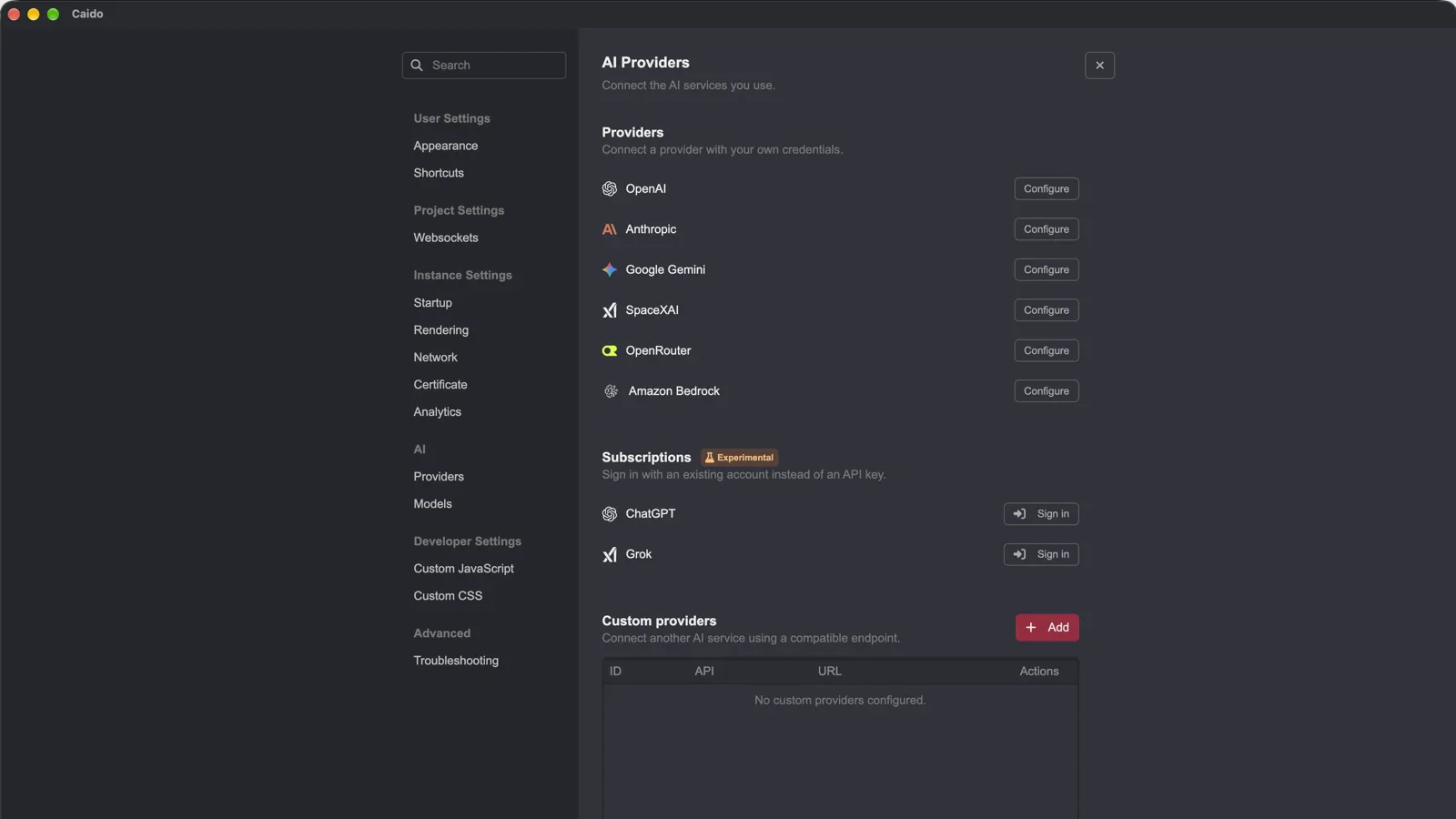
Connect a local LM Studio endpoint as a custom AI provider without an API key, so your prompts never leave your machine.
In Caido, go to Settings > AI > Providers > Custom provider. Set Provider ID to a label of your choice, select the matching API type, enter your LM Studio Base URL (e.g.
announced · Oct 2026
· source
TLS pass-through shipped Allows raw TLS traffic to bypass interception via a Traffic Control pass-through option.
release
- Adds TLS pass-through in Traffic Control, enabling raw TLS traffic to bypass interception. v0.59.0 · Oct 2026 · source · release history
Automated redirect following shipped Enables automatic handling of HTTP redirects within automated request sequences to maintain continuity across chained requests.
release
- Automate now supports automatic redirect following, enabling smooth automated testing across chained requests. v0.53.0 · Nov 2025 · source · release history
Request saving shipped Enables saving captured requests directly to files via the interface.
release
- New right-click menu item to save requests directly to a file. v0.53.0 · Nov 2025 · source · release history
Shared Instances shipped Allows multiple users to connect to the same cyber tool instance for real-time collaboration and hand-off.
release
- New Shared Instances (Team Plan): multiple users can now connect to the same Caido instance, enabling hand-off and real-time collaboration on assessments. v0.53.0 · Nov 2025 · source · release history
Project backups shipped Provides automatic backup capabilities for projects on all subscription tiers.
release
- Project backups are now available on all plans, including free. v0.52.0 · Sep 2025 · source · release history
Findings export shipped Allows exporting saved findings to JSON for external processing and reporting.
Also counts toward: JSON data export
release
- Enables exporting Findings in JSON format for downstream processing, reporting, and team sharing. v0.51.0 · Aug 2025 · source · release history
Plugin Search shipped Adds search functionality within the plugin manager to locate plugins.
release
- Adds plugin search in the plugin manager. v0.49.0 · Jul 2025 · source · release history
Automatic Desktop Updates shipped Supports background download and one-click installation of updates for desktop users across major operating systems.
release
- Automatic updates for desktop users on macOS, Windows, and Linux (AppImage/deb experimental) with background download and one-click install. v0.48.0 · May 2025 · source · release history
Guest Mode shipped Allows access to the tool without an account using temporary projects and limited plugin access.
release
- New guest mode: access Caido without an account using temporary projects and a single plugin. v0.48.0 · May 2025 · source · release history
Backend Plugin Logging shipped Exposes backend logs directly in the UI bottom panel for real-time debugging.
release
- Exposes backend logs directly in the UI bottom panel for real-time debugging. v0.47.0 · Mar 2025 · source · release history
DNS Entry Overriding shipped Allows resolving domain names to a specific IP or DNS server on demand.
release
- Adds DNS Entry Overriding to resolve domain names to a specific IP or DNS server on demand. v0.47.0 · Mar 2025 · source · release history
Invisible Proxying shipped Enables intercepting traffic from non-proxy-aware clients without manual proxy configuration.
release
- Adds Invisible Proxying to intercept traffic from non-proxy-aware clients without manual proxy configuration. v0.47.0 · Mar 2025 · source · release history
Lines in monospace are the tool's own words: help text
parsed from its source, or an endpoint from its API document. Under
release, a line is our summary of a dated release. Under
docs, it is quoted from the tool's own documentation or
website. Each links back to the source it came from.
Command line
No command matches.
| option | found in | since | description |
|---|
Values are placeholders taken from each option’s declared default. Nothing is executed here — the output shown is a recording of a run that already happened.
Screenshots
From the release notes, newest first. Click one to see it full size.Score card
-
Shipping velocity releases a month, last 12 months
-
Documentation quality release-notes rubric, 0–100
-
Breaking-change discipline how rarely a release breaks users, and notice given
-
Maintenance risk quiet time against its own cadence, maintainers
-
Innovation & surface new capabilities, API and MCP surface
- Community health
-
Contributor trend distinct committers, this year against last
-
Maintainer concentration bus factor now against a year ago
-
Issue backlog trend issues closed per issue opened, 12 months
-
Responsiveness median time to a maintainer’s first reply
Nine scores for caido, each built from the releases, notes and API history this site tracks — and, on Researcher and Business, where it stands among every measured tool in its category and how that has moved.
Score cards are part of every paid plan.
See plans → Already subscribed? Sign in →Trajectory
Blank means never measured; nothing here is a filled-in zero.
Peer standings are included with Researcher and Business. See how this tool ranks against its competitors, using data we don't publish anywhere else.
See plans →Each score is 0–100 on a published rubric, derived from data this site already shows. A dimension we cannot measure says so — it is never scored 0 and never enters a rank.
How this is scored
- Shipping velocity — releases a month over the last 12 months, on a log scale where 16 a month scores 100. Needs 3 releases in the window.
- Documentation quality — the release-notes rubric published on the analytics page, unchanged.
- Breaking-change discipline — the share of releases carrying a breaking change (none scores 100, half or more scores 0). Only projects that label breaking changes are measured: a clean record cannot be told from an unlabelled one.
- Maintenance risk — quiet time measured against the tool's own release cadence (quiet longer than 90 days and three typical gaps scores 0), plus the number of active maintainers and whether contributors are growing, where known. Higher is lower risk.
- Innovation & surface — new capabilities in the feature ledger this year, API and MCP operations added, and the share of commits that are features: the mean of whichever we hold.
- Community health (open-source tools only) — each is a direction, not a size: contributors this year against last, the bus factor now against a year ago, and issues closed per issue opened, where steady scores 50, doubled 100 and halved 0; plus the median time to a maintainer's first reply (an hour scores about 100, a month or more 0). A commercial card has no repository and carries none of the four.
- Documented delivery (commercial tools) — when a vendor's documented new capabilities have slowed against its own baseline, that counts against the overall standing as heavily as two low dimensions. Steady delivery, or too little history to judge, leaves the standing alone; it is never a sixth score.
- Open-source tools are scored on repository signals; commercial tools on their published changelog. Ranks compare tools within one category and one profile and need at least five measured peers; the overall standing needs three ranked dimensions. Best-in-breed or consolidator is a shape, not a quality, and is never scored.
Release-note detail over time
See how much detail caido puts in its release notes, quarter by quarter, and compare it with tracked tools in the same category. This history uses up to ten retained, reviewed notes per tool; sparse or blank older quarters may reflect that limit.
Checking release-note history…
Releases
55 entries
No entries match these filters.
- October 20262
- September 20261
- August 20262
- June 20262
- April 20261
- February 20261
- January 20261
- December 20251
- November 20252
- September 20251
- August 20251
- July 20253
- June 20251
- May 20251
- March 20251
- February 20251
- January 20252
- November 20241
- October 20242
- September 20241
- August 20241
- July 20241
- June 20241
- May 20241
- April 20242
- March 20243
- February 20245
- January 20241
- December 20231
- November 20231
- October 20231
- August 20231
- July 20231
- June 20231
- May 20232
- March 20232
- February 20231
- January 20231
Project health
Issue, contributor and maintainer activity in caido/caido, 2023-10 – 2026-09, as of 2026-09-25. Twelve-month figures first; the trend lines run the whole window.
- Contributors 3 −2 vs prior 12 months
- Maintainers 2 +2 joined · −2 left, last 12 months
- Bus factor 1 committers behind half the commits
- Community-filed 63% of issues opened, last 12 months
- Median time to close 126 days first maintainer reply 13 days
- Open backlog 719 of 2,188 issues ever filed
- Issues opened / month 12 · 0 communitymaintainers
- Open backlog 719
- Contributors / month 0
- Commits / month 0
- Stars 2,591
- bugs 17%
- other 83%
Counts from the project's public repository and git history; no individuals are identified. Maintainers are the committers covering 80% of the last year's commits. how we measure this
Add the badge to your README
Maintain this project? The badge links readers straight to this page, so they can follow every release here.
 Choose a badge style and copy the code →