Group webhooks, group reads, and pause for Directory Sync (2026-11-03)commercial
The section your link pointed to isn't on Clerk's page any more, so we've brought you to the top.
Clerk is an authentication and user-management platform that provides pre-built UI components, APIs, and SDKs for adding sign-up, sign-in, and identity features to applications.
Clerk is a commercial identity and access management platform that adds authentication, user management, and organization-level access control to an application through prebuilt UI components and SDKs rather than custom-built infrastructure. It runs as a hosted service, with dashboard-based configuration and a Backend API for programmatic control, and slots into an application's frontend and backend rather than running as a standalone agent. It targets application developers building sign-up, sign-in, and multi-tenant account features, plus the IT admins who later self-serve SAMLSAMLA standard for passing signed identity assertions between a sign-in provider and an application. It lets a user sign in through their organization's identity provider. and OIDCOIDCOpenID Connect, a sign-in protocol built on OAuth 2.0. An application uses identity information from a trusted provider instead of maintaining a separate password for each user.SSOSSOSingle sign-on, using one identity provider to sign in to multiple applications. It reduces separate passwords and centralizes account and access management. setup for their own organizations without support team involvement. It sits in the identity-access category alongside other auth-as-a-service platforms, distinguished by features like organization-scoped billing, JITJITA runtime compilation strategy where code is translated from an intermediate form to native machine instructions at execution time, giving tools the speed of compiled code without sacrificing dynamic flexibility. provisioning controls on SAML connections, and an MCPMCPModel Context Protocol, a standard for connecting AI applications to external tools and data sources. A compatible server exposes capabilities an assistant can use through a common interface. server for connecting AI coding clients such as Claude Code and Cursor.
Clerk is an authentication and user-management platform that provides pre-built UI components, APIs, and SDKs for adding sign-up, sign-in, and identity features to applications.
Which AI coding clients on this machine can reach my project's auth configuration?
checks the configured server with a real connection handshake and reports back one of three states — not installed, installed but unreachable, or working — instead of just confirming a config file exists
Can my customers' IT admins set up their own enterprise SSO without opening a ticket with us?
exposes a Security tab inside the organization profile where an admin configures SAML or OIDC directly, with domain ownership checked via a DNS record and the connection scoped to their organization only
Are new SAML sign-ins silently creating accounts I didn't approve?
a per-connection setting rejects sign-in attempts from users without a pre-provisioned account, and the same control is readable and toggleable through the dashboard or the API for auditing across connections
What is a given user actually experiencing in my app right now?
one-command impersonation lets a developer instantly assume that user's session to reproduce what they see, without needing their credentials
Can I test webhook-dependent flows before deploying anywhere public?
a local toolkit receives and inspects webhook events on a developer's own machine, removing the need for a public URL during development
Built from Clerk's releases, docs, README and our own runs.
“Seen” marks the month we first spotted a release the vendor didn't date.
Group names and tags are our labels.
+JIT provisioning control for SAMLshippedGives operators a toggle to enable or disable Just-in-Time provisioning per SAML connection, so they can limit sign-ins to users who have been pre-provisioned.3 releases · 2 other sources · first seen Jul 2026▸
Shared capability: SAML SSO
Also counts toward: REST API, Web management console
release
Adds a self-serve toggle in the Clerk Dashboard to enable or disable JIT provisioning on SAML connections.
Disable just-in-time provisioning for SAML connections (2026-07-07) · Jul 2026
· source
· release history
Exposes a disable_jit field on the Backend API for programmatic control of JIT provisioning per SAML connection.
Disable just-in-time provisioning for SAML connections (2026-07-07) · Jul 2026
· source
· release history
Adds opt-in control to reject SAML sign-ins from users who lack an existing account, preventing automatic JIT provisioning.
Disable just-in-time provisioning for SAML connections (2026-07-07) · Jul 2026
· source
· release history
example
Enable or disable JIT provisioning for a SAML connection through the Dashboard without touching the API.$ In the Clerk Dashboard, go to Configure > SSO Connections > [your SAML connection] and toggle off "Enable just-in-time provisioning".
Disable just-in-time provisioning for SAML connections (2026-07-07) · Jul 2026
· source
Disable JIT provisioning on an existing SAML connection so only pre-provisioned users can sign in.$ curl -X PATCH https://api.clerk.com/v1/saml_connections/<connection_id> \ -H 'Authorization: Bearer <secret_key>' \ -H 'Content-Type: application/json' \ -d '{"disable_jit": true}'
Disable just-in-time provisioning for SAML connections (2026-07-07) · Jul 2026
· source
+SAML login hint configurationshippedLets operators configure what login hint each SAML connection sends to the identity provider, choosing between the user's email, a custom attribute, or nothing.1 release · first seen Jul 2026▸
Shared capability: SAML SSO
release
Supports per-SAML-connection configuration of the login hint sent to identity providers: email address, a custom attribute, or none.
Choose what SAML sends as a login hint (2026-07-15) · Jul 2026
· source
· release history
+Single sign-on1 featureIdentity and accesssince 2026▸
+Self-serve enterprise SSO for organizationsshippedAdds a Security tab to OrganizationProfile so customers' own IT admins can set up and manage SAML and OIDC SSO connections without needing access to the Clerk Dashboard.11 releases · 6 other sources · first seen Jun 2026▸
Shared capability: Single sign-on
Also counts toward: Single sign-on, OIDC SSO, SAML SSO
release
11 total
Adds SSO bypass, letting a per-connection allowlist of users sign in with a one-time email code when an enterprise SSO connection is broken or unavailable, surfacing a 'Can't use SSO?' link in <SignIn />.
changelog · Oct 2026
· source
· release history
Adds sign_in.sso_bypass.succeeded audit event logged each time a user on an SSO bypass allowlist signs in via one-time email code instead of through the IdP.
changelog · Oct 2026
· source
· release history
Adds org:sys_entconns:manage permission-gated self-serve Directory Sync wizard inside the <OrganizationProfile /> Security tab, supporting Okta Workforce, Microsoft Entra ID, Google Workspace, and custom SAML/OIDC connections — admins get a generated SCIM endpoint URL and bearer token without needing Clerk…
changelog · Oct 2026
· source
· release history
Adds org:sys_entconns_sso_bypass:manage system permission, included in the default Admin role, allowing Organization members to manage their SSO bypass allowlist from <OrganizationProfile />.
changelog · Oct 2026
· source
· release history
New endpoint DELETE /sso_bypass_allowlist_users/{userID}
2026-05-12 · Oct 2026
· source
· release history
New endpoint GET /sso_bypass_allowlist_users
2026-05-12 · Oct 2026
· source
· release history
docs
(SAML or OIDC) for top-down deployments managed by IT with centralized authentication through an identity provider ( IdP ). Sep 29, 2026
seen Sep 2026
· source
Jul 31 Your customers can now set up their own OIDC connections. Self-serve SSO lets you delegate enterprise SSO configuration to your customers' IT admins, without giving them Dashboard access. In addition to SAML, it now supports custom OpenID Connect (OIDC) providers.
changelog · Aug 2026
· source
example
Grant an Organization's admin the ability to configure Directory Sync themselves — no Dashboard access required.$ In the Clerk Dashboard, select the Organization, open its Settings, and enable 'Allow this organization to set up enterprise SSO and Directory Sync' under Organization permissions.
changelog · Oct 2026
· source
Delegate OIDC enterprise SSO setup to an org admin — enable the capability per organization so the Security tab appears in OrganizationProfile.$ In the Clerk Dashboard, select an Organization > Settings > Organization permissions, then toggle on "Allow this organization to set up enterprise SSO".
changelog · Aug 2026
· source
Surface the Security tab to your customers' IT admins so they can set up their own OIDC SSO without involving your support team.$ In your app, render <OrganizationProfile /> and direct IT admins to the Security tab to configure their OpenID Connect connection.
Self-serve SSO for OIDC (2026-07-31) · Jul 2026
· source
Expose the new Security tab to organization members so their IT admins can self-configure enterprise SSO — no Clerk dashboard access required.$ In the Clerk dashboard, ensure <OrganizationProfile /> is rendered in your app; IT admins will find the new Security tab there to configure and manage their enterprise SSO connections.
Self-serve SSO (2026-06-26) · Jun 2026
· source
+Multi-factor authentication1 featureIdentity and accesssince 2026▸
+Device TrustdocumentedAutomatically requires a second factor when a user signs in with a password from a device Clerk does not recognise, even if MFA is not otherwise turned on.2 other sources · first seen Aug 2026▸
Shared capability: Multi-factor authentication
Also counts toward: Multi-factor authentication
docs
Multi-factor authentication (MFA) requires a for production use, but you can try it for free in development mode. See the Sep 29, 2026
seen Sep 2026
· source
Device Trust automatically requires a second factor when someone signs in with a password from a new device and hasn't enabled MFA. Device Aug 5, 2026
docs update · Aug 2026
· source
+MCP server1 featureInterfaces and integrationssince 2026▸
+Clerk MCP servershippedProvides a built-in MCP server that can be registered across supported AI coding clients in one step, giving AI agents access to current Clerk SDK snippets and implementation guidance.17 releases · 9 other sources · first seen Jul 2026▸
previously: Clerk MCP server integration
Shared capability: MCP server
Also counts toward: Command-line interface, MCP server
release
17 total
Collect agent feedback through your MCP server by adding the submit_feedback tool from @clerk/mcp-tools, so agents can report friction — missing tools, unexpected errors, or blocked tasks — as they encounter it.
changelog · Nov 2026
· source
· release history
Enables AI agents to submit product feedback directly from an MCP server, with submissions reviewable in the Clerk dashboard.︀︄︇︀︅︉︀︅︀︀︃︀︀︅︅︀︅︊︀︄︆︀︃︄
Agent feedback (2026-10-23) · Oct 2026
· source
· release history
Connects the Clerk MCP server to your Clerk account, enabling agents to create applications, configure authentication, manage users, and set up production instances via your MCP client's sign-in flow.
changelog · Oct 2026
· source
· release history
Adds a production-deployment workflow via MCP that creates a production instance on a given domain, copies development settings, and reports required DNS records and OAuth credential gaps.
announced · Oct 2026
· source
· release history
Adds account sign-in to the Clerk MCP server so agents can read and modify workspace apps and instances from the same authenticated session after a one-time consent approval.
announced · Oct 2026
· source
· release history
Enforces per-call scoped tokens expiring within 5 minutes — each MCP tool call receives only that tool's permissions, preventing cross-tool privilege escalation.
announced · Oct 2026
· source
· release history
docs
Jul 22 Clerk's MCP server gives your AI agents up-to-date Clerk SDK snippets and implementation patterns. Until now, connecting it meant editing a different config file for every client.
changelog · Jul 2026
· source
Use Clerk's MCP server Set up with the Clerk CLI Manual setup instructions Available tools Example usage Available snippet bundles Frequently asked questions (FAQ) When or why should I use the Clerk MCP server? Why am I seeing an internal server error when trying to connect?
docs update · Jul 2026
· source
example
7 total
Register the Clerk MCP server in your AI client so your agent can authenticate and manage Clerk resources.$ https://mcp.clerk.com/mcp
announced · Oct 2026
· source
Ask your agent to walk through production setup — it creates the instance, copies dev settings, and reports outstanding DNS and OAuth gaps.$ Take this app to production on example.com and tell me what's left.
announced · Oct 2026
· source
Preview a user creation in your development instance before committing, using the dry-run mode.$ Create a test user in my development instance with the email ada@example.com — dry run first, show me what would change.
announced · Oct 2026
· source
Target only Claude Code and Cursor for MCP registration when you don't want to touch other clients on the machine.$ clerk mcp install --client claude --client cursor
changelog · Jul 2026
· source
Register the Clerk MCP server across all detected AI clients in one shot — useful for onboarding a new machine or CI environment.$ clerk mcp install --all
changelog · Jul 2026
· source
Verify your Clerk MCP server is reachable (not just installed) after registration, to catch config or network issues early.$ clerk doctor
changelog · Jul 2026
· source
+Other / not yet classified24 featuresFeatures we have not matched to a capability yet. A suggested match is marked.▸
+Clerk CLIshippedProvides an interactive CLI that both human developers and AI agents can use to manage Clerk configuration, run diagnostics, and set up integrations.15 releases · 27 other sources · first seen Jul 2026▸
Also counts toward: Command-line interface
release
15 total
Updates the API keys page in the Clerk Dashboard to reveal a Secret key's full value only at creation time, showing only a partial value thereafter to reduce the risk of key leakage.
changelog · Oct 2026
· source
· release history
New endpoint DELETE /invitations/{invitation_id}︀︄︇︀︅︉︀︅︀︀︃︀︀︅︅︀︅︊︀︄︆︀︃︄
2026-05-12 · Oct 2026
· source
· release history
Adds --accountless flag to npx clerk@latest init to force accountless app creation even when signed in, and --login to force the authenticated flow.
announced · Sep 2026
· source
· release history
Adds npx clerk@latest link (with optional --app <id>) to attach an existing Clerk app to a project instead of creating a new one.
announced · Sep 2026
· source
· release history
Adds npx clerk@latest deploy as an interactive wizard to create a production Clerk instance and walk through DNS records and OAuth providers.
announced · Sep 2026
· source
· release history
Adds --json flag to npx clerk@latest doctor so agents can parse structured output including the remedy field instead of interactive prompts.
announced · Sep 2026
· source
· release history
docs
21 total
For a native iOS or macOS app in Xcode, follow the [iOS setup prompt](https://clerk.com/docs/ios/getting-started/quickstart.md) instead of the steps below. It chooses a Clerk application, runs init on the Xcode project, and finishes the Swift integration.
seen Oct 2026
· source
file. To replace any placeholder values, in the Clerk Dashboard, copy your and add a new on the page. That page only shows the Secret Key once. Quick copy section, select Insert a new secret key , then copy your Clerk . The page only shows the Secret Key once. Oct 16, 2026
seen Oct 2026
· source
For a native iOS or macOS app in Xcode, follow the [iOS setup prompt](https://clerk.com/docs/ios/getting-started/quickstart.md) instead of the steps below. It chooses a Clerk application, runs init on the Xcode project, and finishes the Swift integration.
seen Oct 2026
· source
For a native iOS or macOS app in Xcode, follow the [iOS setup prompt](https://clerk.com/docs/ios/getting-started/quickstart.md) instead of the steps below. It chooses a Clerk application, runs init on the Xcode project, and finishes the Swift integration.
seen Oct 2026
· source
Create an iOS or macOS SwiftUI app in Xcode with File > New > and the App template, or use an app you already have.
docs update · Oct 2026
· source
is required. If the following code shows , in the Clerk Dashboard, add a new Secret Key on the page and copy it. That page only shows it once. Oct 16, 2026
seen Oct 2026
· source
example
Pull production keys into a dedicated file to keep them out of the dev env file your local server reads.$ npx clerk@latest env pull --instance prod --file .env.production.local
announced · Sep 2026
· source
Bootstrap Clerk auth in a new Next.js project — no account, no Dashboard, no copy-pasting keys — so an agent can continue immediately.$ npx clerk@latest init
announced · Sep 2026
· source
Let an agent audit the Clerk setup and parse structured remedies without triggering interactive prompts.$ npx clerk@latest doctor --json
announced · Sep 2026
· source
Run the Clerk CLI without installing; list commands.$ npx clerk --help
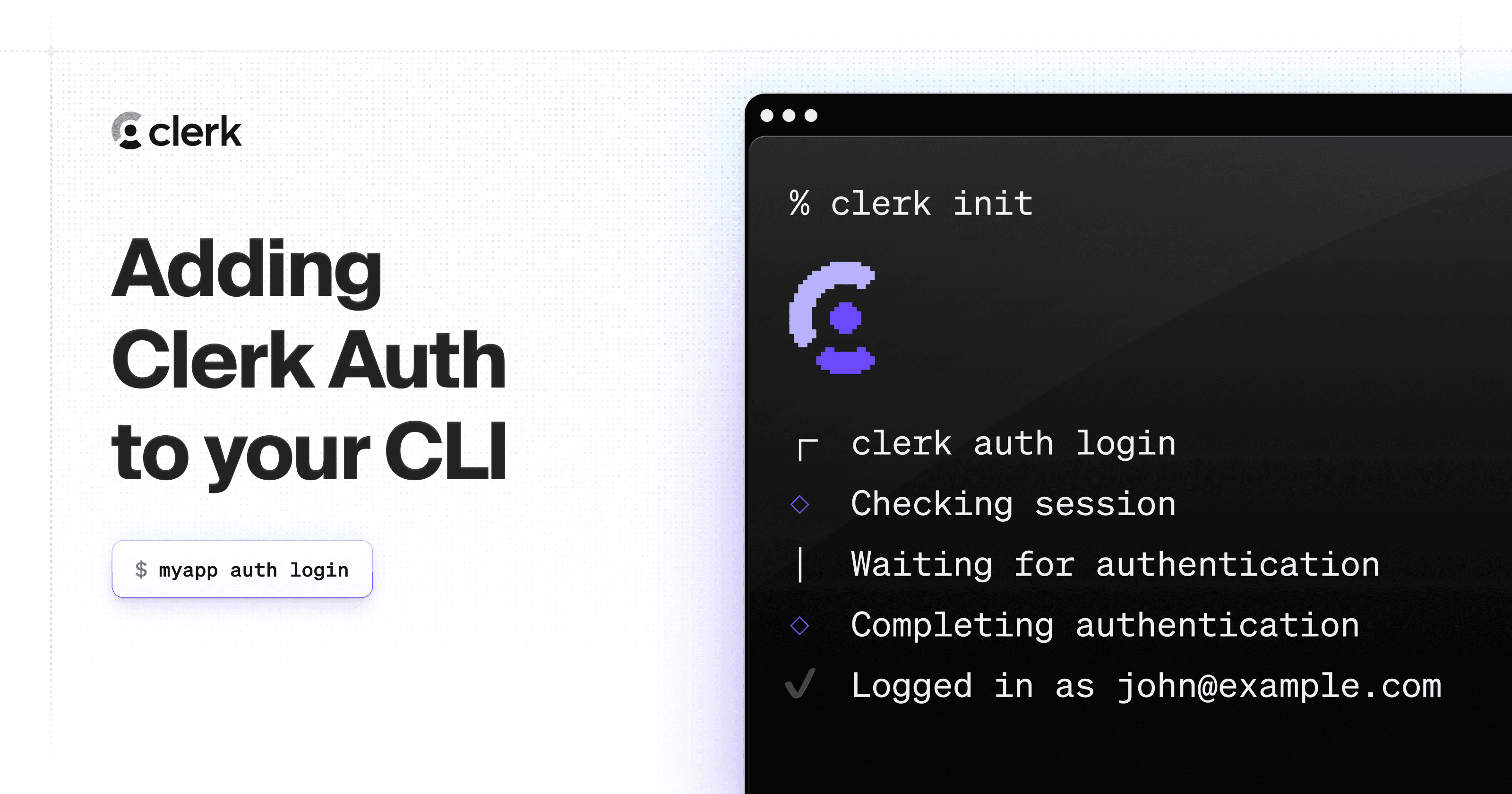
Auto-detect framework and scaffold Clerk auth into the project.$ clerk init
Check the project's Clerk integration health (read-only).$ clerk doctor
+Google Workspace Directory SyncshippedContinuously syncs users, groups, memberships, and custom attributes from Google Workspace into Clerk using a service account, without waiting for sign-in events to trigger updates.15 releases · 2 other sources · first seen Aug 2026▸
release
15 total
Pause a Directory Sync directory without removing any user access.
Group webhooks, group reads, and pause for Directory Sync (2026-11-03) · Nov 2026
· source
· release history
Clerk's Directory Sync now sends webhooks for group and membership changes.︀︄︇︀︅︉︀︅︀︀︃︀︀︅︅︀︅︊︀︄︆︀︃︄
Group webhooks, group reads, and pause for Directory Sync (2026-11-03) · Nov 2026
· source
· release history
Clerk's Backend API now supports reading a group and its members via Directory Sync.
Group webhooks, group reads, and pause for Directory Sync (2026-11-03) · Nov 2026
· source
· release history
New endpoint GET /directories/{directory_id}/groups/{group_id}/members
2026-08-20 · Oct 2026
· source
· release history
New endpoint GET /directories/{directory_id}/groups/{group_id}︀︄︇︀︅︉︀︅︀︀︃︀︀︅︅︀︅︊︀︄︆︀︃︄
2026-08-20 · Oct 2026
· source
· release history
Supports pausing, resuming, or removing a self-serve Directory Sync connection from within <OrganizationProfile /> after initial setup.
changelog · Oct 2026
· source
· release history
example
Enable self-serve Directory Sync for an organization so its admin can configure SCIM provisioning without Clerk Dashboard access.$ In the Clerk Dashboard: select an Organization > open its Settings > under 'Organization permissions', turn on 'Allow this organization to set up enterprise SSO and Directory Sync'.
changelog · Oct 2026
· source
Surface the self-serve Directory Sync setup flow to your customers' IT admins by embedding the Organization Profile component in your app.$ <OrganizationProfile />
Self-serve Directory Sync (2026-09-30) · Sep 2026
· source
+Account Portal hosted auth for mobileshippedLets mobile apps on Expo, iOS, and Android route sign-in and sign-up through a browser-based Account Portal flow, covering all enabled auth methods without requiring native UI code.2 releases · 5 other sources · first seen Jul 2026▸
release
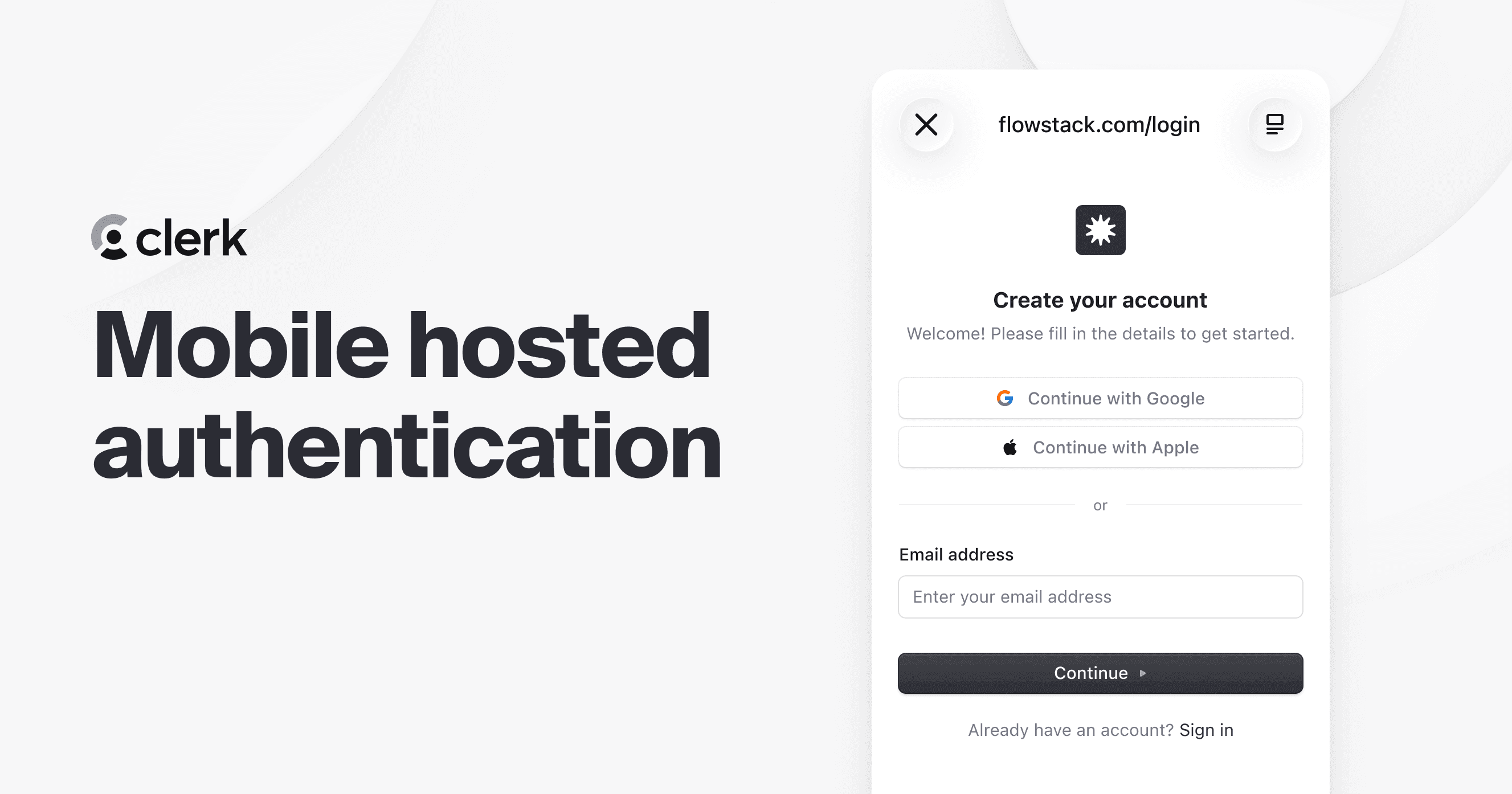
New startHostedAuth() method in Expo, iOS, and Android SDKs hands the full sign-in/sign-up flow to Account Portal in a browser session, automatically covering all enabled auth methods (email codes, passwords, social, enterprise SSO, MFA) without requiring native UI.
changelog · Aug 2026
· source
· release history
Enables browser-based sign-in and sign-up flows through Clerk's Account Portal for mobile apps built with Expo, iOS, and Android.
Hosted authentication for Expo, iOS, and Android (2026-07-28) · Jul 2026
· source
· release history
docs
Native iOS and Android apps can use the Billing object's data APIs to access Plans, Subscriptions, statements, and payment attempts, and use Oct 8, 2026
seen Oct 2026
· source
Native iOS and Android apps can use the Billing object's data APIs to access Plans, Subscriptions, statements, and payment attempts, and use Oct 7, 2026
seen Oct 2026
· source
Native iOS and Android apps can use the Billing object's data APIs to access Plans, Subscriptions, statements, and payment attempts, and use Oct 6, 2026
seen Oct 2026
· source
Offload the entire auth flow to Account Portal from an Expo app — no native auth UI needed, all instance auth methods work automatically.$ import { useHostedAuth } from '@clerk/expo/hosted-auth' const { startHostedAuth } = useHostedAuth() await startHostedAuth()
changelog · Aug 2026
· source
+Sign-in-or-up with strict enumeration protectionshippedLets the combined sign-in-or-up flow work alongside strict enumeration protection, confirming identity before deciding whether to sign in or create a new account.5 releases · first seen Aug 2026▸
release
Adds signUpIfMissing option for custom sign-in flows to enable sign-in-or-up behavior without enabling strict enumeration protection globally.
changelog · Aug 2026
· source
· release history
Adds sign_up_if_missing_password_preferred console warning on development instances when <SignIn /> detects an incompatible strict-protection + password configuration.
changelog · Aug 2026
· source
· release history
<SignIn /> now supports strict user enumeration protection and sign-in-or-up together out-of-the-box, with no code changes required — verification occurs before Clerk decides whether to sign in or create an account.
changelog · Aug 2026
· source
· release history
Strict enumeration protection is enabled on the Dashboard's Rules page under Protect; existing apps using <SignIn /> as a combined sign-in-or-up page with public sign-ups continue working with no migration.
changelog · Aug 2026
· source
· release history
Enables the combined sign-in-or-up flow in <SignIn /> when strict user enumeration protection is active — visitors verify identity first, then Clerk signs them in or creates the account.
Sign-in-or-up now works with strict enumeration protection (2026-08-04) · Aug 2026
· source
· release history
+Expo native components package splitshippedMoves Clerk's native Expo UI components into a separate `@clerk/expo-native-components` package so that apps not using native components no longer bundle the iOS and Android SDKs.3 releases · 1 other source · first seen Oct 2026▸
release
Splits Clerk's native Expo components (<AuthView />, <UserButton />, <UserProfileView />) into a dedicated @clerk/expo-native-components package, imported from @clerk/expo/native-components, so apps not using native components no longer bundle the iOS and Android SDKs — available in @clerk/expo…
changelog · Oct 2026
· source
· release history
The @clerk/expo/native import path is deprecated and will be removed in the next major version; update imports to @clerk/expo/native-components after installing @clerk/expo-native-components.
changelog · Oct 2026
· source
· release history
On Android, apps without @clerk/expo-native-components no longer migrate biometric credentials enrolled with earlier SDK versions — affected users must re-enroll. The new app binary must be shipped before any over-the-air update that includes this change, or native components will throw a runtime error.
changelog · Oct 2026
· source
· release history
example
Migrate an Expo app that uses native Clerk components to the new separate package so the main bundle no longer includes the iOS/Android SDKs.$ npx expo install @clerk/expo-native-components
changelog · Oct 2026
· source
+Electron SDK supportdocumentedProvides an SDK for adding authentication to Electron desktop apps using the same Clerk components used on the web.4 other sources · first seen Sep 2026▸
Also counts toward: Client SDKs
docs
Electron Use the Electron SDK to add authentication to your desktop app with the same components you use on the web. Sep 29, 2026
docs update · Sep 2026
· source
Electron Quickstart Beta Enable Native API Allow your app's origin Create a new Electron app Install @clerk/electron Set your Clerk API keys Set up the main process Expose the bridge from the preload script Add a Content Security Policy Add <ClerkProvider> to your app Create a header with Clerk components Run your…
docs update · Sep 2026
· source
Electron Use the Clerk Electron SDK to authenticate users in your desktop app with the same components you use on the web. Sep 29, 2026
seen Sep 2026
· source
Electron Use the Electron SDK to add authentication to your desktop app with the same components you use on the web. Sep 29, 2026
seen Sep 2026
· source
+Billing credit balance managementshippedLets operators adjust customer credit balances and apply fixed or percentage discounts to subscriptions through the Dashboard or programmatically via the API.3 releases · 1 other source · first seen Jun 2026▸
Also counts toward: REST API, Web management console
release
Adds support for applying percentage or fixed-amount discounts directly to a customer's subscription in Clerk Billing.
Discounts and promo codes for Billing (2026-08-10) · Aug 2026
· source
· release history
New API support for programmatically managing customer credit balances in Clerk Billing.
Clerk Billing now supports account credits (2026-06-30) · Jun 2026
· source
· release history
Enables adjustment of customer credit balances directly from the Clerk Dashboard.
Clerk Billing now supports account credits (2026-06-30) · Jun 2026
· source
· release history
docs
Cancel your plan Delete a workspace Delete your account Cancel your plan Your plan covers every application in the workspace. When you cancel, the workspace moves to the Hobby plan at the end of your billing cycle. Your applications keep running. To cancel an Enterprise plan, contact your Clerk account manager.
seen Oct 2026
· source
+Client ID Metadata Document (CIMD) OAuth supportshippedLets OAuth clients use an HTTPS URL as their client identifier; Clerk fetches and validates the metadata document at that URL, removing the need for pre-issued client IDs or secrets.3 releases · 1 other source · first seen Aug 2026▸
Also counts toward: Web management console
release
New Advertise CIMD support toggle publishes CIMD in authorization server metadata, allowing any compatible client to connect; pairs with Only allow pre-registered clients to connect to restrict OAuth flows to pre-reviewed clients.
changelog · Aug 2026
· source
· release history
New CIMD Clients tab on the OAuth provider page lets admins explicitly allow clients by Client ID URL, assign scopes, review admission status and metadata fetch health, refresh metadata, and block or delete saved clients.
changelog · Aug 2026
· source
· release history
New CIMD (Client ID Metadata Document) beta lets OAuth clients use an HTTPS URL as their client_id — Clerk fetches and validates the metadata document, eliminating the need for pre-issued client IDs, secrets, or Dynamic Client Registration; aimed at MCP and other public OAuth clients.
changelog · Aug 2026
· source
· release history
docs
Aug 6 Clerk's OAuth provider now supports Client ID Metadata Documents (CIMD), available today as a beta. A compatible client uses an HTTPS URL as its client_id . Clerk fetches the metadata document at that URL and validates the client's identity and redirect URIs.
changelog · Aug 2026
· source
+One-command user impersonationshippedLets a developer instantly assume any user's session from the CLI so they can reproduce bugs and test behaviour without manual credential sharing.1 release · 3 other sources · first seen Jul 2026▸
Also counts toward: Command-line interface
release
New one-command user impersonation enables developers to instantly act as any user for debugging and testing.
CLI webhooks, impersonation, and a refreshed experience (2026-07-09) · Jul 2026
· source
· release history
docs
page. Select the user, open the dropdown, and select . Alternatively, select the menu icon on the right side of the user's row and select Oct 8, 2026
seen Oct 2026
· source
page. Select the user, open the dropdown, and select . Alternatively, select the menu icon on the right side of the user's row and select Oct 7, 2026
seen Oct 2026
· source
page. Select the user, open the dropdown, and select . Alternatively, select the menu icon on the right side of the user's row and select Oct 6, 2026
seen Oct 2026
· source
+Application log accessshippedExposes application log events via the Backend API and CLI so developers can query, monitor, or feed them into AI agents and custom pipelines.2 releases · 1 other source · first seen Oct 2026▸
Also counts toward: REST API, Scripting API
release
Query audit logs programmatically with the GET /v1/logs Backend API endpoint, filtering on the same event types available in the Dashboard; requests over the rate limit return too_many_requests.︀︄︇︀︅︉︀︅︀︀︃︀︀︅︅︀︅︊︀︄︆︀︃︄
changelog · Nov 2026
· source
· release history
Query application log events programmatically via the now-public GET /v1/logs Backend API endpoint, usable from custom code or an AI agent.︀︄︇︀︅︉︀︅︀︀︃︀︀︅︅︀︅︊︀︄︆︀︃︄
Read Application Logs with the Backend API (2026-10-30) · Oct 2026
· source
· release history
example
Fetch recent application log events from Clerk to feed into an AI agent or custom monitoring pipeline.$ curl -X GET 'https://api.clerk.com/v1/logs' \ -H 'Authorization: Bearer <your_secret_key>'
Read Application Logs with the Backend API (2026-10-30) · Oct 2026
· source
+Bot and suspicious sign-up protectionshippedChallenges sign-ups that appear automated or originate from VPNs, Tor, or proxies, with CAPTCHA applied on web and skipped on native iOS and Android.1 release · 2 other sources · first seen Oct 2026▸
release
Limit bulk account creation on the Business plan with two new Clerk Protect rules: Limit sign-ups per email domain caps sign-ups from one domain per hour, and Limit sign-ups from shared infrastructure caps bursts from the same infrastructure.
changelog · Nov 2026
· source
· release history
docs
/* Required for sign-up flows on Expo web if your application uses legacy bot sign-up protection. Clerk skips the browser CAPTCHA on iOS and Android. See https://clerk.com/docs/guides/secure/legacy-bot-protection */ Oct 8, 2026
seen Oct 2026
· source
Challenge suspicious sign-ups challenges sign-ups that look automated or come through VPNs, Tor, or proxies. Challenge suspicious sign-ups Oct 9, 2026
docs update · Oct 2026
· source
+Passkey as a second factorshippedAllows users to verify their identity with a passkey as a second factor after signing in with another primary method.2 releases · 1 other source · first seen Oct 2026▸
Also counts toward: Multi-factor authentication
release
Allow passkeys to satisfy multi-factor authentication as a second factor: users who sign in with a password, social connection, or reset-password code can present a passkey instead of an SMS code or authenticator app, including during reverification; supportedSecondFactors can now include passkey in custom MFA…
changelog · Nov 2026
· source
· release history
Clerk now supports passkeys as a second factor, letting users verify with a passkey after signing in with another method.︀︄︇︀︅︉︀︅︀︀︃︀︀︅︅︀︅︊︀︄︆︀︃︄
Passkeys as a second factor (2026-10-29) · Oct 2026
· source
· release history
example
Enable passkeys as a second factor for an existing application created before July 8, 2026.$ In the Clerk Dashboard, go to User & authentication and turn on 'Passkeys satisfy multi-factor authentication' and 'Sign-in with passkey'.
changelog · Nov 2026
· source
+Composable profile UI componentsshippedOffers experimental composable building blocks so developers can assemble custom UserProfile and OrganizationProfile pages from individual panels rather than using the monolithic pre-built components.2 releases · 1 other source · first seen Jul 2026▸
release
Introduces experimental composable building blocks in @clerk/ui/experimental for assembling <UserProfile /> and <OrganizationProfile /> from individual panels and sections (e.g. UserProfileAccountPanel, UserProfileEmailSection, OrganizationProfileMembersPanel).
changelog · Aug 2026
· source
· release history
New experimental composable API lets developers build custom UserProfile and OrganizationProfile pages from Clerk's individual UI building blocks instead of using the pre-built monolithic components.
Composable UserProfile and OrganizationProfile components (2026-07-27) · Jul 2026
· source
· release history
example
Build a trimmed-down user profile page showing only the panels and sections your app needs, in the order you choose.$ import { UserProfileProvider, UserProfileAccountPanel, UserProfileProfileSection, UserProfileEmailSection, UserProfilePhoneSection, } from '@clerk/ui/experimental' export default function Page() {…
changelog · Aug 2026
· source
+Duplicate user mergeshippedProvides a Backend API endpoint to merge a duplicate user account into another user and delete the duplicate.2 releases · first seen Oct 2026▸
release
New endpoint POST /users/{user_id}/merge
2026-08-20 · Oct 2026
· source
· release history
Adds a Backend API endpoint to merge a duplicate user into another user and delete the duplicate.︀︄︇︀︅︉︀︅︀︀︃︀︀︅︅︀︅︊︀︄︆︀︃︄
Merge two users into one (2026-10-23) · Oct 2026
· source
· release history
+Default OAuth scopes for dynamic client registrationshippedAllows operators to set default OAuth scopes for dynamic client registration so clients that omit the scope parameter do not receive invalid_scope errors.2 releases · first seen Jul 2026▸
Also counts toward: REST API, Web management console
release
Supports configuring default OAuth scopes for dynamic client registration via the OAuth Applications settings in the Clerk Dashboard or the Backend API, preventing invalid_scope errors when clients omit the scope parameter.
changelog · Jul 2026
· source
· release history
Enables configuration of default OAuth scopes for dynamic client registration (DCR).
Configurable default OAuth scopes (2026-07-22) · Jul 2026
· source
· release history
+OAuth consent screen hostingshippedLets applications render the OAuth consent screen on their own domain so users stay within the application's brand rather than being sent to a Clerk-hosted page.1 release · 1 other source · first seen Jun 2026▸
release
New <OAuthConsent /> component enables hosting the OAuth consent screen directly on your application's own domain.
Customize your OAuth consent page (2026-06-22) · Jun 2026
· source
· release history
example
Render the OAuth consent screen on your own domain instead of Clerk's hosted page, keeping users in your brand experience.$ <OAuthConsent />
Customize your OAuth consent page (2026-06-22) · Jun 2026
· source
+Agent AuthshippedEnables AI agents to discover an application and authenticate through Clerk using open OAuth standards and the Personal Agent Protocol.1 release · first seen Nov 2026▸
release
Clerk for Agent Auth, built on open OAuth standards and the Personal Agent Protocol, is now in private beta, enabling agents to discover your application and authenticate through Clerk.
changelog · Nov 2026
· source
· release history
+Test mode email suppressionshippedSuppresses all outbound emails to addresses using the +clerk_test subaddress when Test mode is active, meaning test suites that rely on reading real inbox messages must use non-test addresses instead.1 release · first seen Nov 2026▸
release
Test email addresses (+clerk_test subaddress) no longer receive any emails while Test mode is on — test suites that read sign-in links or invitation emails from a real inbox must switch those addresses to ones without +clerk_test.
changelog · Nov 2026
· source
· release history
+Break-glass user pre-authorizationshippedAllows operators to pre-authorize a designated user so they can still sign in if the enterprise identity provider becomes unavailable due to an outage or expired certificate.1 other source · first seen Oct 2026▸
example
Pre-authorize a break-glass user so they can still sign in if your enterprise IdP goes down or a certificate expires.$ In the Clerk Dashboard, navigate to the enterprise SSO connection page, open the SSO bypass allowlist, and add the user's verified email address.
changelog · Oct 2026
· source
+Self-serve SCIM provisioning for organizationsdocumentedAllows customers' IT admins to configure SCIM endpoints and bearer tokens themselves so their identity provider can automatically provision, update, and deprovision organization members without requiring Clerk Dashboard access.1 other source · first seen Oct 2026▸
Also counts toward: SCIM provisioning API
docs
Sep 30 provisions, updates, and deprovisions an Organization's members as its identity provider changes. Until now, your team configured it in the Clerk Dashboard and handed a SCIM endpoint and bearer token to each customer's IT admin.
changelog · Oct 2026
· source
+Billing promo codesshippedLets customers enter a promotional code at checkout to redeem a discount against their Clerk Billing subscription.1 release · first seen Aug 2026▸
release
Adds promo codes that customers can redeem at checkout.
Discounts and promo codes for Billing (2026-08-10) · Aug 2026
· source
· release history
+Flutter SDK supportdocumentedProvides community-maintained documentation and integration guidance for building Clerk authentication into Flutter applications.1 other source · first seen Aug 2026▸
docs
Flutter Visit the community-maintained documentation to learn how to integrate Clerk into your Flutter application. Aug 5, 2026
docs update · Aug 2026
· source
+CBC cipher suite deprecationshippedRemoves CBC-mode cipher suites from Clerk-managed subdomains starting January 2027, requiring connected clients to support modern TLS cipher negotiation.1 release · first seen Jul 2026▸
release
Beginning January 18, 2027, CBC-mode SSL/TLS cipher suites (including TLS_ECDHE_ECDSA_WITH_AES_128_CBC_SHA, TLS_ECDHE_RSA_WITH_AES_256_CBC_SHA, TLS_RSA_WITH_AES_256_CBC_SHA, and others) will be removed from Clerk-managed subdomains (clerk.example.com, accounts.example.com); clients that can only negotiate a…
changelog · Jul 2026
· source
· release history
+Local webhook development toolkitshippedLets developers receive and inspect live Clerk webhook events on a local machine during development without exposing a public URL.1 release · first seen Jul 2026▸
release
New local webhooks toolkit lets you receive and inspect webhook events during development without a public URL.
CLI webhooks, impersonation, and a refreshed experience (2026-07-09) · Jul 2026
· source
· release history
Lines in monospace are the tool's own words: help text
parsed from its source, or an endpoint from its API document. Under
release, a line is our summary of a dated release. Under
docs, it is quoted from the tool's own documentation or
website. Each links back to the source it came from.
Command line
22 commands for Clerk, each
with where it came from. This tool has no source analysis yet, so there
is no option reference and no captured run beside them.
View
Source
No command matches.
Screenshots
From the release notes, newest first. Click one to see it full size.
Breaking-change disciplinehow rarely a release breaks users, and notice given
Maintenance riskquiet time against its own cadence, maintainers
Innovation & surfacenew capabilities, API and MCP surface
Five scores for Clerk, each built from the releases, notes and API history this site tracks — and, on Researcher and Business, where it stands among every measured tool in its category and how that has moved.
Each score is 0–100 on a published rubric, derived from data this site already shows.
A dimension we cannot measure says so — it is never scored 0 and never enters a rank.
How this is scored
Shipping velocity — releases a month over the last 12 months, on a log scale where 16 a month scores 100. Needs 3 releases in the window.
Documentation quality — the release-notes rubric published on the analytics page, unchanged.
Breaking-change discipline — the share of releases carrying a breaking change (none scores 100, half or more scores 0). Only projects that label breaking changes are measured: a clean record cannot be told from an unlabelled one.
Maintenance risk — quiet time measured against the tool's own release cadence (quiet longer than 90 days and three typical gaps scores 0), plus the number of active maintainers and whether contributors are growing, where known. Higher is lower risk.
Innovation & surface — new capabilities in the feature ledger this year, API and MCP operations added, and the share of commits that are features: the mean of whichever we hold.
Community health (open-source tools only) — each is a direction, not a size: contributors this year against last, the bus factor now against a year ago, and issues closed per issue opened, where steady scores 50, doubled 100 and halved 0; plus the median time to a maintainer's first reply (an hour scores about 100, a month or more 0). A commercial card has no repository and carries none of the four.
Documented delivery (commercial tools) — when a vendor's documented new capabilities have slowed against its own baseline, that counts against the overall standing as heavily as two low dimensions. Steady delivery, or too little history to judge, leaves the standing alone; it is never a sixth score.
Open-source tools are scored on repository signals; commercial tools on their published changelog. Ranks compare tools within one category and one profile and need at least five measured peers; the overall standing needs three ranked dimensions. Best-in-breed or consolidator is a shape, not a quality, and is never scored.
Release-note detail over time
See how much detail Clerk puts in its release notes, quarter by quarter, and compare it with tracked tools in the same category. This history uses up to ten retained, reviewed notes per tool; sparse or blank older quarters may reflect that limit.
35 readings of Clerk's pricing page since Dec 2023, with 16 relaunches of its plan lineup and 13 changes to what its plans include — each one dated, compared with the reading before it, and explained for someone buying the tool.
Pricing and packaging history is included with Researcher and Business. See how every vendor we track sells, and how that has changed over time, using data we don't publish anywhere else.
Each offering on the pricing page links to its own page of plans, read at its latest capture.
Plan relaunches
Plans, prices and descriptions are quoted from the vendor's own pricing page as we read it on each date.
A plan missing from a later reading is shown as no longer listed on the page — a statement about the page, not the product.
Readings that failed to show any plans are left out rather than read as a change.
Website history
clerk.com, every change
Clerk's home page and 14 more pages as they looked each month from January 2023 to October 2026: 24 renders, 2 changes of tagline or palette. Step through them, play them, or put any two months side by side.
Website history is included with Researcher and Business.
What Clerk connects to, runs on and detects, read from its release notes and docs. So far: 3 new integrations, 1 new supported platform.
Show
When
4 changes, tracked since Sep 30, 2026.
Nov 32026
newDirectory Sync group and membership webhooks
Directory Sync sends webhooks for group and membership changes
Group webhooks, group reads, and pause for Directory Sync (2026-11-03)Source ↗
Oct 202026
newiOS and macOS SwiftUI native app support in Clerk CLI
With Xcode
The CLI supports frameworks such as Next.js, React, Vue, Nuxt, Astro, React Router, TanStack Start, iOS, macOS, and more. Native Apple setup requires Xcode and an Xcode project.
newSelf-serve Directory Sync — Okta Workforce, Microsoft Entra ID, Google Workspace, custom SAML/OIDC
Clerk picks the directory provider from the SSO connection, so Okta Workforce, Microsoft Entra ID, Google Workspace, and custom SAML or OIDC connections each get the matching setup.
newSelf-serve Directory Sync via OrganizationProfile
With Google Workspace
Your customers' IT admins can set up Directory Sync for their own SSO connection, including Google Workspace, from the Security tab in <OrganizationProfile />
Nothing first seen in this window. That doesn't mean Clerk shipped nothing, only that we found no record of it.
Changes per month New Updated Retired
2026-09
1
2026-10
2
2026-11
1
How we count
Read from 14 of 85 release notes and docs updates we hold for Clerk. "First seen" is the earliest note that names something; "last" is the latest. Our history may start partway through Clerk's life, so an old integration can show a recent first-seen date.
Each change counts once: "added 40 checks" is one line, so the numbers measure how often coverage moves, not how big the catalogue is or how well it detects.
Releases
Show
Coverage in all entries
85 entries
No entries match these filters.
November 20262
October 202614
September 202636
August 202615
July 202615
June 20263
Add the badge to your README
Maintain this project? The badge links readers straight to this page, so they can
follow every release here.
 changelog · Oct 2026
· source
· release history
 announced · Oct 2026
· source
· release history
 announced · Sep 2026
· source
· release history
 Choose a badge style and copy the code →